RSS
 

Archive for November, 2015

Hypercolor Architecture: Paints React to Light, Heat & Touch

25 Nov

[ By WebUrbanist in Design & Products & Packaging. ]

colorchangingpaint

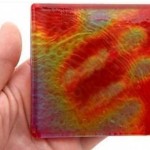
The 90s are back and better than ever, with Hypercolor-style material science now making its way onto exterior surfaces, robust enough to withstand external weather but with the same color-changing properties you know and love from those once-cool t-shirts.

coloradaptivetouch

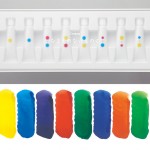
Potential applications of Olikrom are many, from tracing air paths across model airplanes wind tunnel simulations to creating buildings that change color, brighten or darken by night or day.

Prefab panels could be installed, or existing buildings repainted to create desired effects in all kinds of different conditions, from wall-touch interactivity to colors optimized around sky conditions or times of day.

Of course, there are many fun possibilities as well, like adding color-sensitive paint to coffee mugs to determine how hot and full they are, or creating a really cool every-changing car paint pattern as show in the video above.

light painting

Taking the playful side a bit further, variants on Neverwet-style, appear-on-demand graffiti are also possible – hidden appear-after-dark messages or stealth art on sidewalks and walls, or more on the practical side: touch-or-temperature-activated warnings when streets are wet.

Share on Facebook


[ By WebUrbanist in Design & Products & Packaging. ]

[ WebUrbanist | Archives | Galleries | Privacy | TOS ]


WebUrbanist

 
Comments Off on Hypercolor Architecture: Paints React to Light, Heat & Touch

Posted in Creativity


Using Emotions to Take Storytelling Images

25 Nov

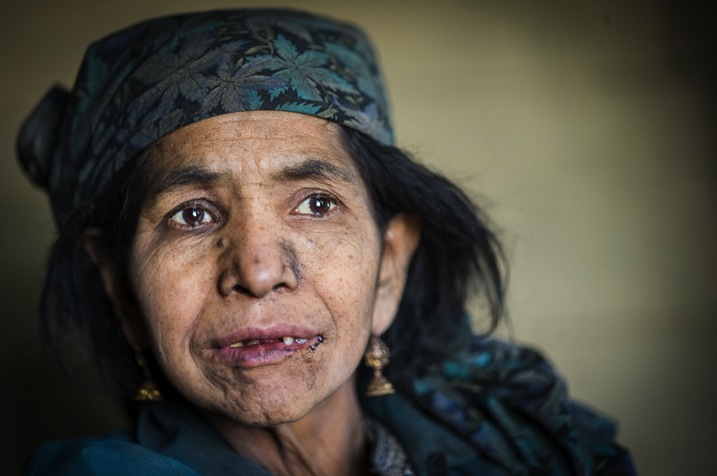
A forgotten woman and her daughter – tips for storytelling

If you travel to remote places you will be sure to get extraordinary photos. Be brave, take a risk, and allow the warm winds of far off places take you on a journey you won’t forget. I’m always looking for opportunities that allow me to visit people and places that are off the usual tourist trail. I travel with an open mind and heart, and am often rewarded by meeting extraordinary people in the most unlikely places.

51K1433

My interest is photographing landscapes and portraits. I especially look for people that are indigenous to the countries and the remote areas I visit. Their faces and traditional dress tell the stories of their ancestors, and I want to capture these people before they are no longer able to live as their forebears.

Traveling along the rough, dusty roads on the border between India and Pakistan you are immediately reminded of just how volatile these two countries still are. You take a great risk to visit these regions where many armed soldiers are seen in camps, at river crossings, and in long convoys of trucks as they continually patrol, ready to defend their respective countries.

Have patience and wait for opportunities

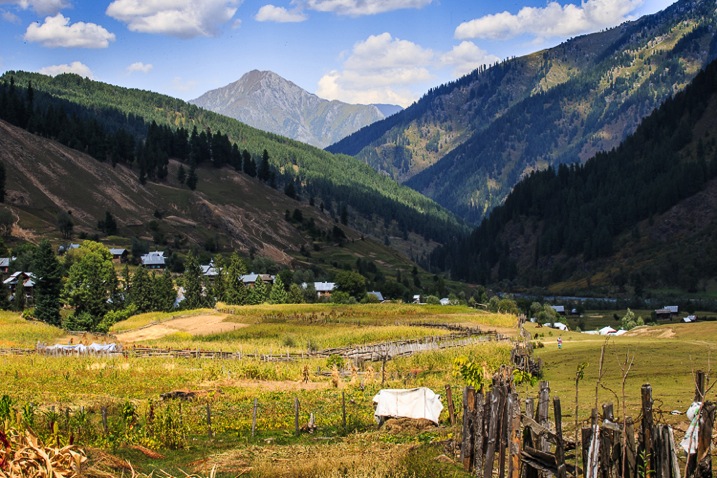
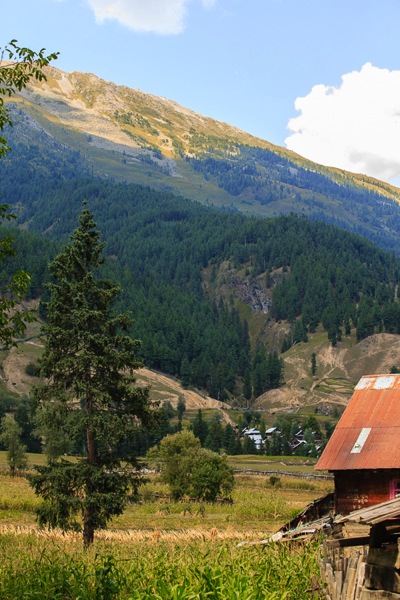
If you are able to travel in this area during October you will be rewarded with the magnificent autumn colors on display throughout the countryside. My intention was to capture these colors in all their glory, and photograph the natural beauty of the landscape. However, I arrived a little too early. I had a choice: I could stay and wait another week or two, or I could return home. I decided to stay and take the opportunity to have some time to relax, and see what other stories might present themselves.

It was the last day of my visit and I decided to take a walk, as I often do, to see if I could find a story by keeping an open mind, and a keen eye while I strolled.

51K1389

I knew that in the next few days, this area would be totally cut off for six months during winter. I was feeling a bit low as I hadn’t taken any photos that I felt were of any substance. As I walked I noticed a lady sitting in the window of a very humble wooden house. She looked very sad and I felt drawn to go and speak to her.

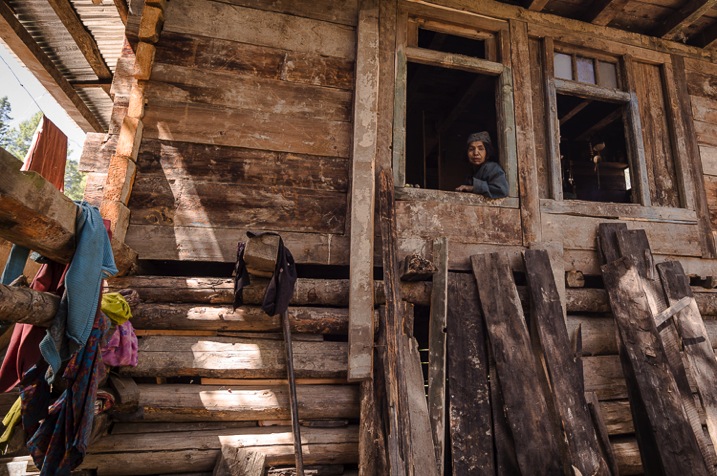
Note: To shoot in this region you need permissions and local guide, which I had. My first image of the story has shows me shooting from outside of her house. Next to me were people of that village and my local interpreter. She was watching me shoot from above. My objective was to talk to her and cheer her up. 

Image 1

51K1366

Allow the story to unfold and follow your instincts

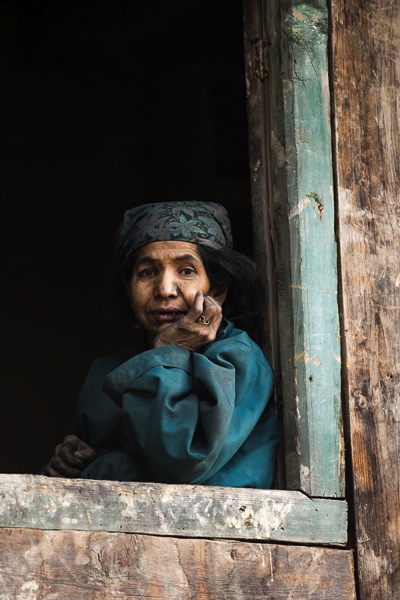
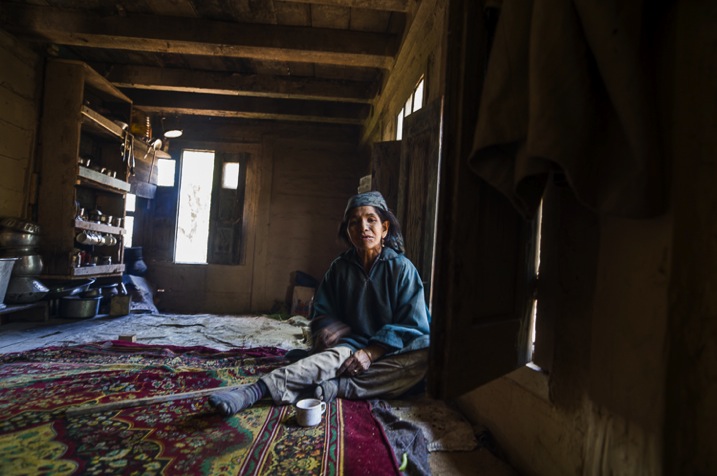
As soon as I entered the house I thought why not test my new camera in this low light. Once inside, I’m sure you would get the same shock I did. In one corner was a small fire for cooking. The rest of the room was dirty and in complete disarray. Upon seeing me enter, she looked quite stunned, and started to use sign language – I realized she couldn’t speak or hear. I also had a feeling she was mentally challenged, so I thought I would give up the idea of taking some portraits of her. She was trying to talk and constantly moving her body.

Image 2

I smiled and sat opposite her trying to show her my camera. I wanted to explain that I was a photographer so she wouldn’t be scared of me. Normally most of the strangers in this area are suspected militants, or a threat. As I tried to communicate with her, she continuously tried to sign violence and killing, which she must have experienced since birth. In sign language I tried asking her if I could photograph her, unfortunately it was my first try with sign language and she did not understand. Something inside me pushed me to take a few shots and leave. Somehow I managed to take some photos despite feeling low after spending time with her.

Image 4

L1000775

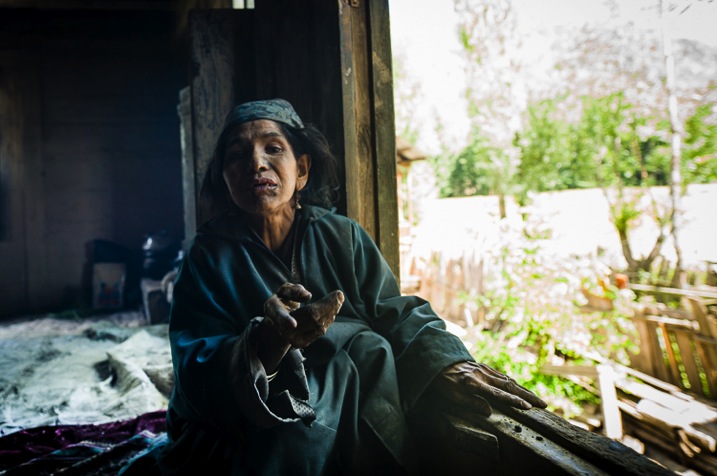
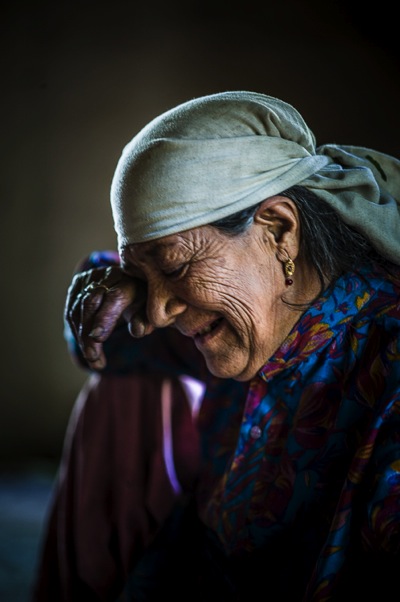
Then her mother walked inside the house and told me the story of her daughter. She was deaf, and mentally challenged since childhood. They were living a very difficult life and there was nobody else in family. I listened and took one shot as she broke down. All I could do was put my hand in my pocket and give her whatever cash I had.

Image 5

Look for the emotion parts of the story

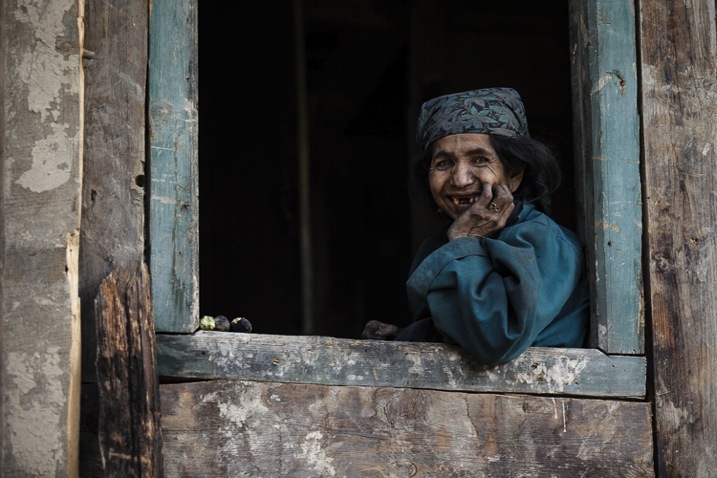
When I left the house I felt heavy hearted. I looked back and saw the daughter smile as she was looking out from her window, and I smiled back at her. I clicked the picture as a memory and it turned out to be the best photo I had taken on this visit. If you keep an open mind and follow your instincts you may well find a story such as this.

Image 6

As I drove back her powerful smile did not leave my mind. I kept thinking about her, she had left an impression.

Review

Look at your images after you take them as I did. It’s only then that you will realize how powerful they are.

Her smile started growing on me and I thought that perhaps I had made a small difference to her life. Her smile was so genuine. Even before arriving back home I decided to write about, and share her story. This story provoked my thoughts, altered my ego, and forced me to approach everyone with her story, whether they are my admirers or critics. I wanted to let the world know of her existence and those like her, as you will when you take those rare and unique photos and experience what I did. There are many such people on this earth for whom life is a day-to-day existence and there are only fleeting moments of happiness.

Take a risk and go for it

So… be brave, take a risk, and allow the warm winds of far off places take you on a journey you won’t forget. Trust me you won’t regret it!

Do you have any images that you took that inspire you and tell a story? Please share them in the comments below.

googletag.cmd.push(function() {
tablet_slots.push( googletag.defineSlot( “/1005424/_dPSv4_tab-all-article-bottom_(300×250)”, [300, 250], “pb-ad-78623” ).addService( googletag.pubads() ) ); } );

googletag.cmd.push(function() {
mobile_slots.push( googletag.defineSlot( “/1005424/_dPSv4_mob-all-article-bottom_(300×250)”, [300, 250], “pb-ad-78158” ).addService( googletag.pubads() ) ); } );

The post Using Emotions to Take Storytelling Images by Aarief appeared first on Digital Photography School.


Digital Photography School

 
Comments Off on Using Emotions to Take Storytelling Images

Posted in Photography


Canon EF 35mm F1.4L II USM real-world sample gallery

25 Nov

Canon’s new EF 35mm F1.4L USM II lens has some pretty big shoes to fill. Its older brother, now on the market for 17 years, has become both a benchmark and a staple of many a pro Canon shooter’s kit. We’ve had the Mark II version for a few days, and we’ve spent that time shooting some environmental portraits, landscapes and lots more in between. Read more

Articles: Digital Photography Review (dpreview.com)

 
Comments Off on Canon EF 35mm F1.4L II USM real-world sample gallery

Posted in Uncategorized


Lytro Desktop 5.0 introduces depth-based image editing

25 Nov

Lytro, maker of the ILLUM light field camera, has announced an update to its Lytro Desktop software. The application used to edit Lytro’s ‘Living Pictures’ in which focus can be selected after capture now allows for exposure, saturation and color edits to specific areas of an image based on depth. Read more

Articles: Digital Photography Review (dpreview.com)

 
Comments Off on Lytro Desktop 5.0 introduces depth-based image editing

Posted in Uncategorized


Dubai Commissions Fleet of Jetpacks to Fight Skyscraper Fires

25 Nov

[ By WebUrbanist in Architecture & Cities & Urbanism. ]

dubai skyscraper

Well known for its high-tech aspirations as well as architectural exuberance, the city of Dubai has begun ordering jetpacks for use by emergency services personnel in combating elevated blazes in its tall mixed-use towers.

Dubai Civil Defence is making the move in response to fires like the one that recently took place in its unfortunately-named Torch Tower, the world’s tallest residential building when it was completed.

dubai fire

The Martin Aircraft Company is adapting its existing models of commercial jetpacks to better suit the needs of flying firefighters. A standing platform will be added between the propeller engines, to allow pilots to let go of the controls (engaging a default hover mode) and move around more freely, as well as carry equipment.

hover mode

“Dubai is leading the world in high-rises, and sometimes we have challenges or difficulties reaching those buildings,” Dubai’s Civil Defence chief Ali Hassan Almutawa told the Khaleej Times.

“Sometimes we also find it difficult to communicate with people in those high-rises, especially when people are panicking from windows or balconies. With the jetpack we can go there and communicate physically with them and give them instructions.” Authorities in Dubai aim to secure and deploy their new array of flying machines by early next year.

Share on Facebook


[ By WebUrbanist in Architecture & Cities & Urbanism. ]

[ WebUrbanist | Archives | Galleries | Privacy | TOS ]


WebUrbanist

 
Comments Off on Dubai Commissions Fleet of Jetpacks to Fight Skyscraper Fires

Posted in Creativity


24. November 2015

25 Nov

Das Bild des Tages von: Laura Su Lilie

22852914889 © Laura Su Lilie

Im Ausblick: Roter Schlamm, Paris und die ISS.
kwerfeldein – Fotografie Magazin | Fotocommunity

 
Comments Off on 24. November 2015

Posted in Equipment


Video Field Test: Theron Humphrey and the Sony A7R II

24 Nov

For our latest Field Test video we went not-quite south of the border to Marfa, Texas. There, photographer Theron Humphrey and his internet-famous dog Maddie help us test the Sony Alpha 7R II and a collection of Sony FE lenses. Despite the oppressive heat and rough roads of Big Bend National Park, the impressive sunsets are well worth the trip. Read more

Articles: Digital Photography Review (dpreview.com)

 
Comments Off on Video Field Test: Theron Humphrey and the Sony A7R II

Posted in Uncategorized


How to Create 5 Different Looks Using Lightroom

24 Nov

Most often you may strive to capture photos which most closely reflect the scene the way it looks to your eye.
On the other hand, with having powerful editing software at your fingertips and an insatiable creative streak, sometimes you may find yourself experimenting with altering your images to create different “looks”.

setting moods in lightroom

Lightroom gives you ample opportunity to experiment with creative effects.

Some photographers find the idea of strong post-processing edits to be an unfair alteration of reality, but let’s face it, it can be loads of fun to play around with photos in Lightroom (LR) or Photoshop (PS) and the results can be stunning – even if they don’t accurately reflect the shooting conditions.

It’s important to keep in mind that edits don’t have to be super-strong or over the top, and just a few fairly minor changes can work wonders to create a mood that fits the photo. Naturally, what works and what doesn’t is subjective. That being said, it’s likely you wouldn’t want to use a soft, bright effect on a portrait of prison inmate, or a dark gritty effect on photos of a newborn.

The extent to which you are able to apply these effects will be largely influenced by the original file type. If you are working with JPEG, you are going to run into problems with color rendition, saturation, noise and other issues. If you plan on processing your photos with editing software, I recommend shooting RAW files 100 percent of the time.

#1 Add Warmth

setting a warm mood in lightroom

The warming effect works best to boost an already warm photo, but can also be created.

When trying to create a certain mood in a photo, it makes it easier if some of the characteristics of that mood are already present, and you can just accentuate them. This is especially true if you want to create a warm feeling in a photo.

The first slider you’re going to want to visit for this is color temperature. Increasing the color temperature is going to give the entire image a warmer tint, which can be exaggerated by increasing vibrancy.

Another way to boost the warmth is in the HSL/Color/B&W panel. HSL stands for hue, saturation and luminance which can be adjusted for eight different colors. You will work with the first three – Red, Orange and Yellow. I prefer to start with the Luminance tab, and find that decreasing luminance, and then sometimes increasing saturation slightly, works pretty well with many images.

Although you don’t have access to the HSL panel, don’t forget the power of the graduated filter to increase the warming effect in skies – particularly in sunset photos.

#2 Dark and Gritty
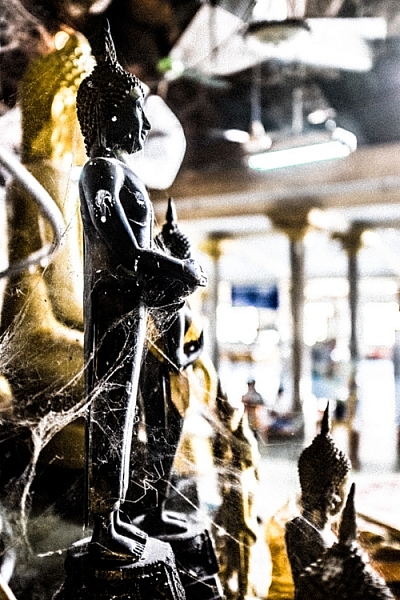
dark and gritty mood

The dark and gritty mood adds a brooding look and highlights detail, while taking the focus off of colors.

To achieve various levels of this effect, I work with various combinations of the following:

  • Increasing Clarity, sometimes more than 100 per cent by using graduated filters or the adjustment brush
  • Increasing Contrast, and decreasing Highlights and Whites
  • Further tweaking contrast with the Tone Curve sliders
  • Decreasing Saturation and Vibrance, or converting to black and white
  • Adding grain in the Effects panel

#3 Light and Airy
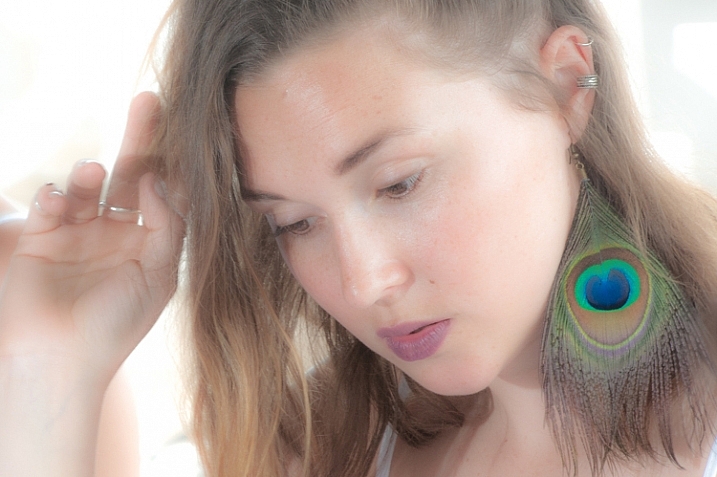
light and airy look

Light and airy is a good look for soft portraits, where super sharpness isn’t desired.

For this look, the idea is to make the image soft without any harsh shadows. Here are some steps to take that will start to produce this mood:

  • Lower Contrast
  • Increase Highlights and Whites sliders
  • Decrease Shadows and Clarity

Also note that a light hand with the sharpening slider should be used here to maintain the softness. If you add sharpening, try using a high value for masking to lessen the global affect.

#4 Silhouette

silhouette look

Silhouettes help to simplify your photo.

You certainly can’t create this effect in just any photo – nor should you. Look for elements in the image that would be enhanced by a reduction in detail. Do the areas of the image that are going to be reduced to black contain details that are important to telling the story?

Here are some adjustments that will get you moving in the right direction:

  • Increase Contrast
  • Decrease Shadows and Blacks sliders
  • You can decrease the darks and shadows sliders in the Tone Curve panel if needed

Depending on your image, you likely want to avoid the clarity slider as this will bring back shadow details that you’re trying to get rid of.

#5 Bright and Clear
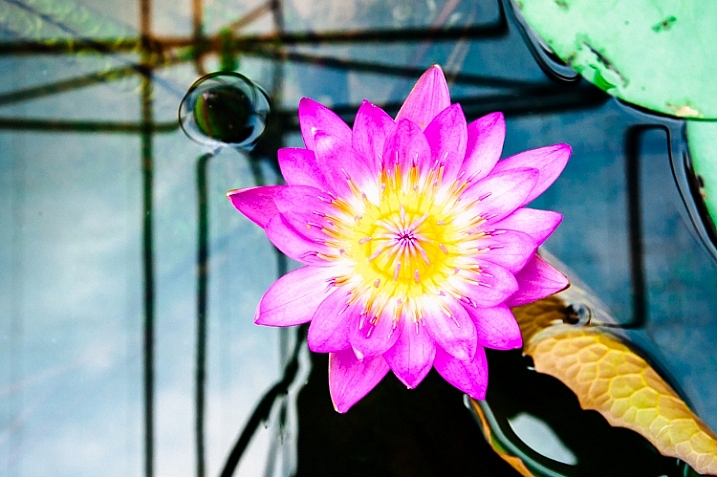
bright and clear look

The bright and clear look makes your photos pop with lots of detail.

Along similar lines to the light and airy effect, you are looking to boost lightness while maintaining contrast and retaining detail and color. Here are some of the edits I start with while aiming for this look:

  • Boost Contrast
  • Increase Shadows
  • Increase Whites – you usually have to decrease highlights a bit as well to avoid clipping
  • Visit the Tone Curves panel if you need to work on the contrast more

The trick here is that after making these adjustments, the colors can get a bit washed out. A visit to the HSL panel, some tweaking of the luminance and saturation of the dominant colors in your image, will help you dial it in.

Conclusion

In case this hasn’t crossed your mind already, creating presets of these settings can save you oodles of time later on. Of course, all of the adjustments I’ve outlined above may not work on your original image (depending on exposure, contrast, saturation, subject matter, etc.), and the same goes for any presets which typically only serve as a starting point.

What tricks do you have up your sleeve for creating different moods in post-processing?

googletag.cmd.push(function() {
tablet_slots.push( googletag.defineSlot( “/1005424/_dPSv4_tab-all-article-bottom_(300×250)”, [300, 250], “pb-ad-78623” ).addService( googletag.pubads() ) ); } );

googletag.cmd.push(function() {
mobile_slots.push( googletag.defineSlot( “/1005424/_dPSv4_mob-all-article-bottom_(300×250)”, [300, 250], “pb-ad-78158” ).addService( googletag.pubads() ) ); } );

The post How to Create 5 Different Looks Using Lightroom by Jeremie Schatz appeared first on Digital Photography School.


Digital Photography School

 
Comments Off on How to Create 5 Different Looks Using Lightroom

Posted in Photography


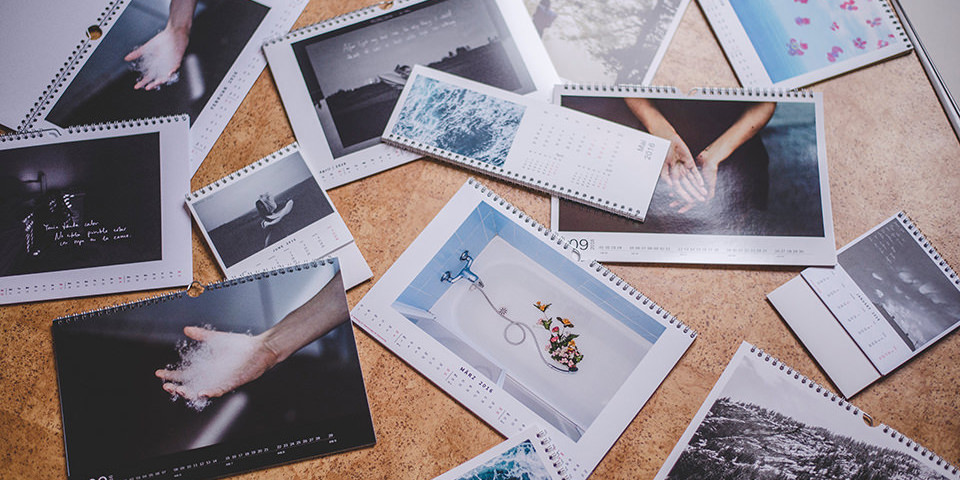
Fotokalender im Test: Saal Digital vs. PIXUM

24 Nov

Catalina Koe

Ein Beitrag von: Catalina Koe

Weihnachten steht praktisch vor der Tür und Geschenke müssen her. Wenn über das Jahr verteilt schöne Bilder entstehen, liegt die Idee nahe, einen Fotokalender zu verschenken. Doch bei der Masse von Anbietern und Möglichkeiten kann man schnell den Überblick verlieren. Für kwerfeldein durfte ich Kalender drucken lassen und testen. Unsere Anbieter im Test: Saal Digital und PIXUM.
kwerfeldein – Fotografie Magazin | Fotocommunity

 
Comments Off on Fotokalender im Test: Saal Digital vs. PIXUM

Posted in Equipment


Sony Cyber-shot RX1R II real-world sample gallery posted

24 Nov

As far as advanced fixed-lens compacts go, it doesn’t get much more enticing than the Sony RX1R II. Like its predecessor, it couples a full-frame sensor with a fast, wide-angle prime, but this time it’s equipped with a 42.2MP chip to complement its 35mm F2 lens. We were pretty darn excited to get outdoors with the RX1R II and see what it can do. Read more

Articles: Digital Photography Review (dpreview.com)

 
Comments Off on Sony Cyber-shot RX1R II real-world sample gallery posted

Posted in Uncategorized