RSS
 

Archive for September, 2014

Posts With The Most: 12 Cool & Creative Traffic Bollards

29 Sep

[ By Steve in Art & Street Art & Graffiti. ]

Traffic Bollards Leicester 1
Never mind the bollards? Uh-uh: these traffic stoppers halt wayward vehicles like no traffic cone can. The best bollards, though, are designed to look great!

Traffic Bollards Leicester 2

Traffic Bollards Leicester 3

Leicester City Council faced a conundrum in early 2014: children walking to and from Whitehall Primary school were endangered by vehicular road traffic. The street had no sidewalks; only a row of metal traffic bollards. The council’s ingenious solution was to modify the bollards to look like children, many wearing the school’s red uniforms. Kudos to Flickr user KiranParmar for capturing these kinda creepy “Stepford Children” in their native habitat.

Traffic Bollards Leicester 4

Traffic Bollards Leicester 5

Traffic Bollards Leicester 6

Not only do the modified bollards remind drivers to be aware of pedestrians, the scheme is much cheaper than laying down sidewalks. One would hope older ex-students don’t try to re-enact the infamous mailbox scene from the 1993 film Dazed and Confused… a metal bollard beats a wooden baseball bat every time.

Lean Design

Leaning Tower Pisa Traffic Bollard

“When life gives you lemons, make lemonade,” and when traffic tilts your traffic bollard, make it look like the Leaning Tower of Pisa of course! Kate McGovern snapped this tilted but still functional bollard somewhere in Philadelphia. Compromised or not, the bollard seems in better shape than the surrounding pavement while providing some unexpected visual interest.

Minions Of Bollards

Traffic Bollards Penang Malaysia 1

Traffic Bollards Penang Malaysia 2

Traffic Bollards Penang Malaysia 3

Who knew the 2010 movie Despicable Me was so popular… in Penang, Malaysia! Located on Soo Hong Lane off Armenian Street in Penang’s inner George Town neighborhood, the charming street art installation was painted by Lithuanian-born artist Ernest Zacharevic early in 2013 as part of a city-sanctioned campaign to beautify Soo Hong Lane. Unfortunately, Zacharevic had to be recalled to repaint at least one of the not-so-despicable bollards which was defaced – literally – by vandals.

LEGO My Bollard!

LEGO Man Traffic Bollards Le CyKlop Paris 1

LEGO Man Traffic Bollards Le CyKlop Paris 2

LEGO Man Traffic Bollards Le CyKlop Paris 3

LEGO Man Traffic Bollards Le CyKlop Paris 4

One popular bollard design features a narrowed area near the top to facilitate the attachment of ropes, chains and the like. Coincidentally, these particular bollards bear a cursory resemblance to LEGO men… and a little artistry (plus some yellow paint) enhances the effect even more. The oddly one-eyed LEGO men bollards above come to us courtesy of French street artist Le CyKlop (which explains much) and can be found along the Canal de l’Ourcq in Paris

Next Page – Click Below to Read More:
Posts With The Most 12 Cool Creative Traffic Bollards

Share on Facebook


[ By Steve in Art & Street Art & Graffiti. ]

[ WebUrbanist | Archives | Galleries | Privacy | TOS ]


WebUrbanist

 
Comments Off on Posts With The Most: 12 Cool & Creative Traffic Bollards

Posted in Creativity


28. September 2014

28 Sep

Ein Beitrag von: Anne Puhlmann

Eine Frau steht mit dem Rücken zur Kamera und sieht in den Nebel.


kwerfeldein – Fotografie Magazin | Fotocommunity

 
Comments Off on 28. September 2014

Posted in Equipment


Amazon Fire Phone camera review

28 Sep

The Fire Phone is Amazon’s first foray into the smartphone hardware business. It offers unique features like a Dynamic Perspective 3D-user interface, using four front-facing cameras to track the user’s face and adjust how content is displayed accordingly. It’s outfitted with plenty of cameras, but is it suitable for a mobile photographer Our sister site, connect.dpreview.com aims to find out in a full review. Read more

Articles: Digital Photography Review (dpreview.com)

 
Comments Off on Amazon Fire Phone camera review

Posted in Uncategorized


Inside RA001: World’s first Boeing 747 ‘Jumbo Jet’

28 Sep

The Boeing 747 ‘Jumbo Jet’ changed the world, bringing air travel to the masses, and allowing non-stop flights between distant cities across the globe. The prototype 747 – registration RA001 – first flew in February 1969, and is currently undergoing restoration at Seattle’s Boeing Field. DPReview editor Barnaby Britton has been documenting the process, inside and out. Click through for images

Articles: Digital Photography Review (dpreview.com)

 
Comments Off on Inside RA001: World’s first Boeing 747 ‘Jumbo Jet’

Posted in Uncategorized


A 10 Minute Lesson to Photographing Images with More Pizzazz

28 Sep

Photograph-plain-things-with-pizzazz-article-shadow-helping-an-image

Even the most seasoned photographer wants to continue to stretch their creativity. I know I do!

One simple activity you can do in your spare time is to find new ways to photograph everyday, plain things. Yup, the things you see or use every day; no models, no glamorous set-ups, no breathtaking locations. You don’t even need to do this with a fancy DSLR camera or have a significant amount of time. The lesson you learn can be achieved in 10 minutes once a week, using a $ 100 camera or a smart phone.

Your goal is to make something very plain look more interesting through your lens.

Tips:

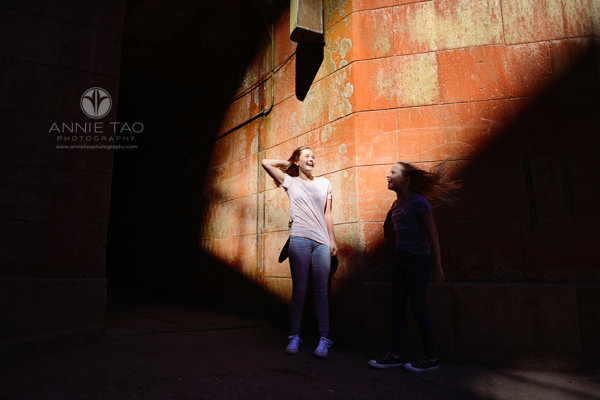
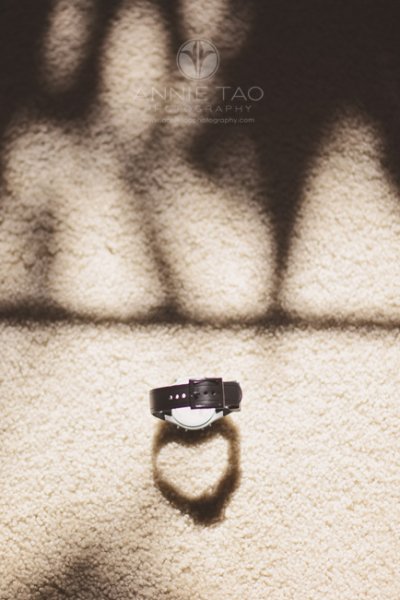
1. Pay attention to the shadows

If there is a lot of light, then there are probably shadows. Figure out if the shadows are helping the image or hurting it. If the shadows take away from the image, then make a change so that they don’t. The change could be a significant one, like moving your object altogether, or it could be a subtle one, like changing the angle you are shooting.

Annie-Tao-Photography-everyday-hearts-watch-shadow

2. Look for natural patterns and shapes

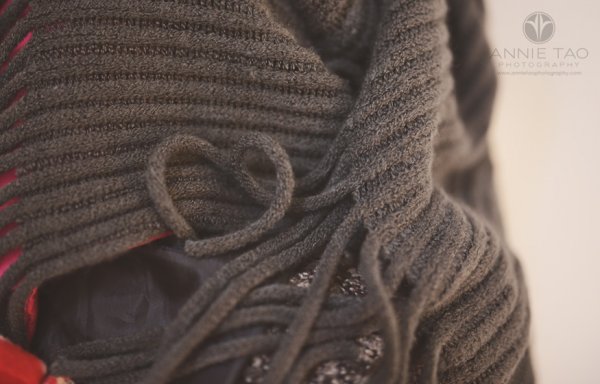
If you can locate natural patterns in your shot or interesting shapes within the object or everyday scene, then you can shoot it in a way that highlights this.

Annie-Tao-Photography-everyday-hearts-sweater-fringe

3. Know where there is good light

If you can move the object, then place it in the light you want. That could be near a window if you are indoors, or in the shade, if you are outside when the sun is too bright. If you can’t move what you are shooting, then re-position yourself or angle of your camera.

4. Take a close-up shot of one of the key details

You don’t always have to photograph the full object or the entire scene. Figure out what are the key details and consider photographing just that.

5. If it opens, open it – if it moves, move it

Is it a chest? A book? A cookie jar? Photographing it opened will show the content and make the image more dynamic.

Annie-Tao-Photography-everyday-hearts-music-book

Example:  Photographing plain things to create images with more pizzazz

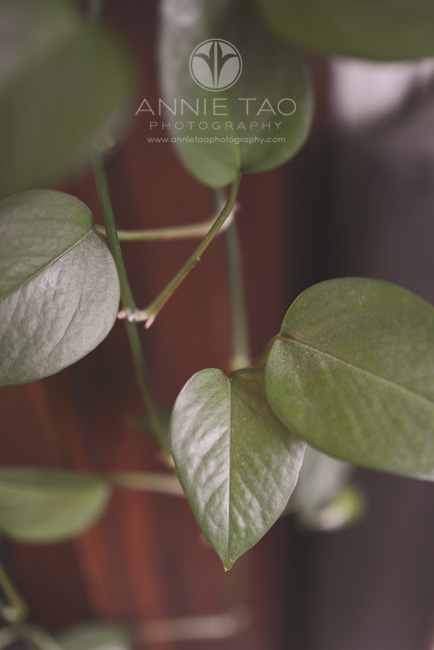
I gave myself 10 minutes to walk around my house and find natural hearts. This lesson was easy and fun. More importantly, it let me see these plain, everyday objects differently (see three images above for more of the hearts I found).

Annie-Tao-Photography-everyday-hearts-scissors

Annie-Tao-Photography-everyday-hearts-leaf-of-green-plant

So, now what?

Doing this activity from time to time can help you discover new ways to photograph people, landscapes, or whatever makes your heart sing. You can give yourself a specific goal, like finding a particular shape, as I did in the example above, or give yourself a general goal of shooting an object with pizzazz in 10 minutes.

Over time, your eyes will be trained to do this on their own, and the results may surprise you.

How this activity translates into lifestyle shoots

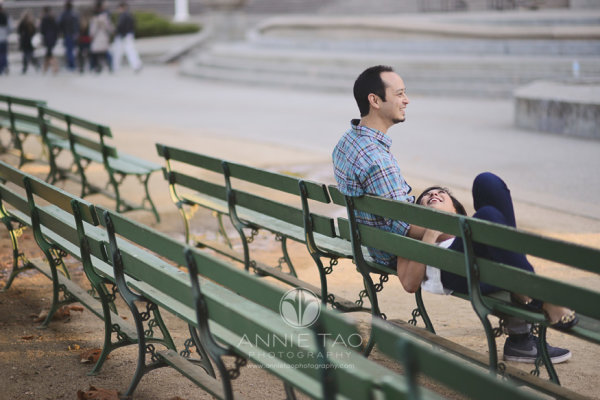
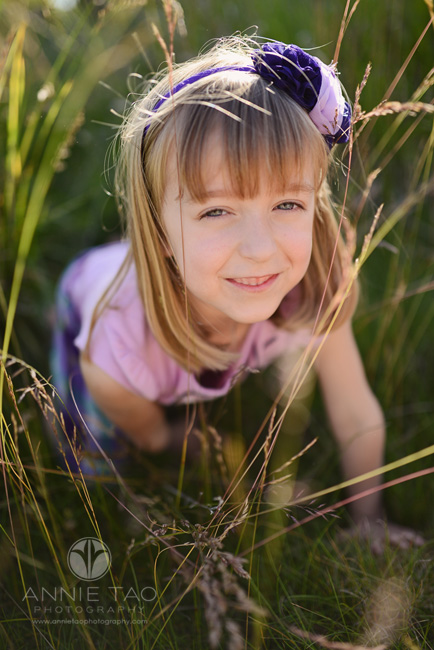
Here are a few examples from my recent photoshoots:

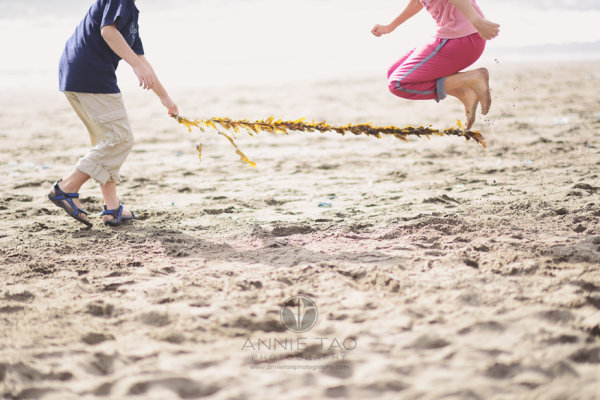
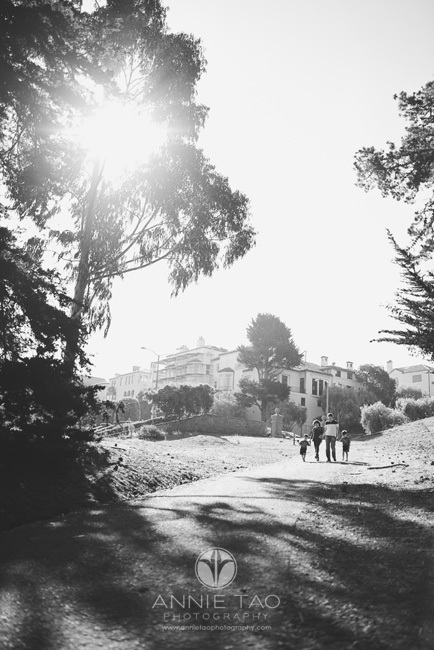
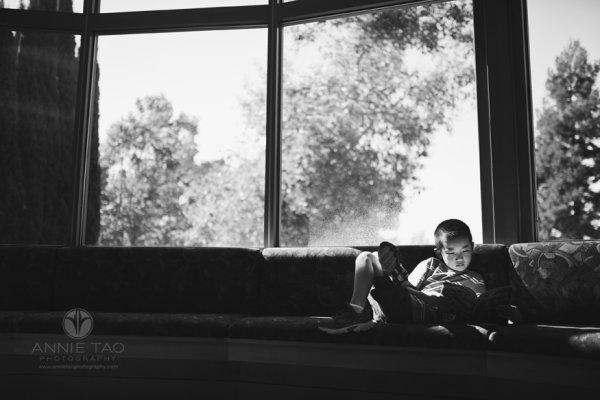
Annie-Tao-Photography-photograph-plain-things-with-pizzazz-article-natural-pattern

Photograph-plain-things-with-pizzazz-article-good-light

Photograph-plain-things-with-pizzazz-article-different-perspective

Photograph-plain-things-with-pizzazz-article-shadows-helping-image

Annie-Tao-Photography-Photograph-plain-things-with-pizzazz-article-light-and-shadows

How do YOU stretch your creativity? Share with us in the comments below, so we can all help each other grow.

The post A 10 Minute Lesson to Photographing Images with More Pizzazz by Annie Tao appeared first on Digital Photography School.


Digital Photography School

 
Comments Off on A 10 Minute Lesson to Photographing Images with More Pizzazz

Posted in Photography


browserFruits September, Ausgabe 4

28 Sep

Jetzt hält der Herbst auch offiziell in den browserFruits Einzug und zeigt mit dem neuen Titelbild seine melancholische Seite. Und auch im Fotospecial sehen uns gruselige, aber vor allem sehr leckere Kürbisse an. Wir hoffen, unsere Linksammlung macht Euch wie jede Woche Apettit auf Neues und motiviert Euch gleich, selbst loszuziehen. Bis dahin schnappt Euch einen Tee und viel Spaß beim Lesen und Stöbern.


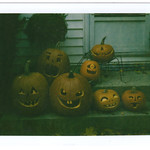
Fotospecial: Kürbis

Flickr

500px


Deutschsprachig

• Lust, mal Landschaften, Pflanzen, Tiere oder auch Menschen unter der Wasseroberfläche zu fotografieren? Dieses kostenlose E-Book hat dazu umfangreiches Grundwissen und nützliche Tipps versammelt.

• Der Basler Fotograf Kostas Maros reiste 2013 nach Ulan Bator, um den Wandel in der Mongolei zu dokumentieren. Dort stieß er auf die Erdmenschen. Seine Reportage ist als interaktives Soundslide im Tagesanzeiger zu finden.

• Wozu dienen Polfilter, was ist polarisiertes Licht und wann macht es Sinn, diese Filter zu verwenden? Diese und weitere Fragen werden hier beantwortet.

• Spannendes Projekt: Die Fotografin Bettina Flitner hat eine Reihe von Freiern fotografiert, die verrieten, warum sie Prostituierte besuchen.


International

• Was haben wir gelacht: Eine kleine Hommage an Malkovich mit Malkovich von Sandro Miller.

• Das Schöne im Verhehrenden finden: Stuart Palley fotografiert Waldbrände in Kalifornien und begibt sich dafür nicht selten in Gefahr.

• Bewegende und verstörende Portraits von Walter Schels zeigen Menschen vor und direkt nach ihrem Tod.

• „Dear New Photographer,…“ – So beginnt der schöne Briefe für alle am Anfang ihres Weges mit der Fotografie.

• Die Awa Guaja sind ein nomadisches Volk in Brasilien, die systematischen Ausrottungsversuchen durch Viehzüchter, Holzfäller und Siedlern ausgesetzt sind. Der Fotograf Domenico Pugliese hat ihr Leben dokumentiert.

• Wäre es nicht toll, wenn man sich den Fokuspunkt, den man bei einem Foto benutzt hat, beim Bearbeiten in Lightroom anzeigen lassen könnte? Dachte sich Chris Reimold auch und baute ein Plugin.

• Japan Camera Hunter feiert die tausendste Ausgabe von „In your bag“, in der acht Fotografen zeigen, was in ihrer Kameratasche steckt. Mit Tascheninhalten von Größen wie Ming Thein oder Andreas Kaufmann absolut lesenswert.

• Fotograf Zhang Jingna nennt 14 Dinge, die für ihn wichtig sind, um in der Fotografie voran zu kommen.

• Ihr kennt doch sicher den großartigen menschlichen Totenkopf von Salvador Dali und Philippe Halsman? Hier gibt es Fotos von seiner Entstehung.

• Achtung, es wird süß und kitschig: 18 Tiere, die durch Fenster gucken.


Neuerscheinungen und Tipps vom Foto-Büchermarkt

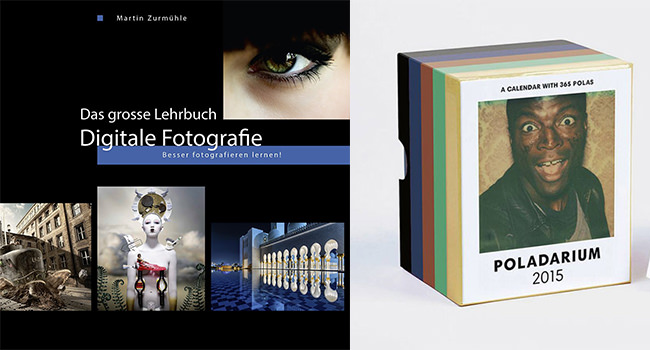
Buchtipps: Poladarium - Das grosse Lehrbuch Digitale Fotografie

• Ein Lehrbuch und Nachschlagewerk für ambitionierte Fotografierende*, die ihr Werkzeug noch besser beherrschen lernen möchten. Neben Kamera-, Licht- und Aufnahmetechnik werden die Regeln der Bildgestaltung und -bearbeitung sowie fotografische Themen, Spezialtechnik und die Geschichte der Fotografie vorgestellt.

• Kein Buch, aber ein toller Kalender, den wir immer wieder gern empfehlen: Das Poladarium*. Ein Abreißkalender für jeden Tag im Jahr voller toller Sofortbilder.


Wettbewerbe

• Seid Ihr auf Flickr aktiv? Hier gibt es gerade ein kleines Gewinnspiel zum Thema „Überlebensgroß“ für alle Mitglieder mit Wohnsitz in Deutschland.


Zitat der Woche

Ich ziehe es stets vor, im Atelier zu arbeiten. Es isoliert die Menschen von ihrer Umwelt. Sie werden gewissermaßen … symbolisch für sich selbst. Ich habe oft das Gefühl, dass die Leute genauso zu mir kommen, um fotografiert zu werden, wie sie zum Arzt oder zur Wahrsagerin gehen würden – nämlich um etwas über ihr Befinden zu erfahren. Sie sind also auf mich angewiesen. Ich muss auf sie eingehen.

Richard Avedon –

Mehr Zitate


Videos

Jedes Erlebnis muss teilbar sein, sonst wurde es nicht erlebt. In dem Kurzfilm „Aspirational“ von Matthew Frost kritisiert Kirsten Dunst diese Entwicklung.


Erinnert Ihr Euch noch an die Versunkene Welt von Andreas Franke? Zum Projekt gibt’s jetzt ein Video:


* Das ist ein Affiliate-Link zu Amazon. Wenn Ihr darüber etwas bestellt, erhält kwerfeldein eine kleine Provision, Ihr bezahlt aber keinen Cent mehr.


kwerfeldein – Fotografie Magazin | Fotocommunity

 
Comments Off on browserFruits September, Ausgabe 4

Posted in Equipment


Die Regeln des Wassers

28 Sep

Ein Beitrag von: Nikos Pavlidis

Ich denke mal, dass jeder die ursprüngliche Idee hinter diesen Bildern kennt, die darin besteht, ein paar glückliche Momente mit Freunden oder der Familie am Strand festzuhalten.

Am Anfang fotografierte ich mit der Canon 7D, die ich hatte, allerdings „hielt“ diese Kamera meinem Wunsch, dem Wasser nahezukommen, nicht stand. Ziemlich schnell traf mich eine große Welle und ich saß mit einer toten Kamera für fünf Monate ziemlich dumm da. Dann entschied ich mich endlich und kaufte eine wasserdichte Olympus.

Diese Kamera ließ mich nun so nah ans Wasser heran, dass sich alles änderte: Die Figuren, die Schatten und sogar das Licht. Alles folgte ganz neuen Regeln, die manchmal ziemlich unvorhersehbar und für das Auge ziemlich beeindruckend waren.

Zwei Kinder spielen im Gegenlicht im Wasser vor blauem Himmel.

Ein Junge spielt im Wasser vor blauem Himmel.

Als ich die Ergebnisse später auf meinem Computermonitor ansah, waren die Ergebnisse so imposant, dass der Wow-Effekt alle meine Bemühungen vereitelte, die besten auszusuchen. Nur langsam begannen meine Augen, klarer zu sehen und einige Bilder begannen, aus der Masse hervorzustechen, sie sprachen irgendwie zu mir und lehrten mich zur gleichen Zeit etwas.

Ich lernte also eine Menge Dinge aus den Erfahrungen mit Wasser. Zuerst einmal war ich in der Lage, die besten Bilder ziemlich schnell zu identifizieren, während ich alle irgendwie eindrucksvollen Effekte beiseite ließ. Das wäre sowieso früher oder später passiert, aber das Wasser half mir, es eher zu lernen.

Es verbesserte außerdem meine Reaktionszeit, wenn es darum ging, ein bestimmtes Subjekt zu fotografieren. Das ist eine sehr gute Sache, denn die Wahrheit ist, dass sehr viele Fotos verloren gehen, weil die eigene Reaktionszeit zu langsam ist.

Ein Kind und ein Schiffsrumpf durch Wasser betrachtet.

Portrait aus dem Wasser heraus mit unscharfem Gesicht.

Nachdem ich eine kleine Auswahl dieser Bilder zusammengestellt hatte, setzte ich mich hin und verglich sie mit alten Bildern, die ich früher aufgenommen hatte, etwa mit Straßenbildern. Ich bemerkte, dass die meisten von ihnen mehr gemeinsame als unterschiedliche Elemente hatten, wenn man die Straßenfotografie mal etwas weiter betrachtet als nur zu sagen, dass Straßenfotografie ist, wenn man auf die Straße geht und alles fotografiert, was sich bewegt.

Im Wasser haben die Menschen dort und ihre Interaktionen untereinander in meinen Augen die gleichen Charakteristiken wie jede andere Art von sozialen Interaktionen, die man im sogenannten Rahmen der „Straßenfotografie“ festhalten könnte.

Drei Menschen vor blauem Himmel mit Wasserspritzern.

Gesicht von unten vor blauem Himmel mit Wolke.

Auch als fotografisches Element fasziniert mich das Wasser. Manchmal steht es ganz still und gibt einem die Ruhe, das Bild zu komponieren, während die einzige Sorge dabei ist, den Horizont anständig zu zentrieren. Ein andermal wird es unverhersehbar und füllt den Bildausschnitt mit Linien und Formen und man hat so viel Zeit, zu verstehen und es zu genießen.

Die Sachlage wird so richtig unkontrollierbar, wenn gleichzeitig Menschen und Wasser im Bild sind, dann nimmt das Schicksal das Steuer in die Hand, entreißt dem Fotografen jegliche Verantwortung und dann steht man nur noch so da und bewundert, wie sich dieser Körper mit diesem Urelement vereinigt.

Badeszene mit einigen Leuten, im Vordergrund eine ältere Frau mit rotem Ball.

Dicker Bauch in einer Badehose im Wasser, im Hintergrund ein Surfer.

Ich genieße wirklich jeden einzelnen Klick der Kamera, wann immer ich in dieser Umgebung bin, aber oft genug teilen die restlichen Menschen um mich herum diese Freude nicht gleichermaßen mit mir.

Als ich eines Tages an einem Strand zwei Badende fotografierte, die Tennis spielten, stand ein Mann auf, kam zu mir herüber und fragte mit beängstigendem Ton: „Warum fotografieren Sie meine Frau?“ Ich antwortete mit einem breiten Lächeln und erklärte ihm, dass ich nicht nur seine Frau fotografierte, sondern eine Gruppe von Menschen, die ohne sie vollkommen uninteressant wäre. Und auch, dass ihre Anwesenheit einen einzigartigen Moment schuf, der nie wieder kommen würde. Drei Minuten nachdem er mich angesprochen hatte, war ich schon dabei, Fotos von ihm und seiner Familie zu machen.

Wasserfontäne vor blauem Himmel.

Spiegelung zweier Menschen auf einem Schiff.

Aber die Leute sind nicht immer so aufgeschlossen. Als ich eines anderen Tages mit einem bekannten Straßenfotografen und Freund von mir, der nach Athen gekommen war, Fotos machte, fand ich mich plötzlich in einer Auseinandersetzung mit einem Typen wieder, der nicht wollte, dass ich Fotos von zwei Frauen machte, die ihm wiederum vollkommen unbekannt waren.

Nach diesem Kampf begannen die zwei Frauen, ihn zu beleidigen und gaben mir ihre Telefonnummern für den Fall, dass ich entscheiden würde, den wütenden Typen anzuklagen und sie als Zeuginnen für meine Seite bräuchte. Ich denke mal, dass mein fotografierender Freund nun noch einmal darüber nachdenken wird, erneut nach Athen zu kommen.

Unterwasseraufnahme mit einer Leiter und Füßen unter Wasser und einem Kopf über Wasser.

Ein anderes Mal in Istanbul fing eine Frau an, einem anderen fotografierenden Freund gegenüber zu rufen: „Polizei, Polizei, die machen Bilder von mir!“ Meiner Meinung nach hält dieser Freund immer noch den Geschwindkeitsrekord unter den Straßenfotografen.

Das ist das Spiel und das sind seine Regeln.

Dieser Artikel wurde für Euch von Aileen Wessely aus dem Englischen ins Deutsche übersetzt.


kwerfeldein – Fotografie Magazin | Fotocommunity

 
Comments Off on Die Regeln des Wassers

Posted in Equipment


Paint Me White Again: Tunnel Type Graffiti Taunts Authorities

28 Sep

[ By WebUrbanist in Art & Street Art & Graffiti. ]

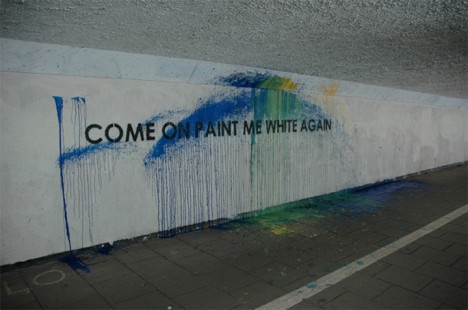
paint me white again

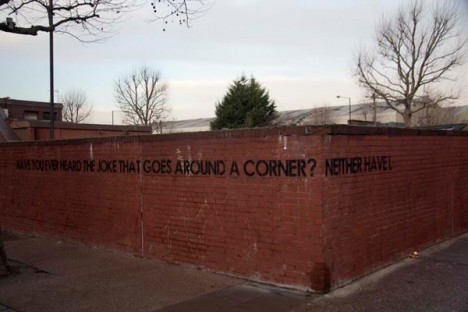
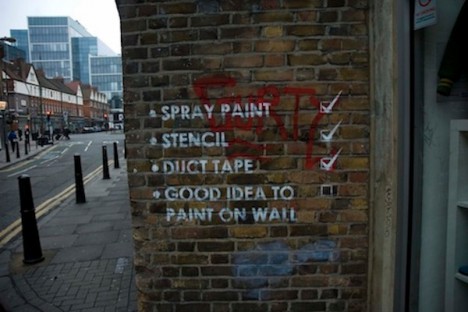
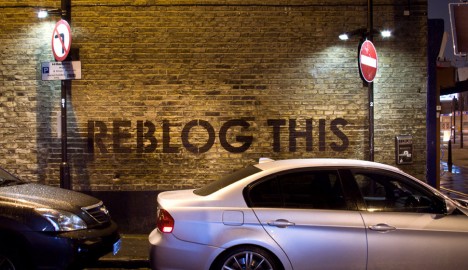
Well known for stenciling big block-lettered phrases on walls around his native Newscastle, this piece is unusually blunt (as well as hilarious), amounting to a multi-part conversation between the artist and the city.

street art blank wall

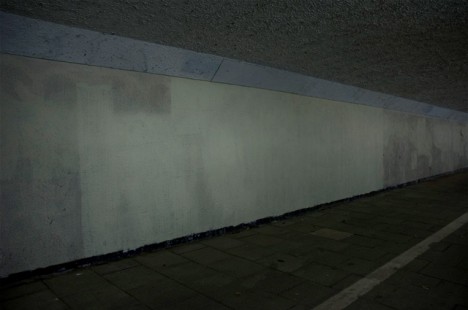
street art painted over

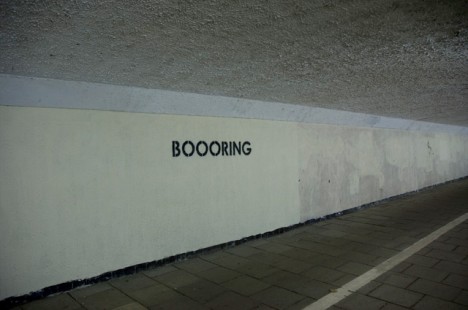
Even better than the original ‘COME ON AND PAINT ME WHITE AGAIN’ dare is the later response after the municipality indeed whitewashed the first work: ‘BOOORING’, using his same signature typography in black paint.

joke around the corner

mobster street art checklist

mobstr newcastle reblog this

While not all of his work is quite so meta-minded as this series, this sequence remains a great illustration of how graffiti is generally temporary as well as contextual, and can have elements of humor and self-reflection beyond simple tagging. Some of his works are best seen in video form rather than via photographs, hence a few fun short films below.

A self-described minimalist, Mobstr explains the origins of his nom de plume, which are none too surprising: “It is a play on the term mobster which is someone who deals in organised crime. Most of my work is illegal however a lot of organisation goes into it. So as a joke I use the idea of it being organised (art) crime.” Also, he had a lobster named mobster.

Share on Facebook


[ By WebUrbanist in Art & Street Art & Graffiti. ]

[ WebUrbanist | Archives | Galleries | Privacy | TOS ]


WebUrbanist

 
Comments Off on Paint Me White Again: Tunnel Type Graffiti Taunts Authorities

Posted in Creativity


27. September 2014

28 Sep

Ein Beitrag von: Rahel Krabichler

Umgedrehtes Mädchen sitzt auf einer Stange.


kwerfeldein – Fotografie Magazin | Fotocommunity

 
Comments Off on 27. September 2014

Posted in Equipment


Create Beautiful Portraits with CameraBag 2 Software

27 Sep

CameraBag for portraits

Do you use Lightroom for processing portraits but get frustrated by its limitations?

One way around this is to use a plug-in or buy some Develop Presets. But these can be expensive, so you may be interested in a cheaper alternative.

One of my favourites is Nerve Center’s CameraBag 2. It’s a bargain at just $ 20, and while it’s not as convenient to use as a plug-in that you can access directly from Lightroom, it is easy to incorporate into your workflow. Let me give you a couple of examples. Here’s the first; I selected it because there’s a dramatic difference between the photo created in Lightroom and the one created in CameraBag.

CameraBag for portraits

CameraBag for portraits

Here’s another one. The changes are more subtle, to show you can use the software with a light touch.

CameraBag for portraits

CameraBag for portraits

Lightroom workflow

Now you’ve got a taste for what CameraBag can do, I’d like to show you how to incorporate it into your Lightroom workflow.

As CameraBag is not a Lightroom plug-in, you need to export your photos as either JPEG or TIFF files (I recommend 16-bit TIFF) before you can open them in CameraBag. Start by creating a folder on your hard drive to store the photos. I call mine Photos (plug-ins temporary).

In Lightroom, select the photo/photos you want to edit in CameraBag. Go to File > Export. These are the settings you need to adjust in the Export window.

Export Location: Select the folder you just created. This is where Lightroom will save the files.

CameraBag for portraits

File Settings: Set Image Format to TIFF, Color Space to sRGB and Bit Depth to 16 Bits/Component.

You don’t need to touch any of the other settings in the Export window.

CameraBag for portraits

You can speed up the process by creating a User Preset. Click the Add button and give the new preset a name. All you have to do in future is click on the preset to apply the same settings. Easy!

CameraBag for portraits

Processing portraits in CameraBag

Start by opening the portrait you want to edit in CameraBag. You will see something like this:

CameraBag for portraits

The layout is minimal. Use the four buttons* in the top-right corner to access the program’s editing options.

CameraBag for portraits

* Alternatively, you can access the controls by clicking on the tabs on the very right of the screen. The functions are the same, just laid out differently.

My Styles and Cameras

Click either of these buttons to instantly choose from over 150 filters. Naturally, not all of them will suit your portrait. But look closely and you will definitely find something you will want to work with.

CameraBag for portraits

My Style filters. This is where you’ll find the majority of the filters.

CameraBag for portraits

Camera filters. There are some additional choices here.

On the surface, CameraBag may look as if it’s just another program designed to give your photos an Instagram type look. But dig a little deeper and you’ll see that it is a high quality photo editor. There are two important things to note here. The first is that CameraBag uses a 32-bit processing engine, preserving your portrait’s fine graduations of tone and colour.

The second is that all editing is non-destructive. You can adjust or undo any edits you make. For this example I’ve chosen the Film NC-1A filter. It’s a subtle preset that adds a slight matte effect and a blue cast to the shadows.

CameraBag for portraits

Now look at the tiles that have appeared below the photo.

CameraBag for portraits

Some of these represent the edits that have been made by the filter to your portrait. The others are additional, allowing you to alter the effect of the filter. For example, when I click on the Toning tile, a slider appears that lets me adjust the strength of the effect.

CameraBag for portraits

When I click on the Saturation tile, the slider is set to 50, indicating that no change to colour saturation has been made. But the option is there to increase or decrease it.

CameraBag for portraits

Adjustments

This is where you’ll find CameraBag’s photo editing tools. It’s a comprehensive selection. Among other things you can adjust colour, contrast and tonal values, add grain or a vignette, tweak the RGB or colour curves, crop, and adjust the colour temperature. I won’t bore you with detailed explanations, because you will be able to figure it out easily enough for yourself if you download the trial.

However, there’s one tool I’d like to draw your attention to (I used it in both opening images at the beginning of the article), and that’s Lightleak. There are two sliders: Remix, which changes the appearance of the light leak effect, and Amount, which adjusts the strength.

CameraBag for portraits

Borders

Finally, we come to the borders. You can choose one of CameraBag’s borders, or create your own in another program (such as Photoshop) and use that. While I used borders in the opening images to highlight one of the differences between CameraBag and Lightroom, they are something that I tend to avoid as I see them as bit of a gimmick. But they are there if you want to use them.

You should also note that if you use one of CameraBag’s built-in borders, it reduces the size of your image to 2000 pixels along the longest edge.

CameraBag for portraits

By the way, you can create your own filters using the current settings you have picked for the photo you are editing. Just go to File > Add Filter to My Styles to do so. CameraBag prompts you to enter a name and it is stored under My Styles.

You can download more filters, created by other CameraBag users, from the CameraBag website. You can also submit your own for others to share. Here’s the final version of my portrait (without the light leaks effect).

CameraBag for portraits

What CameraBag lacks

Is there anything that CameraBag doesn’t have? There are two features that I would really like to see included in future versions. The first is some kind of masking feature so you can control which part of the image is affected by an edit. The second is some portrait retouching tools. Having said that, if you use CameraBag at the end of your workflow, to edit portraits that you have already processed in Lightroom or Photoshop, then these features won’t be missed much.

Here’s a summary of CameraBag’s good and bad points.

Pros:

  • Quick and easy to use.
  • Lots of interesting built-in presets.
  • Complements Lightroom and Photoshop.
  • Good control over colour, contrast and tonal values like highlights and shadows.
  • 32-bits per component colour depth.
  • Non-destructive editing.
  • Raw file support.
  • Inexpensive!

Cons

  • Reduces image size to 2000 pixels along the longest edge if you apply a built-in border.
  • Only works with one colour space (whatever your monitor is set to).
  • Can’t be added as a plug-in to Lightroom, Aperture or Photoshop.
  • No local adjustments or portrait retouching tools.
  • No batch processing tool.

Give it a try

As with any software or plug-ins, the best way to see if CameraBag is for you is to download the trial version and have a play. Follow the link to download the software or learn more about it. You’ll find lots of information about CameraBag on the website, including how-to videos here.

Your turn

Have you used CameraBag or an inexpensive/free image editor such as Pixelmator, Picasa or GIMP? I’d like to hear about your experiences. What inexpensive software would you recommend for our readers?
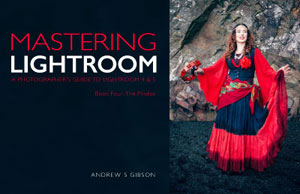

Mastering Lightroom: Book Four – The Photos ebookMastering Lightroom: Book Four – The Photos

My new ebook Mastering Lightroom: Book Four – The Photos takes you through ten beautiful examples of photography and shows you how I processed them step-by-step in Lightroom. It explores some of my favourite Develop Presets and plug-ins as well as the techniques I use in Lightroom itself. Click the link to learn more.

The post Create Beautiful Portraits with CameraBag 2 Software by Andrew S. Gibson appeared first on Digital Photography School.


Digital Photography School

 
Comments Off on Create Beautiful Portraits with CameraBag 2 Software

Posted in Photography