RSS
 

Archive for March, 2014

8 Simple Guidelines for Capturing Spectacular Sunrise and Sunset Images

26 Mar

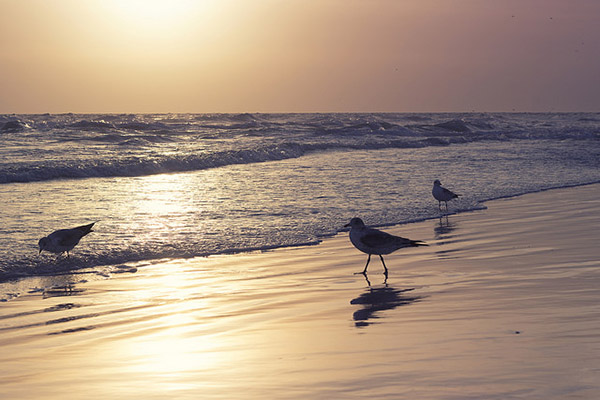
When we are asked to think of popular subjects for landscape photography, images of beautiful sunsets immediately come to mind. What outdoor photographer worth his or her salt doesn’t have at least a couple of images of the sun dipping below the horizon? In most people’s minds, it is an easy thing to capture; the beauty and scale of the event itself should carry the photo, with minimal interaction from the photographer.
bird_trio

But is this really the case?

Unfortunately, it’s not. Unless you’re relying on luck alone, you’ll need to possess a few seeds of knowledge (eight in this case) to get you started in capturing that epic sunrise or sunset. None of these guidelines are difficult to comprehend, and can vastly improve your chances of properly capturing one of mother nature’s most incredible events.

1. Scout the Location

As tempting as it is to just show up at a convenient location and start shooting, you greatly increase your chances of success by planning the shoot in advance. The first thing you’ll want to determine is the best location from which to shoot.

Pick a location that is out of the way of road and foot traffic, where you’re unlikely to be disturbed. Go to the location in broad daylight before the shoot, and ensure your view of the horizon will be unobstructed and free of any hazards.

The most important factor after the location is time of the day. Obviously, this will vary depending on whether you’re capturing a sunrise or a sunset. Is there a storm coming? If your shooting time coincides with an approaching or recently-ended storm, the results can be staggering. Rain and storm clouds can add a dramatic layer of dimension to the scene.

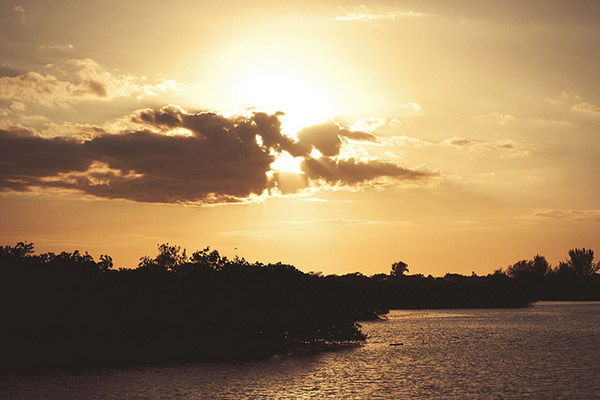
Lastly, you can pinpoint the perfect time to shoot by using an online tool or smartphone app to determine precise sunrise and sunset times for your exact location. Many low-cost (and sometimes free) solutions are out there, including SunSeeker, Daylight Free, and the excellent Photographers Ephemeris to name a few.
sunset_article3.jpg

2. Sunrise, or Sunset?

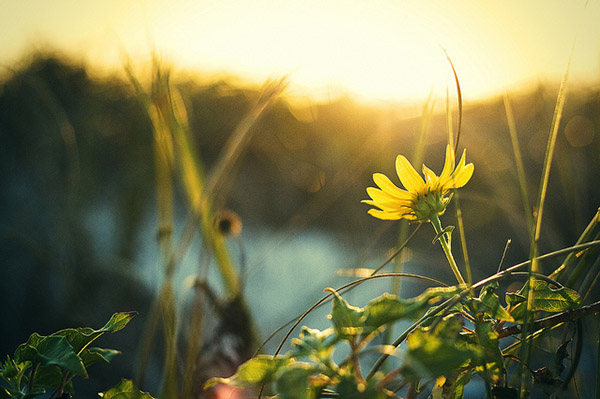
If you’re familiar with color temperature, you’ll know that there is a slight difference in the appearance of light at sunset versus what you’ll see at sunrise. Early morning light tends to be cooler (higher blue) than light in the late evening, which leans toward more warm color castings consisting of orange and red.

Since we know there are differing color temperatures at work here, you might need to adjust for this, depending on what feel you’re going for, either through warming or cooling filters, or adjustments in post-production to add or remove warmth into the color profile of the final photograph.

Be aware that physical filters used on your camera will degrade image quality slightly, due to the addition of another obstacle for light to pass through between your subject and your camera’s sensor
daisy

3. Plan your Shots

Another important step to accomplish before heading out is to plan out what you hope to achieve in the photo. What look are you going for?  Is there a definitive subject lit by the sunlight, or will the sunset itself be the star of the show?

This is also a great time to determine any other special considerations, such as the possibility of shooting an HDR (High Dynamic Range) photo. If that’s the case, you’ll need to prepare your camera for bracketed exposures to capture the full range of tones in the scene. Since these type of scenes normally consist of bright spots and shadows, this is a great way to produce some truly dramatic images.

4. Gather the Proper Gear

Obviously you can’t capture the right shot without the right gear; so make sure you have it all ready to go before you head out. First and foremost, you’ll want to bring your tripod. Sunrises and sunsets are potentially low-light situations (depending on what part of the sunset you’re trying to capture), so you want a steady base for your camera.

Secondly, you’ll want to determine what lens to use for the shot.  Even though beautiful landscapes can be captured using a 35mm or 50mm focal length (for sensors with a 1.6 crop factor – 56 to 80mm on a full frame system), a wide angle lens is preferred, including any zoom lenses that can capture a length of 25mm and below (40mm on a full frame system).  If you have a prime lens at these lengths, you will have a better chance of catching an even sharper image.  Using a wide angle lens will allow you to capture a more vast, sweeping portion of the scene.

Do you own and use screw-on filters for your camera?

Although using filters can degrade image quality a bit, due to the addition of another obstacle for light to pass through between your subject and your camera’s sensor, there are some that could be useful here, such as a GND (graduated neutral density) filter, to darken the upper portion of the sky a bit. Filters such as UV (ultraviolet) or polarizing filters may actually be a hinderance in these situations, and should be avoided. These filters reduce the amount of light coming in to the sensor, further increasing the required exposure time, which may not be idea if you’re trying to freeze any motion in the shot.
lifeguard_shack

5. Use the Right Settings

Another item that can be set up before you arrive to your shoot is the settings on the camera itself.

Since you’re shooting landscape, you’ll want to use a smaller aperture such as f/8, f/11 or even higher to maximize the depth of field and capture a sharp image throughout. If you’re using a tripod, this isn’t a problem.

Although shooting in manual mode is the norm here, to allow for minor changes in exposure compensation, I prefer to shoot almost everything in A/Av (aperture priority mode). This way I can lock in my aperture and let the camera choose a proper shutter speed. Since low-light situations like this can confuse the camera and you run the risk of overexposure, you can use your camera’s exposure compensation settings to fine-tune the exposure a bit lower.

A low ISO should also be used such as 100 or 200, to ensure there isn’t a lot of noise in the final shot. Again, with a tripod this isn’t an issue, but if you’re hand-holding for the shot, you will need to bump the ISO up to get a shutter speed that’s fast enough to avoid a disappointingly blurry photo.
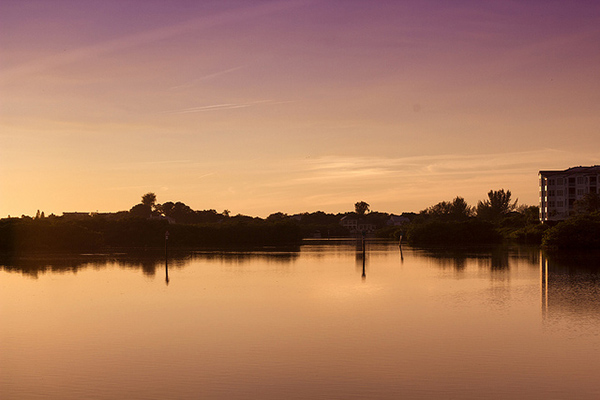
inlet_sunset

Another useful trick to increase warmth in your final shot is to set WB (white balance) to the “sunny” or “cloudy” setting instead of “auto”. Although you can certainly add warmth in post-processing, your initial image from the camera will be warmer if you make this adjustment now.

And of course, ALWAYS shoot in RAW! To a certain extent, shadows and highlights that are lost in a shot can be recovered in post-processing later.

6. Compose for Interest

Alright, the preparation is over, now we get to the fun part! Once you’re on location, and are ready to take the shot, you’ll want to make considerations for composition.

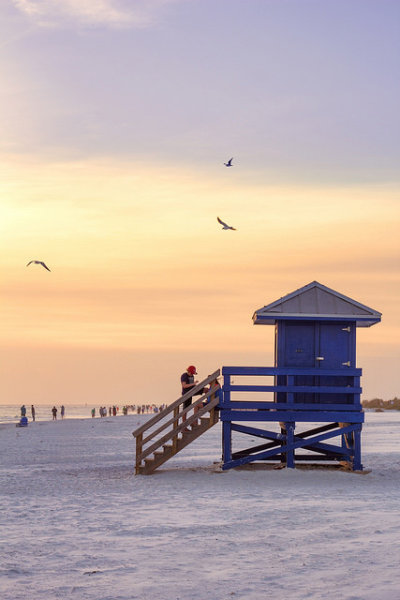
The most common error in shooting sunsets or sunrises is composing the horizon exactly in the middle of the photo. While this can work in some cases, it normally causes a bit too much symmetry and can make the picture uninteresting.

Take a moment to look the scene over; what part is the most dramatic? Are there any parts that aren’t as interesting of a focus?

Once you have identified that, simply compose the shot to include more of the most dramatic scenery. If you have an angry, cloudy sky that accentuates the sunlight, let that occupy the upper 2/3 of the scene. If you have an interesting foreground or landscape below the sun, and a less-intriguing sky, let that occupy the bottom 2/3 of the image. You want to draw the viewer into the horizon, and then let their eyes drift to the most dramatic part of the image.
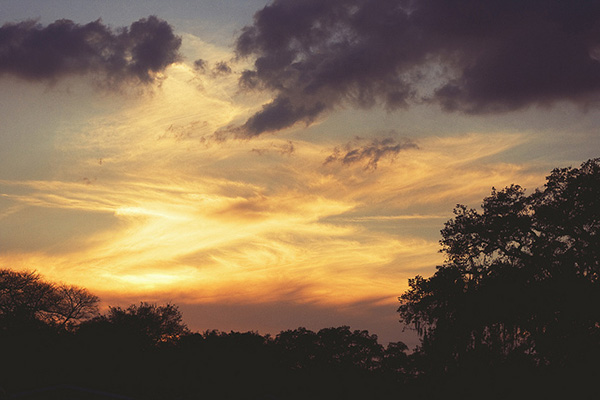
purple_sunset

7. Waiting for the Right Shot

If you already have experience shooting landscapes, you know that sometimes waiting is the name of the game. Because of the dynamics of natural lighting, a scene can completely change from one hour to the next, and sometimes even one minute to the next.

Now is the time to be creative! Try different exposure times, play with your exposure compensation settings for different tones. Let the clouds and sun change positions, and reshoot, or try a slightly different angle.

Maybe even allow different subjects to come in and out of frame, and shoot them in the foreground against the sunrise or sunset. The longer you’re at the location shooting, the more variety of shots you’ll end up with.
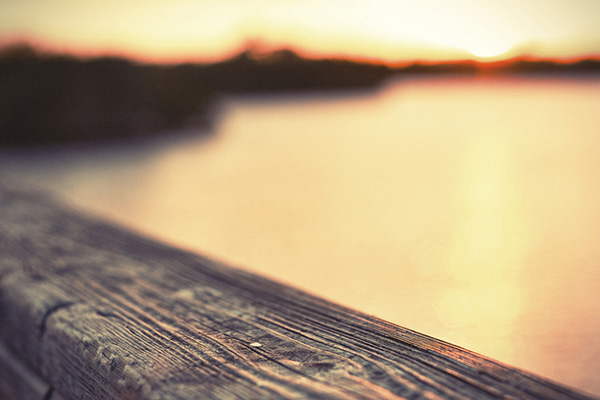
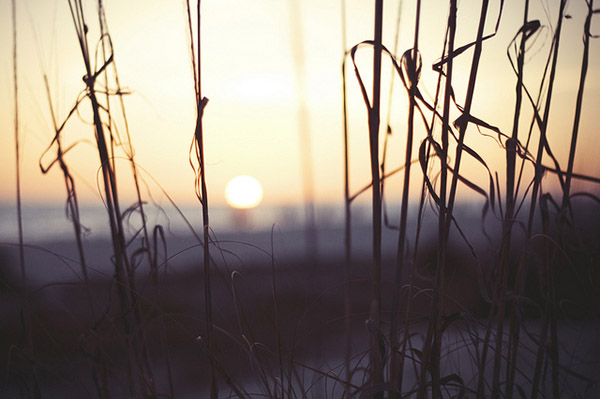
pier

Sunset article4

8. Don’t Leave Too Early

Lastly, one of the most common things you’ll hear about capturing sunsets, in particular, is to stick around after the sun dips below the horizon. This is certainly true, as the entire dynamic of a scene changes at this point.

Tones, colors and hues in the sky usually become more saturated and dramatic. You’ll need to allow for the loss of your main source of light, but it’s hard to deny some of the most beautiful images can be shot right after the sun is out of sight.

The post 8 Simple Guidelines for Capturing Spectacular Sunrise and Sunset Images by Tim Gilbreath appeared first on Digital Photography School.
Digital Photography School

 
Comments Off on 8 Simple Guidelines for Capturing Spectacular Sunrise and Sunset Images

Posted in Photography


After OZ: Dorothy’s Storm-Ravaged House Remade of Scrap

26 Mar

[ By WebUrbanist in Art & Installation & Sound. ]

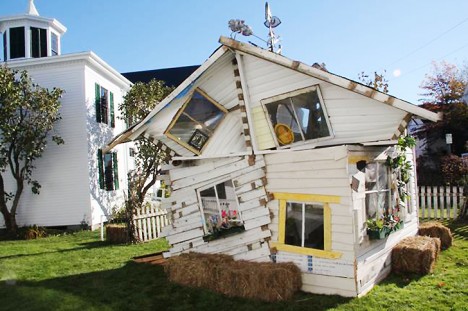
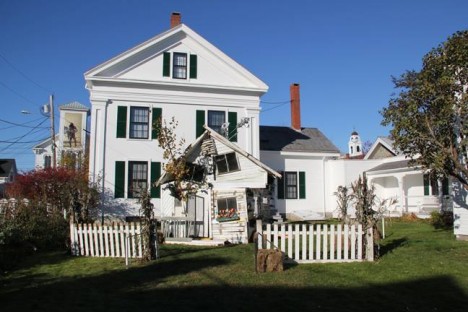
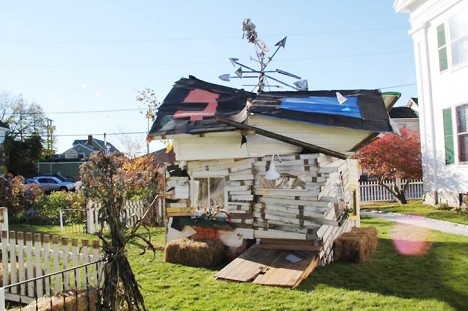
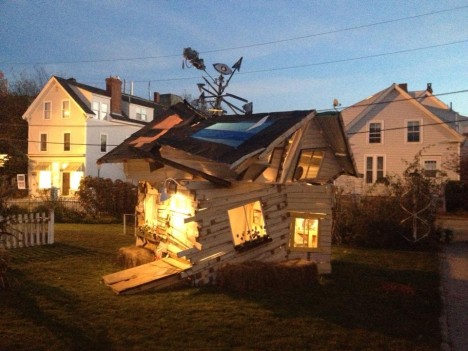
dorothy house art project

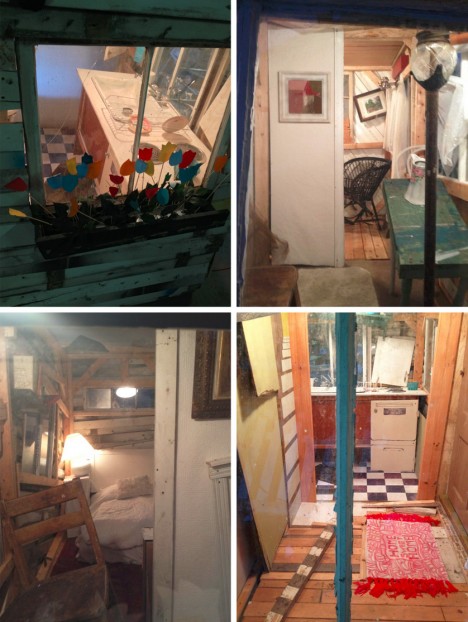
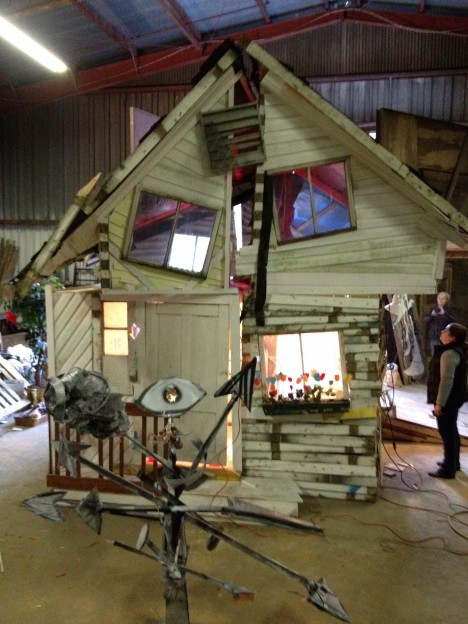
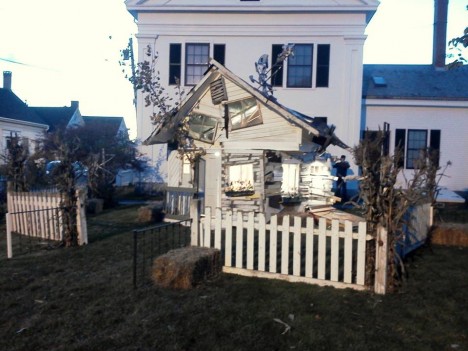
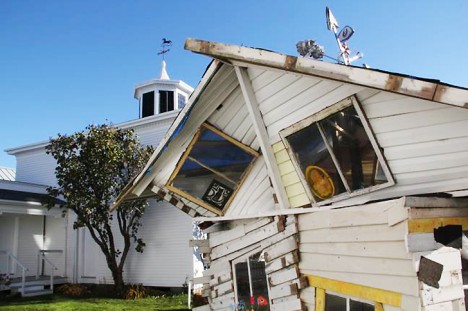
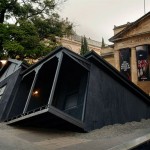
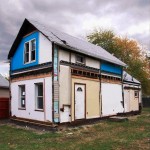
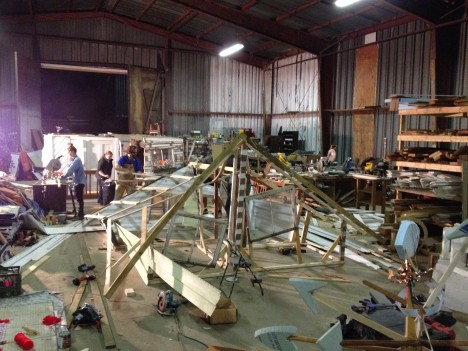
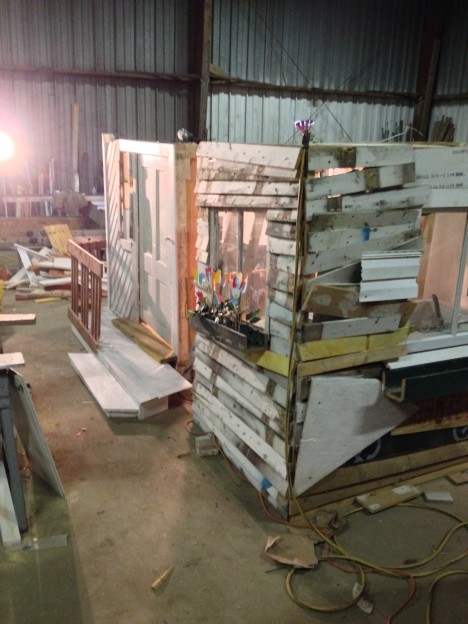
In a remarkable 24-hour collaboration, a series of artists banded together to build a replica of the infamous house from the Wizard of OZ – that ill-fated structure that carried Dorothy Gale so far from Kansas.

dorothy after oz

This fast-paced process employed by the Resisting Entropy team was intentional, designed both to show what dedicated teamwork can accomplish in a limited amount of time but also meant to emulate the chaotic conditions of a wild twister.

dorothy after the storm

No Place Like Home was hosted by the owner of Asymmetric Arts in Rockland Maine, Jared Cowan (special thanks to contributing artist Eric Leppanen for the tip – full list of artists below).

dorothy home finished product

Also part of the plan: the installation was created piecemeal, then put together into intermediate sections before being transported to the site and assembled as a whole.

dorothy 24 hour build

dorothy under construction

Starting with a previously-gathered scrap pile, each artist drew what they needed along the way, imbuing the separate sections with individual twists and quirks.

dorothy oz house interior

In the past, Resisting Entropy has brought together artists to create a series of independent works, but No Place Like Home gave them a curious and novel combination of individual liberty and a cohesive goal.

dorothy art project design

Contributing artists included: Jared Cowan, Andy White, Bethany Engstrom, David Allen, Eric Leppanen, Trelawney O’Brien, Alexis Iammarino, Siglinde Langholz, Owen Cartwright, Greta Van Campen, Susan Smith, Jonathan Laurence, Ashley Seelig, Sean Taylor and Kelsey Floyd. “Resisting Entropy is an exercise in creating collaboratively within a condensed timeframe and shared space. Participating artists are presented with a large volume of discarded materials and over 24 hours, live and work together to transform the volume into unique and unpredictable artworks.”

dorothies house deconstructed scrap

dorothy wizard of oz

Despite the wind-strewn look, the structural design had to be carefully checked: “The base structure had to be strong enough to not fall due to a strong gust of wind.  No one is allowed in the building due to safety concerns but people can get close enough to look into the windows therefore some of the crew focused on structural integrity.  The design of the roof on the other hand had to be light and airy so that a crew of four or five could lift each section into place. Notice the skeleton of the roof structure, made with the thinnest boards possible.”

Share on Facebook


[ By WebUrbanist in Art & Installation & Sound. ]

[ WebUrbanist | Archives | Galleries | Privacy | TOS ]


WebUrbanist

 
Comments Off on After OZ: Dorothy’s Storm-Ravaged House Remade of Scrap

Posted in Creativity


HDR Vertorama Photography – How to Create Mind-bending Images

25 Mar

If you are anything like me, then you are always looking for ways to create something original in your photography – images that have not been taken and presented a thousand times before. But being truly original and creating photos that have real impact is the hardest thing of all. It seems there is nothing that hasn’t been done yet. Or is there?

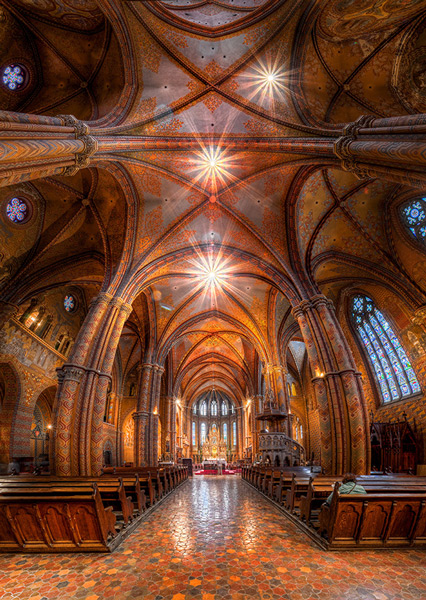
In this article, I am going to show you a technique for creating interior photos that you will certainly not find in every other portfolio – photos that will turn heads for sure. The technique that I am referring to is called HDR Vertorama Photography.

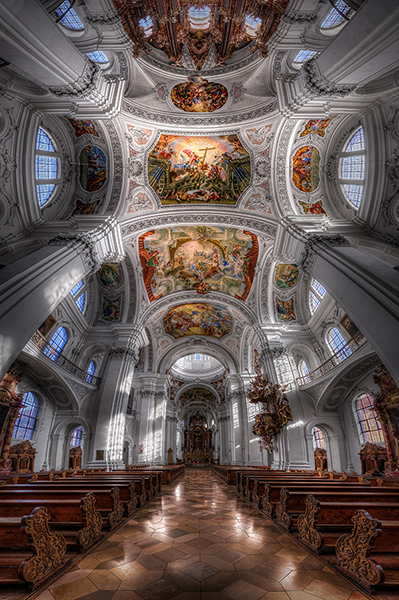
Matthias Church Budapest Hungary HDR Vertorama

What is a Vertorama?

Panorama photography is a well-established photographic discipline: you take a series of photos while you pan your camera in a horizontal direction between each pair of shots, ensuring that adjacent photos have enough overlap. Such a series of photos can then be combined into a single image with a much wider angle of view, a process that is called stitching.

But what happens if you turn panorama photography sideways? Turning an idea on its head can sometimes produce ingenious and unexpected results, and doing this literally with panorama photography falls into this category.

To answer the question: what you get is a Vertorama – a panorama in vertical direction. This may sound trivial, but when applied to interiors, this technique can present scenes in unseen ways. A room photographed as a Vertorama, seems to be opening towards the viewer. It depicts an interior in a way that you can only experience if you scan the actual scene with your own eyes, and it puts your audience inside the scene rather than in the spectator’s seat.

Why Does This Require HDR?

Photographing such a wide angle of view presents some challenges. One of them is the unusually high dynamic range encountered in such scenes. When you scan an interior (like a church, for example) from bottom to top, you will see very dark areas as well as extremely bright parts (e.g., the windows). In order to capture the scene realistically, combining the Vertorama technique with HDR (High Dynamic Range) photography is a natural choice. HDR will allow you to depict the details in the highlights and shadows in such a scene, despite the unusually high dynamic range. The resulting photographic discipline is called HDR Vertorama Photography.

The Anatomy of an HDR Vertorama

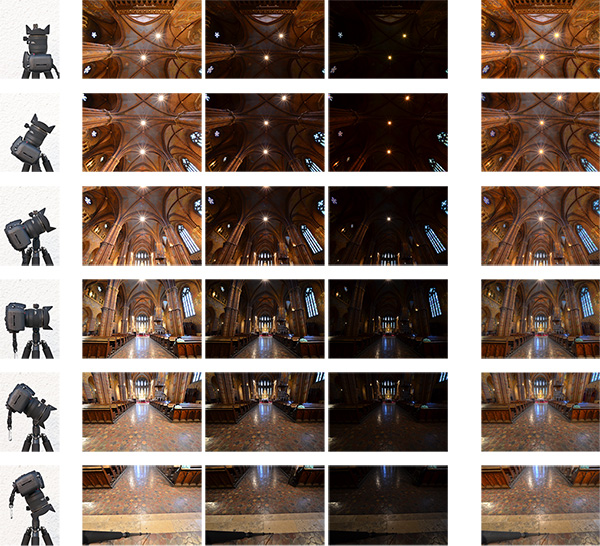
Vertorama and HDR photography are combined in such a way that each section of the final image consists of an exposure series, taken with a different tilt angle. Each of these exposure series is merged into an HDR image and tone mapped into a section HDR image.

Hdr vertorama anatomy 01

Camera positions (left), exposure series (middle) and tone mapped section HDR images (right)

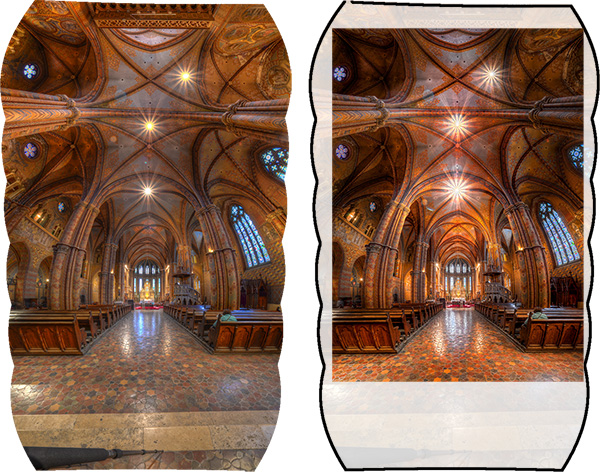
The section HDR images are stitched to produce a Vertorama, and finally, the Vertorama image is cropped and post-processed.

Hdr vertorama anatomy 02

Stitched HDR Vertorama (left) and final cropped image (right)

All the source photos for a single HDR Vertorama are called a set, and depending on actual scene, you may end up with 12 to 30 photos in a set.

The Camera

As long as you are shooting from a tripod, the range of cameras that can be used for this technique is wide. Any DSLR and mirrorless camera will be just fine. Having a camera that lets you change lenses is an advantage because in order to get the most out of your HDR Vertorama shoots, you should be using an ultra wide-angle lens with a shorter focal length then you will find on most fixed-lens cameras.

The Lens

You should use a rectilinear lens with a short focal length – the sorter, the better. With an ultra wide-angle lenses, you get a very wide angle of view, enabling you to capture more of an interior scene. If you own a DSLR with an APS-C-sized sensor, for example, the Nikon 10-24mm f/3.5-4.5G ED AF-S DX Nikkor, Canon EF-S 10-22mm f/3.5-4.5 USM SLR or Sigma 10-20mm f/4-5.6 EX DC HSM may be good choices, depending on which camera you are using and what budget you have available.

In contrast to a fisheye lens, a rectilinear lens has little or no barrel distortion. This means that straight lines in the scene are also (almost) straight in the image, and this creates the characteristic look of these images.

The Nodal Point Adapter

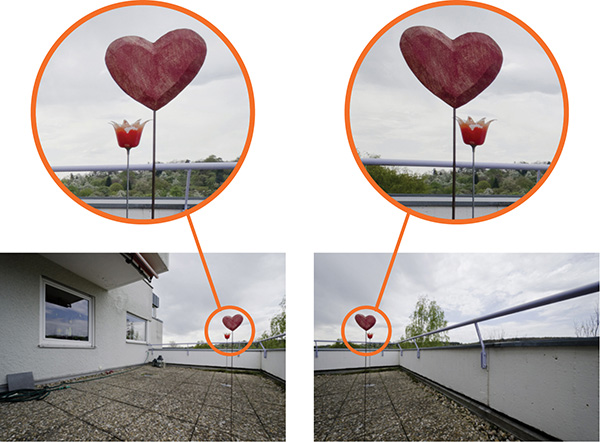
A nodal point adapter is a device that you screw on top of your tripod and that allows you to rotate your camera/lens combination around the nodal point of the lens. This avoids so-called parallax errors where objects at different distances from your camera move relative to each other in the overlapping areas of two consecutive source photos. If you are using a well-adjusted adapter, the overlap regions of the different sections of your Vertorama will perfectly match which is important for the stitching.

Hdr vertorama parallax error

Example of a parallax error

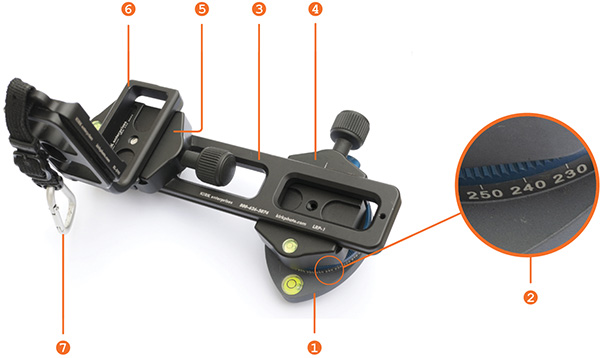
You can buy off-the-shelf nodal point adapters that are usually quite bulky and expensive, or you can assemble your own as shown in the example below: This do-it-yourself nodal point adapter consists of:

  • a panorama plate (1 diagram below)
  • with a scale that helps you control the rotation (2)
  • a macro rail (3) that enables you to move the camera back and forth for finding the nodal point
  • two quick release clamps for mounting the camera on the rail (5) and the rail on the panorama plate (4)
  • an L-bracket (6) for conveniently mounting the camera in landscape and portrait orientation
  • a snap hook (7) connects the L-bracket (and the camera that is permanently mounted to it) to the camera strap when the camera is not mounted to this adapter

Hdr vertorama nodal point adapter


Before you can produce usable source photos with an adapter like this one, you need to adjust it such that your camera is really rotated around the nodal point.

Setting up Your Camera

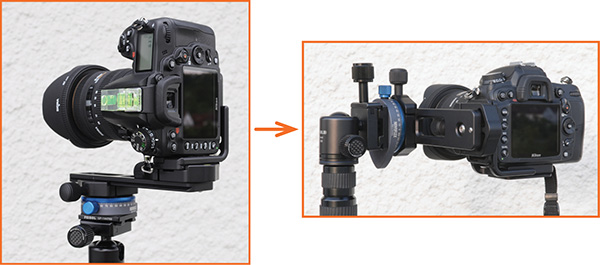
To prepare for the actual shoot, mount your camera onto the nodal point adapter and the adapter onto the tripod. Set up the nodal point adapter and tripod such that your camera can rotate around the horizontal axis.

Hdr vertorama camera orientation

To set up your camera, do the following:

  • Aperture – put your camera in aperture priority mode (“A” for Nikon, “Av” for Canon) and dial in an aperture that puts more or less the entire scene into focus – f/8 usually works pretty well
  • Focus – focus your camera and then put it into manual focus mode to avoid focus changes between the exposures
  • White balance (optional) – set the white balance to a fixed value depending on the type of light at the location. If you are shooting in Raw format, you can also skip this step
  • Mirror lock-up (optional, DSLRs only) – turn on mirror lock-up to reduce camera shake caused by the slapping mirror
  • Cable release – attach a cable release (remote trigger) to release the shutter without touching the camera
  • Cover the viewfinder (for long shutter speeds) – cover your viewfinder to prevent light from entering and falling on the camera’s sensor during the exposure

Finding the Right Exposure

There are many ways of finding the right exposure values for your source exposures. Here, I will show you a quick and simple one that uses the auto exposure bracketing (AEB) function of your camera to shoot the exposure series for your HDR process. Your goal is to set up the camera for an exposure series that remains the same for every section of the Vertorama.

To do this, put your camera in aperture priority mode, set the correct aperture, and scan the scene from the bottom to the top by rotating your camera. While you do this, your camera will adjust the shutter speed to get a correct exposure of the part of the scene it currently sees. Take note of the range of shutter speeds you see in the viewfinder (highest and lowest).

To set the correct exposure, put your camera in manual mode, dial in the respective aperture again and set the shutter speed to a value that is in the middle between the highest and lowest speed you saw during the scan. Now, set up your AEB function such that it goes above and below that shutter speed as much as possible.

For example, if your camera measures between 1/20s and 1/640s, the right shutter speed would be around 1/125s (roughly the middle between 1/20s and 1/640s). If your camera can do 3 shots with +-2 EV, set your AEB function to that setting. This gives you an exposure series of 1/30s, 1/125s and 1/500s for each section, and this produces a result that is close enough to what we need in this situation.

Taking the Shots

Your camera is now ready to take the photos. You should try to take the photos as quickly and fluently as possible as follows:

  1. Rotate your camera down: Your first section should be the floor right at your feet. This section will contain your tripod and possibly your feet. These things are not meant to be in the final image, but this gives you some room to maneuver in post-production.
  2. Wait for the right moment: Check the conditions before you start to shoot the series. When there are no people around and the lighting conditions are stable, you can start shooting.
  3. Action! When the conditions are right, start photographing the first section. When the section is done, rotate the camera to the next section such that the overlap with the previous section is about 30% and shoot, and so on. Do this until your camera points at the ceiling for the last section. It is important that you take the photos quickly to avoid that movement and changes in lighting interfere with your shoot.

Post-processing

The post-processing stage involves a number of steps. If you shot your source photos in RAW mode, you need to develop them in some RAW converter. Depending on the ISO setting you used to capture the photos, you may want to apply some noise reduction already at this early stage to keep the noise at bay over the remaining workflow.

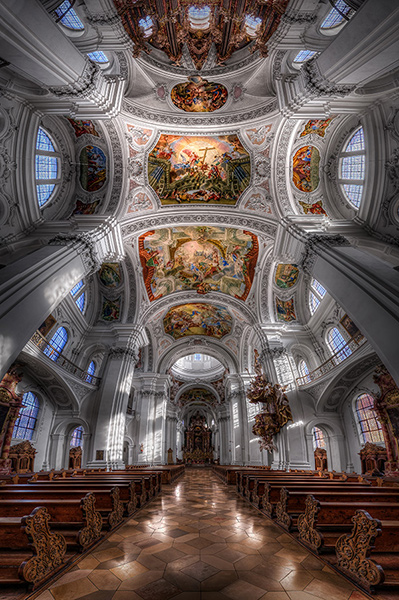
Basilica St Martin Weingarten Germany HDR Vertorama

Vertorama Creation

When the preparation of the source photos is finished, it’s time for the merging and the stitching. Remember that the source photos have to be combined in two different ways:

  • The exposure series for each section needs to be merged into an HDR image
  • all the resulting HDR images for all sections need to be stitched to generate the final HDR Vertorama

Depending on the software you use, the order of these two steps can vary. We will do the HDR merging first and then the stitching. This is generally easier.

For creating the HDRs, you need to load each exposure series into your HDR software (e.g., Photomatix), and merge them, one by one. This is straightforward and there are not a lot of decisions to be made. The result will be one 32-bit HDR image for each section (we call these the section HDR images in the following). Then you need to tone map each section HDR image, using the same settings for each one of them:

  1. Load one of the section HDRs into your HDR software and find the right tone mapping parameters. How you set the parameters is completely depending on your personal taste and style. There is no right or wrong here.
  2. Once you have found pleasing settings, apply these settings to all section HDRs and tone map them.
  3. Save each of the tone mapped images as an 8 or 16-bit image. Saving 16-bit images will give you a better quality but produces larger files.

After this step, you have a tone mapped image for each of the sections, and these images need to be stitched. There are many software products that can stitch photos. I prefer to use Photoshop for this task as it has a very simple but yet powerful stitching module called Photomerge.

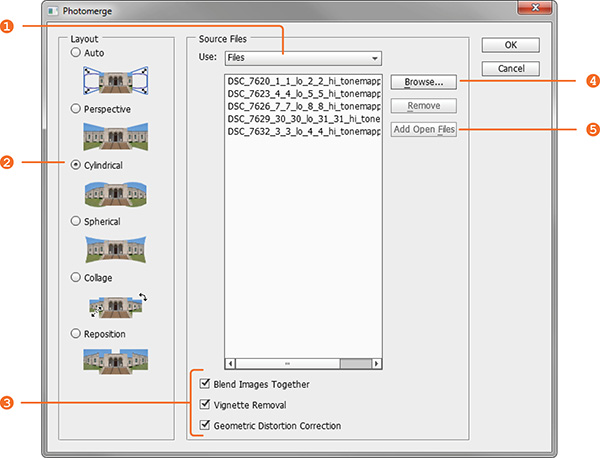
Stitching your tone mapped images in Photomerge (File > Automate > Photomerge) is simple: the Use drop-down menu (1) lets you work with individual files or whole Folders of images. Browse your disk (4) to select the files or add all files that are currently opened in Photoshop (5). Choose Cylindrical (2) as your Layout and check the three check boxes at the bottom (3) to let Photomerge apply a number of corrections to your images. When you press Ok, your images are stitched fully automatically.

Hdr vertorama photomerge

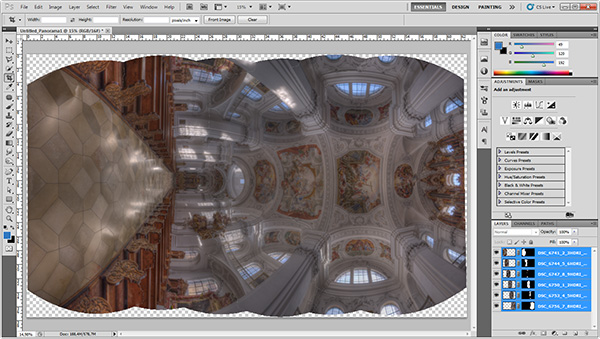
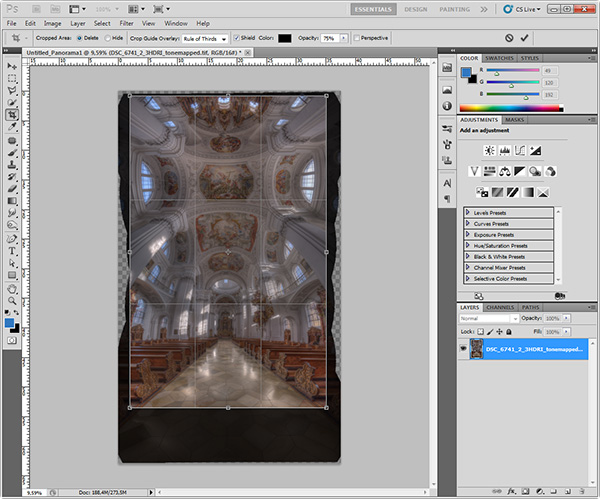
When the stitching is complete, Photoshop presents you with the result. The edges are a bit wonky and it is laying on the side because Photoshop thinks it is a panorama. Merge all the layers into one (Layer > Merge Layers) and rotate the image accordingly (Image > Image Rotation).

Hdr vertorama after stitching

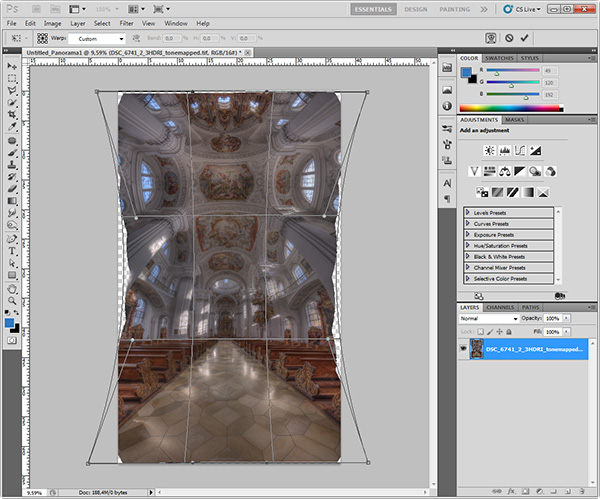
Use the Warp tool (Edit > Transform > Warp) to correct the typical distortion of an interior Vertorama image that makes it wide in the middle and narrow at the top and at the bottom. You can do this by dragging the corner handles of the Warp box to the outside and the right and left edge handles to the inside.

Hdr vertorama distortion correction

Apply the warp distortion and crop the image such that the uneven edges are removed and the composition is symmetrical.

Hdr vertorama cropping

This completes the actual HDR Vertorama creation. You now have a stitched image that covers the entire tonal range of the scene (due to using HDR). The remaining post-processing steps are not specific to the HDR Vertorama technique. As with any other photo, you will at least want to correct the colors and increase the contrast. But you can also apply arbitrarily complex adjustments to the image and process different parts of it selectively.

In this particular case, I applied selective adjustments to the white interior to desaturate it slightly, to the floor to enhance the reflections, and the paintings on the ceiling to balance the colors and make them stand out. I added more saturation to the windows and more contrast to some of the ornaments. Finally, I added a vignette to the edges and a spot light effect to the paintings in the ceiling to guide the viewers’ eyes.

Conclusions

HDR Vertorama Photography is a technique that lets you depict interiors in a unique way. If you are willing to invest the effort and time it takes to master this multi-exposure technique, you will be rewarded with images that will stand out in your portfolio.

Basilica St Martin Weingarten Germany HDR Vertorama

Please share your comments, suggestions and tips below.

For more articles on HDR check out these:

  • Five Minutes to Realistic HDR using Lightroom and a 32-Bit Plugin
  • 5 Tips for Successful HDR Photos
  • How to Create Realistic Looking HDR Photographs
  • Tips for Great HDR Sunsets

The post HDR Vertorama Photography – How to Create Mind-bending Images by Klaus Herrmann appeared first on Digital Photography School.

Digital Photography School

 
Comments Off on HDR Vertorama Photography – How to Create Mind-bending Images

Posted in Photography


Moonbow Photographers in Action

25 Mar

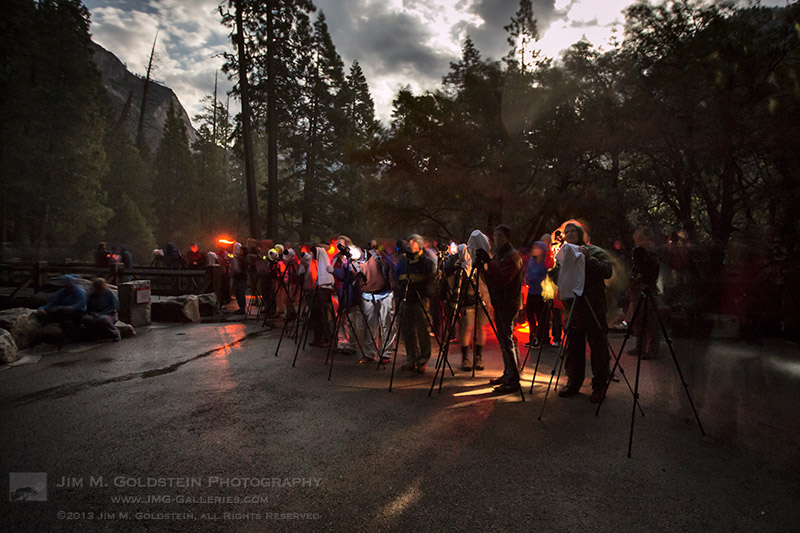
Most years I venture out to photograph moonbows in Yosemite National Park, but this year I’m wondering if conditions will make it worth while. The extreme drought conditions across the state of California have resulted in low snow levels across the Sierras.  While I’m sure there will be enough snowmelt to keep Yosemite’s falls flowing the question is for how long and at what intensity. We’ll have to wait and see if there is a great but short period to photograph moonbows or if a slow and steady melt will result in consistently poor conditions. Time will tell.

Copyright Jim M. Goldstein, All Rights Reserved

Moonbow Photographers in Action

The post Moonbow Photographers in Action appeared first on JMG-Galleries – Landscape, Nature & Travel Photography.


Related Stories

  • Moonbow Photographers in Action – Enclosure
  • Celestial Influences: Petroglyphs and Star Trails
  • Celestial Influences: Petroglyphs and Star Trails – Enclosure
Feed Ads by FeedBlitz
powered by ad choices


JMG-Galleries

 
Comments Off on Moonbow Photographers in Action

Posted in Equipment


Accessory review: Ona Lima camera strap

25 Mar

Strap4_2.jpg

Camera straps are not, on the face of it, the most exciting accessories in the world but they do inspire strong feelings on the part of many photographers. While most people stick with the strap that came in the box with their camera, for a lot of enthusiasts the quest for the ‘perfect strap’ is an ongoing diversion. DPReview Editor Barney Britton recently picked up the Ona Lima strap. Find out if it makes practical sense. Read his review

News: Digital Photography Review (dpreview.com)

 
Comments Off on Accessory review: Ona Lima camera strap

Posted in Uncategorized


Interstellare Wesen teffen auf Schall & Schnabel

25 Mar

PD628 ist ein Sternenhaufen oder -nebel, der kürzlich von jungen Künstlern entdeckt und aufgezeichnet wurde. Seinen Ursprung hatte dieser angeblich in einem kleinen Hinterhofgebäude in Berlin-Kreuzberg, als die Fotografen von Schall & Schnabel mit der Künstlerin Diana Wehmeier den Skinwalker uraufführten.

Von Besuchern der Performance heißt es:

Plötzlich spaltete sich etwas ab, es war wie eine kleine Explosion. Wir dachten, es gehöre zur Performance und staunten nicht schlecht, als sich Energie bündelte, vor unseren Augen plötzlich in sich wieder verpuffte und Sternenstaub unsere Gesichter umnebelte.

Einer dieser Besucher der Skinwalker-Uraufführung war natürlich ich und was ich damals sah, war der Anfang einer wunderbaren Zusammenarbeit zwischen den Fotografen Eileen Huhn und Pierre Horn (Schall & Schnabel) sowie der Malerin Diana Wehmeier.

PD628 © Schall&SchnabelPD628 © Schall&Schnabel

Den aufmerksamenen Lesern unseres Magazins dürften Schall & Schnabel nicht ganz unbekannt sein. Mittlerweile sind seit ihrem ersten Artikel bei uns fast zwei Jahre vergangen. Betrachtet man nun die Arbeiten dieser letzten zwei Jahre, kann man durchaus anerkennend pfeifen.

Zwischen kommerziellen Arbeiten für verschiedene Modelabels finden sich immer wieder freie Arbeiten, in denen die Fotografen ihre Ideen sehr experimentierfreudig umsetzen. Und so scheint es, dass diese freien Arbeiten auch notwendig sind für die Entwicklung und Selbstfindung einer ganz eigenen Sprache.

PD628 © Schall&Schnabel

Ihre neueste Serie „PD628“ erinnert an interstellare Nebel aus Gas und Staub. Und auch eine neue Persönlichkeit hat sich aus diesem Sternenhaufen geformt: Elektra – geheimnisvoll, glitzernd und ihr Haar erinnert an einen Sternenschweif aus rotglühendem Glimmer.

Auch handwerklich ist diese Serie interessant. Denkt man doch zunächst, dass so groß angelegte Projekte immer viel Geld kosten müssen und eine ganze Schar an helfenden Händen benötigen, zeigen Schall & Schnabel, dass es auch anders geht.

PD628 © Schall&SchnabelPD628 © Schall&Schnabel

Farbige Blitze, Folien und Glitzer kamen zum Einsatz und eine helfende Hand in Form einer Praktikantin waren notwendig, um aus Diana Wehmeier das Sternenwesen zu extrahieren. Insgesamt drei Tage lang wurde gewerkelt, besprüht, experimentiert und festgehalten.

Die Serie ist bisher noch nicht abgeschlossen und man darf gespannt sein, was sich die drei Künstler noch alles ausdenken, um in unseren Köpfen kleine Explosionen auszulösen.

Artikelbild PD628 © Schall&Schnabel

PD628 ist eine nicht-kommerzielle Arbeit. Wer die Serie weiter verfolgen möchte, dem sei ein Blick auf das Blog von Schall & Schnabel nahe gelegt.

Außerdem sei an dieser Stelle auch auf die Gruppenausstellung „strange days“ hingewiesen, bei der die beiden Fotografen vertreten sein werden. Die Ausstellung beginnt am 5. April 2014 in der Galerie Irrgang, Friedrichstrasse 232, Berlin.


kwerfeldein – Fotografie Magazin | Fotocommunity

 
Comments Off on Interstellare Wesen teffen auf Schall & Schnabel

Posted in Equipment


Temporary Legacy: Large-Scale Ice Typography Installations

25 Mar

[ By Steph in Art & Sculpture & Craft. ]

Ice Typography 1

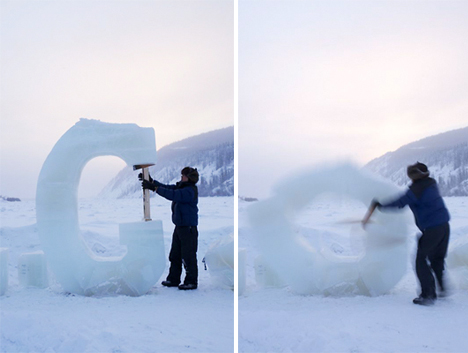
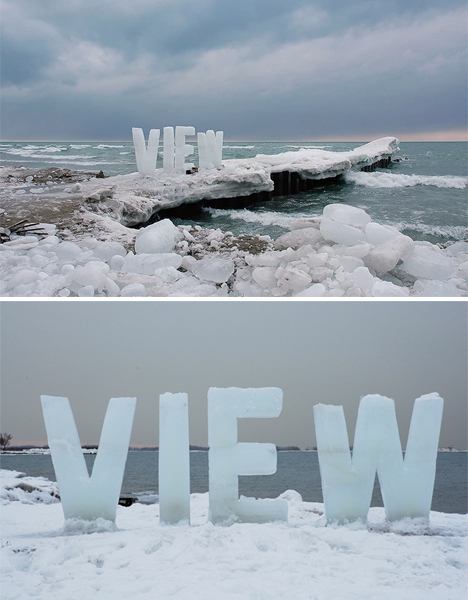
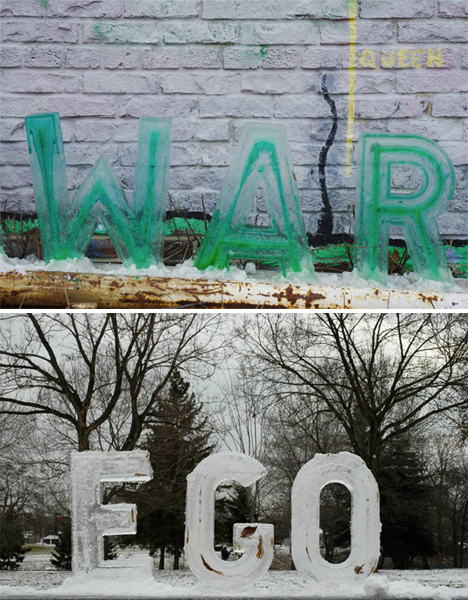
Ephemeral messages ranging from eight inches to eight feet in height stand in public settings for just hours before they begin to disappear, melting into the snow or concrete beneath them. Artist Nicole Dextras makes social and environmental statements that are present just long enough to incite questions in passersby, making the meaning of the words themselves seem vulnerable and transient.

Ice Typography 3

Ice Typography 2

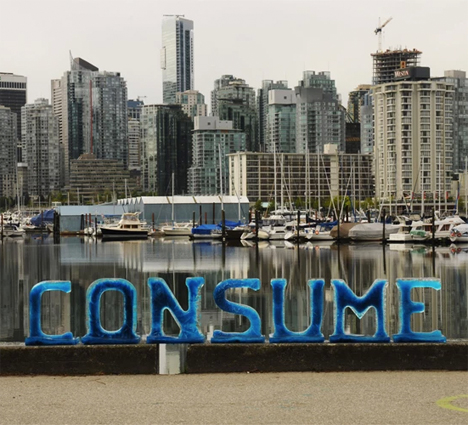
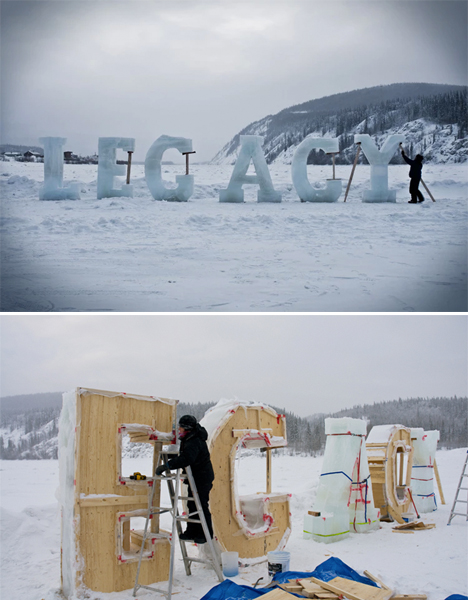
The letters are made using wooden molds and sometimes, in the case of the larger installations, must be propped up as they start to melt – adding to the message of the word, as in the case of ‘LEGACY.’ Many of the pieces question human ownership of natural resources, and the way in which we take over and consume the world around us.

Ice Typography 5

“The use of text in the landscape relates to concrete and visual poetry but with the added twist of having the word’s meaning alter with the melting process,” says Dextras. “Sometimes the words relate directly to the landscape such as “silence” where the bucolic idealism of nature is transformed by the sound of the crashing waves behind it.”

Ice Typography 4

“Typography absorbs light, melts and eventually leave son trace; these words have more in common with dreams and oral stories than linear language. Words cast in ice interrupt our literal narratives, allowing a more integrated reading of the land we inhabit, as opposed to the past and current commodification of land as limitless resource. I therefore choose to create within an ephemeral vernacular to accentuate the collective physical and psychological experience of flux and change.”

Share on Facebook


[ By Steph in Art & Sculpture & Craft. ]

[ WebUrbanist | Archives | Galleries | Privacy | TOS ]


WebUrbanist

 
Comments Off on Temporary Legacy: Large-Scale Ice Typography Installations

Posted in Creativity


Tips for Taking Street Portraits – Lessons Learned in India

25 Mar

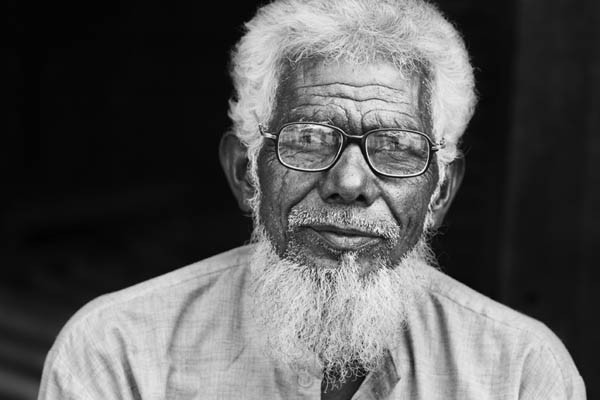
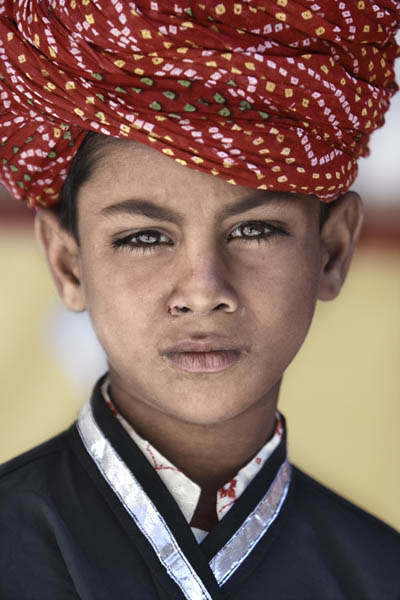
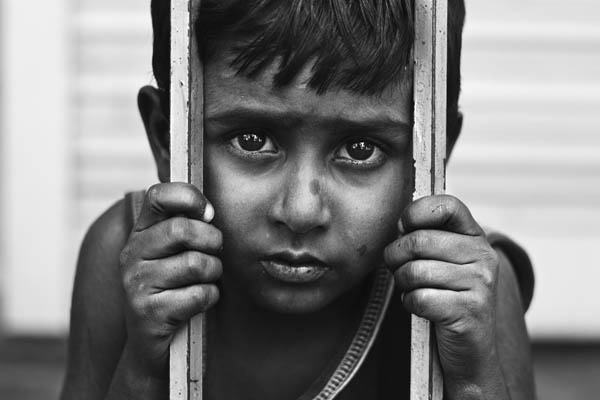
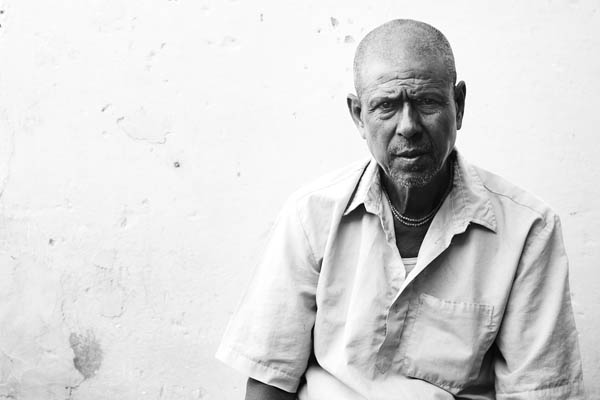
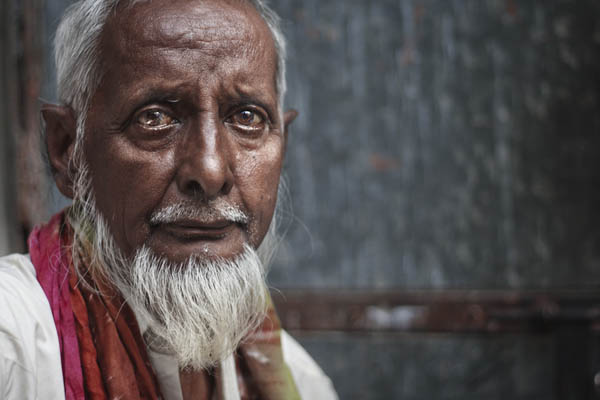
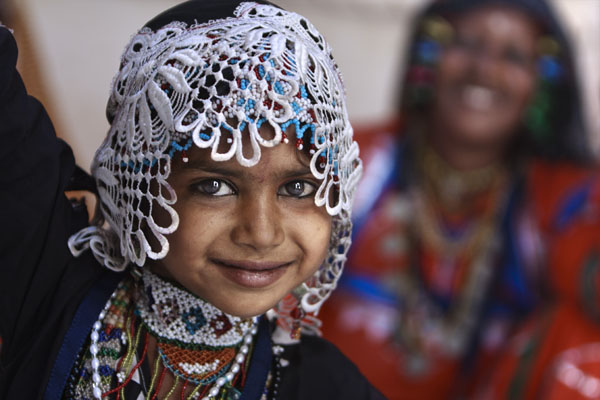
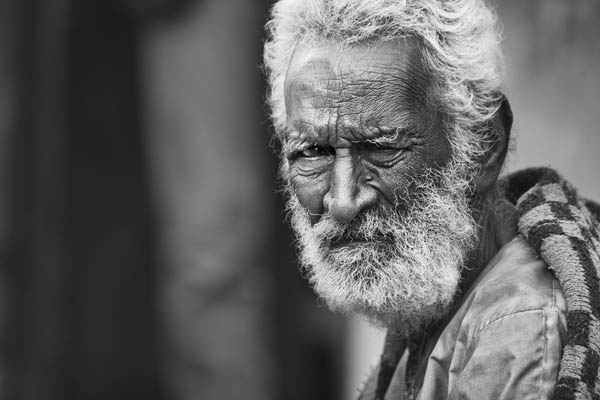
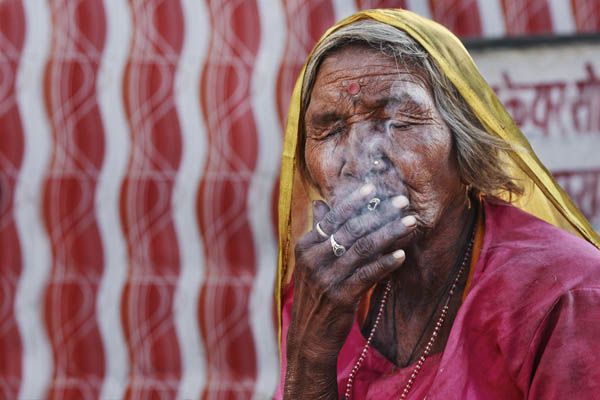
On my trip to Rajasthan, India I packed my Canon 400D (Rebel XTi) with two lenses: my Canon EF 70-200mm f/2.8 IS USM (for long and candid photos) and my Canon EF 50mm f/1.8 II (for indoor portraits and low light photos) because I was aiming for portrait on the streets and specially head shots. Here are a few tips for taking street portraits, from my humble experience, and how to approach people before you take you shot.

#1 Always smile

11

You always want to let anyone who sees you with a camera know that you are a cheerful person and therefore they won’t mind being photographed by you. Even if they become angry because you asked, just smile and back off. You need to remember that being a photographer in the street is an image for all photographers in the public eyes.

#2 Avoid using the built-in flash on your camera

A common mistake that most beginners fall into is using the built in flash. For me this is meant only for quick shots of friends or family. But if you want to a portrait with great light, use natural daylight in the shade by making the subject face towards the light not the opposite.

21

#3 Don’t shoot in the sun

The reason is simple, hard light means hard shadows! Normally when you take a portrait for someone in the sun it creates hard shadows under the eyes, which is very bad for a portrait most of the time. Try to draw your subject to the nearest shady area available, or you can use a smooth board (or reflector) to make the light more even on the subject, that is if you dare to do all that with a stranger.

31

#4 Think about the light and shadows

It’s not enough just to take the shot in the shade during the day, away from the sun. You also need to consider how the light and the shadows are becoming on the subject’s face. You can do that by taking a test shot, then reviewing it on your camera screen by looking for the highlights and the shadows. If you don’t know how, practice it at home with your family or friends before going out to the streets.

41

#5 Don’t ask the person to smile

The good portrait comes first from the subject, then from you. So when you ask someone to smile, and they will, it won’t be a natural smile and sometimes it will bad for the shot. So don’t ask and they will reveal their true expression to the camera whether it’s a smile or sadness, sometimes you will be surprised.

51

52

#6 Use a large aperture for a blurry background

One of the key important things in portraiture is to focus on the eyes and blur the background, and sometimes part of the face. It will make a more dramatic and more attractive portrait to the viewer. And it also blur the background so it makes the viewer’s eye go only to the subject’s eye.

61

#7 Think about the background

What lies behind the subject is important, sometimes it’s good to have people in it and sometimes it’s better empty with no one. It really depends on how you intend to show your portrait.

71


Editor’s note: as I was searching Flickr for portrait images for the weekly inspiration collections (Portraits of men – portraits of women, I kept finding Zuhair’s portraits stood out among the rest. So I approached him and asked him to share some tips with us and he was gracious enough to do so. I hope you enjoy his images as much I do. If the eyes are the windows to the soul, I feel Zuhair’s portraits do a great job of showing us his subjects’ souls. 


The post Tips for Taking Street Portraits – Lessons Learned in India by Zuhair A. Al-Traifi appeared first on Digital Photography School.

Digital Photography School

 
Comments Off on Tips for Taking Street Portraits – Lessons Learned in India

Posted in Photography


How to Create a Family Photo Essay

25 Mar

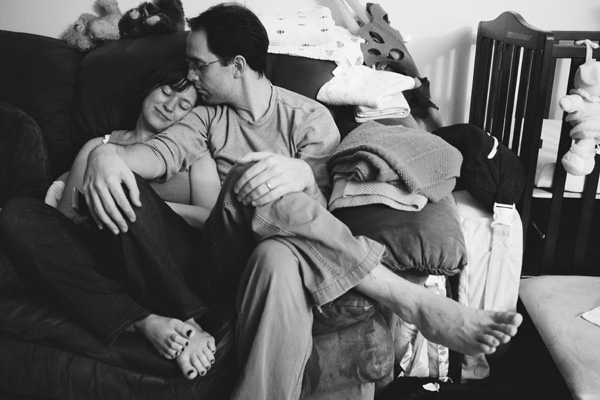
Family Photo Essay 1

The way your son wraps his little arms around your leg to hug you. The way your daughter leaves little notes for you around the house. How it feels to snuggle, dance, and play. His crooked smile. Her knobby knees. Eyelashes. Elbows. Ankles sticking out from socks.

As parents, these are the little moments that we live for, the ones that make our hearts swell, the ones that reflect the spirit of the people we hold most dear.

And yet, as photographers, these are the very moments that we tend to gloss over in their familiarity.

We’re drawn to that moment that makes us feel something. It’s often what leads us to pursue photography in the first place. Reminding ourselves why we love this art form so much, how it connects us to the world around us and brings our experiences to life, places it into a larger context.

Enter the family photo essay!

The family photo essay puts your technical know-how to work in service of telling an emotional and meaningful story.

You see articles on family life in parenting magazines, but in them everything and everyone looks so perfect and polished. And yet, you know that real life looks nothing like that. Your kids go to school with un-brushed hair, mismatched socks, and cream cheese on their faces. Your floors need sweeping, your dishes need washing, and your laundry needs folding.

And that’s ok. That’s real. That’s true. That’s you. You don’t need to vacuum the carpet in order to find beauty in your everyday life. In many ways, the most important story is the perfectly imperfect one you live every day.

Turning your lens toward home to create a photo essay of your family allows you to capture not only what you look like, but also what it feels like to be you, belonging to your family, at this moment in time. And in this way, you can literally show your loved ones just how much they mean to you.

There are three stages to creating an effective photo essay: photography, selection, and structure. Here’s what to focus on in each stage of the process.

Phase one – photography

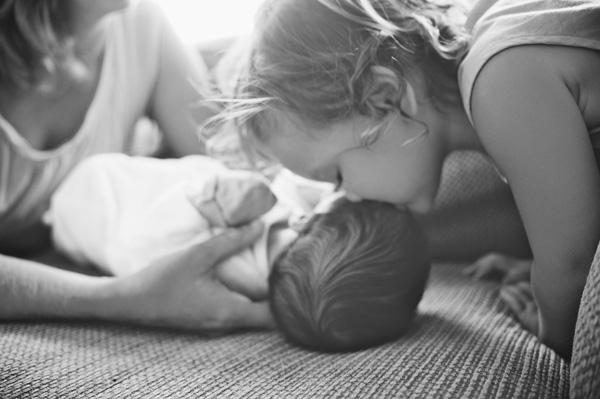
Family Photo Essay 2

This is the time to ignore the old saw about “picture takers” and “picture makers” and give yourself permission to shoot A LOT. Yes, be intentional, be careful, be thoughtful. But also let yourself experiment. Let yourself play. Take a different angle than you do in your other styles of work.

Create a diverse body of work from which to draw: close ups, details, wide angle. The more variety in your images, the more complete your story will be.

Life moves quickly. Life is messy. Kids don’t sit still. It’s ok to let go of the pressure to create the “perfect” shot in the service of capturing real life. What to look for:

1) The moment

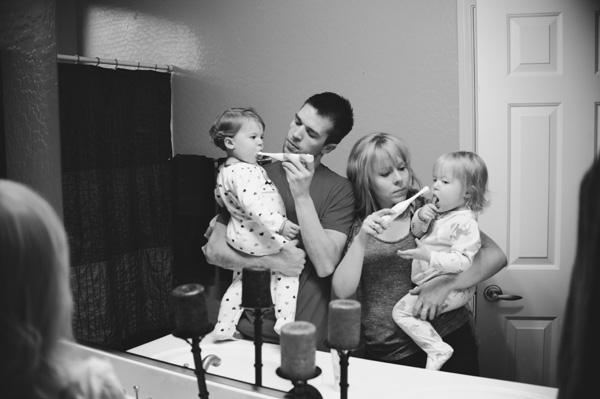
Family Photo Essay 3

“Photographers deal in things which are continually vanishing and when they have vanished there is no contrivance on earth which can make them come back again. We cannot develop and print a memory.” ~ Henri Cartier-Bresson

As you move through your day with your family, pay close attention to your rituals and routines, the things you do every day with each other. Take a step back from habit and mine these moments for your story. When people are actively engaged in something that matters to them their essence shines through.

The messes, the tears, the comforts and the struggles—these are the things that make our real lives so beautiful. These are the moments that matter. These are the moments that we look back on and wonder, “Where did the time go?”.

Let yourself slow down. Pay attention. When the moment arises, keep shooting all the way through it. Your attention is an act of love, and as you let the love well up inside you, you’ll find that the moment becomes clear.

2) Shape

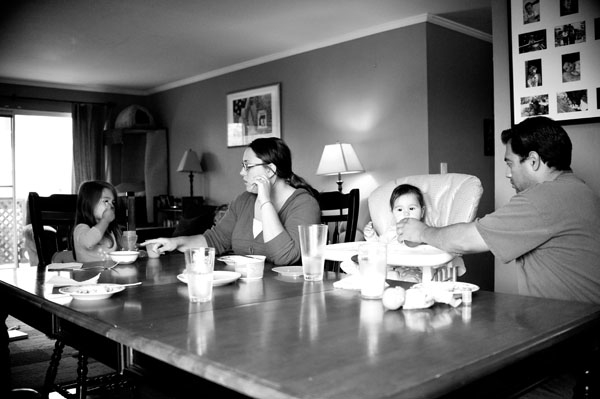
Family Photo Essay 4

Shape is often the thing that helps bring the moment into focus in a beautiful way. Often, when discussing photography the discussion centers around the general term “composition”, but when I think about it as “shape,” it helps me really see what I’m looking for.

That moment when her head tilts ever so slightly. The moment when he jumps in the air and his feet lift off the ground.

Shape and moment are almost inextricably intertwined. Shape is what gives the moment form, interest, impact.

As you look through the viewfinder, look for shapes between people, shapes between kids and their environment, the shape of their body as they lay on the floor reading. Diagonals, s-curves, c-curves, triangles–shape is what gives an image it’s life.

3) Simplicity

Family Photo Essay 5

“There’s a lot of beauty in ordinary things. Isn’t that kinda the point?” ~ Pam, from the final episode of The Office

One of the struggles of documentary photography is how to get your subject to stand out from all the other stuff around you. Remember that the camera is only a tool; it can only see what you tell it to see.

As you compose your image, look for simplicity and harmony between subject and environment. Can you frame your images in such a way that the background and surroundings add to the story you’re telling? Don’t be afraid to move your feet.

Notice how the environment also impacts the meaning of your image. Your home, even on its messiest days, holds so much love. The way your kids interact with their surroundings says so much about who they are as people (not to mention gives you a reminder of just how big, or small, they are at this moment in time).

As the photographer, you get to choose what to focus on. You get to show us what’s important to you. You get to show us how you see the world, your unique view on your unique life.

NOTE: For those of you whose kids are old enough, I highly recommend getting them involved in this project. Get them access to a camera and let them show you what they see. And that way, images of you will be included in the essay as well.

Phase two – selecting images

Family Photo Essay 6

After you finish gathering your images, sift through them and see what stands out to you. What do you notice? Are there moments that feel like they “sing”? Moments, themes, or attitudes that recur throughout your collection? You’ll begin to see what matters, what you value.

Look for patterns and through lines in your images. Look for moments that take your breath away or that “just feel right.” The images to include in your essay are the images that tell a story, reveal a truth, capture an essence, or evoke an emotion. Who is this person? What is their essence? What matters to them?

For each image you select ask yourself why it’s important. What story does it tell? And then ask again, why is that story important? You may also enjoy writing these stories down and adding them to your final product.

Phase three – deciding on structure

Family Photo Essay 7

Once you’ve created and selected your images, it’s time to give them structure. There are several ways to go about this depending on the story you’re trying to tell:

  • A day in the life
  • The same event over time
  • A theme that emerged that represents what matters to you
  • A focus on each member of your family and the things that make them special

How you choose to structure your images may change from project to project, but the most important thing is to make a tangible copy. Print it, bind it, collage it, but make it a living document you share with your family and not just something that sits on your hard drive.

A family photo essay will grow to be a cherished part of your family’s legacy, giving your children a sense of belonging. Your story does indeed matter. It’s time to reclaim the art of the family snapshot.

Family Photo Essay 8

Please share any other tips or comments you have below, as well as your family photo essay images. Have you done a project like this? Tell us about it.

The post How to Create a Family Photo Essay by Miki DeVivo appeared first on Digital Photography School.

Digital Photography School

 
Comments Off on How to Create a Family Photo Essay

Posted in Photography


Aperitif: Diese Woche auf kwerfeldein

25 Mar

Puh, wir müssen ganz schön ranklotzen, um unsere Woche zu füllen. Das geben wir gern zu: Auch, wenn auf der Magazin-Bühne die Show so gut wie immer reibungslos läuft, wird hinter den Kulissen ziemlich viel geschwitzt und im letzten Moment an Artikeln geschraubt.

Das lohnt sich dann aber auch. Wenn wir uns nach getaner Arbeit auf eine Woche schauen können, die so prall gefüllt ist wie diese, wischen wir uns mit dem Hemdsärmel über die Stirn und packen schon wieder die nächsten sieben Tage an. Was Euch diese Woche erwartet? Also, Folgendes:

Am Mittwoch haben wir etwas ganz Besonderes für Euch: Einen Gastartikel, der sehr ausführlich auf die aktuelle Lage von Fotos auf Facebook eingeht. Wie sieht diese verworrene Situation im Moment juristisch aus? Und was heißt das für die Praxis von uns allen, die wir unsere Arbeiten gern dort teilen würden?

Life © Lara Zankoul

© New Legs

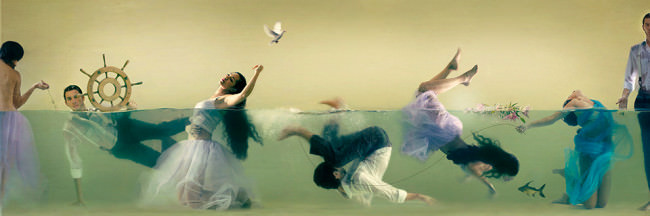
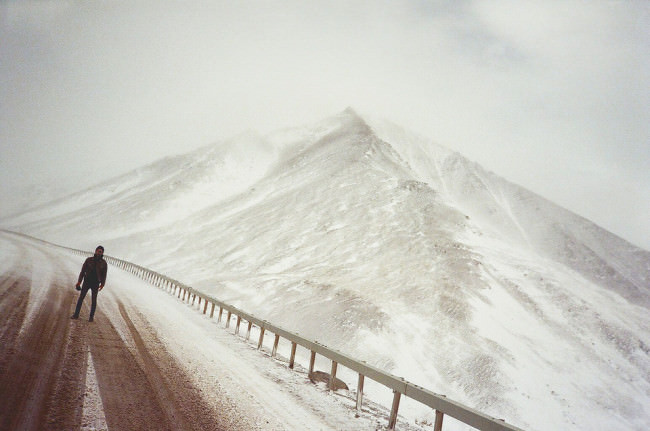
Wasser in allen Formen: Wir zeigen Euch die fantastischen Konzeptfotografien der Libanesin Lara Zankoul, die mit Hilfe der Wasseroberfläche die Welt in zwei Teile teilt, die oft gegensätzlicher nicht sein könnten. Eis auf einem Berggipfel, bereist von einem mysteriösen Fotografen, der im Internet nur unter einem Pseudonym agiert. Und Wasserdampf aus den 80er Jahren in New York City.

Morgen geht’s aber erst einmal ins Weltall zu interstellaren Wesen. Und gegen Ende der Woche begeben wir uns auf zwei Reisen: Zum einen auf eine sehr persönliche, die die Findung eines eigenen Stils sehr spannend beleuchtet. Zum anderen in das ferne Land Nepal.

Außerdem freuen wir uns darauf, unsere Ausstellungstipps wiederzubeleben. Kürzer, knackiger, persönlicher – und gleichzeitig ausführlicher. Bleibt gespannt, während wir unsere Helmleuchten und Schweißerbrillen wieder aufsetzen, um in den Bastelkeller des Magazins hinabzusteigen.


kwerfeldein – Fotografie Magazin | Fotocommunity

 
Comments Off on Aperitif: Diese Woche auf kwerfeldein

Posted in Equipment