Month: December 2013

  • The Top 13 Camera Bags Among Our Readers

    Over the past few weeks we’ve shared with you the best selling DSLRs and most popular DSLR lenses among our readers. Today it is time to turn our attention to camera bags.

    Following are the best selling* camera bags among our readers based upon what you’re buying at Amazon in the last quarter.

    Here’s the top 13!

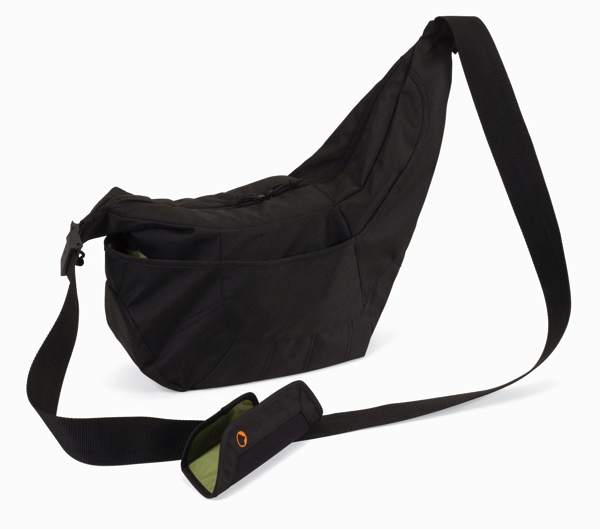
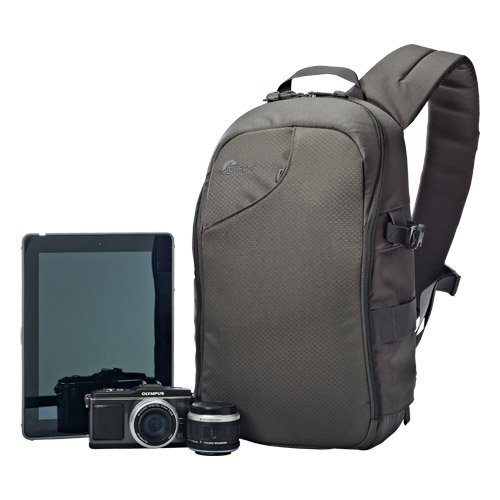
    1. Lowepro Passport Sling

    NewImage

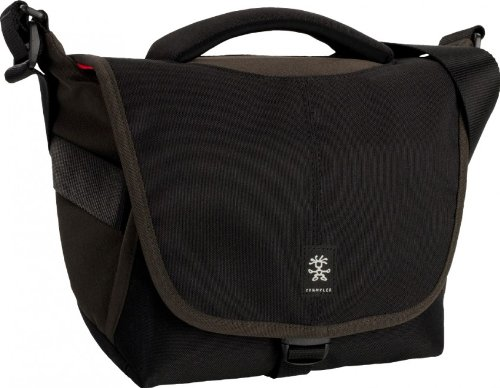
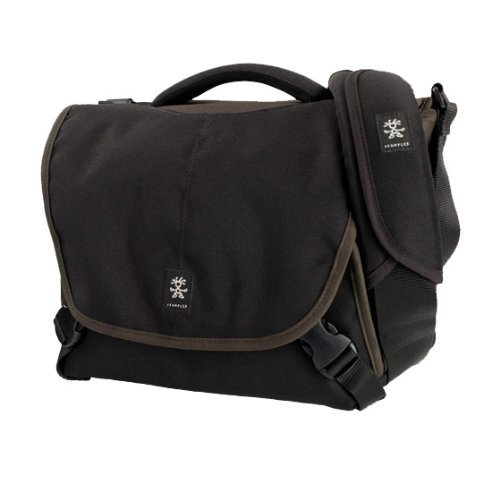
    2. Crumpler *NEW* 5 Million Dollar Home Camera Bag

    NewImage

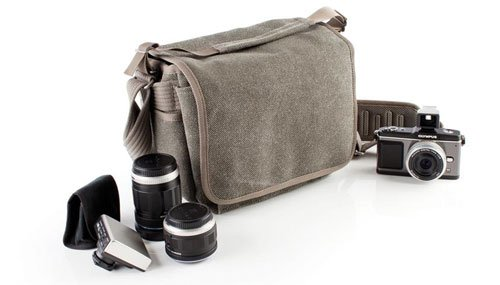
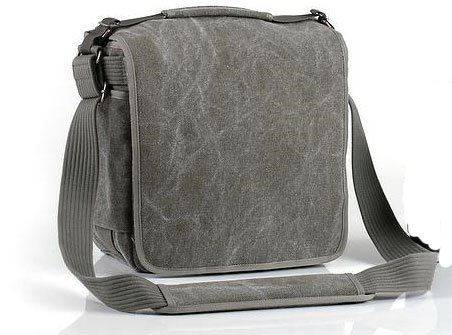
    3. Think Tank Retrospective 5 Shoulder Bag

    NewImage

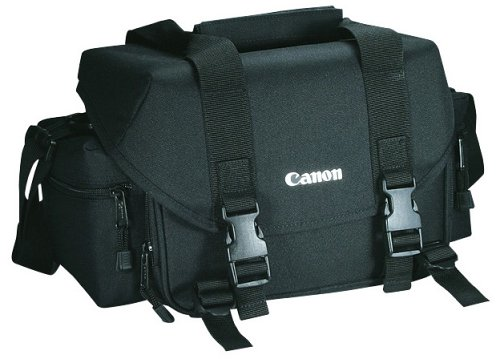
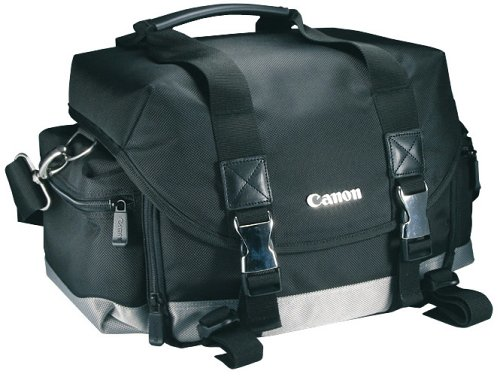
    4. Canon 2400 SLR Gadget Bag for EOS SLR Cameras

    NewImage

    5. Lowepro LP36576-PWW 250 AW Transit Sling Bag

    NewImage

    6. Canon 200DG Digital Camera Gadget Bag

    NewImage

    7. Crumpler *NEW* 6 Million Dollar Home Camera Bag

    NewImage

    8. Lowepro Passport Sling ll

    NewImage

    9. Think Tank Retrospective 20

    NewImage

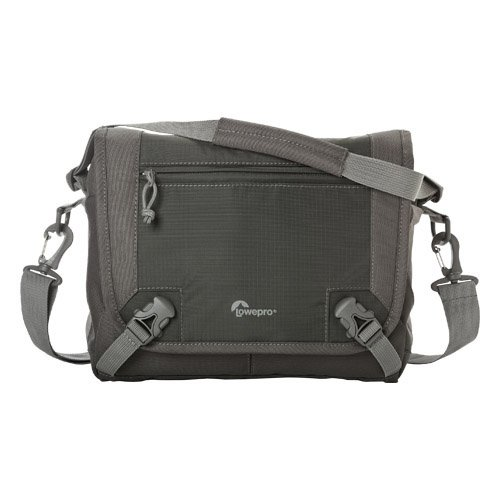
    10. Lowepro LP36610-PWW Nova Sport 17L AW Camera Bag

    NewImage

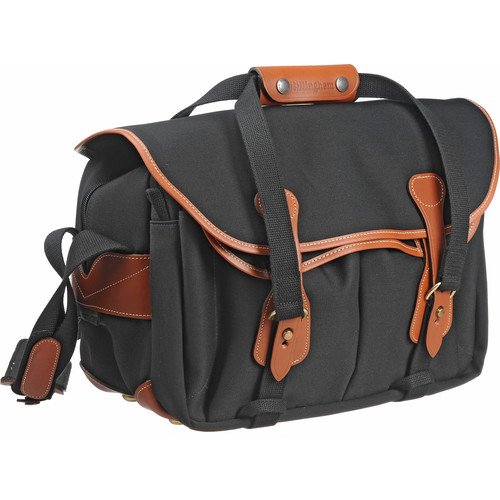
    11. Billingham 335 Camera Bag

    51GhGrK8o7L

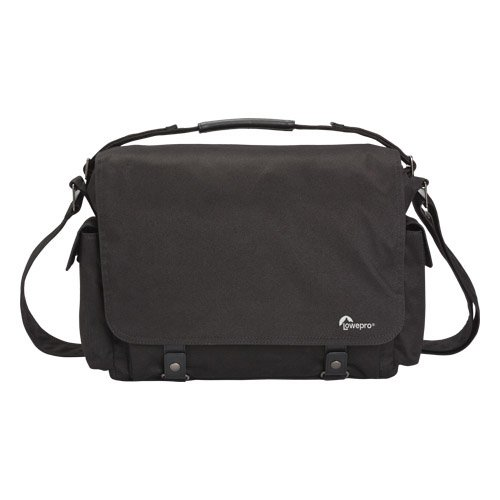
    12. Lowepro LP36615-PWW Urban Reporter 250

    NewImage

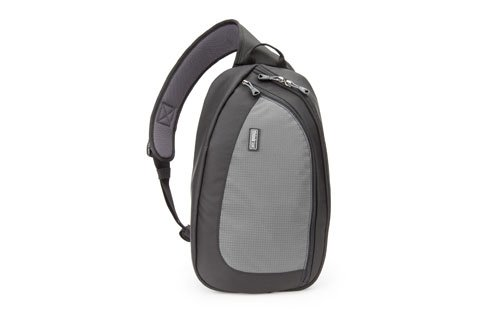
    13. Think Tank TurnStyle 20 Convertible Sling Bag & Belt Pack

    NewImage

    * Note: these lists were compiled from reports supplied to us from Amazon.com where we are affiliates. One of the ways dPS is able to cover its costs and be a sustainable business is that we earn a small commission when readers make a purchase from Amazon after clicking on our links (including those above). While no personal details are passed on we do get an overall report from Amazon about what was bought and are able to create this list.

    The post The Top 13 Camera Bags Among Our Readers by Darren Rowse appeared first on Digital Photography School.


    Digital Photography School

  • Tips for Learning to Love Photoshop Actions

    This is a guest contribution from Meghan Aileen Schirmer at The Shoppe Designs & Photoshop Actions. Their In Vogue Action Set is available on Snap N Deals now for just $ 29! (until December 24, 2013)

    Learning to Love Photoshop Actions

    Photoshop actions tips 04

    When it comes to Photoshop Actions or presets photographers tend to love them or hate them. But, when done right they can really enhance a digital image in a way that a straight out of the camera digital image cannot achieve. If you use film, that is very different, and the variety in types of film and processing techniques allows for a greater variety of beautiful looks for your images. However digital photography, in general, is limited to that digital look we all know, especially when we are in the context of a commercial photography workflow. You can of course edit your images individually in Lightroom, ACR or Photoshop. But when you use Photoshop Actions and presets it is simply speeding up this process. When you have hundreds of images to edit, time savers are very valuable.

    What can you use Photoshop Actions for?

    Photoshop Actions can be used for workflow speed, such as simply adding a little contrast and saturation to all of your straight out of camera images. They can also be used to specially edit key images or to add a unique style or look to your images that makes you memorable amongst the sea of competition. Action sets at The Shoppe Designs & Actions usually each contain, several specialized Photoshop Actions that you can use at different opacities and different combinations for various style looks, as well as some utility Actions such as adding contrast or grain.

    Action styles

    Our In Vogue set was inspired by the pages of high end fashion magazines. In this set you will see the matte look and slight toning of modern fashion photography, as well as the clipped blacks of vintage black and white film. When shooting film is not an option, using Actions to mimic the look of film is a great alternative. Maybe you love the look but are not in a position to switch to shooting film.

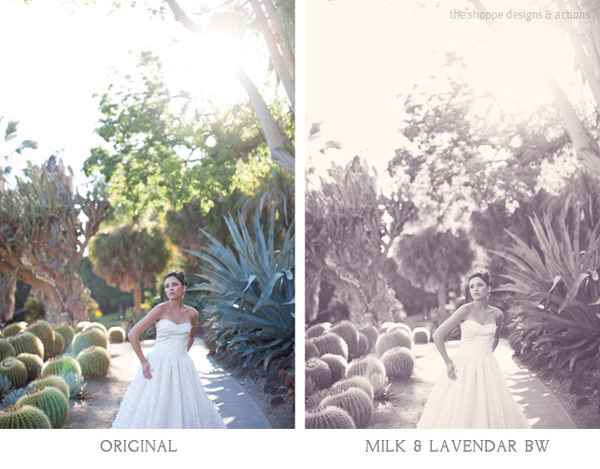
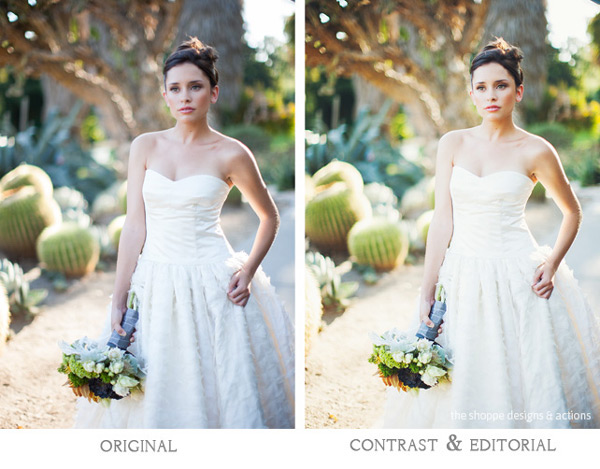
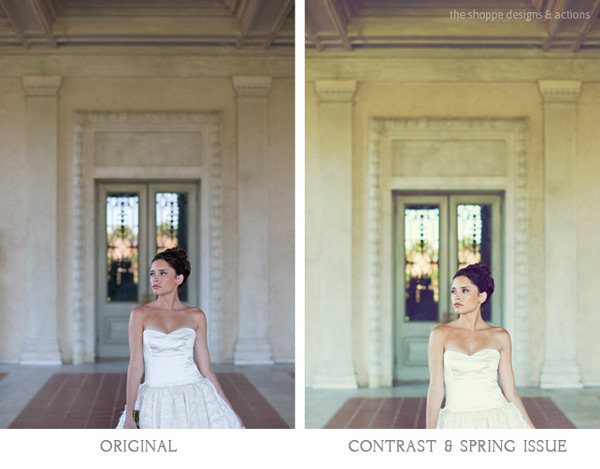
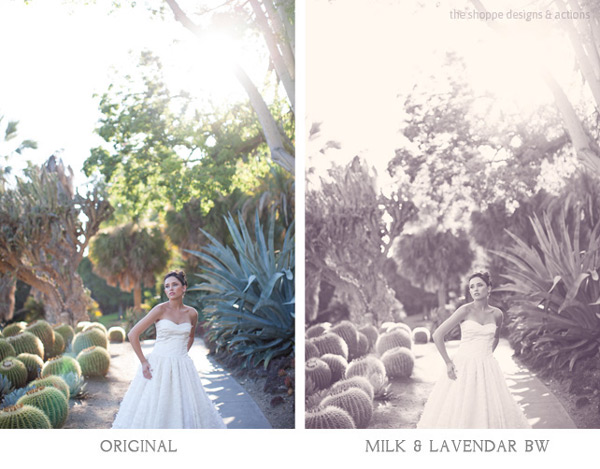
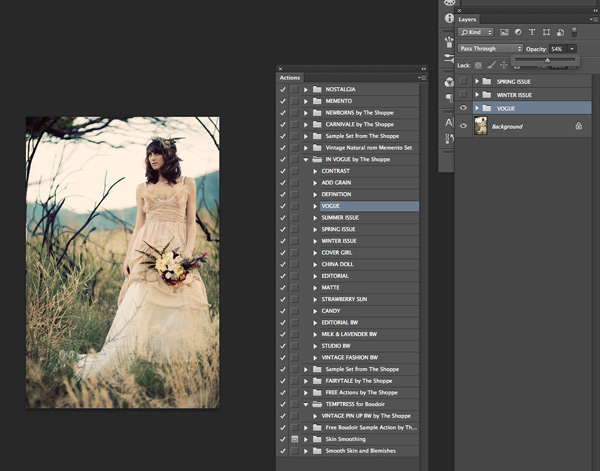
    Here you can see the plain digital image and then the sample using the In Vogue Action Set. Our Actions are set up to leave you with a folder on top of your background layer in Photoshop, so that you can easily adjust the strength of the action. We give them to you at 100% strength or a bit less, and then you can adjust them to say 20% for a more subtle look. Perfect when you don’t want the image to look like you edited it with Actions, but just want to get rid of that digital feel. See how in these samples the actions are used at a lower opacity to simply enhance the image and not heavily alter it.

    Photoshop actions tips 01

    Photoshop actions tips 02

    Black and white Actions

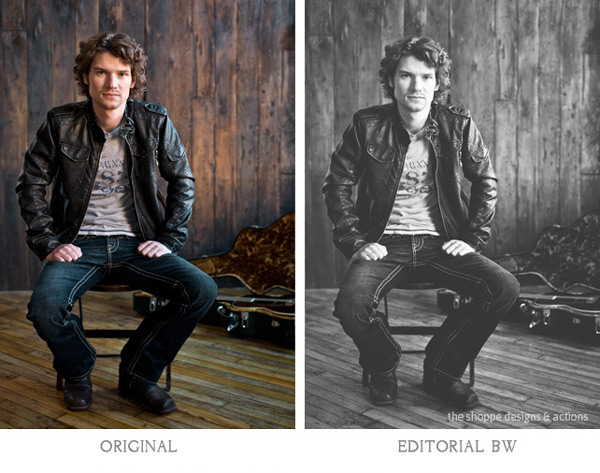
    Using Actions to make your images black and white is an excellent use of them. Especially if you like the black and white film look. Just reducing the saturation on an image in Photoshop is not going to get a gorgeous black and white image, it will be flat and digital looking. Our Actions create different tones, different depths of contrast, flat or deep blacks and some even add grain for that authentic film look.

    Photoshop actions tips 03

    Photoshop actions tips 04

    Applying Photoshop Actions

    When using Photoshop Actions, we recommend trying a variety of them on several different types of photos with different lighting conditions. Not all Photoshop Actions work the same on all images, it is just not possible. Some greatly enhance one image, but may not work at all on another. As you use them often you get to know which works best on the different types of images. Some will really bring out the color in one image, while diminishing the color in another. As I mentioned our Photoshop Actions leave a folder on top of your image in your layers palate in Photoshop. We recommend playing each one on an image, then turning the folder off and on to see the effects. Then adjust the opacity of the entire folder and see what looks best. Then you can play another to add different effects and keep adjusting the folder opacity until you love it. It is best to go back to the background layer before playing each one.

    Photoshop actions tips 05

    In general, I recommend doing basic image editing in a RAW editing program before starting to play with Actions, unless you are using the utility Actions such as ADD CONTRAST. Stylized Photoshop Actions are simply meant to enhance while utility Actions like adding contrast, boosting saturation and sharpness can be used on original camera images.

    If you want to use a utility type Action on a bunch of images at once, or a stylized action on a set of similar images, you can do that as well. In Adobe Bridge, go to TOOLS > PHOTOSHOP > BATCH and then choose the folder of images, the action to use, and the destination for them. I recommend saving them in a different folder and not saving over your originals in case you want to edit them differently later.

    However you decide to use them, Photoshop Actions can be very versatile and very useful. It is a matter of fitting them into your workflow and discovering how Photoshop Actions in general as well as which Photoshop Actions in particular work best for you and the way you work.

    The Shoppe Designs & Photoshop Actions has many well respected action sets to choose from, and the In Vogue Action Set from is available on Snap N Deals now for just $ 29! (until December 24, 2013)


    Designer and Photographer Meghan Aileen Schirmer is the owner of The Shoppe Designs, Inc. Meghan has designed and photographed for some of the most well-known companies in the world over the past 15 years. From Sony to Nickelodeon, as well as Grammy winning artists and musicians. She lives in Nashville, TN with her family.

    • Try a FREE sample set of Actions by liking The Shoppe Designs Facebook Page
    • See more available Actions on their website  The Shoppe Actions
    • See the In Vogue Actions set, regular price.

    The post Tips for Learning to Love Photoshop Actions by Guest Contributor appeared first on Digital Photography School.


    Digital Photography School

  • Photojojo’s Holiday Gift Guide 2013, Part 3!

    It’s our last all-new gift guide of the year! So we’ve brought out our very finest photo gifts – beautiful camera bags, photo-themed décor and more.

    Plus, we’re showing off our top selling products of all-time, that are sure to be a real hit on Christmas morn’.

    Order quick and we’ll be sure to beat Santa down the chimney for ya.

    Carry your gear in style! The Brooklyn camera bag is handcrafted out of full grain leather, with a plush interior and plenty of room. Nothing but the finest, for your trusty camera.

    In the Shop for $ 329


    Everything you need to shoot the most creative roll of film you’ve ever shot. A camera, two lenses, rainbow filter and a book of inspiration will spark your love for analogue photography all over again (or, for the very first time).

    In the Shop for $ 25


    Finally! A huggable camera lens. These limited edition jumbo-sized lens pillows. They’re hand-made with all the detail of your favorite lens (from the f-stops to the auto-focus switch) carefully embroidered by hand into fuzzy fleece.

    In the Shop for $ 80


    Get awesome technicolor patterns, lens flare and swirly rainbow hues in-camera without an app! These coated glass gradient filters twist and stack for infinite color combinations. And, their sturdy aluminum mount fits on any phone.

    In the Shop for $ 35


    Take your camera on any and every expedition, in this full-sized adventure proof messenger camera bag. It’s made of water repellent waxed canvas, and has enough pockets and interior space to hold all your gear.

    In the Shop for $ 269


    Hang your love of analogue on the wall for all to see. The Vintage Film Roll Print features 20 vintage film rolls in their bright and colorful glory. The perfect décor for any photographer’s home or office (just not their darkroom).

    In the Shop for $ 15


    Your phone cam is great, but you can give it one that’s super-duper. Sony QX series pro-quality lenses that are also full-fledged cameras! They use your smartphone as a viewfinder, settings panel and shutter release. Then, send the pix they’ve taken wirelessly onto your phone.

    Starting at $ 250


    Lots more amazing gifts…


    Everyone Loves Them!We’re sure those folks on your gift list will too.

    Photojojo Classic Lens Series

    $ 49 ? BUY

    Camera Lens Mugs

    $ 24 ? BUY

    Macro Lens Band

    $ 15 ? BUY


    iPhone Telephoto Lens Kit

    $ 35 ? BUY

    Bamboo Solar Phone Charger

    $ 35 ? BUY

    Smartphone Spy Lens

    $ 20 ? BUY


    Even more amazing gifts…
     

    © laurel for Photojojo, 2013. |
    Permalink |
    No comment |
    Add to
    del.icio.us

    Post tags:


    Photojojo

  • Trapdoor Secrets: Furniture Hidden Inside Floors & Ceilings

    [ By WebUrbanist in Design & Fixtures & Interiors. ]

    hidden dining table

    This remarkable remodel is full of fun and functional surprises ranging from ceiling-suspended swing sets, hammocks, bookshelves, tables and benches to flip-up, in-floor mirrors and trap-door storage spaces.

    hidden ceiling hammock

    hidden pulley system

    hidden ceiling swing

    Designed by Elii in Madrid, Spain, the compartment-centric project takes maximum advantage of high ceilings to add layers of usefulness above, below and ultimately between each of two levels.

    hidden floor storage

    hidden bathroom mirror

    Discrete handles along the walls allow the occupant to deploy each function in piecemeal fashion, calling down an on-demand hammock and fans, for instance, or dining room surface and seating as needed.

    hidden panels back forth

    Hidden pulleys make it easy to drive each object back up and out of the way when not in use – no laborious reaching, pushing or pulling required.

    Next Page – Click Below to Read More:
    Trapdoor Secrets Furniture Hidden Inside Floors Ceilings

    Share on Facebook


    [ By WebUrbanist in Design & Fixtures & Interiors. ]

    [ WebUrbanist | Archives | Galleries | Privacy | TOS ]


    WebUrbanist

  • Eye-Fi’s Mobi card will transfer directly to desktop

    eyefimobi.jpeg

    Eye-Fi is beta testing a new desktop receiver for Windows that will allow for direct transfer from the Eye-Fi Mobi card to the desktop. Launched earlier this year, the Eye-Fi Mobi card uses Wi-Fi to wirelessly send images to your mobile device via an iOS, Android or Kindle app — and now straight to your desktop. Download the new software for free on connect.dpreview.com.

    News: Digital Photography Review (dpreview.com)

  • 12. Türchen: Fujifilm

    Zwölftes Türchen

    Aus dem Hause Fujifilm kommt nicht nur eine sehr schicke Kamera, sondern auch eine, die viel Spaß macht: Die Sofortbildkamera Instax Mini 90 Neo Classic. Uns begeistert sie vor allem, weil sie sehr viele Möglichkeiten bietet und viel mehr ist als das vermeintliche Spielzeug.

    Die beiden Funktionen Langzeitbelichtung und Doppelbelichtung allen voran: Aufnahmen von zehn Sekunden sind möglich mit dem Bulb-Modus. Dank des vorhandenen Stativgewindes ist die Gefahr, dabei zu verwackeln auch gebannt, indem man also ein Stativ dranschraubt und so lässt die Kamera viel Raum für Experimente.

    Instax Mini 90 Neo ClassicInstax Mini 90 Neo Classic

    Für einfache Aufnahmen gibt es auch die gängigen Modi wie Landschaft, Makro, Kinder (für sich schnell bewegende Objekte) und Party. Die Helligkeit kann individuell geregelt werden. Und wenn es doch einmal zu dunkel ist, hat sie einen eingebauten Blitz.

    Die Sofortbilder haben mit den Außenabmessungen von 54 x 86 mm und einem Bildfeld von 46 x 62 mm etwas kleinere Maße als die typischen Polaroids. Dafür sind sie um einiges günstiger. Einen Zweierpack der Instax Minifilme mit je zehn Bildern gibt es für knapp 13 Euro. So kostet ein Sofortbild nur 65 Cent.

    Instax Mini 90 Neo Classic. Beispielfoto.Instax Mini 90 Neo Classic. Beispielfoto.

    Die Haptik überzeugt, denn es handelt sich nicht um einfache Ausdrucke, sondern um richtige Sofortbilder. Auch die Optik der Bilder hat einen analogen Charme, der nicht aufgesetzt wirkt. Die Instax Mini 90 Neo Classic hat einen Verkaufspreis von 149 €.

    Um die Kamera zu gewinnen, schreibe einen Kommentar unter bürgerlichem Namen und gültiger E-Mail-Adresse bis heute um 24 Uhr. Danach verlosen wir sie per Zufallsgenerator unter allen Kommentatoren. Die genauen Gewinnspielregeln findest Du hier. Viel Glück!


    kwerfeldein – Fotografie Magazin

  • Adobe releases final versions of Camera Raw 8.3 and Lightroom 5.3

    shared:AdobeLogo.png

    Adobe has announced the final versions of Camera Raw and DNG Converter 8.3, along with Lightroom 5.3. Different versions for ACR 8.3 are available for Photoshop CC and Photoshop CS6 – both from Adobe.com and through the update mechanisms in the software. DNG Converter is available for free for users of older versions of Photoshop. The latest versions brings support for 20 cameras, including the Nikon Df and Nokia Lumia 1020 that weren’t in the release candidate versions.

    News: Digital Photography Review (dpreview.com)

  • What the Android 4.4.1 update means for Google’s Nexus 5 shooters

    nexus_5_2.JPG

    A major software update promises to fix the bevy of camera issues Nexus 5 users started complaining about as soon as they got Google’s newest smartphones in hand. So does the Android update make for a more responsive camera? We put our refreshed Nexus 5 through its photographic paces on connect.dpreview.com.

    News: Digital Photography Review (dpreview.com)

  • Gläserne Schönheit

    Was ist modern? Was ist alt? Wie entsteht Fotografie, die zeitlos wird? Zu den Arbeiten des französischen Fotografen Eric Antoine lassen sich Fragen nach dem Wesen der Fotografie, der Malerei und der Kunst überhaupt stellen. Es sind Bilder, an denen man nicht einfach vorbeigehen kann, ohne von ihnen berührt zu werden.

    In der Vergangenheit hat der 39-jährige Franzose schon mit verschiedensten Formaten und Prozessen gearbeitet: „Ich habe viel mit Entwicklungs- und Druckverfahren sowie alternativen und alten Prozessen experimentiert. Ich habe viele verschiedene Formate benutzt und hatte immer eine Vorliebe für meine einfache Nikon FM2 und meine Hasselblad 500c/m.“

    Untitled © Eric Antoine

    Die Entscheidung für die Kollodium-Nassplatten-Fotografie als künstlerisches Verfahren in seiner aktuellen Serie „Ensemble seul“ hat dabei verschiedene Gründe:

    Das Kollodium-Nassplatten-Verfahren ermöglicht mir sehr präzise und vollkommende Fotos. Ich mag die Dinge, die meine Fotos werden: Ich mag das Glas (ich mache sie prinzipiell auf Glas), ich mag es, auf niemanden angewiesen zu sein und alle Schritte meiner Fotografie selbst ausführen zu können, ich mag ihre Bildmaße, die Präsenz des Silbers und seine Brillianz, ich mag diese Verbindung zwischen Malerei und Fotografie, die sonst nirgendwo so eng ist.

    Die Existenz in diesem Zwischenraum zwischen Fotografie und Malerei erkennt man in seinen Bildern und seinen Motiven. Es sind klassische, zeitlose Bilder, die Eric mit dieser Technik macht. Er benutzt sie nicht, um Motive aufzuwerten, sondern weil er davon überzeugt ist, dass die Bilder das Verfahren für ihren ureigenen Charakter brauchen.

    Untitled © Eric Antoine

    Dieser Charakter ist für Eric, der in einem Haus mitten in der Natur lebt, auch ein bisschen ein Statement, ein Widerstand gegen die digitale Welt, in der wir mit Smartphoneknipsbildern überschwemmt werden:

    Ich fotografie das Einfache mit einem komplexen Prozess. Ich mache sehr wenige Bilder in einer Zeit, in der wir mit Bildern geradezu bulimisch umgehen – mich amüsieren diese Kontraste und davon gibt es sehr viele.

    Diese Vorgehensweise ist allerdings nicht regressiv für Eric, ganz im Gegenteil sieht er sich selbst trotz der alten Technik als zeitgenössischen Fotografen:

    Die Falle, in die man bei dieser antiken Technik tappen kann, besteht darin, in eine – meist unbeholfene – Reproduktion abzudriften, so dass man mit dem natürlichen Aufeinanderprallen unterschiedlicher Welten arbeitet, das dadurch entsteht, dass man ein modernes Objekt mit einer antiken Technik bearbeitet wird

    Auch die Rückkehr zu einer langsamen Form der Fotografie als Gegenentwurf zur schnellen Digitalfotografie muss man modern nennen, bezieht sie sich doch direkt auf Ereignisse der Gegenwart. Er legt auf diesen Punkt wert – als Retro-Fotograf und Verwender der Technik um ihrer selbst Willen möchte er sich auf keinen Fall eingeordnet wissen. Er benutzt durchaus auch digitale Technik, sobald sie ihm als das richtige Medium für eine Serie erscheint.

    Untitled © Eric Antoine

    Betrachtet man Eric Antoines Bilder der Serie „Ensemble seul“, so versteht man nach und nach, aus welcher Richtung er kommt. Es ist keine Sehnsucht nach der Vergangenheit, die seine Arbeit antreibt, es handelt sich viel mehr um die klassische Sehnsucht des Künstlers nach dem Unvergänglichen, nach der Ewigkeit. Eric Antoines Bilder sind auf eine sehr erschreckend-berührende Weise zeitlos.

    Der Charakter seiner Fotografien hat auch damit zu tun, sehr sorgfältig zu arbeiten, seine Werkzeuge gut zu kennen und ehrlich zu sein. Die disziplinierte Arbeitsethik, die dahinter steht, wirkt dabei in der heutigen Zeit perfektionistisch:

    Ich bin für ein extremenes und methodisches Lernen der Technik, die maximale Kontrolle von letzterem (man wird nie alles kontrollieren können) und ihrer konsistenten Anwendung. Ich bin Anhänger einer ehrlichen Fotografie, einfach und nicht aufsehenerregend.

    Untitled © Eric Antoine

    Vielleicht ist es gerade das Einfache, nicht Aufsehenerregende, kombiniert mit einer präzisen Umsetzung, die Eric Antoines Bilder so außergewöhnlich erscheinen lässt. Zu seinen fotografischen Themen erzählt er mir, dass er einfach die Welt zeigen will und wahrscheinlich ist es das, was echte Kunst oft ausmacht:

    Die Poesie liegt bei dieser Herangehensweise nicht darin, dass man politische, moderne, surreale oder außergewöhnliche Themen findet, sondern darin, dass man präzise und mit einem guten Auge für das Detail gewöhnliche Dinge arrangiert. „Die Themen sind die Zerbrechlichkeit des Lebens, die Abwesenheit, die Reue und schlussendlich die Flüchtigkeit der Zeit“, sagt er.

    Wenn auf einem der Bilder von Eric Antoine, die er nach allen Regeln des Verfahrens sorgsam hergestellt hat, ein klassischer Akt auf einem Sofa gezeigt wird, der an Malerei erinnert, dann ist das auf eine Weise schmerzhaft schön, die nicht nur daran erinnert, dass Bilder ihre Zeit brauchen, sondern auch die Schönheit des Lebens an sich abbildet.

    Es ist modern und uralt gleichzeitig – eben zeitlos.


    kwerfeldein – Fotografie Magazin