RSS
 

Archive for July, 2011

Wesentliches: Eine Aktion auf KWERFELDEIN

24 Jul


Martin, 30, Herausgeber, Hochzeitsfotografie

Viele von Euch kennen bestimmt das Persona Projekt von Jason Travis auf flickr. Das Ding macht ja schon seit geraumer Zeit die Runde und wurde auch hier bei uns schon in einem Artikel vorgestellt.

Zu Recht, wie wir finden. Jedes Foto ist sehr ähnlich, aber durch die unterschiedlichen Gegenstände doch anders. Die abgebildeten Dinge lassen viel Spielraum, um sich ein Bild von der Person hintern den fotografierten Gegenständen zu machen. Und da wir gern mehr über Euch Leser erfahren würden, haben wir uns Folgendes gedacht:

Fotografiert die wesentlichen Gegenstände, die Ihr meistens bei Euch habt, beziehungsweise die Euch wichtig sind. Es müssen nicht unbedingt Dinge sein, die Ihr immer mit Euch rumschleppt. Wir meinen, man kann dem Ganzen ruhig ein bisschen mehr Freiraum lassen. Wenn Ihr also ohne einen Toast mit Nutella am Morgen nicht in die Gänge kommt, könnt Ihr auch einen solchen mit fotografieren. Ein paar Regeln gibt es aber schon.

  • Die Gegenstände möglichst senkrecht von oben fotografieren.
  • Im Format 3:2.
  • Das Foto muss mindestens 800 Pixel breit sein.
  • Nur minimal bearbeiten. Kontraste anziehen, ein wenig nachschärfen.
  • Bitte postet einen Link zum Foto in das Kommentarfeld und schreibt drei kurze Infos über Euch dazu: Name, Alter und Tätigkeit.
  • Solltet Ihr ein Blog betreiben, könnt Ihr natürlich alternativ auch einen eigenen Blogartikel daraus machen und einen Trackback setzen.
  • Einsendeschluss ist diesen Montag, 25. Juli um 23:59.

In einer Woche werden wir an dieser Stelle eine Auswahl der Fotos vorstellen, die wir am interessantesten finden. Damit Ihr Euch vielleicht auch ein besseres Bild von uns machen könnt, folgen jetzt schon mal unsere “wesentlichen Dinge”, ein kleiner Einblick in die Taschen der Redaktion.


Aileen, 24, Studentin


Katja, 26, Studentin


Holger Lückerath, 35, Redakteur & Fotografierer


Robert, 28, Entwerfer, Fotograf

Wir wünschen Euch viel Spaß und freuen uns schon auf Eure “Einsendungen”. 😉


KWERFELDEIN | Fotografie Magazin

 
Comments Off on Wesentliches: Eine Aktion auf KWERFELDEIN

Posted in Equipment


Just posted: Our first multifunctional printer group test

24 Jul

Just Posted: Our group test of the Canon Pixma MG8150, Epson Stylus Photo PX720WD and HP Photosmart Premium C310 multifunctional printers. Although we may not be able to publish printer reviews with the same frequency as camera reviews, we will be expanding our printer coverage significantly over the coming months. This group test, which kicks off our newly expanded printing content, was produced in collaboration with Vincent Oliver of Photo-i.
News: Digital Photography Review (dpreview.com)

 
Comments Off on Just posted: Our first multifunctional printer group test

Posted in Uncategorized


Blending multiple images together: Photoshop CS5 for Photographers from lynda.com

24 Jul

Watch the entire course at www.lynda.com PhotoshopCS5 for Photographers provides comprehensive Photoshop training targeting the needs of photographers. In this course, author Chris Orwig demonstrates the fundamental skills used to enhance digital photos, including managing and correcting color, sharpening, making selections and adjustments, retouching, and printing from Photoshop. In addition to teaching the techniques that enable photographers to refine and publish their photos, the course includes live-action segments that encourage thinking photographically, and shoot with Photoshops capabilities in mind.

This is one of my technique when filtering out pictures. making them more sharp to look at and clearer. this technique shows how to make the small details of the pictures stand out. The technique is similar similar to the “Dave Hill” effect, but this one has a softer touch for pictures. subscribe for more tutorials or visit www.tutvid.com
Video Rating: 4 / 5


Recommended: “Photoshop & You” Events

24 Jul

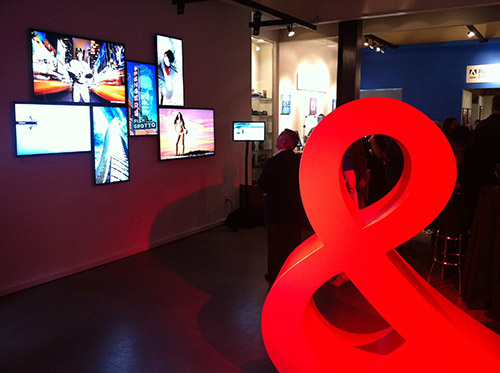
Today Adobe has opened a pop-up store called “Photoshop & You” here in San Francisco near Union Square. The store is open from Saturday, July 23 through Saturday, August 6 and is going to be a hub of some amazing events:
Photoshop & You Schedule of Activities

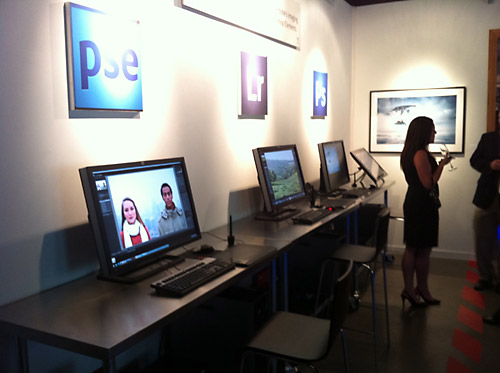
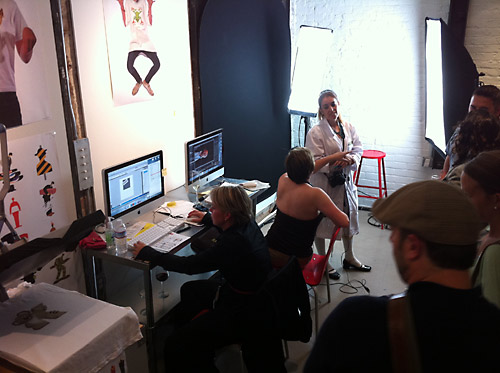
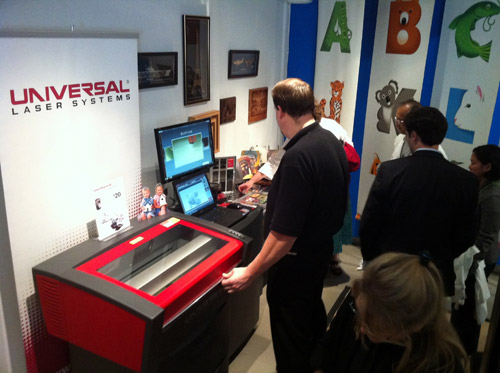
I was able to check out the “Photoshop & You” store at the VIP opening last night and it’s really cool. See photos below.

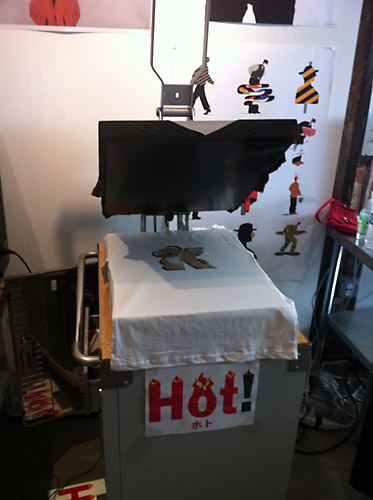
The pop-up store is home to some very cool image installations including a large display of Bert Monroy’s “Time Square” famous for being the largest Photoshop file containing 750000 layers! (Pano of it with Robert Scoble saying “Hi”) In addition the store will be a central hub for educational events and social activities. The back room is dedicated to Russell Brown’s Extreme Imaging Lab where there is laser etching, t-shirt screening and large format printing.

You can check out the Photoshop & You pop-up store at…
Location: 550 Sutter Street, San Francisco CA 94102

Extreme Imaging Lab

Technorati Tags: Photoshop, Adobe, activities, San Francisco, California

Copyright Jim M. Goldstein, All Rights Reserved

Recommended: “Photoshop & You” Events

flattr this!


JMG-Galleries – Jim M. Goldstein Photography

 
Comments Off on Recommended: “Photoshop & You” Events

Posted in Equipment


Temple Beth Israel (HDR)

24 Jul

Check out these visual art images:

Temple Beth Israel (HDR)
visual art
Image by euthman
3517 Austin St., on the Central Campus of Houston Community College. The Congregation Beth Israel was the first Jewish congregation in Texas. When the congregation moved to its current facility in the 1970s, it donated this historic site to the Houston Independent School District, where it housed the first High School for the Performing and Visual Arts. It now serves as the Heinen Theater for the HCC FIne Arts Department.

It Started With A Mural: Art Across the Americas
visual art
Image by Indiana Public Media
The completed mural painted by children of San Laguna, Guatemala and youth from Bloomington, Indiana as part of Art Across the Americas

art-2009 / nieuwe experimenten / new experiments / roos
visual art
Image by tdietmut
Gisteren avond ben ik aan het experimenteren geslaagd en dit is 1 van 6 resultaten van mijn knutselwerk.
Yesterday night I have gone for playful experiments and this is 1 result of 6 of my amateur handicraft

View On Black

 
Comments Off on Temple Beth Israel (HDR)

Posted in Photographs


ASURA – Afterain

24 Jul

GOA AMBIENT
Video Rating: 4 / 5


CrazyTalk6 Tutorial (Authentic 3D)

24 Jul

www.reallusion.com With CrazyTalk’s unique photo to 3D technology, any project is layer-based. You can correctly arrange characters, special effects and background images in different layers to get a better 3D stereo result. CrazyTalk’s Face Profiles allow you to animate different characters, including; humans, animals, and cartoon-like faces with stereoscopic behaviors. With CrazyTalk, you can also determine the strength level (profile strength) of the profile in order to better highlight movements.

 
4 Comments

Posted in 3D Videos


First pictures from my nikon d60

24 Jul

some of my images from my nikon d60
Video Rating: 5 / 5


Microsoft Excel 2010 – Quick Tip: Add a Manual Line Break

24 Jul

A keyboard shortcut to manually add a line break inside a cell.

If you have a lot of text that needs to be placed inside a cell in a Microsoft Excel 2010 workbook, you could decrease the size of the font to fit more text inside, but do so too much and the text will become ineligible. You could increase the cell width, but this affects every cell in the column. And you could merge neighbor cells together so the text flows automatically to the right, but depending on your layout this may not be feasible.

Or, one other option is to wrap the text in a cell. But pressing ENTER while typing data into a cell moves the cell pointer down, so how can this be done? …

Read more at MalekTips.
New Computer and Technology Help and Tips – MalekTips.Com

 
Comments Off on Microsoft Excel 2010 – Quick Tip: Add a Manual Line Break

Posted in Technology


Photoshopping Tilt Shift – Photoshop Tutorial

24 Jul

Tilt Shift photography uses a shallow depth of field to make normal objects look like toys. in this tutorial, you’ll learn how to replicate the Tilt Shift effect using photoshop in just a few minutes.
Video Rating: 4 / 5

Adorama Photography TV presents “How’d They Do That” featuring Jason Wise. In this episode, Mark talks with Jason who is currently the sport photographer at Arizona State University. Jason talks about how he “drags the shutter” in some of his photos as well as how he get a strong rim light around some of the athletic photos. For more information about products discussed in this video, related videos, podcasts, and articles, and more of Jason Wise’s photography, go here: www.adorama.com Visit www.adorama.com for more videos!