Category: Uncategorized

  • 10 Meter Challenge: Weekly Photo Challenge

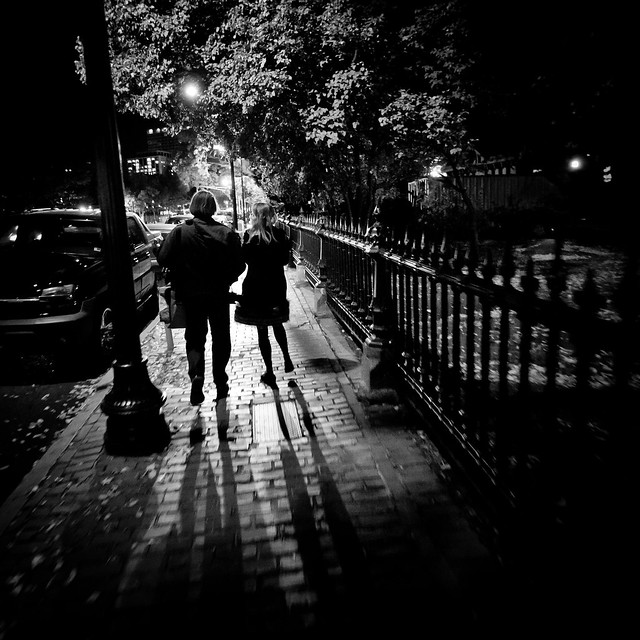
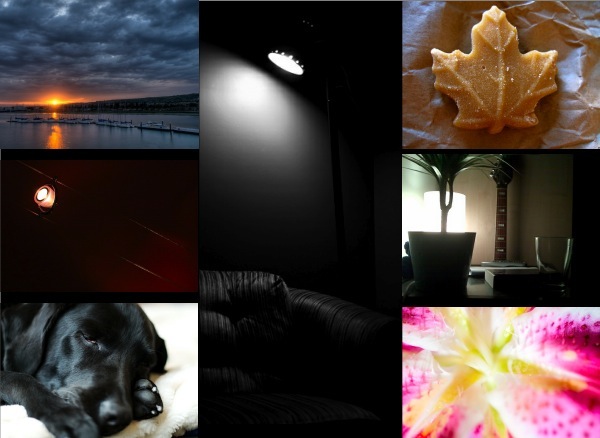
    10-meter-photography-challenge.jpgThis week we’re going to go back to the theme of the first ever photo challenge here on dPS. It stemmed out of a quote from @chasejarvis on Twitter who said:

    “There are at least 10 great pictures within 10 meters of you right now.”

    I thought that sounded like a good challenge and issued it to dPS readers. The response led us to issue a weekly photo challenge.

    It’s been over a year and a half since we did that first challenge so lets go for it again.

    Your challenge is to take up to 10 images within a 10 meter radius of where you’re currently reading this challenge. Of course we can’t police whether you go further than 10 meters – but the exercise is to grow in your photography right where you stand/sit/lay right now.

    You don’t need to go to an exotic destination to take a great shot – it could be right in front of you right now!

    For those of you not into metric – 10 meters = 32.808399 feet – so you’ve got a bit of distance to play with considering you can go 10 meters in any direction from where you are now.

    Once you’ve taken your shots upload the best of them to your favourite photo sharing site and either share a link to them below or embed them in the comments using the our tool to do so. Please note it sometimes takes us a while to approve comments with images as there’s a moderation queue – particularly over the weekend.

    If you tag your photos on Flickr, Twitter or other sites with Tagging tag it as #DPS10METERS to help others find it. Linking back to this page might also help others know what you’re doing so that they can share in the fun.

    PS: don’t forget to check out some of the great photos shared last week in the ‘Spooky’ challenge.

    Image Credit: Images above were from the last 10 meter challenge by by Chris Parker (sunset) – Out of Kontrol (light) – Jenyu (Dog) – RedLeader (couch) – Foxor (leaf) – randy adamcyk (guitar) – Jamie (Flower)

    Post from: Digital Photography School


    Digital Photography School

  • David E. Jackson’s Creepy Circus Salon Shoot

    So, if you were looking to shoot a campaign for a local hair salon you’d probably be running down some questions in your mind as you worked up your concept. Here are two of the questions Wisconsin-based photographer David E. Jackson asked:

    1. Can it be dark and creepy? Yes.

    2. Can it involve knives? Yes.

    (His answer: “Hells, yes. Sign me up!”)
    __________

    This whole campaign is 5% budget and 95% bootstrapped inspiration, which makes it especially cool. And David details both the shoot and the entire creative process involved in two lengthy blog posts.

    Check out the results/BTS post first, then go back for the comprehensive creative process post, which includes diagrams, a 10-minute video discussion, etc.

    -30-


    Strobist

  • Creating Multi-Layered Photographs

    As photographers we’re responsible for telling the story of a moment or series of events in a single image. It allows the viewer to take a mental trip through our photographs. No matter what your focus is in photography, being able to convey a story will help add impact to your images. One of the ways to do that is through creating multi-dimensional or multi-layered images.

    I’m not referring to any fancy Photoshop move so back away from adding yet another background layer in post. No, the layers I’m referring to are points of interest throughout a photograph. They can either be a different and fully complete second focal point to your image, or an action/object/idea just hinted at. Either way, they can lend a sense of place or of action yet to happen or already occurred.

    Think of your entire frame

    The first step in creating multi-layered images is to be aware of what’s in your entire frame. Every part of your photograph can and does tell a story or impact how a viewer connects with an image. Do you focus on every layer of your photographs?

    A great landscape photograph could be completely destroyed by a big piece of trash in a corner of one of the frames. On the opposite note, that piece of trash could be a very big statement to the image. It’s all in knowing what you’re trying to say and being able to frame your image or place items in it that evoke your vision.

    Concepts trump “single” photos

    A key tenet in advertising and editorial photography is to create images that tell a story around a specific concept. An entire idea or series of photos need to be compressed into one single image. It’s how an ad in a magazine for a resort or hotel makes you say, “Man, I’d really like to go there.”  It’s the emotions and feelings that one photo draws out.

    It’s possible to do that by creating layers in a photo. For example, a resort photo might show a woman getting a stone massage under a tropical leaf hut and in the background windsurfers are cruising the waves on the clear blue ocean. That image creates a feeling of relaxation and adventure all in one, and a greater appeal to viewers who might value different activities in a vacation. It can be subtle things like in the photo to the left where the model is holding a new iPhone and in the background is an old rotary phone, conveying the classic feel of your old phone in this new wonder of technology.

    Motion is yet another way to create a multi-dimensional image. It can lend the sense of an impending action. Whether you freeze a single moment, say a group of friends jumping off a rock into the water, or create some blur as a cyclist streaks by on an adventure, both make you wonder what’s next.

    Plan and scout

    If you’re photographing for journalistic purposes, you won’t be able to plan ahead or arrange any of the elements in your image. However, what makes a great news-telling image is the ability to convey a story through noticing even the tiniest details.

    If you’re shooting commercially you’ll have the advantage to fully plan out your photo shoot. Try to scout the location to determine the best time to shoot, write down shot ideas and plan different layers of your image. How can you help tell a complete story using all the layers of a photograph?

    Start thinking beyond the primary subject of your photograph. When you do, you’ll be on your way to creating richer, story-telling images.

    Post from: Digital Photography School


    Digital Photography School

  • Flickr Launches Suggested Users Page and Facebook Friend Finder

    Flickr Suggested Users

    Flickr today released a new suggested users list. You can go here and Flickr will show you some people it feels like randomly that have common contacts with you. They show you 8 names and then you can click to “refresh your recommendations,” to get some more.

    I tried the page myself and clicked on refresh your recommendations several times but didn’t find anyone especially relevant that I felt I needed to add. Most of the suggested user pages that I’ve tried on other pages usually don’t feel very accurate either — with the exception of Twitter, which I find regularly suggests very relevant tweeters to me.

    The above screenshot shows what the new feature looks like.

    Flickr Suggested Users2

    As part of this new suggested users feature, Flickr also launched the ability to check which of your Facebook friends are on Flickr that you currently are not following. I tried this feature out several times as well but it seems to be borked (see above). I’ll try it again later.

    Some have suggested that there may be privacy concerns with opening up your Flickr accounts to all of your facebook friends without authorization by default. If you are concerned about this privacy issue there is a method to opt out of this service and hide your flickr account from facebook here.

    I think a suggested users feature is a good thing for Flickr. I do worry Flickr could be blacklisting certain members from being recommended (like they do with their Explore). The randomness of the presentation makes it difficult at this point to determine just how or why they might/could be blacklisting certain members for suggestion.

    There is a feedback post in the Flickr Help Forum (where I’m still permanently banned) here — Flickr blog post on the new feature here.

    Thomas Hawk Digital Connection

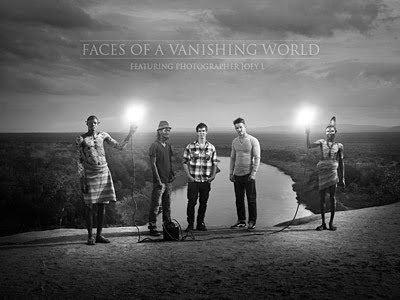
  • JoeyL is on Ovation TV Tonight

    UPDATE: The doc has aired, and Joey has posted a ton of pictures and background info on his blog. Neat stuff, and definitely worth a look.
    __________


    Just a quick heads-up to make sure to catch JoeyL’s documentary tonight at 10pm on Ovation TV. I saw an early version, and it is definitely worth your time.

    It’s easy to want to poke fun at someone who is so successful at such a young age. And between you and me I try to every chance I get. But if you watch this thing tonight I think you will come away with a good impression of who he really is and what is motivating him to do such amazing stuff.

    If you do not get Ovation TV, he has arranged for a DVD pressing and will have them available via his blog. No idea on pricing, etc. (And w/Joey, you really never know…)

    But if you have access to Ovation TV, don’t miss it. I am very much looking forward to it tonight.

    -30-


    Strobist

  • Close-Up Lens Boosts Your Zoom

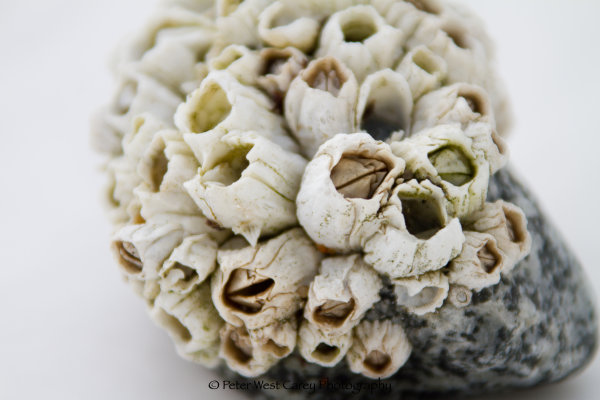
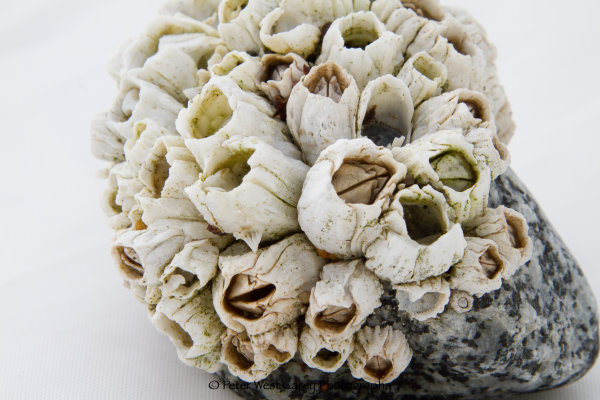
    I tend to be a one lens traveler.  My camera and lens are heavy enough so I usually leave the house with just one lens and one body, unless I have an assignment that calls for more.  And yet, I’ve been enjoying close-up photography more and more.  You know; bees on flowers, barnacles on rocks, bugs of all kinds.  My 28-300mm Canon lens can only get so close, so I started casting about for a reasonable solution.

    Enter the Canon 500D (no, not the camera 500D) Close-Up Lens. (Note: Nikon has a number of close-up lenses as well with different diopter sizes.  This post is meant to cover the general idea, so the concepts will work with both manufacturers.)

    This lens fits on the end of 77mm lenses and works best with high zooms, such as the 70-210mm or 100-400mm.  Canon also carries the 250D for 58mm diameter lenses.  They both work as easy as they sound; just screw the lens onto your prime lens as you would any other filter.  Let’s take a look at some examples.  Click on any picture to see the image at 100% for maximum pixelpicking.

    First, a shot of some barnacles with a Canon EOS 7D DSLR, 28-300mm at 300mm and approximately two feet from the subject.  ISO 100, f5/6, 1/800sec

    No Close-Up Lens – 300mm

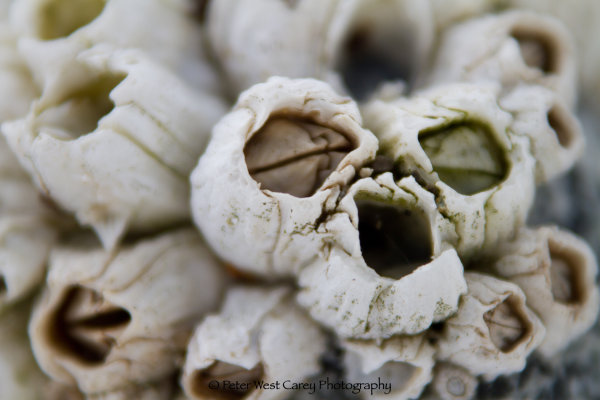
    Now, applying the close-up lens and moving the end of the lens to within about six inches of the rock, we get the next image.  ISO 100, f/5.6, 1/1000sec

    Close-Up Lens Applied – 300mm

    The shutter speed change was due to variance in the natural sunlight while taking the photos.  Otherwise, the lens typically stops things down close to one full stop when applied.

    Next are the same shots with an f-stop of 20.  ISO 100, f/20, 1/80sec, 300mm, no close-up lens

    No Close-Up Lens – 300mm

    And now: ISO 100, f/20, 1/80sec, 300mm,  with the close-up lens applied.

    Close-Up Lens Applied – 300mm

    Again, click on each photo for a full size image (WARNING: They are about 7MB each).

    The close-up lens does decent work at getting crisp macro shots, especially when used at smaller aperture sizes.  The images can be soft around the edges, though.  No, it is not a full replacement for a good, quality macro lens, but it does fill a certain niche.  That niche is perfect for those who don’t wish to carry another lens just for Macro work while traveling, as well as those looking to be a bit cheaper alternative, especially those looking to experiment with Macro before dropping money on a high quality lens

    Post from: Digital Photography School



    Digital Photography School