Category: Uncategorized

  • Learn from Big Shot

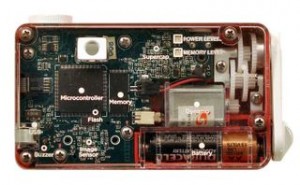
    bigshotIn keeping with the theme of learning, here’s an interesting program I hope expands in the future. Bigshot is currently only running workshops in the New York City area but it looks like they might reach other cities soon. The Bigshot workshops allow kids to build their own camera from a set of Bigshot click-together camera parts. The idea is to teach engineering and science concepts while building a working camera, which can then be used to teach photography.

    The program is run by Columbia University and, although you can’t buy the Bigshot camera parts, you can visit their website to learn how the different parts of a point and shoot camera work.


    Photodoto

  • Editing down a portfolio with Don Giannatti and yours truly – LIVE Webcast

    This Sunday 8/4/2010 at 9pm EST (6pm pacific) Don Giannatti has been kind enough to do a live portfolio review with me on the air.  We’ll be talking about making the final cut of images, and finalizing a portfolio.  Maybe a bit about design and branding and style as well.  Should be fun – tune in at:

    http://www.vokle.com/events/4284-editing-a-portfolio-with-don-giannatti-and-ed-zawadzki

    see y’all there!

    Tweet This Post Stumble This Post


    F/1.0

  • Sonoma, Redux

    I am quickly becoming a big fan of Northern California. I first went out last year for my birthday, had a blast, drank lots of wine. This was my second trip up to SF/Sonoma – Hung out for a day or two in the city, then drove up to the wine country. Only carried my GF1, but it served me well. (although my buddy who isn’t a photographer himself had an old Hasselblad 503cw from his dad, which we took out for some shots!) Early winter seems the perfect time to go as well – the countryside was a rainbow of reds and yellows… the vine covered hillsides were shockingly bright, especially when viewed from afar – the highly maicured vines created an almost solid carpet of color across the rolling hills.

    Lots of pictures, lots of wine… what more could you ask for? (slideshow below)

    [portfolio_slideshow]

    Tweet This Post Stumble This Post


    F/1.0

  • Dude! I’m Coming to Austin (Thank You Dell)

    Dude I'm Coming to Austin!

    I’m super excited to be heading out to Austin on Thursday to shoot Austin City Limits’ Music Festival going on this coming weekend.

    In addition to ACL we are going to do a fun photowalk on Saturday. There are already 91 people signed up for Saturday morning’s walk! Wow! If you live in the Austin area or will be in town for ACL definitely come on out and join us for a morning walk. We’re going to shoot some of the great Austin bridges over the Colorado River and some of the great scenes along Zilker Park.

    Check out this photo of the Stevie Ray Vaughn sculpture in Zilker Park taken by Peter Tsai. Peter did a coffee table photo book on Austin and is one of the photographers helping us lead this walk.

    This photowalk will be an official Dell / Google+ Photowalk and joining me in leading it will be my pal Robert Scoble; Richard Binhammer (aka RichardatDell) from Dell; Chris Chabot, Natalie Villalobos, Vincent Mo, and Dave Cohen (all from Google); local Austin photographers Lotus Carroll and Jack Hollingsworth; Alvin Toro is also flying in from L.A. to help run the walk.

    What a great group of photographers! If you are on Google+ already I’d recommend circling all of the folks linked above. If you’re not on Google+ yet you are missing one of the best parties on the web right now — what are you waiting for? GET ON THERE! — oh and you can find me on Google+ here :)

    By way of disclosure, Dell (the power to do more!!!) is flying both myself and Robert Scoble out to the Festival for the weekend — they’re paying for our airfare, hotel and have arranged the weekend media passes for us to shoot ACL. Thank much to Dell and their generosity.

    Part of the reason why Dell wants us out there is that they are showing us a lot of the cutting edge tech that they are using to run a lot of the behind the scenes at ACL. I’ll get lots of photos of this cool tech stuff too. Dell is responsible for live streaming the two biggest stages at the festival this year on YouTube using their Dell workstations and AMD FirePro Graphics.

    Dell also did all the streaming for Lollapalooza earlier this year as well as U2′s most recent tour.

    Previously the video production for ACL used Macs and Final Cut Pro but this solution didn’t work so well for actually streaming it live to the web. ACL’s new setup is using this Dell workstation, editing with Adobe Premiere Pro and After Effects, and then streaming it back out live to YouTube with another of the same model workstations. It will be interesting to watch them do this in real time.

    Dell also will have a “video village” where roaming videographers out in the field doing interviews with bands and musicians and capturing other video will return with their memory cards to have the edited video clips quickly converted into more YouTube content.

    I’m also going to be working with the Google+ and Google Photos team over at the Google+ stage at the festival. They are going to be signing up people for Google+ right there at the Festival and taking portraits of people who sign up for a live photo feed / slide show there at the Festival.

    I’ll post more about what I’m doing in Austin once I fly into town, but I’m super excited to be hanging out with the cool folks from Dell and Google and getting to spend a weekend shooting some AWESOME musical acts at Austin City Limits’ Festival.


    Thomas Hawk Digital Connection

  • My new evaluation criteria for my portfolio work…

    From the inimitable “Burns Auto Parts Blog”


    So here’s my challenge to you: look at your work on your site. Do you love it–all of it? Does it make you smile/get you excited/make you want to do more of it? Be honest–don’t look at it from its technical side and definitely do not ask “Do I think buyers will want this?” If you do, then look at your marketing.

    If you don’t, then get off your creative butt and start making the work that you make out of love and that weird compulsion that makes you do this and not be a 9-5 “normal” person.


    Words of wisdom indeed.  I have been working on a major portfolio overhaul, with just this in mind.  You know the saying… Show what you wanna shoot!


    Tweet This Post Stumble This Post


    F/1.0

  • Learn from Big Shot

    bigshotIn keeping with the theme of learning, here’s an interesting program I hope expands in the future. Bigshot is currently only running workshops in the New York City area but it looks like they might reach other cities soon. The Bigshot workshops allow kids to build their own camera from a set of Bigshot click-together camera parts. The idea is to teach engineering and science concepts while building a working camera, which can then be used to teach photography.

    The program is run by Columbia University and, although you can’t buy the Bigshot camera parts, you can visit their website to learn how the different parts of a point and shoot camera work.


    Photodoto

  • On Assignment: Stephanie Barnes


    Shooting against sunset usually looks pretty good, even with just one light. So much so, that can keep you from experimenting with that second or third light that can give your photos more texture and depth.

    Most of my sunset photos lately seem to be done with two lights, one for shape and one for detail. But the third light added to the photo of soprano Stephanie Barnes above was a great help, and will definitely affect the way I shoot portraits at dusk from now on. Read more »


    Strobist

  • DSLR 101 – ISO

    Time for lesson number two in our DSLR 101 series! Our topic today? You may have heard of it, it’s a little thing called ISO.

    What?
    ISO is traditionally a measure of film speed; basically how sensitive a roll of film is to light. Obviously if you’re using a DSLR you’re not using film but your camera still has ISO settings. Instead of film it’s a reference to how sensitive the camera’s image sensor is to light. ISO settings can vary greatly but most cameras have at least 100, 200, 400, 800, and 1600. The lower the number the less sensitive the sensor is to light.

    Why?
    Although lower ISOs are usually desirable (leave your camera on Auto settings and it’ll choose 100 or 200 most of the time) to give you clear, sharp photos there are times when a higher ISO can be useful.

    Choosing a higher ISO allows you to use a higher shutter speed or smaller aperture. This is especially useful for shooting in low light, particularly shooting action in low light (for example indoor sports events or concerts). It also comes in handy in places like museums and art galleries where use of flash and/or tripods may be prohibited, or in any low light situation when you don’t have a tripod available!

    Higher ISOs cause a grainy effect, which, while we often want the clearest photos possible, can sometimes be desirable to create a certain look in an image.

    How?
    You can choose your ISO setting in the menu of most DSLRs, check your manual if you can’t find the ISO option in yours.

    Extra tip
    Try taking the same shot at several different ISO settings so you can get a feel for what each different setting produces.


    Photodoto

  • Sony NEX-C3 [REVIEW]

    Soon after Sony introduced its first NEX models I have to say I got a bit of a shock to learn that one of the models had hit the dust. Apparently, the cheaper model, Sony NEX-3, had not found favour with buyers and, less than a year old, the camera was removed from the catalogue. Instant collectors’ classic I’d say!

    Sony-NEX-C3.jpg

    Now we see the NEX-C3, announced as the “smallest, lightest interchangeable lens digital camera in its class.”

    At first sight, it surely looks small. Then you attach the swollen kit lens and suddenly you have a fairly bulky picture taker. The body only weight is 225 grams. With f3.5/18-55m lens attached, it totals 420 grams. Add another 50 grams for card and battery.

    My early encounter with the camera left me cold, I have to admit; I’m not a fan of cameras that hold all their operating functions within an on screen display. My preference is for wheels and dials where I can select my preferred operating mode, then later look at the camera and know where I am. Call me a stick in the mud if you will!

    Sony NEX-C3 Features

    The APS-C sized CMOS sensor captures 16.2 megapixels and can account for a maximum image size of 4912×3264 pixels, or a 42x28cm print.

    Added to this is Sony’s superb Sweep Panorama feature (and in 3D as well), which can capture panos up to 7152×1080 pixels. This feature alone is worth a trip to your friendly local camera shop to try it out!

    Video is less well served than many of its peers, at 1280×720 pixels.

    Sony-NEX-C3-black.jpg

    Sony-NEX-C3 Silver.jpg

    Sony-NEX-C3 pink.jpg

    As an interchangeable lens camera it is surely very individual in style. Available in black, pink and silver, the NEX-C3 has a solid metal top casing with the rest of the body moulded from polycarbonate.

    As I intimated, there are very few external controls: power on/off, shutter button, replay, zoom all on the top surface. Move to the rear and you see a four way rocker, movie record button and two ‘soft keys’ in the shape of silver buttons.

    Press the top button and you see an array of icons: shoot mode, camera, image size, brightness/colour, playback and setup. All fairly obvious.

    An example: in shoot mode you access a sub menu which gives you entrée to Program AE, shutter or priority etc. These do in effect echo the options usually found on a camera’s mode dial.

    Camera mode gives you options of single or continuous shooting, AF area etc. And so on.

    Sony-NEX-C3 Menu 1.jpg

    Sony-NEX-C3 Menu 2.jpg

    Sony-NEX-C3 Menu 3.jpg

    Sony-NEX-C3 Menu 4.jpg

    The lower silver button takes you into a tutorial with illustrations of what effect your choice of mode will present. For example: “If you point to the camera to the sky, the sky may turn out paler than it actually is.” A suggestion follows that you may need to adjust exposure compensation.

    A new setting is Picture Effect, which you may have seen first in Olympus cameras, labeled as Art Filters. Choices include Partial Colour, Retro Photo, Pop Colour, High Contrast Monochrome, Posterisation, High-key and Toy Camera. There’s also a ‘Soft Skin’ effect that erases wrinkles and blemishes from portraits.

    The large 7.5cm LCD screen tilts vertically to nearly parallel with the top surface of the camera … a useful feature.
    The High Dynamic Range feature grabs three varying exposures to create one correctly exposed shot. Great!

    In similar fashion Handheld Twilight and Anti-Motion Blur modes automatically combine six exposures to capture clean, low-noise pictures.

    Sony-NEX-C3 External flash.jpg

    If you’re looking for a flash: simply clip the supplied clip-on flash into a slot on the camera’s top; this is powered by the camera’s battery. It has a reasonably powerful output: GN20 (metres) and tilts for bounce flash!

    If you want an optical viewfinder you can add the optional FDA-SV1, designed to pair with f2.8/30mm pancake lens.

    Sony NEX-C3 ISO Tests

    Sony NEX-C3 ISO 200.JPG

    Sony NEX-C3 ISO 400.JPG

    Sony NEX-C3 ISO 800.JPG

    Sony NEX-C3 ISO 1600.JPG

    Sony NEX-C3 ISO 3200.JPG

    Sony NEX-C3 ISO 6400.JPG

    Sony NEX-C3 ISO 12800.JPG

    From ISO 200 to 1600 the camera performed well. At ISO 3200 noise was slightly up but still a useable setting.
    Then we got to ISO 6400! Suddenly the camera flatlined, giving this diffused capture.

    Then ISO 12,800! Flat, colour all gone to pieces. Hopeless!

    Startup Time

    Ready to shoot the first frame about one second after startup, the camera will capture successive shots as fast as you can hit the button.

    Sony-NEX-C3 Light screen 1.JPG

    Sony-NEX-C3 Audio panel.JPG

    Sony-NEX-C3 Coffee maker blurr 1.JPG

    Sony NEX-C3 Verdict

    Quality: I shot a number of shots at an expo and was pleased to find it captured colour with precision and with fine resolution.
    Why you’d buy it: you like the titling LCD screen.
    Why you wouldn’t: with a zoom lens attached it is no longer an easily pocketable camera; there is no external ‘trash’ button; the camera has no composite video output … only HDMI.

    There is also one serious trap in the menu control of camera functions: it’s all too easy to change exposure correction from zero to fractional stops of correction up or down.

    After a brief few days with the Sony NEX-C3 I’m still not convinced that the camera’s menu driven operation is for me. I still like a row of buttons and a mode dial. A sad case!

    Sony NEX-C3 Specifications

    Image Sensor: 16.2 million effective pixels.
    Metering: 49 zone multi-segment, centre-weighted metering and spot.
    Effective Sensor Size: 23.4×15.6 — APS-C sized — CMOS.
    35 SLR Lens Factor: 1:5x.
    Compatible lenses: Sony E-mount, A-mount, Minolta and Konica AF lenses via adaptor.
    Exposure Modes: Auto, Program AE, shutter and aperture priority, manual, scene selection, sweep panorama.
    Shutter Speed: 30 to 1/4000 second, Bulb.
    Memory: SD/SDHC/SDXC/Memory Stick Pro Duo cards.
    Image Sizes (pixels): 4912×3264 to 2448×1376.
    Movies: 1280×720 to 640×480 at 29.97 fps.
    Continuous Drive: 5.5 fps max.
    Viewfinder: 7.6cm LCD (921,600 pixels).
    File Formats: RAW, RAW+JPEG, MPEG4.
    Colour Space: Adobe RGB, sRGB.
    ISO Sensitivity: Auto, 200 to 12,800.
    Interface: USB 2.0, AV, mini HDMI, DC input.
    Power: Rechargeable lithium ion battery, AC adaptor.
    Dimensions: 110x60x33 WHDmm.
    Weight: Approx. 225 g (with battery and card).
    Amazon Price: Get a price on the Sony Alpha NEX-C3 with 16mm F2.8 Wide Angle Lens or Sony Alpha NEX-C3 with 18-55mm Zoom Lens.
    B&H Photo Price: Get a price on the Sony Alpha NEX-C3 Digital Camera with 16mm Wide-Angle Lens (Black) or the Sony Alpha NEX-C3 Digital Camera with 18-55mm Lens (Black)

    Post from: Digital Photography School’s Photography Tips. Check out our resources on Portrait Photography Tips, Travel Photography Tips and Understanding Digital Cameras.

    NYIP_DPschool468x60.jpeg

    Sony NEX-C3 [REVIEW]


    Digital Photography School
  • How to Build a Better Photo Recommendation Engine

    The other day I tweeted out the number one photo on Flickr’s Explore. It was a popular tweet. Out of the millions of photos that get uploaded to Flickr every single day, this photo was the one that Flickr felt was the absolute most awesomest photo on all of Flickr.

    Nothing against the photo linked above, or the photographer who captured both a puppy and a full moon at *exactly* the same time, but it wasn’t what I would have picked as the number one most interesting photo on Flickr.

    Different strokes for different folks though as the saying goes.

    Along with others, I’ve abandoned flickr’s Explore section as a sort of cheesy photo watermark ghetto, but it remains a popular place across the network. If Flickr cared about innovating, there are lots of ways that they could improve this area, but that’s another conversation.

    What I want to talk about today is how other companies that *are* innovating like Google Photos and 500px might build a better photo recommendation engine.

    I do believe that all photo sharing sites need a photo recommendation area. We all love to look at engaging photography and it’s a useful tool to find new and interesting photographers to follow as well as to see better work uploaded by people on the site.

    The number one problem with most photo recommendation engines is that they are the exact same recommendations for every individual. If you go to flickr’s Explore page, it is the exact same 100 photos for everybody, everyday. It doesn’t matter what sort of photography *you* like. It doesn’t matter where you live. It doesn’t matter what you fave.

    Dumb algorithms that don’t take into consideration available data for personalization are not as good as smart algorithms that do.

    So what should a smarter photo recommendation search engine do?

    1. Don’t show me blocked content. Any accounts that I block should not appear in the recommendation engine for me. If I’m blocking an account it’s for a reason — maybe the person is a stalker/harasser, maybe the person puts 24 point Helvetica copyright watermarks over every single picture that make me want to vomit, maybe the individual focuses on a niche that I’m not interested in — whatever. I don’t want to see it and I shouldn’t have to see it if I’ve gone through enough trouble to block somebody. Google’s new Ignore setting should also be a strong signal.

    2. Analyze my fave/+1 vs. view ratio by photographer. Do I +1 100% of a certain photographer’s work? Do I see 100 photos form another photographer and not +1 a single photo? Get to know my faving/+1ing activity and show me more stuff by these photographers that I fave/+1 most. Existing percentage fave/view ratio is a good one to take into consideration.

    3. Analyze the tags/keywords on what I’m faving/+1ing. Do I seem to fave/+1 tons of photos of trains? Maybe I’m really into trains. Is graffiti my thing? Do I like abandoned photography? Show me more of this stuff and less puppies and moons.

    4. Are there geographical clues that can provide information? What is my fave/view ratio by geographical location? Do I live in San Francisco and fave a higher number of photos in SF? — or maybe I live in SF and I’m sick of it and fave a lower number of photos.

    Maybe I dream about laying on my stomach on a glacier in Antartica and fave a much higher rate of photos taken there. Everybody’s different.

    5. What can my google/flickr search activity tell you about me? Do I search for neon signs a lot? Do I search especially for “San Francisco” AND “neon”? Maybe a neon sign in San Francisco with only 5 faves should be shown to me before showing me a photo of a puppy and a photoshopped moon with 100 faves.

    6. New users should be able to provide input to a recommendation engine. You’d be surprised the sort of things people will personally voluntarily tell you. Does someone like Creative Commons photos more than all rights reserved? Do they care about watermarks? Do they LOVE them? Do the HATE them? Do they prefer local photos? Or do they want more travel abroad photos? How might they rate subject matter on a slider from one to ten? If some users *want* to provide this, use this data as a jumping off point for the recommendation engine.

    Do they want to see artistic nudes? (This one is big as it represents a big genre in social photo sharing). Google+ also needs to get this figured out.

    7. Don’t use the engine to blacklist. Currently Flickr blacklists certain members. This is bad for community. Blacklisting certain members creates enormous ill will.

    Once a smarter recommendation engine is built around photographs customized to me it should be presented to me in a prominent place.

    On Google+ specifically I’d recommend adding it as a link under the section to the left of the photo’s displayed on the photos tab in G+. Right now they have “photos from your circles” “photos from your phone” “photos of you” and “your albums” there.

    I think they should add a menu item and call it Awesomeness (or whatever). Obviously they can’t call it “Explore,” but they can come up with something better.

    From that menu item you should be able to expand it with a little triange and then filter the recommendation engine by circle.

    Overall comments and faves/+1s should still factor heavily into any algorithm — but every user should get a unique set of photos tailored to their taste and input into the system.

    Google could also play around with ranking incentives.

    When Flickr first launched geotagging, I suggested to Stewart Butterfield that Flickr should tell users that geotagged photos would be rated higher in Explore if that was activity that flickr wanted to encourage (and they *should*) and flickr actually did end up doing this.

    Similarly Google+ may want to consider what sort of activity they want to promote with photo ranking. Certainly social activity itself should rank high. If a user is uber social maybe their photos should rank higher — they are of more value to your network perhaps than someone that just pumps in flickr photos and never engages.

    Likewise, metadata should be rewarded — both keywords and geotags. This is valuable information for Google to use in other ways and for search in the future.

    A side note about negative voting systems in social networks. 500px currently employs a negative voting system with their photographs. You can essentially anonymously vote down a photo. They have some tools put in place to prevent mass downvoting and other abuses of the system and seem to feel that having access to this data is helpful for serving up great photographs (and they do a good job at that).

    My own advice though is to to kill it. The problem is not that negative voting systems don’t provide valuable information. The problem is not that they are being abused. The problem is not in negative votes themselves, but rather their perception and people’s reactions to them.

    It’s the same thing that hurt digg in my opinion. At digg a user would submit a story, they would watch it rise up the charts, and then just before it would hit the front page it would be killed. Boom. Buried. Gone.

    Because burying on digg is anonymous (like 500px) it leaves people to suspect the worst. Was there a coordinated effort by people who hate me to bury my story? Was there a coordinated effort by those that wanted to see their own content have a better chance that killed it? This speculation is a negative input for a user. It’s probably the number one complaint I’ve heard about 500px and I know it’s kept some users away. I’m not sure the value of the data and information outweighs the negative feelings it provides to some in the community.

    If you *absolutely* must have a negative voting system. Take away the anonymity. Of course this would also take away 98% of the down votes as well though.


    Thomas Hawk Digital Connection