Category: Photography

  • Meet The Photographers Who Write For Digital Photography School ~ Pye Jirsa

    You’ve been reading their articles for months or years, have you ever wondered “Who are the photographers who write for DPS”? We thought it would be a good time to introduce them to you through a series of interviews. No worries, Darren will get his turn too.

    Today meet Pye Jirsa from Orange County, California.

    1. How long have you been shooting?

    I feel like I wasn’t serious about photography until around mid 2008. Before that, it was just dinking around on a point and shoot, which really doesn’t count in my book. We can all say “I have been shooting all my life” but in reality, I wasn’t serious about learning until I decided I wanted to do it professionally in early 2008.

    2. Do you have a full time job or are you a full time photographer?

    I am a full time photographer, it is my job. I am one of the owners of Lin and Jirsa Photography out of Orange County, California.

    3. If you had to limit yourself to one genre of photography, what would it be and why?

    Wedding photography. I know it probably isn’t what most photographers “aspire” to, but personally I love it. I have tried virtually every type of photography, from landscapes, to runway, editorial, fashion, band, headshots, product, etc. I find that I get bored very quickly with these other types of shoots. It lacks the variety that my ADD personality needs, haha! Weddings have always kept me interested and on my toes because within a single day, I get to wear many “photographic hats” if you will. I get to shoot product shots in the details, portraits, candids, landscapes, editorials with the bridal party, and so forth. I am writing this the day after my last wedding for 2012. It was an extremely technical wedding. Over the course of the day, we counted 19 different lighting setups were used! It’s that variety that keeps me always interested. But, I think best of all, weddings are very uplifting. Being able to document people on such a happy and joyous occasion is something that makes me happy in-turn. After a wedding, I am sort-of on an emotional high which I have never gotten from shooting products, fashion, headshots or any other type of photography.

    4. When did you start writing for dPS and why?

    I think my first article went onto DPS a year or two ago. When we first got into the industry, we had wonderful mentors. They inspired me to want to teach as well, which is why we created SLR Lounge and is why I enjoy writing for other great sites as well, such as DPS.

    5. What do you shoot with and what’s your favorite lens?

    I shoot with a lot of cameras/lenses. If you were to ask what my all-out favorite camera is at the moment, I would say a Nikon D800. But, out of habit, I am usually shooting on my canon 5D Mark 3. I typically only use my D800 for my personal editorial/landscape work because I find the 5D Mark 3 fits better in our production workflow. My go-to lenses for my 5D Mark 3 are my 50mm 1.2 and my 70-200 F2.8 Mark II. I probably shoot 80-90 percent of my images on those two lenses.

    6. What would be your number one tip to any new photographer?

    Try out everything before deciding. From types of photography to styles of lighting. Don’t just settle on something because it is “comfortable” or familiar to you. Always push yourself to try new things and develop your own style/look over time, rather than attempting to define it right when you jump in. The biggest mistake I see new photographers making is in trying to define what type of photographer they are, or even what type of lighting they specialize in before having tried anything else. It places an immediate limitation on their technical growth and their development of a unique style.

    7. What’s your next big project?

    We completed our Lightroom 4 Workshop Collection mid-way through 2012, and we are just finishing up our 3 Part HDR Photography Workshop on DVD which should be out before the end of the 2012. To be honest, I am not sure what project I want to move on to next. There are so many subjects I enjoy and would like to teach, at the moment, I am just enjoying this short break with family before we decide and kick into the next project in 2013.

    8. Where can people go to find out more about you and your work?

    Our educational tutorials and products can be seen and purchased from slrlounge.com. We also have a YouTube channel at youtube.com/slrlounge where we post free tutorials and behind the scenes videos on our photography and style. Our studio’s work under Lin and Jirsa Photography can be seen on our website and blog at linandjirsa.com.

    Post originally from: Digital Photography Tips.

    Check out our more Photography Tips at Photography Tips for Beginners, Portrait Photography Tips and Wedding Photography Tips.

    Meet The Photographers Who Write For Digital Photography School ~ Pye Jirsa


    Digital Photography School

  • Gregory Heisler Will Now BTS For You My Most Favorite Photo He Has Ever Shot

    To understand the impact this photo had on me when it first came out, you kinda have to get into the head of a Baltimore Sun photographer during the run-up to the 2004 Summer Olympics.

    For one thing, this is the only photo which has ever made me shout the F-word in a supermarket checkout line. So yeah, I have been waiting a long time for this BTS.

    Oh, and if that weren't enough, there are two more Gregory Heisler vids inside, too… Read more »
    Strobist

  • Adding Scale to Your Landscapes

    We often think of landscapes as sweeping vistas fading away into the distance, taking our eyes on a journey through flower strewn fields, cascading mountain peaks, skyscraper speckled skylines and rolling waters. When you’re standing behind the camera capturing that magical view it’s easy to see and understand the immense scope of what you’re viewing. However, that sense of size doesn’t always translate to the photo you’re viewing later on your computer screen.

    That’s because our eyes scale down those big peaks we’re looking at in your image without any frame of reference – we weren’t there with you after all – of the scope of what we’re looking at. One way to help create scale is by adding in people or other very recognizable sized subjects to your landscape images.

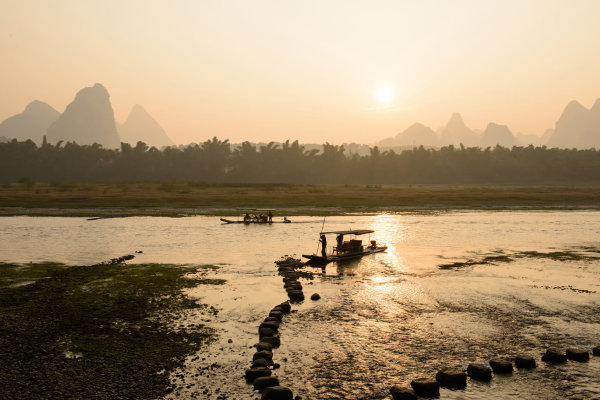
    Below – these rafters help give scale to the river scenery and depth through layering.

    Distant Scale

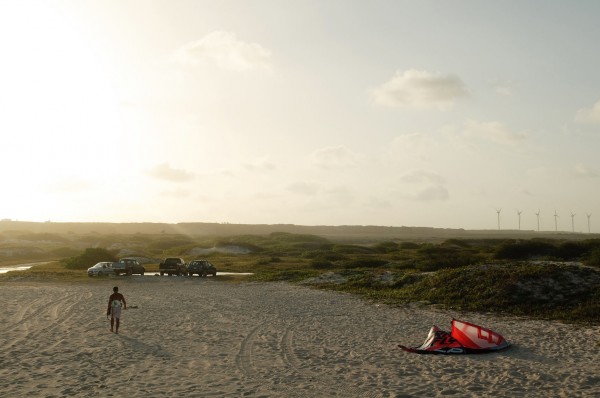
    One of the better ways to show scale in your landscape is by adding in a person (or persons) in the mid to far distance. Their comparatively small size in a larger frame shows the expansiveness of the surrounding scenery. We visually know roughly how large a person should be and judge from there the scope of everything around them.

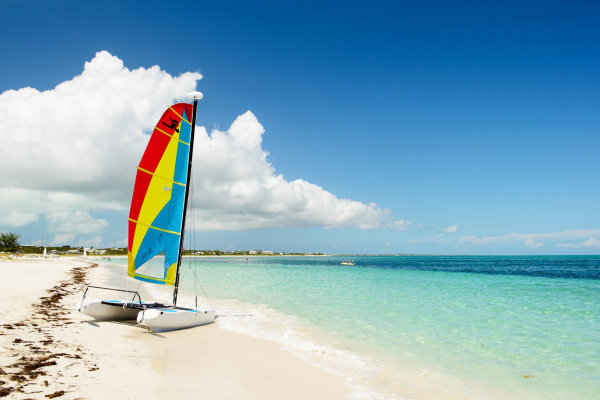
    Above – this kite surfer helps size up the beach scene and cars add a secondary frame of reference.

    Foreground Scale

    It can be difficult to add scale to a landscape with a distant person when the nearest point they could be in the distance is inaccessible or just too far away to make out. The next best thing is to add context to that image with a person in the foreground. Look to frame the landscape around that person; making them stare into the distance helps involve them in the landscape without arresting away all the focus onto them. Use a part of their body, half body perspective or the whole thing walking along in the foreground – it’s all up to you as long as it’s adding context.

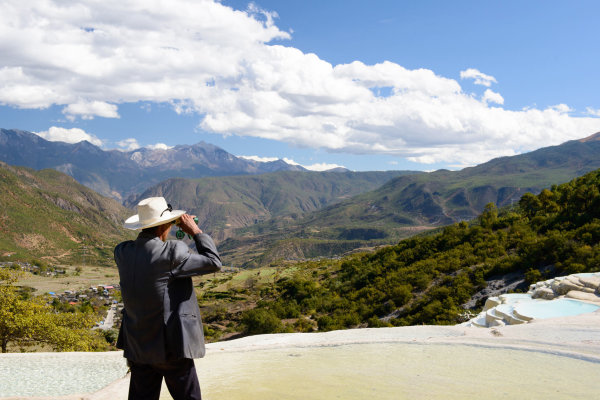
    Below – this Chinese man scoping into the distance adds scale and interest.

    Objects as Scale

    Common objects like cars can sometimes serve as objects of scale. This can be tricky though. It has to be an object you and your audience knows intuitively well. Do you really know how big that truck or building is in the distance? Your eyes can judge it, but it’s not as familiar as a person, making it harder for you brain to create an accurate scale. When people simply aren’t available however try adding scale with familiar objects.

    Above – this boat adds a reference point, but do I really know how large it is?


    No matter how you frame it, adding people to your landscape imagery can help create a scale and depth you might find yourself missing. Grab a friend on your next explorations and give it a shot.


    Post originally from: Digital Photography Tips.

    Check out our more Photography Tips at Photography Tips for Beginners, Portrait Photography Tips and Wedding Photography Tips.

    Adding Scale to Your Landscapes


    Digital Photography School

  • 5 Quick Tips for Awesome Shadow Photography Images

    Shadow photography is a simple, yet effective way to create stunning images of just about any subject. All you need to get started in shadow photography is a light source and a subject who casts a shadow – that’s it! If you are interested in trying out shadow photography, here are some tips to get you started: 1. Look down, Continue Reading

    The post 5 Quick Tips for Awesome Shadow Photography Images appeared first on Photodoto.


    Photodoto

  • Google+ Long Exposure Photowalk! Thanks to Chris MacAskill and SmugMug!

    We had a great Google+ long exposure photowalk this past weekend.

    Chris MacAskill and his team from SmugMug came out on Sunday morning and put together a wonderful behind the scenes sunrise photo shoot at the Golden Gate Bridge. Check it out!


    Thomas Hawk Digital Connection

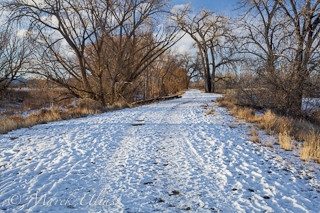
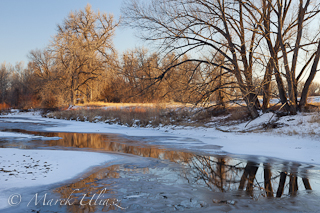
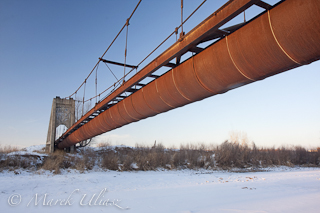
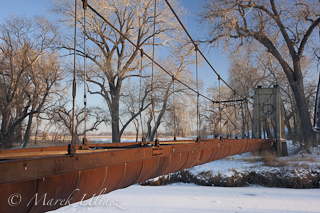
  • Winter Walk Along the Poudre River in Fort Collins

    All my local paddling waters are covered by ice. Even the Horsetooth Reservoir is partially frozen as seen in this recent picture of the Inlet Bay. So, it’s time for more hiking, biking and inline skating or driving to the South Platte River which is open and flowing.

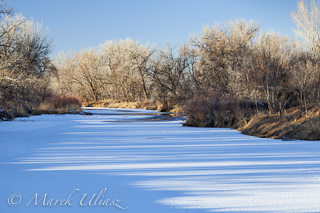
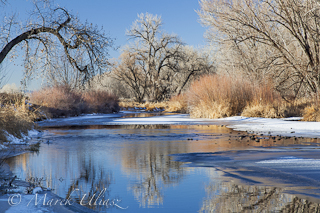
    Here is a little gallery of pictures shot during winter time along the Cache la Poudre River in Fort Collins. They came from favorite natural areas, Arapaho Bend and Riverbend Ponds or just from the Poudre biking trail.

    Cache la Poudre River, Fort Collins winter river in Colorado
    winter road - Riverbend Ponds Natural Area Cache la Poudre River in winter
    rusty flume suspended over a river old rusty aqueduct across a river

    These images are available for licensing as royalty free digital downloads starting with $ 2 directly from my stock photography portfolio. Recently, I started to sort my Colorado portfolio into several galleries. It should not be surprising that three of them are related to water:


    Horsetooth

    Horsetooth

    Horsetooth Reservoir and Horsetooth Mountain Open Space near Fort Colorado – a great area for water sports, hiking, climbing, trail running, and mountain biking. It is my favorite local destination for kayak, canoe and SUP paddling.


    Cache la Poudre River

    Cache la Poudre River

    Pictures from the Poudre Canyon as well as pictures of the river as seen from biking trails in Fort Collins and downriver all the way to Greeley and confluence with the South Platte River.

    water

    Water

    Water issues mostly in Colorado – river diversion, irrigation, ditches, water pollution. Many pictures in this gallery are shot from a kayaker perspective.

    Related posts:
    Fort Collins and Northern Colorado Pictures in My Stock Photography Portfolio
    Fort Collins from Winter Hiking the Horsetooth Rock Trail
    Horsetooth Reservoir in Winter Scenery
    Riverbend Ponds in Late Fall Scenery
    Paddling the Poudre River at Nix Natural Area in Fort Collins


    paddling with a camera

  • Travel Photography Inspiration Project: Morocco

    Morocco is one of the few countries on this planet I have visited and I am happy to highlight it for the Travel Photography Inspiration Project. What I liked about Morocco were not only the markets and popular sites, but also getting out to the coast to the relaxing town of Essaouira. It’s so close to Europe and an easy boat ride lands you on the shores of a different continent. The bustle of a port town gives way to open regions dotted with farms and mosques.

    The images below are from your fellow DPS readers and attempt to show their experience in this vibrant country. If a picture is worth a thousand words, let’s start a 40,000 word journey through Morocco!

    This is the sixteenth country we are covering the DPS reader fueled DPS Travel Photography Inspiration Project. (sorry the list is not being updated at the moment due to a technical difficulty, but we are proceeding through as many countries as we can cover!)

    If you would like to be involved in the next country’s post, drop me a line here.
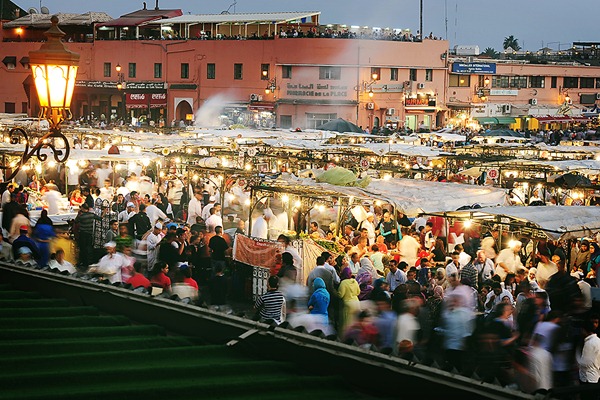
    Kirsty-Larmour---DPS-Morocco-04

    Djemaa El-Fna coming alive at at dusk by Kirsty Larmour

    Use a slow shutter speed and a steady table, railing – or even better a tripod! – and capture the movement and hustle and bustle of a crowded area.
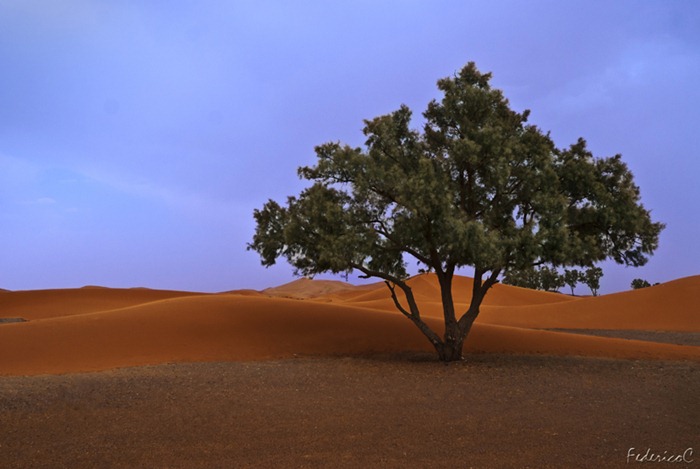
    Merzouga -desert tree

    Merzouga – Desert tree by Federico Campeggi

    Location: Draa valley. This is one of my favourite shot because for me it represent the life growing up in such a difficult environment as the desert. I decided to freeze the tree on the left side of the pic, not in the center, in order to draw the viewer’s attention not only on the tree itself, but also on the sand dunes, in order to reach a good balance between loneliness (the desert) and life (the tree).
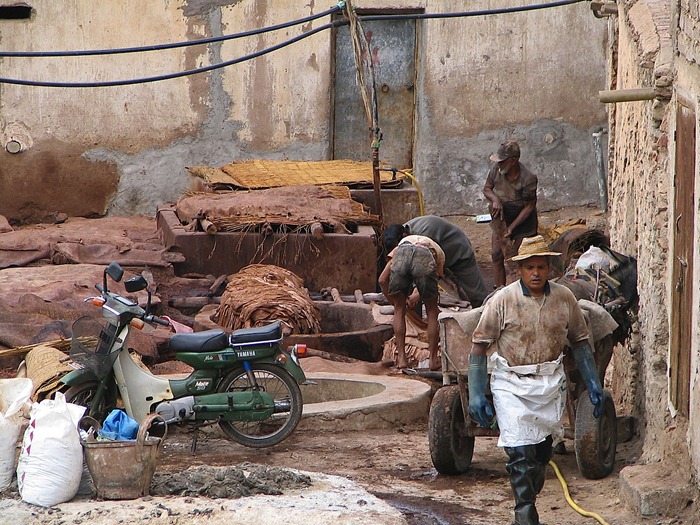
    IMG_0912

    Exploring by Janice Rotinsky

    Exploring the narrow back streets of the old cities is a constant surprise. This old tannery was visible through a small opening in the wall. The people are very friendly and welcomed us in to take photos when they saw us peaking in.
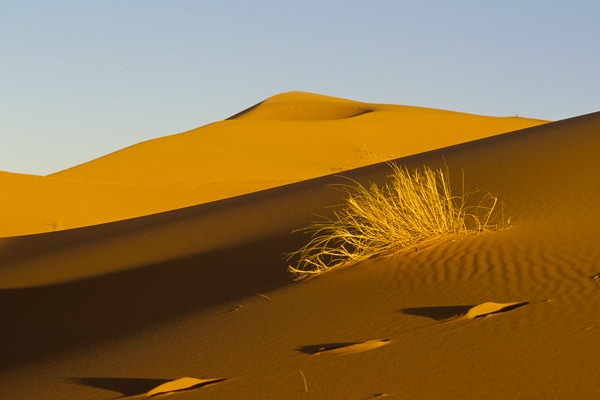
    Erg Chebbi

    Dunes of Erg Chebbi by Angus McIntyre

    Foreground detail can make sand dunes more interesting.
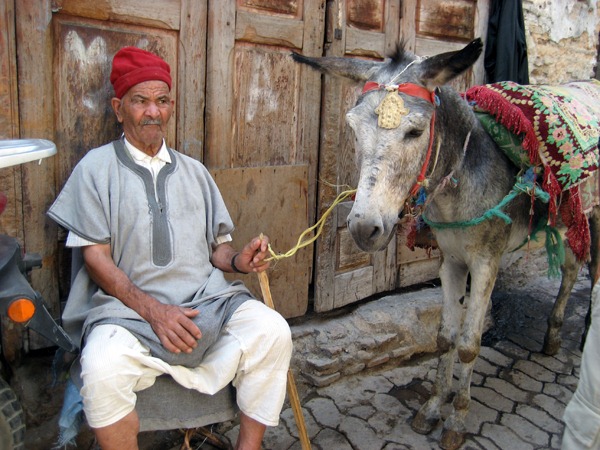
    Man and donkey, Fes medina, Morocco

    Man and donkey, Fes medina by Marcy L

    This man was resting in an alley of the Fes medina. Tip: Be aware of the local culture, and ask permission before taking a picture if that’s expected. This man gave me permission to take his picture for a tip.
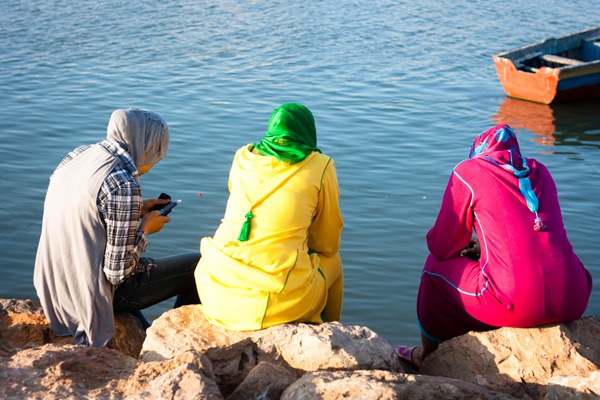
    Rabat IX

    Rabat IX by Reena Mahtani

    Colourful tradition and modernity together. The three girls were playing with their phones by the sea, a bit like everywhere else in the world.
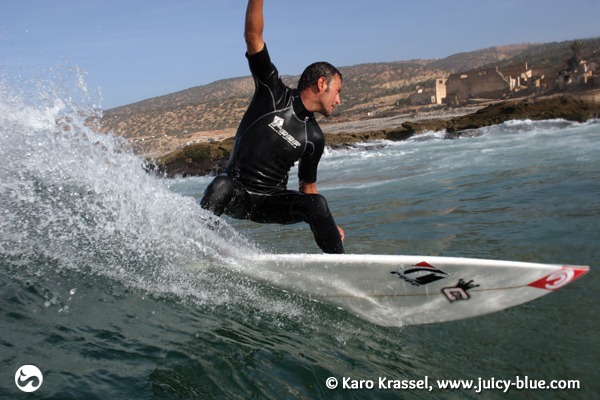
    Morocco

    Untitled by Karo Krassel

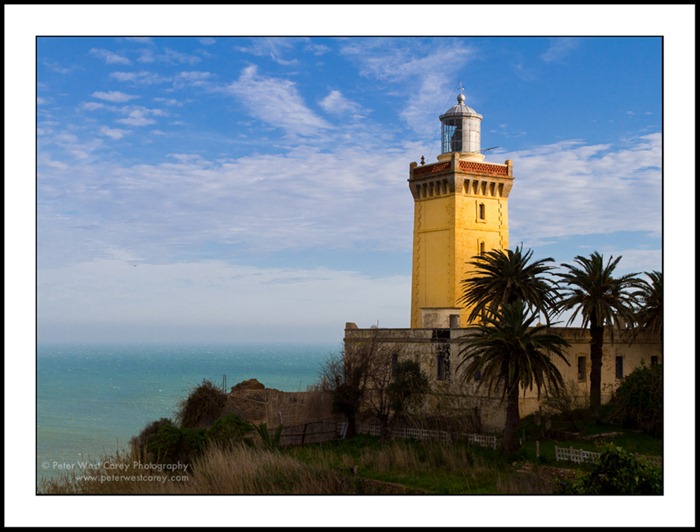
    Cap Spartel Lighthouse

    Cap Spartel by Peter West Carey

    Location: Where the Atlantic Ocean and Mediterranean Sea meet, Morocoo

    Tip: While we were reluctant at first, facing a  hour delay at the train station meant we hired a cab/guide for the day to see some quick sites in Tangier, the main port across from Europe. We were happy we did as we saw sights we never would have experienced if we saved a few bucks and hung out at the train station. Paying a cabbie a half-day fare can be a great idea for last minute sightseeing.
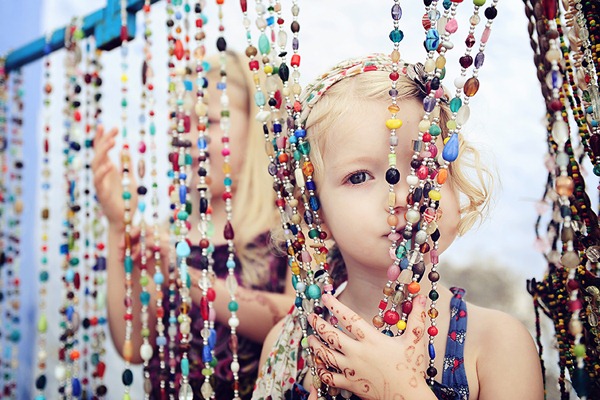
    Kirsty-Larmour---DPS-Morocco-03

    Peeking through the beads by Kirsty Larmour

    If travelling with your kids remember to get down to their level and take pictures of the things they find fascinating too – little girls always love sparkly things!!!
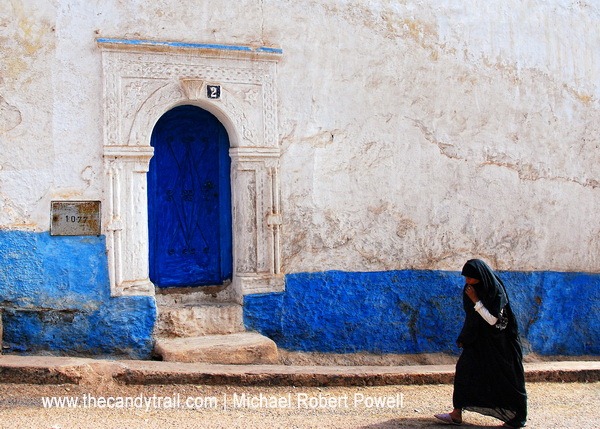
    woman passing doorway

    woman passing doorway – sidi ifni by Michael Robert Powell

    Look for patterns in colors. This was a quick shot. The original was good but in post-production I improved it with a slight crop, also removing a powerline and sharpening the wall texture.
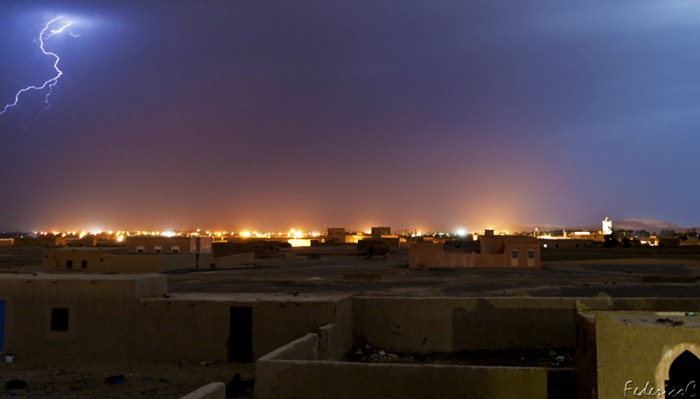
    Merzouga - Desert storm

    Merzouga – Desert storm by Federico Campeggi

    We reached Merzouga on a late evening, with the aim to go through Erg Chebby desert the day after. as soon as we arrived, we were caught by a powerful storm, so I decided to go up to the roof of my room to take some pictures. I choose a 30″ exposure and after 4 or 5 shots I was lucky enough to get that shot of the lightening
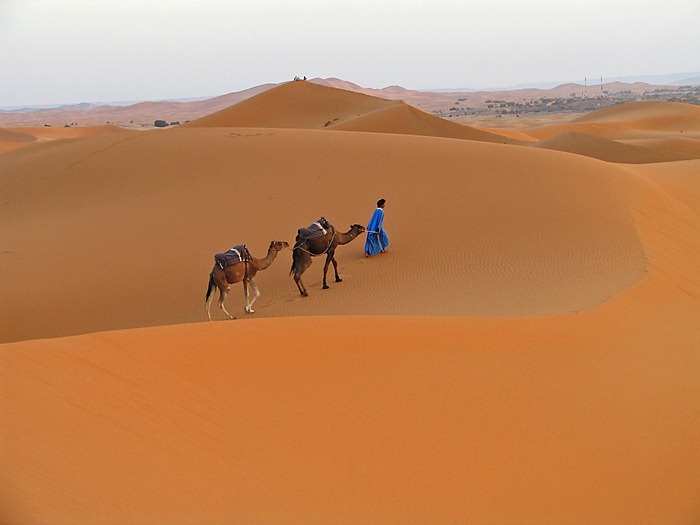
    IMG_0724

    Merzouga desert by Janice Rotinsky

    The red sand dunes at the edge of the Sahara are stunning. There’s plenty of opportunity to go on a camel ride anywhere from a couple hours to overnight. We were just sitting on the dunes waiting for sunset when I spotted this guide leading his camels home.
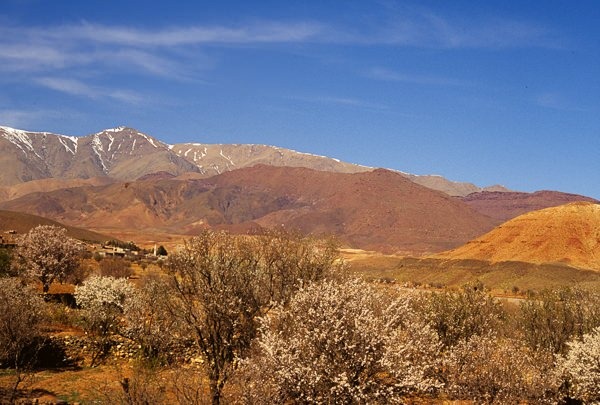
    High Atlas near Agouim

    Landscape in the Atlas Mountains by Angus McIntyre

    The intense colors of the High Atlas are stunning; rent a car rather than taking public transport, so you can stop where you want.
    Sheep heads Fes medina Morocco

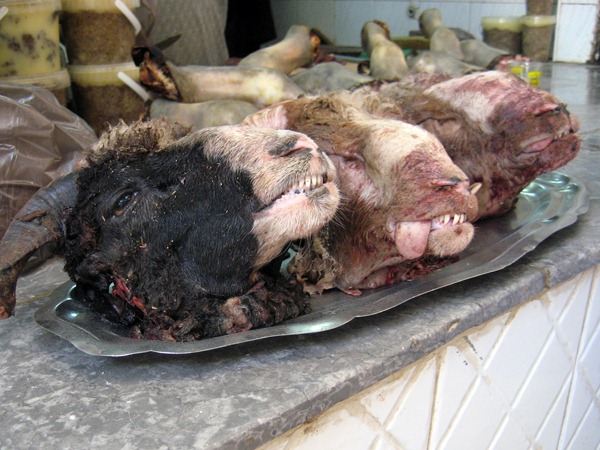
    Sheep heads, Fes medina by Marcy L

    You never know what you’ll see when you turn a corner in the narrow, crowded alleys of the Fes medina. Tip: Keep your mind open to unusual subject matter.
    Meknes I

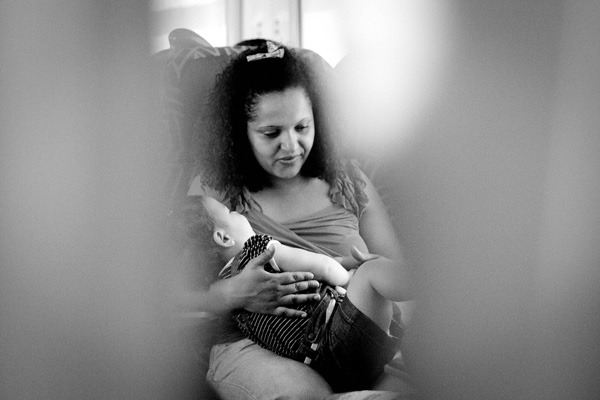
    Meknes I by Reena Mahtani

    Long hours in trains can also give you an insight of the country. This mother was telling stories and playing with her daughter. I wish I could speak French to understand what they were talking about!
    Morocco

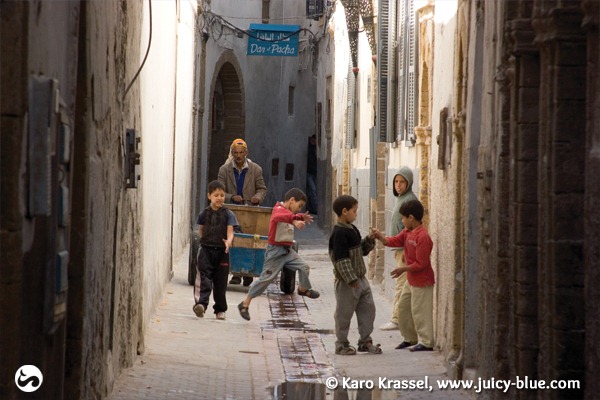
    Streetphotography in Essouira by Karo Krassel

    Photoidea: Most people in Morocco don’t like to get photographed (religious purpose). So it’s best to try to be invisible while photographing. Have your camera ready for the next shot to be able to quick make a photo as you are passing by a street. In morocco it’s better if you don’t run around with the camera around your neck – better have it in a small bag close to you or with a scarf covered. Like this it’s easier to be “invisible”, to not show that you could take a photo every moment and also to keep your camera save from not getting stolen.

    To get shots of moments you need to be fast. Know your camera to be able to handle it quick.
    woman at beach morocco

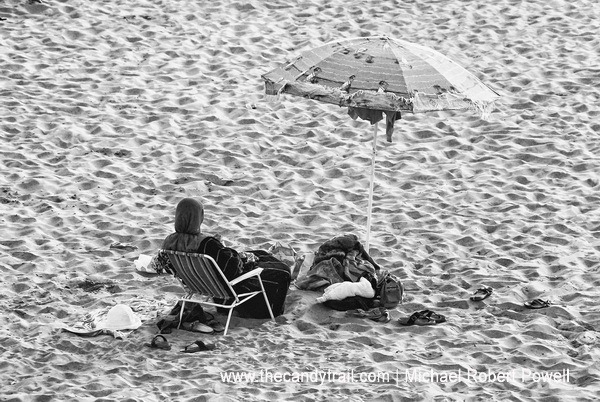
    woman at beach by Michael Robert Powell

    Custom dictates that women in public – even when going to the beach should be covered; this also applies to swimming. Here a young female looks out towards the rest of her family in the water … This black and white conversion enhances her sense of solitude (amid the sands: looking like a Sahara-scape).
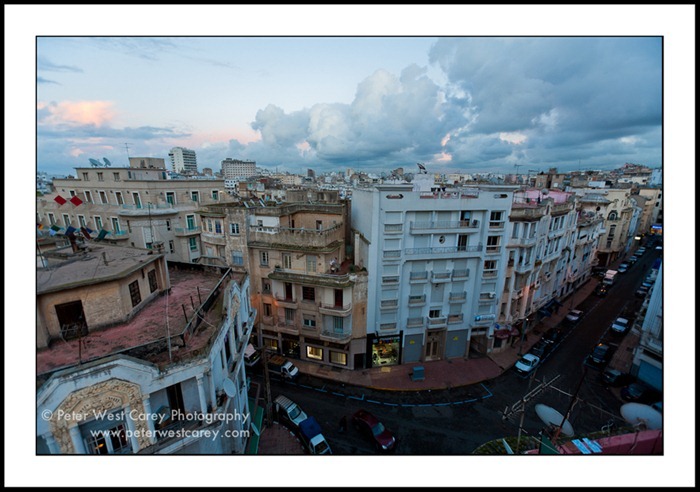
    Peter-West-Carey-100306-183021-9688

    Casablanca At Dusk By Peter West Carey

    Tip: Don’t stop shooting when the sun goes down, but do find something to brace your camera against. In this case, a balcony railing will suffice.
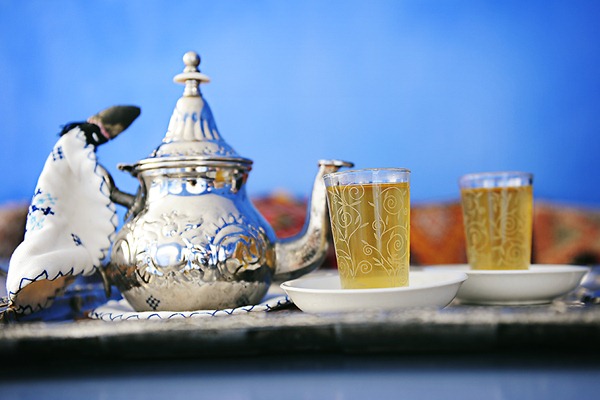
    Kirsty-Larmour---DPS-Morocco-01

    Mint tea by Kirsty Larmour

    Take photos of the local food and and drink as a way to take you back to the evocative tastes and smells of Morocco
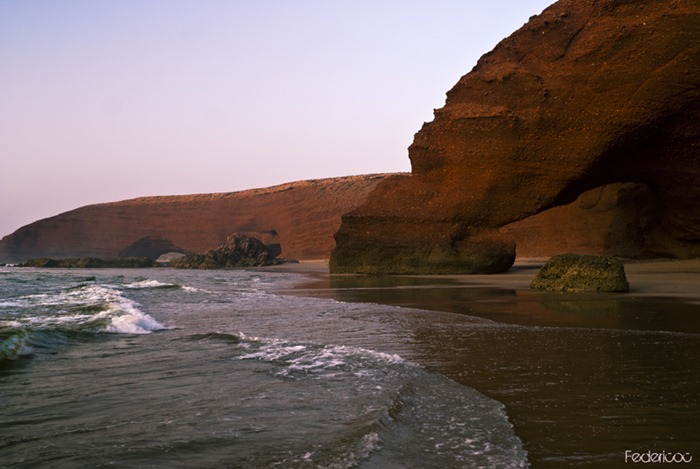
    Legzira beach - Morocco

    Legzira beach by Federico Campeggi

    Personally this is one of the most beautiful beaches in Morocco, located in the south of the country, around 200 km from the Western Sahara.

    We reached this beach on a late evening, around 6 pm. my attention was instantly drawn to the 2 beautiful arches that, starting from the cliff, dive into the sea. so I tried to include both of them in the frame of the picture by walking for 10 meters into the sea to reach the final composition.
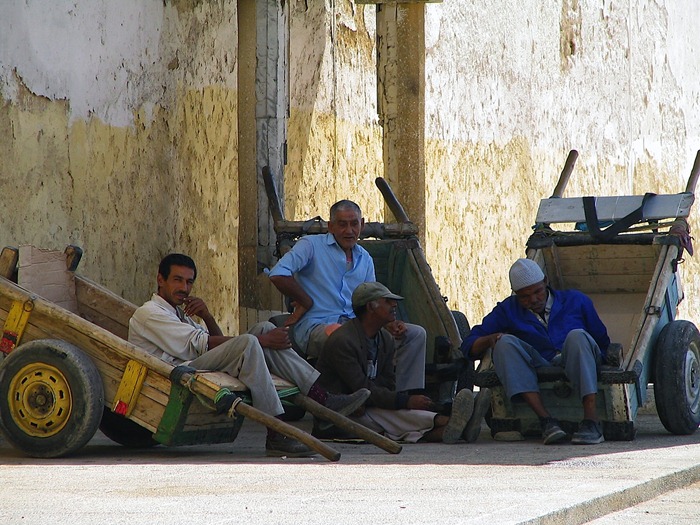
    IMG_0538

    Untitled by Janice Rotinsky

    One of the reasons I enjoy travelling is to see the locals go about their daily lives. Just by chance I caught this group of men resting in their carts. It helps to have a zoom lens so it isn’t evident that you’re taking their photo.
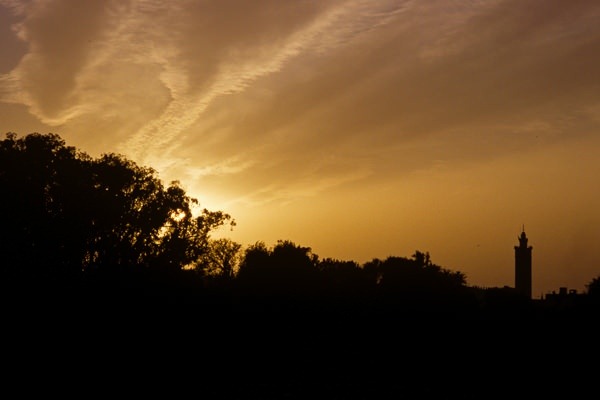
    Marrakesh sunset

    Sunset and minaret of the Koutoubia mosque, Marrakesh by Angus McIntyre

    Minarets improve skylines (but minarets against blue sky make dull photos)
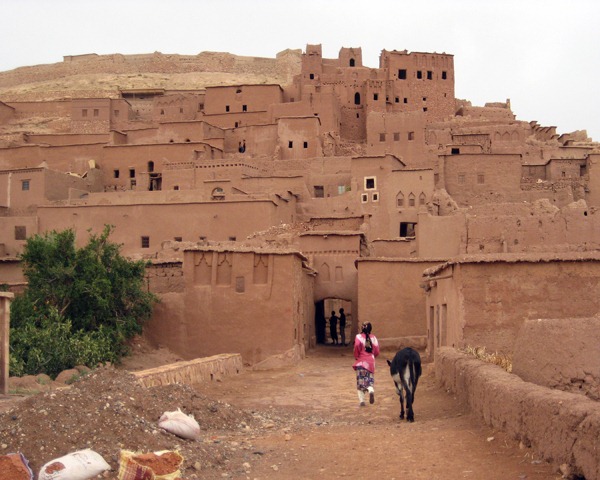
    Woman and donkey Ait Ben Haddou Morocco

    Woman and donkey, Ait Ben Haddou by Marcy L

    Some families still live in this ancient fortified city in Morocco. Parts of the Russell Crowe film Gladiator were filmed here. Tip: Include local people in your long shots to give a sense of the scale and the atmosphere.
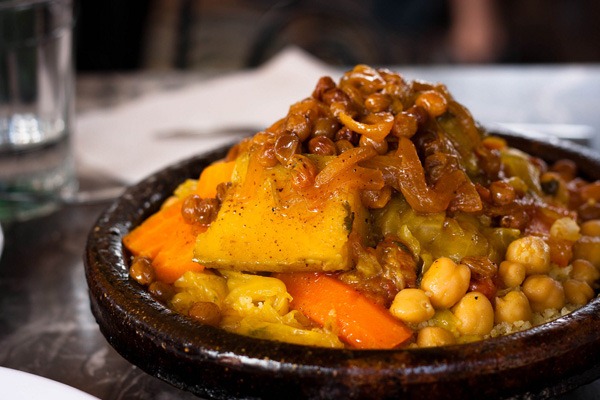
    Fes III

    Fes III by Reena Mahtani

    My highlight of Morocco is the food. Starting with the simple bread they give you everywhere, the pastries that they eat with mint tea, pastelas and tajines. Yummy!
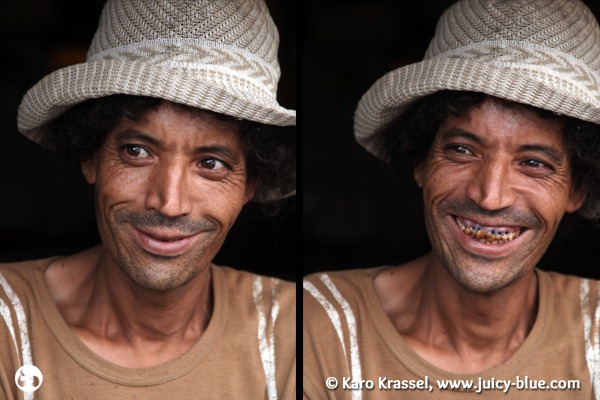
    Morocco

    Untitled by Karo Krassel

    While I was having my van at the mechanic, there was this local guy there. We got into a conversation, he told us crazy stories about his last year in prison (which he actually really enjoyed because you get free food and have a free bed), while this I was making these portraits (after asking if that would be alright).

    Photoidea: You want to take closer photos of people, don’t just go in front and make a shot, ask them first! Not only that they don’t like it, you could also get in some trouble. The best is to get to know them, talk to them for a while, perhaps have some friends with you talking to them, ask them between if you can take photos and if yes, take your time while you are having a conversation to make some pics. But don’t forget to really listen to the people, you will hear some amazing stories and learn about the life in morocco!
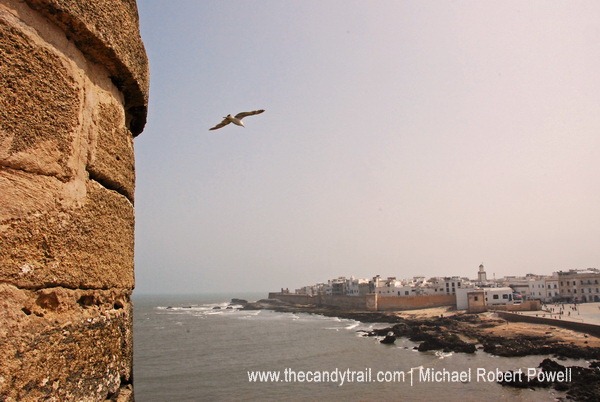
    essaouira

    old city of essaouira by Michael Robert Powell

    This Atlantic coast destination is a traveler’s favorite (and I’ve visited Essaouira in 1991 and 2007). This image was shot from a harbor tower adding a depth of field with the stone wall then the inclusion of the seagull drifting your eyes towards the old city.
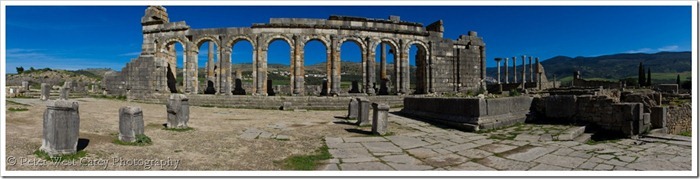
    WindowsLiveWriterPhotoOfTheDayVolubilisPanoramaMorocco_8380Volubilis-Columns_3

    Volubilis Panorama by Peter West Carey

    A panorama of the ancient Roman ruins at Volubilis, Morocco.  The panorama was stitched from 21 different photos shot in a vertical orientation.

    Tip: Some shots are just a little too big. Practice shooting panoramas before you go.
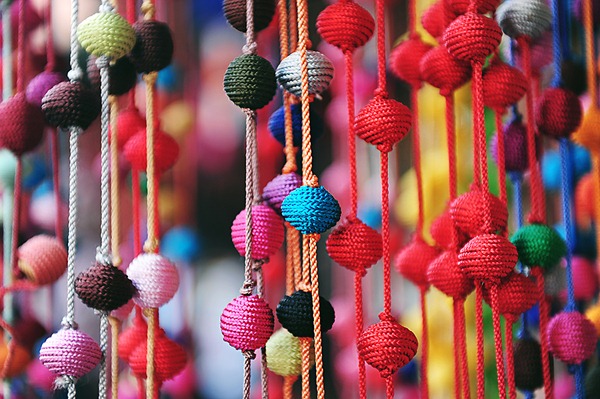
    Kirsty-Larmour---DPS-Morocco-02

    Decorations for Sale by Kirsty Larmour

    The colours of the souks are amazing – close up pictures of some of the little details you see make wonderful colourful pictures even without seeing the whole scene
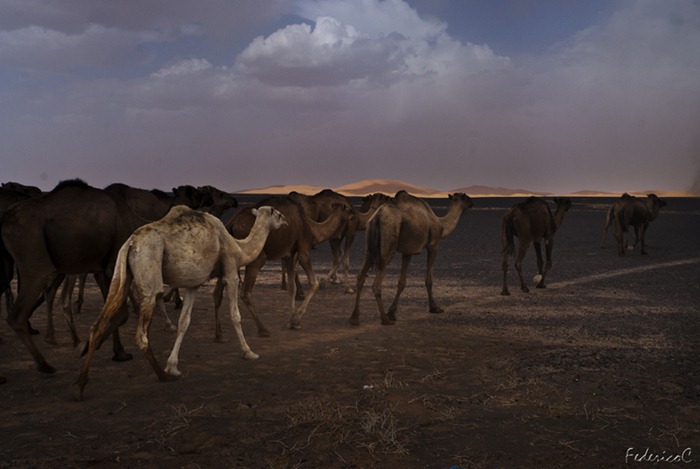
    Merzouga - Dromedaries

    Merzouga – dromedaries by Federico Campeggi

    When leaving Merzouga and Erg Chebby desert we saw these dromedaries crossing the street. I jumped off the car and waited for the dromedaries to walk close to the sand dunes in order to include also them within the frame of the picture.
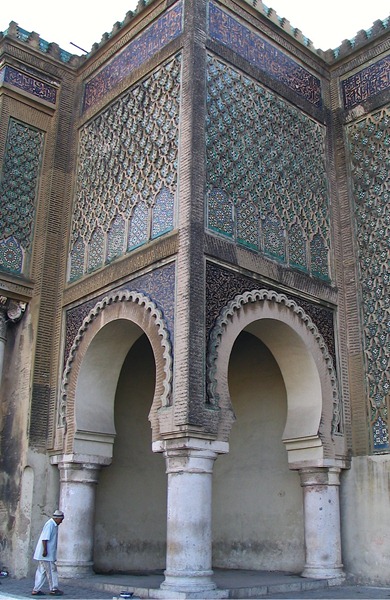
    IMG_0520

    Moroccan Mosques by Janice Rotinsky

    The religious architecture in Morocco is beautiful. It’s often hard to show the grandeur of a building in a photo, it helps to have a person in the picture to gain perspective. Even better when it happens naturally.
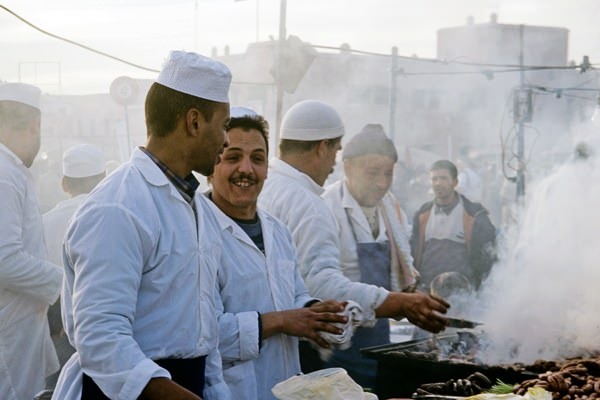
    Cooks

    Cooks in the Djemaa el-Fna by Angus McIntyre

    Marrakesh’s Djemaa el-Fna is heavily touristed, but there are still good shots to be had at early evening, when the square comes alive.
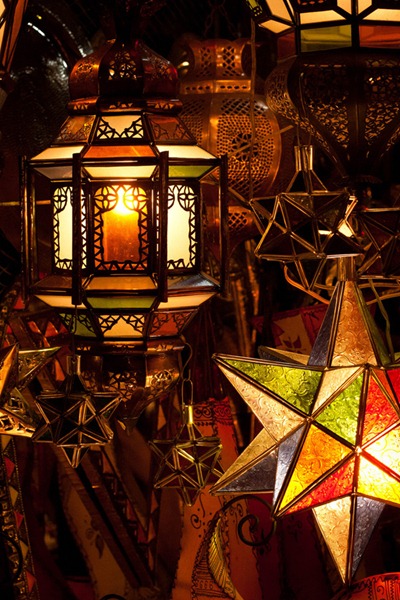
    Marrakech VIII

    Marrakech VIII by Reena Mahtani

    Djemaa El Fna can be a very tempting shopping spot. Carrying a small backpack is essential to avoid buying lots of stuff. I brought back to England around 15 kilos, including coffee, a small carpet, a pair of leather shoes and plenty of gifts for my friends.
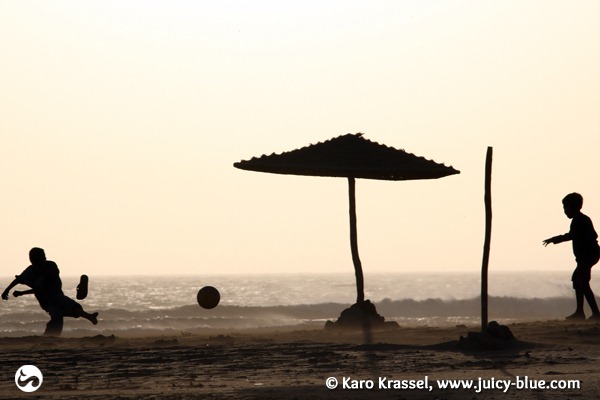
    Morocco

    Kids playing football on the beach of Sidi Kaouki before sunset by Karo Krassel

    Photoidea:  Morocco has an incredible light. Get up early to make pictures at sunrise or go out with your camera before sunset and make some silhouette photos or to get your motive in the best light.
    fish tagine

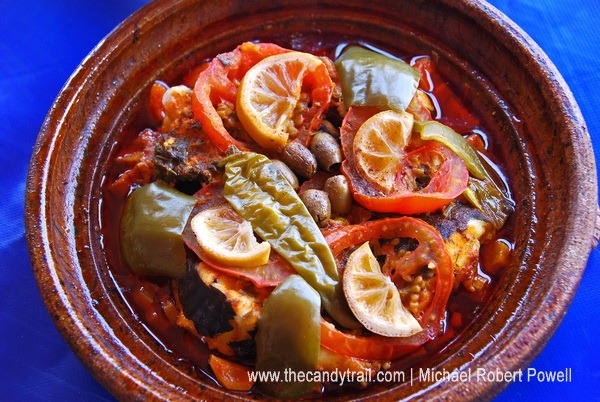
    tagine – a traditional moroccan dish by Michael Robert Powell

    A tasty, must-try meal in Morocco is Tagine. It simmers for some hours and is then eaten straight from the clay cooking bowl. Its ingredients vary across the country but in this instance it was fresh fish. This simple image fills the frame, with a nice contrast of blue table mat and colorful meal.
    WindowsLiveWriterPhotoOfTheDayNothingOnTV_D9FD822813011_ZS9U4-XL_31

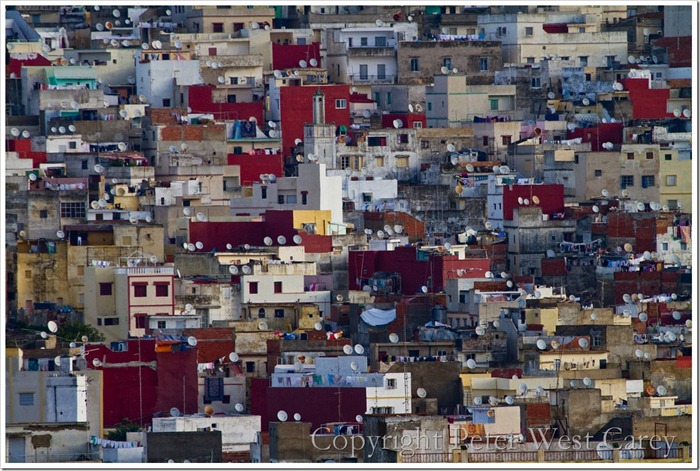
    Nothing On TV by Peter West Carey

    Tip: Everyday things can be the most interesting when seen in a different context. Shoot the obvious.

    Post originally from: Digital Photography Tips.

    Check out our more Photography Tips at Photography Tips for Beginners, Portrait Photography Tips and Wedding Photography Tips.

    Travel Photography Inspiration Project: Morocco


    Digital Photography School
  • Creative Color Processing (Part 3/3 – Tone Curve)

    This is Part 3 of a 3-part series on creative color effects in Lightroom. In this article I will explain how to use the Tone Curve tool for creative color effects.

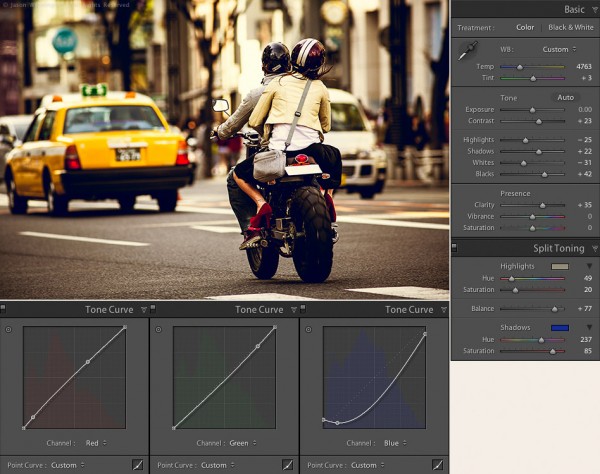
    Tokyo street scene color settings

    Tokyo Street Scene Color Settings

    In Part 1 of this series I covered white balance. I discussed split toning in Part 2, as well as how to use split toning and white balance together. If you missed parts 1 or 2, check them out here:

    Creative Color Processing (Part 1/3 – White Balance)
    Creative Color Processing (Part 2/3 – Split Toning)

    Tone curve is perhaps the most powerful tool in our creative color tool box. Tone curve is usually used for precise contrast control, but with Lr 4, we now have access to the individual RGB channels via the tone curve adjustment. Prior to Lr 4, this type of edit required Photoshop.

    Note: this technique only works in Lightroom 4 and requires the 2012 process. Check out these articles to learn about Lightroom process versions if you’re not sure what this means:

    Understanding Lightroom Process Versions
    5 Tips for a Faster Lightroom Workflow

    Editing Individual Color Channels with Tone Curve

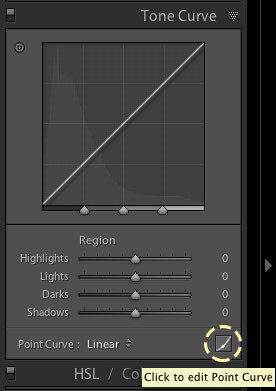
    To access the separate RGB channels in the Tone Curve you need to switch to the point curve adjustment:

    1. Click the point curve box in the bottom right of the Tone Curve control:

    Editing the point curve in Lightroom

    Editing the point curve in Lightroom

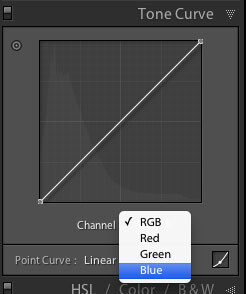
    2. Choose the color channel you want to work with.

    Selecting a color channel in the point curve

    Selecting a color channel in the point curve

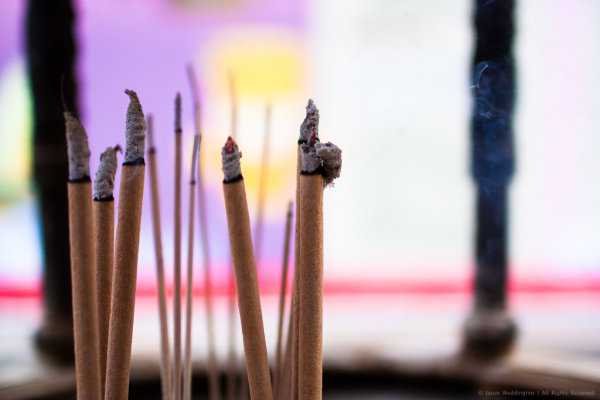
    Each tone curve actually controls a pair of colors, and the shades between them. To illustrate this, let’s take a look at this image of joss sticks, that I shot at a temple in Singapore. First, here’s the image without any color adjustments:

    Joss sticks without color adjustments

    Joss sticks without color adjustments

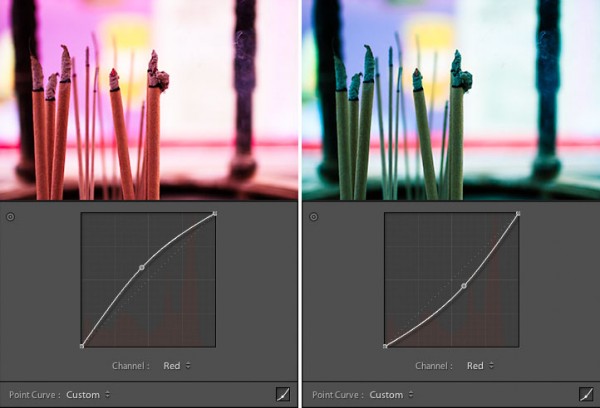
    Red Channel

    The red channel controls the color range from red to cyan, think of it as the Red / Cyan curve:

    The red channel controls the red / cyan balance

    The red channel controls the red / cyan balance

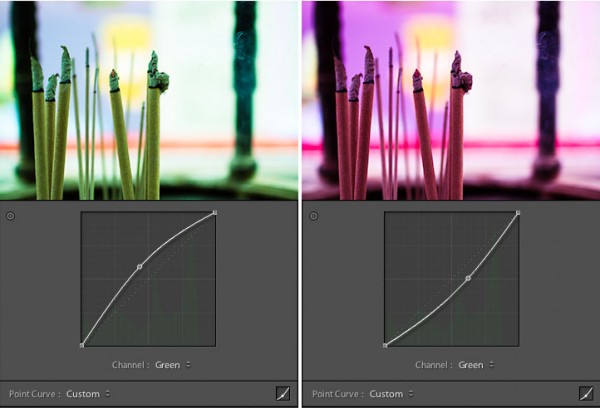
    Green Channel

    The green controls the color range from green to magenta, think of it as the Green / Magenta curve:

    The green channel controls the green / magenta balance

    The green channel controls the green / magenta balance

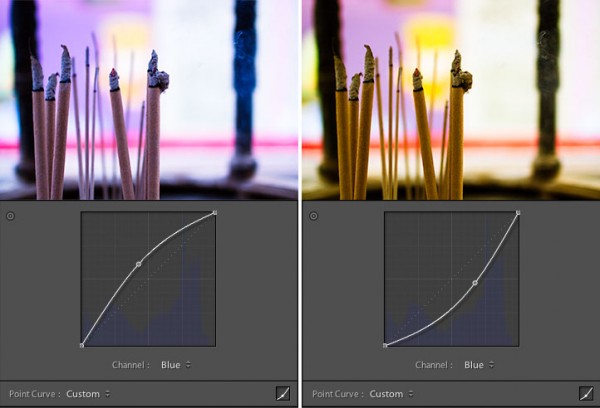
    Blue Channel

    The blue channel controls the color range from blue to yellow, think of it as the Blue / Yellow curve:

    The blue channel controls the blue / yellow balance

    The blue channel controls the blue / yellow balance

    The possibilities are endless here, but I’ve found that the blue channel is often the most useful for creative color effects. Simply select the channel you want to work with and click the tone curve to begin adding points. To get rid of a point on the curve, grab it with your mouse and pull it to the side, out of the graph area.

    Tips for Editing Color with Tone Curve

    1. Play around with the shadow tones, a slight color tint in the just shadow areas of your photo is sometimes just enough to make people stop and stare.

    2. Treat the shadows differently than the highlights, this is like taking split toning to the next level. Or the next, next level.

    3. Keep at it. It takes time to develop your eye for color, and it takes time to develop your own aesthetic. Over time you will gravitate toward a particular “look” for your images. Just as a musician finds his or her sound, you will find a signature look for your photography. The key is to just keep tinkering, until you find it.

    Putting It All Together

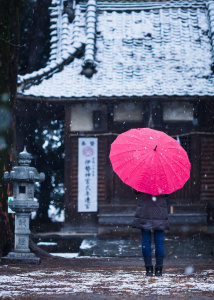
    Japanese Temple in the Snow - Natural ColorTo conclude this 3-part series on creative color processing in Lightroom 4, here’s an image that combines all three of the techniques that I discussed in the series: white balance, split toning, and tone curve.
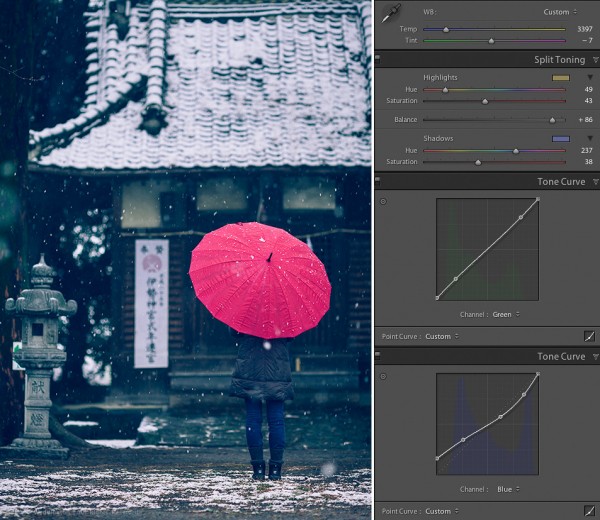
    This is a photo of my wife standing in front of a temple in Takasaki, Japan. A sudden snow storm created an interesting photo opportunity that was too good to miss. The photo at right shows the colors as produced by the camera. The camera was set to auto white balance, which resulted in a white balance value of 4350 for this shot.

    I wanted to bring out the mood of the snowy day, and also give the photo a bit of a timeless feel. To do this I combined a cool white balance with a yellow / blue split tone, as well as tone curve adjustments in the green and blue channels. The white balance adjustment gives the image a cold feel. The split toning emphasizes the cold feel by adding blue to the shadows, while also adding yellow to the highlights to keep the snow from looking blue. Finally tone curve adjustments in the green and blue channels give an interesting color cast, mostly to the shadow areas.

    Here’s the final result:

    Japanese Temple in the Snow - Creative Color

    Japanese Temple in the Snow – Creative Color

    This concludes the 3-part series on creative color effects in Lightroom 4. I hope I’ve inspired you to think creatively about color and given you some new ideas and techniques for getting creative with your photographs. I appreciate feedback, please comment below or feel free to connect with me through Facebook or Google+. I’ll do my best to answer questions and reply to comments.

    Post originally from: Digital Photography Tips.

    Check out our more Photography Tips at Photography Tips for Beginners, Portrait Photography Tips and Wedding Photography Tips.

    Creative Color Processing (Part 3/3 – Tone Curve)


    Digital Photography School

  • How to Make Instagram Filters in Photoshop: Earlybird

    Cell phone cameras and apps like Instagram have made it possible for anyone to practice and enjoy the art of Photography. The filters that come with Instagram do a great job of altering the mood or tone of photographs. They also add a flare of drama to otherwise boring images. However, because Instagram filters lack the ability to customize exactly Continue Reading

    The post How to Make Instagram Filters in Photoshop: Earlybird appeared first on Photodoto.


    Photodoto