RSS
 

Archive for the ‘Photography’ Category

What are Watt Seconds and How Many Do You Need?

06 Jul

If you’ve ever used studio lights or been in the market to buy some you may have heard the term “watt seconds” (Ws) used in conjunction with strobes. But what the heck does it mean? How do you know if you should buy a 500Ws light or one with more?

In this video, Mark Wallace from Adorama TV explains an often confusing term – watt seconds – and answers the question, “How many watt seconds do I need?”

What are watt seconds?

?

Now, once you’ve decided on how many watt seconds you need for your shooting environment and style, how will you put it to use? Here are some dPS articles that might help you out:

  • 5 Tips How to Set Up a Home Studio for Dramatic Portraits
  • Review: Interfit Honey Badger Studio Strobe and Universal Remote
  • Studio Starter Kit: How to Design a Starter Portable Studio
  • The Power of Shooting Simply with One Light and a Reflector
  • Rim Light – A Simple Way to Create Powerful Images with a Single Flash
  • Studio Starter Kit: How to Design a Starter Portable Studio

The post What are Watt Seconds and How Many Do You Need? appeared first on Digital Photography School.


Digital Photography School

 
Comments Off on What are Watt Seconds and How Many Do You Need?

Posted in Photography


Save 88% on 200 Photography Assignments that Inspire, Motivate and Teach

06 Jul

If you learn more efficiently (and have more fun with your photography) when you’re out shooting versus sitting somewhere reading about it, then this photography learning aid was designed for YOU.

One of the most popular photography training aids we’ve ever promoted were the Snap Cards from Photzy during our Christmas Sale last year. So when Brett from Photzy showed us their latest photography learning tool, we knew it was something we should tell you about.

The NEW Photzy Action Cards are 65 beautifully designed & printable project sheets that will give you over 200 photography assignments, covering everything you can imagine!

Brett’s idea for the Action Cards was sparked by a woman’s comment to him at a camera club meeting.

“I wish that I could have a workshop in a box. So that I could just open the box and participate when I felt like I had the time and the energy.”

So Photzy set out to create something that will educate and motivate you, provide you with direction, and help you to learn through actionable photography assignments.

The full set of Action Cards include:

34 composition Action Cards aimed toward assisting you in fully understanding the various rules, tools, and concepts of composition. Some example assignments:

  • S and Z Curves
  • Dynamic Angles
  • Juxtaposition
  • Spirals
  • Visual Weight and Direction

Just as we all ‘see’ differently – we also all work differently. This is your chance to discover which composition tools fit your style.

31 genre Action Cards which allow you to test the waters for 31 different genres of photographic imaging – by completing specific tasks and photo assignments in each genre – and help you uncover your ‘place’ in the photographic world. Some example assignments:

  • Creating jaw-dropping landscape photography
  • Creating beautifully executed high key photography
  • Creating true minimalist photography
  • How to create portraits of newborns
  • Creating meaningful travel photographs

Perhaps you’ll discover your natural tendencies reveal themselves better through outstanding flower photography versus newborn portrait photography.

We believe this new training tool will be exactly what many of you need to motivate and guide you on an experience of personal photographic discovery all on your own. Armed with these cards you’re guaranteed to be on a fast path to ‘expanding’ your shooting skills and mastering photography in 2018.

Learn more and buy your Action Cards here

FAQs

We’ve already had a great deal of interest in Photzy’s Action Cards and naturally lots of questions. Photzy have helped us answer them for you.

Q: Are the Action Cards different to the SNAP Cards?

Yes! They are completely different.

The SNAP! Card line was developed to present small easily digestible photographic lessons that you could consume virtually anywhere. Like Cheat Sheets…

The ACTION! Card line is geared towards the individual that prefers to learn by engaging in self-assigned photographic activities. A learning element is included, but the primary purpose of the product is to motivate you to learn through an actionable assignment and review process.

Q: Is there any bonus included?

Yes! Two actually.

You will get a lesson plan – Designed to help you work through the content at a pace that suits you, and to help you choose what order you’ll tackle the projects and assignments.
And a video tutorial – Reflectors & Other Self-Made Lighting Gear: Kent DuFault will demonstrate how you can make a very easy to use home reflector along with a few other ideas for DIY lighting tools.
These have a combined value of $ 25 value, and you get it absolutely free.

Q: Is this a downloadable file, or will I receive the printed cards in the mail?

You will be receiving a downloadable PDF file of the cards, for you to print out at home. This means you can access them anytime anywhere, and you don’t have to worry about losing them.

In just MINUTES from right now… You could be well on your way to taking your photography to the next level. No need to wait for shipping!

Go here now to grab your copy of the cards

Q: Why should I print these out?

Be honest – How many times have you downloaded a guide and never actually read it?

We’ve found that printing materials ensures you actually go on to read the content. Simply put– if you print it out, you are far more likely to take ACTION, and get RESULTS. That’s important to us.

Q: Are these Action Cards for beginners?

These cards are designed to cater for photographers of all levels. If you’re a beginner, these cards are going to work wonders for you with a whole range of material to sink your teeth into. If you’re a professional looking to extend your range of skills – we’ve got you covered too.

Get your copy here now

Q: Will this work for my camera?

While some of the settings information on the genre cards will of course not be useful depending on your chosen camera. 95% of the information on the Action Cards are not camera specific. So whether you are shooting on a DSLR, Mirrorless, or even an iPhone, you will find these incredibly to improve your photography skills.

Q: Is there a guarantee?

Absolutely!

In fact, when you claim your copy of The Action Cards, you have a full 365 days to decide whether or not you want to keep it. Meaning – you get an entire year to try them out…

And if for ANY reason, you decide the cards don’t work for you, simply contact us for a full, prompt refund… No questions asked and no hassles.

Q. How do I buy the Action Cards?

For one week only we can offer dPS readers early access to this brand-new training tool for just $ 39USD. At $ 5 per card the full set is valued at $ 325USD, so that’s 88% off.

Here’s where you can take advantage of this risk-free trial of the cards:

Click Here to Try The Action Cards TODAY

The post Save 88% on 200 Photography Assignments that Inspire, Motivate and Teach appeared first on Digital Photography School.


Digital Photography School

 
Comments Off on Save 88% on 200 Photography Assignments that Inspire, Motivate and Teach

Posted in Photography


Beginner’s Guide to Natural Light in Landscape Photography

06 Jul

Photography is all about light. The same scene with the same composition can look completely boring under one set of lighting conditions and very dramatic under different conditions. Good light makes the difference.

But does that imply there is also such a thing as bad light? I don’t think there is such a thing. The key is to understand what kinds of images to make under the lighting conditions you are presented with when you are photographing.

White House in Arnarstapi Harbor, Iceland - Beginner’s Guide to Natural Light in Landscape Photography

An overcast sky creates a soft landscape with no shadows.

Understanding the three characteristics of natural light will help you use the light to your advantage and make images with an impact no matter what conditions you have to work with.

The Quality of Light

By quality of light, I am referring to how hard or soft the light is.

Hard light happens during midday when the sun is high in the sky and there are no clouds to filter the light. This kind of light is harsh and bright, but it can also create interesting shadows and contrast.

Shadow on the Dunes - Beginner’s Guide to Natural Light in Landscape Photography

Harsh mid-afternoon light casts a dramatic shadow on this sand dune emphasizing its shape.

Soft light happens on a cloudy day when the clouds diffuse the light making it even with no shadows or bright spots. It also occurs in the shade.

Even on a day when there are no clouds, when the sun is lower in the sky the light passes through more atmosphere which softens the light. This is why golden light at the edges of the day is softer then midday light.

The Color of Light

The color of natural light from the sun changes during the course of the day. Before the sun rises, when the first light of the day appears in the sky, the light is a cool blue. During sunrise, the light is golden. As the sun gets higher in the sky, it is bright with little color tint at all.

Organ Pipe Cactus - Beginner’s Guide to Natural Light in Landscape Photography

During Golden Hour, the last of the day’s light casts a warm golden light on these cacti.

At the end of the day the opposite thing happens. When the sun is low on the horizon before sunset, you get the golden glow. After sunset is twilight when the light is a cool blue (blue hour).

Saguaro Cactus by Anne McKinnell - Beginner’s Guide to Natural Light in Landscape Photography

Once the sun has set, the light becomes a cool blue and the landscape is soft with no shadows.

The Direction of Light

Front light is when the light comes from behind you and hits the front of your subject directly. Front light can be unforgiving, washing out colors and minimizing textures. So if you are going to use it, it’s best to do so when the sun is low in the sky when it is warmer and softer.

Angel Peak New Mexico by Anne McKinnell - Beginner’s Guide to Natural Light in Landscape Photography

Front light hits the mountain, but it is a soft light since it is also at golden hour.

Backlight is when the sun is directly in front of you and behind your subject, lighting it from behind. I love backlight because the deep contrast between the highlights and shadows is so dramatic.

Backlighting is also perfect for making silhouettes when you have subjects with great shapes.

Organ Pipe Cactus by Anne McKinnell - Beginner’s Guide to Natural Light in Landscape Photography

The cactus is lit from behind creating an interesting silhouette during sunset.

Sidelight is when the sun is beside you, lighting your subject from the side. This kind of light is excellent for emphasizing shape and texture.

The sidelight on this saguaro cactus emphasizes it’s shape and texture.

What to do when …

So how do you use this information to your benefit? When you are out photographing consider the characteristics of the light you are presented with and use that to decide what kinds of photographs to make.

Harsh mid-afternoon light

The light is high in the sky, extremely bright and harsh with only a little color. This is a good time to look for shadows or photograph in the shade.

Shadow Patterns by Anne McKinnell - Beginner’s Guide to Natural Light in Landscape Photography

Harsh mid-afternoon light can create interesting shadows.

An overcast day with dull light

This kind of midday light has little color, but it is soft with no shadows; think soft. This kind of light is perfect for making soft flower photos, close-ups with even light, or waterfall photos where direct light would cause unwelcome bright spots.

If there is any texture to the clouds in the sky, that is good. But if the sky is pure white, eliminate it from the frame.

Skogafoss Iceland by Anne McKinnell - Beginner’s Guide to Natural Light in Landscape Photography

Waterfalls are a perfect subject for an overcast day.

Golden Hour

The sun is low in the sky casting beautiful soft warm light at golden hour, so it’s hard to go wrong in this situation. Think about the direction of light. Front light will create a warm glow on buildings and mountains, sidelight will emphasize the shape of hills, backlight will create dramatic silhouettes and you could create a sunburst by using a small aperture.

Spider Rock, Canyon de Chelly National Monument, Arizona - Beginner’s Guide to Natural Light in Landscape Photography

The day’s last light casts a golden glow on the edge of the canyon.

Blue Hour

The sun is below the horizon giving you soft, even, cool light. The direction of light does not apply here. Combine this type of light with a long exposure to emphasize the soft feeling if you have any moving elements like water or clouds. Combine twilight with city lights for more drama.

Li River and Karst Mountains in Guilin, China - Beginner’s Guide to Natural Light in Landscape Photography

There was barely any light in the sky at all during this 15-second exposure.

The best way to learn how different types of light affect your images is to photograph the same subject under various conditions. Pick something that is easily accessible to you and photograph it with front light, sidelight, and backlight. Photograph it at midday, during golden hour and at twilight. Photograph it under harsh mid-afternoon light and on a cloudy day when the light is soft.

Understanding these characteristics of natural light will ensure that you can make the most of the lighting conditions you have and create photos with impact at any time of day.

The post Beginner’s Guide to Natural Light in Landscape Photography appeared first on Digital Photography School.


Digital Photography School

 
Comments Off on Beginner’s Guide to Natural Light in Landscape Photography

Posted in Photography


6 Tips to Capture Wildlife Photography with Impact

05 Jul

Wildlife photography has become even more popular since the advent of digital cameras. Capturing wildlife can be a challenging undertaking whether your photographing animals for the first time or are well practiced. If you’re new to the subject and want to learn how to photograph animals, here are some tips to help you get started:

1. Use a telephoto lens

6 Tips to Capture Wildlife Photography with Impact - zebra

One of the most frequent questions I get asked about wildlife photography is, “Which lens should I use?” You may want to photograph birds in your garden, animals at the zoo, or even polar bears in the Arctic. Whichever is your preferred subject, I find that while a wide-angle lens is great for capturing the bigger picture, to really capture an animal from afar, you will need a telephoto lens.

A telephoto lens is the ideal solution to draw you nearer to the action where anything from 70-400mm will facilitate the ability to zoom in to photograph wildlife.

You will find photographing from a distance an advantage as getting too near to the creature could scare them away, particularly wild animals that are timid such as foxes. Animals living in urban environments are more likely to be used to people so you may be able to snap them from a closer vantage point.

6 Tips to Capture Wildlife Photography with Impact - hyena

2. Use a fast shutter speed to capture the action

Camera shake will be more apparent when using a telephoto lens rather than a standard lens due to its size and weight. The longer the lens, the more susceptible you are to camera shake. A shutter speed of at least a 1/100th of a second will help to photograph moving animals and minimize movement.

Clicking the shutter at faster speeds will enable you to freeze the action whether your subject is moving or motionless and will help you to capture sharper images. In addition, many modern lenses now have the option of image stabilization which can also be used to reduce vibration.

6 Tips to Capture Wildlife Photography with Impact - eagle in flight

3. Focus on the details

Sometimes filling the frame with an animal’s features can make a wildlife photograph more appealing. The intent stare of a lion or the face of a monkey, for example, can be a captivating subject and even more interesting than the animal as a whole.

As you begin to photograph wildlife more, you will notice the details about an animal that could make an interesting picture. Be sure to photograph different features that you find compelling.

6 Tips to Capture Wildlife Photography with Impact - lioness

4. Make sure your battery is charged and your memory card has space

This may seem obvious, but it’s surprising how many times I have heard people say they have run out of battery power or that they don’t have enough space left on their camera card to take any more pictures. If you ensure your battery is fully charged and your memory card is empty, you will be prepared for any potential wildlife sighting.

During a wildlife safari drive or whilst out walking in the countryside, you never know when an animal encounter will happen. You could see wildlife at any given moment. With your camera charged and cards empty you will be ready for any photo opportunity as and when it arises.

6 Tips to Capture Wildlife Photography with Impact - colorful bird

5. Create pictures with interest

Many newbie photographers that capture images of wildlife tend to place the animal right in the center of the frame. This can work well with the right composition. Try to photograph the animal off center too, by positioning it to one side of the frame to make the image more interesting.

Placing your subject on a third of the frame can create impact.

6 Tips to Capture Wildlife Photography with Impact - water buffalo

You could include part of the animal’s habitat in the frame such as a bird in its nest. Woodlands and rivers are great natural havens for wildlife and can make for an appealing setting to frame your subject within.

6. Wait a while

As animals are difficult to predict and they often move, you will find it challenging to capture a good shot with the first image you take. Be prepared to wait a while and you may get to see and capture a more rewarding image.

6 Tips to Capture Wildlife Photography with Impact

For example, when I came across this serval cat during a game drive in Tanzania, I spotted the cat looking for prey in the long grass. After pulling the car over and waiting a few minutes, the serval cat turned for a split second after being alerted by the noise of the engine and I captured the moment.

Conclusion

Next time you are out with your camera to do wildlife photography, whether you’re out walking, observing in your garden, or watching wildlife from afar, remember these tips. Hang around for a while and be amazed at what you might discover.

What wildlife photographs have you taken that you would like to share?

Wildlife photo tips 08

The post 6 Tips to Capture Wildlife Photography with Impact appeared first on Digital Photography School.


Digital Photography School

 
Comments Off on 6 Tips to Capture Wildlife Photography with Impact

Posted in Photography


How to Use Low Graphic Style as a Compositional Tool

05 Jul

In the never-ending search to improve photographic skills, it’s important to push the limits and try projects that push you outside your comfort zone. That’s why a project that involves studying and creating images using low graphic style is an important undertaking that can help to stretch the imagination and push your photography skills to another level.

Low graphic style is not often discussed, but it is worth exploring. The elements of low graphic style often contradict the formal rules of photography. The big question, however, begins with a definition for low graphic style or rather a discussion of the psyche behind creating this style of image.

Low graphic style evolved as a reaction to traditional composition rules and ideas found in photography.

How to Use Low Graphic Style as a Compositional Tool - b/w street scene

This image presents a typical eye level view of a city street in Montreal.

How to Use Low Graphic Style as a Compositional Tool - silhouette at dusk

Compare this image to the one above. Here the horizon is centered but the bold colors and the deep shadows of the silhouettes definitely add some bold graphic elements to the picture.

Low graphic style attempts to create an image that is free of manipulation. The goal is to create an image that shows the plain truth which could have been altered by the use of traditional compositional rules. Whether low graphic style achieves this goal is a philosophical discussion is not suited to this article, but the basic elements of low graphic style should be studied like any other style of photography and understood to push your photography skills to a higher level.

It’s impossible to attempt to photograph in a certain style without completely understanding the elements that make a photograph fall into the realm of low graphic style. So without wasting any more time let’s compare low graphic to the more common high graphic style.

1) Static Balance

Static balance is in contrast to the Rule of Thirds. The idea is that the photographer focuses on creating compositions that utilize symmetrical compositions. The photographer also avoids including dynamic elements like diagonals which might add energy to the image.

2) Square frames and centered horizon lines

The use of a square frame or placing the horizon on the midline instead of alone one of the 3rd lines also helps to create an image that is far more in line with low graphic style.

3) A feeling of passivity

Images which fall into the realm of low graphic style often feel very soft or passive. You won’t find an image in this realm which depicts intense emotions. An image of a group of people running aggressively through the street will not fit into low graphic style.

How to Use Low Graphic Style as a Compositional Tool - b/w of a boy in the road

With the exception of the diagonal shadow, the image fits well into low graphic style. The boy is centered in the frame and the focal length is 50mm. There’s no feeling of movement so a sense of passivity is present within the photo.

How to Use Low Graphic Style as a Compositional Tool - b/w portrait of a woman with sunglasses

Consider the look and feel of this portrait in comparison to the one above. There are many differences and a huge contrast in the effect each image has on the viewer.

4) Normal focal lengths

Typically images that utilize low graphic style use normal focal lengths that mimic the normal range of the eye. Focal lengths like 15mm won’t be used when creating low graphic style photos.

5) Bland colors

Bold bright colors and high contrast are out when trying to achieve a low graphic look. Keep the colors bland and the contrast minimal. The goal is subtlety, not boldness.

How to Use Low Graphic Style as a Compositional Tool - low contrast image

In this image, there’s very little contrast. Also, the colors and lighting are flat. The idea is to plainly portray this hillside without attempting to add emotion or drama.

6) Monochrome

Focusing on black and white conversions will remove any of the emotional content that colour often provides to an image.

monochrome image of Montreal - How to Use Low Graphic Style as a Compositional Tool

Monochromatic images help to remove any emotions that could be evoked by colors.

7) Repetition

Using repeated patterns helps to reduce the possibility of evoking emotion with an image. Also, images that utilize one uniform texture can be considered low graphic style.

rock pattern on a roadway or path - How to Use Low Graphic Style as a Compositional Tool

In this image, we hit several elements of low graphic style. The image is monochrome, depicts a uniform pattern and texture throughout.

Conclusion

Low graphic style might not be for everyone. It suits the aesthetic taste of many, but there are those of us who love bold colors and bright emotional images. There are those of us who love constructed images that push the boundaries of reality.

Whatever style you prefer, trying something out of your comfort zone is never a bad thing. For those who love this look in their photography, by all means, share with us your tips of the trade. We want to hear all about the differences between high graphic style and low graphic style.

How to Use Low Graphic Style as a Compositional Tool - parking garage in b/w

The simple flat view of a parking garage ticks off many of the compositional elements of low graphic style.

The post How to Use Low Graphic Style as a Compositional Tool appeared first on Digital Photography School.


Digital Photography School

 
Comments Off on How to Use Low Graphic Style as a Compositional Tool

Posted in Photography


How to Create Abstract Photos with Colored Paper

04 Jul

Developed in China, paper as we know it has been around for at least 2000 years. Originally made by pressing the wet fibers of plant-derived cellulose together and dried in sheets, paper’s ability to be mass produced resulted in the advancement of the written word as a means to pass information down through time. This accelerated exchange of information triggered a revolution in cultural and technological advancements that have shaped the way we live today.

Artists paint and photographers print on specialized paper. Books, magazines, and newspapers distribute information across the world. Important documents are filed away on paper, ready to be pulled out at a moment’s notice. Even with today’s abundance of computer screens, paper has endured as an indispensable material.

Creating abstract photos is another wonderful use of paper. With a few bulldog clips, some colored paper, and a bit of creativity, you can create beautiful abstract images to enjoy and use as desktop wallpapers or backgrounds.

Creating Abstract Photos with Colored Paper - orange and red abstract image

What you will need

  • Your camera
  • A macro lens or set of extension tubes
  • A selection of different colored paper (I used a packet of variously sized one-color per piece origami paper I found at a dollar shop).
  • Several medium or large bulldog clips.

Selecting a space

First, you’ll need to choose a space to set up in. This is important because your paper needs to be exposed to plenty of natural light. Otherwise, your shadows will be too dark, and your photographs will look flat or awkward.

Set up outside, or near a large window with a decent amount of light flooding into your space. I work on a desk outside, with plenty of room to move and shoot from different perspectives.

Creating Abstract Photos with Colored Paper - orange circle abstract

Setting up

Setting up for this project is can be a little tricky. Once you’ve settled on a space to work in, you’ll need to arrange your colored paper. First, select a piece of colored paper that will serve as the background for the image. You’ll want this background to cover the frame, so choose a size that has adequate coverage. The background color is up to you, so choose whatever catches your eye.

Next, add a second layer of paper to sit on top of the background. This will be your foreground subject. Again, the color is up to you. To make an interesting image, you need to separate the foreground layer from the background. You’ll do this by physically adjusting the orientation of the foreground paper.

Creating Abstract Photos with Colored Paper - bulldog paper clip

Generally, sheets of paper want to stay flat and straight, so shaping your foreground paper can take a little bit of coordination. An easy way to control the orientation of the paper is to add weight to its edges. Attach a bulldog clip to each side of the piece of colored paper and lay it down so that there is a gap between the foreground and background paper.

Photographing your creations

Once you’ve attached your bulldog clips and arranged your paper, it’s time to get busy photographing. There are no hard-and-fast rules here, just photograph what you think looks best.

Try sitting your foreground paper vertically or horizontally in relation to the background paper for different depth effects. You can also try focusing your lens on different areas of the paper, or for a smooth, featureless gradient, unfocus your lens altogether. Focus on a small section of your paper or zoom out to include the whole arrangement.

You can modify the shape of your foreground paper by manipulating the location of the bulldog clips on the paper. Moving them closer together creates a nice S or U bend in the middle of the paper for soft organic lines. For harder lines, move the bulldog clips further away from each other to tighten the paper.

blue and yellow abstract - Creating Abstract Photos with Colored Paper

Paper has a thousand uses, the great thing about this project is that there is no right or wrong way to do things. Just take some time to relax and experiment. If you have kids or grandchildren, get them to help you – they’ll have fun helping to arrange the paper.

Enjoy!

The post How to Create Abstract Photos with Colored Paper appeared first on Digital Photography School.


Digital Photography School

 
Comments Off on How to Create Abstract Photos with Colored Paper

Posted in Photography


The Best Camera Gear for Food and Still Life Photography

04 Jul

I get a lot of questions about the gear I use in my food and still life photography, particularly from those just starting out in these genres. Buying the wrong equipment can be an expensive mistake. This is a list of the best camera gear I have found to work for me and a lot of the still life photographers that I know.

That being said, take the time to research what works for you and your budget. Also, think about your end goal. If you’re a blogger, your needs will be different than those of a photographer shooting product advertising.

still life of cake and coffee - The Best Camera Gear for Food and Still Life Photography

Cameras

First, you need to decide if you will use a camera with a cropped sensor or a full-frame camera. This will likely be determined by your budget.

A cropped sensor is cheaper for a camera manufacturer to make, which makes decent digital cameras available to a wide variety of consumers. Keep in mind that the focal length of your lenses will be different on a cropped sensor camera. For example, on a full-frame camera, a 50mm will behave like a 50mm. Put that same lens on a camera with a cropped sensor, it will behave more like an 80mm. Your shots will be nowhere near as wide.

Also, make sure that the camera you choose can shoot RAW images–not just JPEGs. If you intend to shoot professionally, file size matters. If your work is going to be printed, you need at least a 12-megapixel camera.

I shoot with a full frame Canon 5D Mark II.

As a food or still life photographer, you’ll find that you won’t need most of the bells and whistles that the modern digital cameras on the market offer. Look for the detail the camera will provide, especially if you’re shooting professionally. The camera should have several focus points and handle noise relatively well. It should also have a tethering feature. If you can afford a full-frame camera, I would invest in one right off the bat.

Lenses

Every camera manufacturer has a series of lenses for the amateur and another for the pro photographer. However, if you are a pro shooter, this doesn’t mean that you should only stick to a pro series, such as the Canon L-Series, for example. There are some good options without the hefty price tag that a pro series brings. That being said, lenses are where you should spend the majority of your budget and you should look at them as a long-term investment in your craft.

Your most pressing concerns when shopping for a lens is the sharpness, so your focus should be on prime lenses. Prime lenses are sharper than zoom lenses.

The Best Camera Gear for Food and Still Life Photography

An excellent lens to have in your kit is a 100mm macro lens. This lens is not just for macro or close up shots, although obviously, it’s great at this. By pulling further away from your set, you can get very nice portrait-style shots as well. The focal length will give you that lovely blurred background that is so coveted in food photography.

I have the consumer grade 100mm f/2.8 from Canon and it’s razor sharp. If you can only get one lens, this is the one I’d recommend.

I also recommend a zoom lens, such as a 24-70mm f/2.8 or 24-105mm f/4. I have both in Canon’s L-Series and find the 24-70mm much sharper than the 24-105mm. The 24-105mm is the kit lens when you buy a Canon 5D.
Although the 24-70mm is a zoom lens, I find it very sharp.

Lenses I use.

The 50mm can also be a useful lens, especially if you don’t have a zoom. This lens is good for overhead shots and tablescapes. For food and still life photography, 50mm is considered a wide angle lens. If you’re shooting only an item or two straight-on or at 45 degrees, you will likely have too much of the background and surface in your frame.

You will need to have large backgrounds if you use the lens this way. If you get a 24-70mm, then you can shoot your overhead shots by setting it at 50mm.

If you’re not sure which lenses you should get, try renting a couple. Check the sharpness and focal length before spending a large sum of money. Photographers have their own style and thus tend to shoot within a preferred range of focal lengths. For example, I am usually between 60-80mm on my full frame camera.

This food image was shot at 50mm (left) and another shot at 60mm (right). You can see the 50mm leaves too much negative space and the background is not big enough. These were shot with the camera in the exact same position, close to the scene, etc.

Studio Lighting and Modifiers

If you want to shoot food or still life professionally, you’ll need to master studio lighting. You can rent studio lights or buy your own. Even if don’t have your own studio, you will benefit from having your own lights if you can afford them. Many studio rental places don’t open early enough to allow you to transport and set up your camera gear before the arrival time of your client.

If you’re a blogger venturing into the world of artificial lighting, you may want to start with a continuous light, like an LED. I recommend that you do not get a set of those Lowel EGO lights that so many bloggers are crazy about. They are too bright and at the same time, don’t have enough spread.

You need to be able to work with strobes if you want to shoot professionally for clients. These are expensive lights, so try to make a good choice initially with these. Make sure they have at least 400 to 500Ws (stands for Watt-seconds, is a measurement of flash output) power and that you are able to modify the light with grids and softboxes.

An example lighting setup using a large softbox as the light modifier.

Great lights at a medium price are the Hensel Integra Pro plus 500, or my personal favorite, the Elinchrom ELC HD Pro 500w set. The Elinchrom monolights have clean and consistent light from shot to shot, and they fire fast enough to freeze motion or liquid splashes, a feature found in the high-end and pricey lighting systems.

For a cheaper system that is great to start with, check out the Bowens Gemini 500. The big benefit of using Bowens is that its S-mount is a common modifier mount, which allows you to use a variety of inexpensive modifiers with your strobes. In terms of modifiers, get at least one softbox in the largest size you can find and afford. The larger the softbox, the softer the light.

When shooting food and still life, you will also need a large diffuser to soften the light as it hits your subjects. I use a 59×79-inch diffusor placed right up against my set. This creates a large, soft light source and prevents any unwanted light from spilling onto the set.

Get a good reflector as well to bounce more light into shadowy areas when needed.

You can also use plain white boards as reflectors in tight spots. Get some clamps to hold them in place as I have done here.

Shot with a large soft light source.

Tripod

A tripod is necessary when shooting food, product, or still life images because the objective is very sharp photos. This often means shooting at lower shutter speeds, which can introduce camera shake into your images if you are hand-holding and working in natural light.

Shooting in these genres is about creating a scene, which is a process of building and assessing. You’ll find yourself constantly adjusting your set-ups, adding items or taking them away, or otherwise moving them around to get the perfect shot. This type of photography is not about catching a decisive moment, but about deliberately creating a visual story through the placement of objects. You need to compose to the camera.

Working with a tripod is also important if you are doing a series of shots and need consistency in your set-ups, or if you’re focus stacking or using scripts in Photoshop.

A tripod is essential for framing your shots.

Software

You will need a professional grade image editing software program to get the most out of your food or still life pictures. Adobe’s Lightroom can give you most of the tools you need to create awesome images at a relatively low price. It’s a powerful program that is intuitive and user-friendly. Not only does it have great editing capabilities, it also acts as an archive for all the image files you have on your hard disk.

Lightroom functions best as a global editor. It helps you make adjustments globally to the whole image. In contrast, Photoshop is a pixel editor. It helps you work with the actual pixels in a given image. There is a lot you can do in Photoshop that you can’t do in Lightroom, such as compositing (combining multiple images into one).

As a professional photographer, I do most of my editing in Lightroom. Then I take my images over to Photoshop to do what Lightroom cannot, or doesn’t do as well. Photoshop has the powerful tools that I need to give me the refined look I’m seeking.

Read my other article: How to Edit Food Photography Images Using Lightroom

The difference between the before and after images is subtle but processing your food images is important.

If you’re just starting out, Lightroom will deliver everything you need to make great pictures.

If you’re working on professional packaging design, Capture One Pro is mandatory. With this program, you can upload an overlay of the packaging artwork to determine where the elements in the image should sit on the packaging. It will make the shooting process go a lot faster and a creative director will likely expect you to work this way.

Shot and processed to be dark and moody.

Tethering

If you’re serious about food photography, you’ll need to shoot tethered.

Tethering is when you connect your camera to a computer via a USB cable so you’re able to view a larger rendition of your image in software such as Lightroom or Capture One Pro. Being able to see your images on the computer as you shoot them is hugely advantageous.

Photographing food and still lifes is a detail-oriented process. A misplaced sprig of basil can ruin your image or create hours of work for you in Photoshop. Such errors can easily be avoided when you can see your work brought to life on a much larger screen than your camera LCD can provide.

If you’re working with clients, they’ll expect you to be shooting tethered. Shooting food, in particular, is a collaborative process that often involves a creative director and a food stylist, who both play a role in the final composition of an image.

To tether to your computer, I recommend a gold-tipped USB cable called a High-Speed USB cable Type A to Mini B. The gold tips prevent them from corroding. Make sure that the cable is no more than 10-15 feet long. The longer ones tend to have problems transferring data. Always have at least a couple of them in your kit so you don’t get stuck, as things don’t always last as long as you’d hope.

Shooting tethered setup. You get to see the image on the computer screen shortly after you shoot it and it appears automatically when tethering is on.

Other Miscellaneous Items

Besides extra memory cards and batteries, there are a few other items you will need to invest in if you’re serious about food and still life photography. Here are the basics:

  • Shutter Release –  This is a device that you connect to your camera to depress the shutter. Even if you’re working on a tripod, pressing the shutter can cause a small vibration that can introduce camera shake that will make your images less than sharp.
  • Backup Drives – Always back up your work to an external drive. Preferably more than one. Hard drives fail all the time, so you need at least two if not three copies of your files, kept in separate places. You should also be backing up while you work.
  • Backgrounds – Food and still life photography require backgrounds and surfaces to enhance the subject. These can be purchased expensively online, or you can make your own. One of my favorite style of backgrounds that I use repeatedly in my work is painted canvas. You can buy a large canvas painters drop cloth at a hardware store and cut it into pieces, which you can then paint to suit your needs. You can buy paint samples at the hardware store too. These painted pieces of canvas make inexpensive backgrounds that can be rolled up and put away without taking up a lot of space.
  • A Level – Another purchase from the hardware store is a small level, the kind you use in construction or when hanging pictures. A level placed on your camera once it’s set up will show you if your camera is straight. This is very important when taking overhead shots (like the one below).

pizza margherita_darina kopcok_DPS

In Conclusion

It’s easy to go crazy with equipment. Don’t fall into the trap that you need tons of the best camera gear to shoot properly. At the same time, don’t buy the cheapest version of what you need.

Quality is important and will take you a long way in getting the best shots you can. Start out with the bare necessities and invest as your budget allows.

The post The Best Camera Gear for Food and Still Life Photography appeared first on Digital Photography School.


Digital Photography School

 
Comments Off on The Best Camera Gear for Food and Still Life Photography

Posted in Photography


Lightroom Tricks: How to Process Video in Lightroom Classic CC

03 Jul

Video? Wait…what? Isn’t this Digital Photography School? Yes, it most certainly is and yes you indeed read the title of this article correctly. I’m about to show you how easy it is to actually process video right inside of Adobe Lightroom Classic CC.

Now, this isn’t exactly a true hack (no Matrix stuff here) but it is a way for you to “work around” some of the limitations of Lightroom when it comes to processing your video files.

A possum and a movie camera 1943

By Australian War Memorial collection from Canberra, Australia (A possum and a movie camera 1943) [No restrictions], via Wikimedia Commons

Lightroom has always been able to support limited video editing in the Quick Develop module but not in the processing powerhouse that is the Develop Module. Many photographers today tend to work with some type of video format in addition to their photography ventures. I happen to run my own YouTube channel which means I shoot quite a bit of video as well as working in straight photography.

Lots of wedding and event photographers split their time between making images and recording video. Furthermore, aerial photography and video have exploded lately with the increased commercial availability of drones. This means there are a lot of photographers out there with video files that need to be processed quickly. If you’re in a pinch, being able to use Lightroom to easily process a quick video is invaluable.

Alright, enough of building it up. Let’s get down to business and learn how to use Lightroom process video files.

Import the Video

The process of importing a video file into Lightroom is exactly the same as any other image file. Once the video file is imported you have the ability to view and play the video in its entirety right inside of the Library  Module.

This is where the problem with video processing in Lightroom begins. Once you try and switch to the Develop Module you’re confronted with this…

Lightroom Tricks: How to Process Video in Lightroom Classic CC

Conventionally, this is as far as you can go with your video file. If you stop here you’re limited to the Quick Develop buttons at the top right.

Lightroom Tricks: How to Process Video in Lightroom Classic CC

You do have the ability to apply presets here but these are an end unto themselves. Meaning, you can’t adjust the video appearance using the adjustment sliders in the Develop Module. Or can you? Yes, you can, as a matter of fact. And this is where the gentle hacking begins.

Capture a Frame

To begin your Lightroom trickery, and therefore the editing of your video, you first have to capture a frame of the video. This essentially becomes an image file and you’ll use this image to apply your edits that will eventually be transferred to the video. To obtain the frame capture, simply click the small frame icon below the video and select Capture Frame.

Lightroom Tricks: How to Process Video in Lightroom Classic CC

Now you have what is really just a screenshot from the video. The new frame capture appears immediately after the video in the film strip (see red arrow below).

Lightroom Tricks: How to Process Video in Lightroom Classic CC

Process the Frame Capture

To process your frame capture you first need to switch over to the Develop Module from the Library Module. It’s easy to think that you somehow need to augment your workflow since you’re processing a frame capture. This is not the case.

Process this image captured from the video just as you would any other normal photo. Keep in mind though that you are only able to save the following edits for transfer to your video.

Lightroom Tricks: How to Process Video in Lightroom Classic CC

Only the adjustments not greyed out below are available to copy over to video files.

Here’s the breakdown:

  • Treatment and Profile
  • White balance
  • Exposure
  • Contrast
  • White clipping
  • Black clipping
  • Vibrance
  • Saturation
  • HSL
  • Split Toning

Yes, unfortunately, there will be no Clarity, Sharpening or Vignetting applied to your video in Lightroom. But look at that list! Of special interest is the tone curve which will give you amazing control over the look of your video. For this example, I’ve made some fairly extreme edits for the sake of demonstration.

Lightroom Tricks: How to Process Video in Lightroom Classic CC

You may be thinking “Okay, but how do I get those edits onto the video?” You’re in luck. I’m about to show you how, and it’s incredibly easy.

Sync the Edits

The magic happens when you synchronize the edits you’ve just made to your frame capture with the video file you’ve imported. In truth, you can sync the edits from any image you have in the Lightroom catalog but the most predictable method is by using a still from the actual video you’re processing.

To sync the processed frame capture and the video, first, you need to switch back to the Develop Module. Then use Ctrl/Cmd+click to select both the video file and the frame capture from the film strip.

Lightroom Tricks: How to Process Video in Lightroom Classic CC

Next, it’s just a matter of clicking the “Sync Settings” button at the bottom right.

Lightroom Tricks: How to Process Video in Lightroom Classic CC

That’s it! All of your edits are instantly transferred from the frame capture to the video.

Lightroom Tricks: How to Process Video in Lightroom Classic CC

Export the Video

Once all the editing is over, the method to export the video file is just as simple as importing. Simply choose the destination, file naming and quality settings for the video. You can even add your own watermark.

Lightroom Tricks: How to Process Video in Lightroom Classic CC

Final Thoughts….

Is processing your videos in Lightroom the ideal method? I don’t think so. Is it an easy and effective way to apply some creative edits to your video file? Absolutely.

I actually process most of my videos in this manner and then export them to another program to finish the cutting and final processing. Lightroom gives us the ability to apply most of the same processing power to our videos, with a few limitations.

If you’re like me and constantly on the go, being able to stay in a familiar photo processing program like Lightroom is a welcomed alternative to more involved video processing software. Try it for yourself if you need an easy way to process your video clips!

The post Lightroom Tricks: How to Process Video in Lightroom Classic CC appeared first on Digital Photography School.


Digital Photography School

 
Comments Off on Lightroom Tricks: How to Process Video in Lightroom Classic CC

Posted in Photography


How to Search Potential Cityscape Photography Spots Online Before Traveling

03 Jul

As an avid cityscape photography enthusiast (primarily shooting at the blue hour), I always spend quite a number of hours studying potential cityscape shooting spots before traveling to a new destination. Knowing everything from what to shoot, where to shoot from and how to get to those locations before departure will save you a ton of time and hassle, especially if your stay is rather short.

Hk 0106 - How to Search Potential Cityscape Photography Spots Online Before Traveling

Thanks to my pre-departure study online, I was able to locate this vantage point along Lugard Road at Victoria Peak (Hong Kong) without any hassle.

Hk 0173 - How to Search Potential Cityscape Photography Spots Online Before Traveling

Hong Kong skyline shot from Convention and Exhibition Centre. Another location that I successfully scouted online before traveling.

You can always start this location study with the obvious (Google!), but there are also other resources that help you find photography spots. Those are Flickr, 500px, stock photography websites, and photography forums to name but a few.

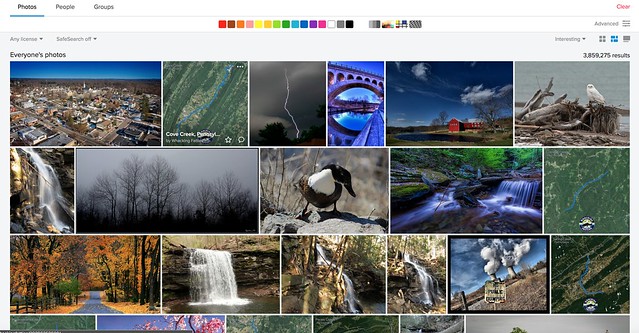
Personally, Flickr is my go-to resource, as there are more than 10 billion photos (according to their 2015 stats) and numerous groups dedicated to many big and small cities around the world. You can ask questions and possibly get answered by local photographers.

Finding what to shoot is a piece of cake. 10 minutes browsing Flickr gives you a number of potential locations. You may argue that those places are over-photographed or that you’re just copying what others have already photographed. But as a first-time visitor, I’m happy to start with the most popular locations because they are over-photographed for a reason.

Flickr - How to Search Potential Cityscape Photography Spots Online Before Traveling

With more than 10 billion photos available, Flickr is my go-to resource when searching potential cityscape photography spots.

Finding Out Where a Photo Was Shot

The next up is finding where to shoot from (i.e. The exact spot where the photo was shot) but this can be much harder. Sometimes the photo has a clue in itself, such as a name of the building (e.g. hotel name). Then, just get onto Google Maps and do a virtual walk around the area using Street View.

Let’s use Hong Kong, the city that never stops fascinating me with its amazing cityscapes, as a case study for this article. For the photo below, I shot from a footbridge on Connaught Road Central, finding the name of the building on the left (International Finance Centre) eventually led me to locate the exact shooting spot (see on Google Maps) after virtual-walking around a lot on Google Street View.

Hk 0171 - How to Search Potential Cityscape Photography Spots Online Before Traveling

Shot from a footbridge on Connaught Road Central (Hong Kong).

Try Your Luck Asking Photographers Directly

On other occasions, this crucial piece of info (the shooting location where the photo was taken) can be found in the title or description of the photo. If not, check through the comments to see whether anyone has already asked this particular question.

What I’ve found interesting is that there are photographers who normally reply to comments but somehow don’t respond to this type of question asking where it was shot. It might be because they are not really happy to share that information with a complete stranger trying to shortcut their way to an epic shooting spot they discovered by themselves (possibly by walking around for hours).

That said, there is no harm in asking. The worst thing that could happen is that you receive no response.

Author’s note: If you ask me about cityscape shooting spots in Singapore (where I live), I won’t hold anything back. I’m happy to provide all the info you need!

Asking in Flickr Groups

In case you’re hesitant about asking the photographer directly, you can also try asking in a Flickr group. Once I found a nice Hong Kong street photo with a street name included in the description. So I got onto Google Street View and moved up and down the street, but couldn’t locate exactly where the photo was shot.

As I saw this particular photographer not responding to any comments at all, I went into a Hong Kong group within Flickr and asked whether anyone knows the exact location by including the street photo in my question. Then, a fellow photographer kindly responded with the answer, which led me to shoot the photo below (shot from a footbridge over Paterson Street Tram Station, see on Google Maps).

Hk 0144 - How to Search Potential Cityscape Photography Spots Online Before Traveling

Hong Kong street view from Yee Wo Street.

Use Google Maps to Find Directions from Your Hotel

Lastly, let’s talk about how to get to those newly found amazing locations. Accessing directions have never been easier these days, thanks to Google Maps.

Prior to the trip, get onto Google Maps and find the directions starting from your hotel. To record the route, take a screenshot or copy the link from your browser’s address bar so that you will be able to revisit the page using hotel’s WiFi later.

This may not be commonly known, but Google Maps also lets you save a short URL of the directional map. Just go to “Menu”, then click “Share or embed map” and check “Short URL”. You can also save maps for offline use as well if you don’t want to incur roaming charges and can’t access any WiFi.

Google map - How to Search Potential Cityscape Photography Spots Online Before Traveling

Saving a directional map using “Short URL” feature on Google Maps.

List Photography Spots in Order of Priority

Let’s say I’m traveling for a 5-day, 4-night stay. Then, I’ll make a list of four cityscape photography spots to shoot at dusk. Plus I’ll add one or two backup spots just in case any of the original choices are unexpectedly unavailable due to a special event taking place or something. I select only one spot per day, as I’m only interested in shooting cityscapes during evening blue hour and try to gather as much information as possible before traveling.

It’s also important to list them in order of priority so that you know which place to drop if you can’t shoot on the first evening due to heavy rain, for example. In fact, such a situation often happens, so you should establish a clear order of priority for your shot list in advance.

Consider Revisiting: You Learn Something New Every Time You Go Back

Up until this point, I’ve talked about the importance of pre-departure preparations such as knowing where to shoot from. However, it’s also true that a single visit may not be enough to let you go home with best possible photos unless you’re staying for weeks. If you’re only staying for 4-5 days like I typically do, you may get unlucky with the weather and not be able to capture any photos that you’re happy with.

If that’s the case, consider revisiting the destination! The great thing about revisiting the same place is that you learn something new every time you go back, such as discovering lesser-known photography spots, finding a faster way to move around, etc. Besides, you can try new restaurants and coffee shops alike, and after a few visits, you’ll be able to walk around the city like a local!

Hk 0182 - How to Search Potential Cityscape Photography Spots Online Before Traveling

On my second visit to Hong Kong, I found this lookout point on Stubbs Road through a bus window on the way to Victoria Peak. So the next day I dedicated one evening to shoot at this spot. This is a good example of learning something new every time you go back.

Hk 0029 - How to Search Potential Cityscape Photography Spots Online Before Traveling

I planned to go back to Lugard Road lookout point at Victoria Peak to shoot Hong Kong skyline again, then accidentally diverted from the road to find this spot behind Peak Tower, so changed my plan to shoot here, instead.

Conclusion

I hope this helps you with your pre-departure search on what to shoot, where to shoot from, and how to get to those locations. These tips are quite basic, but it’s almost a prerequisite in order not to waste your precious (but limited) time at the destination, especially for those of us traveling only for a few days.

If you have any other cityscape photography tips to share, please do so in the comments below.

The post How to Search Potential Cityscape Photography Spots Online Before Traveling appeared first on Digital Photography School.


Digital Photography School

 
Comments Off on How to Search Potential Cityscape Photography Spots Online Before Traveling

Posted in Photography


How to Make and Photograph Rainbow Water Droplets on a CD

02 Jul

Do you enjoy doing a nice experiment, that gives you colorful photographs? In this article, you’ll discover how you can create a photo of rainbow water droplets using simple household objects and your imagination. The technique uses the principles of refraction and applies it in an easy to use way.

A nice experiment to do while it’s raining outside, create your own water drops and photograph them in an experimental way. So it’s time to setup your home laboratory, and photograph droplets on a CD!

colorful CDs - How to Make and Photograph Rainbow Water Droplets on a CD

You can make some captivating rainbow colors by using this technique.

What you need to photograph water droplets on a CD

As mentioned, you’ll need just some simple household items to carry out this photo of rainbow water droplets. You’ll also need some camera equipment as well!

  • CD – This is what’s needed to create the rainbow effect, make sure the shiny surface is clean.
  • Water dropper – Any simple dropper will do, you could use an eye dropper perhaps.
  • A glass of water – You’ll need a supply of water handy.
  • A flashlight – Any flashlight or headlamp will work for this technique.
  • A camera – Your camera must be capable of doing long exposures.
  • A macro lens – This works best with a macro lens or a camera with a built-in lens capable of close-up photography.
  • A tripod – This is a long exposure technique, so you will need a tripod.
  • External shutter release – In a pinch, you could use the camera’s self-timer, but an external shutter release will be better.
How to Make and Photograph Rainbow Water Droplets on a CD - gear needed for this technique

These are the items you’ll need for this technique.

The method

The following describes the simple method you’ll need to follow when creating this style of photo. The most important thing is you’ll need a dark room.

  1. Place your CD on a flat surface, this can either be a tabletop or the floor.
  2. Add water droplets to the surface of the CD using the dropper. Make sure they make a nice pattern.
  3. Now put your camera on the tripod.
  4. Position the camera and tripod so that the camera is looking straight down onto the CD.
  5. Focus the camera using manual focus and live view. Keep the camera in manual focus so that you retain the focus position. If your camera is on autofocus, when you turn the light off and hit the shutter, you will lose the focus.
  6. Your camera should be set to expose for around 20-30 seconds, the aperture will need to be around f/10-14. This aperture allows for both the long exposure and keeps the depth of field for the water droplets wide enough to ensure they’re all focused.
  7. Now switch the light off. Ensure the room is as dark as possible, so avoid one where there might be light seeping in from outside.
  8. Hit the shutter or trigger to begin the exposure.
  9. Turn your flashlight on. Make sure the light does not shine up directly into the lens element, use a lens hood if you have one.
  10. Keep the angle of the light roughly vertical and slightly down towards the surface.
  11. Now circle the light source around the CD, and let the magic happen! Adjust the length of time you do this for depending on how bright you wish the photograph to be.
  12. Repeat and adjust as necessary. You may wish to try different angles for the torch (flashlight), the higher the torch the more light you’ll see on the reflective surface of the water drop. Using different camera angles may also work well too.
How to Make and Photograph Rainbow Water Droplets on a CD - camera setup

The basic setup for this photo looks like this. It will of course be dark when you expose the image.

Other water droplet experiments

This is not the only way to photograph droplets, there are in fact a host of different methods out there. Here is a brief list you could also try out.

  • Water droplet – Taken using water dripping into a tub, and captured using a strobe. This is a great technique to try out.
  • Water droplets on glass – Use refraction to make amazing photos with water drops, and repeating patterns.
  • Water droplets after the rain – This one you’ll need to go outside for. Photographing droplets on flowers or spiderwebs always looks nice.
How to Make and Photograph Rainbow Water Droplets on a CD - color water drops

There are lots of other ways you can photograph droplets. This is taken with droplets on glass.

Start creating your water droplet photos!

Photographing droplets is a lot of fun, and I hope you enjoy trying out this idea. Have you ever tried photographing droplets before? Did you use a CD to do it, or one of the other methods mentioned in this article.

As always I’d love to see your images in the comments section, together with any comments you may have.

How to Make and Photograph Rainbow Water Droplets on a CD

Using closer framing, or different angles can change the look of the photo.

How to Make and Photograph Rainbow Water Droplets on a CD

Changing the angle of the flashlight to a higher angle means you’ll catch the light reflection on the CD’s. Play with it until you get the look you like.

The post How to Make and Photograph Rainbow Water Droplets on a CD appeared first on Digital Photography School.


Digital Photography School

 
Comments Off on How to Make and Photograph Rainbow Water Droplets on a CD

Posted in Photography