RSS
 

Archive for the ‘Photography’ Category

How to Buy A DSLR Camera For Beginners

11 May

Thinking of buying your first camera? Congratulations! Upgrading to a DSLR or mirrorless camera is an exciting time, and will open up many opportunities for you to expand your photography. Maybe you’re thinking of upgrading from your camera phone –and are looking for a DSLR that’s up to the task. Regardless of whether you’re looking to take your photography to Continue Reading

The post How to Buy A DSLR Camera For Beginners appeared first on Photodoto.


Photodoto

 
Comments Off on How to Buy A DSLR Camera For Beginners

Posted in Photography


Weekly Photography Challenge – Birds

11 May

The post Weekly Photography Challenge – Birds appeared first on Digital Photography School. It was authored by Caz Nowaczyk.

This week’s photography challenge topic is BIRDS!

Image by Jaymes Dempsey.

Go out and capture those little feathered friends doing those awesome things they do. They can be close-ups, in flight, perched on a branch, in a cage, or eating insects. They can be color, black and white, moody or bright, motion blurred or creatively edited. You get the picture! Have fun, and I look forward to seeing what you come up with!

Image by Jeremy Flint.

sharp images reddish egret

Image by Jaymes Dempsey.

Check out some of the articles below that give you tips on this week’s challenge.

Tips for Shooting BIRDS

5 Secrets for Stunning Creative Bird Photography

5 Ways to Photograph Birds

10 Surefire Tips for Photographing Birds in Flight

5 Unforgiving Post-Processing Mistakes Every Bird Photographer Must Avoid

5 Tips for Better Forest Bird Photography

A Guide to Photographing Birds and Wildlife in a Wetland Area

5 Ways to Get Frame-Filling Shots in Bird Photography

How to Photograph Hummingbirds

Weekly Photography Challenge – BIRDS

Simply upload your shot into the comment field (look for the little camera icon in the Disqus comments section) and they’ll get embedded for us all to see or if you’d prefer, upload them to your favorite photo-sharing site and leave the link to them. Show me your best images in this week’s challenge.

Share in the dPS Facebook Group

You can also share your images in the dPS Facebook group as the challenge is posted there each week as well.

If you tag your photos on Flickr, Instagram, Twitter or other sites – tag them as #DPSbirds to help others find them. Linking back to this page might also help others know what you’re doing so that they can share in the fun.

The post Weekly Photography Challenge – Birds appeared first on Digital Photography School. It was authored by Caz Nowaczyk.


Digital Photography School

 
Comments Off on Weekly Photography Challenge – Birds

Posted in Photography


How to Create Dramatic Portraits with Shadow Photography [video]

10 May

The post How to Create Dramatic Portraits with Shadow Photography appeared first on Digital Photography School. It was authored by Caz Nowaczyk.

In this video by Shutterstock Tutorials, Robbie Janney shows you how to create dramatic portraits with shadow photography by using everyday objects to create those shadows.

?

Shadow portraits

If you are after something different to do with your portraits, using shadows can create dramatic effects and make your photos stand out.

Shadow photography is an interesting niche to explore. You can achieve it by doing the following:

What you need:

  • A hard key light
  • A backlight (like a Quasar or similar)
  • Backdrop
  • Some cool household items that light can pass through (colanders, wicker baskets, film strips etc.

When shooting through the objects, the light can become softer instead of the hard light you are trying to achieve. This problem can be attributed to the light source’s aperture. Similar to your camera, when you want an image with nice sharp edges, you close your aperture to one of its smallest settings.

It’s the same with your light source. Just in this instance, you’re limiting the amount of light being put out, not absorbed. This limits the amount of diffraction that your light projects creating a harsher shadow when passing through your opaque object.

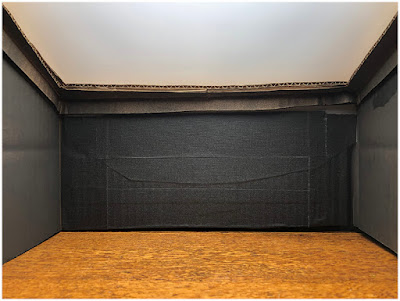
Most lights won’t have an aperture setting, so to cut down the beam of light, cut a hole in a piece of black cardboard and put that close to your light source using a stand to narrow the light beam. You can even change the shape of the hole in your cardboard for different effects.

Once you have your studio setup, and light ready, get creative with your shots by changing up the angle of light, subject, or the type of object you are sending the light through.

Experiment to get your best shots.

Have fun and share your shots in the comments below.


You may also find the following helpful:

  • 4 Beginner Tips for Creating Dramatic Portraits with One Flash
  • How to Create Dramatic Portraits in Your Garage
  • 5 Tips How to Set Up a Home Studio for Dramatic Portraits
  • How to Create Dark and Dramatic Backgrounds Using High-Speed Sync
  • How to Make a Dramatic Portrait with Light Painting Using Items Found in Your Home


The post How to Create Dramatic Portraits with Shadow Photography appeared first on Digital Photography School. It was authored by Caz Nowaczyk.


Digital Photography School

 
Comments Off on How to Create Dramatic Portraits with Shadow Photography [video]

Posted in Photography


6 Advantages of Using a Tripod in Your Photography

10 May

The post 6 Advantages of Using a Tripod in Your Photography appeared first on Digital Photography School. It was authored by Jeremy Flint.

Tripods are a wonderful accessory to have and can assist you greatly with your photography. There are a large variety of tripods available on the market at present in different shapes and sizes, ranging from compact to full-size devices. Tripods are available to suit all kinds of budgets and come in a range of materials from aluminium to carbon fibre.

With the high ISO functionality and faster shutter speed capabilities of modern cameras, you may be asking why do I even need a tripod? Depending on your genre of photography, tripods can be a versatile and beneficial support. If you don’t already have one, and are considering adding one to your photography kit bag, here are 6 reasons why a tripod can be beneficial to your photography.

1. Ability to photograph in low light

Tripod 01

The Giant’s Causeway, Northern Ireland © Jeremy Flint

Whatever your preferred type of photography, a tripod is an essential tool for photography, particularly in low light. In these situations, there comes a time where you can no longer hold the camera steady in your hand. Using a tripod will greatly assist you.

2. Ability to photograph long exposures

A tripod allows you to capture a longer exposure by using a slower shutter speed of up to several seconds. This helps to minimise the risk of any movement. While capturing a long exposure the use of a tripod will allow much more light to enter the camera than would be possible if you were taking a picture hand held.

Tripod 02

Guernsey © Jeremy Flint

This way you are also capable of capturing movement in your images which would not be possible if you are holding the camera in your hands. Examples of which include movement in cloud formations or light trails.

3. Better stability

One of the most beneficial reasons for using a tripod is that it provides stability to the camera. It also avoids camera shake by the operator, especially in those situations where longer exposure times are necessary. If you are shooting anything from a sunset to starry nights, fireworks or the moon, you will need the stability that a tripod provides, particularly to keep the camera in position.

Tripod 03

The Lake District © Jeremy Flint

A tripod can also be advantageous in extreme weathers such as heavy winds. By having your camera mounted on a tripod, you can achieve a steadier shot as the tripod provides much needed stability in blustery conditions.

4. Sharper images

Tripods are a great bit of kit to help you get sharper images. One of the biggest mistakes I see newbie photographers make when shooting in low light is that they try to take too many shots hand held and end up with blurry images. A tripod will assist you in achieving more accurate mages.

5. More time to create shots

Tripod 04

Corfe Castle, UK © Jeremy Flint

The whole photography process takes a lot longer when you are using a tripod. Instead of taking instant handheld shots, the process of setting up a tripod and placing your camera on it slows you down and effectively allows you more time when taking pictures.

Using a tripod in photography forces you to take your time when setting up a shot and subsequently gives you more time to compose your image. The additional time spent on getting your tripod ready can be an investment as it helps you to focus more on your image-taking. This can, in turn, result in better pictures.

6. Ability to frame and adjust shots with ease

Once the camera is mounted on the tripod, you will find you can make subtle changes to your framing with ease. When doing this, by moving the camera in any direction, up and down or left and right, there will also be limited movement.

Tripod 05

Ljubljana, Slovenia © Jeremy Flint

In addition to these camera related benefits, another blessing with having a tripod is that the weight of the camera is literally lifted off your shoulders when placed on one. As well as holding your camera, a tripod can also double up as a stand for lights or reflectors if required.

Whether or not a tripod is right for you depends on what type of photography you do and your photographic needs. If you enjoy taking pictures of landscapes and architecture, a tripod is a must-have accessory. If you find tripods are generally too heavy to carry around or don’t necessarily need them for low light photography, a monopod is a great substitute that is lighter and can also be used as a walking stick.

Conclusion

In summary, tripods are a wonderful addition to our camera equipment and should be used to your advantage in low light and when photographing longer exposures.

They will help you by providing more stability, slowing you down when taking pictures and facilitating minimal movement when framing and capturing your shots.


The post 6 Advantages of Using a Tripod in Your Photography appeared first on Digital Photography School. It was authored by Jeremy Flint.


Digital Photography School

 
Comments Off on 6 Advantages of Using a Tripod in Your Photography

Posted in Photography


How Do You Know When You’re Ready to Start Charging for Your Photography?

09 May

The post How Do You Know When You’re Ready to Start Charging for Your Photography? appeared first on Digital Photography School. It was authored by Carl Spring.

An image from my first wedding. One of the scariest days of my life.

How do you know when you’re ready to start charging for your photography?

When someone is willing to pay you for them.

There you go. In twenty-two words, I have answered one of the most-asked questions in photography.

In all seriousness though, that is pretty much it.

You only have to look at the story of many photographers and how they started. They simply took an offer to get paid, fearing they were not ready.

Let’s be honest right out of the gate. You will be nervous as hell – probably convinced you are a fraud – and will be fearful of delivering the images to the client. Awaiting their reaction, you may wonder why anyone would pay you to take photos. This is natural and is more commonly known as “imposter syndrome.”

Imposter syndrome

To put it simply, it is the feeling that your work isn’t very good and doesn’t deserve the attention it gets. Albert Einstein also suffered from this, so if this sounds like you, you are in good company.

The truth is, people who are highly skilled or accomplished tend to think others are just as skilled. Because you see what you do as simple, you don’t see the vast amount of skill involved in the work you do. You take it for granted because it comes so easily to you.

It is also human nature to be more critical of your own work than that of others. Put this into a world of social media where everyone is #livingtheirbestlife, and there is what appears to be a never-ending stream of amazing images you see as better than yours. Now you have the perfect storm.

The fact that Einstein suffered from this shows there seems to be no level of accomplishment that makes you able to see worth in what you do. In some cases, higher accolades and awards make things worse.

You just need to remember you are skilled in what you do and your work is good.

Unfortunately, if you suffer from imposter syndrome, you may never be able to rid yourself of it. However, there are things you can do to make it easier. Tactics include talking with others about your issues and taking note of the positive feedback you get. People don’t have to say nice things about your work; they say them because they mean it!

Most importantly, remember that almost everybody suffers from this in one respect or another. I suffer from this badly. Repeatedly, I think my work is awful and wonder why people want to pay me to take their photographs. I convince myself that unless I have taken the best photograph in the history of photography of whatever I am shooting, then it is a failure.

Luckily, I have a great family who support me through the tough times and remind me that people pay for my work because I am a good photographer.

Band portrait again grunge background

I had shot lots of bands, but few band portraits at this point. They were nervous as I had photographed artists they loved. I was nervous because they were paying me for portraits. Imposter syndrome at its finest.

Fake it til you make it – except for weddings! 

There is always a huge element of “fake it til you make it.” You sometimes need to have faith in yourself and go for it. Standing at the edge of the diving board is the worst place to be because you have time to think. Sometimes you need to jump off and try your best. At times it will be graceful, sometimes you may bellyflop. However, in reality, all that is hurt is your pride (and your belly obviously).

Let’s say a friend asks you to photograph their kids because they have seen photos on your Facebook and want some of their kids. They are happy to pay you for the photos too.

My advice is to go for it.

Let’s say the worst happens, and the photos turn out to all be awful (this is more than likely not going to happen. Even if you do not get loads of great shots, you should get a few keepers).  All you do is own up and say you are not happy with the photos and they deserve better. The only thing that is an issue is you have to give up more time to retake the photos.

Photographing a family portrait is the perfect example of when fake it until you make it is okay. Shooting a wedding, however, is not!

The fact that weddings are a one-off event and if you are not 100% certain you can deliver, then you shouldn’t do it.

I have seen (as I am sure many of you have) people on Facebook groups asking questions like “I’m photographing my first wedding next week, I have this lens and that lens. Which will be better? Also, do I need a flash?”

This is irresponsible. You need a certain level of skill and knowledge to photograph a wedding, especially if you are getting paid for it. You cannot gain the knowledge to photograph a wedding by asking questions in a Facebook group a few days before the event. You need to have it before you take on a wedding.

There are always news stories about a wedding photographer getting sued for ruining a couple’s wedding day. Please don’t become one of those. If you aren’t sure if you are ready to photograph a wedding, you probably aren’t.

With that said, your knowledge does not have to be in wedding photography. I know lots of photographers who have never photographed a wedding, but I am sure they would do an awesome job. As a starting point, you need to know how to photograph in a variety of lighting situations. You need to know how to solve exposure issues your camera may throw up, and you need some spare gear in case your main camera dies.

You need a headshot to apply to acting school? Of course, I can (I had no idea).

What equipment do I need if I’m NOT shooting a wedding?

For most photography there are three simple questions:

  • Do you have a camera?
  • Do you have a lens?
  • Do you have a memory card?

If you answered yes to the above three questions, then you have the right equipment to be paid for your photography. Will a variety of lenses and gear make things easier? Yes, but a beginner DSLR with a kit lens is more than capable of producing beautiful images people will be happy to pay you for. 

What equipment do I need if I’m shooting a wedding?

As with the knowledge requirements above, the gear requirements for shooting a wedding are different. A wedding requires a different amount of equipment. The most important is to have two camera bodies. If you have one camera body and something goes wrong, you are in a mess. A spare camera body may not be needed, but it is better not to need something and have it there than to need it desperately and it not be there.

In terms of lenses, most wedding photographers tend to go for two f/2.8 zoom lenses or two to three prime lenses. What is best for you depends on how you like to shoot. Fast lenses are always best for weddings as you can use wider apertures to get more light into the camera in low light scenarios such as dark churches.

For those of you looking for specifics, a zoom lens shooter will use a 24-70 f/2.8 and a 70-200 f/2.8. They may also have a prime lens with an even larger aperture for situations where there is really poor light.

A prime lens shooter mostly works with a 35mm and an 85mm. They may also have a 135mm or a 24mm. These are generally f/1.8 or faster.

Now again these are the basics. I have not included flashes, memory cards, hard drive backups, etc.

I will take this opportunity to remind you again; you really do need a high level of skill and equipment to be able to shoot a wedding. It is hard work if you know what you’re doing. If you don’t, it is like a 12-hour waking nightmare.

camping pods in rural England

Want me to shoot your camping space. Of course, I can. It will be…The first part of the sentence was easy. Asking for the money was always harder. In this case, the client said, “I was expecting to pay more than that.”

What should I charge?

Now for those of you starting to charge, you will always wonder how much should I ask? When you are first starting, you may photograph for an incredibly low rate, and that’s fine.

No matter what some may say, you are not ruining the photography industry by charging $ 100 including all the images when you are starting out. The truth is, people looking for photography at that price point are not going to be purchasing from photographers who charge thousands of dollars for a photo shoot.

There isn’t a right or wrong answer. My first family shoot I charged £50 including the images. My first full wedding I charged £500. Would I charge that now? Of course not. However, at the time, I got some cash, I built my portfolio, and most importantly it built my confidence.

The follow on question is how do you know when you are ready to charge more? Again this is down to you, your ability to deliver beautiful images and your confidence.

The moment I decided to raise my prices was when I was paid £600 to photograph a wedding where the couple had spent over £10,000. They didn’t book me for my price; they loved my work.

After that wedding, I doubled my wedding prices.

This led to more inquiries. Not only that, but I also received inquiries for the type of weddings I wanted to photograph. Was I convinced that raising my prices that much would mean no-one would book me? Of course, but they did, and I eventually raised them again. You just have to be confident, and remember, your prices are something you can easily change.

A photo from one of my first family photoshoots. I got paid the grand total of £50 including all images. Even then, I convinced myself I might be overcharging.

Conclusion

There you have it. You are now ready to start charging. Or, maybe you’re not.

The fact remains that in most situations when people offer to pay you, you are ready. The only thing that might mean you are not is you and your confidence.

You might be the type of person who will happily throw yourself off the 10m diving board and see what happens. Or, you might be the type of person who starts on the side of the pool and works your way up until you are at the 10m mark, confident you won’t bellyflop.

However, at some point, you need to leap. It will be scary, but I promise you, it won’t be as scary as it is in your head.


The post How Do You Know When You’re Ready to Start Charging for Your Photography? appeared first on Digital Photography School. It was authored by Carl Spring.


Digital Photography School

 
Comments Off on How Do You Know When You’re Ready to Start Charging for Your Photography?

Posted in Photography


How To Use an Outdoor Studio for Natural Portraits

09 May

The post How To Use an Outdoor Studio for Natural Portraits appeared first on Digital Photography School. It was authored by Kevin Landwer-Johan.

I’ve grown to really love making portraits of people. My preferred way of working is on location with my natural light outdoor studio.

How To Use an Outdoor Studio for Natural Portraits Two Karen Men

© Kevin Landwer-Johan

For many years I had a dedicated studio set up in my home. During this time I hosted many travelers who passed through Chiang Mai. I made photographs of them all and we had a lot of fun making them. However, I was never so comfortable using studio strobes inside as I am working with my outdoor studio.

How To Use an Outdoor Studio for Natural Portraits Indoor Studio Portraits

Indoor studio portraits. © Kevin Landwer-Johan

Inspired by Vogue photographer, Irving Penn

Early on in my photography experience, I became aware of American photographer Irving Penn (1917-2009). He’s celebrated as one of Vogue magazine’s top photographers. Penn produced more covers for them than any other photographer over the 60 years he worked with the magazine.

Fashion photography has never been much of an interest for me. What attracted me to Penn’s mastery was the portraits he made outside his magazine work. Often he would stay on in these exotic locations where his assignments took him, and he’d make portraits of the locals.

He outlines some of these experiences in his book ‘Worlds in a Small Room.’ In the book, he tells how he developed a portable daylight studio he could set up on location. This allowed him control of the background and lighting.

Living in northern Thailand, I have opportunities to visit mountain villages and photograph indigenous hill tribe peoples. So I decided to design and build my own portable daylight portrait studio.

Setting my studio up in villages allows me to make studio portraits of people as they remain in their own environments.

How To Use an Outdoor Studio for Natural Portraits Three Karen Men

© Kevin Landwer-Johan

How I designed and built my outdoor studio

This was a completely DIY project, so you could easily copy the idea and make your own.

My studio has metamorphosed over the years. It now comprises of:

  • Three stainless steel tube uprights
  • One black and one white background
  • A shade cloth above the backgrounds
  • Reflectors
  • A bunch of clips, ropes, steel rods, and tent pegs
How To Use an Outdoor Studio for Natural Portraits Outdoor Studio Materials

Everything for my outdoor studio.

Because I often work alone my studio needed to be easily portable, unlike Penn’s which was large, bulky and required several assistants to set it up. I had to sacrifice size to make it practical. You could design a larger, less-portable studio for use in your backyard.

Originally I made upright supports using fiberglass tent poles. These proved too flimsy, so I replaced them with more sturdy stainless steel. I have also enlarged the background area and included a white background. My initial design only had a short black background. Now I also use reflectors to enhance and balance the light.

How To Use an Outdoor Studio for Natural Portraits

© Kevin Landwer-Johan

Control natural light using an outdoor studio

I prefer to set the studio up in the morning or later in the afternoon. If the sun is too high overhead, the light is more difficult to work with.

Choosing a location where the sun will be behind the backdrop is important. This helps to provide a hair light. The piece of thin grey nylon fabric I set up above the backdrops softens this hair light.

If the ground where I’m setting up is bare earth, that is perfect. Light reflects off the light colored soil up into the faces of my subjects. This is good for Asian skin tones, but not so good for Caucasians as it has a slight yellow/orange tone.

How To Use an Outdoor Studio for Natural Portraits Lahu Man Smoking

© Kevin Landwer-Johan

When I have to set up on a lawn, I lay down some white or light tan plastic sheeting to provide some uplighting. Without this, the grass would reflect an unpleasant green cast onto the people’s faces.

In the early days of using my studio, this was all I did to manipulate the light. Now I also use a large foldable reflector to bounce more light onto my subjects. This gives a little more control of the shadows.

The background fabric is a very stretchy polyester. It does not wrinkle and can be pulled tight between the uprights, so it’s flat. Behind the black background, I add a sheet of thick black polythene sheeting. This completely blocks out the sun which would otherwise partially shine through the fabric.

How To Use an Outdoor Studio for Natural Portraits Using the Outdoor Studio

© Kevin Landwer-Johan

Balancing the light

Your exposure settings are critical. A lot of light shines through the white background, while none shines through the black. Including too much of either background in your exposure calculations will result in an underexposed or overexposed subject.

You need to take your exposure reading from your subject’s face only. Using manual mode, once you have it set correctly, you won’t need to change it unless the light changes. This will happen if the sun goes behind a cloud or you bounce more light onto your subject with the reflector.

You can use the same exposure settings for both backgrounds because the light on your subject’s face does not change.

How To Use an Outdoor Studio for Natural Portraits Kayan Long Neck Woman on a White Background

© Kevin Landwer-Johan

If you take a light reading from the white background, you will see it is far brighter than your subject. Taking a reading from the black background will show there’s much less light reflecting off it than your subject. These contrasts help you achieve a pure white and pure black background.

The thin fabric above the background reduces the light and prohibits full sunshine from affecting your subject. You need to make sure your subject is not too far from the background; otherwise, the sunlight might hit their head directly.

How To Use an Outdoor Studio for Natural Portraits Two Kayan Long Neck Girls

© Kevin Landwer-Johan

Make your own outdoor studio

Putting together your own outdoor studio is relatively easy and cheap. You can use it anywhere there’s sufficient space. You don’t need to buy expensive lighting equipment or have a large studio space. The materials are inexpensive, and it’s portable so that you can use it anywhere.

Working outside you are reliant on good weather. It’s best when the sun is shining, but you can still use it under an overcast sky.

Photographing with available light is so much fun, especially when you have a little control over how it affects your subjects.

We’s love to see photos of your outdoor studio in the comments below.


The post How To Use an Outdoor Studio for Natural Portraits appeared first on Digital Photography School. It was authored by Kevin Landwer-Johan.


Digital Photography School

 
Comments Off on How To Use an Outdoor Studio for Natural Portraits

Posted in Photography


DIY Food Photography Props on a Budget

09 May

The post DIY Food Photography Props on a Budget appeared first on Digital Photography School. It was authored by Charlie Moss.

With the rise of Instagram, every meal has become a potential subject for a photographer. We’re sharing our food through photographs like never before, and higher quality imagery gets more likes in the world of #instafood.

But how do you create that styled look to your food photographs when you’re on a budget? Not everyone has the cash to drop on a whole styling kit of tableware, linens, and backgrounds. ‘Necessity is the mother of invention,’ as the proverb says, so let me tell you about a few creative ways I’ve made the money go a little further when it comes to food photography.

Take the suggestions in this article as a starting point and be creative with your own ideas. Bring in skills you’ve already got (or would love to learn) in your quest to DIY your food photography on a budget!

Shop your home

It seems so obvious, but you’d be amazed at what you can find at home (or in the homes of your friends and relatives). The best thing about shopping your home is that everything is free! Take a minute now to take a look around your house and see what you already own that might work for food photography.

The kitchen is the first place to start – but don’t just stop at crockery and flatware! Ancient old baking trays make fabulous backgrounds, and interesting glassware can make great detail in an out-of-focus background.

Don’t neglect the bathroom as you make your shopping trip. More than once I have put food on a (clean) soap dish that happened to be beautiful in color or texture. From the living room, vases can hold a freshly cut flower for a food photography scene. Bedrooms are a treasure trove of trinket dishes, baskets, boxes, and fabrics (more than one evening dress has found its way into my shots as a textile element). Finally, check outside – weathered old plant pots or interesting bits of wood can really bring life to your food stories (once they’ve been scrubbed, of course).

On a similar note to shopping your home, don’t forget to visit your local thrift shops regularly! The staff in my local shops know me so well that they put interesting flatware, linens and ceramics aside for me now. Moreover, each item costs very, very little compared to buying them new.

Creating backgrounds and surfaces with interest

When you’re setting your scene for a styled food photograph, the background can really make or break the shot. You can purchase pre-made background boards designed especially for photographers that replicate various textures. They’re very and good, and I use them often, but they’re also quite expensive! While homemade boards don’t replace textures such as wood or marble they can be very effective for the right shot.

Top: pink stripes created with a child’s foam painting roller.
Bottom: blue, black, and grey emulsion paints applied with a kitchen sponge.

Head along to your local DIY store that sells sheet materials. There you can buy sheets of plywood. If you are lucky, the store will also cut these sheets of plywood into manageable chunks either for free or at a minimal cost.

It works out to be extremely cost-effective to create backgrounds using these boards as a base. A sheet of plywood that is 2.4m by 1.2m costs about £25 here in the UK and that makes eight neat 60cm square boards. You can paint both sides too, so it works out to about £1.50 per background (plus whatever paint you use).

Usually, I use cheap emulsion paint samplers to create backgrounds. Don’t be restricted to brushes for applying the paint either – a sponge is my favorite tool followed closely by children’s painting toys! Go bold with your designs; once you’ve made the background out of focus with a shallow aperture, you won’t see small details. Experiment with color – dark backgrounds can be as interesting as light backgrounds.

Build the set

Once you’ve created some backdrops, put one on a table next to a window and prop the other up behind it vertically like a wall. You now have a table set for a fraction of what it would cost you to buy special backdrops marketed to photographers!

Floor tiles used as backgrounds for food photography.

While you’re at the DIY store buying your plywood, check out the flooring section too. Very often DIY shops will sell sample flooring tiles for people to try at home. For just £1.50 I bought all three of the flooring tiles in the pictures above. The boards are often quite small, but if you’re shooting close-ups, they can still work really well (they’re also good for jewelry photographs).

Customised table linens

Beautiful linens can help to make a food shot pop. They feel luxurious because they’re something you usually only use for special occasions. Plus if you keep your eye out, you can often find linens with unusual textures to the fabric or fancy trim around the edge, and these can help elevate your shots to be something quite special.

Two different colours of linen fabric used for food styling. Consider the mood of your final image when selecting colours.

Table linens are, at their most basic, just a square of interesting (or not-so-interesting) fabric. To create the simplest DIY napkin that really packs a punch, head to a fabric store that sells dressmaking fabrics. Have a look through their linen selection. You’re after something heavy with lots of texture, and you’ll want half a meter of the fabric. Use sharp scissors to cut it into a large square (you should get at least two out of half a meter of fabric) and you’ve created your first designer napkin!

You can either turn the raw edges over and sew them with some matching thread or start pulling the threads away to fray them. Both styles give a different look to your shots as you can see in the shots above. Think about color when you are purchasing fabric; it can really make a difference to the mood of your shots. I’d suggest purchasing neutral colors first and then venturing out into colors when you have some good basics.

Many shops sell a ‘fat quarter’ of fabric (it is a meter of fabric cut horizontally and then vertically to make a rectangle). These cuts are the perfect size for a single oversized napkin. Once you’ve built up a stash of beautiful plain napkins, you can try venturing out into something a little more complicated.

Embellish your DIY props

If you browse the designer homeware stores, you’ll find that table linens often have intricate detailing like trim or hand-stitching on the edges. Back to the fabric shop again, and this time shop for some coordinating trim that matches some fabric you’ve got.
You can sew the trim around the edges of your napkins, or you can take some fabric glue to it. Food styling props for photography don’t have to be perfectly functional; they just have to look good on camera! Make sure you arrange your props so that any mistakes are facing away from your camera!

In the photograph above is white linen. The linen was made with very cheap white cotton fabric with fancy pompom trim stitched around the edge. It cost me around £3 in total. Considerably less than buying the fancy version I’d had my eye on in a shop! Photography is all about illusion. If the trim is particularly expensive just buy enough to go around two edges. You can style it when you shoot so that the other side doesn’t show.

The proof is in the pudding

In any good food photograph, success is measured by how much your viewer wants to eat the subject. I followed my own advice: shopping at my house, creating backdrops, buying fabric and trim, and then I photographed the results.

For under £15, I put together two completely different food photography sets that I can reuse time and time again. Moreover, the bonus is that if I don’t like the backgrounds in the future, I can paint over them time and time again!

Now it’s your turn; have a go at building yourself some props and shooting some food photos. I’d love to see what backgrounds and props you create for your food photography shots. Perhaps you can apply a skill you already know and create something really special that you just can’t buy in the shops.

Please share with us in the comments below.


The post DIY Food Photography Props on a Budget appeared first on Digital Photography School. It was authored by Charlie Moss.


Digital Photography School

 
Comments Off on DIY Food Photography Props on a Budget

Posted in Photography


Four of the Latest Updates to Lightroom Classic CC

08 May

The post Four of the Latest Updates to Lightroom Classic CC appeared first on Digital Photography School. It was authored by Adam Welch.

When it comes to the world of photography it seems as if change is an everyday occurrence. New cameras, new lenses and new ways to make your photographs better, give the feeling that we are never quite standing still. One of the biggest testaments to this fluidity comes from the recent changes made to Adobe Lightroom Classic CC. It seems as if Adobe has been extremely busy over the past year by introducing new features and settings to Lightroom.

F:\DPS Images\Four Updates for LR Article\Lightroom-updates-adobe-adam-welch-digital-photography-school-3-3.png

It’s impossible to list all of the changes here, so I’ve picked four of the biggest and freshest new features to be introduced into Lightroom Classic CC. These range from somewhat complex to some very simple tweaks that might leave you thinking “hey, why didn’t I think of that?!”

Here’s a short list of the new features which are currently available in Lightroom Classic CC v8.2 which was the most current build at the time this article was written.

Customize Develop Panels

To kick things off, we’ll take a look at a very simple yet interesting new feature introduced to Lightroom in December of 2018. Until now the only choice of customization for our Develop panels was to switch to “Solo” (highly recommended) mode. With the release of Lightroom Classic CC v8.1, we can now choose the order we want the Develop panels to appear and even decide which panels we want to have listed at all.

Lightroom-updates-adobe-adam-welch-digital-photography-school-3

I know, right? Looks a little odd to see all the panels in a different order and a few missing! To customize your Develop panels all you need to do is right-click on the title bar of any panel.

Lightroom-updates-adobe-adam-welch-digital-photography-school-3

This opens up the customizer dialog box.

Lightroom-updates-adobe-adam-welch-digital-photography-school-3

From here it’s just a matter of checking or unchecking the panels and/or dragging and dropping them into the order you like.

Show/Hide Develop Presets

Moving over from the far right to the far left side of Lightroom Classic CC, we’ll find another new feature added to the v7.4 (seems so long ago) update which dropped in June of 2018. Beginning with this build, we can now control which Develop Preset groups appear in our Preset panel. This feature is called “Manage Presets,” and it is accessed by right clicking on any Develop Preset group or by clicking the dropdown icon at the top right of the panel.

Lightroom-updates-adobe-adam-welch-digital-photography-school-3

We are then met with this preset management window.

Lightroom-updates-adobe-adam-welch-digital-photography-school-3

This is where you can check or uncheck the preset groups you want to appear in the Develop presets panel. Remember, you can always select “Reset Hidden Presets” should you ever decide you want to restore everything to the default configuration.

Preset Compatibility

While we’re on the topic of Develop presets, it’s worth mentioning another brand new aspect to grace the halls of Lightroom Classic CC in 2018. Starting with the v8.1 update, we have the option to determine which presets appear in our Develop Preset folders even more judiciously than before with the ability to hide or show partially compatible presets.

Now, you might be wondering what a partially compatible preset is? Simply put, any Develop Preset that contains a setting not compatible with your current version of Lightroom will now be italicized or hidden depending on your preferences.

Here, let me show you.

First, let’s say this preset was made with a creative profile which you don’t have installed. You’ll notice that its name appears in italics. This means that the preset is still usable, however, it only offers limited functionality.

Lightroom-updates-adobe-adam-welch-digital-photography-school-3-3

Alternatively, we can choose to not have that preset appear at all. To do this, we first select ‘Edit’ and then ‘Preferences’

Lightroom-updates-adobe-adam-welch-digital-photography-school-3-3

Next, click on the ‘Presets’ tab and then set the preset visibility checkbox to your desired preference. If left unchecked ANY of your presets that feature settings not fully compatible with your version of Lightroom will no longer appear in your presets folder.

Lightroom-updates-adobe-adam-welch-digital-photography-school-3-3

This of course can be undone at any time by simply checking the presets visibility box once again.

Single-step HDR Panorama Photo Merge

Don’t worry, just because the title is lengthy doesn’t mean this next feature is overly complicated. For years we’ve been able to tell Lightroom to stitch together our panoramic and HDR images for us. Now, the folks at Adobe have given us an incredibly easy way to combine the best of both worlds with the release of Lightroom Classic CC v8.0 back in October of 2018. We can now merger multiple bracketed photos into a high dynamic range (HDR) panorama in, you guessed it, just a single step. Well, maybe a little more than that – but it is still incredibly easy.

Lightroom-updates-adobe-adam-welch-digital-photography-school-3-3

The majority of the work involved in making use of this new feature happens before you ever import your images into Lightroom.

Namely, your photos need to be correctly bracketed and meet a few other criteria. It will be helpful to read the full release notes from Adobe to learn more about how to make sure your images are compatible with Single-step HDR Pano Merge.

In any case, once you have selected the bracketed images for your HDR pano, the actual process is remarkably straightforward. So go ahead and select them first.

Lightroom-updates-adobe-adam-welch-digital-photography-school-3-3

Then right-click on any image and select ‘Photo Merge,’ and then ‘HDR Panorama’.

Lightroom-updates-adobe-adam-welch-digital-photography-school-3-3

From here, Lightroom will create a smart preview of your HDR Panorama.

Lightroom-updates-adobe-adam-welch-digital-photography-school-3-3

You then have options to control the way the final photograph gets cropped as well as how the images combine. This new “single-step” approach to creating high dynamic range panoramas is light years ahead of previous methods. Instead of first needing to merge individually bracketed image sets into separate HDR photos, only then to require further stitching into the final panorama, we can now eliminate virtually half of the effort involved. If you’re an avid landscape photographer, you will absolutely fall in love with single-step HDR Panorama Photomerge.

And that’s not all…

Of course, this is just a taste of the new flavors Adobe has added to Lightroom in the last year or so. It’s nearly impossible to include all of the new features constantly added – and that’s a good thing. There are many more fresh features to be found in Lightroom Classic CC.

Do you have any favorites? Feel free to let us know in the comments!


The post Four of the Latest Updates to Lightroom Classic CC appeared first on Digital Photography School. It was authored by Adam Welch.


Digital Photography School

 
Comments Off on Four of the Latest Updates to Lightroom Classic CC

Posted in Photography


Gear Review: The Lastolite Halo Compact Reflector

08 May

The post Gear Review: The Lastolite Halo Compact Reflector appeared first on Digital Photography School. It was authored by Sean McCormack.

The Halo Compact is a new reflector/diffuser design from Lastolite (a Manfrotto company). In January, at The Societies Convention in London, I got a glimpse of the first batch on the Manfrotto stand. It looked great on display, and in the demo, it packed down really small. It was also attached to standard light stand fitting on display. As the owner of a few Lastolite products, I’m quite aware of how innovative they are, and that they do make quality products. Some of these are used day in and day out in the studio (e.g. the Hilite and the Triflector).

The Halo Compact on the Lastolite/Manfrotto stand at The Societies Convention.

Now I own a lot of reflectors. From large 5-in-1 disc reflectors to the already mentioned triflectors, to 6’X3’ frame reflectors; I even have a California Sunbounce. I’m not exactly in need of a new one, least of all something that’s well on the way to being €100 with shipping.

However, I was still interested in one major selling point – how compact it is when it is packed down. Seeing as I’d flown to the convention, I knew it would be a perfect travel reflector. I went to buy one. No luck. The small amount of stock that was in the shop at the convention was gone, so I left empty handed.

My next look at the Halo Compact in person was at The Photography Show in March. I happened to chat with one of the folks at the stand, and it turned out to be Matt Bailey. Matt had taken over from Gary Astil as a product designer, so we got chatting about the Halo, and how it solved quite a few problems.

Needless to say, I bought the diffuser version with the frame and a silver/white reflector cloth as well, to give me the best variety for shooting situations. I could have gotten the reflector with frame and the diffuser cloth if I preferred.

The Lastolite Halo Compact Reflector setup

The blue containing pouch

The Lastolite Halo Compact Reflector comes in a small, dark blue, zipped pouch. It has a carabiner to attach to a clips, belts or even belt loops. The material and finish are far better than the old royal blue material Lastolite formerly used, which tended to fray behind the zip, rendering the zip useless.

When you open the zip, it reveals what looks like a tent pole rods (but pre curled), and a fabric. You’ll also a find ¼” 20 screw back to back in the pouch so it can screw to a magic arm.

The rods are similar to tent pole, but curved.

You’ll find assembly is straightforward. Attach all the rods together. Finish the frame by pushing the two sides of the handle together in a kind of dove tail joint fashion.

The handle pushes together to make the frame rigid. It also houses a tripod fitting.

A quick glance at the handle and you’ll see the inbuilt ¼” 20 hole for a light stand in the handle. This is one of the great features of the Halo.

That’s it. It’s sturdy and firm.

To get either fabric on, you click a clip in place on either side of the handle and then clip them all on at even spacing around the frame.

The grip on the handle is great and I found it reasonably easy to hold outdoors, despite holding it in my left hand on my right side in the wind.

I’m not saying it’s not a kite, but it was far better than the floppy eBay reflector I’d used earlier that day.

Why do you need this?

So why would you bother with having this at all?

The answer is simple.

You want to have control of the light.

Here’s what undiffused evening sun looks like.

While it’s not as harsh as midday sun, it still has hard shadows and causing squinting.

By using the diffuser, the light is spread, making is softer.

Obviously it’s also lower in intensity, so you have to open your shutter to compensate.

Another typical way of shooting with evening sun is to use backlighting.

Here you can lose the direction of the light, but adding a silver reflector can bring back contrast and shape.


You could also opt for a more subtle white reflector.

Pros and Cons

Pros

  • Sturdy
  • Good modifier options with reflection and diffusion
  • Compact, perfect for travel
  • Reliable brand with known quality
  • Built in stand adaptor

Cons

  • Longer setup time than a popup
  • More expensive, but still not the most expensive

Conclusion

While a little on the expensive side compared to the eBay popups, the Lastolite Halo Compact Reflector is still an affordable product. Despite the longer setup time, I feel the compact pack means this product will live in or on my camera (via the carabiner) permanently, vs the pops that are left behind when I’m travelling more compactly.

I’ve included the downside of the price and longer setup time in my rating, but in truth, I’m delighted with this product.

Now to sell some of my other reflectors!

Have you used the Lastolite Halo Compact Reflector? What are your thoughts? Share with us and our readers in the comments below.


The post Gear Review: The Lastolite Halo Compact Reflector appeared first on Digital Photography School. It was authored by Sean McCormack.


Digital Photography School

 
Comments Off on Gear Review: The Lastolite Halo Compact Reflector

Posted in Photography


5 Attributes of a Great Product Photo for Your Online Store

07 May

As an online store owner, you are constantly striving to design your shop in the most appealing way to your customers. And the first step to success is to make your product photos shine bright like a diamond. Why Exactly You DO Need Great Product Photos for Your Online Store People don’t buy before they see. Some of them even Continue Reading

The post 5 Attributes of a Great Product Photo for Your Online Store appeared first on Photodoto.


Photodoto

 
Comments Off on 5 Attributes of a Great Product Photo for Your Online Store

Posted in Photography