RSS
 

Archive for the ‘Photography’ Category

K&F Concept TC2335 Carbon Fiber Tripod Review

29 May

The post K&F Concept TC2335 Carbon Fiber Tripod Review appeared first on Digital Photography School. It was authored by Adam Welch.

I’ve worked with a quite a few products from the folks over at K&F Concept in the last couple of years. Quality has ranged from great to average to the not so spectacular. When I was asked to have a look at their TC-2335 carbon fiber travel tripod, my expectations were at most cautiously optimistic. That being said, I’m happy to report that this little carbon fiber tripod from K&F Concept offers a lot in terms of performance. So, lets talk about K&F Concept TC-2335 carbon fiber tripod; what I liked, what I didn’t like and what you need to know if you happen to be in the market for a lightweight travel tripod.

First appearances

When the box first arrived my immediate reaction was “this is tiny…really tiny.” Not only that, but the entire package was alarmingly lightweight. After opening up the box I realized the logical reason for this: the TC-2335 is really tiny and incredibly lightweight. In fact, it is the most feather-like, compact tripod I have ever evaluated. The tripod itself is housed in its own padded carrying bag.

After removing the TC-2335 from its carrier, I was met with a surprisingly attractive carbon fiber tripod.

In terms of aesthetics, the TC-2335 proves to be one of the better-looking tripods I’ve entertained from K&F Concept. The carbon fiber is well done and is a default matte gray. This particular model comes with a matching orange color scheme, which looks great, But it is also available in an unlikely “thunder” version which features blue lighting graphics on the leg’s of the tripod…yes, really.

All leg locks are the twist type and are rubberized. I was honestly surprised with just how cleanly the leg locks are executed and would compare them to some higher-end tripod models I have handled.

Overall, the appearance of this tripod looks fantastic. But how would it perform in the field? Let’s find out.

In operation

Before we get rolling with how the TC-2335 performs, let’s have a look at a few specifications that you will want to know.

Practical technical specifications

  • Folded Height: 13.6 inches (34.54cm)
  • Maximum Height: 53.1 inches (134.9cm)
  • Minimum Height: 12.9 inches (32.8cm)
  • Weight: 1.85lbs (839g)
  • Maximum Weight Supported: 26.5lbs (12kg)

Stability

For such an admittedly small form factor, the TC-2335 is very stable. The terminating leg sections are quite small in diameter and this would lead one to assume that the legs are flimsy. But this is not the case. When locked down, this little tripod is reasonably stable even in high wind and awkward positions.

Speaking of the legs, I’ve mentioned already how impressed I was with the leg lock mechanisms, but there’s more. I was concerned, given the slender legs, that the overall stability would be compromised. However, the leg locks do an excellent job of arresting almost all leg movement.

The leg angle locks are something that I dislike about this tripod. They are not spring loaded; meaning that after you pull out on the locks, you must manually press them back into place to lock the legs. Again, I’m sure this is a weight saving measure, but the added convenience would have been worth the small amount of bulk, in my opinion.

The ball head

I used this tripod with three separate camera’s, ranging from lightweight crop-sensor mirrorless to full-frame DSLR. The ball head had no problems supporting the weight placed on it throughout my tests. K&F states that the tripod is capable of supporting virtually fourteen times its weight. While that may be extreme, I do not doubt that the ball head mechanism could support a camera system upwards of five to six pounds should the circumstances present themselves.

The ball head itself sports only a single adjustment knob which controls both panning and the ball head articulation. I’m sure this is a weight saving measure but can lead to complications when adjusting your camera at times. While panning is silky smooth, the ball head seems to be somewhat rough and quite audible when moved. A small amount of lubrication may help in this area. I feel I should also note that the ball head features not only a bubble level – which is quite useful – but also a magnetic compass.

Again, yes…really.

What’s great

In terms of packability, the TC-2335 from K&F Concept is superb. It’s extremely lightweight and doesn’t take up much room anywhere. It would be ideal for those who do a lot of flying or for anytime space comes at a premium. It looks great and is more than capable of supporting most camera systems that you’ll likely want to be carrying around. The twist locks on the legs also secure with extreme solidity. Overall, for a tripod of this size, the entire platform is oddly stable.

What’s not so great

I can’t get past the angle locks for the legs not being spring loaded, and this is the major gripe I have with this tripod. Granted, this is the first tripod I recall using which doesn’t have this feature. At the same time, I’m sure this would be something that could be a personal preference. Also, the quite serviceable ball head is not exactly smooth in operation, and I would have liked to have seen a secondary knob for panning.

Final verdict

For a tripod which is intended to be a travel companion for the highly mobile photographer, the K&F Concept TC-2335 is a wonderful low-cost option if you are in the market for a compact carbon fiber tripod. It’s good looks and solid stance will be completely adequate for most shooters who understand it’s uses and limitations.

Don’t look for a workhorse tripod here. Rather, I would suggest you view the TC-2335 as a wholly capable shooting platform that will come in handy when weight, size, and portability take precedence over the subtle functionalities found in larger, more dedicated camera support systems.


The post K&F Concept TC2335 Carbon Fiber Tripod Review appeared first on Digital Photography School. It was authored by Adam Welch.


Digital Photography School

 
Comments Off on K&F Concept TC2335 Carbon Fiber Tripod Review

Posted in Photography


Image Resolution Explained – Seeing the Big Picture

28 May

The post Image Resolution Explained – Seeing the Big Picture appeared first on Digital Photography School. It was authored by Herb Paynter.

The very first thing you must understand about photography is that it is totally based on illusion; you choose to believe what you perceive. This concept didn’t originate with photography’s pixels and dots; it is the very basis for human sight. Your brain chooses to believe something to be true well beyond what your eyes can verify or recognize to be true. The very word “resolution” gives light to this concept. The resolving power of a lens is its ability to distinguish small elements of detail. This same issue is true concerning the human eye and its perception of images on a computer screen and the printed page. Each of these “interpretations” relies on a mechanism to carry out an illusion. The eye’s mechanism is rods and cones, cameras use photo receptors, computer screens use pixels, and printing machines use spots and halftone dots. The degree to which each device succeeds in their illusionary quest is dependent upon the resolution of the mechanism and the resolving power of the device.

Each system requires two elements – a transmitter and a receiver. Just as a magic trick requires both a salesman (the magician) and a customer (the viewer), each “visual” process requires a good presenter and a willing observer. The common phrases, “seeing is believing,” and “perception is reality,” pretty much define the benchmark of success. Now let’s get image resolution explained and show you where it’s is most effectively used.

Image resolution

There comes a finite distance when viewing any image where your eye can no longer distinguish individual colors. Beyond that point, your brain must sell the idea that detail indeed exists beyond that point of distinction. The detail you see when viewing an object at close range continues to be perceived long after that object is too far away to verify that detail. There are limitations to the normal resolving power of the human eye with “normal” defined as 20-20 vision.

In the image reproduction process, delivering an image with excess resolution becomes useless when the result of that extra resolution has no purpose. Thus, the gauge of all visual resolution must ultimately be framed by resolving capabilities of the human eye. Producing more image resolution than the eye can perceive doesn’t increase the detail or improve the definition, it just creates bigger files.

While you feel more confident when you pass massive amounts of pixels on to your printer, your printer doesn’t appreciate the excess. It throws all those extra pixels away. More ain’t better; it’s just more.

Dots, Pixels, Lines, and Spots

Beware of the numbers game that is played by manufacturers in the imaging industry. There is ample misinformation and misused terminology floating around that causes significant confusion about imaging resolution. Allow me to clarify some very foggy air beginning with terminology.

DPI (Dots per inch)

The term DPI is probably the most misconstrued acronym in the digital imaging world as it is loosely cast about in digital imaging and applied to just about every device. DPI, or dots per inch, is a reference to printing device’s resolution and describes the dots and spots that each technology uses in various combinations to simulate “tones.” Dots are neither pixels nor halftone dots. We’d all be a bit better off not using this term as it has little practical application.

PPI (pixels per inch)

The basic structure of every digital image is the pixel. Pixels are the square blocks of tones and colors that you see when images are enlarged on computer screens (see the Eye illustration below). The measure of those pixels (typically in a linear inch) determines an image’s resolution and should always be addressed as PPI, or pixels per inch. This setting is affected by the Image Size dialog box in editing software. The higher the number of pixels in an inch, the higher the image resolution. Scanners, digital cameras, and paint programs all use the PPI terminology.

Of all the resolution terms in the industry, this is one that deserves top billing. While the rest of the terms need to be recognized, rarely will they have to enter the conversation.

When viewed in imaging software, these squares are referred to as pixels and should be defined in values of pixels per inch (PPI). This particular dialog defines the size of the “Eye” picture in this article. Internet images are defined by pixel count and concern the linear measurement of horizontal pixels in the image.

LPI (lines per inch)

LPI refers to the halftone dot structure used by laser printers and the offset printing process to simulate the continuous tones of photographic images. LPI refers to the number of “lines” of halftone dots used by various printing processes. “Lines” is a throwback reference to the days when actual lines were etched in glass plates to interpret photographic tones in early printing processes.

This LPI number is specific to the printing industry. Lower numbers refer to larger, more visible halftone dots (newspapers) while higher numbers refer to much smaller and less visible dots (magazines and artwork). I’ll get into the numbers later.

Spots and SPI (spots per inch)

A spot is a rarely used term that refers to both inkjet and imagesetter processes. With inkjet, it is the measure of micro-droplets of ink sprayed during the inkjet printing process. SPI, or spots per inch is a User-Selectable issue concerning the resolution choices when using some inkjet printers. Higher SPI also affects the quality of the printing process by slowing the speed at which the paper is fed through the printer. The spot “marking” size of both plate and imagesetters determines the quality of the shape of halftone dots produced and only applies to high-end lithographers and service bureaus.

Device real-world requirements for optimal resolution

Now we’ll look at each device’s real-world requirements for optimal resolution. How much is too little and how much is too much? The answers require a bit of explanation because there are some variables involved in the projects and the printing devices. First I’ll clarify some misconceptions about digital camera files, then I’ll address three specific printing technologies and give you some concrete examples.

Digital Cameras

The most common reference to camera resolution relates to the camera’s image sensor. These sensors contain a grid of cells called photosites, each cell measuring the light value (in lumens) striking it during an exposure. The actual number of cells contained in an image sensor varies depending on the camera model. When the number of horizontal cells gets multiplied by the number of vertical cells on the sensor, the “size” of the sensor is defined. The Nikon D500 sensor measures 4,288 x 2,848, or 12,212,224 pixels, making it a 12.3 mega (million) pixel camera.

The individual cells in the image sensor are covered by either a red, green, or blue filter called a Bayer array. Each cell records the filtered light, converting the combined values into individual pixel colors.

These pixels can produce any number of different size pictures for various purposes. Each printing process requires a different number of pixels per inch (PPI) to deliver optimal quality prints at a given size. This is because the technology used for each type of printing is different. For example, high-quality inkjet printers spray liquid inks onto paper using very small nozzles (usually 1440 spots per inch).

Laser printers

Most laser printers are either 600 or 1200 dpi devices meaning that a solid line printed horizontally will be composed of either 600 or 1200 dots. Type is printed using all these dots while halftone images can be effectively reproduced from 220-300 pixel-per-inch (PPI) images.

Inside these laser printers is a raster image processor (RIP) that generates halftone dots from square pixels. The value of each image pixel gets transposed into a halftone cell. The formula for exchanging this grid of square pixels into a diagonal pattern of variable-size dots goes way beyond explanation in this article, but it’s kind of like magic.

Laser printers simulate gray tones using the halftoning process provided by the printer’s RIP.

Inkjet printers

Inkjet printers use totally different technology to translate color pixels into printed images. Tiny spray nozzles distribute ink to specific parts of the image to deliver their version of the imaging illusion. The resolution (PPI) required to deliver accurate inkjet images differs from laser printers. This is because they do not use the geometric mechanism of halftone cells but instead, spray microscopic amounts of each ink to precise locations as determined by the pixel values.

Inkjet printers require significantly fewer pixels per inch (PPI) than laser printers to carry the illusion. Typically 150-200 PPI is quite sufficient.

Lithographic printing

Offset printing includes newspapers, magazines, and brochures. Each requires a slightly different lines-per-inch (LPI) pattern of dots. Newspapers are typically 85 LPI, magazines are 150 LPI, and high-end brochures and other collateral material require up to 200 LPI resolution.

Each line screen value is produced by a different PPI formula. While all these types of printing can be produced from 300 PPI files, all that resolution is certainly not required and is technically overkill. Even those high-end brochures technically don’t require this much resolution, but the early-adopted myth of 2xLPI persists yet today. The actual requirement for all high-end printing is only 1.4xLPI. Any more resolution simply gets discarded by the platesetter’s RIP.

In this calculation, newspapers (85LPI) need only 120 PPI, magazines require only 212 PPI, and even the best quality print is ideally produced with just 283 PPI.

In case you’re thinking that this is splitting hairs and irrelevant, consider this… using the 1.4 rule totally meets the mathematical requirement and saves a whopping 50% of the file size in storage real estate and transfer time.

I fully expect to hear some pushback about these numbers, but science and math don’t lie. Phobias about resolution are long entrenched, respected, and expected. However, in the end, it really doesn’t matter that much.

No-nos

There are two unforgivable sins in preparing your images for proper resolution. Low-res and up-res.

Low-res

The biggest sin of all is sending files to the printer/publisher with too little resolution.

That is a certain formula for poor results and shows up in the form of soft detail and bitmapped edges caused by normal sharpening.

Every form of print technology requires a minimum of pixels to produce fully-detailed and sharp images. So do not shortchange your project in this respect.

Remember, size your images for the final appearance and assign the PPI at that final size. If you want to see an 8”x10” image appear in print, make sure you address the issue of PPI in the Image Size dialog and before you save the file.

Monitor the Image Size dialog carefully when you make changes. Resample an image while watching the Image Size figure at the top of the dialog. Try to never let it increase. You can get away with a small increase but do so only when necessary.

Up-res

Make it a rule never to increase your image size as it is a sure-fire recipe for disaster. You can’t create detail; you can only destroy it. Whatever size file (pixel count) you begin with is the largest pixel count you should print unless you’re okay with soft images.

Pixels are not rubber, and you cannot stretch them to a larger size without sacrificing the sharpness of the image. Your digital camera most likely provides you with ample original pixels to print most projects, try to stay within that original ratio.

You can increase the image size, but you can’t increase its detail. Every time you enlarge an image, you distort the pixels. So if you want to print sharp images, don’t enlarge them!

The major advantage to maintaining higher resolution files for an archive is that if an image ever needs to be cropped or enlarged, that extra resolution will undoubtedly come in handy.

It remains standard operating procedure in the printing industry to send all files to the printer with 300 PPI resolution. Cloud services, backup systems, and storage media sales folks certainly want you to continue the 300 PPI trend and rent more parking space on their sites.

Final thought

Make it your goal to make the best of this visual illusion called photography. Your camera, your computer, and your printer provide all the tools you need to perform your magic with great success. Enjoy.


The post Image Resolution Explained – Seeing the Big Picture appeared first on Digital Photography School. It was authored by Herb Paynter.


Digital Photography School

 
Comments Off on Image Resolution Explained – Seeing the Big Picture

Posted in Photography


SLC-1L-08: Senior Photo

28 May

This week, Ben, my youngest, graduates from high school. Which for any photographer dad also means senior photos. We obliged mom with a standard version, shot in the back yard with a soft box and underexposed foliage as a backdrop.

But we also wanted to do something a little cooler, of the real Ben: at his desk, late at night, appropriately doing some kind of science/engineering.

So this is what we came up with. Lit simply, the fill light was an on-camera flash. The key light was, well, a pencil.Read more »
Strobist

 
Comments Off on SLC-1L-08: Senior Photo

Posted in Photography


How to Mix Lifestyle and Posed Photography Styles to Add Variety

28 May

The post How to Mix Lifestyle and Posed Photography Styles to Add Variety appeared first on Digital Photography School. It was authored by Jackie Lamas.

As photographers, we take time to hone in our craft and practice many hours getting it right. When it comes to photographing people, there are two main approaches in directing clients to get the photos you want. I’ll explain the difference between both, and how to apply the two during the same session to get the most variety in the final gallery that your clients will absolutely love!

Mixing posed and lifestyle can add variety to your photos.

What is lifestyle photography?

Lifestyle photography is when you capture your clients a little more naturally than you would if you were posing them. It’s all about letting the session unfold naturally all while you photograph your couple, family, or individual being themselves.

Lifestyle can mean going for a walk through a botanical garden with your clients.

It’s also about showcasing the person in their daily life or routines too. For example, joining a family as they casually hang out at their home and bake together. Or joining a couple for coffee and a stroll through the park.

Going for coffee while you photograph your clients can also be considered lifestyle.

Lifestyle photography can be both natural or styled. Styled simply means curating the look so that even though the person is hanging out drinking coffee on their sofa, they are dressed and using items that make the photos have a cohesiveness.

Using a styled home can also offer a great location for lifestyle photos of a couple hanging out in the living room.

Much of what you see on Instagram can be considered lifestyle photography.

What is posed photography?

Posed photography is when you are directing your clients to sit, stand, and well, pose exactly how you would like them to. This gives you a more controlled and directive role in addition to being the photographer.

Directing people to pose a certain way is posed photography.

Posed photography can be really beautiful and usually lies in the editorial, fashion, or fine art styles of photography. However, posed photography can be used in every session where you want to control the final pose in your photo.

How to mix both styles to get variety

In a portrait session, it doesn’t matter if it’s family or just one person, mixing the two styles can really help add variety in the final images that you deliver to your client.

Mixing styles

When you’re starting the session, begin with posed photography because most clients are nervous at the beginning of a session. Getting them comfortable posing, and being more direct in how you want them to stand can help them to feel more comfortable in front of the camera.

The photo on the left was lifestyle, and the right is posed. Same family, same session, two different styles that add variety to the final images.

While you’re posing, show your client exactly how you want them to pose rather than merely instructing, which can get confusing.

For example, instead of saying “put your left hand on your right elbow,” you would instead go over to where they are standing and show them how you want them to put the left hand on their right elbow.

This is a quicker way to help your client visually see what you want them to do.

After you’ve posed your client enough, and they seem a little more comfortable in front of the camera, go for the lifestyle approach.

Tell your client to relax and walk around the area. If it’s a family, for example, ask them to walk and talk to each other while telling a funny joke. Make sure to keep your camera at the ready during these times. That way you can achieve photojournalistic style photos that make lifestyle so meaningful.

With children, you can capture them playing with their toys and also get posed photos during the same session.

As you go through the session, keep alternating between posed and lifestyle. You can also pose your clients, a couple, for example, so that they’re facing each other, take a few photos and then ask the couple to say one nice thing about the other.

This is a great way to transition from posed to lifestyle. You will get authentic expressions from the couple because you are putting them in a particular pose then giving them something to do that will seem natural. It’s a perfect mix of the two styles at the same time.

If you’re more comfortable with lifestyle and candid photography styles, don’t be afraid to stop your clients in mid-walk, hug, or whatever they are doing naturally to hold the pose. This is a transition from lifestyle to posed.

Mixing the two styles offers your clients more variety as well as an overall great experience. They will feel more comfortable being in front of the camera because they were allowed to be themselves while you also stopped to make sure to get posed photos as well.

Using both styles will give the session a more fluid flow and also allows your clients to have a good time during the session. This is especially important when photographing children. Letting them play and have a good time while mixing in posed photos will give them a fun experience.

In conclusion

lifestyle-and-posed-photography

Mixing the two styles, lifestyle and posed photography, will add variety to your client’s photos and will also ensure that they have a great experience without feeling stiff or uncomfortable in front of the camera.


The post How to Mix Lifestyle and Posed Photography Styles to Add Variety appeared first on Digital Photography School. It was authored by Jackie Lamas.


Digital Photography School

 
Comments Off on How to Mix Lifestyle and Posed Photography Styles to Add Variety

Posted in Photography


How You Treat Your Subject in Photography Affects Your Photos

27 May

The post How You Treat Your Subject in Photography Affects Your Photos appeared first on Digital Photography School. It was authored by Kevin Landwer-Johan.

A great subject does not necessarily make a great photograph. The way you treat your subject will reflect in your photographs.

© Kevin Landwer-Johan

Don’t be a travel snapshooter. This is advice I frequently give people during our travel photography workshops in Chiang Mai, Thailand. There’s an abundance of interesting subject material here. As is often the case when you are outside your normal environment, it’s easy to think that grabbing a quick photo will suffice.

Returning home with thousands of impulse photos will be a disappointment. If you don’t pay attention to creating an interesting photograph, the results will be lacking. Temples, monks, tuk-tuks and the likes are all interesting but can make rather boring pictures if you don’t treat them well.

How to treat your subject well

I watched this video about renowned Magnum photographer Elliot Erwitt recently. About halfway through he makes an interesting statement saying, “It’s not the subject, it’s how you treat the subject.” Unfortunately, he does not go on to expand this thought, but he certainly provoked curiosity in me.

This idea is one I believe is very important to the development of your photography. The way you treat your subject influences the potential impact your photos will have.

© Kevin Landwer-Johan

Grabbing quick snapshots will typically produce lackluster results. Treating your subject with more attention and intent will compel you to make more interesting photographs.

“Treat” is an intriguing word. Particularly in the context, Erwitt uses it in the video. It can be taken to mean the way you chose to artistically represent your subject. It could also mean the manner with which you:

  • Communicate with them
  • Act or behave towards them
  • Consider or regard them
  • Or, if you give them gifts

Any of these will affect different responses from a living subject.

Artistic treatment in photography

Choices you make will influence the way your photos look and how your subject is represented.

Photographing a beach on a sunny day when it’s full of activity, will look significantly different than on a winter’s afternoon with an overcast sky. Your choice of when you take a photograph is part of how you treat your subject.

Timing when you photograph someone speaking can make them look attractive or not. Those open-mouthed, contorted faces we often see politicians with are used by news editors to portray them negatively. This treatment may seem unkind, but it is certainly intentional.

© Kevin Landwer-Johan

Lighting choice between soft or hard light alters the artistic treatment a subject is given. A wrinkled face will become more exaggerated using hard lighting at certain angles. The choice of a softer, more diffused light will be kinder to your subject.

Composition is without a doubt influential on the way viewers will understand the main subject of any photograph.

You can crop in tight, showing little or no context. This limits any relationship of your subject to its environment.

A looser crop, made with careful intention, can include or exclude elements. This will influence the look and feel of your photographs.

Contrast in color and tone within your photos helps a viewer determine the meaning of a photo. Pastels or soft tones provide a gentleness. High-contrast black and white or color combinations will induce a different look and feel.

Your awareness of these aspects of photography allows you to make intentional use of them.

© Kevin Landwer-Johan

Relational treatment of your subjects

This has more influence on subjects that can respond to you. The way you talk to a rock or flower will not have so much impact on the photos you make of it. Talking to your pet dog or goldfish will also elicit different responses.

Doggie treats given during pet photo sessions can provide huge assistance to a photographer. Offering more food to your goldfish will not likely arouse a more favorable response from it.

Speak politely to the person you want to photograph you’ll be more likely to receive a positive response. If you approach a stranger with uncertainty their response may not be so conducive to you getting a good portrait of them.

Treating someone with a smile and an air of respect will provide you a more positive opportunity. Most people will respond well. Projecting a positive attitude during a portrait session will enable you to make more attractive photos. Your subjects will be more relaxed and assured.

© Kevin Landwer-Johan

Even when you’re traveling and may not be able to verbally communicate, a smile often does the trick. Approach someone with an open, happy look on your face with your camera in hand. This usually communicates your intention clearly enough. Add in a few appropriate hand gestures and watch for the person’s response.

Take time to observe your subject

When you’re not sure how to treat your subject, step back and observe for a while if you can. Don’t rush to capture your photo.

Look at the environment and how your subject relates to it. Is it a prominent or a minor part of the location? Does it interact significantly with the surroundings? Can you find an angle that will suit the intention you have for your photo?

© Kevin Landwer-Johan

The more you understand about your subject, the better photos you will make of it. Understanding can affect the way you relate to any chosen subject.

If you see someone who is shy and reserved, treat them in a similar manner. They’re more likely to appreciate it than if you boldly get in their face with your camera.

A more extroverted person may require a different treatment. Be bolder. Be more effusive in your approach. Mirror back to them how you are experiencing them.

Take some time to research. Engaging in longer-term projects, or even before heading away on holiday to somewhere new. Find out as much as you can about what you want to photograph.

Do you want to photograph monks in Thailand? Is it okay to do so politely? Is this culturally fitting? Can you safely photograph beggars in San Francisco? Is street photography including people welcome in Paris? Knowing the answers to pertinent questions before you set out will enable you to treat your subject appropriately.

© Kevin Landwer-Johan

Conclusion

The right treatment of your subject will result in more compelling photographs.

Think about both aspects of treating your subjects. Considering the methods you use with your camera is one aspect. Communicating well with living subjects will influence the response you receive from them.

Take your time to practice. Apply yourself well. You will see an improvement in your photographs.


The post How You Treat Your Subject in Photography Affects Your Photos appeared first on Digital Photography School. It was authored by Kevin Landwer-Johan.


Digital Photography School

 
Comments Off on How You Treat Your Subject in Photography Affects Your Photos

Posted in Photography


Tips for Styling and Photographing Interiors

27 May

The post Tips for Styling and Photographing Interiors appeared first on Digital Photography School. It was authored by Lily Sawyer.

dps-how-to-style-interiors-for-photoshoots-lily-sawyer-interior-design

On Instagram, I run a page called Layered.Home that’s focused on interiors: design, styling, home improvements and lifestyle in an interiors setting. Here, I work with brands on their brand awareness campaigns and product placements. All these involve styling and photographing products and spaces, sometimes with a specific brief to adhere to and at other times I have the freedom to style as I wish.

The unprecedented rise and popularity of social media platforms has paved a way for a new photography niche: personal brand photography. This is where photographers shoot content for brands to use on their website, promotional materials and social media posts. Whilst this is not my niche, I have photographed businesses, interiors and products both for clients and for my own social media page and continue to do so.

Here are some articles I have written on this topic before: shooting interior spaces , taking better photos for Instagram and photographing mixed lighting for interiors.

Whilst I hope the above articles will give you some photography techniques, this article will focus on some techniques when styling interiors for photoshoots and some tips for photographing them at the end. Let’s dive in.

dps-how-to-style-interiors-for-photoshoots-lily-sawyer-interior-design

Purpose of the photoshoot:

Before you can style interiors successfully, first you have to ascertain the purpose of the photoshoot. Who is it for? What is it for? Are there any targets to meet? Regardless of the answer, bear in mind that the styling must always be on-brand.

Whatever the purpose may be, it is imperative that you understand your client’s branding first and foremost and that you style to strengthen the brand, not to dilute it.

Some purposes of styling might be for the following:

  • client’s website – images for landing pages, blog posts, slideshows etc.
  • social media feed – styling content for Instagram, Facebook, Twitter etc
  • seasonal promotions – spring, summer, autumn, winter, etc
  • advert in a magazine
  • feature in a magazine – magazines also have their own niches and styles so stylists match interiors to appropriate magazine brands
  • product placement
  • brand awareness campaigns

The latter two usually allow scope for styling off-brand. It may be because the client wants to reach your audience. Therefore, they may want you to style the product for your brand instead of theirs to reach your audience and as a result, expanding their customer base.

dps-how-to-style-interiors-for-photoshoots-lily-sawyer-interior-design

Style

There are many styles with now trendy names coined to describe them such as Scandinavian or Scandi, Bohemian or Boho, Scandi-Boho, Modern, Mid-century modern, Minimalist, Maximalist, Eclectic, Mediumalist(!), Retro, Vintage, Contemporary, Traditional, Transitional(!), Industrial, Country, French-Country, Rustic, Shabby Chic, Hollywood Glam, Period (eg. Victorian, Edwardian), Coastal. And it goes on.

Play it safe by reading up on the style or mixtures of style and nailing down the accessories and pieces that are appropriate for them.

Understanding both purpose and style will help make you an effective stylist.

Styling Tips

1. When it comes to styling, there are two general camps: hero or layer?

Hero styling is putting a piece in the spotlight, the piece that takes all of the attention. Nothing else surrounds it that might take away any of that attention and make the piece disappear. The aim is to evoke a strong response from the viewer and create maximum impact.

Layering is the opposite type of styling. This is where you carefully style a piece within an arrangement of various other pieces, often varying in texture and form. Layering creates a cohesively styled space that evokes a strong response – the same aim as hero styling, but as opposed to hero, it doesn’t do so alone.

If you think about it, the aim for many, if not all images, whether viewed on print or digital media is the same: the scroll-stopping, track-stopping, breath-taking response from the viewer. I’m sure there are many other ways to get there, but the aim is the same.

dps-how-to-style-interiors-for-photoshoots-lily-sawyer-interior-design

2. Evaluate what goes on the 6 walls!

In a space, there can be up to 6 walls; the latter two are almost always forgotten! When one walks into a room or space, the first things we see are usually eye level surfaces and spaces, and that means the walls in front of us and around us. We notice pictures, mirrors, tall lamps, and accessories at eye level.

A successfully designed space invites the viewer’s eye to wander everywhere and notice, not just eye-level design, but all-levels design. This includes the 4th and 5th walls – the floor and ceiling. A rug can do wonders to a floor in the same way a statement light or a painted/wallpapered ceiling can draw attention upwards.

Regardless of the style you are creating, bear in mind the 6 walls in your space.

dps-how-to-style-interiors-for-photoshoots-lily-sawyer-interior-design

3. Play with scale

Whether you are styling a Minimalist Scandi space or a Maximalist eclectic interior, do not underestimate what playing with scale can do to a space. You may be designing an all-white Scandi minimalist room with only six pieces in the room. Imagine having all of those six pieces at all the same scale – all small, medium or large.

Alternatively, imagine playing with scale using those six pieces so that you are putting an oversized light arching towards the center of the room or hanging low from the ceiling and an oversized rug on the floor. The rest of the pieces are a mixture of medium and small. Immediately you are upping the interest level and increasing the dynamic of the space.

dps-how-to-style-interiors-for-photoshoots-lily-sawyer-interior-design

4. Arrangement

In a Maximalist interior, it is easier to play with scale because you are dealing with so many decorative items often in varying sizes. The challenge is not so much the “what” as it is the “how.” How do you group and arrange together all these items so that there is order in the madness? Or so a full room does not look cluttered, and somehow there is a tidy structure to it all?

You can arrange by size, color, theme, in rows, or you can mix-and-match and group items, so a busy space gets punctuated by quieter spaces in between. I find that having such a structure helps with how the space is received.

dps-how-to-style-interiors-for-photoshoots-lily-sawyer-interior-design

Photographing interiors

Finally, you have finished styling. It is now time to photograph your space.

Photograph wide so that you show the entire space. Be careful of going too wide where distortions are disturbing or cannot be corrected, especially when shooting at 24mm and wider. A focal length between 35mm – 50mm is easy on the eye and won’t give you distortions.

Although interiors favor a wide-angle view of the space, close-ups are just as important. Use them to focus on specific features of the space or product. Get closer in and photograph vignettes and interesting compositions. Use mantle pieces or shelves for horizontal bases and alcoves or chimney breasts or sofa arms for vertical lines. Think of strong compositional framing and use elements in the space to achieve them.

dps-how-to-style-interiors-for-photoshoots-lily-sawyer-interior-design

Spaces look better when there is a contrast between light and shadow. This is why the use of flash (especially head-on, and flash that creates flat light illuminating an entire space) is often frowned upon and natural light is more favored. Choose a time of day where the light is at an angle, and you can photograph light and shadow. It looks natural and evokes emotion from the viewer.

That is what really makes an image successful.

dps-how-to-style-interiors-for-photoshoots-lily-sawyer-interior-design

I hope these tips help you style and photograph spaces and interiors.

Do comment below if you have tips to share, or if you would like to share some of the spaces you style after using these tips.


The post Tips for Styling and Photographing Interiors appeared first on Digital Photography School. It was authored by Lily Sawyer.


Digital Photography School

 
Comments Off on Tips for Styling and Photographing Interiors

Posted in Photography


Are Early 2000s Digital Cameras Secondhand Bargains?

26 May

The post Are Early 2000s Digital Cameras Secondhand Bargains? appeared first on Digital Photography School. It was authored by Glenn Harper.
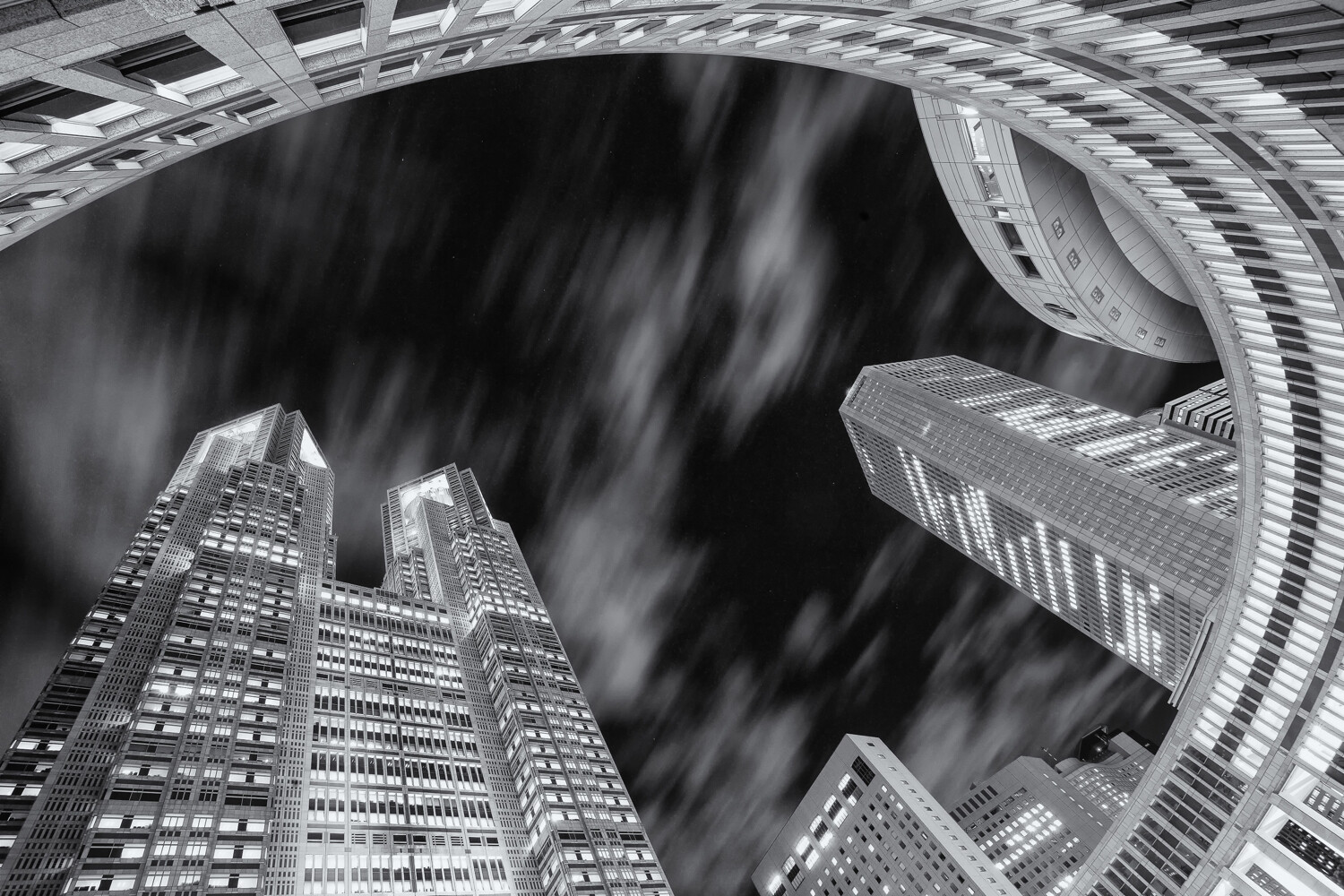
Today, digital photography is ubiquitous, but there is still a demand among enthusiasts for classic film cameras. By all accounts, the analog medium has made a comeback over the last 2-3 years. What you don’t often hear of is people hankering for older digital cameras, even for the sake of nostalgia. Technology has moved on, but has it moved on so much that they are obsolete? Or are early 2000s digital cameras secondhand bargains? We’ll find out.

film cameras - Olympus OM10

There is still plenty of love out there for old film cameras. This is an Olympus OM10 (c. 1978-87).

Inescapable truths

Those of us that have been shooting digitally for over ten years probably don’t miss the early days of post-processing. The sensors were noisier and there was no in-camera dust removal. One way or another, a lot of time was spent trying to clean things up. Less advanced, too, was the software we used to process photos. Trying to recover highlights or remove noise, for instance, was harder than it is today. Photos were abandoned that might be saved with modern editing.

Canon EOS 5D sensor dust

The original Canon EOS 5d (c. 2005) had no dust-cleaning capability. Neither did I. Whenever I had the sensor cleaned, dust spots quickly reappeared.

Aside from noisier, dirtier sensors and editing limitations, exterior hardware on cameras was also inferior in the early days. LCDs were smaller with a lower resolution, and electronic viewfinders weren’t as clear. The benefit of a bright viewfinder shouldn’t be underestimated, and it’s still a feature of higher-end cameras today over entry-level models (e.g., pentaprism vs. pentamirror optical viewfinders).

Sensor resolution

With camera age comes the question of sensor resolution. Modern cameras have high-res sensors. More resolution gives you more freedom to crop pictures after the event and still end up with a decent-sized print. It’s like having an extra lens. Many photographers prefer not cropping pictures, but it’s a luxury that didn’t always exist. In the “old” days of low sensor resolution, there was more discussion among photographers on interpolation methods. People wanted to make their digital files bigger so they could create larger prints. That subject is now almost archaic.

Panasonic FZ-28 CCD sensor

The CCD sensor of the Panasonic Lumix DMC-FZ28 (c. 2008). Despite having a smaller sensor than the earlier FZ30, the FZ28’s resolution was higher. Advances in sensor technology are frequently used to increase resolution rather than substantially decrease noise.  Photo: Thomas Bresson [CC BY 3.0], via Wikimedia Commons

Glimmer of light

Despite the drawbacks of using old digital cameras, some had useful features that are rare or even extinct today. And the minuses are mostly surmountable. Let’s examine three cameras that are all 10+ years old and see what we can do with them. All of the following are eminently affordable on the secondhand market: more so than many classic film cameras.

Old camera #1: Sony Cyber-shot DSC-R1

Even by today’s standards, the 2005 10.3-megapixel Sony DSC-R1 is an innovative camera. It never sold well, but it had a unique combination of a fixed 24-120mm Carl Zeiss lens, an APS-C sized CMOS sensor, full-time live-view LCD display (a first at that sensor size), and live histogram. The technical quality was/is excellent.

Sony Cyber-shot DSC-R1 - early 2000s digital cameras

The Sony Cyber-shot DSC-R1 is a bridge camera with a large APS-C sensor. It was unusual in 2005 and remains so today.

The main limitation of the Sony R1 is a sensor that gets noisy above ISO 400 combined with an absence of image stabilization. This is not a camera you can easily use for high-quality interior photos without a tripod. You have to employ old-school sturdy shooting methods with controlled breathing, a good stance, a steady hand, and a camera braced against pillars or posts if necessary.

Sony R1 JPEG and fill flash

This is a Sony R1 JPEG with a bit of fill light from the built-in flash. I persist with the raw files despite their slowness in writing.

At ISO 160-200, Sony R1 pictures are clear with great color. At ISO 400 they’re still good. When viewed at 100%, the images are satisfying with lots of detail. On the minus side, raw files take a long time to write on the R1 (several seconds, typically). This was never a rapid-fire camera for those aiming to pull the most quality from it. The R1 takes CF cards or Sony memory sticks – no SD cards.

The quality of the R1’s Carl Zeiss T* 24-120mm lens doesn’t disappoint. Exposure: 1/160th sec, ISO 160, f/8, approx 40mm equivalent focal length.

The R1’s WLF (waist level finder)

The flip-out 2″ LCD of the R1 didn’t appeal to everyone as it swivels upwards, effectively making the camera bigger. It’s already quite a bulky bridge camera. Personally, I love the fact that the LCD screen can slot flush into the top of the camera, turning it into a waist-level finder. That’s great for candid portraits or street photos, even if you have to wait for those big Sony raw files to write (you can shoot JPEGs). The camera has an electronic viewfinder that’s dimmer and lower resolution than you’d expect from today’s cameras, but it’s usable.

Sony R1 waist level finder

I’m not aware of any other digital stills camera that allows this. The LCD is only 2″ wide, but that allows it to slot neatly into the top of the camera like a WLF.

Of all the digital cameras I’ve used, the Sony R1 is one of the few that I haven’t sold over time. I can’t bring myself to get rid of it because of its quirkiness and quality. For those familiar with him, well-known US photographer and blogger Kirk Tuck was still singing the praises of the R1 just a few years back. This is a secondhand bargain if you can cope with the cons.

Old camera #2: Panasonic Lumix DMC-FZ30

The main problem with the 2005 Panasonic Lumix FZ30 is the noise from its 8-megapixel CCD 1/1.8″ sensor. Even at ISO 80, it’s there. That aside, there are many appealing features. The 12x Leica-branded optical zoom lens with image stabilization is sharp across its whole range. Despite its age, the electronic viewfinder in this camera isn’t bad, even if the dioptric dial nudges out of place too easily. I tend to use the EVF more than the 2″ flip-down LCD.

The 12x optical zoom of the Lumix FZ-30 is fairly modest by today’s standards and isn’t very wide at the wide end. But still, you get good long-lens versatility that doesn’t seem to exceed its Mega O.I.S. ability (Optical Image Stabilization).

Offering all the exposure control you’d expect from an SLR, the Lumix FZ30 also allows raw shooting – a strong point in its favor. With today’s processing, and by restricting your photography to base ISO where possible, you can achieve good results. Limiting? Yes, but you get 36-432mm versatility for your trouble. The stabilization is effective, allowing you to make use of that long zoom at relatively low speeds with good technique.

Panasonic Lumix DMC-FZ30 controls - early 2000s digital camera

The Panasonic Lumix DMC-FZ30 feels well made and gives you as much control as you want. Aside from allowing raw files, it captures modest VGA res video (typical for its age).

This is a camera that yields detailed pictures, is quick to handle, has long battery life and doesn’t hold you up with big raw files. One frustrating aspect is the need for 2GB SD cards to run it, which many people will not have in this day and age. It doesn’t accept SDHC cards (4GB+).

This is a 100% section of an FZ30 file with Adobe’s “enhanced details” and some basic masked capture sharpening applied in Lightroom. The detail isn’t at all bad at base ISO and unsharpened noise is unimposing. (Best viewed full size @ 1500 pixels.) Exposure: 1/500th, f/5, ISO 80.

Although noise is an issue with the Lumix DMC-FZ30, that is less important now than 14 years ago when the camera came out. Software like Topaz AI Sharpen, though not perfect, is good at suppressing noise and bringing out detail. The tools in Lightroom and other programs have also improved no end. Old cameras become more viable as processing technology advances.

Panasonic Lumix FZ30 - Early Digital Cameras

Exposure: 1/160th @ f/4 – ISO 80. The focal length is 52mm, equating to around 250mm in 35mm terms. Image stabilization is probably helping a little here.

Old camera #3: Canon EOS 450D/Rebel XSi

I wouldn’t recommend early digital SLRs to anyone based on dust problems alone, but that becomes a non-issue four generations in. The Canon EOS Rebel XSi (450D in Europe) came out in 2008. It was an entry-level DSLR offering many benefits over previous models. Among them were a sizeable 3″ LCD, Live View with phase and contrast detection AF, spot metering and a bigger, brighter viewfinder.

Canon EOS 450D - Rebel XSi

The lightest camera among the three even with its lens is the EOS Rebel XSi (450D). The kit lens is good, but a cheap 50mm f/1.8 would make even more of the camera’s excellent sensor.

The Rebel XSi is small and light by SLR standards and won’t give much satisfaction to metal-loving traditionalists. It doesn’t feel substantial. However, it’s understated and functional, and lets you go about your work stealthily. No-one is going to think you’re a pro, no matter how well you hold the camera. The most noticeable flaw is some wacky white balance results from time to time, especially under artificial light. Shooting raw, that’s not a deal-breaker.

Caanon EOS 450D - eary 2000s digital cameras - bargains

This 100% view (with capture sharpening) shows good detail from the 18-55mm Canon kit lens. A 50% view creates more of a real-world impression, so this is okay at full size.

As you might expect from a Canon CMOS sensor, noise levels are low with the EOS Rebel XSi (lower than the Sony R1, for instance). Obviously, they’re not as impressive as a high-end camera from today or even yesterday, but you can risk ISO 800 or even max ISO 1600 images for some indoor shots and polish them up later. Better still, you can make use of live view, manual focusing and a tripod if circumstances allow.

Canon EOS 450D - Topaz Sharpen AI

Topaz Sharpen AI is good at sorting out detail from noise, though you have to check over the result for artifacts. This is an ISO 800 shot viewed at 100% with Topaz sharpening and noise suppression. This type of software is only going to improve.

A question of balance

If you’re using heavy “L” series lenses, they may not sit well on the Rebel XSi. It doesn’t have any heft. The original 18-55mm kit lens is sharp, lightweight and has good image stabilization. A modern equivalent of the Rebel XSi would give you more resolution, more advanced processing (a little quicker, less noise at high ISOs), a higher res LCD and video. All this was available in the camera that superseded it in 2009 – the EOS Rebel T1i (500D). But the stills photographer looking for a bargain DSLR might find an answer in the Rebel XSi. It has just enough and a bit more.

Canon 18-55mm IS kit lens - EOS 450D - bargain early 2000s cameras.

This 50% crop gives you a good idea of what the 2008 18-55mm kit lens can do, albeit through a compressed JPEG. There’s not much to complain about quality-wise, even if the sensor promises more.

Conclusion

With modern processing at our disposal, digital cameras from the early part of this century have more potential now than they had when new. Especially those that shot raw files. Yes, you’ll find it hard to go back to them if you’ve spoiled yourself with ultra-high-res LCDs and mega-bright EVFs. But some of the downsides in old cameras have upsides of their own: less brightness and resolution means better battery life. Low-res sensors mean not editing football-pitch-sized files.

You wouldn’t use old cameras if your living relied on the best high-ISO performance. Still, any of the three models I’ve discussed can easily produce a publishable, high-quality photo if you accept their constraints and process the files carefully. Other than the Sony R1’s slow write times, the cameras are quick and easy to handle.

So, with one or two caveats, I’d say early 2000s digital cameras can definitely be bargains.

Do you use any of these cameras, or have any to add to this list? Please share with the dPS community in the comments below.


The post Are Early 2000s Digital Cameras Secondhand Bargains? appeared first on Digital Photography School. It was authored by Glenn Harper.


Digital Photography School

 
Comments Off on Are Early 2000s Digital Cameras Secondhand Bargains?

Posted in Photography


7 Photography Exercises to Take Your Nature Photos to the Next Level

26 May

The post 7 Photography Exercises to Take Your Nature Photos to the Next Level appeared first on Digital Photography School. It was authored by Jaymes Dempsey.

Do you want to improve your nature photography skills? Do you want to take stunning nature photos, consistently?

Don’t worry.

In this article, you’ll discover 7 photography exercises all designed to get you capturing unbelievable nature images.

(Plus, the exercises are a lot of fun!)

So, if you want to improve your nature photography…

…keep reading.

1. Shoot a single nature subject from 9 different angles

Here’s your first nature photography exercise (and my favorite):

Choose just one nature photography subject.

And shoot it from at least nine different angles.

This will force you to stretch the boundaries of your creativity. It will force you to start looking at your subjects in many different ways.

The first five angles might be easy enough. But the last four will be a struggle – as it should be!

A few excellent angles to try:

  • Shoot on a level with your subject
  • Shoot from directly above your subject (if you can)
  • Get below your subject and shoot upward

Then, once you’ve finished the exercise, pull up the photos on your computer. Take note of the different angles and how they gave your subject slightly different looks.

And next time you’re doing photography, use those angles!

2. Shoot a subject you normally avoid

This exercise is all about getting you out of your comfort zone.

Because if you don’t get out of your comfort zone, you’ll never grow as a photographer.

So here’s what you do:

Think about the subjects that you normally shoot.

And then…

Pick a subject that’s radically different. And shoot that subject, instead.

If you normally photograph birds, shoot flowers for a day.

If you normally photograph landscapes, shoot wildlife.

Just pick something that you don’t normally like shooting.

If you want to make this exercise extra useful, then don’t just shoot another subject for a single outing. Instead, do it for a week (or even a month).

You’d be amazed by the tricks you pick up from learning another area of photography.

3. Bring just one lens into the field

Here’s the thing:

When photographers go out for a photoshoot…

…they tend to take multiple lenses (and even multiple cameras).

And while this will give you a lot of flexibility, it won’t force you to think outside the box.

But I want you to think outside the box. I want you to think in new ways.

So the next time you go out to shoot, leave all your normal lenses behind.

Instead, bring just one lens.

And (if you’re feeling adventurous) make sure it’s a lens that you don’t use very often.

This will force you to take nature photos that you would’ve never even considered.

4. Shoot a Scene With Four Types of Light

Nature photography is all about the light.

Which means that, as a nature photographer, you must learn to master the light.

This exercise is designed to help you do that.

You start by picking a scene.

Then you photograph that scene with four types of light:

  • Cloudy light
  • Midday light
  • Sunrise/Sunset light
  • Shade

This will undoubtedly involve coming back several days in a row.

But it’s worth it.

Because once you’re done, you should look at all the photos you took.

And note how the different types of light gives you different types of nature photos!

5. Take both still shots and action shots of your subject

Oftentimes, we get in the habit of shooting the same type of subject, over and over again.

I’ve already given you one way of avoiding this problem.

But another way…

…is to keep shooting that same subject. But shoot it in a different way.

Specifically, try to take a combination of shots:

Still shots.

And action shots.

For those of you who shoot birds or wildlife, this shouldn’t be too difficult.

But for flower and landscape photographers?

This will be tough.

If you generally photograph still subjects, you may have to get creative. Try to take some intentional camera movement photos. Or see if you can get some sort of action to happen in the frame (e.g., flowers blowing in the wind, waves crashing on the beach).

And that’s it! This will force you out of your comfort zone. And get you taking some fresh photos!

6. Edit your favorite nature photo in 5 different ways

One thing that you need to know:

Post-processing is a significant part of capturing stunning nature photos.

Even small adjustments go a long way.

So for this exercise, you should start thinking about different post-processing options. And edit your favorite nature photo in five distinct ways.

You should experiment with edits in Lightroom, Photoshop, or another high-quality editing program. See what happens when you increase the saturation. See what happens when you drop the contrast.

And try to do some new edits. Things that you haven’t done before.

For instance, try some yellow/blue split toning. And try playing with the HSL options.

You’ll be amazed by what you can do!

7. Take a nature photo every single day for a month

This last exercise is a classic – but that doesn’t mean it’s any less useful!

One of the absolute best ways of improving your nature photography…

…is to photograph constantly.

Because practice really does make perfect.

And if you take a nature photo every day, you’ll find that your mind starts to open up. You’ll start to see photography opportunities that you didn’t even know were there.

Your skills will increase rapidly.

And you’ll start to take stunning nature photos, consistently.

Nature photography exercises: next steps

Now you know 7 great exercises – all designed to improve your photography skills, fast.

You don’t have to do them all at once. But try them out whenever you can.

That way, you’ll become better, faster.

You’ll soon be taking nature photos like a pro!

Feel free to share some of the photos you take with the dPS community in the comments below.


The post 7 Photography Exercises to Take Your Nature Photos to the Next Level appeared first on Digital Photography School. It was authored by Jaymes Dempsey.


Digital Photography School

 
Comments Off on 7 Photography Exercises to Take Your Nature Photos to the Next Level

Posted in Photography


How to Achieve an Airy, Light and Bright Look in Photography

25 May

The post How to Achieve an Airy, Light and Bright Look in Photography appeared first on Digital Photography School. It was authored by Karthika Gupta.

The beauty of photography is that there really is no right or wrong way to take pictures (excluding any technical camera issues). It is such a subjective medium – what someone may consider a bad photograph, others might consider artistic. There are many different styles of photography. Dark and moody versus light and bright, or HDR and oversaturated versus desaturated and selective coloring. And there’s many more. But no matter your imaging preference, there is bound to be a market for that particular style of photography.

Karthika Gupta CulturallyOurs Light Bright Airy Photography Style

Having said that, I gravitate toward images that have a clean, natural look. My aesthetic style lends itself toward light, soft pastels, and bright images that have a sense of freshness. I find that I am my most creative self when I put myself in situations that give me the ability to photograph in this way.

Give me a dark room, or a scene with lots of bold, warm colors and tons of contrast, and I feel mentally bogged down. I almost start to feel claustrophobic with all that color and contrast. Now perhaps this might seem a little silly, but that is my personal preference. It also goes back to my earlier comment about photography being a very subjective art form.

I get asked quite frequently about how I achieve this “light, pastel, and airy” look in my photographs. It’s not that hard. It boils down to a few simple tips. These tips will help you to better visualize your intended photograph, and thus help you to achieve the light, pastel look.

1. Lighting

I can’t stress enough how important the lighting is when using it to achieve a particular look for your photography. Not all lighting is equal. And I have to say that there is no such thing as bad light. Light is just different at different times of the day. Sometimes the light is perfect – that warm, soft glow that translates beautifully in pictures. Other times, the lighting is harsh and strong. I wouldn’t say that type of lighting is always bad; it is just not the same every time.

Once you train your eye to read the different types of light, and what the light can do to your images, you will be able to analyze your imagery better. You’ll also get photos closer to the style you like without wasting too much time in post-processing. No amount of editing can really fix an image taken in poor lighting.

a. Golden Hour light

Karthika Gupta CulturallyOurs Light Bright Airy Photography Style

For outdoor photography, if you want those warm, creamy tones, then schedule your photo sessions as close to sunset as possible. That last hour, the Golden Hour, is when you will get some of the best light. This is because as the sun sets closer to the horizon, the range of light is broad and spreads more evenly.

This type of light also lends itself well to the light, bright, and airy look that so many of us love in photographs. One thing to be aware of when you are using the Golden Hour lighting (a.k.a. shooting around sunset), make sure that you don’t photograph directly into the setting sun. This leads to a lot of sun flare entering your frame. It can also make the shot appear muddy and blown out to the point of not being able to see the subjects clearly, as shown in this image.

When all else fails, a little bit of editing in post-production can fix it.

b. Soft morning light

Soft morning light is another favorite lighting scheme of mine because the light is subtle and soft. It tends to be more even-toned than when the sun is high up in the sky.

Karthika Gupta CulturallyOurs Light Bright Airy Photography Style

c. Harsh midday sunlight

High noon lighting can be thought of as a spotlight directly over your head. This overhead lighting tends to create unflattering shadows. These shadows result from the angles and protrusions on your face, like your nose and eyebrows. If you wait until the sun hits the horizon, you will be pleasantly surprised to see how soft the tones are and how beautiful and even the lighting is. At this time of day, you can open up your aperture to smooth out the background.

Sometimes when you are traveling or taking landscape shots, you cannot always control the time of travel. Here, you must make the best of the lighting situation and photograph scenes that will lend themselves to the light and airy look when tweaked in post-processing.

Karthika Gupta CulturallyOurs Light Bright Airy Photography Style

I added a bit of contrast and brought down the blues in post-production just to keep with my style. I have nothing against blue skies but maybe not so much blue in my photos!

d. Overcast light/diffused light

This type of light is also great for images where you want an even tone. The clouds act as a natural diffuser and help to balance out the light falling from the sun. However, this light does tend to be a little flat. But the good news here is, when there is cloud cover or an overcast sky, you can shoot at any time during the day without worrying about harsh, strong shadows.

Karthika Gupta CulturallyOurs Light Bright Airy Photography Style

This day in the marina was overcast with a lot of clouds. Considering most of the boats were also white, I had to blow out the sky a bit and use the accessories (like the yellow kayak) to add a pop of color.

e. Backlighting/open shade lighting

The bright, even lighting of open shade plays well into the light and airy style of photography. However, playing with backlit sunlight is another way to get that bright, fresh look. Light and airy photographers shoot backlight about 80% of the time.

This means the sun is somewhere behind the subject. This is the tricky part. It’s more than just having the sun behind your subject. If you only do this, you’ll find that your images have a lot of sun flare – to the point of haze – and your camera autofocus may have trouble grabbing focus, resulting in out-of-focus shots.

The trick here is to block the sun from actually hitting your lens. My favorite way to do this is the use of trees. The branches and leaves act as a type of diffuser that filters the sun’s light rays from hitting your lens.

What you will get is called rim light from the rear of your subject. In front of your subject, you will achieve an even unshadowed lighting scheme. You might have to look for a natural reflector to bounce light back onto your subject’s face. Sometimes it is as simple as wearing something white so you can act as a natural reflector.

Yup, being a photographer also means being aware of fashion and color trends!

Another trick is to overexpose the skin tones by at least half a stop. Your highlights may blow out a little, but your subjects’ skin tones will look great. Of course, if you have a very interesting sky that you want to retain, you may not be able to overexpose your image. Most light and airy style photographers are okay with blowing out the details in the sky because this slight overexposure lends itself to a brighter image that is part of the light and airy look. If the background is important, you must consider that in your exposure calculations.

Karthika Gupta CulturallyOurs Light Bright Airy Photography Style

90% of my shots have the sky blown out and I am okay with that. My style is consistent with what my personal preference is with my images. To each their own.

2. Scenery or background

Personally, I feel like scenery or background is as important as the lighting for a great image – no matter what the style. Gorgeous mountainous backdrops with tall pine trees will look more majestic than a messy backyard with overgrown grass and a swing set in the shot.

But don’t let a simple background deter you from taking a shot.

Every place has hidden treasures, and it is up to you as the photographer to seek them out. I have been known to clear out a client’s home if I feel some furniture or clutter is getting in the way of the shot.

For outdoors and travel photos, I wait patiently for crowds to clear if I feel all the other elements are there to make a great shot. After you’ve established where the good lighting falls, you can then search for the pretty scenery.

For light and airy photos, look for backgrounds that are white or have pastel colors. White or light colored backgrounds add even more “airiness” to the image. It is hard to achieve a light, bright look if you have a dark or black wall in the background.

Remember that both the lighting and scenery combined make for a natural recipe to that “light and airy look” that you want to achieve in your image.

When in doubt, choose a clean neutral-colored background that can make the subject pop even more by eliminating any distractions.

Karthika Gupta CulturallyOurs Light Bright Airy Photography Style

3. Details

Often, as photographers, we tend to only focus on the lighting, location, and subject. We feel that once we have these three elements, all else will magically fall into place.

However, remember this; every single detail that is a part of the frame helps to make or break the image.

If you have the perfect soft light, perfect background, and perfect subject, but they happened to show up wearing a graphic t-shirt with neon shoes, then that is not going to get you that light and airy image! In fact, details like the clothing, accessories, and props play a huge part in the overall look and feel of an image.

For my portrait and editorial work, I am not afraid to send clothing and prop choices to my clients. It is there for them to use if they need it. This gives them an idea of “the look” that I am going for, and it helps me to get the images that I want for my portfolio based upon my style and my brand aesthetics. Props don’t have to be elaborate or expensive. Sometimes it is the little things like a simple off-white napkin that can do the trick.

Karthika Gupta CulturallyOurs Light Bright Airy Photography Style

Clothing choices and color preference is given but my clients have the freedom to choose what they want to wear at the end of the day!

4. Camera settings

If you are shooting digital and have a camera that allows you to photograph in RAW format, then definitely do so. Images created in RAW format retain more of the original details than a JPEG file format. The RAW file format also provides the most leeway for making edits to the image in post- processing when looking to achieve a specific “look.”

Avoid extreme bright spots in your photograph by using the histogram feature on your camera. Digital images don’t handle the result of huge overexposure very well, so you’ll want to watch for that.

Karthika Gupta CulturallyOurs Light Bright Airy Photography Style

Having said that, I tend to overexpose my images by about 1/2 a stop about 95% of the time. I find that editing an underexposed image to the “light and airy look” is more difficult than adjusting a slightly overexposed image. I am less concerned about blown-out highlights than I am about dense shadows.

5. Consistency in photography and editing styles

Consistency in photography and editing styles is huge, and not something that too many photographers pay attention to. Photographic style develops over time. It takes a lot of practice, continuous shooting, and consistent editing procedure to make our pictures look a certain way and convey certain emotions. This is my 9th year in business, and my style has taken time to develop. After a lot of trial and error, I know what I like and how I want my images to look and feel – even if it is just for me!

Some people jump on the latest editing bandwagon and are all over the place in terms of trying everything out there. Tempting as it may be, I have found that it just leads to more frustration and anxiety when finding one’s style. When you are just starting out, go ahead and try out all the different styles of photography. See what you like and dislike. Once you have narrowed down your personal style, stick to it. That way, it becomes second nature and helps you develop a consistent and strong portfolio.


The post How to Achieve an Airy, Light and Bright Look in Photography appeared first on Digital Photography School. It was authored by Karthika Gupta.


Digital Photography School

 
Comments Off on How to Achieve an Airy, Light and Bright Look in Photography

Posted in Photography


7 Ideas for Creative Lens Ball Photography [video]

25 May

The post 7 Ideas for Creative Lens Ball Photography appeared first on Digital Photography School. It was authored by Caz Nowaczyk.

In this video by our friends over at Cooph, you’ll learn 7 great ideas for creative lens ball photography to have fun with.

The 7 ideas for creative lens ball photography include:

1. Typography

Type some text and print it out (or find some text you already have) and photograph the lens ball on top. The ball acts as a magnifying glass and distorts the edges of the text.

Look for large letters on signage and displays and photograph the lens ball in front of it for a cool effect.

2. Split World

Look for corners with contrast to create a yin/yang effect.

3. Altering Structure

Find interesting flat structures to photograph the sphere against. The sphere will alter its structure and give it form.

Scan your lawn for flowers and photograph them through the sphere.

4. Inner Circle

Find round shaped objects that support the shape of the lens ball. Crawl into a tunnel (only a safe one, of course), set up your lens ball for the perfect shot.

5. Elements

Fill up a bucket with water. Set up your camera with a high shutter speed and have someone throw the lens ball out of the water bucket. You capture all the action.

Prepare lighter fluid and a spark (Editor note: actually, I don’t fully recommend this one unless you can absolutely do this safely. Fire is dangerous!!)

6. Portraits

Play with nature and your model for capturing cool portraits using the lens ball.

You can also have fun in the studio with this.

7. Abstract Spheres

Create custom backgrounds (cool wrapping paper or printouts will work great). Find interesting patterns too. These make for awesome shots using the lens ball.

Grids also work well. Place your grid in front of a colored wall and light it up. Put your lens ball in front and take some shots.

Bonus Tip:

Use light sabers and your ball for cool effects.


You may also find the following helpful:

  • How to Create Glass Ball Landscapes – 6 Techniques
  • Which Size Lensball is Best for Crystal Ball Photography?
  • How to Make Creative Photos with Prism Photography
  • Copper, Prisms, and Orbs, Oh My! – 3 Creative Techniques for People Photography
  • How to Take Unique Crystal Ball Portraits
  • 5 Photography Hacks to Improve Your Creative Photography


The post 7 Ideas for Creative Lens Ball Photography appeared first on Digital Photography School. It was authored by Caz Nowaczyk.


Digital Photography School

 
Comments Off on 7 Ideas for Creative Lens Ball Photography [video]

Posted in Photography