Blog

  • Hitting the Reset Button

    Long time readers of my blog will know that earlier this year (an internet year is the equivalent of 20 years in regular life) I made a few posts about trying to break out of a comfort-zone.  I was working with some of the most amazing talent in the nation and creating images that were blowing people away, but at the same time I felt like I was a bit on cruise control.

    2010 Became the Year of the Test Shoots!

    I decided to take a bit of a break and get back to my roots, back to when I fell in love with photography and shoot some great ideas with nothing more than myself and a model and whatever props we could gather up.  So I started test-shooting like crazy, I even added an email-application on my website for interested people to apply.  The link was active from April 30th through September 21st and in that time I received 182 applications. That averages out to a little more than one application EVERY SINGLE day during day while it was up. Thank you so much to everyone for the interest in shooting with me, I am honored, I couldn’t even shoot as many as I wanted to, so if you didn’t get contacted please know that you very well could have been one I wish I would have had time for!  🙂

    I was looking for new potential muses, models that transcended the ordinary and inspired new and crazy ideas.  Over the course of 2010 I tested with a total of 33 new faces for the first time.  In that group of 33 I found exactly what I was looking for.  New sources of creative energy and several models you’ll be seeing a lot more of in my upcoming work!

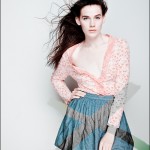
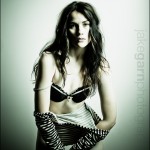
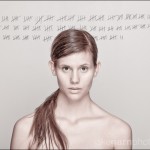
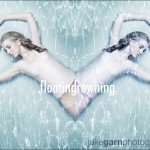
    Today I wanted to take a second and share some of my favorite images from the models I’m most excited about discovering this past year… not all of these images were from our first shoot together but every one of these images share a couple things in common.

    • No professional styling
    • None of the models ever shot with me prior to 2010
    • No pre-planned ideas for any of these shoots, all of them were spontaneous
    • Last but not least, I hope to work with each of these talented girls again!

    EDIT:::  I’m told this gallery has trouble functioning in Internet Explorer, while I work on getting that fixed please use http://www.firefox.com, http://www.google.com/chrome, or http://www.opera.com/ – which are all better than Internet Explorer by the way.  🙂

    Ashli-421-11
    Brynlee-413-1-13
    Brynlee-three-245-8
    Brynlee-three-289-1
    Brynlee-three-398-12
    Bubbles-95-3
    chameleon-keli-bel-430-5
    Demi-237-3
    Isabella-95-1
    Isabella-522-9
    jillian-52-1-11
    jorgen-499-6
    kianna-363-6
    kianna-480-10
    kimberly-smith-550-7
    samantha-135-4
    Samantha-203-3
    Sarah---pattern-374-7
    Sarah-47-1
    Sarah-144-6
    sarah-light-test-183-8
    Shelby-279-3
    Shelby-385-5

    I have since taken the application off of my website, it made me too sad to have so much demand and so little time to fulfill it… So what’s coming next?  Well, stay tuned!  🙂


    Jake Garn Photography

  • Isfahan

    A CG movie inspired by the Persian Architecture, by Cristóbal Vila. Go to www.etereaestudios.com for more info.
    Video Rating: 4 / 5

    Dream Works upcoming movie How to Train Your Dragon will feature a whole host of mythical creatures. In this featurette Dream Works shows us the variety of dragons we can expect to see in the upcoming 3D movie. For all things 3D related visit www.3DGUY.tv All Rights Reserved. Copyright DreamWorks Animation, 2010.
    Video Rating: 4 / 5

  • Canon XSi – Choosing the Right Exposure Mode

    It’s one thing to enjoy the XSi’s advanced automatic shooting modes, but in order to take control of your camera, you’ve got to start shooting manually, with either shutter or aperture priority, or both in fully manual mode – from the Magic Lantern DVD Guide to the Canon XSi
    Video Rating: 4 / 5

    When the automatic settings cannot correctly expose your shot, try locking the Auto-Exposure on the most important part of the shot and then recomposing, from the Magic Lantern DVD Guide to the Canon XSi
    Video Rating: 4 / 5

  • Looking For Free Online Photography Tutorials?

    © epSos.deTo find the best photography tips for free, you can try a number of websites that have been helpful for many individuals who are interested in getting free photography tutorials. Howitookit.com is one example of this, where they have built a platform in which individuals can find other talented and aspiring photographer to help guide you in your hobby or profession.

    Jeff Thomas, who is the founder of the website, has integrated a social media interaction website with a popular hobby and skill. …


    Digital Shot

  • Genitorturers – Flesh Is The Law

    Live shots from the Auckland, New Zealand “Flesh Is The Law” show, featuring The Genitorturers. Shot by Umbra Digital Photography.
    Video Rating: 4 / 5

    Designed for enthusiasts by enthusiasts, MSI Big Bang Fusion, designed for the new Intel® Core™ i7 and Core i5 processors in the LGA1156 socket. The revolutionary two-chip layout enables lower power consumption and more advanced performance tuning for a smoother, more realistic experience. MSI has raised the standard DDR3 memory specification, hitting speeds of 2300 MHz. With incredible support for up to eight threads of raw processing power & dual-channel DDR3 memory the MSI Big Bang Fusion brings the best weapons to any application or game. Todays extreme gaming, digital photography, and video editing demand breakthrough technology. The MSI Big Bang Fusion supports the latest processors, and Intels cutting-edge technology delivers even greater performance and power efficiency.
    Video Rating: 4 / 5

  • Photoshop Mama’s Digital Makeup Example 2 – Part 9

    Photoshop beauty retouching tutorial. See more at www.photoshopmama.net. Another iteration of a digital makeover, using Mama’s Powder w action. This series will highlight some advanced masking techniques; rubilith and quick mask modes, and adjust makeup colors using Levels Adjustments rather than Curves. Hopefully this will broaden your understanding of mixing color using a different type of adjustment, in Photoshop or Photoshop Elements
    Video Rating: 4 / 5

  • Microsoft PowerPoint 2010 – Stop Ending Slide Shows with a Black, Blank Slide

    Remove the black, blank slide that PowerPoint 2010 adds to the end of slideshows.

    After displaying a slide show, Microsoft PowerPoint 2010 ends with a black, blank slide with the text “End of slide show, click to exit”. Presumably, the reason for this is that slide shows may be shown on a projector or larger monitor. After a slide show is finished, you can use the black slide to “cut the feed” so participants will not see the raw slides in PowerPoint as well as your Desktop, Taskbar, etc.

    If you do not care about your participants seeing these things, you might find this ending slide annoying and wish to just exit straight from a slide show back into the PowerPoint application. To remove this ending slide, do the following:…

    Read more at MalekTips.
    New Computer and Technology Help and Tips – MalekTips.Com

  • Barack Obama in 3D anaglyph

    To properly view this presentation, you will need to use special 3D glasses with the left eye (red), the right eye (cyan) color. You can get FREE paper glasses at: www.rainbowsymphony.com/freestuff Help the environment and lower your energy bill. Get a complete solar system for no upfront investment! Go to www.jointhesolution.com/yorkville
    Video Rating: 0 / 5

  • Macro Video Nikon d90 Nikkor 60mm, One Republic Marching on

    Macro Video Nikon d90 Nikkor 60mm, One Republic Marching on Alexander Andreev Abbonieren-es rockt!

  • Ep 01: “Ill Fated Destiny”

    Two high school friends discover they are the reincarnation of ancient warriors and soon realize they are locked in a deadly battle with the spirit of a long-dead evil warlord.
    Video Rating: 4 / 5