Blog

  • Night House: Artist Cloaks Suburban Home Facade in Starry Skies

    [ By WebUrbanist in Art & Installation & Sound. ]

    night house suburban intervention

    House painting is such time-consuming and meticulous work just to get a single color on a facade; perhaps next time you could clad your home in printed image of the night sky instead.

    night house looking up

    night house in making

    For the Night House, Chicago artist Kate McQuillen covered a suburban house with a contiguous skyscape of nighttime space images digitally printed on weatherproof styrene panels.

    night house poster project

    The project was funded by sales of a screenprinted poster and created as part of the Terrain Biennial, an Oak Park-based international exhibition of yard, balcony and porch interventions.

    night house glowing stars

    night house screenprinted wall

    Like some kind of suburban camouflage, the covered sections of the home start to disappear against the backdrop of the sky at the right times of early evening and morning. Read also: The Night House, a poem by Billy Collins.

    Share on Facebook


    [ By WebUrbanist in Art & Installation & Sound. ]

    [ WebUrbanist | Archives | Galleries | Privacy | TOS ]


    WebUrbanist

  • Phase One Capture One Pro 9 brings updates to image editing algorithms

    Phase One has launched Capture One Pro 9, the latest iteration of its tethering and image editing software. Capture One Pro 9 offers a ‘completely updated contrast engine,’ additional brushes, color editor masks and new keyword tools, among other features. Phase One also now offers three activations of the software for each standard license a photographer purchases. Also on the list of updates is the ability to apply curves locally, the addition of a Luma option to the curve tool palette and a battery status icon for the tool bar to view tethered camera battery life.

    Capture One Pro 9 is available now for Mac and Windows for $ 299 / €279 to new customers. Capture One Pro 7 and 8 customers can upgrade for $ 99 / €99. Anyone who purchased Capture One Pro 8 after October 30, 2015 will be exempt from the upgrade fee.


    Press release:

    Phase One Releases Capture One Pro 9 for Working Photographers

    Unleashes Unprecedented Power, Precision and Quality

    COPENHAGEN, November 30, 2015 — Phase One, creator of the world’s finest open-platform, high-end camera systems and professional imaging software today released Capture One Pro 9. Known for its outstanding tethered capture capability, high-quality raw conversion, and precision image editing tools, Capture One Pro is already considered by 100,000 of the world’s leading photographers to be the best image capture application. 

    Capture One Pro 9 introduces many new image quality precision tools, including a completely updated contrast engine. Capture One Pro 9 also brings powerful new asset management capabilities, including unprecedented sortable keywords capability. It has been designed to help speed the image-management process for volume keyword applications. Besides new physical workflow features, Capture One Pro 9 also gives customers three activations for each standard license to support on-location activation management, as requested by photographers.

    NEW IMAGE EDITING TOOLS

    Revised contrast engine – Changes have been made to the algorithms of color, saturation and contrast. And the color editor has been revised to align design with the color balance tool. Handles are made easier to use and adjust, and the tool is now scalable when undocked.

    Masks from color editor – The color editor now allows the user to make a mask from a color edit.

    New Brush pack – Tool changes include the addition of flow, airbrush, straight line brushing, and the ability to link brushes.

    Luma curves and local curves – Added to the curve tool palette, Luma curves can be used to create contrast curves without affecting saturation. Also, curves can be used locally.

    Battery status for toolbar – This new tool can be placed on the tool bar where it gives a power supply overview to the attached tethered camera, warning photographers of low power during a shoot.

    Export EIP for catalogs – Catalog users can now benefit from EIP export for easy transportation of RAW and Settings, off system. In the Export originals panel, there is now an option to Export as EIP. Sessions users can also choose to Export originals. This creates a workflow in which the original RAW and adjustments are not packed – instead a copy is made, packed as EIP.   

    DNG colors – This new feature allows Capture One Pro to treat and display supported camera files that have been converted to DNG (and include the RAW file in the DNG package), as if in their original format. 

    NEW ASSET MANAGEMENT TOOLS

    Keywords Tool – Keywords may be added and removed from images. The standard Capture One tool tips for local reset, local copy apply, pre-sets and help are available for this tool.

    Keyword Libraries – Used to manage the list (or lists) of keywords in a catalog or a session. As the Keywords tool adds keywords to images, the document Keyword Library is populated. This forms a keyword list for any and all terms in the current document and is unique for the session or the catalog. 

    Sortable Keywords – Unique to Capture One Pro 9, users are able to reorder keywords in the Keywords tool for single image selections.     

    Originally developed to render the exceptional image quality captured by medium format Phase One camera systems, today Capture One Pro supports more than 400 different camera models. Capture One Pro is designed with more than enough available “headroom” to satisfy requirements for the highest resolution now and in the future. Whether or not photographers own a Phase One camera, all photographers can benefit from Capture One Pro’s  exceptional image quality and workflow advantages.

    “Capture One Pro is essential for all commercial shoots; we use nothing else,” said Jonathan Rose, Company Director, DigiBoutique Ltd.

    “Capture One Pro 9 is all about quality of life improvements for working photographers – whether they’re in the studio, or shooting landscape or portraits,” said Henrik O. Håkonsson, President, Phase One. “And those who are switching or stepping up from mainstream software might now find that Capture One Pro meets more, if not all, of their needs, beyond its legendary raw conversion capabilities.”

    For illustrative & tutorial videos and details on all the new and improved features in Capture One Pro 9, including new cameras and lenses supported, please go to: www.phaseone.com/tutorials

    Availability and Pricing

    Capture One Pro 9 is available now for the Mac and Windows operating systems online at www.phaseone.com/store and from Phase One authorized partners worldwide. www.phaseone.com/partners. New with this release, each license permits three activations.

    New customers can purchase Capture One Pro 9 for 299 USD or 279 EUR. Owners of previous versions of Capture One Pro 7 and 8 may upgrade for 99 USD or 99 EUR. For customers who have purchased Capture One Pro 8 since October 30, 2015, Phase One is offering a grace period, exempting them from the upgrade fee. Eligible customers should contact support www.phaseone.com/support to have their keys upgraded. 

    Capture One Pro is also available by subscription. Capture One Pro 8 subscribers can simply download the new Capture One Pro 9 release. A single-user subscription is 15 USD / 12 EUR per month for a 12-month plan. Please see all subscription options at www.phaseone.com/store

    Articles: Digital Photography Review (dpreview.com)

  • Bist Du noch ganz dicht?

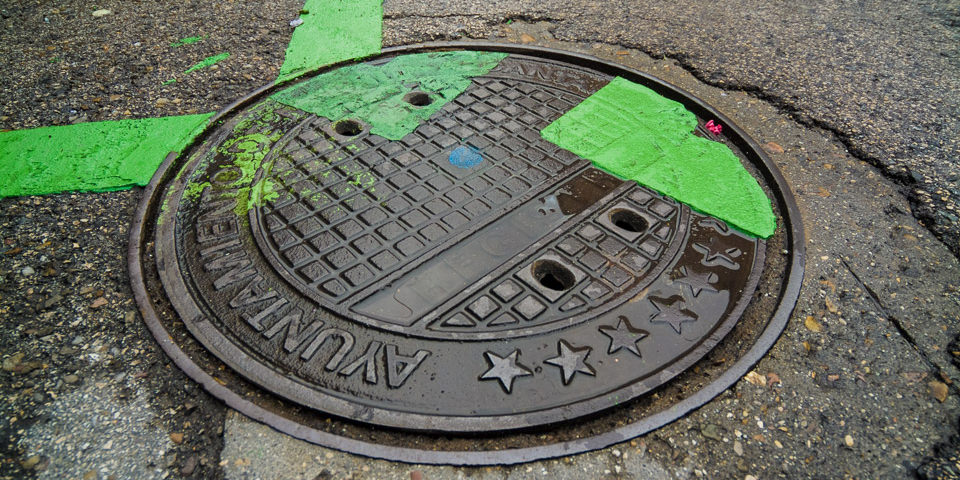
    Ein Gullydeckel.

    Ein Beitrag von: Stephan Maria Aust

    „Bist du noch ganz gescheit?“ Diese Frage stelle ich mir tatsächlich, wenn ich auf Knien und Ellenbogen teilweise im Dreck herumrutsche, um Schachtabdeckungen zu fotografieren. Immer wieder kommt es vor, dass man mich anspricht oder ich sehnsüchtig von einem Hinter-der-Gardine-Lauerer erwartet und für einen Zuständigen der Stadt gehalten werde, der sich endlich um den seit Monaten kaputten Kanaldeckel „kümmern“ wird. Ich habe mich daran gewöhnt.
    kwerfeldein – Fotografie Magazin | Fotocommunity

  • 1. Dezember 2015

    Das Bild des Tages von: Alexander

    23422565925 © Alexander

    Im Ausblick: Geldgeile Fotografen, Pirelli und Klimawandel.
    kwerfeldein – Fotografie Magazin | Fotocommunity

  • Lumu Power meters light, flash and color temperature

    The team behind the Lumu smartphone light meter has launched a Kickstarter campaign to fund the production of Lumu Power, their next generation device. In addition to ambient light levels, the Lumu Power is also capable of measuring flash exposure and color temperature. Read more

    Articles: Digital Photography Review (dpreview.com)

  • Nikon issues D750 and D4s firmware updates, optimizes D750 VR with compatible lenses

    Nikon has released firmware updates for its D750 and D4S DSLRs, providing both with a new external recording control option for use with external recorders using Atomos Open Protocol. At the end of a list of bug fixes, Nikon also mentions that the D750’s firmware version 1.10 introduces ‘optimal vibration reduction’ with vibration reduction lenses. We’re hoping this addresses a glitch in which VR can sometimes contribute to image shake.

    Other notes on the firmware updates for both cameras relate to bug fixes in movie live view, and the D750’s update addresses some minor problems with HDR mode and in-camera Raw processing among other things. See below for more details.


    Nikon D750 firmware version 1.10

    • An External recording control option has been added to the HDMI item in the SETUP MENU. If the camera is connected via HDMI to a third-party recorder that supports the Atomos Open Protocol (the Atomos SHOGUN, NINJA2, or NINJA BLADE), selecting On allows camera controls to be used to start and stop recording. More information is available in a supplementary manual.
    • Note:Choose an option other than 576p (progressive) or 480p (progressive) for HDMI > Output resolution in the SETUP MENU.
    • Fixed the following issues:
      – The brightness of the live view photography display would not change when a command dial was rotated to adjust exposure compensation with On (Auto reset) selected for b Metering/exposure > b3 Easy exposure compensation > Easy exposure compensation in the CUSTOM SETTING MENU.
      – Although the preview button would stop the lens down to maximum aperture when assigned the Preview role, the maximum aperture indicator would not appear in the monitor.
      – In rare cases, the shutter would not be released when the user attempted to take photographs in movie live view.
      – About 4 seconds of static could be heard on audio recorded with external HDMI recorders during movie live view.
      – The shutter speed, aperture, and ISO sensitivity displayed in the monitor during movie live view would differ from values in the final movie file.
      – Part of the focus point would disappear if the user zoomed in while the framing grid was displayed.
      – Volume could sometimes not be adjusted if movies were played with indicators hidden during full-frame playback (None (image only)).
      – Exposure compensation would fail to produce the desired results if a negative value was selected when NEF (RAW) images were processed using the NEF (RAW) processing option in the RETOUCH MENU.
      – Images would in rare cases fail to record correctly with HDR (high dynamic range) selected in the PHOTO SHOOTING MENU.
      – If On was selected for Exposure smoothing during interval timer photography, every frame after the first would be overexposed.
      – File numbers were not assigned in the proper sequence.
      – The focus point would not be displayed in the correct location in the monitor.
      – In some languages, characters or parts of characters would be missing from the SETUP MENU > Location data > Position display.
      – In some languages, characters or parts of characters would be missing from the SETUP MENU > AF fine-tune > List saved values display.
      – In some regions, nothing would be displayed when Conformity marking was selected in the SETUP MENU.
    • Some help text has been changed.
    • Optimal vibration reduction is now available with vibration reduction lenses.

    Nikon D4S firmware version 1.30

    • An External recording control option has been added to the HDMI item in the SETUP MENU. If the camera is connected via HDMI to a third-party recorder that supports the Atomos Open Protocol (the Atomos SHOGUN, NINJA2, or NINJA BLADE), selecting On allows camera controls to be used to start and stop recording. More information is available in a supplementary manual.

    Note:

    • Choose an option other than 576p (progressive) or 480p (progressive) for HDMI > Output resolution in the SETUP MENU.
    • Choose an option other than Auto for HDMI > Output resolution in the SETUP MENU when 640x  424; 30p or 640x  424; 25p is selected for Movie settings > Frame size/frame rate in the SHOOTING MENU.
    • Fixed the following issues:
      – In rare cases, the shutter would not be released when the user attempted to take photographs in movie live view.
      – About 4 seconds of static could be heard on audio recorded with external HDMI recorders during movie live view.
      – Exposure compensation would fail to produce the desired results if a negative value was selected when NEF (RAW) images were processed using the NEF (RAW) processing option in the RETOUCH MENU.
      – Images would in rare cases fail to record correctly with HDR (high dynamic range) selected in the SHOOTING MENU.
      – In portrait orientation, the monitor would not show the focus point in the correct location if 5:4 (30×24) was selected for Choose image area.

    Articles: Digital Photography Review (dpreview.com)

  • Cities of Tomorrow: Refugee Camps Require Longer-Term Thinking

    [ By WebUrbanist in Architecture & Cities & Urbanism. ]

    refugeeeee

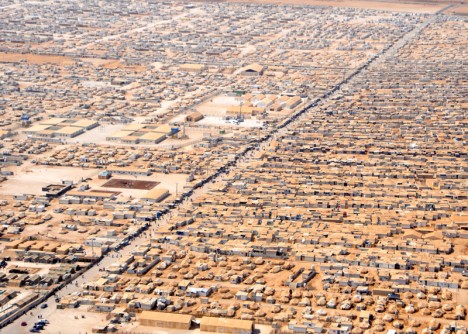
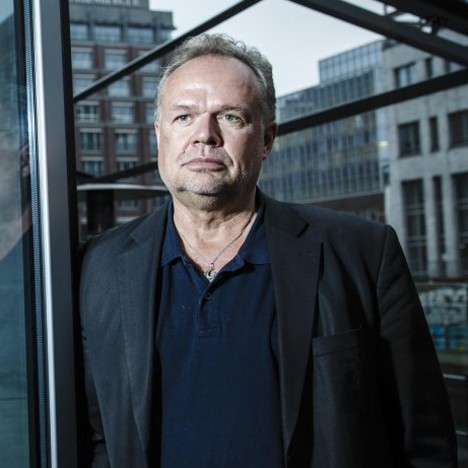
    Former mayor of the world’s second-largest refugee camp, humanitarian Kilian Kleinschmidt notes that the average life of a refugee camp is 17 years, “a generation,” and these places need to be recognized as what they are: “cities of tomorrow,” not the temporary spaces we like to imagine. “In the Middle East, we were building camps: storage facilities for people. But the refugees were building a city,” Kleinschmidt told Dezeen in an interview. Short-term thinking on camp infrastructure leads to perpetually poor conditions, all based on myopic optimism regarding the intended lifespan of these places.

    kilian kleinschmidt

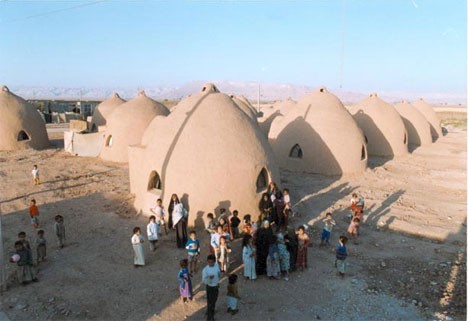
    Many refugees may never be able return home, and that reality needs to be realized and incorporated into solutions. Treating their situation as temporary or reversible puts people into a kind of existential limbo; inhabitants of these interstitial places can neither return to their normal routines nor move forward with their lives.. On the one hand, assert experts like Kleinschmidt, planners need build up refugee camps to be durable and sufficient places in their own right. On the other, they also need to move refugee migrants toward countries and regions where they will end up virtuously integrated into struggling economies, including (though controversially): areas of nearby Europe with unused housing and high labor needs.

    refugee housing

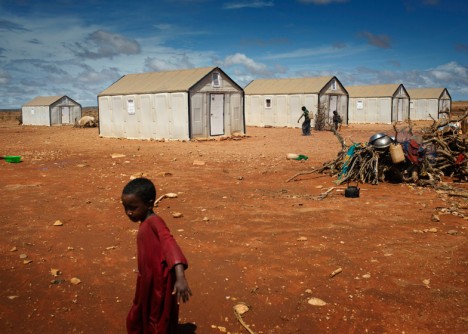
    Beyond providing more thoroughly for essentials, Kleinschmidt sees additional opportunities to enable refugees with new technologies: “With a [3D-printing] Fab Lab people could produce anything they need – a house, a car, a bicycle, generating their own energy, whatever,” he said. Unfortunately, governmental bureaucracies and aid organizations are reluctant to push boundaries and try new approaches. More fundamentally: they frequently fail to recognize the need for robust solutions that help facilitate refugees who are themselves working hard to create real places for living.

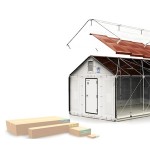
    refugee housing ikea

    “I think we have reached the dead end almost where the humanitarian agencies cannot cope with the crisis,” he said. “We’re doing humanitarian aid as we did 70 years ago after the second world war. Nothing has changed.” Kleinschmidt worked with the United Nations and their High Commission for Refugees for 25 years before starting an independent consultancy that continues to address humanitarian issues around the globe.

    His previous senior roles included deputy humanitarian coordinator for Somalia, deputy special envoy for assistance to Pakistan, acting director for communities and minorities in the U.N. administration in Kosovo, executive secretary for the Migration and Refugee Initiative (MARRI) in the Stability Pact for South Eastern Europe, and many field-based functions with U.N.H.C.R., U.N.D.P. and W.F.P. He worked extensively in Africa, Southeastern Europe, Pakistan and Sri Lanka.

    Share on Facebook


    [ By WebUrbanist in Architecture & Cities & Urbanism. ]

    [ WebUrbanist | Archives | Galleries | Privacy | TOS ]


    WebUrbanist

  • Photoshop CC 2015 update and Fuse CC (Preview) now available

    Adobe has updated Photoshop CC 2015 with the new features it detailed a few weeks ago as its MAX conference. Among the new, mostly designer-oriented features is a high-contrast touch-enabled interface, the ability to customize your Photoshop CC toolbar, direct SVG importing, Artboard improvements and support for Fuse CC, a 3D design application.

    Joining the Photoshop CC update is the release of Fuse CC (Preview), which can be connected with Photoshop for ‘significantly greater design flexibility and creative options.’ At this point, Fuse CC is only available in English.

    Articles: Digital Photography Review (dpreview.com)

  • Pentax launches limited-circulation 645Z IR, an infrared version of its medium format camera

    Ricoh has announced it is to offer an infrared-sensitive version of its 645Z medium format camera, the 645Z IR. Sadly, the new model is not intended for public consumption, but will be aimed at museums and scientific establishments who will have to sign a usage agreement before they can make a purchase. 

    The camera will be made sensitive to infrared by removing the IR-cut filter that sits in front of the sensor. The photographer will then need to fit a filter over the lens to cut visible light according to the requirements of the occasion. With a hot mirror in place the camera will operate as a normal 645Z, but without one the sensor will be able to record wavelengths of up to 1100 nanometers. 

    Ricoh says that there is no provision for auto focusing when the camera is working with infrared light as the light focuses at a different distance to visible light, and advises owners to use the magnify function of the live view display on the rear tilting-LCD screen. 

    Other than the removal of the IR cut filter the 51.4MP camera will operate in exactly the same way as the normal version – including the scene modes, compatibility with Flucards, wireless control from a smartphone and the ability to shoot HD video. 

    Ricoh is offering the Pentax 645Z IR to museums, libraries, government agencies and research institutions for specialist operations, often involving forensic work or recording detail in artworks concealed by layers of paint or faded with time. Shooting with infrared sometimes makes visible what can’t be seen with the human eye. 

    The company hasn’t made public the price, but says the camera will be available from 15th January next year.  

    For more information see the Ricoh website (Japanese)

    Articles: Digital Photography Review (dpreview.com)

  • dPS Writer’s Favorite: Sigma 24-105mm F4 Lens

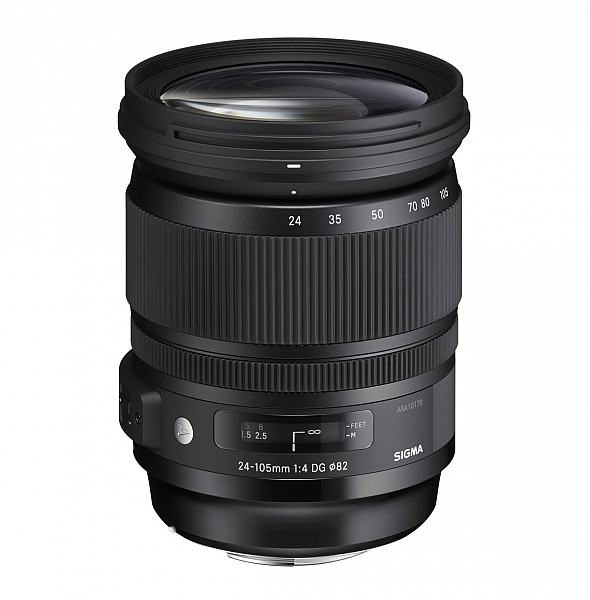
    24-105mm-f4-dg-os-hsm-a-635-e73

    Image: Sigma Photo

    Perhaps you’ve heard of Sigma’s Art series of lenses? After years spent making relatively mediocre lenses, the Japanese manufacturer has stepped up their game to create some beautiful gems that outshine the lenses made by the camera companies themselves.

    The 50mm f/1.4 and the 35mm f/1.4 were both on my list, but I seem to have ended up with the Sigma 24-105mm f/4 Art lens, and while my artistic conscience might try to persuade me of the superiority of prime lenses, it’s currently my favourite.

    Zoom versus Prime Lenses

    The prime lenses I like are big and heavy, because of the large maximum aperture. Assuming that my assistant carried them everywhere and could change them instantly, I might be less keen on the versatility of the Sigma. But that’s not the case, and often a zoom is the better choice. Zoom lenses used to be too much of a compromise. The Sigma 24-105mm lens compromises just enough, and delivers a lot. It’s a slow lens at f/4, but the optical stabilization is good, and the high ISO capabilities of current cameras means that I’ve never felt too limited by this. It’s certainly a compromise compared to a prime, but at f/8, I bet you couldn’t tell the difference. The bokeh for this zoom, necessarily a matter of personal taste, and not as amazing as some of the prime lenses, is good enough too.

    Sigma 24-105mm lens

    Bokeh at f/4, 105mm

    But I want Nikon/Canon, I want the best…

    Canon has an equivalent 24-105mm f/4 lens from their premium L-series. It’s a versatile lens, and I know several professional photographers who use it almost exclusively. I use Nikon, but I’ve seen comparisons that demonstrate that optically, the Sigma Art series lens is sharper. The Canon is weather-sealed though, which the Sigma is not. Nikon has a 24-120mm lens that isn’t as sharp as the Sigma either. If image quality is what you want most, the Sigma is the best among the three lenses. Of course, both Nikon and Canon make 24-70mm lenses that are sharper, though at the expense of the longer telephoto reach.

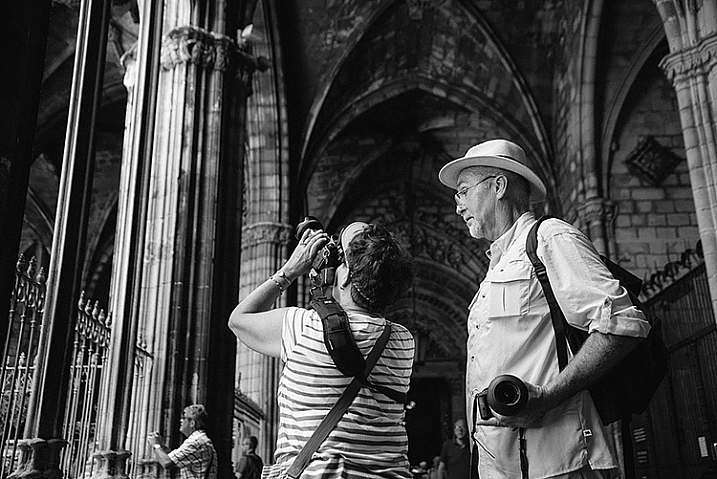
    Sigma 24-105mm lens

    We photographers love our lenses

    Why choose the 24-105mm focal length over a 24-70mm?

    Forgetting prime lenses, the main competition for my affections were the Nikon 24-70mm and the Tamron 24-70mm lenses. There’s also a Tokina 24-70mm available that I didn’t consider. I decided against the Nikon because it doesn’t have optical stabilization (OS). While the larger f/2.8 aperture is attractive, it doesn’t make as much difference in low light for static subjects as the OS on the Sigma. Moreover, the stabilization is useful for on-the-go filming too. The Tamron however, has the larger f/2.8 aperture and is also stabilized.

    I chose the Sigma lens because of the longer reach. 70mm, for me, is not as flattering for headshot portraits as the 85-105mm focal lengths that the Sigma provides. I find I use the extra reach quite often. On the other end, 24mm seems to be wide enough for the majority of situations on a full-frame body. If I need a larger field of view, or shallower depth of field, I can often stitch multiple photos together.

    Sigma 24-105mm lens

    That 105mm short telephoto is useful

    Space for a whinge

    It’s not a perfect lens, and there are a few omissions that I’d like to have a moan about to help round out the My Favourite Lens angle. While the lens is sharp, it does have noticeable distortion and a fair bit of vignetting too, especially at larger apertures. This is an issue that I’m happy to accept because the RAW photo conversion software does a good job of correcting these flaws.

    The bigger issue is the lack of weather sealing, which I’d have happily paid a bit more for. It makes you think twice when photographing in the rain or by the sea. The thoughts are usually, “I wonder if the lens will survive this?” and, “I wonder if I’ll buy the Nikon if it doesn’t?”. Showers aside, the lack of weather sealing does mean that the lens attracts more dust – it veritably sucks it up, and distributes it liberally amongst its inner optics, safe from my lens cleaning cloth. The build quality is good, but not as solid as the Canon L-series lens, for example, and after some abuse, the focal length numbers on mine wore off as they are not etched into the lens. Sigma were good about fixing this though.

    Sigma 24-105mm lens

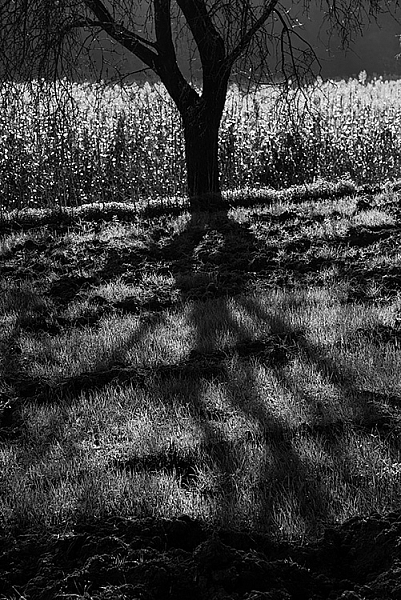
    Distortion and Vignetting even At 62mm, f/8

    Conclusion

    I’ve tested a huge number of lenses, and also read pretty much most of reviews of the others, to keep up to date. I chose to buy the Sigma 24-105mm f/4 OS, and it lives on my camera pretty consistently. It’s photographed a range of genres from landscapes, to portraits, and fashion, and the image quality has been good.

    As photographers, there’s a tendency to fuss over MTF charts and such like; but having the right focal length available immediately is far more important, and as for overall sharpness and rendering compared to primes, it’s usually only experienced photographers who, occasionally, may notice the difference.

    DSC_2741

    googletag.cmd.push(function() {
    tablet_slots.push( googletag.defineSlot( “/1005424/_dPSv4_tab-all-article-bottom_(300×250)”, [300, 250], “pb-ad-78623” ).addService( googletag.pubads() ) ); } );

    googletag.cmd.push(function() {
    mobile_slots.push( googletag.defineSlot( “/1005424/_dPSv4_mob-all-article-bottom_(300×250)”, [300, 250], “pb-ad-78158” ).addService( googletag.pubads() ) ); } );

    The post dPS Writer’s Favorite: Sigma 24-105mm F4 Lens by Ben Evans appeared first on Digital Photography School.


    Digital Photography School