Blog

  • Apple’s Phil Schiller explains why the new MacBook Pro doesn’t have an SD card slot

    There’s a fair amount of controversy surrounding Apple’s newly unveiled MacBook Pro laptops, with one major criticism from photographers focusing on the removal of the SD card slot. Owners must use an SD-to-USB adapter to physically transfer files from a card to the laptop, otherwise wireless transfer is the only option. When asked about this design decision during an interview with The Independent, Apple’s Phil Schiller explained that SD card slots are ‘cumbersome.’

    When asked why the new MacBook Pro laptops don’t have an SD card slot, Schiller explained:

    “Because of a couple of things. One, it’s a bit of a cumbersome slot. You’ve got this thing sticking halfway out. Then there are very fine and fast USB card readers, and then you can use CompactFlash as well as SD. So we could never really resolve this – we picked SD because more consumer cameras have SD but you can only pick one. So, that was a bit of a trade-off. And then more and more cameras are starting to build wireless transfer into the camera. That’s proving very useful. So we think there’s a path forward where you can use a physical adaptor if you want, or do wireless transfer.”

    During the end of the interview, Schiller admitted that the level of criticism around the new MacBook Pro ‘has been a bit of a surprise.’ He went on to say that he has ‘never seen a great new Apple product that didn’t have its share of early criticism and debate — and that’s cool. We took a bold risk, and of course with every step forward there is also some change to deal with.’

    Via: Independent

    Articles: Digital Photography Review (dpreview.com)

  • Monsters of New York: Creepy Critters Cuddle Strangers on City Subways

    [ By WebUrbanist in Art & Drawing & Digital. ]

    subway-snuggle-monster

    NYC subways are strange, dark and oft-overcrowded places where many people retreat into themselves and avoiding engagement, at least until these unusual (and invisible) creatures come along.

    monsters-of-nyc

    happy-snuggler

    Artist Ben Rubin uses candid everyday photos of passengers as a canvass for an exotic cast of fictional characters that seem right at home in the public transit system of America’s largest city. His work is complex and detailed, but all rendered on a portable iPad device using the Procreate app.

    creepy-subway-clown

    sideways-glance

    One could easily imagine that the off-putting noises and smells found on subway trains would be tied to such a strange set of monsters and aliens.

    sitting-and-waiting

    alien-maps

    In some cases, they seem to intrude on those seated next to them. In others, they unobtrusively wait in stations for a ride or look at maps, apparently puzzled about getting from Manhattan to Brooklyn.

    subway-tablet-game-player

    too-big-for-transit

    For the artist, these works started as a way to pass the time on the commute but have become a method of engaging and layering ideas onto photographs outside of the subway as well.

    lonely-monster

    spooky-eye

    face-melting

    creeper

    Passengers engrossed in a book, listening to a podcast or zoned into a mobile phone game may not notice them, but these Subway Doodle creatures are there, at least in one man’s imagination. One has to wonder: if any of these really appeared, would the zombie humans around them even notice?

    Share on Facebook


    [ By WebUrbanist in Art & Drawing & Digital. ]

    [ WebUrbanist | Archives | Galleries | Privacy | TOS ]


    WebUrbanist

  • Now Complete, the Chicago Riverwalk Reclaims Disused Industrial Shore

    [ By SA Rogers in Architecture & Cities & Urbanism. ]

    chicago-riverwalk-1

    The final phase of the Chicago Riverwalk opened to the public this weekend, completing a project that connects the city’s downtown area to a previously neglected industrial waterfront. For decades or perhaps even centuries, this sort of prime real estate has been similarly misused and disused in cities all around the world, given over to factories, shipyards, power plants and other facilities that don’t exactly encourage public interaction with the shore, but the Riverwalk is part of a movement that’s taking them back.

    chicago-riverwalk-2

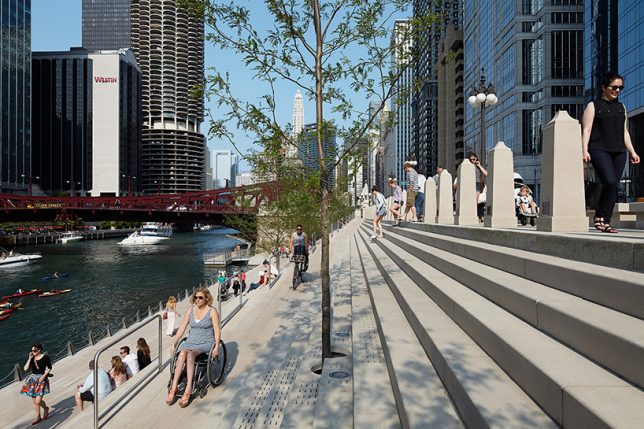
    The Chicago Riverwalk development is a 1.5-mile promenade for pedestrians and bicycles that runs alongside the Chicago River, helmed by Sasaki and Ross Barney Architects. The first and second phases have been open since last year, attracting thousands of visitors to the south bank to patronize restaurants, bars and shops, and take water taxis to other spots along the river.

    chicago-riverwalk-4

    The clean modern design, which sets off the city’s historic Beaux Arts architecture to its greatest advantage, won an annual design excellence award from the American Institute of Architects, which noted that the Riverwalk “has become the city’s backyard patio.” The promenade features an expansive stepped section planted with trees, effectively creating stadium seating from which to enjoy the water.

    chicago-riverwalk-5

    chicago-riverwalk-6

    It also crosses both over and under several of the city’s bridges, so you can take a continuous riverside walk without ever encountering motor vehicle traffic. Recreation areas, gardens ,lawns and sculptural accents give it the feel of one big park, and some of the gardens float upon the surface of the water.

    chicago-riverwalk-3

    Many Chicago residents may be less than enthralled with their mayor, Rahm Emanuel, but his signature public works project seems to be going over pretty well, and it’s a valuable contribution to the urban landscape. The city has already ensured that its lakefront is open to the public rather than being claimed by big businesses and wealthy landowners, and it’s refreshing to see the river get the same treatment.

    Share on Facebook


    [ By SA Rogers in Architecture & Cities & Urbanism. ]

    [ WebUrbanist | Archives | Galleries | Privacy | TOS ]


    WebUrbanist

  • Fujifilm launches ‘Pro’ tethered shooting plug-in for Lightroom with live view and remote control

    Fujifilm X-T2 owners will soon be able to shoot tethered to Adobe’s Lightroom image manipulation software application using a new plug-in that will be sold through the Adobe Add-ons website. Tether Shooting Plug-in Pro is an upgrade from the existing version of the company’s Tether Shooting plug-in that is now compatible with the X-T2 as well as the X-T1. The new version brings a Control Panel display that allows users to check their imported images more quickly and to preview the image in live view mode while at the same time being able to control the camera’s settings.

    The plug-in features two shooting modes that allow the user to control settings at the camera or via the computer screen, with both modes allowing the captured images to be transferred directly to the computer by USB connection.

    The X-T1 and X-T2 cameras both need the relevant firmware to be able to operate with the plug-in, and Fujifilm has announced that v1.10 for the X-T2 will be available on 8th November. This firmware also makes the camera compatible with the standard version of Tether Shooting Plug-in and Tethered Shooting Software HS-V5.

    The camera firmware will be free to download, but the Tether Shooting Plug-in Pro will cost $ 79.

    For more information visit the Fujifilm website.

    Press release:

    Tether Shooting Plug-in PRO for Adobe® Photoshop® Lightroom®

    PC tethered shooting support for FUJIFILM X-T1/X-T2

    FUJIFILM Corporation (President: Kenji Sukeno) is pleased to announce the launch of “Tether Shooting Plug-in PRO for Adobe® Photoshop® Lightroom®” to enable tethered shooting of FUJIFILM X-T1(hereafter X-T1) and FUJIFILM X-T2(hereafter X-T2)* to a compatible computer.

    “Tether Shooting Plug-in PRO for Adobe® Photoshop® Lightroom®” is a tethering software plug-in that allows Lightroom users to connect X-T1 / X-T2 to a computer via USB cable for direct saving of captured images onto computer, and controlling the camera from the computer**.

    “Tether Shooting Plug-in PRO for Adobe® Photoshop® Lightroom®” will be available from Adobe Add-ons website*** for US$ 79. The launch of the Mac OS X / macOS Sierra version*4 is scheduled for release around the beginning of November 2016, and the Windows version*5 is scheduled for release around the beginning of December 2016. The detail launch schedule will be informed on this page.

    (1) Featuring the “Camera Mode” and “PC Mode” to control shooting on camera or from computer
    In Camera Mode, the camera is held in hand or set up on a stand. The images taken will be transferred directly and saved onto computer for use in Lightroom. Adjustment of exposure and other shooting settings as well as the shutter release is carried out on the camera. In PC Mode, users can check the viewfinder image of a remotely-setup camera in the LIVE VIEW window, operate the camera and adjust its settings on the computer screen. The user can also take images and have them transferred directly and saved onto a computer for use in Lightroom. Adjustment of exposure and other shooting settings and the shutter releases are carried out from the connected computer.

    (2) Featuring the “Control Panel” to check captured image and to control camera
    In addition to the features of “Tether Shooting Plug-in for Adobe® Photoshop® Lightroom®” (standard version)*6, “Tether Shooting Plug-in PRO for Adobe® Photoshop® Lightroom®” has Control Panel which can check captured images and to control the camera. The Control Panel PREVIEW window allows users to check transferred images in quicker than before.

    The Control Panel also allows users to check shooting angles with LIVE VIEW, to set shooting conditions from computer, to operate interval/bracketing shootings and to backup/restore all the camera settings*7.

    * * X-T1 and X-T2 must be upgraded to the tethering-compatible firmware (X-T1: Ver. 3.10 or later, X-T2: Ver.1.10 or later). Internet connection is required for downloading compatible firmware.
    * ** Adobe® Photoshop® Lightroom® 6 or CC is required.
    * *** https://creative.adobe.com/addons/
    * *4 The compatible OS is same as that of Lightroom. To use on macOS Sierra, Lightroom should be upgraded to 6.7 or later / CC 2015.7 or later.
    * *5 The compatible OS is same as that of Lightroom.
    * *6 The current version (Ver.1.2) of “Tether Shooting Plug-in for Adobe® Photoshop® Lightroom®” (standard version) is compatible only with X-T1. X-T2 will be supported with upgraded version (Ver.1.3) or later.
    * *7 Backup/restore is only compatible with X-T2.

    Articles: Digital Photography Review (dpreview.com)

  • Fast Five: Sony Cyber-shot RX100 V Review

    Introduction

    The Sony RX100 V is the company’s newest addition to its lineup of premium compact cameras. As with the previous two versions, it has a 1″-type sensor, 24-70mm equivalent F1.8-2.8 lens but gains 24fps burst shooting in both JPEG and Raw with full autofocus and autoexposure(!), oversampled 4K video recording, and plenty more. In short, the RX100 V has an incredible amount of technology stuffed into an easily pocketable package – but despite major increases in performance, we find that some of its more peripheral qualities could still use some attention.

    Key Specs

    • 20MP 1″-type stacked BSI-CMOS sensor
    • 24-70mm equiv. F1.8-2.8 zoom lens
    • 24fps burst shooting in JPEG + Raw, with full AF and AE
    • 315-point phase-detection autofocus system
    • Detailed 4K video capture with well-controlled rolling shutter
    • Good quality high frame rate video capture

    Where to begin, besides the original? The first RX100 made quite the splash when it was released back in 2012, and rightly so – it was the first camera to take a reasonably large, 1″-type sensor and place it within a camera body you could easily put into a pocket. There were, of course, pocketable compact digital cameras before it, but the RX100’s much larger sensor was the key here for really allowing it to stand above the crowd.

    The RX100 V’s large sensor allows it to capture far more dynamic range than your typical smartphone and smaller-sensor compact, especially useful in challenging lighting conditions. Processed to taste from Raw using a preliminary build of Adobe Camera Raw. 24mm equiv. ISO 125, 1/500 sec, ISO 125. Photo by Carey Rose

    The original RX100 brought us one significant step closer to the diminutive, high-quality 35mm film compacts of the 1990s. The RX100 V is a fitting member of the RX100 line in this regard, offering very good image quality and impressive capability in a camera that you can easily forget is in your purse or daypack.

    The 24-70mm equivalent lens reach of the RX100 V is something of a standard for professionals with large F2.8 zooms, and is plenty flexible for all kinds of shooting – but some users might be left wanting for even more reach. Straight-out-of-camera JPEG at 70mm equiv. ISO 125, 1/640 sec, F4. Photo by Carey Rose

    The RX100 V becomes the world’s first fixed-lens compact (at least, the first you can actually buy) to offer a 1″ sensor with phase detection autofocus, and it does so across 65% of the frame with a total of 315 points. As far as video, the RX100 V shoots oversampled 4K clips, resulting in impressively detailed footage.

    Sony’s launch presentation for the RX100 V showed that this series of cameras is increasingly being chosen by existing mid-to-high-end DSLR shooters looking for a carry-everywhere compact. The RX100 V works exceedingly well as a capable point-and-shoot camera, but as with previous models, we’ve found ourselves frustrated when trying to take greater control over it for decisive-moment shooting.

    “The RX100 V has the potential to be just about all the camera any enthusiast might ever need.”

    That is, frankly, a shame. For all that Sony has done to make this a worthy upgrade from the Mark IV, it’s also the things they haven’t done that bear mentioning as well. There are still just too few controls on this camera, there still isn’t a touchscreen (to more easily take advantage of that snazzy new PDAF system), the user interface is still unfriendly and the sluggish speed at which the camera reacts (or doesn’t react) to some inputs stands in stark contrast to how unbelievably fast it can pull images off the sensor.

    Specifications compared

      Sony
    DSC-RX100 V
    Sony
    DSC-RX100 IV
    Canon G7X
    Mark II
    Panasonic
    LX10
    MSRP $ 999 $ 899 $ 699 $ 699
    Lens range (equiv) 24-70mm 24-70mm 24-100mm 24-72mm
    Aperture range F1.8-2.8 F1.8-2.8 F1.8-2.8 F1.4-2.8
    Autofocus 315-point phase detection Contrast detection

    Contrast detection

    Contrast detection

    Control dials Lens ring (stepless)
    Four-way/dial
    Lens ring (stepless)
    Four-way/dial

    Lens ring
    (stepped/
    stepless)
    Exposure Comp
    Four-way/dial

    Aperture ring Command dial Lens ring (stepless)

    Viewfinder 2.36M-dot 2.36M-dot No No
    Rear screen Tilt up/down Tilt up/down Tilt up/down
    Touchscreen
    Tilt up touchscreen
    Video capability 4K/30p
    1080/120p
    4K/30p
    1080/120p
    1080/60p 4K/30p
    1080/120p
    Built-in ND Filter Yes
    (Auto for stills)
    Yes
    (Auto for stills)
    Yes
    (Auto for stills)
    No
    Burst Shooting 24 fps 16 fps 8 fps 10 fps
    Battery life (CIPA) 220 280 265 260

    Here, you can clearly see Sony’s focus for this new model – speed and autofocus (regarding pricing, Sony has recently dropped the cost of the Mark IV to $ 899 from its original MSRP of $ 999, which the Mark V has launched at). However, you can see the extra processing has had a fairly detrimental effect on its rated battery life. More on that later.

    Always at hand – the Mark V is the latest RX100 to feature impressive technology in a carry-everywhere package, but the price you ultimately pay (besides the steep MSRP) is in terms of ergonomics and controls. Processed from Raw using a preliminary build of Adobe Camera Raw at 30mm equiv. ISO 500, 1/500 sec, F2.5. Photo by Carey Rose

    One of our earlier posts stated that the RX100 V has the potential to be just about all the camera any enthusiast might ever need. We still think that rings true, but as usual, there’s some caveats to take into account. Let’s take a closer look.

    Articles: Digital Photography Review (dpreview.com)

  • Voltaic Array and Offgrid solar backpacks charge gear on the go

    Voltaic has launched two new backpacks on Kickstarter, the Array and Offgrid. Both models feature integrated solar panels and removable batteries that charge when the bag is in sunlight. The Offgrid model is the smaller of the two, featuring a 6W solar panel and a 4,000mAh battery, while the Array has a larger 10W solar panel and a 19,800mAh battery. Both batteries can be removed and charged using a wall outlet, as well.

    The Array model includes Voltaic’s V72 Universal Laptop Battery with selectable 12V, 16V, and 19V options for charging ordinary laptops. It also has a USB port for charging USB devices. The battery takes 12 hours to charge via solar or 4 hours to charge from a wall outlet, and it is suitable for charging a DSLR camera between 3 and 6.5 times, a tablet 2.5 to 3 times, a drone one time, a laptop up to 1.7 times, or a smartphone between 4.5 and 8 times.

    The Offgrid bag model is for less demanding devices, featuring a V15 Universal USB Battery with a 5V/1A output. This battery takes 4.5 hours to charge in the sun or 4 hours to charge from USB, and it can recharge a DSLR between 0.7 and 1.5 times. If that’s not substantial enough, however, Voltaic also offers a V44 12,000mAh battery upgrade, enabling it to charge a DSLR between 2 and 4.5 times.

    In addition to the solar panel and battery, both models feature easy access channels for the wires, a padded sleeve for a tablet or laptop, space for a camera and lenses, an attachment for carrying a tripod, and external carry straps for attaching other things (such as a sleeping pad) to the bag. The bags are waterproof and described as ‘rugged.’

    Voltaic is seeking funding for the bags on Kickstarter, where it offers the Offgrid as an early bird unit for pledges $ 119 or higher, and an early bird Array for pledges of $ 219 or more. The company anticipates the early bird models shipping to backers this December, while non-early bird models are estimated to start shipping in March 2017.

    Via: Kickstarter

    Articles: Digital Photography Review (dpreview.com)

  • Racing for Survival: 13 Extreme Vehicles for the End of the World

    [ By SA Rogers in Technology & Vehicles & Mods. ]

    survival-vehicles-kiravan-1

    If you’ve ever watched The Walking Dead and thought to yourself, “in a zombie apocalypse, I would just find the nearest armored diesel-powered vehicle and pack it full of survival gear,” here’s an array of potential choices to stoke your fantasies. Some are available to the deep-pocketed public and some are technically for military use only, some fully-equipped RVs and others basically just for roaring through utter chaos and making it out alive.

    Hudson Armored Personnel Carrier – With a Turret

    survival-vehicles-hudson-turret-1

    survival-vehicles-hudson-turret-2

    survival-vehicles-hudson-turret-3

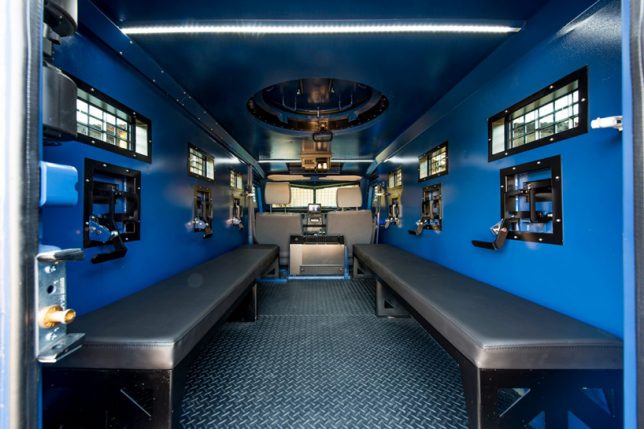
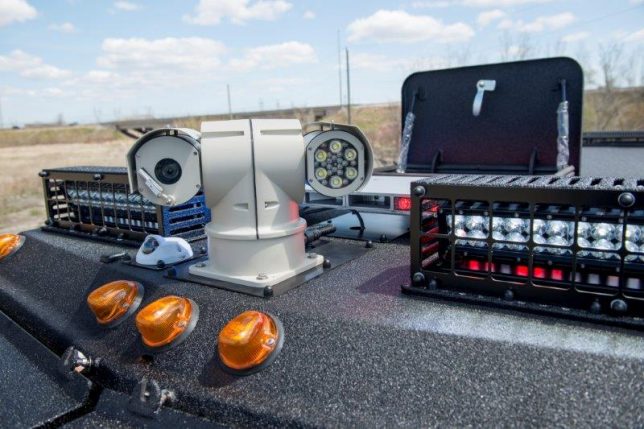
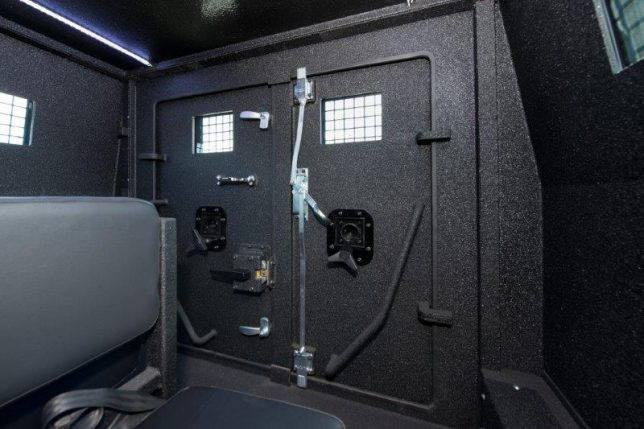
    You’d be extremely lucky to come across one of these, post-apocalypse, if it happened to be abandoned or not in use. The Hudson Armored Personnel Carrier (APC) by INKAS was designed specifically for SWAT transport and it has a freaking turret. Other notable features include two escape hatches, gunports all around the perimeter and the platform of a ’79 Land Cruiser to make replacement parts and maintenance easy. It’s a lot more fun to imagine roaring around in this thing to escape zombie swarms than it is to envision the sort of real-world situations in which it’s actually used (and that goes for most of the rest of these, too.)

    Applied Minds KiraVan

    survival-vehicles-kiravan-1

    survival-vehicles-kiravan-2

    survival-vehicles-kiravan-3

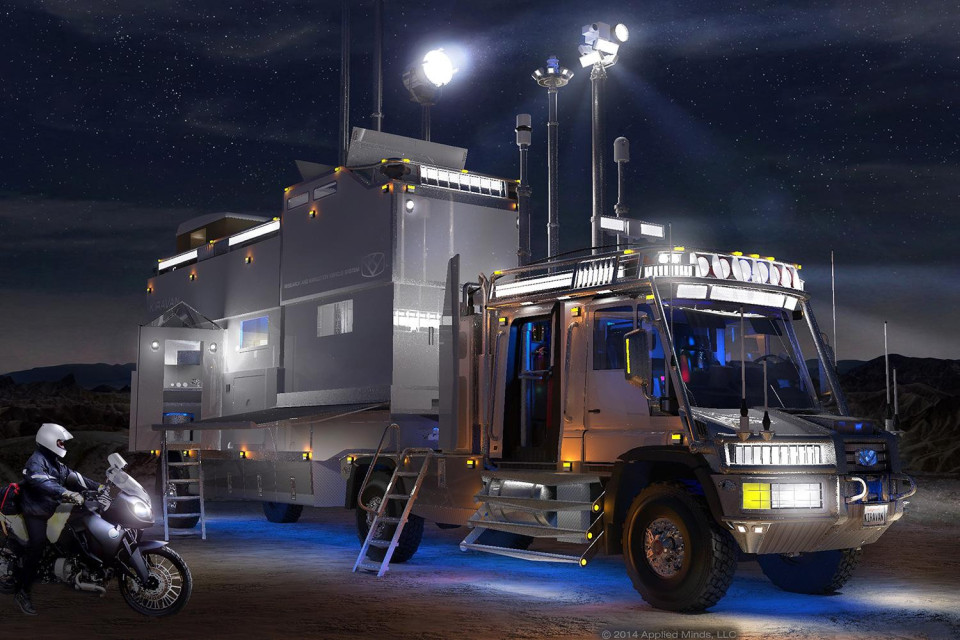
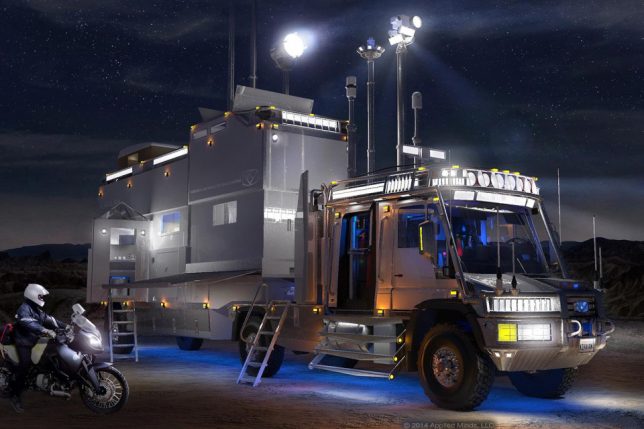
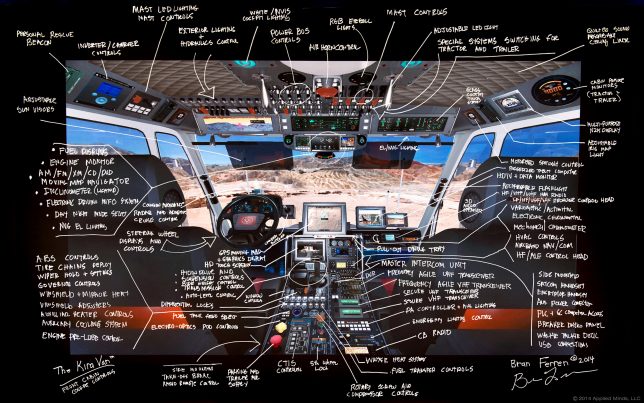
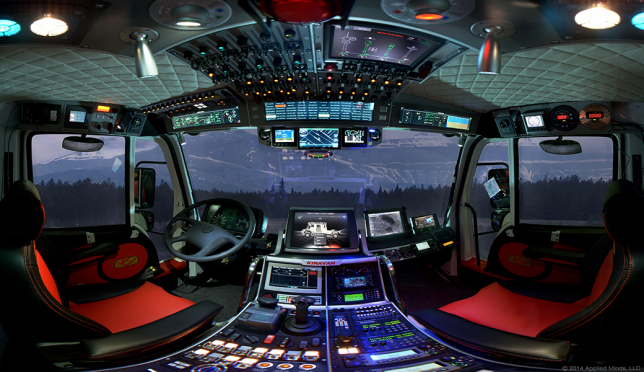
    A lifelong adventurer built one of the world’s most insane vehicles in honor of his four-year-old daughter, envisioning an off-road expedition truck that could take her anywhere on earth without limitation while maintaining the highest levels of luxury. The result is the ‘KiraVan,’ which can travel up to 2,000 miles without resupply, climb 45-degree slopes and push through small bodies of water, not to mention its kevlar-reinforced tires, diesel-powered motorcycle ‘dinghy’ and a massive trailer housing the kid’s own ‘penthouse’ loft.

    Mercedes-Benz Zetros 2733 6×6

    Mercedes-Benz Zetros

    survival-vehicles-zetros-2

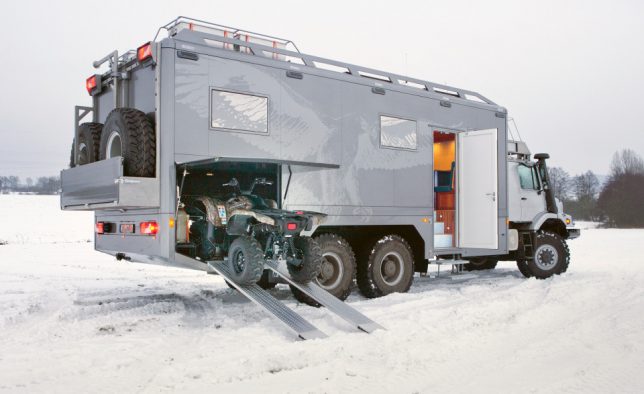
    Built as a luxury RV for rich hunters, the Mercedes-Benz Zetros 6×6 is not your grandfather’s vacation vehicle. It can go off-road, a virtual mobile fortress with ATV storage and extra-tough tires. Inside, there’s a bathroom with marble flooring and underfloor heating, a bedroom, a fully-equipped kitchen, a built-in SAT receiver powered by a diesel generator and a gun safe.

    INKAS Huron APC
    survival-vehicles-inkas-huron

    survival-vehicles-inkas-huran-2

    survival-vehicles-inkas-huron-3

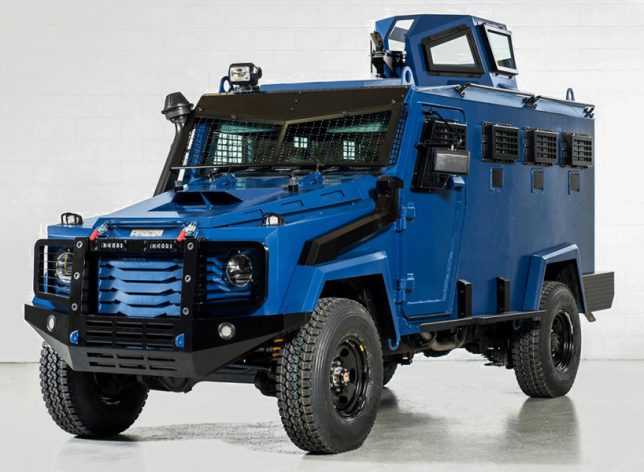
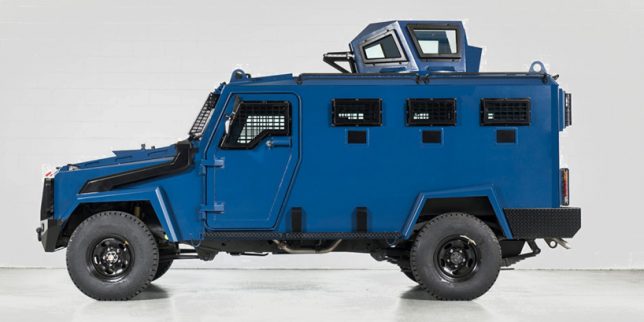
    An earlier, larger version of the INKAS Hudson, the Huron APC looks like a Hummer on steroids and features “revolutionary lightweight armor” that makes it faster and easier to maneuver than similarly-sized armored vehicles. It can carry up to 16 passengers, and its engine bay is protected by the same armor that’s capable of shielding its crew from AK-47 fire. With a price tag of over half a million dollars, not even the richest civilians can buy it – it’s intended for police and military missions only.

    Next Page – Click Below to Read More:
    Racing For Survival 13 Extreme Vehicles For The End Of The World

    Share on Facebook


    [ By SA Rogers in Technology & Vehicles & Mods. ]

    [ WebUrbanist | Archives | Galleries | Privacy | TOS ]


    WebUrbanist

  • CMRA band for Apple Watch features front and rear cameras

    If you’re worried that having to pull your smartphone out of your pocket might make you miss the decisive moment, the CMRA band for the Apple Watch could be just what you’re waiting for. The watch band comes with not one but two built-in cameras. An upward-facing 2MP module is meant to be used for video calls, via a dedicated app, and the occasional selfie. The outward-facing camera captures 8MP images or HD-video clips right from your wrist.

    To do so you have to tap a button that is built into the band or long-press it for video recording. A double-tap of the button switches between cameras. The makers of the CMRA claim you can capture ‘hundreds’ of images with one battery charge or record approximately 30 minutes of video footage. 

    Recorded images and videos are accessible via Apple’s stock Photos app, so they can be easily sorted, edited and shared. In terms of storage the CMRA offers 8GB of built-in memory. The band comes with a dual-charging dock that charges Apple Watch and CMRA band at the same time.

    The CMRA band is expected to launch in Spring 2017, but those interested can already put a pre-order in at an early bird price of $ 149 for either the 38mm or 42mm version. The estimated retail price after launch is $ 249. More information is available in the video below or on the CMRA website where you can also order the band.

    Articles: Digital Photography Review (dpreview.com)

  • 26 Spooky Images for Halloween Week

    It’s that time of year again when the ghosts and goblins take over and the timid and meek take shelter and hide. Yes, it’s Halloween this coming week.

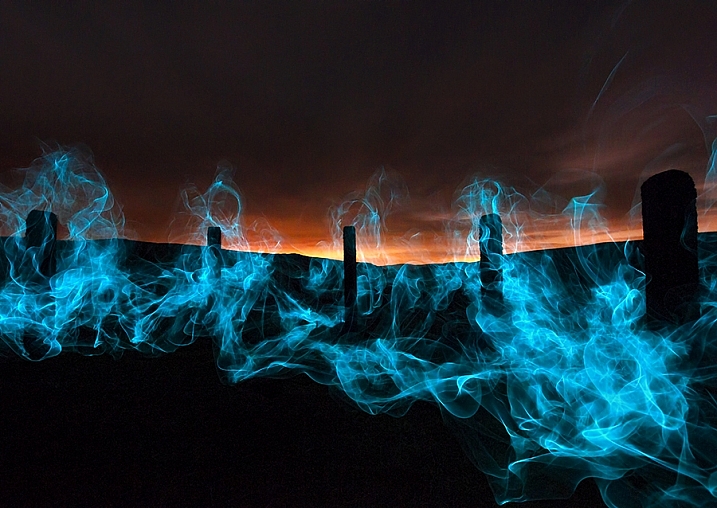
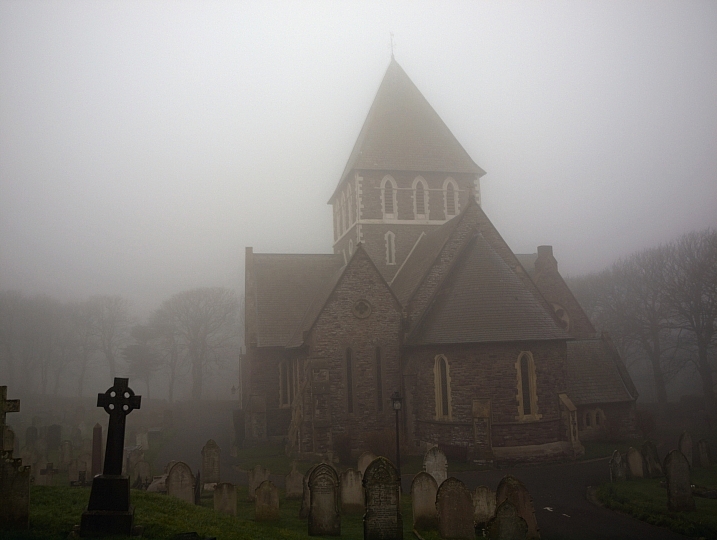
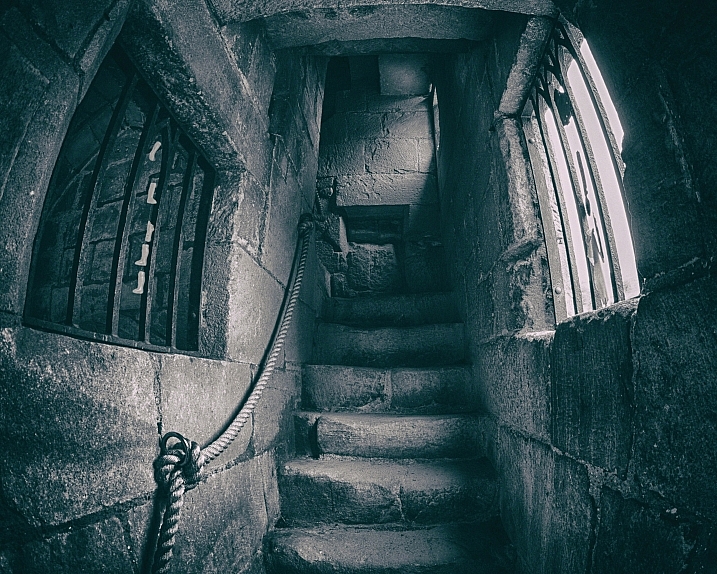
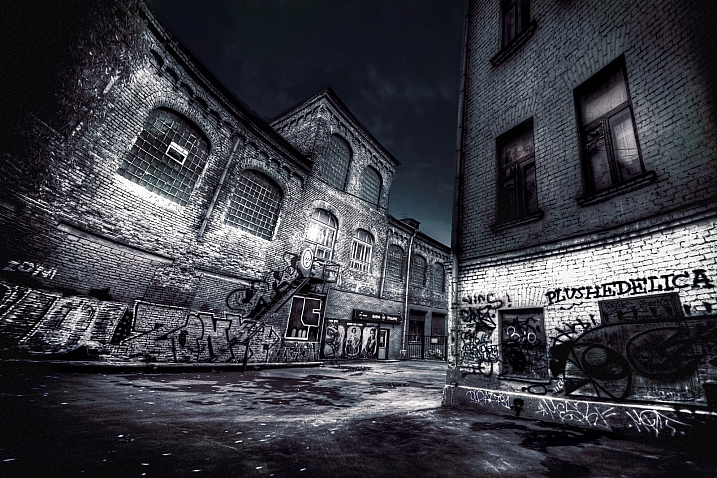
    Depending on where you live, this may be a holiday the kids enjoy, but we adults can have a little fun too. Spooky images of ghosts in the night, apparitions, scary pumpkins and more. Let’s see what these photographers found spooky and captured for Halloween.

    Krystian Olszanski

    By Krystian Olszanski

    Anne Marthe Widvey

    By Anne Marthe Widvey

    Rachel.Adams

    By Rachel.Adams

    Chris JL

    By Chris JL

    Jader56

    By jader56

    Micadew

    By micadew

    MattysFlicks

    By MattysFlicks

    Stefano Corso

    By Stefano Corso

    Moyan Brenn

    By Moyan Brenn

    Thomas Hawk

    By Thomas Hawk

    WxMom

    By WxMom

    Jpellgen

    By jpellgen

    Darlene Hildebrandt

    By Darlene Hildebrandt

    Craig

    By Craig

    Kevin Dooley

    By Kevin Dooley

    JLS Photography - Alaska

    By JLS Photography – Alaska

    Kris Williams

    By Kris Williams

    Nesster

    By Nesster

    Thomas Hawk

    By Thomas Hawk

    Flood G.

    By Flood G.

    Neil Howard

    By Neil Howard

    Adrian Kingsley-Hughes

    By Adrian Kingsley-Hughes

    Andrew Kuznetsov

    By Andrew Kuznetsov

    Christopher Bligh

    By Christopher Bligh

    Dan Castleberry

    By Dan Castleberry

    Hjl

    By hjl

    googletag.cmd.push(function() {
    tablet_slots.push( googletag.defineSlot( “/1005424/_dPSv4_tab-all-article-bottom_(300×250)”, [300, 250], “pb-ad-78623” ).addService( googletag.pubads() ) ); } );

    googletag.cmd.push(function() {
    mobile_slots.push( googletag.defineSlot( “/1005424/_dPSv4_mob-all-article-bottom_(300×250)”, [300, 250], “pb-ad-78158” ).addService( googletag.pubads() ) ); } );

    The post 26 Spooky Images for Halloween Week by Darlene Hildebrandt appeared first on Digital Photography School.


    Digital Photography School

  • Weekly Photography Challenge – Spooky

    This Halloween week we looked at some spooky images by other photographers already. Now it’s your turn in this weekly photography challenge.

    Milomingo

    By milomingo

    Weekly Photography Challenge – Spooky

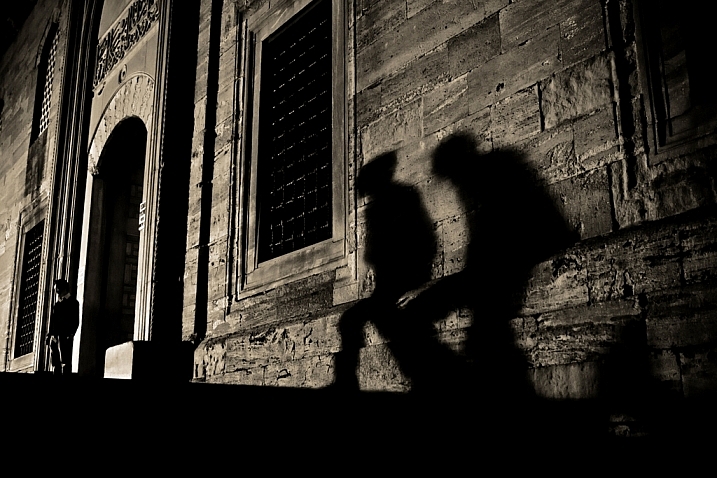
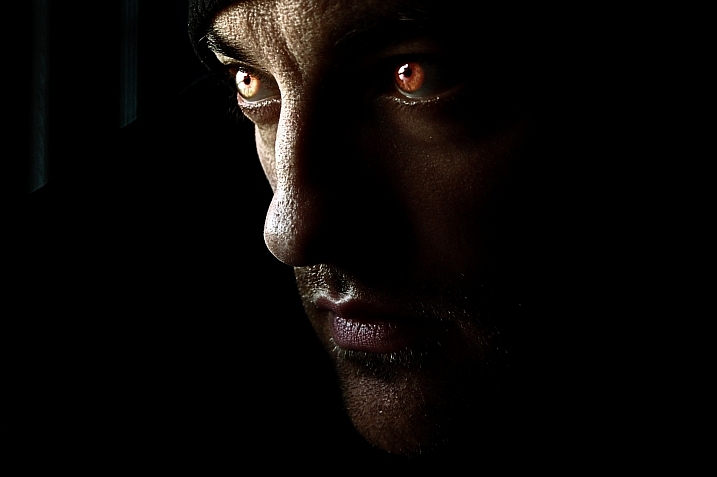
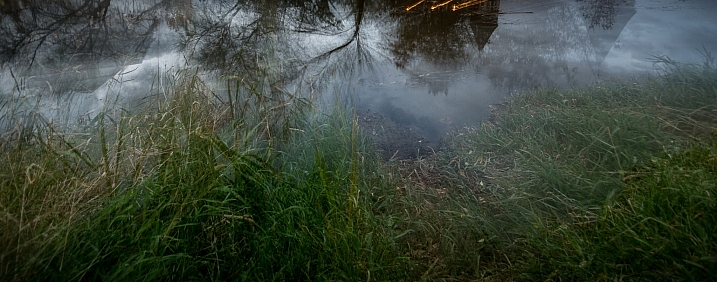
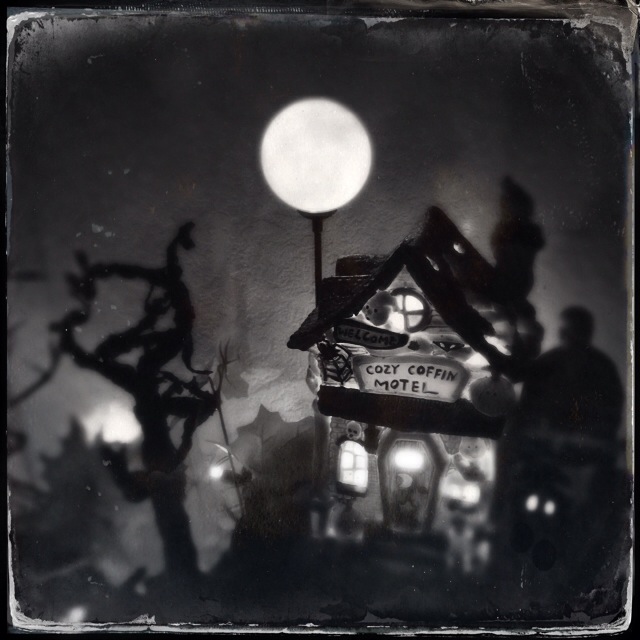
    Halloween conjures up images of ghosts and goblins, witches and warlocks, ghouls and skeletons who come out of the closet. Now is the time to create your scariest, spooky image and post it here for our theme this week. Maybe it’s dramatic lighting that makes your image scary. Or perhaps someone in a costume, make sure to use spooky monster lighting.

    Anant Nath Sharma

    By Anant Nath Sharma

    Milomingo

    By milomingo

    Dun.can

    By Dun.can

    Jonathan Hollander

    By Jonathan Hollander

    Share your images below:

    Simply upload your shot into the comment field (look for the little camera icon in the Disqus comments section) and they’ll get embedded for us all to see or if you’d prefer, upload them to your favorite photo-sharing site and leave the link to them. Show me your best images in this week’s challenge. Sometimes it takes a while for an image to appear so be patient and try not to post the same image twice.

    Share in the dPS Facebook Group

    You can also share your images on the dPS Facebook group as the challenge is posted there each week as well.

    googletag.cmd.push(function() {
    tablet_slots.push( googletag.defineSlot( “/1005424/_dPSv4_tab-all-article-bottom_(300×250)”, [300, 250], “pb-ad-78623” ).addService( googletag.pubads() ) ); } );

    googletag.cmd.push(function() {
    mobile_slots.push( googletag.defineSlot( “/1005424/_dPSv4_mob-all-article-bottom_(300×250)”, [300, 250], “pb-ad-78158” ).addService( googletag.pubads() ) ); } );

    The post Weekly Photography Challenge – Spooky by Darlene Hildebrandt appeared first on Digital Photography School.


    Digital Photography School