Blog

  • Shoot & Burn Vs Printing

    Things you need to consider carefully before you give away your images on disc

    Images and words By Gemma Carr
     Shoot & Burn Vs Printing 1Not so long ago to be a photographer meant that you had to invest in an expensive camera AND load that camera with film. Nowadays, with digital format, a photographer can do away with the expense of film and shoot to his or her heart’s content without the worry about the cost of film.

    Whilst there are countless benefits to shooting digital – hence why we are all here now in this digital environment – there are also some new “pickles” to deal with.

    The main “pickle” (I like that word) that I want to address today is that of releasing your digital negatives on disc Vs supply your clients with prints.

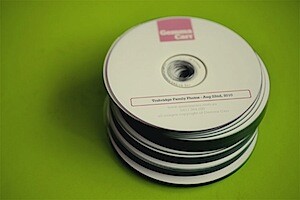
    Giving your images away on disc is what’s known in the industry as “Shoot & Burn”, effectively reducing the handling of print orders and giving the client access to all the images contained on the disc. This can seem like a great idea to save you time and it’s always very appealing to the client, lets face it, who wouldn’t want their images on disc? However, if not negotiated right, passing along a disc of images can lead to passing along of print profits, print quality control and the potential misrepresentation of you as a photographer.

    For example, have you noticed the variation of print and paper qualities between the labs you use? Chances are your clients, with disc in hand will find the most convenient and cost effective method of printing, rather than sourcing the best quality print option. By giving away images only on a disc, you never know if or how they will be printed and presented. Is this something you are comfortable with?

    After all, it’s your reputation and future business that’s at stake if the print option they choose isn’t up to your won exact standards.
     Shoot & Burn Vs Printing 2

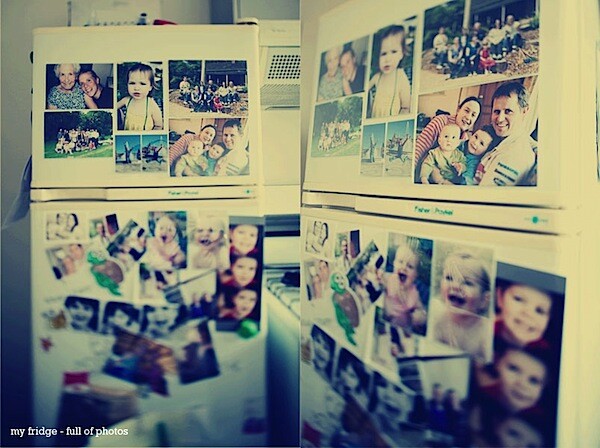
    And what’s significant about a high quality printed photograph is also what sets is apart form an electronic image. As a photographer, the images you create are shared in many forms via email, facebook, slideshows etc. With so many electronic photo sharing options available, it’s easy to over look the importance of the printed image. Looking at an image on a screen is fantastic, but there’s nothing quite like the personal, tactile feeling of holding a print in your hand, turning the pages of an album, bringing a print closer to see the details. Even the scent of the photo paper can transport you. This is the power of the printed photograph and it would be so sad to overlook this significance.

    The main risks of only supplying digital negatives on disc:

    • Loss of quality control
    • Loss of potential income (in print sales)
    • People will come to expect it of you

    The benefits of retaining the digital negatives:

    • 100% quality control of prints, you know how your prints are being displayed (which should lead to more work).
    • Clients return back to you time and again for prints, keeping you fresh in their minds.
    • Ensures clients spend a set amount for your services.
    • Maintains your value as a photographer and your skills.

    The reality is that nowadays, clients will demand a disc or take their business elsewhere. There surely must be a compromise?

    The good news, yes there is!
     Shoot & Burn Vs Printing 3

    Here are some methods many professional photographers use:

    Printed Proofs – provide your clients with a physical set of proofs to select their favorites from.

    Minimum Spend – Release images on disc ONLY when clients meet a certain spend threshold. This could be bundles with a print or album package. This is a very effective way to bundle your print/disc combo. (I use this sales tool)

    Low Resolution Disc – Provide proofs on a disc in LOW RESOLUTION only, this way the selected shots will still be printed by you, to your quality standards.

    Online Gallery – this will allow your clients to view and share their photos on a computer, which is always handy. Yet to actually obtain any prints, clients will need to order via the online gallery. This also alleviates the expense of printing proofs.

    Watermark – protect your digital files with a copyright watermark, again clients will need to come back to you for prints.

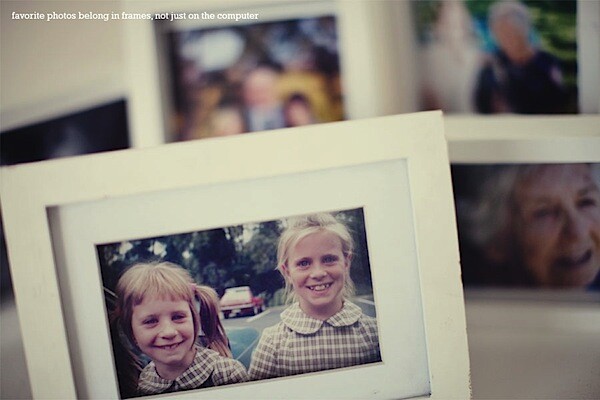
    So as we all try to find our best practices for this digital life, I hope that along with the gazillion files on your hard drives, you also have some favorite shots printed out and framed, stuck to the fridge and lining your office walls.

    I hope your clients have your images proudly displayed on their walls, printed and presented to your exact quality standards, with some watermarked images on their facebook as well.

    Let’s leave the pickles for tasty sandwiches.

    How about you? Have you got any suggestions or ideas to share on this topic?

    Gemma Carr is a Freelance Photographer from Melbourne. See more from her at her site GemmaCarr.com.au. Follow her on Twitter at @GemTweetAlot. This post was previously published in the members area of ACMP.

    Post from: Digital Photography School


    Digital Photography School

  • Pentax announces price and availibilty for 645D camera

    Photokina 2010: Pentax has announced its 645D medium format digital camera will start shipping globally from December 2010. The camera will sell at a retail price of 99.99 for the body in the US. In the UK, it will be priced at £9000 for the body and £10000 for the kit with the DFA 55mm 645 SDM lens. The first digital version of the company’s 645 medium format camera system, it features a 40MP, 44 x 33mm CCD sensor, 921k dot 3.0″ LCD and is compatible with the existing 645 system lenses.
    News: Digital Photography Review (dpreview.com)

  • introduction to photoshop -Part-2

    Basic Introduction to Photoshop layout and some of its useful tools Visit www.retouchcreative.com for photography retouching videos
    Video Rating: 4 / 5

  • Nikon 16-35mm f/4 Lens Review

    Rent this and many more lenses at: www.borrowlenses.com See my photos at momentsofnaturephotography.com Detailed review of the nikon 16-35mm f lens. Includes a look at some sample images taken with the lens on the nikon d3x to check out the image quality of the lens. See many more wide angle lens reviews under my wide angle lens review playlist on my main page.
    Video Rating: 4 / 5

  • Lightoom Tutorial – Preferences

    www.FroKnowsPhoto.com When first getting started with any photo editing program it is a good idea to take a look at the preference settings. Sometimes these settings can be very confusing and you may not know what to change or if you should change certain things. In this video Greg goes over every preference setting for Adobe Lightroom 3. Now, you do not have to go with the settings Greg is “suggesting”. This is what Greg has found works best for him. Use this as a guide to find out what works best for you. This is a really great tutorial for everyone who is getting started as well as people like myself who have been using Lightroom for a few years and may not have fully understood every setting. Please be sure to sign up and Join the conversation in the forum froknowsphoto.com

    Hitler gets the news. I noticed some Leica fans have noticed this I didn’t really think about it when I was thinking of a camera for him to order, so I chose an Leica M9 because it’s German. I do think it was stupid for Leica not to change the naming scheme with the move to digital it confuses things. I am part Jewish BTW.

  • ROAM – If YOU want TUBE – B52s – 3D (red/cyan anaglyph)

    3D Roaming around the world and beyond. Thanks to Jacki with an eye for planting the 3D seed years ago!

  • 3D Animation “Lift Down” ??? ?? ?????

    First Short 3D Animation. Final Project in Bangkok University.

  • Olympus M Zuiko Digital 40-150mm F4-5.6 preview gallery

    Just posted! Our preview samples gallery featuring Olympus’ brand new telezoom for the Micro Four Thirds system, the M Zuiko Digital ED 40-150mm F4-5.6. This compact lightweight lens is designed to complement the company’s Pen series cameras, and is due in the shops at the end of next month. Click through to get a flavor of its capabilities and image quality.
    News: Digital Photography Review (dpreview.com)

  • Best photo retouching iPhone Apps – Beauty Studio

    If you are sick of complicated photoshop process, Beauty Studio is the perfect application for you. Its a truly simple application, but its features are so effective and youll love it. Beauty Studio has three features, Face Retouch, Face Tone, and Auto Contrast. It might looks like little changes but those little changes will make your photos much more stunning than the original. Plus, you dont need to waste much of time to make your photos beautiful. All you have to do to use three features is just drag the level of features as you want. Even after you changed your photo, you can undo the changes whenever you want. If you like the changed photo, simply click the saving button and you are done! Do you want to be look beautiful in your pictures? Then dont hesitate anymore. Simple, easy, and powerful Beauty Studio is here for you!

    PhotoShop Tutorial : Retro look of 90s WHAT’S UP, NEXTERFLY HERE WITH ONE OTHER COOL EFFECTS IN PHOTOSHOP. THIS THIME IT’S GO RETRO THEM AND THIS EFFECTS IN YOUR PHOTO YOU WILL LOOK LIKE SOME ONE IN 90S. WATCH IT, TRY IT. TELL ME WHAT YOU THINK! My blog : {nexterfly.tumblr.com} Twitter {twitter.com

  • sigma 10-20mm f/4-5.6 Lens Review

    Rent this and many more lenses at: www.borrowlenses.com This is a detailed review about the performance of the Sigma 10-20mm lens for nikon cameras, including first thoughts, image quality and field testing. Also see Tokina 12-24mm vs. Tokina 11-16mm lens review and the Ultra Wide dx Lens Comparison videos under the wide angle lens review playlist on my main page. This lens was thoroughly tested on the nikon d3x camera.

    Rent these and many more lenses at: www.borrowlenses.com A comparison between the tokina 12-24mm and the tokina 11-16mm for nikon DSLR cameras. The purposes of each lens are explained in this video. A nikon D3x was used to test these lenses. See more videos on wide angle lenses and comparisons under wide angle lens review playlist on my main page.
    Video Rating: 5 / 5