Blog

  • DJI announces new Phantom 4 Pro and Inspire 2 drones

    The DJI Phantom 4 Pro

    DJI has announced the release of two new drones, the Phantom 4 Pro and the Inspire 2, and both of them are packed with interesting upgrades and features.

    Visually similar to the original Phantom 4, the Phantom 4 Pro includes a camera with a 1″ 20MP sensor with ‘almost’ 12 stops of dynamic range. Of particular interest, the Phantom 4 Pro has a mechanical shutter to eliminate rolling shutter effects from fast motion. It can record 4K/60p video at 100 mbps and offers H.265 video compression. Its FlightAutonomy feature uses three sets of visual systems to map obstacles in front of, behind and below the drone to help it avoid obstacles, while a Landing Protection function will help it avoid landing on uneven ground or water. It has a maximum speed of 45 mph and a high performance battery provides up to 30 minutes of flight time. It also includes new intelligent flight modes.

    The Inspire 2, similar to DJI’s Inspire 1 model, is oriented at the professional and semi-professional audience. Its magnesium-aluminum alloy body increases stiffness while lowering weight, while a new battery system allows flight time up to 27 minutes. It also offers a new forward-facing camera that will give the pilot a view for flying while a camera operator can independently control the Zenmuse camera mounted on the main gimbal. It includes a new image processing system, called CineCore 2.0, which improves file processing and supports 5.2K video at 4.2 Gbps for CinemaDNG Raw video capture, as well as support for ProRes 422 HQ, ProRes 4444 XQ, H.264, and H.265.

    DJI has also released two new Zenmuse cameras for use with the Inspire 2. The Zenmuse X4S includes a 1″ 20MP sensor with 11.6 stops of dynamic range, a 24mm F2.8-11 lens and a mechanical shutter. The Zenmuse X5S has a 20.8MP Micro Four Thirds sensor with 12.8 stops of dynamic range, and it supports 8 lenses ranging from wide angles to zooms. DJI says that a handheld mount will be available for both cameras in the future.

    The Phantom 4 Pro will retail for $ 1,499 with a standard controller and $ 1,799 with a high luminance display controller. The Inspire 2 will retail for $ 2,999 (aircraft only), and $ 6,198 for the Inspire 2 with the X5S camera, CinemaDNG, and Apple ProRes license, but will be available for $ 5,999 if ordered before January 1, 2017.

    If you want to get your hands on one of these you won’t have to wait very long: the Phantom 4 Pro will begin shipping one week after launch, the Inspire 2/X5S camera combo will begin shipping in early December, and the Inspire 2 and X4S/X5S cameras sold separately will ship in early January, 2017. All products are available for immediate pre-order.

    Press release:

    DJI Raises Bar For Aerial Imaging With Two New Flying Cameras

    Inspire 2 And Phantom 4 Pro Give Creators Unique High-Performance Tools

    November 15, 2016 – DJI, the world leader in unmanned aerial technology, Tuesday introduced two new drones that raise the bar for professional imaging: Inspire 2, the best ready-to-fly platform for high-end film and video creators, and Phantom 4 Pro, the smartest and most creative flying camera of its size.

    “Professional filmmakers and photographers always push to create images that have never been seen before, and DJI never stops trying to give them the tools to achieve their vision,” said DJI CEO and Founder Frank Wang. “Our newest flight platforms and stabilized aerial cameras are smarter, faster and more powerful than ever before. We can’t wait to see how creators use Inspire 2 and Phantom 4 Pro to capture dazzling images.”

    Inspire 2

    Advanced Imaging for Professional Results

    Inspire 2 offers powerful capabilities and is easy to operate. The nimble new magnesium-aluminum alloy body increases stiffness while lowering weight. It has a top speed of 67 mph and takes only 4 seconds to accelerate to 50 mph. With the new dual battery system, flight time is up to 27 minutes. A new forward-facing camera offers the pilot the best flight view for operating the master controller, while the camera operator receives a separate feed from the professional Zenmuse camera mounted on the main gimbal. The Inspire 2 supports the brand-new Zenmuse X4S and X5S cameras and will support additional cameras in the future.

    An entirely new image processing system, called CineCore 2.0, is embedded into the airframe, which allows processing large files faster than ever before. Inspire 2 captures 5.2K video at 4.2 Gbps for Adobe CinemaDNG RAW videos and leverages a newly-designed, fast CINESSD storage for a smooth work experience. A variety of video compression formats are supported by CineCore 2.0, including Adobe CinemaDNG, Apple ProRes 422 HQ (5.2K, 4K) and ProRes 4444 XQ (4K), H.264, and H.265. When recording 4K video in H.264 and H.265, the birate is up to 100Mbps.

    Inspire 2 offers professional capability and control suitable for many scenarios. With optional high-altitude propellers, Inspire 2 can reach a maximum service ceiling of 16,404 feet above sea level, and the self-heating dual battery redundancy system maintains good performance of the battery to -4 degrees Fahrenheit. Through an optimized mode, Inspire 2 streams smooth video at the widely used 1080i50/720p60 broadcast standard. Enhanced Lightbridge video transmission makes smoother HDMI video possible.

    High Performance and Professional Reliability

    The dual-battery system ensures that if one battery fails during a flight, the other will be able to provide power for a safe return to home. Stereo vision sensors have been included on the front and bottom of Inspire 2 for obstacle detection, and upward facing infrared sensors on top of the aircraft add protection when flying in enclosed spaces.

    The redesigned propulsion system can safely carry Inspire 2 through incredible vertical camera moves, climbing at almost 20 feet/second and descending at almost 30 feet/second. Redundant systems provide reliability for the IMU, barometer, electronic speed controller communication and satellite navigation modules. The master and slave controller range now extends to 328 feet and users can switch between 2.4 GHz and 5.8 GHz frequencies to cut through any noise for greater signal stability.

    Creative Freedom

    Inspire 2’s new intelligent flight modes expand DJI’s computer vision technology to safely fly routes that give creators new ways to capture what they envision. Spotlight Pro Mode locks onto a subject during flight while the aircraft flies freely in another direction – and automatically rotates the aircraft to stay on the shot if the gimbal reaches its rotational limit. The forward-facing camera offers TapFly, which directs Inspire 2 to any point on the screen while avoiding obstacles along the way. ActiveTrack recognizes common subjects such as people, cars and animals, sending Inspire 2 to follow behind, lead in front, circle above or track alongside while always flying forward, ensuring the forward-facing obstacle sensing system keeps the aircraft safe. 

    New Zenmuse Cameras

    DJI is enhancing the imaging potential of the Inspire 2 by expanding its line of interchangeable Zenmuse cameras, which are designed for aerial imaging and communicate directly with the aircraft’s gimbal and flight controllers. For situations that require a balance between weight and image quality, the new Zenmuse X4S has a 1-inch, 20-megapixel sensor with 11.6 stops of dynamic range and a 24 mm equivalent focal length. The Zenmuse X4S offers aperture control (f2.8-11) and a mechanical shutter that cancels rolling shutter distortion. The new Zenmuse X5S has a larger Micro Four Thirds sensor with 20.8 megapixels and an incredible 12.8 stops of dynamic range. The Zenmuse X5S camera now supports 8 lenses from wide angles to zooms. It shoots 20fps continuous burst DNG RAW (20.8 MP). In the future, a handheld mount will be available for the Zenmuse X4S and X5S cameras, bringing those cameras down to the ground for more flexible filmmaking.

    Professional Accessories to Enhance Performance

    A series of powerful DJI accessories will meet the needs of operators under various filming conditions. DJI Focus, a battery charging station, DJI CINESSD, CINESSD station and other optional accessories are available.

    An optional DJI Crystalsky high-brightness IPS monitor features an ultra-bright screen that is clearly visible in direct sunlight and ideal for outdoor shooting. It comes in 5.5-inch and 7.85-inch sizes, with the highest brightness up to 1000 cd/m2 and 2000 cd/m2 respectively, and its dedicated system reduces video transmission latency. Dual Micro-SD Card slots within the screen make it easy to back up footage and can also be used to transfer and play back files. It operates in extreme temperature conditions from -4 degrees to 104 degrees Fahrenheit.

    Phantom 4 Pro

    Professional Imaging

    Phantom 4 Pro offers a powerful imaging system for professional photo and video creators as well as non-professionals who demand excellence from the camera and platform they use to pursue their creative visions. The camera now packs a 1-inch 20-megapixel sensor, and almost 12 stops of dynamic range bring out levels of detail and low-light performance unprecedented in a flying camera of this size. Its mechanical shutter eliminates rolling shutter distortion in fast-moving scenes. Phantom 4 Pro can capture slow-motion 4K video up to 60 fps at a maximum bitrate of 100 mbps. In addition, the Phantom 4 Pro offers H.265 video compression, which substantially improves video quality at the same bitrate.

    Reliable with Enhanced FlightAutonomy System

    Phantom 4 Pro builds on DJI’s original obstacle avoidance system with FlightAutonomy – three sets of visual systems that build a 3D map of obstacles in front, behind and below the aircraft, as well as infrared sensing systems on both sides. FlightAutonomy can position, navigate and plan routes for Phantom 4 Pro, enabling it to avoid obstacles in a sensing range up to 98 feet at front and rear, even in complex 3D environments. When returning to home and tapping to initiate auto takeoff or landing, the Landing Protection function is able to detect and help avoid landing on uneven ground or water. Phantom 4 Pro has high-performance battery technology that provides up to 30 minutes of flight time. The Phantom 4 Pro flies at 31 mph in P mode with obstacle avoidance in effect, and has a 45 mph top speed in sport mode.

    Professional Control with New Remote Controller

    Phantom 4 Pro’s revolutionary new compact remote controller comes with an optional high luminance display, providing a clear and vivid live HD view from the main camera as well as essential telemetry data, even in direct sunlight. The aircraft will automatically choose between 2.4GHz and 5.8GHz once powering on to gain a clear signal in areas with high radio interference. The new controller has a built-in GPS, compass, Micro-SD card slot and HDMI port.

    Intelligent Flight

    New intelligent flight modes make Phantom 4 Pro the smartest flying camera of its size, opening new vistas for creators, such as the new Draw Mode that allows operators to draw lines on the controller display and direct the Phantom 4 Pro to fly that route.

    ActiveTrack recognizes common subjects such as people and bikes, then follows them from any angle while maintaining camera focus, and includes three new modes – New Circle, Profile and Spotlight.

    Narrow sensing enhances obstacle avoidance sensitivity so the aircraft can fly through complex environments like narrow doorways. TapFly now works backwards and comes with a new Free mode that allows a pilot to set the direction of flight, turn the Phantom 4 Pro or tilt the gimbal without changing the direction of flight. With the new AR Route feature, operators will be able to tell the flight route on the screen.

    As an additional safety feature, within a minute of losing GPS signal, the aircraft will automatically return to the last connected position and hover there precisely to wait for the pilot’s command. With the enhanced return to home function, the aircraft knows where it should be going from up to 984 feet away and avoids obstacles along the route.

    Price and Availability

    Phantom 4 Pro’s U.S. retail price is $ 1,499 with a standard controller. The Phantom 4 Pro, which includes a Phantom 4 Pro aircraft, and a high luminance display remote controller, will be available at $ 1,799. Phantom 4 Pro and Phantom 4 Pro are immediately available for pre-order at dji.com/phantom-4-pro and DJI flagship stores in Shenzhen, Seoul and Hong Kong. These products will begin shipping one week after launch.

    The U.S. retail price of the Inspire 2 aircraft is $ 2,999. The Inspire 2 Combo, which includes one Inspire 2 aircraft, one Zenmuse X5S, CinemaDNG and Apple ProRes License Key, is available for $ 6,198. Customers who order the Inspire 2 Combo before January 1, 2017 can enjoy a special price of $ 5,999. Inspire 2 and its accessories will be immediately available for pre-order at dji.com/inspire-2 and also in the three DJI flagship stores. Inspire 2 Combo will start shipping in early December 2016 while customers who purchase the aircraft and camera separately can expect their orders to start shipping in early January 2017.

    Articles: Digital Photography Review (dpreview.com)

  • New 2016 Annual dPS Reader Survey – Tell Us More About You

    At dPS we value you, our readers, above all else. We want to help you take better pictures.
    By doing this survey you will be helping dPS serve you better. By knowing what kinds of things are you struggling with, and the types of articles you want to see we can work toward providing more of what you need to move your photography forward.

    We value your time, and you, as our regular reader and always strive to improve – you will help us by completing this form, for which we will be especially grateful.

    Click on this link, or the image below to start the survey.

    FEAT.-JOHN-SMITH.-CREATIVE-DIRECTOR..png


    Thank you for your continued support and being a dPS reader. We wish you all the success on your photography journey.

    The dPS Management Team

    googletag.cmd.push(function() {
    tablet_slots.push( googletag.defineSlot( “/1005424/_dPSv4_tab-all-article-bottom_(300×250)”, [300, 250], “pb-ad-78623” ).addService( googletag.pubads() ) ); } );

    googletag.cmd.push(function() {
    mobile_slots.push( googletag.defineSlot( “/1005424/_dPSv4_mob-all-article-bottom_(300×250)”, [300, 250], “pb-ad-78158” ).addService( googletag.pubads() ) ); } );

    The post New 2016 Annual dPS Reader Survey – Tell Us More About You by Darlene Hildebrandt appeared first on Digital Photography School.


    Digital Photography School

  • Google RAISR uses machine learning for smarter upsampling

     Top: Original, Bottom: RAISR super-resolved 2x, Image: Google

    Upsampling techniques to create larger versions of low-resolution images have been around for a long time – at least as long as TV detectives have been asking computers to ‘enhance’ images. Common linear methods fill in new pixels using simple and fixed combinations of nearby existing pixel values, but fail to increase image detail. The engineers at Google’s research lab have now created a new way of upsampling images that achieves noticeably better results than the previously existing methods.

    RAISR (Rapid and Accurate Image Super-Resolution) uses machine learning to train an algorithm using pairs of images, one low-resolution, the other with a high pixel count. RAISR creates filters that can recreate image detail that is comparable to the original, when applied to each pixel of a low-resolution image. Filters are trained according to edge features that are found in specific small areas of images, including edge direction, edge strength and how directional the egde is. The training process with a database of 10000 image pairs takes approximately an hour. 

    Once RAISR has been trained it is capable of selecting the most appropriate filter for each pixel in a given low-resolution image to fill in new pixels in order to create a higher-resolution version. RAISR can also remove aliasing artifacts, such as moiré patterns or jagged lines in the low-resolution images when creating the larger version, something that linear methods are not capable of doing.

    Eventually, Google may be able to use the technology to upsample images that are sent at mobile bandwidth-friendly resolutions. More information on RAISR is available on the Google Research Blog.

     Left: Original, Right: RAISR super-resolved 3x, Image. Google

    Articles: Digital Photography Review (dpreview.com)

  • Google’s new PhotoScan app makes digitizing prints super easy

    There are plenty of existing methods for digitizing printed photos, and most of them fall on a spectrum between ‘arduous with good results’ and ‘quick with terrible results.’ Google’s new PhotoScan app aims to aims to bridge the gap with a method that’s easy and produces good results by employing computational photography. 

    The free app, available now for Android and iOS, requires the user to place their photo on a flat surface. After snapping a reference frame, the app directs the user to move their phone around the image to capture more data and, critically, move around the glare that the photo is almost certainly reflecting.

    After you’ve made a successful pass, the app will work its magic and spit out a digitized, glare-free rendition of your photo. Images can be saved to your phone’s camera roll and to the cloud. In less than a minute, you’ve got a shareable digital photo that’s way better than the quick-and-dirty version.

    Decent scans of instant photos with minimal effort? Sign me up. I scanned these Instax prints with Google’s PhotoScan app and they are gloriously glare-free.

    The app analyzes your photo and identifies reference points so it can merge multiple versions of the same image, and compares pixel-level details to judge which image is free of glare. It’s based on technology Google and MIT have been developing to help remove unwanted reflections and obstructions from photos.

    The app automatically crops, straightens and rotates your photo, but you can rotate and adjust the corners after capture if needed. My first few tries show surprisingly good results, with glare nearly totally removed in each image. The app uses your phone’s flash to provide illumination, but even so, using better available light produced the nicest results. The results look good enough for social sharing, but if it’s high resolution, high quality digital conversions you’re after, you’ll probably still need to go about it the hard way.

    For more information you can watch Google’s Nat and Lo interview researchers about how it all works.

    Articles: Digital Photography Review (dpreview.com)

  • Seagate 5TB Backup Plus Portable is ‘world’s largest capacity’ mobile storage drive

    Seagate has introduced the 5TB Backup Plus Portable, calling it the world’s largest capacity portable external storage drive. The Backup Plus Portable features the BarraCuda 5TB internal drive in a 20.5mm-thick aluminum case; it supports both macOS (with an NTFS driver) and Windows with USB 3.0 connectivity.

    Seagate announced the BarraCuda internal hard drive last month, and lists the 5TB model with data transfer speeds up to 140MB/s. At this capacity, the drive can store up to 600 hours of HD video, according to Seagate. The new Backup Plus offering will be available later this month in red, black, blue, and silver color options for $ 190.

    Via: Seagate

    Articles: Digital Photography Review (dpreview.com)

  • Red Cross & IKEA Install Replica of Real Syrian Apartment in Flagship Store

    [ By WebUrbanist in Design & Guerilla Ads & Marketing. ]

    ikea-mockup

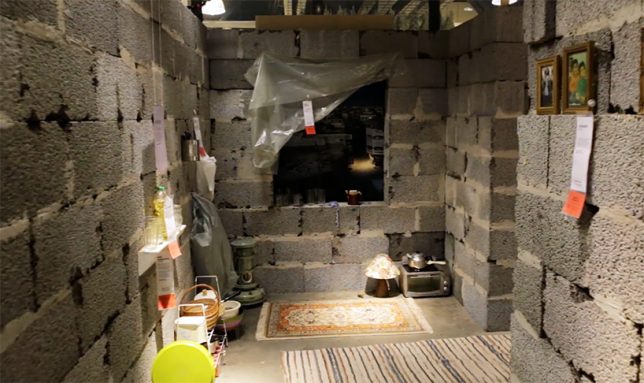
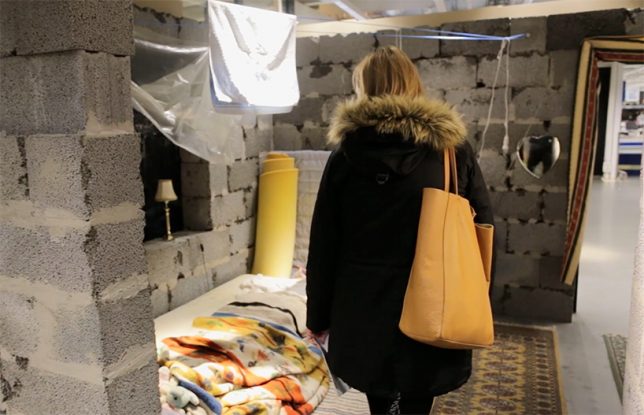
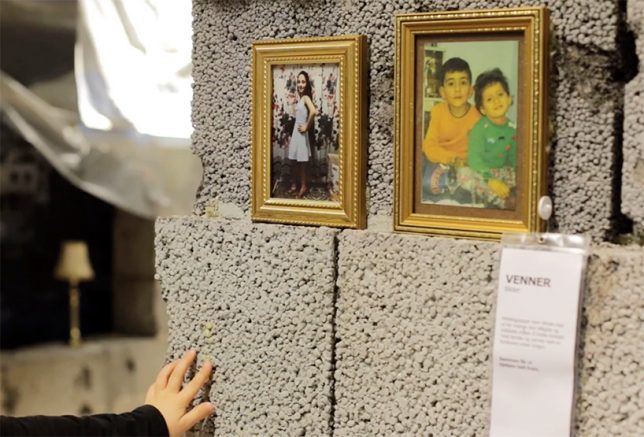
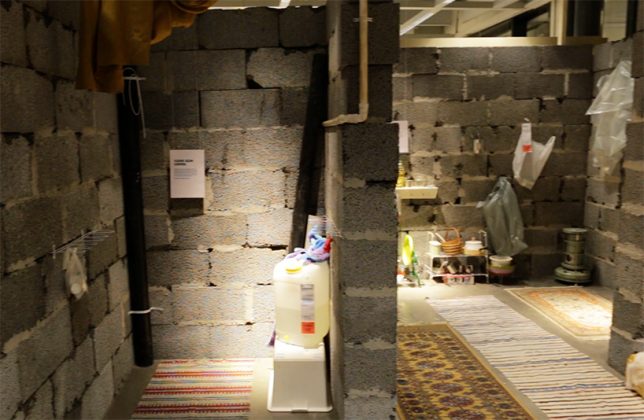
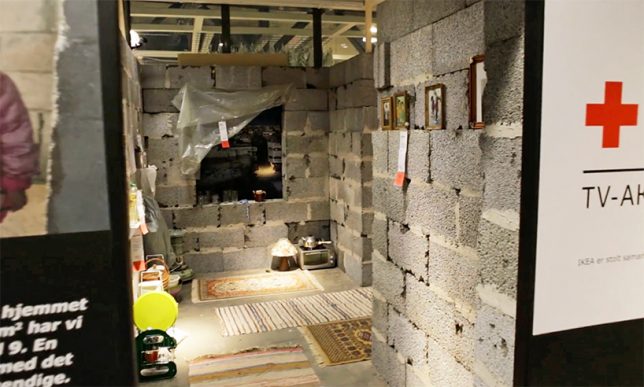
    Amidst the colorfully furnished spaces mocked up in IKEA’s flagship store sits a place of jarring contrast, a replicated version of an actual 260-square-foot house that is home to a family of nine in Syria.

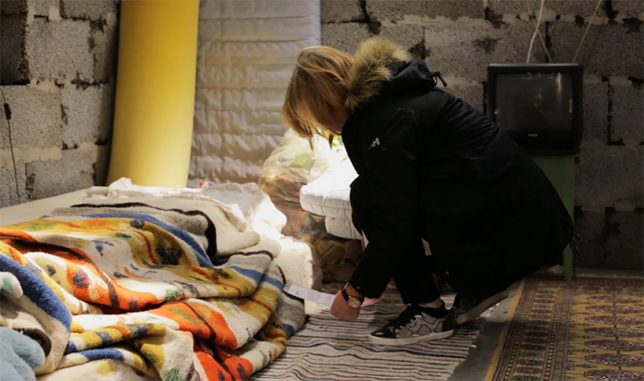
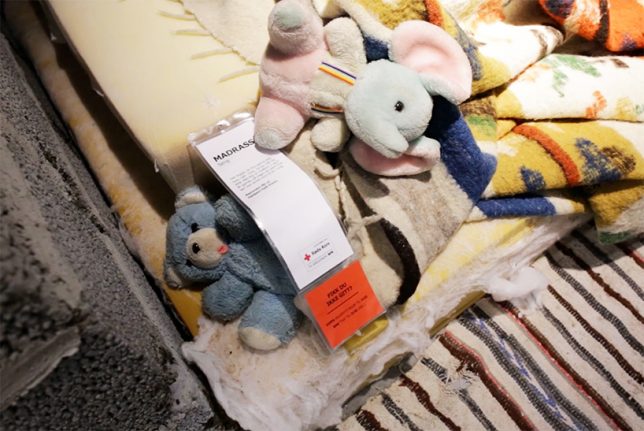
    IKEA has done installations before and worked on flat-pack refugee shelters, but this piece really brings the problem home, putting it in front of consumers as they shop. In collaboration with the Red Cross, the displays also feature tags that offer people ways to help by donating to relief efforts.

    ikea-replica-home

    ikea-house-tag

    ikea-syria-installation

    The original house in Damascus, Syria after which this one in Slependen, Norway was modeled houses Rana and eight of her family members. Both the real and replica versions feature hard cinder block walls — the latter relays stories of the residents, how they live and what they lack in terms of food, medicine and clean water.

    ikea-red-crosss-collaboration

    ikea-interior

    ikea-house-replica

    “We had been working with the Red Cross for months, so we had a lot of footage from Syria,” said the agency behind the idea. “But no matter how emotional it was, nothing got close to the experience of visiting people in a war zone. We realised we could give Norwegians that experience at IKEA. At the one place where you think of and plan the future — the apartment served as a physical reminder of how lucky we are.”

    Share on Facebook


    [ By WebUrbanist in Design & Guerilla Ads & Marketing. ]

    [ WebUrbanist | Archives | Galleries | Privacy | TOS ]


    WebUrbanist

  • How to Improve Your Photography by Shooting Behind the Scenes of a Short Film Shoot

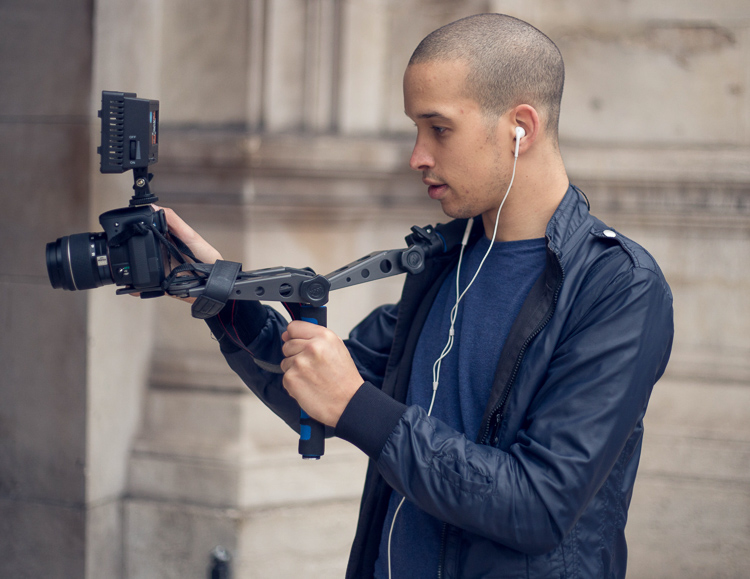
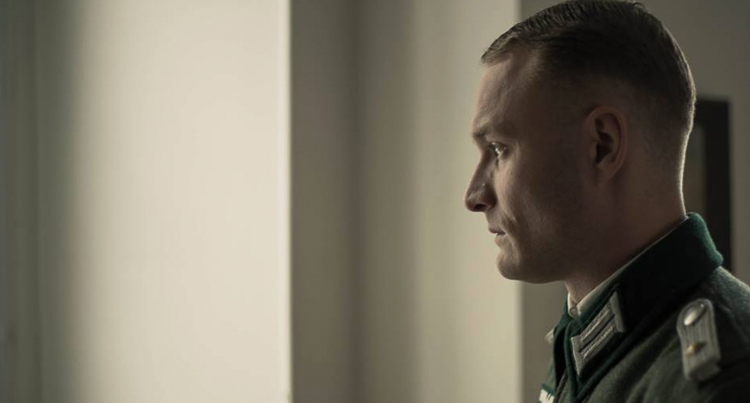
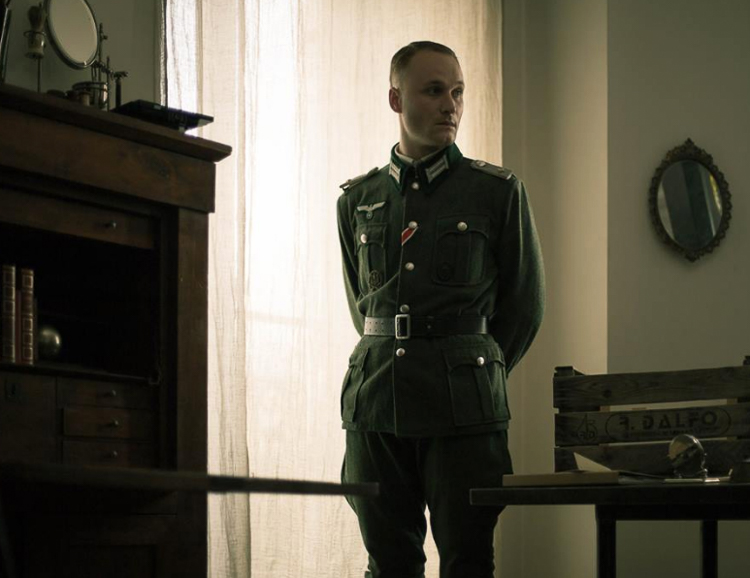
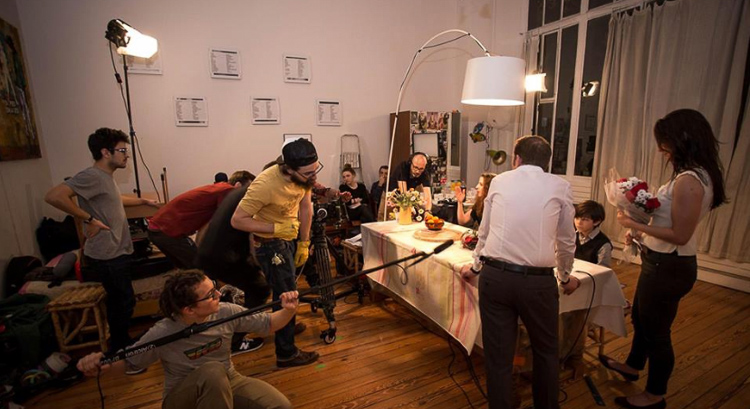
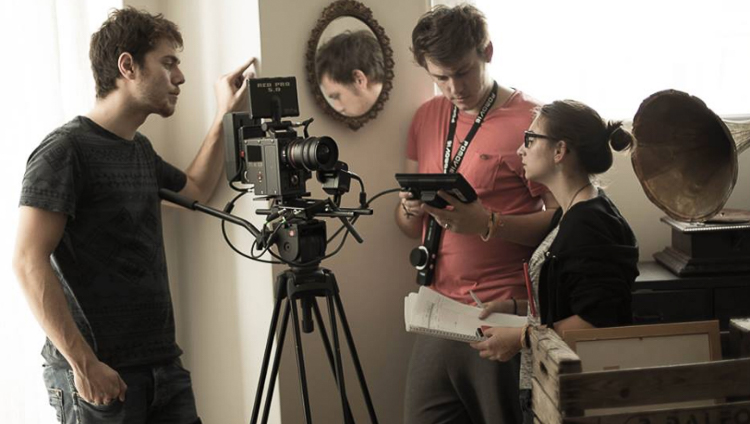
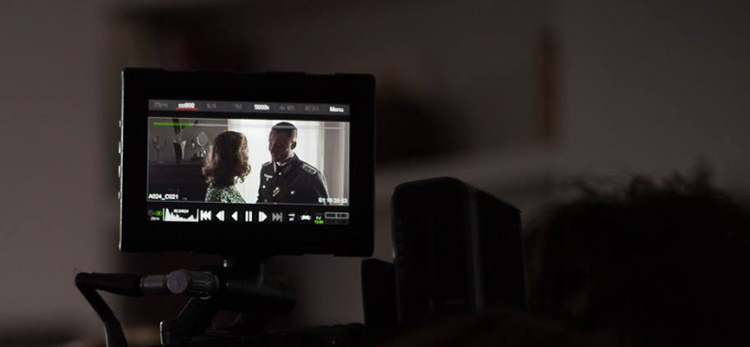
    For any creative photographer, shooting behind the scenes of a short film sounds like a boring idea. That’s what I thought until my friend called me to shoot for one of his school projects (he is in a film school and had to shoot three sequences). I wasn’t going to refuse so I showed up that day and little did I know, I ended up learning so many things and got to meet a lot of people. The best part is that I took some of the best images since I first picked up my camera.

    Article bts short film

    Here are some reasons why you should consider shooting behind the scenes images and how it can benefit your photography:

    #1 – It’s an opportunity for a photoshoot

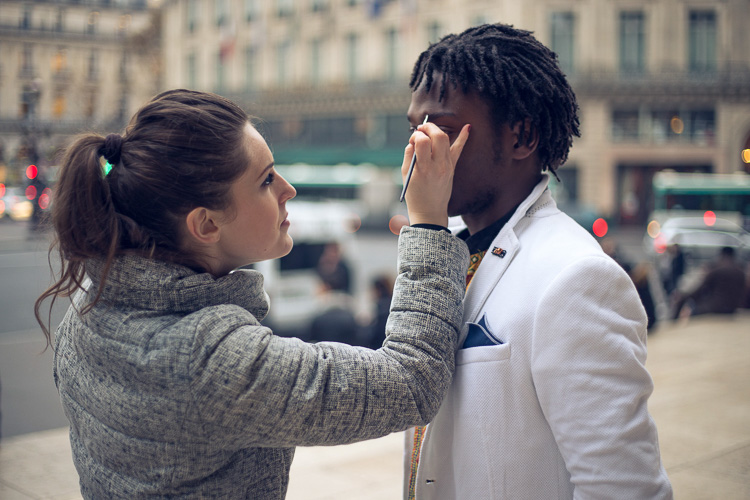
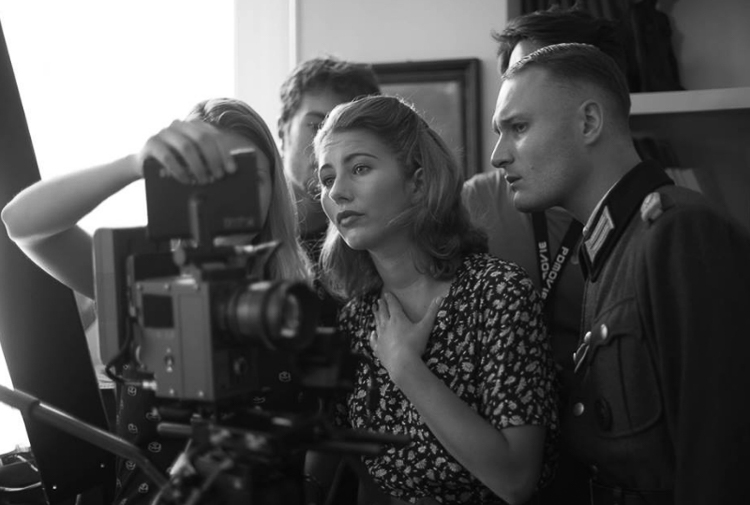
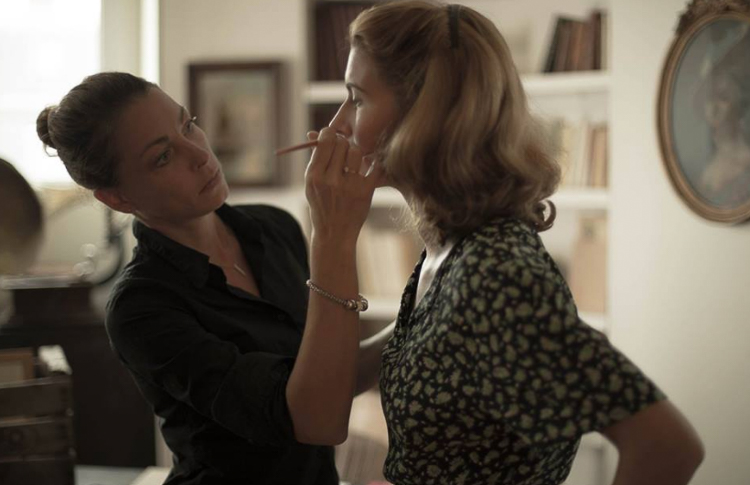
    During a shoot for a short film, most of the actors are used to modeling and aren’t afraid of a camera. There is a director of photography who works on the lighting, and there is a make-up artist (of course there are more people on set who take care of the sound, costumes, assistant, etc.). A short film is basically a photo shoot but instead of taking images, people act and they are being filmed.

    Actors have their costumes, they have had their hair and make-up done, and the director of photography just did the entire lighting for you. You have to see it as an advantage because they spend weeks planning and you’re just here to take beautiful photos with perfect conditions. I took my most beautiful images during short films and I would not have had been able to reproduce the scenes, costumes, and ambience on my own.

    Article bts short film1

    Article bts short film9

    Even if you don’t really like the theme or would rather plan a photoshoot on your own, trying other people’s ideas can also put you out of your comfort zone and help you progress.

    #2 – You’re surrounded with creatives

    Working with other creatives has helped me so much. The best thing is the shared interest and not wanting to disappoint. Working with people who want to create gives you an extra boost and it pushes you to do your best. Most people on a film crew need these images. Looking at all the work they put into creating their projects, whether it’s for auditions to find the perfect actors, negotiating to borrow super expensive filming equipment, let’s not forget the make-up artists who stay on set all day, and all the detailed planning of the sequences. You can’t really disappoint with average images, so you automatically try to get stunner shots.

    Article bts short film12

    article-bts-short-film6

    It’s quite difficult because you can only take images after the scenes when the actors are briefed by the film director. So they’re not actually posing for you, you just have to walk around without attracting any attention to get some nice images. Do not take any images when the video camera is rolling. The sound of your shutter can throw a whole scene away, and trust me you do not want to be in that situation. Just patiently wait for the director to say cut and then you can start taking your images.

    Article bts short film13

    When an actor is not included in a scene, you can kindly ask them to pose for you. Most of them need portraits for their website or their portfolios so they will most likely say yes. If they say no, just tell them that if they change their minds, you’re always fine with taking portraits.

    Article bts short film3

    Article bts short film5

    #3 – You may get to work with these people on future projects

    A whole day of filming can take up to eight hours or more. You’re going to meet a lot of people (depending on the size of the crew) and you will have a lot of time to get to know everyone. I would highly recommend socializing during the breaks over a cup of coffee and getting to know everyone. Most of them have the same passion as you, whether it’s the assistant or the sound team, you can speak about previous or future projects, have tech discussions about camera gear, you name it.

    The actors are the most talkative, especially when they have a few hours without any scenes. Tell them about your photography. If you like their profile ask them if they would like to have a photoshoot with you in the coming weeks. The make-up artists are also great contacts to have, take their business card and contact them for your next photo shoot if you need someone for make-up and hair.

    Article bts short film8

    One make-up artist I met had a little girl who wanted to start modeling. We met a couple weeks later and I photographed her daughter. I ended up having a solid image that went directly into my portfolio.

    Get your images ready to show them quickly

    One tip I can give is to work on the images as soon as possible. Once these people see your images they will start spreading the word to other people in their school or entourage, share your images on social media, etc. (that is of course if you had good results). You will probably end up being Facebook friends with most of the crew and you can keep in contact that way.

    Article bts short film2

    Article bts short film11

    Most of them will post on Facebook or directly contact you if they need a photographer. Once you do a good job, they will most likely call you back. Their friends will start calling you then you will meet other actors and make-up artists, and increase your contacts even more.

    #4 – You will learn a lot of technical things

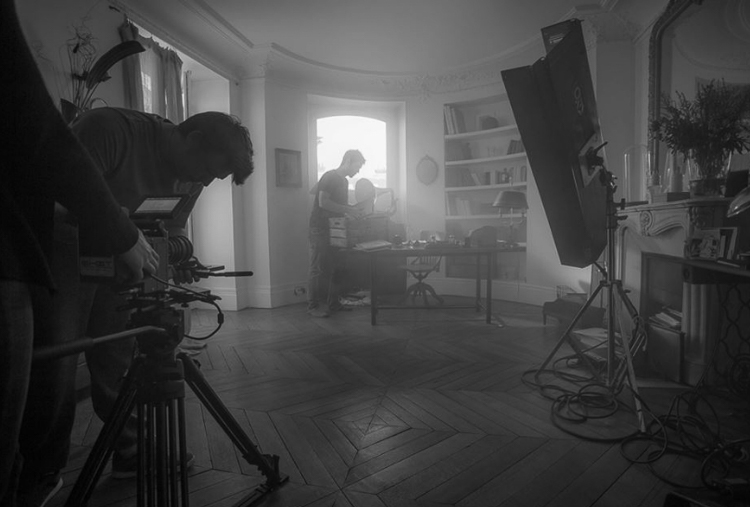
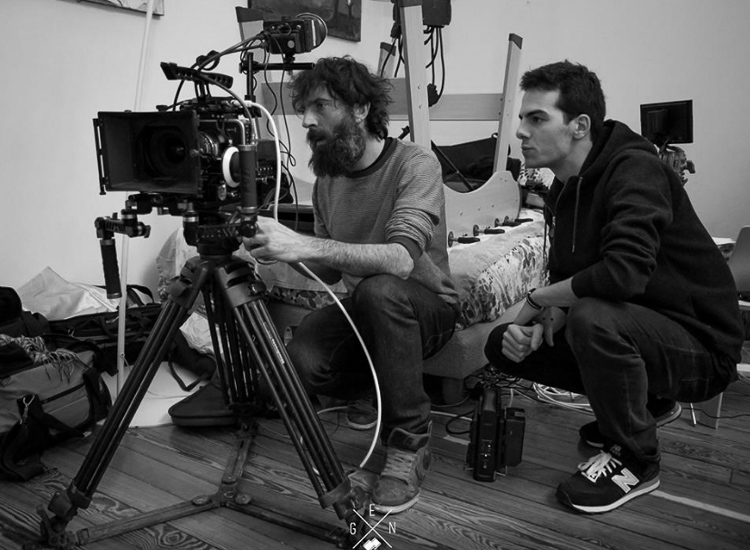
    Most film crews use a lot of advanced equipment. By watching them set up everything, you will learn a lot about cameras, the choice of lenses, framing, lighting, sound, communication with actors, team work, tracking shots, and organization. Even if you’re passive in this process, open your eyes and try to absorb as much information as you can.

    Article bts short film7

    Article bts short film4

    Most directors of photography will use different lighting techniques with some hair light, key light, harsh light, soft light, back-light with different modifiers. Pay attention to their work and try to replicate what you see later at home, you can also take images of the light set up to know exactly how each light is placed on set.

    Conclusion

    Those are just a few ways you can benefit from shooting behind the scenes on a film set. If you’ve had the experience of doing this, please share your thoughts and images in the comments below.

    googletag.cmd.push(function() {
    tablet_slots.push( googletag.defineSlot( “/1005424/_dPSv4_tab-all-article-bottom_(300×250)”, [300, 250], “pb-ad-78623” ).addService( googletag.pubads() ) ); } );

    googletag.cmd.push(function() {
    mobile_slots.push( googletag.defineSlot( “/1005424/_dPSv4_mob-all-article-bottom_(300×250)”, [300, 250], “pb-ad-78158” ).addService( googletag.pubads() ) ); } );

    The post How to Improve Your Photography by Shooting Behind the Scenes of a Short Film Shoot by Yacine Bessekhouad appeared first on Digital Photography School.


    Digital Photography School

  • Miniature Cities in Motion: Tiny Animated Metropolis Made of Paper

    [ By SA Rogers in Art & Sculpture & Craft. ]

    paperholm

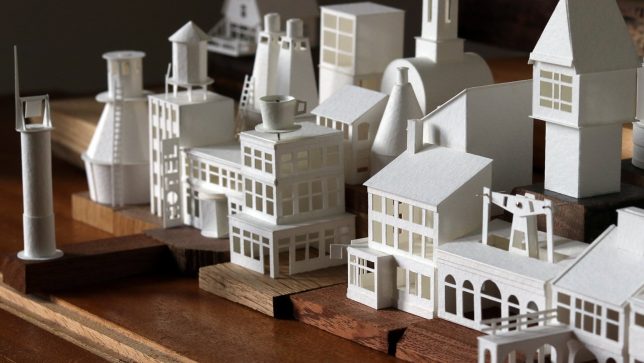
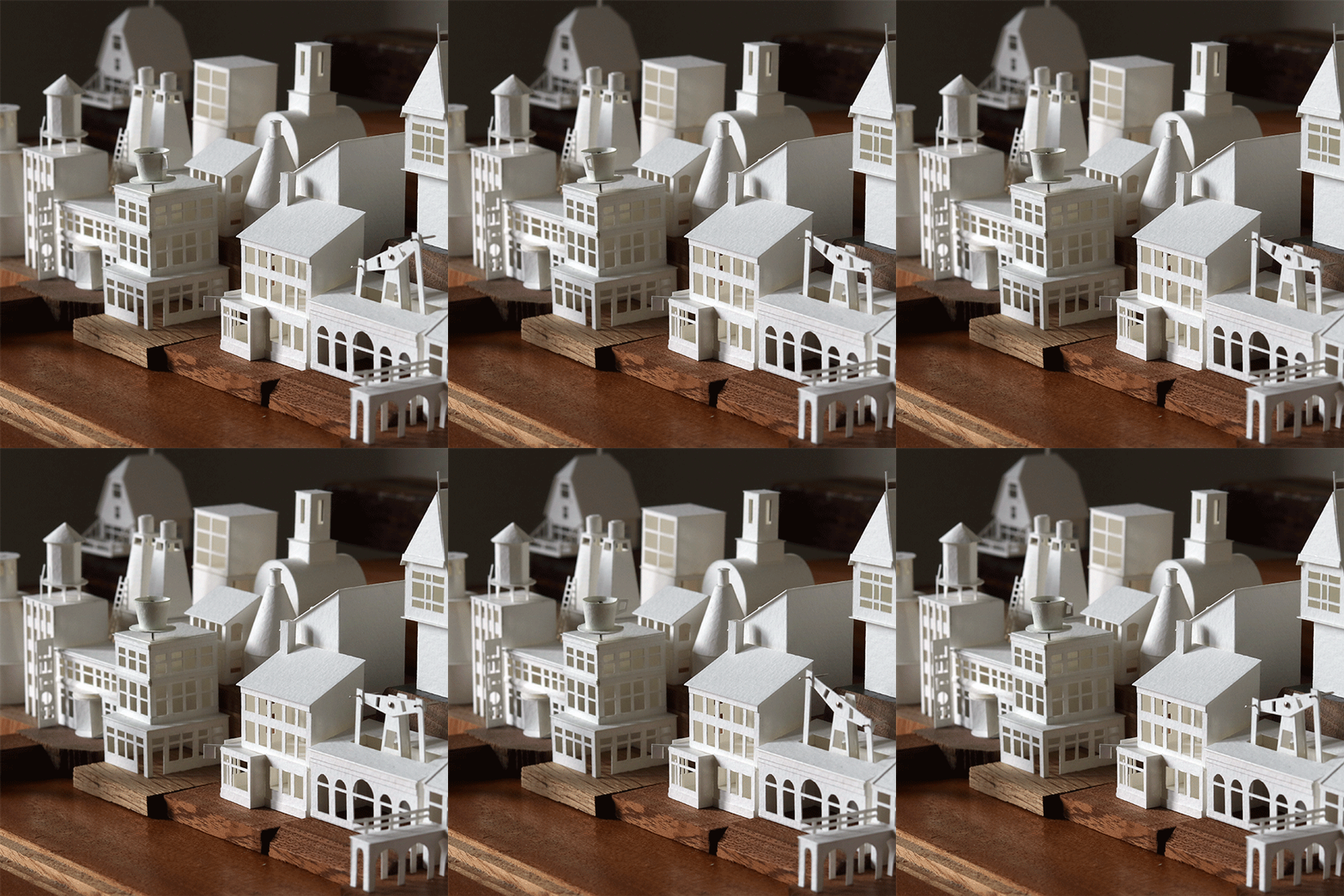
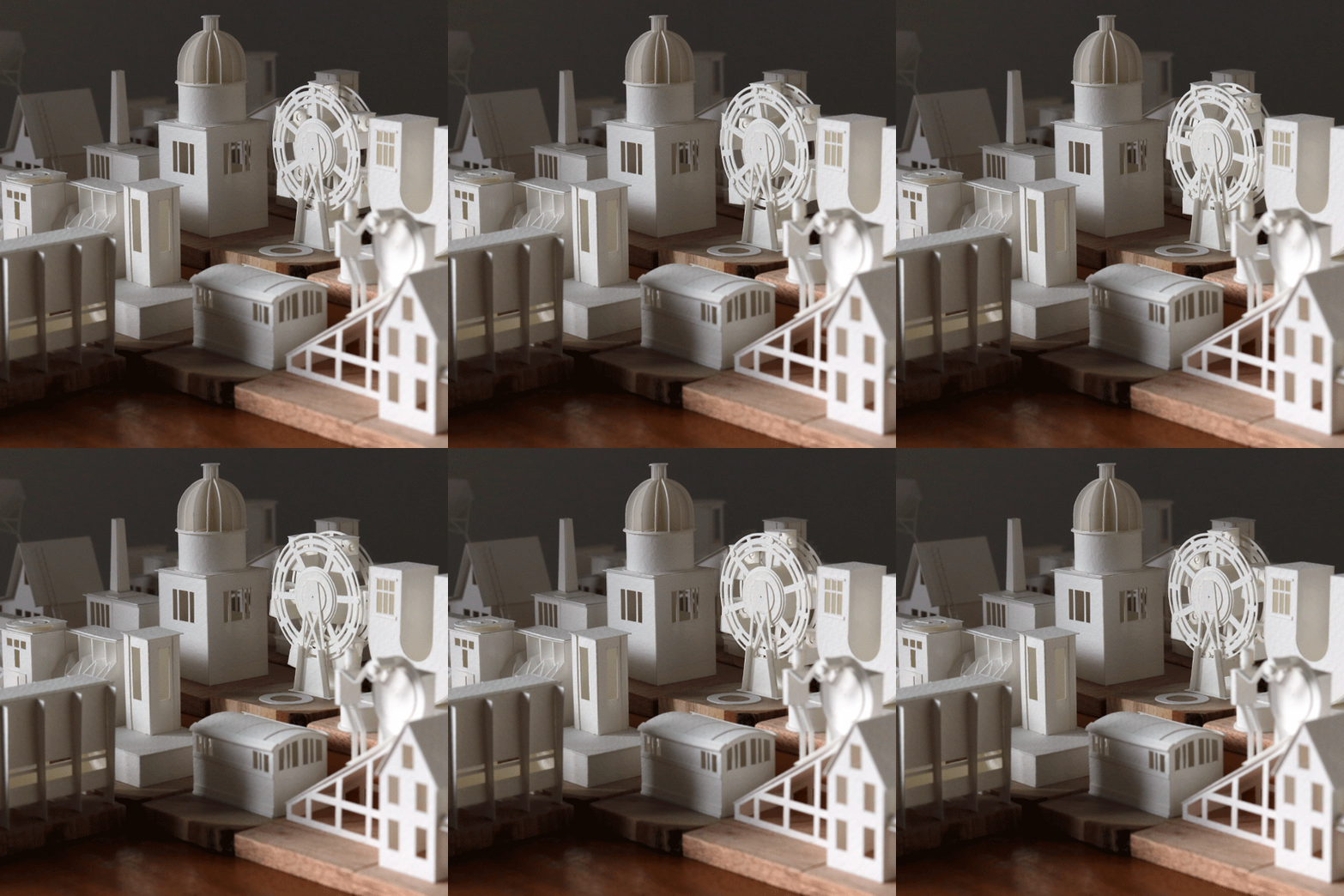
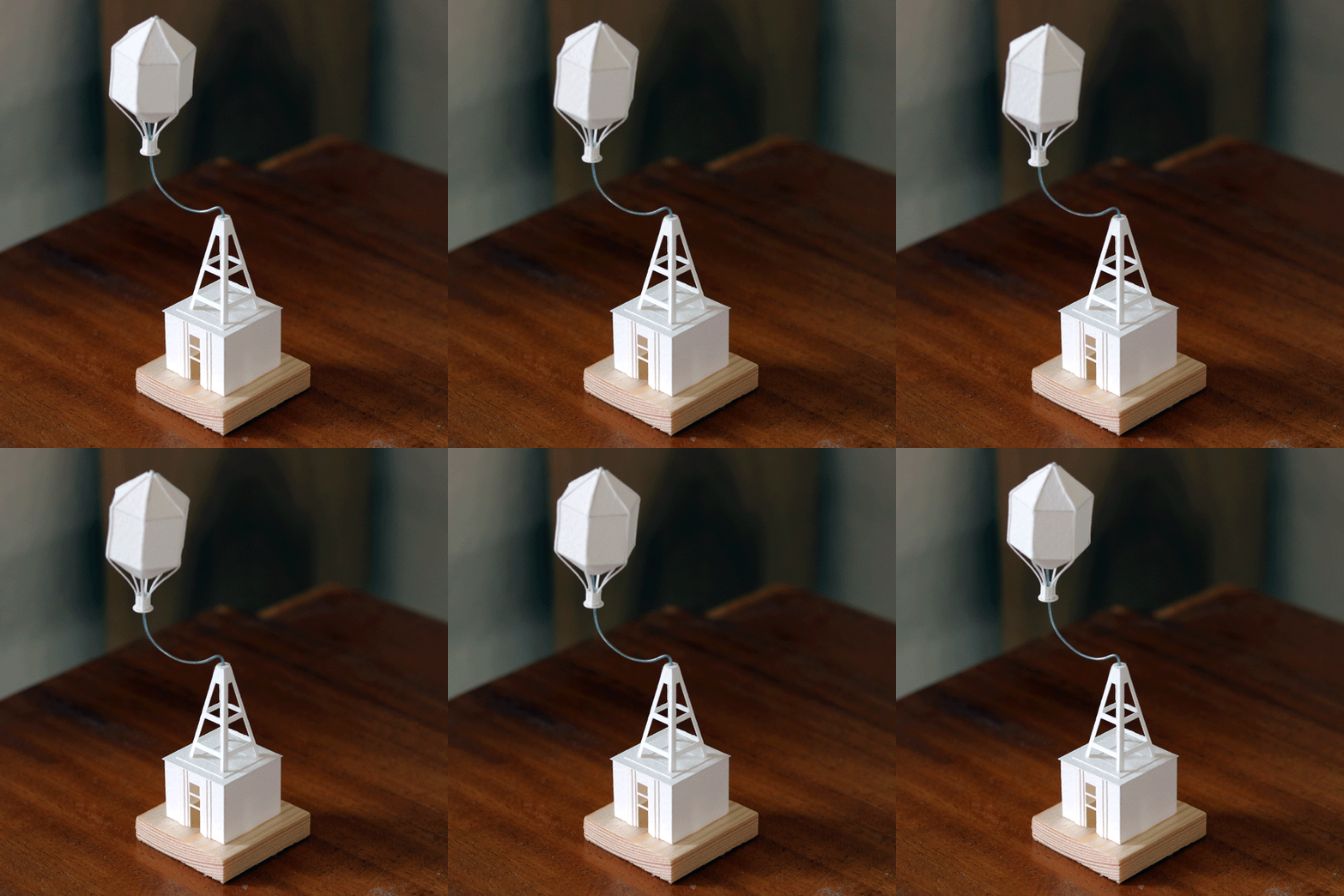
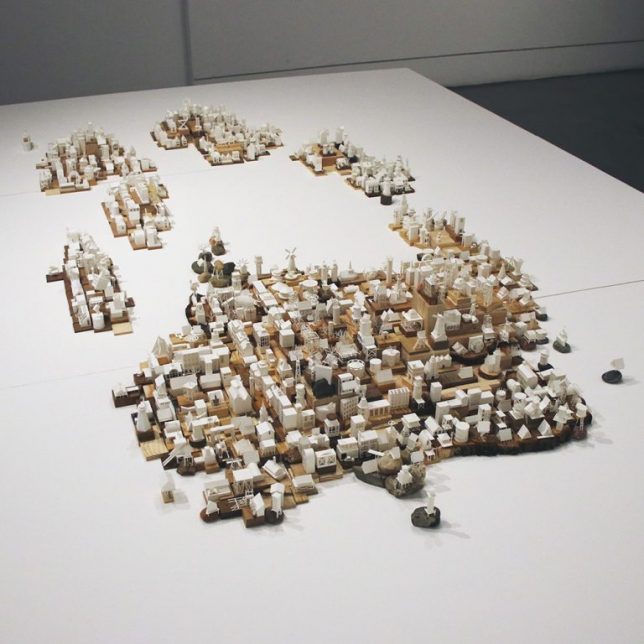
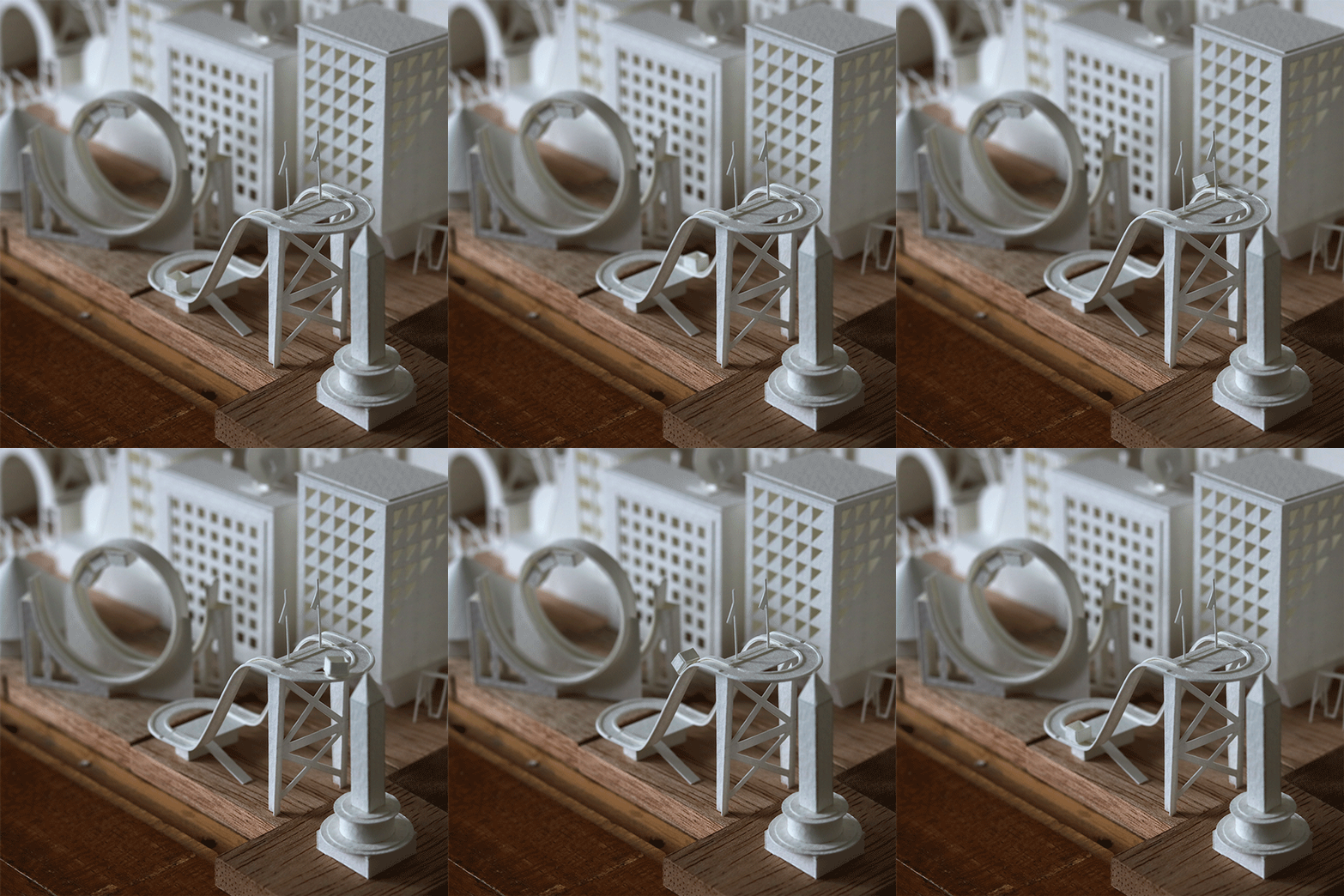
    Diminutive flags wave in the wind, ferris wheels the size of clock gears turn, cranes rise and fall and tiny cars zoom around in this three-dimensional world made out of paper. Artist Charles Young has been working on his ‘Paperholm’ project for years, typically completing one miniature building every single day, mounting them to wood or stone and creating stop-motion animations from their moving parts.

    paper-cities-1

    paper-cities-3

    paper-cities-4

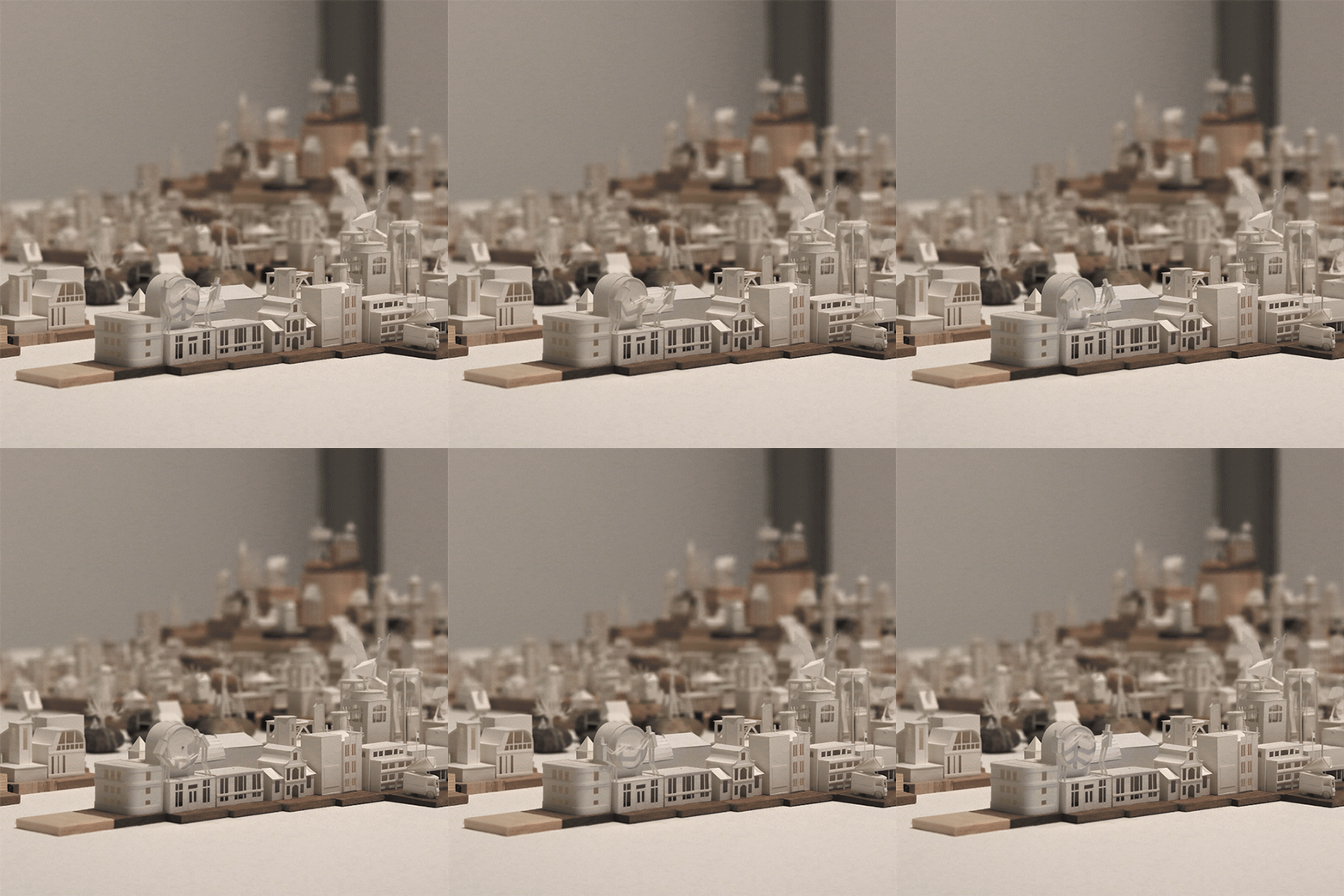
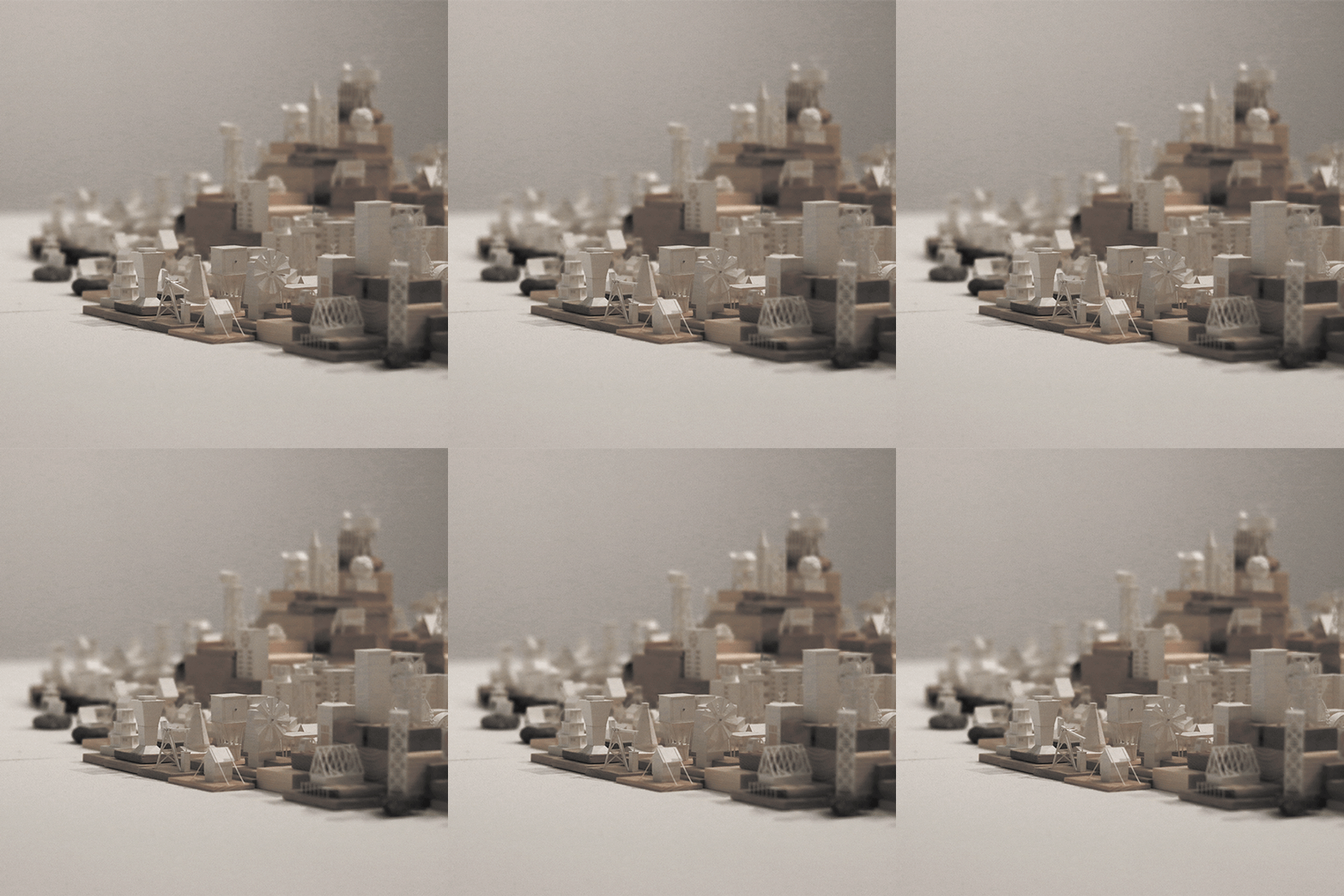
    Today, Young has amassed over 635 paper buildings, rollercoasters, vehicles and other elements of his miniature cities, putting them together into an impressively well-organized whole. A graduate of the Edinburgh College of Art with both bachelor’s and master’s degrees in architecture, Young initially took on the 365-day project to explore architectural forms in paper, hand-cutting them from watercolor paper and assembling them with PVA glue.

    paper-cities-5

    paper-cities-7

    The first time Young created an animated GIF of one of his creations, he just wanted to demonstrate how smoothly a particular element spun in a circle. This turned out to be a pretty cool way of showing them off. He sketches, cuts and assembles each structure in a single sitting.

    paper-cities-2

    paper-cities-6

    The resulting city is gleaming white and surprisingly well realized considering its two-dimensional origins. Each element is individually documented on the Paperholm tumblr so you can see how it works, and then take in entire blocks of the tiny creations as a whole.

    Share on Facebook


    [ By SA Rogers in Art & Sculpture & Craft. ]

    [ WebUrbanist | Archives | Galleries | Privacy | TOS ]


    WebUrbanist

  • Holiday Gift Guide 2016: Our Most Popular Gifts

    The holiday season is swiftly approaching. So, we’ve rounded up our most popular gifts.

    Gift for phoneographers, DSLR slingers and anyone who has ever enjoyed a photograph.

    Snap them up for your photo loving pals … while we’ve still got ‘em.

    (…)
    Read the rest of Holiday Gift Guide 2016: Our Most Popular Gifts (0 words)


    © laurel for Photojojo, 2016. |
    Permalink |
    No comment |
    Add to
    del.icio.us

    Post tags:


    Photojojo

  • It’s finally here: Sigma 85mm F1.4 DG HSM Art sample gallery

    The Sigma 85mm F1.4 Art is finally here, with units of the $ 1199 lens shipping now. The big question, almost as big as the lens itself: is it worth the wait? And, is it worth the weight? To find out, we wasted no time taking it out to shoot some portraits. Lots and lots of portraits.

    Articles: Digital Photography Review (dpreview.com)