Blog

  • Prison Reformed: Amsterdam Structure Now Hosts Refugee Center & Art Hub

    [ By SA Rogers in Architecture & Cities & Urbanism. ]

    screen-shot-2017-01-25-at-5-42-46-pm

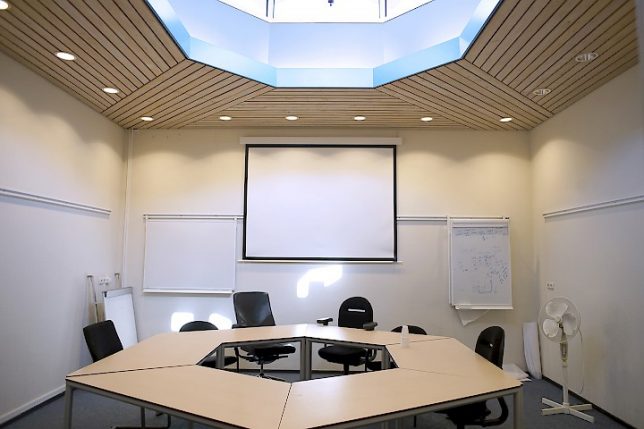
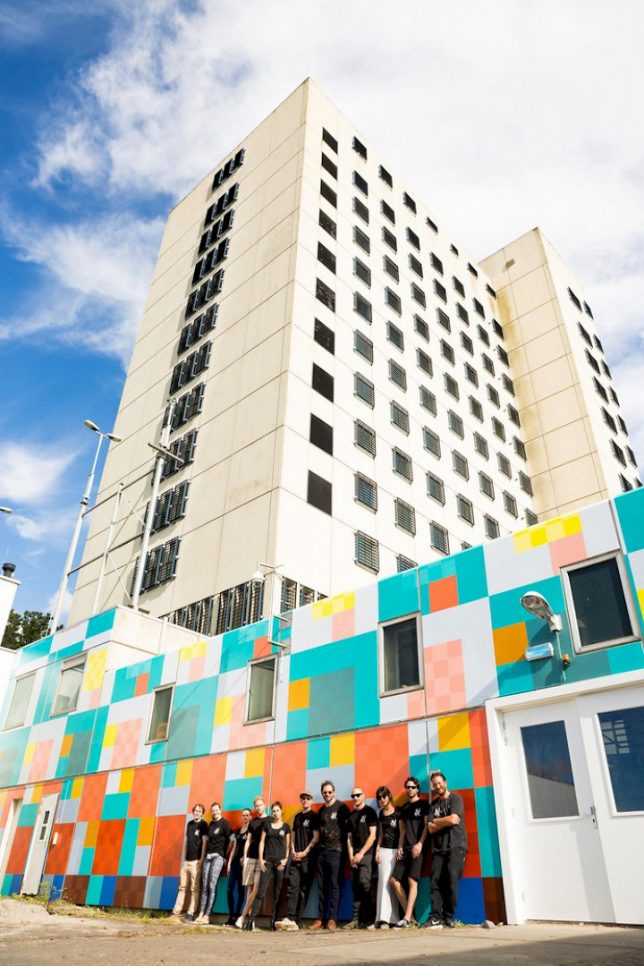
    A structure that once housed thousands of prisoners now hosts up to 1,000 refugees as well as a creative hub, offering space “in a time of fear and division.” Amsterdam’s Bijlmerbajes first opened in 1978 and closed in 2016, and the complex, which consists of six towers, went up for sale shortly thereafter. It’s set to be demolished later this year – but until then, it’ll function as a temporary home for those seeking asylum in addition to art studios, offices for entrepreneurs and other projects.

    lola-lik-2

    lola-lik-3

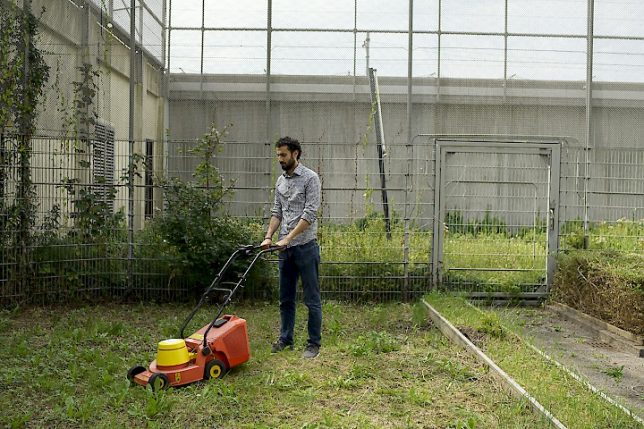
    The new ‘Lola Lik’ cultural hub opened on January 20th in the former main building of the prison, neighbor to the refugee center known as Wenckebachweg. The complex’s courtyard has been transformed into gardens, and will host Solar World Cinema, a project bringing free films to open-air public spaces.

    lola-lik-5

    lola-lik-6

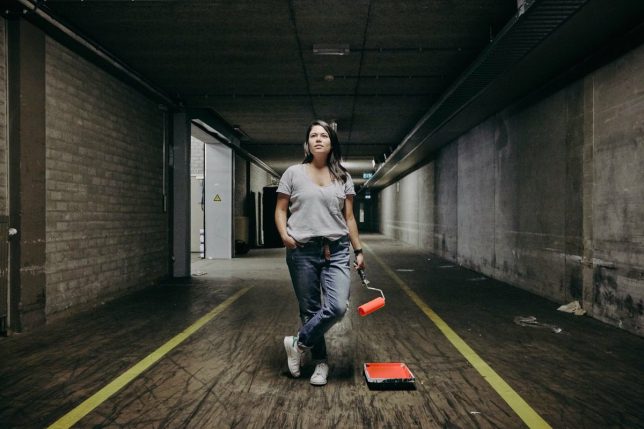
    Lola Lik also hosts The Favela Painting Foundation, which “invigorates public urban spaces by turning them into inspiring and colorful artworks of monumental size.” The group, which is responsible for large-scale art projects in Haiti, Philadelphia and Rio de Janeiro, also helped give the drab concrete prison buildings a cheerful makeover.

    lola-lik-7

    The space aims to be an incubator for inspiring projects and businesses operated by both the refugees who live next door and residents who have lived in Amsterdam a bit longer. The space is open to the public, and its studio spaces can be rented. The prison’s former kitchens have been transformed into a ‘Start-Up Kitchen’ run by Jay Asad, a Syrian entrepreneur who formerly owned several restaurants, a hotel and specialty donut shops in Damascus.

    Share on Facebook


    [ By SA Rogers in Architecture & Cities & Urbanism. ]

    [ WebUrbanist | Archives | Galleries | Privacy | TOS ]


    WebUrbanist

  • Tips for Making Natural Light Portraits

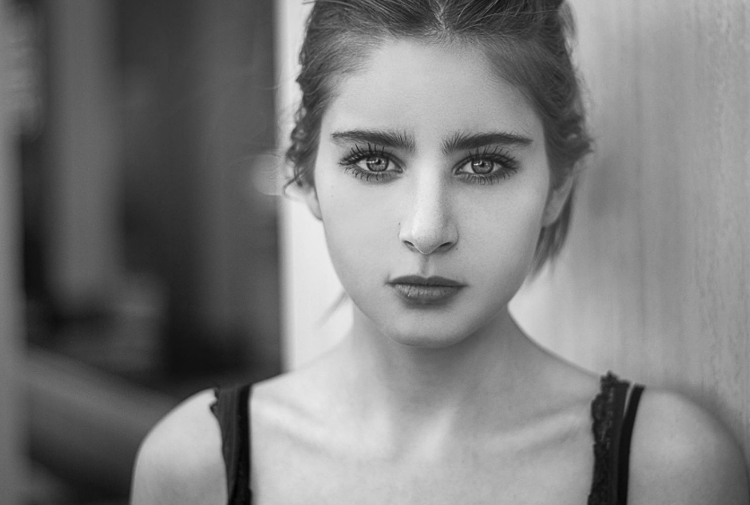
    Natural light portraits are honestly one of my favourites, they have this extra feel that studio portraits don’t. Compared to studio portraits, they are much easier – you don’t need to learn all the lighting techniques. They are also much cheaper, you don’t need to buy any strobes, flashes, or light modifiers such as soft boxes beauty dishes. Studio portraits are really fun but they are much more difficult than doing natural light portraits.

    Starting off, making portraits with natural light is a first great step. It will enable you to work on your composition, your communication with your model, and help you build your confidence. Then you can decide whether or not you want to invest in studio equipment.

    Article natural light image1

    Camera gear and settings

    There are some simple tips and tricks to get the most out of your portraits with natural light. But let’s start with camera settings and camera gear first.

    Shoot in manual mode

    The ideal situation is to have total control over your settings, so I would highly recommend using manual mode. I recently wrote an article about using manual mode, so you can go check it out here; How to Use Manual Mode to Make Artistic Choices for Your Photography.

    Shutter speed

    You need a minimum shutter speed of around 1/100th of a second (or faster). This is very important as it helps you avoid blurry images as your model will be in constant movement most of the time.

    Aperture and blurring the background

    To get a soft background blur, you want to use the largest aperture possible – around f/4 works but the ideal would be f/1.8. If you want a larger aperture than f/1.8 the lenses can become quite pricey.

    If you don’t have that kind of lens, you can still get nice results but separation (space) between the model and the background is needed. This really helps to drag the viewer’s attention to the model and avoid any unnecessary distractions. If you want to show the background behind your model then use a smaller aperture. I have an article on how to achieve background blur, I speak about bokeh in more detail there.

    Article natural light bokeh

    What lens to use?

    If you are using a long (telephoto) lens then a large aperture isn’t as critical because you will automatically have some background blur separation. Long lenses are the best for portraits because they compress the subject to background very nicely. Avoid wide angles lenses because they distort the subject’s face and amplify features like the nose or the forehead. Try to use lenses with a minimum focal length of 50mm with a full frame sensor and 35 mm with an APS cropped sensor.

    Article natural light long telephoto lens

    ISO

    For the ISO, choose the lowest possible option taking in consideration that your shutter speed must be 1/100th of a second or higher. Using the light meter in your camera, you can get a fast shutter speed by adjusting your ISO if the lighting conditions are low. But, knowing that you will be using a larger aperture as well, that shouldn’t be a big problem.

    Shortcut – Aperture Priority Mode

    One tip I can give is to use Aperture Priority mode if you are a lazy photographer (or smart?) like me. During an outdoor shoot, the light will change frequently and you will need to adjust your settings whether it’s the shutter speed or the ISO (I usually never adjust my aperture).

    When you are making portraits, you will get into the shoot very quickly and with manual mode you need to constantly change your settings. The probability of missing a lot of good photos because you forgot to adjust your settings is very high. It’s very frustrating when you get the perfect pose only to realize the image is way too dark or way too bright because your settings were wrong.

    I gave up on manual mode because I always forgot, so I now only use Aperture Priority and raise my ISO to 400 to force my camera to use a fast shutter speed. Don’t make the mistake of using ISO 100 in Aperture Priority with low light and ending up getting blurry images.

    Article natural light aperture priority

    Use RAW files and underexpose

    I recommend shooting RAW and underexpose your images slighting using exposure compensation.

    This is very important because sometimes you will accidentally expose for the shadows and that will automatically overexpose your images. The problem with that is that you will lose all the information in the model’s skin tone and if those areas area burned you may not be able to recover detail there.

    A RAW file also lowers the probability of losing any information in your image because you have a bigger margin of recovery. Since you are underexposing your images slightly, you will be able to correct the exposure later in post-production. It’s a bit technical but this is the best way to have all the necessary information in your image, burned-out pixels are the worst enemy a portrait portrait photographer can have.

    Another solution is to turn on the highlight alert for your camera (most entry level cameras have this setting) and every time you take an image, the burned-out pixels (clipped highlight areas) will show up in red (or blink). This is very useful because every time you see this it means that there is no information in that area, it’s just a pure white point which is not recoverable.

    Article natural light shoot raw underexposue

    I underexposed this image to have all the detail in the skin.

    Location and lighting conditions

    One thing you must avoid is taking portraits with harsh light (during the day and facing the sun). This increases the features of the face (emphasizing any blemishes and flaws) with harsh shadows and the result is not flattering. One tip I can give you to help you determine if you will have good light for a portrait is to look at the shadows (on the ground) of people passing by in the streets. If the shadow is very harsh (strong outline), you will probably not get good light but if the shadow is very soft (fuzzy or undefined) then the light is perfect for making portraits.

    One main aspect of natural light portraits is soft light. There are five different possibilities to get beautiful soft light on your model’s face.

    Five lighting options

    #1 – Use window light, it will give you a very nice soft light on your model’s face.

    Article natural light window light

    Portrait taking using natural window light.

    #2 – Take portraits during sunset, you will have the softest light possible.

    Article natural light image7

    Portrait taken at sunset.

    #3 – Take portraits on an overcast day, the sky will become a huge softbox with very soft light.

    Article natural light overcast

    Portrait taken during an overcast day.

    #4 – Take portraits on a street where buildings or apartments are blocking the sun (like an alleyway).

    Article natural light image9

    When it’s bright outside, try to look for buildings that block direct sunlight.

    #5 – Use a light diffuser in the middle of the day, this will turn harsh light into soft light.

    Article natural light image10

    The location doesn’t really matter because most of the time the background will be blurred, but the light is crucial so overtime you want to take a portrait make sure to have one of these different possibilities.

    Conclusion

    I hope that gives you some tips for making natural light portraits. Find a friend to pose for you and try it out. Please share your photos and questions in the comments section below.

    googletag.cmd.push(function() {
    tablet_slots.push( googletag.defineSlot( “/1005424/_dPSv4_tab-all-article-bottom_(300×250)”, [300, 250], “pb-ad-78623” ).addService( googletag.pubads() ) ); } );

    googletag.cmd.push(function() {
    mobile_slots.push( googletag.defineSlot( “/1005424/_dPSv4_mob-all-article-bottom_(300×250)”, [300, 250], “pb-ad-78158” ).addService( googletag.pubads() ) ); } );

    The post Tips for Making Natural Light Portraits by Yacine Bessekhouad appeared first on Digital Photography School.


    Digital Photography School

  • 3 Things I Wish I Knew When I Started Photography

    There are a some lessons that we all learn the hard way. Trial and error, though equally arduous, are still the two most ingraining teachers any of us will ever have. We often learn more from our failures than our successes. But like Newton tells us, at times we move forward only by hefting ourselves onto the shoulders of giants.

    Boldness learn

    More than anything, I wish I would have learned a few things sooner. There are so many lessons that would have benefitted me if I had only understood them on the front end of my trip into the photographic unknown.

    So, in the spirit of solidarity I will share three things I wish someone would have told me when I started photography. Perhaps there were those who tried but for whatever reason I either couldn’t or wouldn’t understand. Hopefully these hard fought teachings will help you move forward and give you the mentality you need to start creating better images. Here they are in no particular order.

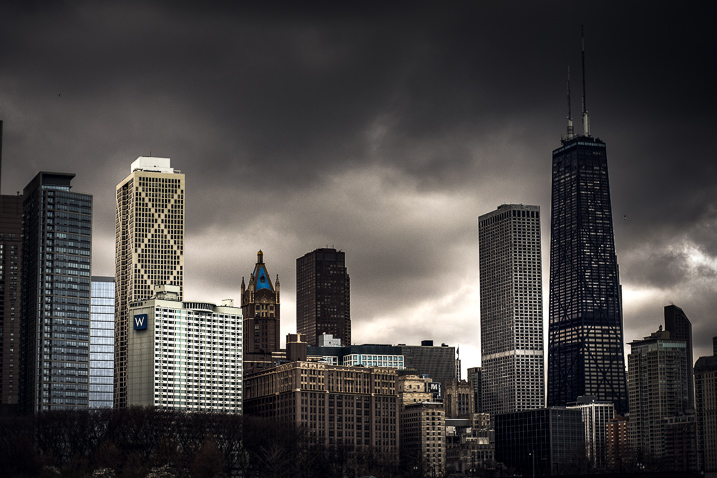
    Learning chicago

    The type of camera I would need

    This is a dodgy subject that plagues many who are just starting out, or those who want to get more serious about their photography. I began my journey shooting a 35mm Nikon N65 with a 18-55mm kit lens that I bought when I was 18 years old. It was my first real camera. The late teenager version of me saved his money and paid $ 265 for it but I still felt as though I needed a better camera in order to make better images. That was 15 years ago.

    Even then I was under the impression that I would need a “professional camera” in order to be a professional photographer. If you had asked me then, I wouldn’t have been able to even tell you what a “professional camera” actually was.

    Camera types

    What I wish someone had told me was that the best camera doesn’t exist. The only thing that truly matters is the knowledge to use whatever camera is in your hands to the utmost of its (and your) ability. True, times have changed and imaging technology has advanced alarmingly fast. Some people now earn a living with only the cameras in their smartphones.

    The thing to always remember is that most cameras are capable of producing images of astonishing quality when coupled with a proficient user. Whatever camera you might currently have is likely more than enough. Allow your skills to mature and you will know when it’s time to upgrade.

    Photography create

    What post-processing is – and what it is not

    Before you begin scrolling in horror at the very mention of post-processing let me assure you that this in not a dreaded commentary on what may or may not be considered “Photoshopping.” Instead, we’re going to talk about some misconceptions I had when first beginning to process my images.

    I was under the impression that “getting it right in the camera” was an all encompassing mentality that meant nothing needed to be done after the moment of capture other than showing the image to the world. That is not necessarily true.

    What I wish someone had told me was that all photographs, even analog (film), virtually always benefit from some extent of work after the image has been made. The quote which changed my thinking towards post-processing came from none other than Ansel Adams himself:

    “The negative is the equivalent of the composer’s score, and the print the performance.”

    Journey photography

    The point Ansel was making is that yes you always want to strive to achieve the best exposure you possibly can in-camera so that you have a more complete representation of the scene in order to manifest a final photograph intermingled with your own creativity. Post-processing is not something to be avoided but rather embraced as a logical second step towards achieving your visualization regardless of what that visualization may be.

    Perfection is unattainable

    That’s right. No photograph is perfect and very few photographs are ever elevated to the level of fine art, whatever that means. This was an illusion that burdened me during my early days while learning to create photographs. I had an enormous misunderstanding about what actually went into the production of an image both creatively and technically.

    One thing that I did know, was that my photographs looked nothing like some of the wonderful images I saw online or in photo magazines. I became discouraged, all the while feeling as if I was doing something completely wrong.

    Perfection unattainable

    What I wish someone had told me was that even if you labor in photography for the rest of your life, you will never snap a perfect frame. Your photographs will certainly become stronger as you hone your technique and acquire more capable gear, yes. But don’t think that you will ever reach a day when you can say, “Ah, now I’m perfect. All my photographs will be flawless from here on out.” That day will never come.

    The craft of photography is a practice in personal evolution. It is a journey of constant learning. So take a breath, relax, and enjoy the process for the beautifully weird trip that it is.

    Conclusion

    These are just a few of things that I wish someone had told me when I first began making photographs. Do you have any lessons you have learned that could help others? List them in the comments below!

    googletag.cmd.push(function() {
    tablet_slots.push( googletag.defineSlot( “/1005424/_dPSv4_tab-all-article-bottom_(300×250)”, [300, 250], “pb-ad-78623” ).addService( googletag.pubads() ) ); } );

    googletag.cmd.push(function() {
    mobile_slots.push( googletag.defineSlot( “/1005424/_dPSv4_mob-all-article-bottom_(300×250)”, [300, 250], “pb-ad-78158” ).addService( googletag.pubads() ) ); } );

    The post 3 Things I Wish I Knew When I Started Photography by Adam Welch appeared first on Digital Photography School.


    Digital Photography School

  • 50 Sweet Valentine Gifts for Photographers and Their Sweethearts

    The season for love is here but finding a perfect gift for your lover isn’t easy. Whether you’re an amateur photographer or a real pro, you can give your sweetheart a photography Valentines gift that would be a winner for sure. I know you want to make this Valentine’s day unforgettable. Here I showcase 50 amazingly creative and romantic Valentine Continue Reading

    The post 50 Sweet Valentine Gifts for Photographers and Their Sweethearts appeared first on Photodoto.


    Photodoto

  • The Vertu Constellation is a luxury smartphone with high-end specs, for a change

    Vertu is company known for its “handmade in England” luxury smartphones and eye-watering price tags. However, while many Vertu devices easily set you back as much as a decent used car, the specifications tend to be in line with mid-range rather than high-end models.

    However, the latest incarnation of the Vertu Constellation, announced today, changes things up. It comes with actual high-end specifications and dual-SIM capability as an added bonus. The  5.5″ QHD AMOLED display is protected by scratch-proof sapphire glass and the Android 6 operating system is powered by a Qualcomm Snapdragon 820 chipset and 4GB of RAM. Also on board are 128GB of expandable storage, NFC, a USB Type-C port, and a 3,220 mAh battery. Front-facing stereo speakers with Dolby Digital Plus virtual surround sound processing should provide a good sound experience and all the components have been wrapped up in a hand-crafted shell made from anodized aluminum and finished with leather, ‘sourced from a specialist, family-run tannery in Italy.’

    In the camera department the Constellation offers a 12 MP rear camera with 1.55um pixel size which equates to a 1/2.3 sensor. Video recording at 4K is supported but there is no talk of optical image stabilization. No pricing information for the device has been released yet but it’s safe to assume it will be a four-figure US$ number. In case you’re still not sure if this kind of price tag is justified, you should consider Vertu’s 24-hour concierge service is included. On the Constellation it is accessed by pressing a ruby button on the side of the phone. You also get access to iPass, the world’s largest Wi-Fi network. If you want to take your mobile image in style you won’t have to wait too long. The Constellation will be available from February. You can register your interest now on the Vertu website.

    Articles: Digital Photography Review (dpreview.com)

  • Ricoh announces Pentax KP with new Shake Reduction system and 24MP sensor

    $ (document).ready(function() { SampleGalleryV2({“containerId”:”embeddedSampleGallery_6919353376″,”galleryId”:”6919353376″,”isEmbeddedWidget”:true,”standalone”:false,”selectedImageIndex”:0,”startInCommentsView”:false,”isMobile”:false}) });

    Ricoh has announced the Pentax KP, the follow-up to the K-3 II, which features a new ‘high sensitivity’ 24MP sensor and improved in-body image stabilization system.

    The new CMOS sensor brings with it a top ISO of 819,200 and an electronic shutter that tops out at 1/24000 sec (the mechanical shutter goes to 1/6000 sec). The KP uses the new 5-axis ‘Shake Reduction II’ IBIS system, first seen on the K-1 full-framer, which offers up to 5 stops of stabilization according to Ricoh. As with other Pentax models, the KP supports Pixel Shift Resolution as well as AA Filter Simulation. The KP uses the same SAFOX 11 autofocus system as the K-3 II, meaning that it has 27 points, 25 of which are cross-type.

    The KP’s body is relatively compact, sealed against dust and moisture, and functional down to +14F/-10C. It has a pentaprism viewfinder with ‘nearly’ 100% coverage and a 0.63x equivalent magnification, as well as a tilting 3″ touchscreen display. A nice extra is the ability to change the camera’s grip, with three sizes to choose from.

    Typical of Pentax DSLRs, the KP is heavily customizable and features both Sensitivity and Shutter & Aperture Priority modes, a star tracking feature and built-in wireless flash control. The KP has added new Motion and Depth-of-Field options to the already large selection of bracketing modes it’s inherited from its predecessors. It can capture Full HD at 60i, 50i, 30p, 25p and 24p. The KP can shoot continuously at up to 7 fps. It also has built-in Wi-Fi. Something the KP doesn’t have is an HDMI port, instead using something called SlimPort, which can send HD video over a microUSB port. If you want HDMI, you’re going to have to drop $ 25 on a dongle.

    The KP’s battery life is rated at 390 shots/charge – which is on the low end for a DSLR – though an optional battery grip can hold an additional D-LI109 battery or the significantly more powerful D-LI90.

    The KP will be available in your choice of silver or black in late February for $ 1099/£1099 body-only.

    Ricoh Unveils Ultra-Compact PENTAX KP, a Weatherproof DSLR That Provides Outdoor Photographers with New Standard for Quality, Customization and Ease of Use

    Heir to K-3 legacy, Slim-Body Camera Incorporates New Features and Controls Optimized to Deliver Outstanding Images, Even in the Most Challenging Conditions

    First PENTAX APS-C Camera to offer Shake Reduction II

    WEST CALDWELL, NJ, January 25, 2017—Ricoh Imaging Americas Corporation today announced the PENTAX KP, an ultra-compact and highly portable DSLR with features and controls that facilitate capturing outstanding images, even in the most demanding conditions. The PENTAX KP packs many of the advanced capabilities of the award-winning PENTAX K-3 series into a modern, slim-body design that lends itself to applications from casual snapshots to serious outdoor photography while mountain climbing or trekking. The PENTAX KP also adds a new generation of innovations including a new, highly sensitive APS-C CMOS sensor and is the first PENTAX APS-C camera to incorporate Shake Reduction II (SR II), which features a five-axis mechanism to compensate for camera shake up to 5 steps.

    The new 24-megapixel CMOS sensor enables shooting in extremely low-light conditions, with sensitivity to ISO 819200, making the camera ideal for night photography. The PENTAX KP features an electronic shutter option in live-view to enable high-speed shooting up to 1/24,000-second, which greatly broadens shooting capabilities when using large aperture lenses to achieve a shallow depth of field on a bright sunny day.

    The PENTAX KP’s compact body is the result of a complete internal re-design to produce an advanced DSLR camera with an extremely slim profile for optimal comfort and handling. The KP’s rugged exterior is dustproof and weather-sealed to enable use in the most challenging outdoor conditions. The camera will perform in temperatures as low as 14 degrees F (-10 degrees C).

    The PENTAX KP incorporates additional advanced technologies and ease-of-use features that have long been the hallmark of PENTAX cameras and enable them to be used comfortably and reliably in a wide range of conditions. These include:

    • 5-Axis Shake Reduction System: The PENTAX KP is the first PENTAX APS-C DSLR to offer the new generation SR II system, which uses a five-axis mechanism to compensate for camera shake caused by horizontal and vertical shift (often generated in macro photography), roll (difficult to handle by lens-installed shake reduction mechanisms), as well as pitch and yaw. The SR II unit is controlled with great precision as soon as the camera’s power is turned on, providing a wide compensation range—as much as five shutter steps—to further expand the limits of handheld shooting. With the addition of an optional accessory GPS module (O-GPS1 GPS unit), the PENTAX KP, simplifies astro-photography, making it possible to record stars as points of light rather than star trails during extremely long exposures.
    • Pixel Shift Resolution: This acclaimed PENTAX technology enables producing color-accurate still-life subjects with the highest resolving power. The technology uses the KP’s in-body Shake Reduction System to move the image sensor in single-pixel increments, to capture four separate images that are subsequently combined into a single, high-definition image.
    • A vertical-tilt LCD monitor that facilitates high- and low-angle shooting.
    • A grip replacement system that lets photographers choose their preference of grip based on shooting style or lens choice. In addition to the standard grip that comes with the PENTAX KP, accessory grips include medium (M) and large (L) grips (these will come packaged with KP bodies sold in North America), as well as the optional D-BG7 Battery Grip.
    • Control panels, button settings and dial controls that can all be customized, based on a user’s preference.

    “We designed the PENTAX KP to appeal to the world’s most discerning outdoor photographers, who will appreciate its rich and powerful feature set and rugged, compact design, whether they are shooting a landscape on a trek in Patagonia or capturing an eclipse,” said Kaz Eguchi, president, Ricoh Imaging Americas. “From Pixel Shift Resolution to our new generation of Shake Reduction, PENTAX proudly continues to lead the way in photographer-friendly innovation.”

    | Pricing and Availability |

     The PENTAX KP camera will be available on February 25 for a suggested list price of $ 1,099.95 at www.us.ricoh-imaging.com as well as at Ricoh Imaging-authorized retail outlets throughout North America.

    Main Features 

    1?Super-high-resolution images assured by approximately 24.32 effective megapixels and super-high-sensitivity photography at a top sensitivity of ISO 819200

    The PENTAX KP features a new-generation APS-C-sized CMOS image sensor with approximately 24.32 effective megapixels to produce super-high-resolution images. By coupling this sensor with an AA-filter-free optical design, it optimizes the image sensor’s imaging power to deliver well-defined images with true-to-life reproduction of gradation and texture. Thanks to the combination of the PRIME IV imaging engine and a state-of-the-art accelerator unit, it assures dependable, high-speed operation and highly effective noise reduction to optimize both image resolution and super-high-sensitivity performance. As the result, it allows the photographer to handhold it in snapshot photography of night scenes at the super-high sensitivity of ISO 819200.

    2?Compact, portable body perfect for snapshots, with a weather-resistant structure for harsh outdoor shooting

    After a thorough review of the camera’s internal structure, PENTAX designed a completely new body that was far more compact and slim than existing models to optimize the PENTAX KP’s performance, operability and portability. When combined with a compact, lightweight PENTAX-DA-series lens, it can be carried comfortably and effortlessly for a wide range of applications, from casual snapshots to serious outdoor photography while mountain climbing or trekking. Its front, back and bottom exterior panels are all made of durable, lightweight magnesium alloy. With 67 sealing parts applied across the body, it provides a dustproof, weather-resistant structure, with outstanding cold-proof performance at temperatures down to -10°C. Thanks to these features, the PENTAX KP performs superbly and dependably even in such demanding settings as in the rain or at locations prone to dust and freezing temperatures. 

    3?A range of customization features, including an exchangeable grip

    The PENTAX KP provides a grip replacement system for easy, quick change of a grip to accommodate the photographer’s shooting style or a mounted lens. In addition to the standard Grip S, it offers a choice of two replacement grips (Grip M and Grip L). It also provides a variety of customization functions to simplify and enhance camera operation, including Smart Function for speedy selection and easy setting of desired camera functions using the Fx (Function) and setting dials; and control panel customization to change the panel’s layout to suit the photographer’s preference. 

    4?PENTAX-original SR II five-axis shake-reduction system featuring the Pixel Shift Resolution System

    (1) In-body SR mechanism

    Thanks to the built-in SR II shake-reduction mechanism, the PENTAX KP effectively minimizes camera shake and delivers sharp, blur-free images, even in camera-shake-prone conditions such as when using a telephoto lens, shooting low-light scenes without flash illumination, or photographing sunset scenes. In addition to more common camera shake caused by pitch and yaw, this five-axis mechanism also compensates for camera shake caused by horizontal and vertical shift (often generated in macro photography) and camera shake caused by roll. It assures a compensation effect of approximately five shutter steps (CIPA standard compliant, smc PENTAX-DA 18-135mmF3.5-5.6ED AL [IF] DC WR?f=135mm) — a level equivalent to that of PENTAX’s flagship model — to expand the limits of handheld photography. When taking a panning shot, this mechanism efficiently controls the SR unit to compensate for all affecting factors without requiring any switching action. 

    (2) Pixel Shift Resolution System

    The PENTAX KP features Pixel Shift Resolution System,* the latest super-resolution technology, which captures four images of the same scene by shifting the image sensor by a single pixel for each image, then synthesizes them into a single composite image. Compared to the conventional Bayer system, in which each pixel has only a single color-data unit, this innovative system obtains all color data in each pixel to deliver super-high-resolution images with far more truthful colors and much finer details than those produced by conventional APS-C-sized image sensors. To make this system more useful with a wider range of scenes and subjects, the PENTAX KP also provides ON/OFF switching of the motion correction function,** which automatically detects a moving object during continuous shooting and minimizes negative effects during the synthesizing process.

    (3) PENTAX-original AA filter simulator

    By applying microscopic vibrations to the image sensor unit at the sub-pixel level during image exposure, the PENTAX KP’s AA (anti-aliasing) filter simulator*** provides the same level of moiré reduction as an optical AA filter. Unlike an optical AA filter, which always creates the identical result, this innovative simulator lets the user switch the AA filter effect on and off and adjust the level of the effect, making it possible to set the ideal effect for a particular scene or subject based on the prevailing photographic conditions.

    * When using this system, the user is advised to stabilize the camera firmly on a tripod. When a moving subject is captured in the camera’s image field, its image may not be reproduced clearly, either in part or as a whole.

    ** The movement may not be sufficiently corrected when the object is moving in a certain direction and/or pattern. This function does not guarantee that the movement is properly corrected with all subjects.

    *** This function works more effectively with a shutter speed of 1/1000 second or slower. This function may not be compatible with some shooting modes, including the Pixel Shift Resolution System.

    5?Electronically controlled shutter unit for super-high-speed shooting at 1/24000 second

    The PENTAX KP’s shutter unit combines a reliable mechanical shutter mechanism (with a top speed of 1/6000 second) with an electronically controlled shutter mechanism.* The electronic shutter mode provides a super-high shutter speed of 1/24000 second with reduced noise and vibration at shutter release, making it ideal for low-noise, low-vibration shooting in Live-view and mirror-up applications. The camera also provides a high-speed continuous shooting function with a top speed of seven images per second.

    * In the electronic shutter mode, the camera’s SR II mechanism and AA filter simulator are inoperable. During high-speed continuous shooting, the subject may suffer some deformation.

    6?Optical viewfinder with nearly 100% field of view

    Within its compact body, the PENTAX KP incorporates a glass prism finder featuring the same optics and coatings as those used in higher-class models. With a nearly 100-percent field of view and magnification of approximately 0.95 times, it provides a wide, bright image field for easy focusing and framing.

    7?High-speed, 27-point autofocus system with the SAFOX 11 module

    The PENTAX KP features the high-speed SAFOX 11 phase-matching AF sensor module to deliver dependable, responsive autofocus operation. Of its 27 focus sensors, 25 are cross-type sensors positioned in the middle to assure pinpoint focus on the subject at a minimum brightness level as low as -3 EV. A completely new, much-improved algorithm assures better autofocusing accuracy and speed than models equipped with the conventional SAFOX 11 module. The camera also provides useful customization features to assist in autofocus operation, such as a choice of operation modes—focus-priority, release-priority or advance-speed-priority—and the Selected-area Expansion function to automatically refocus on a subject when it moves away from the initial point.

    8?Full HD movie recording with a range of functional settings

    The PENTAX KP captures flawless, high-resolution Full HD movie clips (1920 x 1080 pixels; 60i/30p frame rate) in the H-264 recording format. It also provides an external microphone terminal for manual setting of the audio recording level and monitoring of the sound pressure level for microphone input. In addition to various visual effect modes available during movie recording,* it features a range of movie recording functions, including a 4K Interval Movie mode that connects a series of 4K-resolution still images (3840 x 2160 pixels) at a fixed interval to create a single movie file, and the Star Stream mode to record the traces of stars in the Interval Movie mode. 

    * When a special visual effect is applied, the frame rate may differ depending on the selected effect mode.

    9?Vertical-tilt-type LCD monitor

    The PENTAX KP’s 3.0-inch LCD monitor has approximately 921,000 dots, and provides a vertical tilt function to facilitate high- and low-angle shooting. In addition to its wide-view design, it features an air-gapless construction, in which the air space between LCD layers is eliminated to effectively reduce the reflection and dispersion of light for improved visibility during outdoor shooting. It also comes equipped with such convenient features as: the Outdoor View Setting mode, which instantly sets the optimum monitor brightness level for a given lighting condition; and a red-lighted monitor display function, which facilitates monitor viewing when the photographer’s eyes have become accustomed to a dark location during nighttime photography.

    10?PENTAX Real-time Scene Analysis System

    Supported by the combination of the approximately 86,000-pixel RGB light-metering sensor and the high-performance PRIME IV imaging engine, the PENTAX Real-time Scene Analysis System accurately and efficiently analyzes such factors as a brightness distribution in the image field and the subject’s primary color and motion. By adopting a breakthrough artificial intelligence technology called deep learning to its image detection algorithm,* this system assesses each individual scene more accurately while selecting the most appropriate exposure level and finishing touch for a given scene.

    * Deep learning technology is available when the exposure mode is set to Scene Analyze Auto, or when the Custom Image mode is set to Auto Select. 

    11?Other features

    • Switching lever to activate various settings during still-image and Live-view shooting and movie recording
    • New Motion Bracketing and Depth-of-field Bracketing functions to capture three images of same scene by automatically shifting aperture and/or shutter-speed settings in user-selected steps.
    • Wireless LAN connection to support operation with smartphones and tablet computers
    • DR II?Dust Removal II? mechanism to shake dust off from the image sensor surface using ultrasonic vibrations
    • Clarity control and Skin Tone correction functions, two of the latest image processing technologies developed by RICOH Central Laboratory
    • Compatibility with the optional O-GPS1 GPS Unit for the recording of shooting position data and simplified astronomical photography
    • A selection of imaging tools, such as Custom Images, Digital Filters
    • Compatibility with the optional PENTAX IMAGE Transmitter 2 tethering software

    Optional Accessories 

    Grip M (O-GP1671) and Grip L (O-GP1672)

    Designed for exclusive use with the PENTAX KP camera body, these grips can be easily replaced with the standard Grip S (O-GP167) to accommodate the photographer’s shooting style or a mounted lens, or improve the camera’s operability and holding comfort. (Note: In North America, these accessory grips will come with the PENTAX KP.)

    D-BG7 Battery Grip

    Designed for exclusive use with the PENTAX KP, this battery grip features a dustproof, weather-resistant structure, and provides an extra set of control buttons (shutter release, AF/AE lock, exposure compensation/Fx3, and green), and a pair of electronic dials to facilitate vertical-position shooting. It comes with the Grip L for improved handling when a telephoto or large-aperture lens is mounted on the camera. In addition to the exclusive D-LI109 Lithium-ion Battery, it can also be powered by the large-capacity D-LI90 Lithium-ion Battery (a dedicated battery tray included), which is used to power the PENTAX K-1 and K-3II digital SLR cameras.

    Pentax KP specifications

    Price
    MSRP $ 1099 (body only)
    Body type
    Body type Mid-size SLR
    Body material Magnesium alloy
    Sensor
    Max resolution 6016 x 4000
    Other resolutions 4608 x 3072, 3072 x 2048, 1920 x 1280
    Image ratio w:h 3:2
    Effective pixels 24 megapixels
    Sensor photo detectors 25 megapixels
    Sensor size APS-C (23.5 x 15.6 mm)
    Sensor type CMOS
    Processor PRIME IV
    Color space sRGB, Adobe RGB
    Color filter array Primary Color Filter
    Image
    ISO Auto, 100-819200
    White balance presets 9
    Custom white balance Yes (3 slots)
    Image stabilization Sensor-shift
    Image stabilization notes 5-axis, up to 5 stops
    Uncompressed format RAW
    JPEG quality levels Best, better, good
    File format
    • JPEG (Exif v2.3)
    • Raw (Pentax PEF or DNG)
    Optics & Focus
    Autofocus
    • Contrast Detect (sensor)
    • Multi-area
    • Center
    • Selective single-point
    • Tracking
    • Single
    • Continuous
    • Touch
    • Face Detection
    • Live View
    Autofocus assist lamp Yes
    Manual focus Yes
    Number of focus points 27
    Lens mount Pentax KAF2
    Focal length multiplier 1.5×
    Screen / viewfinder
    Articulated LCD Tilting
    Screen size 3
    Screen dots 921,000
    Touch screen Yes
    Screen type TFT LCD
    Live view Yes
    Viewfinder type Optical (pentaprism)
    Viewfinder coverage 100%
    Viewfinder magnification 0.95×
    Photography features
    Minimum shutter speed 30 sec
    Maximum shutter speed 1/6000 sec
    Maximum shutter speed (electronic) 1/24000 sec
    Exposure modes
    • Program
    • Sensitivity priority
    • Shutter priority
    • Aperture priority
    • Shutter & aperture priority
    • Manual
    • Bulb
    Built-in flash Yes
    Flash range 6.00 m (at ISO 100)
    External flash Yes (via hot shoe)
    Flash modes Auto, auto w/redeye reduction, flash on w/redeye reduction, slow sync, trailing curtain sync, manual, wireless
    Flash X sync speed 1/180 sec
    Drive modes
    • Single
    • Continuous
    • Self-timer
    • AE bracketing
    • DoF bracketing
    • Motion bracketing
    • Mirror-up
    • Multi-exposure
    • Interval shooting
    • Interval composite
    • Interval movie record
    • Star stream
    Continuous drive 7.0 fps
    Self-timer Yes (2 or 12 secs)
    Metering modes
    • Multi
    • Center-weighted
    • Spot
    Exposure compensation ±5 (at 1/3 EV, 1/2 EV steps)
    AE Bracketing ±5 (2, 3, 5 frames )
    WB Bracketing Yes
    Videography features
    Format MPEG-4, H.264
    Microphone Stereo
    Speaker Mono
    Storage
    Storage types SD/SDHC/SDXC (UHS-I supported)
    Connectivity
    USB USB 2.0 (480 Mbit/sec)
    HDMI No (requires SlimPort adapter)
    Microphone port Yes
    Headphone port No
    Wireless Built-In
    Wireless notes 802.11 b/g/n
    Remote control Yes (via remote cable or smartphone)
    Physical
    Environmentally sealed Yes
    Battery Battery Pack
    Battery description D-LI109 lithium-ion battery & charger
    Battery Life (CIPA) 390
    Weight (inc. batteries) 703 g (1.55 lb / 24.80 oz)
    Dimensions 132 x 101 x 76 mm (5.2 x 3.98 x 2.99)
    Other features
    Orientation sensor Yes
    Timelapse recording Yes
    GPS Optional
    GPS notes O-GPS1

    Articles: Digital Photography Review (dpreview.com)

  • Hands-on with Ricoh’s compact Pentax KP

    Hands-on with new Pentax KP

    Ricoh has taken the wraps off it’s newest DSLR, the APS-C format KP. Resembling a mini Pentax K-1, and inheriting some of the same features, the KP will replace the K-3 II in Ricoh’s APS-C lineup. We got our hands on a pre-production sample recently, and we’ve prepared a quick product tour. 

    Hands-on with new Pentax KP

    The KP really does look like a scaled-down K-1, with the same distinctive slab-sided Pentaprism hump. Ricoh tells us that they were aiming for a camera with a similar size as a competitive mirrorless model, but without sacrificing the experience of using an optical viewfinder.

    Hands-on with new Pentax KP

    One major different between the KP and the K-1 is a built-in flash. It’s not particularly powerful (GN 6, at ISO 100) but should be useful for close-range portraiture and fill-in. Speaking (kind of) of low-light photography, the KP’s 27-point SAFOX 11 autofocus system should be usable down to -3EV.  

    Hands-on with new Pentax KP

    Probably the biggest upgrade in the KP compared to the K-3 II is its sensor. The KP boasts a 24MP APS-C CMOS sensor, with a maximum ISO sensitivity of ISO 819,200, supported by a built-in 5-axis ‘SR II’ stabilization system. Ricoh claims that this system will deliver an effective benefit of 5 stops of stabilization. 

    Hands-on with new Pentax KP

    The KP’s 3″ rear LCD features a resolution of 920k-dots, which is average for a midrange DSLR at this point. While it doesn’t offer the highest resolution on the market, it’s clear and detailed, and can also be tilted outwards.

    Hands-on with new Pentax KP

    Sadly (hey, we’re nerds), the articulation mechanism is a conventional tilting hinge. There’s no sign of the K-1’s unique Apollo Lander-style struts. The tilting screen will be handy for several kinds of still photography, and also video. The KP’s video specification is relatively unremarkable (1080/30p) but it does feature a ‘4K Interval Movie mode’. This combines a series of 4K-resolution still images (3840 x 2160 pixels) taken at a fixed intervals to create a single movie file.

    For those who want to output video to an external recorder or TV, do note that Ricoh has done way with the HDMI port on the KP. Instead, you need to buy a dongle which attaches to the ‘SlimPort’ (basically a microUSB jack with video output capability). RIcoh says the HDMI port was removed to keep the size of the camera down.

    Hands-on with new Pentax KP

    Pentax has been adding options to the traditional PASM quartet for years, and the KP is no exception. It’s exposure mode dial is crowded with settings, and includes five (five!) custom ‘U’ preset positions plus Scene Analyze Auto, Program, Sensitivity Priority, Shutter Priority, Aperture Priority, Shutter & Aperture Priority, Manual, and Bulb. 

    Hands-on with new Pentax KP

    This view shows off the KP’s nicely-sized front and rear control dials, and another top-mounted mode dial, with another three custom positions. This time for bracketing options, which include two new tools – ‘Motion Bracketing’ (shutter speed) and Depth-of-field Bracketing (aperture).

    Hands-on with new Pentax KP

    A D-LI109 battery should deliver between 390-420 shots per charge, depending on flash use. This view shows off the rubber gaskets around the battery compartment door. Unusually these days, Ricoh calls the KP ‘weatherproof’ and claims that the KP is ‘dustproof and weather-sealed’ and capable of operating at temperatures as low as 14 degrees Fahrenheit (-10 C).

    Hands-on with new Pentax KP

    Here’s something else that’s a bit unusual – removable hand-grips. The KP ships with a medium-sized grip attached as standard, but with a few turns of an allen wrench…

    Hands-on with new Pentax KP

    it can be popped right off, and replaced with smaller or larger grips, which are included in the box.

    Hands-on with new Pentax KP

    The large grip goes especially well with the new optional battery grip. 

    Hands-on with new Pentax KP

    Please note that the grip shown here is an engineering prototype and is not cosmetically representative of the final shipping product (which will be more textured, and less shiny).

    The D-BG7 Battery Grip can hold one extra battery, and an extra memory card (stowed, not as usable media). It will also be sold with a tray to adapt the K-70’s batteries to be used with the KP. The KP’s maximum shooting rate of 6 fps is not affected by the battery grip. 

    Hands-on with new Pentax KP

    Here’s that tray, in action. 

    The KP will be available on February 25 for a suggested list price of $ 1,099.95. What do you think? Let us know in the comments. 

    Articles: Digital Photography Review (dpreview.com)

  • Fujifilm X-T2 Graphite Silver Edition goes up for sale online

    The Fujifilm X-T2 Graphite Silver Edition is now available for purchase from several online retailers for $ 1800 (without battery grip). This special edition brings all of the X-T2’s features alongside a triple-layer coating finish described as both ‘durable and aesthetic.’ The special edition camera is joined by an aluminum hot shoe, graphite silver EF-X8 shoe-mounted flash, and a leather camera strap.

    The Graphite Silver’s triple-layer coating is preceded by an antioxidant treatment for the camera’s magnesium body, which is followed by the coating’s first layer, a matte black primer. That primer is then covered with paint particles using Thin-Film Multilayer Coating Technology, lending the graphite silver appearance. The last layer is a clear coat to add both shine and durability.

    The camera has appeared on multiple retailers’ websites, including B&H Photo, Ace Photo, and Adorama. A model that includes a battery grip is also offered for $ 1900. 

    See more X-T2 Graphite Silver
    hands-on photos

    Via: Fujiaddict

    Articles: Digital Photography Review (dpreview.com)

  • Whatever You Need, On Demand: 10 Apps That Streamline Urban Life

    [ By SA Rogers in Gadgets & Geekery & Technology. ]

    screen-shot-2017-01-25-at-9-40-18-am

    If you’re that person who’s always asking for a ride or help moving, or you’re just too crazy busy to go grocery shopping or clean your own house, there’s a range of apps that could make your life a whole lot easier. Moving beyond the usual suspects like Uber and Amazon Prime Now, these city-centric apps streamline urban lifestyles, giving you assistance with things like transit planning, sharing rides, choosing a place to live, hiring people to assemble your IKEA furniture or getting liquor delivered to your doorstep.

    Via Ride-Sharing App

    via-ridesharing-app

    via-ridesharin-app-2

    Based in New York City, Via is a cab alternative in the vein of Lyft and Uber, but offers ride sharing, so you get into a car full of multiple passengers and pay less. The service charges a flat $ 5 fee for each of the first five rides and $ 7 thereafter (or still $ 5, if you buy the rides in advance.) Passengers are asked to meet their drivers on a street corner instead of being picked up at a specific location, and if you’re late, you have to wait for the next vehicle. It may not be the fastest way to get somewhere if you’re in a hurry, but it’s a cool alternative to city buses for everyday rides.

    Urban Engines App

    urban-engines-app-1

    urban-engines-app-2

    Which public transit route should you take at rush hour to avoid slowdowns? How did last night’s storm affect light rail service? Depending on what’s going on in the world, the flow of traffic changes. The Urban Engines app takes a variety of data points in big cities like Boston, Chicago, Seattle, Toronto and Los Angeles and uses them to determine which routes are best at which times. Best of all, it has an X-ray mode function that superimposes maps, bus or train routes and stops over the city as viewed through the camera lens of your phone, so you can easily find stops around you. It also continues working when there’s no mobile service as long as it has the right maps downloaded, so it won’t cut out underground.

    Instacart App

    instacart-app

    instacart-app-2

    Get groceries delivered from local stores (maybe even ones that aren’t included with Amazon Prime Now’s similar app service) via Instacart. The whole process is surprisingly fast, partially due to the fact that Instacart typically reserves its own checkout aisle at each participating store, ushering its shoppers through the lines. It’s pretty ideal for those times when you just can’t be bothered to leave the house (like when you’re sick, suffering from a hangover, or just really busy.)

    Drizly App

    drizly-app-2

    drizly-app

    Who doesn’t want wine, beer and liquor delivered to their door on demand? Drizly is an alcohol delivery app partnered with liquor stores in New York City, Los Angeles, Boston, D.C. and other cities, with a goal of building the biggest online catalog of booze available for delivery in the U.S.

    Hello Alfred App

    hello-alfred-app

    hello-alfred-2

    These days, you can even order housekeeping and butler services on demand. ‘Hello, Alfred’ is an app that connects you to ‘carefully vetted’ helpers who visit your home once a week according to your desired schedule, doing chores like cleaning, grocery shopping, picking up dry cleaning and shipping your packages.

    Next Page – Click Below to Read More:
    Whatever You Need On Demand 10 Apps That Streamline Urban Life

    Share on Facebook


    [ By SA Rogers in Gadgets & Geekery & Technology. ]

    [ WebUrbanist | Archives | Galleries | Privacy | TOS ]


    WebUrbanist

  • This time-lapse captures the awe-inspiring power of lava flowing into the ocean

    Any seasoned landscape photographer can tell you that the moment spent actually pressing the shutter is just the tip of the iceberg – hours and even days are spent planning, getting into position and waiting for the right conditions. So the story behind Jack Fusco’s impressive new time-lapse, 61G Ocean Entry, might be familiar to landscape photo veterans.

    Fusco and team traveled to Hawaii’s Big Island hoping to capture a somewhat rare occurrence: lava flowing into the Pacific Ocean from Kilauea Volcano. The goal was to capture a time-lapse of the stars along with the spectacular light show created by the flowing lava meeting ocean water.

    If you watch the video above and you’ll see that Fusco’s mission was a success, but the behind-the-scenes story is equally fascinating. A rainy forecast and logistical challenges meant that the crew had to do a lot of thinking on their feet. All told, they came away with 1.3TB of data after 20 miles of hiking, hundreds of miles driven and very few hours spent sleeping. Was it worth the trouble? Take a look at the video and see for yourself.

    Read the full behind-the-scenes story at Macphun’s blog.

    Articles: Digital Photography Review (dpreview.com)