RSS
 

Posts Tagged ‘Memory’

SanDisk introduces first CFast 2.0 memory card

13 Sep

cfast_thumb.png

Cementing its commitment to the ‘CFast’ standard, SanDisk has introduced the Extreme Pro CFast 2.0 memory card, the first of its kind. The card boasts read speeds of up to 450MB/s and write speeds of up to 350MB/s, and will be sold with 60 or 120GB of storage. As a competitor to the Nikon-backed XQD standard, this first CFast 2.0 card is introduced alongside with an ARRI AMIRA documentary-style camera that records to internal CFast 2.0 cards. Click through for more details and full press release.

News: Digital Photography Review (dpreview.com)

 
Comments Off on SanDisk introduces first CFast 2.0 memory card

Posted in Uncategorized


SanDisk debuts new line of wireless memory storage devices

23 Jul

TS200x0~cms_posts-7702621852-Flash-Drive.png

Sandisk has announced its new Connect line of wireless flash memory storage devices, including the SanDisk Connect Wireless Flash Drive and SanDisk Connect Wireless Media Drive. SanDisk says its Wireless Flash Drive allows for wireless connectivity from a smartphone, tablet or computer without an Internet connection. It’s available in 16GB or 32GB capacities, priced at $ 49.99 and $ 59.99 respectively. Click through for more details on our sister site, connect.dpreview.com.

News: Digital Photography Review (dpreview.com)

 
Comments Off on SanDisk debuts new line of wireless memory storage devices

Posted in Uncategorized


Transcend releases 64GB microSDXC UHS-I memory card

28 Mar

transcend64gb3.png

Transcend has released a 64GB microSDXC Ultra-High Speed Class 1 (UHS-I) memory card. The card offers data transfer speeds of up to 45MB/s (300x), and an ability to store more than 10,000 hi-res JPEG images (6MB file size) or 16 hours of 1080p HD videos. It also includes a free copy of the company’s RecoveRx software to recover deleted or lost files. The memory card is available for $ 109. Click through for the press release.

News: Digital Photography Review (dpreview.com)

 
Comments Off on Transcend releases 64GB microSDXC UHS-I memory card

Posted in Uncategorized


How To Keep Your Memory Cards Healthy

03 Feb

In this post, Steve Berardi from PhotoNaturalist explains how to keep your memory cards healthy.
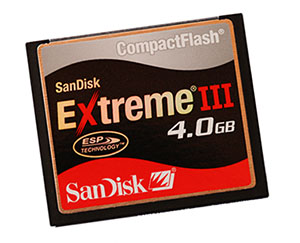
Memcard

Memory cards are one of the most often neglected parts of digital photography. But, they’re extremely important because they’re responsible for safely storing your photos until you get them to your computer.

So, it’s important to take care of them properly. Here are a few tips for keeping them healthy:

1. Format new cards as soon as you get them

Many memory cards are advertised as “pre-formatted” and “ready to use,” but it’s always a good idea to reformat the card again when you receive it, since some cameras have special requirements for the file system of memory cards. Formatting the card with the camera you’ll be using it with will ensure that the card is in a format that the camera recognizes.

2. Never fill your cards completely

Most cameras have some kind of indicator on the LCD screen that tells you how many more photos you can shoot before filling the card. Keep an eye on this number and make sure you never get too close to filling the card, because if you happen to shoot a photo when the card is already full, there’s a chance your camera will still try to write part of the photo to the card (and potentially triggering a write error).

3. Never let your batteries drain completely

It’s also important to never let your batteries drain completely, because if your camera runs out of energy at the exact moment that it’s trying to write a photo to the memory card, then there’s a good chance that the camera will only write part of the file (which could corrupt the rest of the card).

4. Reformat your cards instead of deleting all the photos

Instead of deleting the photos on the card from your computer, always reformat the card from within the camera. This will ensure the card is in a format that the camera expects.

5. Use good quality memory cards

With all those camera bodies and lenses being so expensive, it’s tempting to save some money by getting inexpensive off-brand memory cards. But, remember the importance of these cards: they’re responsible for safely storing your photos. It’s worth a few dollars more to ensure your photos arrive safely at your computer :) Two brands that I can personally recommend are SanDisk and Lexar (if you’ve had good experience with another brand, please let us know by leaving a comment!).

Steveb2About the Author: Steve Berardi is a nature photographer and software engineer. You can usually find him hiking in the beautiful mountains and deserts of southern California.

Read more of his articles on nature photography at PhotoNaturalist.

Post originally from: Digital Photography Tips.

Check out our more Photography Tips at Photography Tips for Beginners, Portrait Photography Tips and Wedding Photography Tips.

How To Keep Your Memory Cards Healthy


Digital Photography School

 
Comments Off on How To Keep Your Memory Cards Healthy

Posted in Photography


Metallica – The Memory Remains [Official Music Video]

10 Jan

VIDEO INFORMATION Director: Paul Andersen Filmed in October 1997 in Van Nuys, CA Video Premiere Date: November 4, 1997 ALBUM INFORMATION Release Date: November 18, 1997 Peak Chart Position: #1 Producer: Bob Rock with Hetfield & Ulrich Recording Location: The Plant Studios, Sausalito, CA SONG INFORMATION Written By: Hetfield/Ulrich First Release: ReLoad CREDITS James Hetfield – Guitar, Vocals Lars Ulrich – Drums Kirk Hammett – Guitar Jason Newsted – Bass Producer: Bob Rock with Hetfield & Ulrich Engineer: Randy Staub Additional Engineering by Brian Dobbs Assistant by Kent Matcke, Darren Grahn, Gary Winger and Bernardo Bigalli Digital Editors: Mike Gillies, Darren Grahn and Paul DeCarli Recorded & Mixed at The Plant Studios, Sausalito, CA at various points in time between May 1995 and February 1996 and July and October 1997 Mixed at The Plant Studios, Sausalito, CA from September to October 1997 Mixed by Randy Staub & Mike Fraser Additional Editing at Plantation Studios, Maui, Hawaii Mastered by George Marino Additional Percussion by Jim McGillveray Hurdy-Gurdy on Low Man’s Lyric by David Miles Additional Vocals on The Memory Remains by Marianne Faithful Marianne Faithfull appears courtesy of BMG Classics Front Cover Artwork: Piss & Blood by Andres Serrano Photography: Anton Corbijn Design & Layout: Andie Airfix at Satori Management: Q Prime, Inc. All songs © 1997 Creeping Death Music (ASCAP) © 1997 E/M Ventures

tinyurl.com Click the link and grab your FREE Apple iPad 3!! Enjoy!!!
Video Rating: 4 / 5


How to recover lost photos & videos from memory cards with free software for Windows

02 Jan

blog.danimations.com.au Learn how to recover lost photos & video easily after memory card errors. This video installs and demonstrates the free image recovery tool in Zero Assumption Data Recovery for Windows software, and also shows you how to lock, unlock and format your card media. This process can also undelete files inaccessible due to card formatting or accidental deletion. SD card recovery and repair is demonstrated, but XD, memorystick, compactflash, microSD and other card formats can all utilise the same easy process. This is the first in a series of Danimations Digital Media Tips. To suggest a future episode topic, please leave a comment on our channel page.
Video Rating: 4 / 5


When to Replace Your Memory Cards – SD or Compact Flash

25 Dec

www.artoftheimage.blogspot.com – I’ve had quite a few questions about memory cards, their working lifespan, and when should they be replaced. I address that here in this video… When to Replace Your Memory Cards SD or Compact FlashCheck out the new Art of the Image Recommended Photography Gear List at http PS If you have kids or know someone with kids, check out my latest online book, “Diary of a Nerd King” at www.nerdkingdiary.com. It’s funny and it’s FREE! Please pass it along… thanks! PSS If you have toddlers or small children, check out http for my children’s ebooks for Kindle, iPad, iPod, iPhone, laptops, etc! Please pass it along… thanks!


Transcend introduces new Wi-Fi memory card

10 Nov

Transcendwificard.jpg

Transcend has announced its own Wi-Fi-capable SD card. Like the existing Eye-Fi and FlashAir cards, it can connect directly to a smartphone or to a local Wi-Fi network and, in common with the latest cards from Eye-Fi, is based around a Class 10 card. A free app compatible with both iOS and Android devices lets you upload images wirelessly from your digital camera to the Internet.

News: Digital Photography Review (dpreview.com)

 
Comments Off on Transcend introduces new Wi-Fi memory card

Posted in Uncategorized


[MODIFIED] Digital Camera Memory – Should You Buy a USB 3.0 Card Reader?

01 Aug

Advantages and disadvantages of a USB 3.0 memory card reader.

While most computers at the time this tip was written support USB 2.0, not all support USB 3.0, a higher-speed version of the USB standard. If you perform a lot of digital photo manipulation, copying gigabytes of photos between memory cards and various computers, upgrading to USB 3.0 may make sense in that it could save you time.

Unfortunately, if you are using older memory cards or memory cards geared towards average consumers instead of high-end hobbyists or professionals, you may find the purchase cost not worth the money. Medium or lower-range memory is rated at a lower transfer speed that may not take advantage of the benefits USB 3.0 offers. Also, transfer speeds between USB 3.0 readers vary, so the cheapest reader may not result in the best performance….

Read more at MalekTips.
New Computer and Technology Help and Tips – MalekTips.Com

 
Comments Off on [MODIFIED] Digital Camera Memory – Should You Buy a USB 3.0 Card Reader?

Posted in Technology


Dilbert Animated Cartoons – The Cabbage Conspiracy, Cat Scans, Chip and Dip and Vivid Memory

09 Aug

Go to www.babelgum.com to see all the new cartoons! www.dilbert.com by Scott Adams. RingTales presents Dilbert Animated Cartoons.Cabbages can’t use computers. Catbert scans. The Boss has a bright idea. The Boss has a photographic memory
Video Rating: 4 / 5