Month: April 2015

  • Vintage Cars x Modern Sunsets SF Bay Area Photowalk This Saturday

    AWESOME PHOTOWALK IN THE SFBAY AREA THIS SATURDAY

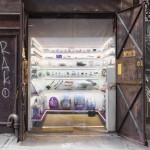
    Priime is hosting an exclusive photo event + photo walk that starts at a Sports Car Museum in Corte Madera, at the base of Mount Tamalpais, then moves to a fantastic vantage point to shoot above the fog from the top of Mount Tam.

    The event starts this coming Saturday, April 25, 2015 at 4pm.

    4pm – 6pm: food, photos, and photographers
    6pm – 8pm: sunset on Mount Tamalpais

    I’ll be making a few remarks about my own photography at this event, but am mostly just looking forward to hanging out with other photographers.

    You can RSVP here, but there is limited space!

    See you there! :)


    Thomas Hawk Digital Connection

  • 3D NYC Timelapse: 500 Years of History in 1 WTC Elevator Ride

    [ By WebUrbanist in Art & Installation & Sound. ]

    historical nyc elevator tour

    Riding to the top observation deck of 1 World Trade Center opening next month, visitors will be treated to a dizzying view of the city below, but not the one they might expect – instead of looking out windows, they will see their surroundings on lifelike screens, enveloping them in a time-lapse view of New York City’s historic evolution. All of this is packed into a trip that lasts less than sixty seconds (video below).

    Inevitably included in this fast-paced vertical ride through history is a view of one of the former Twin Towers, which appears then vanishes off to the right, reflecting its real-world existence and absence. This inclusion was contentious but hopefully will be seen by the public as a tribute to the fallen towers.

    wtc motion projector system

    A circular display on one panel scrolls up through the years rather than heights, highlighting the fast passage of time. The show was designed and produced by the Hettema Group and Blur Studio in conjunction with architects of Montroy Andersen DeMarco.

    wtc projection screen history

    The New York Times sets the scene: “Nine 75-inch, high-definition monitors are arrayed in each cab behind windowlike mullions to convey the impression that one is in a glass-walled elevator. At first, one feels enclosed in bedrock. The year is 1500 and the elevator is 55 feet below ground. As it rises, time advances. The cab seems to head skyward from an offshore marsh, a reminder that the trade center site was originally underwater.”

    nyc wtc observation tower

    The experience is as historically complete as it is educational and immersive: “A peaceful riverfront settlement is then seen, just before the Europeans arrive. Soon enough, the still verdant island is dotted with the steep, crow-stepped gables of New Amsterdam, as windmill vanes poke up over the treetops.”

    1 wtc outside image

    “Height records are made and broken by a succession of tallest towers: the Park Row Building, the Singer Building, the Woolworth Building and the original trade center. Then, the steel framework of the new 1 World Trade Center seems to assemble itself around the cab before visitors once again find themselves within an enclosed space — this time, an elevator shaft.”

    Share on Facebook


    [ By WebUrbanist in Art & Installation & Sound. ]

    [ WebUrbanist | Archives | Galleries | Privacy | TOS ]


    WebUrbanist

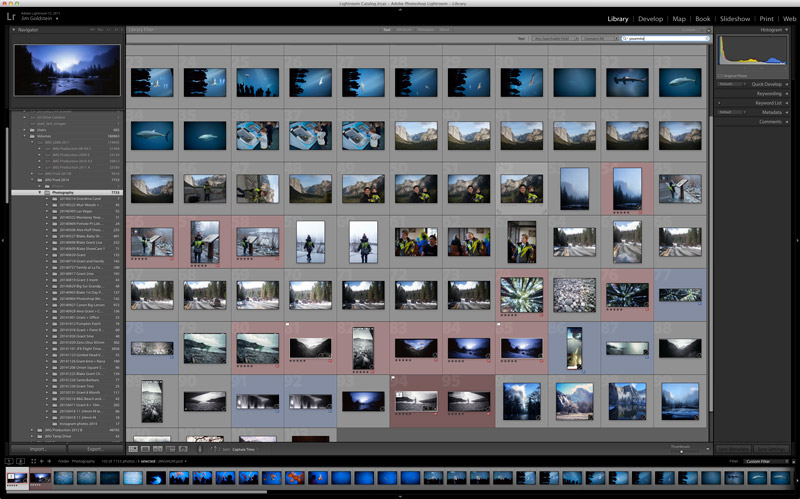
  • 6 Steps to Save Your Ass With Lightroom Catalog Changes

    Avoid downtime with these 6 steps to keep your Lightroom Catalog in tip top shape:

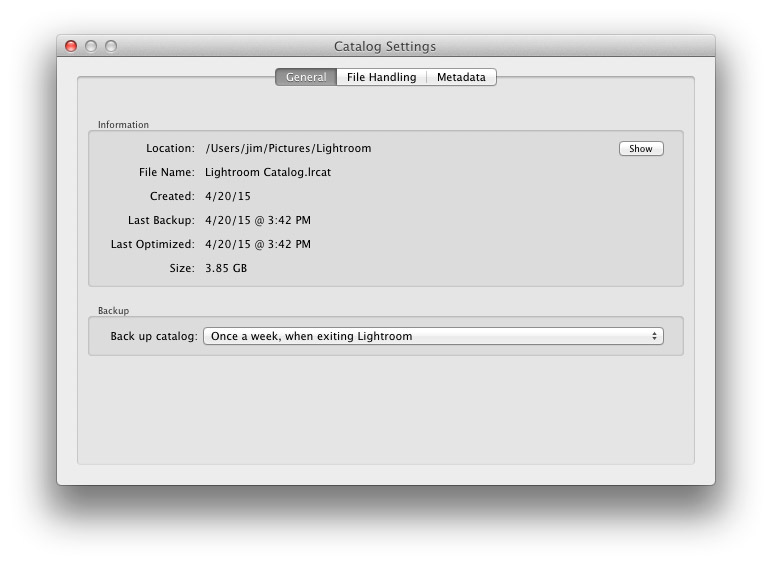
    1. Know Where Your Catalog Resides

    Lightroom saves catalogs in the following folders:

    • Windows: \Users\[user name]\Pictures\Lightroom
    • Mac OS: /Users/[user name]/Pictures/Lightroom

    When in doubt check here:

    (Mac OS) Lightroom > Catalog Settings

    (Windows) Edit > Catalog Settings


    Know Where Your Lightroom Catalog Resides

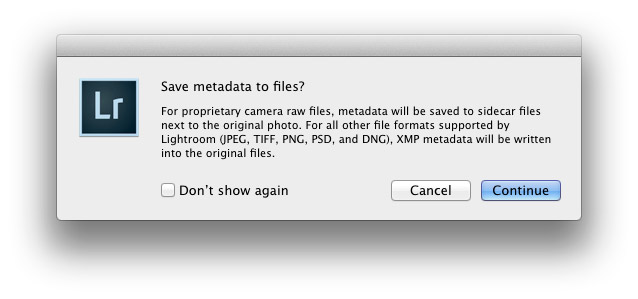
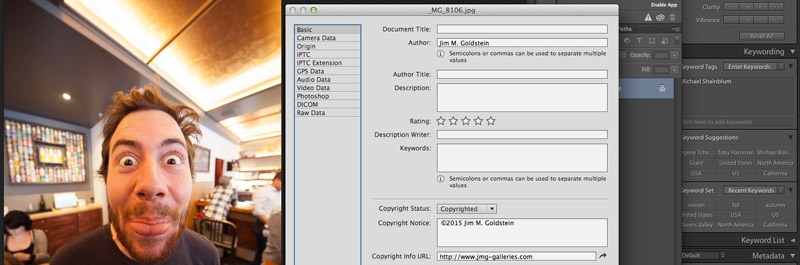
    2. Save Metadata to Your Files

    To save metadata to your files highlight your images and hit Command-S on Mac or Control-S on Windows. This will save author’s name, resolution, color space, copyright, and keywords to a sidecar file for proprietary RAW files or directly to the file if JPEG, TIFF, PSD, and DNG. This is a great precursor step that builds in redundancy in case there are any catastrophic failures in your future.

    Why you should use DNG:  DNG, RAW and JPEG: What I Use & Why

    More on Metadata: Metadata Basics and Actions via Adobe


    Save Metadata to Your Files

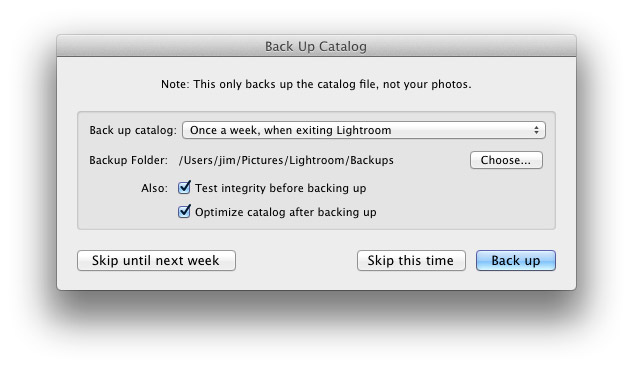
    3.  Back Up Your Catalog Regularly

    There is one key prompt you should never ignore in Lightroom and it is the “Back Up Catalog” prompt.  Always take the time to regularly backup your catalog in the event your hard drive fails, you suffer file corruption or a meteor crashes into your home destroying your computer. Well for the last point see step 4 below.


    Back Up Your Lightroom Catalog Regularly

    4. Save Your Back Up Catalog to the Cloud

    Redundancy is the name of the game in case you suffer a catastrophic data corruption or loss of equipment at home. By having your most recent catalog saved to the cloud (Dropbox for example) you can restore the organization (color coding, stars, edits, etc.) of your entire catalog assuming you have an off site backup of your image files.

    The quick and dirty of how I back up my image files in case you’re wondering…

    I have a hard drive enclosure that mirrors 2 drives (RAID 1). As I work on my files they’re saved to 2 drives simultaneously. At regular intervals I back up these mirrored drives to a 3rd drive that I keep offsite. In the event of a catastrophic event I always have 1 copy of my image files at an outside location. This combined with my Lightroom Catalog being saved to the cloud means that I can restore my Adobe Lightroom environment at any time.


    Save Your Back Up Catalog to the Cloud

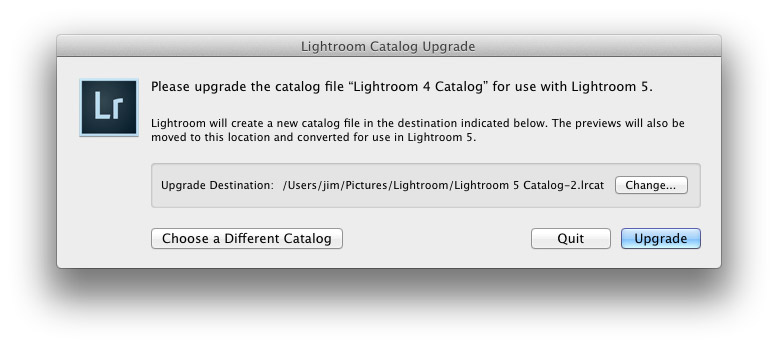
    5. Before You Upgrade Lightroom Make A New Catalog Back Up

    Lightroom will prompt you to upgrade your catalog when you upgrade your copy of Lightroom to the latest version.  To avoid any risk of a fluke corruption when you upgrade your Lightroom Catalog always make sure you have a very recent back up copy of your catalog. Before any upgrade my first step is to make sure I have a recent catalog backup.

    Before You Upgrade Lightroom Make A New Catalog Back Up


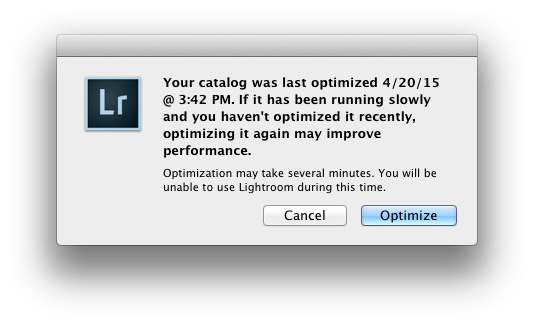
    6. Regularly Optimize Your Catalog

    If you’re experiencing performance issues or you want to make sure that your catalog is in optimal condition then be sure to optimize your catalog from time to time. To do this go to Lightroom > Optimize Catalog

    Regularly Optimize Your Lightroom Catalog


    Recommended Reading: Lightroom Catalog FAQ and Lightroom Help / Optimize performance

    Did I miss any precautions you take? If so add them to the comments.


    Copyright Jim M. Goldstein, All Rights Reserved

    6 Steps to Save Your Ass With Lightroom Catalog Changes

    The post 6 Steps to Save Your Ass With Lightroom Catalog Changes appeared first on JMG-Galleries – Landscape, Nature & Travel Photography.


    Related Stories

    • 6 Steps to Save Your Ass With Lightroom Catalog Changes – Enclosure
    • Talking Lightroom & Photography
    • Talking Lightroom & Photography – Enclosure


    JMG-Galleries

  • My Favorite Features in Adobe Lightroom 6 (CC)

    The long awaited next version of Lightroom is out and below is my list of favorite features and improvements:

    Note before you upgrade I recommend reviewing  Steps to Save Your Ass With Lightroom Catalog Changes

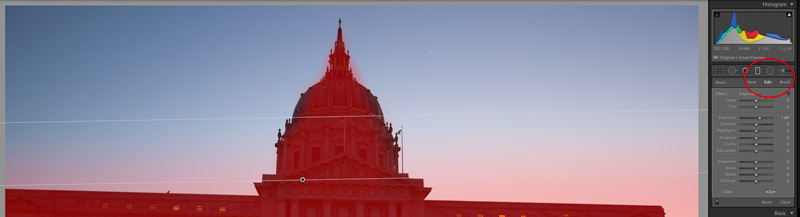
    1. Graduated Filters – Brush function

    A new Brush function has been added to Graduated Filters so that you can create custom edges versus a linear edge.

    Graduated Filter Brush Function

    2. Performance: Optimized Multi-Processor and Multi-Core Support + GPU  Utilization

    This version of Lightroom has improved export performance that leverages more of your available system resources.  This means that Export is faster, but it also means that you’ll have less resources available during Export for other tasks such as other Lightroom, Photoshop and other application tasks. If you batch export this should be of great benefit for you.

    Additionally if you use a 4K or 5K monitor Lightroom CC’s utilization of your computers Graphics Processing Unit (GPU) will result in marked performance improvements.

    Requirements to use the GPU in Lightroom CC:

    • 64-­bit only
    • OpenGL 3.3 and up
    • Mac OS 10.9 and higher
    • Windows 7 and higher

    Additional system requirements for Lightroom CC / Lightroom 6

    3. In Application Panoramic and HDR

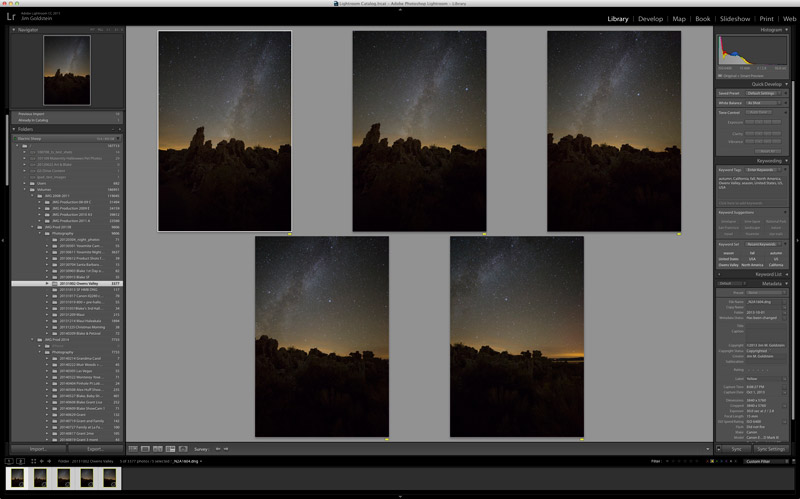
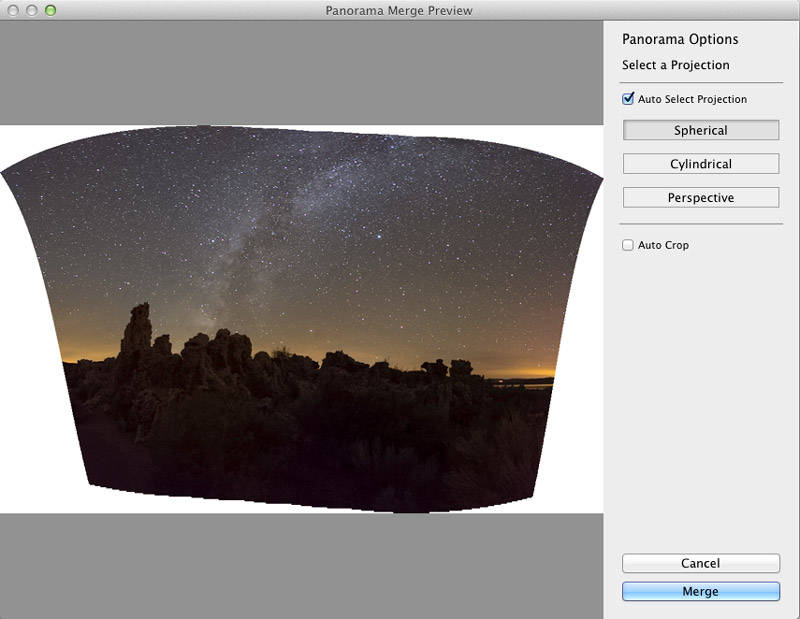
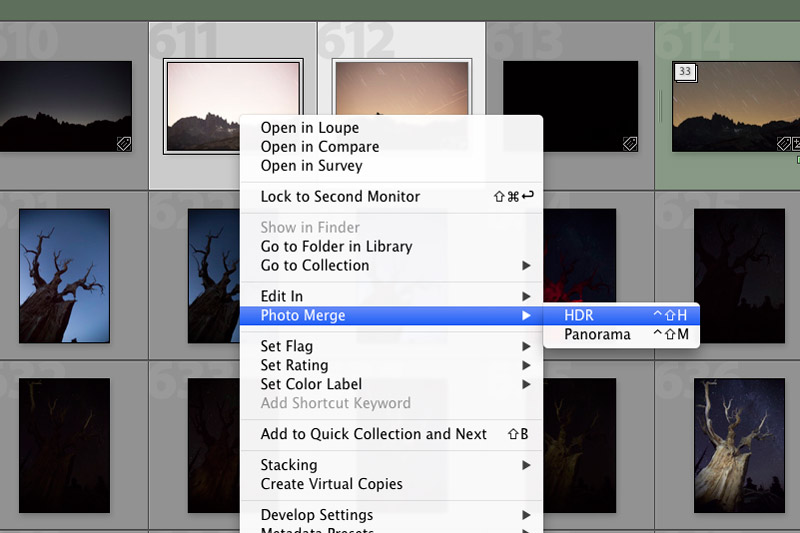
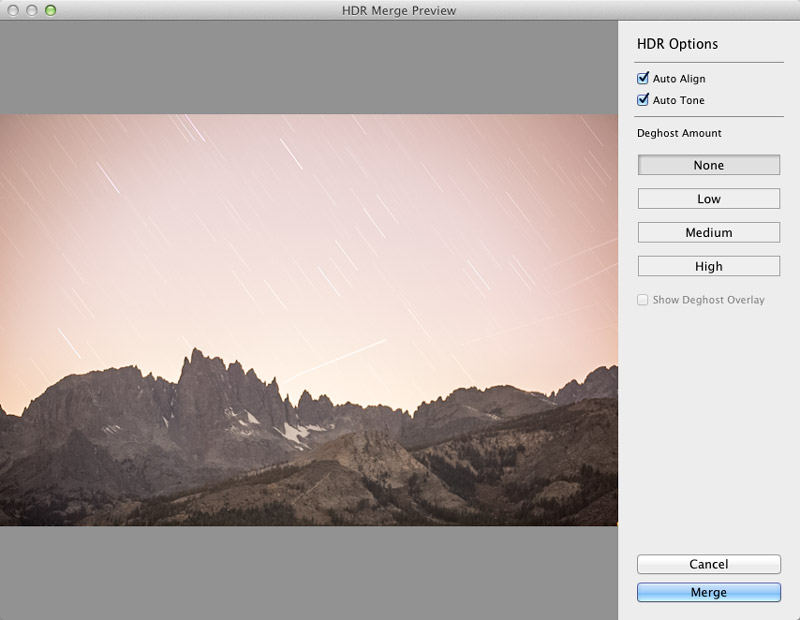
    To do Panoramic or HDR merging you no longer need to bounce out of Lightroom to Photoshop. You can now do these functions in Lightroom. As an added bonus there is now a built in preview functionality. In regard to panoramic photos the coolest feature is the “Auto Select Projection” mode that automatically selects the best result between the Spherical, Cylindrical and Perspective modes.  One negative to note you won’t be able to batch process multiple panoramic or HDR photos, but you can repeat this function one after the other with each process running in tandem similar to past multi-exports running in tandem.

    Panoramic Selections

    Lightroom CC Pano Preview

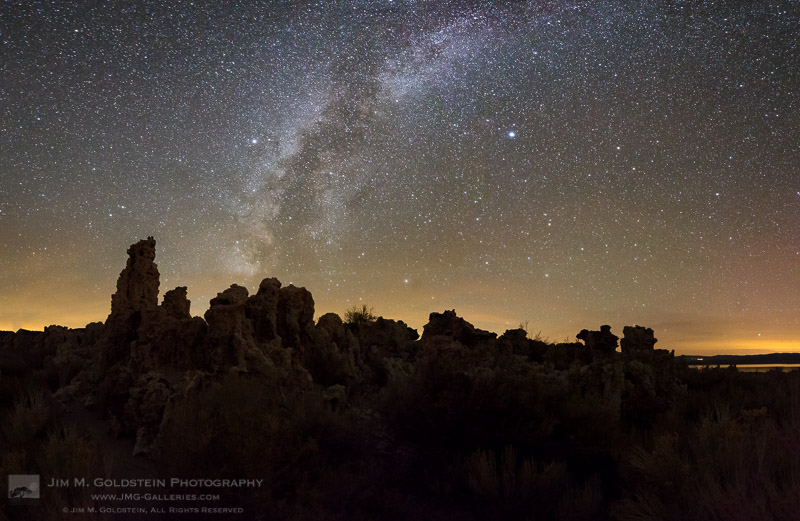
    Mono Lake Milky Way Pano

    HDR Lightroom Selection

    Lightroom CC HDR Preview

    Lightroom CC HDR Image Comparison

    4. Facial Recognition

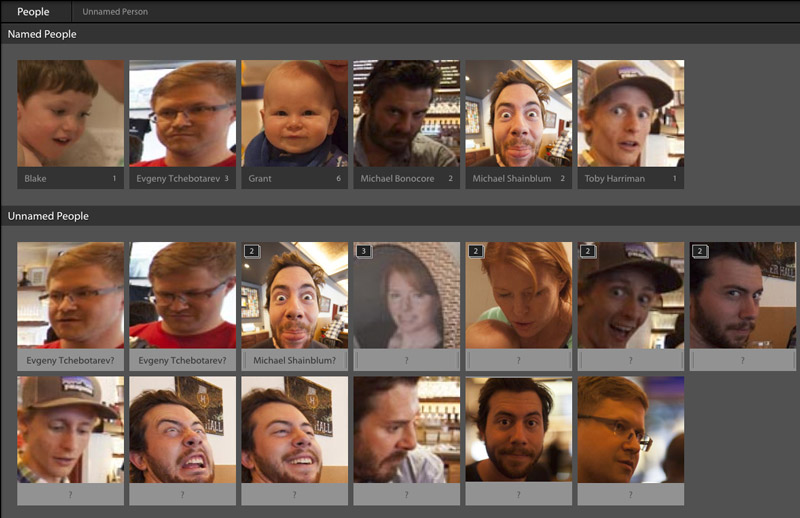
    Lightroom now contains facial recognition which is quite nice if you’re photographing events or family. Seeing that I’m known to take tons of photo of my two young boys this will come in handy. By assigning names to each person in your photo you’re essentially applying keywords behind the scenes. With an eye toward privacy names of those in your photos are not exported with keywords unless you adjust your preferences.

    Lightroom CC Facial Recognition

    Lightroom CC Facial Recognition

    Lightroom CC & Photoshop CC Keywords

    Lightroom CC & Photoshop CC Keyword Comparison After Lightroom Export

    5. Improved Metadata Categorization (Date, Location, etc.)

    Now Lightroom does a better job of automatically organizing your photos referencing Dates and Locations. If you utilize GPS in your photos you’ll now be able to make use of the Map module in an easier fashion. Similarly if you search or categorize by dates you’ll find Lightroom CC / 6 a little easier to work with.

    6.  Adobe Slate – Publish to the Web

    If you’ve yet to hear of Adobe Slate you may want to take note. If you utilize Lightroom CC as part of your Creative Cloud subscription you can publish images and stories to Adobe Slate, a visual blog publishing platform.

    Copyright Jim M. Goldstein, All Rights Reserved

    My Favorite Features in Adobe Lightroom 6 (CC)

    The post My Favorite Features in Adobe Lightroom 6 (CC) appeared first on JMG-Galleries – Landscape, Nature & Travel Photography.


    Related Stories

    • My Favorite Features in Adobe Lightroom 6 (CC) – Enclosure
    • 6 Steps to Save Your Ass With Lightroom Catalog Changes
    • 6 Steps to Save Your Ass With Lightroom Catalog Changes – Enclosure
    Feed Ads by FeedBlitz
    powered by ad choices


    JMG-Galleries

  • Old New Jersey Factory to House Earth’s Largest Vertical Farm

    [ By WebUrbanist in Architecture & Offices & Commercial. ]

    aerofarm factory floor

    Opening this year in Newark, this 69,000-square-foot space will grow 2 million pounds of pesticide-free produce each year, turning an old steel factory into the largest indoor farm on the planet, 75 times more productive per square foot than open fields. This AeroFarms facility is to serve both as the company’s global headquarters as well as the anchor project for a Maker’s Village designed to grow business in the city and provide a prototype for scaleable urban agriculture.

    aerofarms aerial image

    Plants rooted in reusable microfleece cloth and stacked in modular planters will be sprayed by a nutrient mist and illuminated by LED lights. These crops require no soil, 95% less water and create no harmful runoff.  Located on a 3-acre industrial site in the Ironbound neighborhood, the structure will expand the role of affordable and local urban farming in the community and provide nearly 100 long-term jobs for residents. Such an approach offers a new potential future role to rundown industrial districts around the world, turning unused infrastructure in struggling cities into fresh indoor farming space.

    aerofarm interior space

    More on the process and key materials: a “reusable cloth medium [supports] seeding, germinating, growing, and harvesting.” This critical cloth “has a number of benefits such as durability and reusability, increased cleanliness and sanitation, and the efficient harvest of a dry and clean product.”

    aerofarms hydpropnic indoor agriculture

    In terms of LED innovation and efficiency, the company is “targeting specific wavelengths of light for more efficient photosynthesis and less energy consumption. LEDs can also be placed much closer to the plants, enabling greater vertical growing for even greater productivity per square foot.”

    aerofarm facility rendering market

    Aeroponics is the key to the solution, limiting the need for conventional watering and representing “a cutting-edge type of hydroponic technology that grows plants in a mist. The aeroponic mist most efficiently provides roots with the nutrients, hydration and oxygen needed, creating faster growing cycles and more biomass than other growing approaches. AeroFarms has designed its aeroponics as a closed-looped system, recirculating our nutrient solution and using over 95% less water than field farming.”

    aerofarms leafy greens

    “We are delighted to introduce AeroFarms, a farming and technology leader, to the City of Newark, creating jobs for local residents and greater access to locally grown produce for our community,” said Ron Beit, founding partner and CEO of RBH Group. “AeroFarms will anchor our broader ‘Makers Village’ development project in the Ironbound neighborhood that will compete toe-to-toe with the Brooklyn Navy Yard in terms of a superior cost structure and greater transmodal access, bringing 21st century ‘maker-type’ businesses to Newark and the State of New Jersey.”

    Share on Facebook


    [ By WebUrbanist in Architecture & Offices & Commercial. ]

    [ WebUrbanist | Archives | Galleries | Privacy | TOS ]


    WebUrbanist

  • Firmware update enhances Nikon D4s features, including unlimited continuous shooting

    Nikon has issued updated firmware for its D4s professional DSLR, altering the way numerous features operate on the camera. Changes include removing the limitation on the number of images that can be captured in a single continuous burst in the manual and shutter priority exposure modes. Firmware version 1.20 replaces versions 1.00 and 1.10, and appears to fix quite a range of glitches as well as adding functionality to the camera’s operation. Read more

    Articles: Digital Photography Review (dpreview.com)

  • The Advantages of Renting Photographic Gear Before you Buy

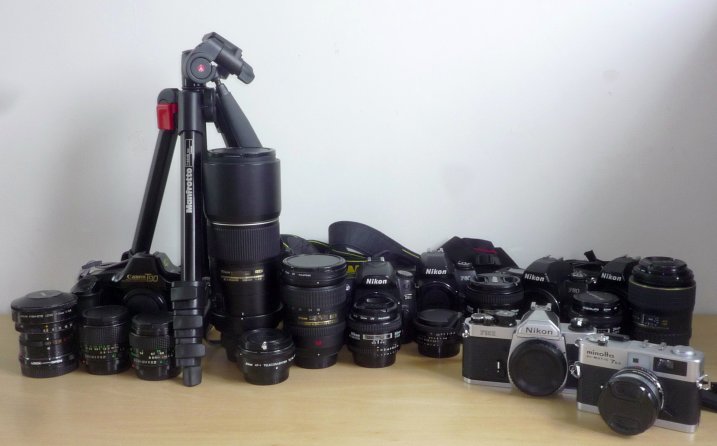
    We have all heard the expression “The gear does not make the photo. The photographer makes the photo.” That being said, the gear does certainly help in perfecting the art of photography.

    If you are a professional photographer or even a serious amateur, you know that photography is quite an expensive profession/hobby. Good equipment can be expensive and by the time you build your day-to-day gear bag, it can set you back several thousands of dollars. Just when you think you have the perfect setup,  you hear about the latest camera or a faster lens than what you have just being released for pre-order. Gear lust is very real among photographers!
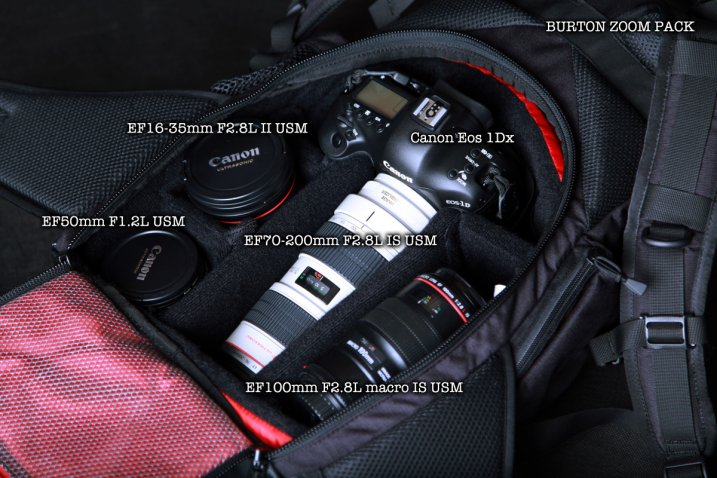
    Kenichi Nobusue

    By kenichi nobusue

    This is where renting gear or even borrowing becomes a viable option for many professional as well as serious amateurs.

    Benefits of renting photo gear

    There are several advantages to renting photographic equipment.

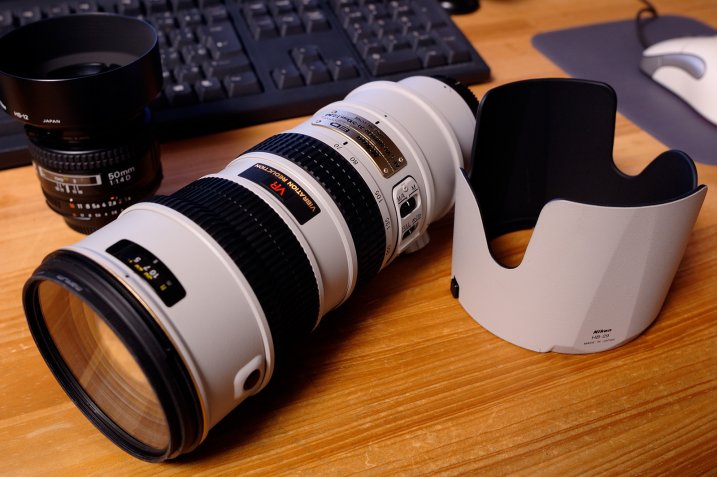
    • The cost of renting is typically much lower than cost of buying the gear. This becomes more relevant if it is not something you are going to use too often (like a mega telephoto lens, fish-eye, or tilt-shift lens).
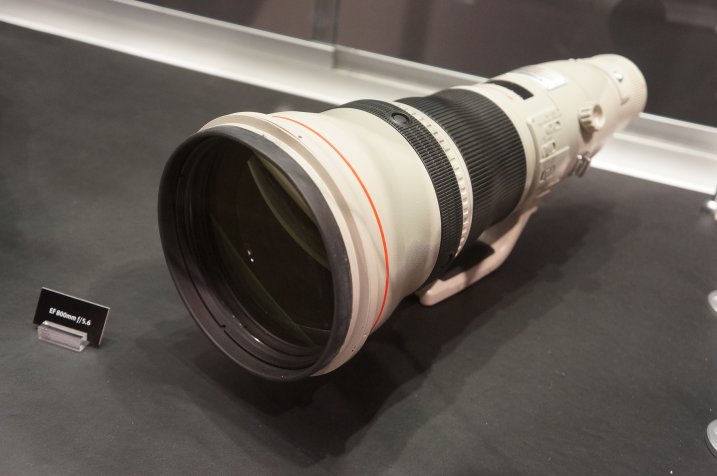
      Jon Fingas

      By Jon Fingas

    • Ability to try out the equipment and see if it suits your style of photography. Once you know you like a piece of gear, you can make the investment and know you’re making the right choice.
    • Using a rental as a backup system for assignments especially events like weddings or concerts.
    • Traveling light and having gear shipped directly to your hotel is an option many photographers mention as a plus for renting. This also eliminates travel-related anxiety around lost luggage and excess baggage charges.
    • Using a rental when your main gear is out for repair. This let’s you keep working while you wait for repairs to be completed.
    • Eliminating buyer’s remorse. It is true that not every piece of gear works for everyone. Often times we buy gear because a certain photographer that we admire has the same equipment, only to be disappointed that our pictures are no where like theirs.

    Renting – online versus local stores
    Richard Fisher

    By Richard Fisher

    There are many different options for renting photographic gear. You can do so from local stores in your area or online vendors. In the US, big camera chain stores like CalumetPhotographic and AdoramaRentals sell as well as rent photo gear. CalumetPhoto, one of the local camera retailers in my area, also has local stores where you can go to pick up and drop off rental equipment. They tend to have a wide variety of equipment but definitely recommend reserving gear, especially if you want it for a specific event like weddings, to ensure you get what you want.

    There are online stores like Borrowlens and Lensprotogo that also offer a wide variety of lens, cameras and other equipment for rent. You order online and have the gear shipped to your home or location of your choice. Once you are done, you ship it back to them. There is definitely more flexibility in renting gear online but there is the added cost of shipping and insurance, as well as a slight risk that the gear might not arrive in time (any unforeseen circumstances like extreme weather).

    Benefits of borrowing photo gear
    Giyu (Velvia)

    By Giyu (Velvia)

    Sometimes you get lucky and have other photographer friends who let you borrow their equipment for a photoshoot, or just to test out – definitely one of the more cost effective ways of trying out photographic gear. However, for those of us who don’t have such awesome friends, there is another method of renting temporary gear that is starting to become popular.

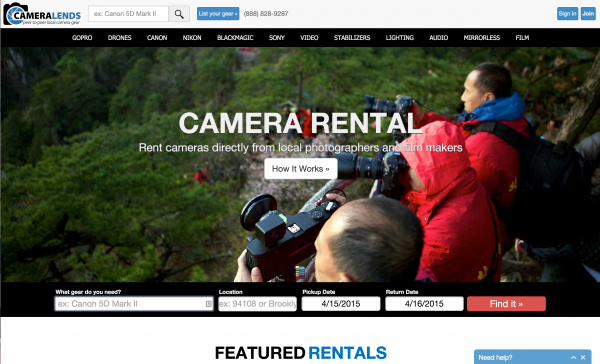
    Online companies like CameraLends provide access to a lending community where you can rent cameras directly from local photographers and film makers. On the CameraLends website, they offer a peer-to-peer lending community for photographers and videographers. Owners post unused gear to rent out to other photographers and you can rent gear directly from local photographers, faster and cheaper than traditional means. But this service is somewhat dependent on the market you are in. Not every market will have every piece of equipment available for rent.
    Screen Shot 2015-04-15 at 10.51.13 AM

    Regardless of what method you choose to borrow or rent camera equipment, definitely try out gear before you make the investment to purchase it. The last thing you want to happen is buying equipment you think you want or need, only to find that it is really not benefiting your particular style of photography.

    googletag.cmd.push(function() {
    tablet_slots.push( googletag.defineSlot( “/1005424/_dPSv4_tab-all-article-bottom_(300×250)”, [300, 250], “pb-ad-78623” ).addService( googletag.pubads() ) ); } );

    googletag.cmd.push(function() {
    mobile_slots.push( googletag.defineSlot( “/1005424/_dPSv4_mob-all-article-bottom_(300×250)”, [300, 250], “pb-ad-78158” ).addService( googletag.pubads() ) ); } );

    The post The Advantages of Renting Photographic Gear Before you Buy by Karthika Gupta appeared first on Digital Photography School.


    Digital Photography School

  • 21. April 2015
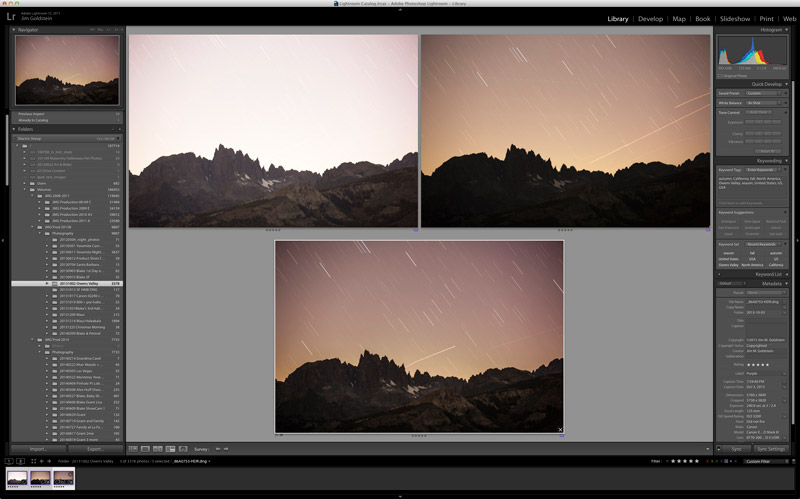
    Das Bild des Tages von: Kay

    16650164569 © Kay

    Im Ausblick: Pulitzerpreis, Lélia Salgado und die Schwulenszene Manhattens in den 70er Jahren.
    kwerfeldein – Fotografie Magazin | Fotocommunity

  • Adobe rolls out Lightroom CC and Lightroom 6 with HDR and panorama tools

    Adobe has announced standalone and Creative Cloud versions of its image management and Raw conversion software, Lightroom. Among other new features the latest versions gain simple HDR and Panorama merging tools that create 16-bit DNG files from the merged results.  Read more

    Articles: Digital Photography Review (dpreview.com)

  • Lieke Romeijns Blickwinkel

    Eine blonde Frau ist durch ein Autofenster sichtbar.

    Die niederländische Fotografin Lieke Romeijn war einer der ersten Menschen, dessen Arbeiten ich auf eine besondere Art und Weise verstanden habe. Als ich 2010 zu Flickr gewechselt bin, war sie schon da. Ihre Fotos haben mich gefesselt, beruhigt, mich mit einem guten Gefühl gefüllt und ich habe seitdem immer verfolgt, was Lieke macht.
    kwerfeldein – Fotografie Magazin | Fotocommunity