Blog

  • Instax goes luxury with Michael Kors collaboration

    Instax has been in the news in the past couple of weeks – first for the announcement of its monochrome instant mini film, and again with the announcement of a square format film and camera in the works. Now they’ve got something else cooking: a collaboration with fashion designer Michael Kors. The limited edition Kors-branded Instax Mini 70 is metallic gold with the designer’s signature printed on the back panel and the brand logo on the front. 

    The Michael Kors edition Instax Mini 70 will be sold bundled with film and is expected to be available in late October through the holiday season.

    Press release

    FUJIFILM AND MICHAEL KORS COLLABORATE ON INSTAX AT PHOTOKINA 2016

    Valhalla, N.Y., September 21, 2016 – Providing the total imaging solution for photographers, FUJIFILM North America Corporation will announce a new, one-of-a-kind collaboration with the world-renowned and award-winning fashion designer, Michael Kors. Known for luxury accessories and ready-to-wear fashion, Michael Kors produces a wide range of globally recognized products.

    MICHAEL KORS x FUJIFILM INSTAX Mini 70 Revealed
    FUJIFILM and Michael Kors are pleased to announce a new collaboration that captures the creativity of the fashion and photography worlds with the launch of a limited-edition INSTAX Mini 70 instant film camera.

    “Fashion and photography are about giving a voice to individuals as they express themselves, and this exclusive INSTAX Mini 70 by Michael Kors is the pinnacle of style and substance,” said Mark Yamamoto, President and CEO, FUJIFILM North America Corporation, and President, FUJIFILM Holdings America Corporation. “We are seeing an explosion of excitement in instant photography today, and now consumers can make a stylish statement with the combination of INSTAX and the luxury of the Michael Kors brand.”

    The new MICHAEL KORS x FUJIFILM INSTAX Mini 70 camera comes in an exclusive gold metallic color that captures the jet-set Michael Kors aesthetic. The Michael Kors brand logo is printed on the front of the case body, and to make it even more special, the designer’s signature is showcased in the same gold hue on the camera door for a stamp of approval from Michael Kors himself.

    Celebrated for its ability to produce sharp, physical photos in an instant, the INSTAX Mini 70 features a sleek design, special selfie mode and high-performance flash that automatically calculates surrounding brightness and adjusts shutter speeds accordingly. As an added bonus, the camera has a smart selfie mode that automatically adjusts settings to capture picture-perfect selfies—a functionality that is sure to be a hit at parties or when hanging out with friends. Simply check your framing with the front-facing mirror next to the lens, and snap.

    The exclusive MICHAEL KORS x FUJIFILM INSTAX Mini 70 camera will be conveniently sold as a bundle, including ready-to-use film, and will be available for a limited time beginning in late October and through the Holiday season.

    Articles: Digital Photography Review (dpreview.com)

  • In Stitches: 45+ Artistic Embroidered & Cross-Stitched Creations

    [ By SA Rogers in Art & Sculpture & Craft. ]

    cross-stitch-pockets-1

    This is definitely not your grandmother’s embroidery. It’s stitched into the helmets of soldiers, onto car doors and fences, producing cats that pop out of shirt pockets and portraits so painterly, it’s hard to believe they’re made of thread. In fact, needlework stands in for everything from spray-painted street art to living moss in these extraordinarily artistic stitch-based creations.

    Floral Cross-Stitch Urban Murals by Raquel Rodrigo

    cross-stitch-raquel-rodrigo-1

    cross-stitch-raquel-rodrigo-2

    cross-stitch-raquel-rodrigo-3

    Cross-stitched street art is in bloom all over Madrid this week thanks to floral creations by artist Raquel Rodrigo, who wraps thick string around a wire mesh form and then affixes it to urban surfaces.

    Cross-Stitched Microbes by Alicia Watkins

    cross-stitch-microbes-1

    cross-stitch-microbes-2

    cross-stitch-microbes-3

    Rather than flowers and the other pretty things that are typically stitched within an embroidery hoop, artist Alicia Watkins puts the spotlight on nasty germs and microbes ranging from the measles to mad cow disease.

    Pets in Pockets by Hiroko Kubota

    cross-stitch-pockets-2

    cross-stitch-pockets-4

    cross-stitch-pockets-1

    Adorable, strikingly realistic cats and puppies pop out of pockets in this fun clothing line by Hiroko Kubota called Go!Go!5. The project started when the Japanese embroidery artist’s son asked for a custom cat-adorned shirt, and took off from there. You can even have a custom pet portrait created just for you.

    Embroidery Gone Wild by Danielle Clough

    cross-stitch-clough-1

    cross-stitch-clough-2

    cross-stitch-clough-3

    cross-stitch-clough-4

    cross-stitch-clough-5

    Virtually anything that can be punctured or woven with embroidery floss is fair game for Danielle Clough, whose wildly unique creations have appeared on tennis rackets, shoes and fences.

    Splotchy Embroidered Fashion by Olya Glagoleva and Lisa Smirnov

    cross-stitch-fashion-1

    cross-stitch-fashion-2

    cross-stitch-fashion-3

    What appears, from a distance, to be splotches of paint roughly applied to textured textiles turns out to be hyper-detailed embroidery in abstract forms. Russian artist Lisa Smirnova paired up with fashion designer Olya Glagoleva to collaborate on this fun project for the eco-friendly clothing line GO!

    Next Page – Click Below to Read More:
    In Stitches 45 Artistic Embroidered Cross Stitched Creations

    Share on Facebook


    [ By SA Rogers in Art & Sculpture & Craft. ]

    [ WebUrbanist | Archives | Galleries | Privacy | TOS ]


    WebUrbanist

  • How Playing With Manual Mode Can Help You Learn Exposure Faster

    I have a disclaimer before I even begin this article. I shoot much more often in Shutter or Aperture Priority than I do in Manual mode. I save Manual mode specifically for studio shooting, for some tripod work where I have a lot of time to get the settings perfect, or for situations where the lighting is very consistent.
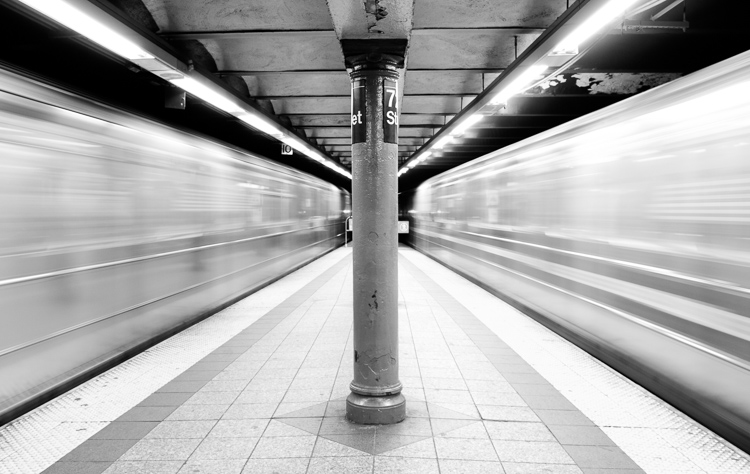
    Subways in Motion, New York

    Learn Manual Mode to better understand exposure

    However, I think it is immensely important for you to try to periodically shoot in Manual early on, especially if you’re just learning. Take a look at your camera. How many buttons does it have on it? New cameras these days can have 20 or more buttons on them all doing different things, but in reality, there are only three settings that make the photograph: the ISO, the Shutter speed, and the Aperture.

    Central Park, New York

    Before you even go out, turn your camera to Manual mode and figure out the fastest and most comfortable way to change each of these settings. You’re going to do a lot of that in Manual.

    Understanding shutter speed

    The next step is to understand a couple of important points. The shutter speed always needs to be at least one over your focal length to offset handheld camera shake. So if you are at 50mm (on a full-frame camera), then your shutter speed needs to be 1/50th of a second. To freeze the motion of moving subjects such as people, I like a shutter speed of around 1/250th or 1/320th of a second, but you can get away with a little slower than that. You will need a faster shutter speed to freeze faster moving subjects like cars, etc.

    Understanding aperture

    For your aperture, the lower the number (such as f/2.8), the less depth of field and more bokeh there will be. This is counterintuitively called a large aperture because the size of the aperture hole in the lens is actually larger. This will also let in a lot of light due to the size of the hole. A small aperture (such as f/11 or f/16) will create a much larger depth of field, but the tradeoff is that it will let in less light.
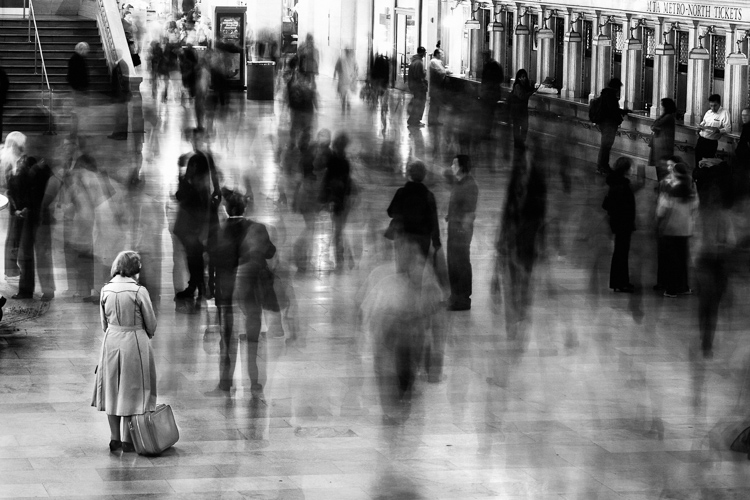
    Waiting in Grand Central Terminal, New York

    Understanding ISO

    The ISO is the sensitivity of your camera’s sensor to light. The higher the number, the more noise that an image will have, but the more sensitive to light it will be. Newer cameras can make beautiful photos up to ISO 3200 or even 6400, but older or entry level cameras can have a lower limit of around ISO 1600 (test your camera to find your comfort zone with its upper ISO limits).

    If you want a lot of bokeh in your image, and you set your lens to f/2.8, that means the camera will be letting in so much light that you will usually want a low ISO. However, if you are shooting street photography, fast moving subjects, you want a shutter speed of 1/250th or faster, and/or a smaller aperture such as f/11 – unless you are in bright sunlight, you will often have to raise your ISO to be able to let in enough light to use those settings. In general, if it’s darker out, then your ISO will often have to go up unless you are on a tripod.

    Now play with them

    Those are the main considerations that you need to learn; now just walk out the door and mess around with your settings. Screwing around with the settings in Manual is the fastest way to start to learn them well. Start off with your aperture. How much depth of field do you want in the image? Once you pick that, then take a guess at the shutter speed and ISO and see how it looks. View the back of the screen, look at the histogram, and zoom in on the details.

    If an image is too dark, then slow the shutter speed, raise the ISO, or use a larger aperture. If the main subject is too blurry, then speed up the shutter speed.
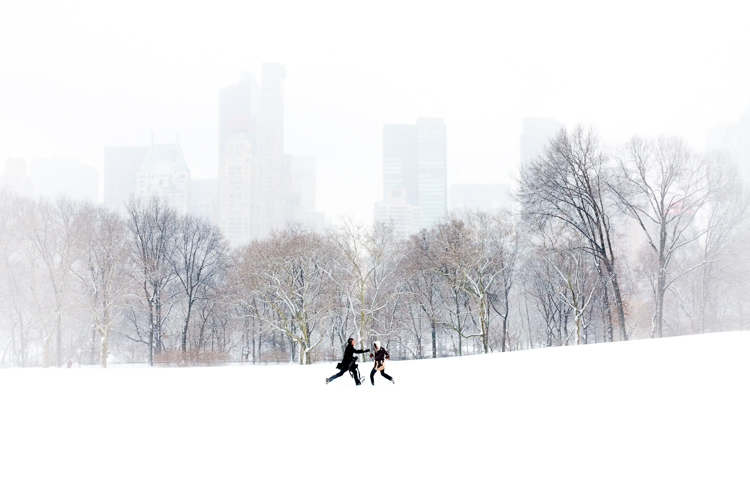
    Couple in Sheep Meadow, New York

    Try different lighting scenarios

    Explore different lighting situations. Paying attention to lighting is the first thing that you should do before you take a photograph. How strong is the light? Where is the sun or artificial light in relation to what you are shooting? The strength of the light will be the number one factor in helping you figure out your settings. From there, you can figure out the depth of field that you want and if you need to freeze the motion of your subjects or not.

    Get comfortable walking from one lighting situation to another. If you walk from the sun into the shade, what will you need to change to expose the scene correctly? Pay attention to scenes with both bright highlights and darker shadows. With these scenes you need to figure out which is most important to expose correctly. If the shady area is more important, then let in more light. If the highlights are the most important, then darken the scene so they are correctly exposed and the shadows are closer to black. If you are in sunlight, learn how your settings will change if you are shooting into the sun versus shooting away from it.
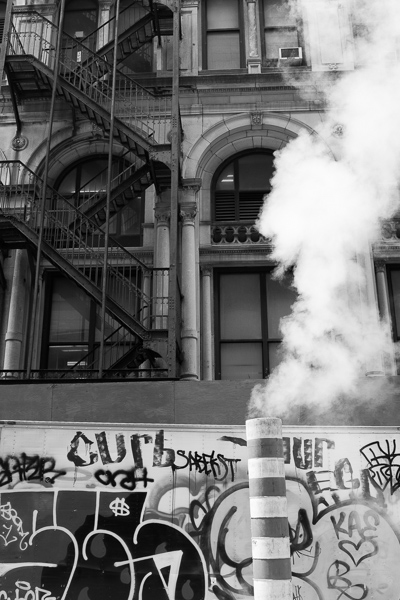
    Smokestack and Graffiti, New York

    Go out in the morning, in the middle of a sunny day, at dusk, or in light rain. Learn how your settings change in each of these lighting situations.

    Most digital cameras will show you the light meter reading for what they believe will correctly expose your image. For instance, if you choose the three settings, the light meter might show you that it thinks you are underexposed by one stop (look in your viewfinder for a + 0 – scale, press the shutter button part-way down to activate it). Keep an eye on this because it can help you, but also try to not pay too much attention to it. The point of Manual shooting is to learn the numbers yourself without relying on the camera. You can rely more on the camera later.

    Conclusion and practice

    The only way to learn these things is to experiment and do them. Shooting in Manual at first will make you screw up much more than in Shutter or Aperture Priority, but a handful of dedicated days of doing this will have you understanding the settings in a much more intuitive way. Then if you decide to shoot in Shutter or Aperture Priority, you will have a strong understanding of how to use those modes to the best of their ability.
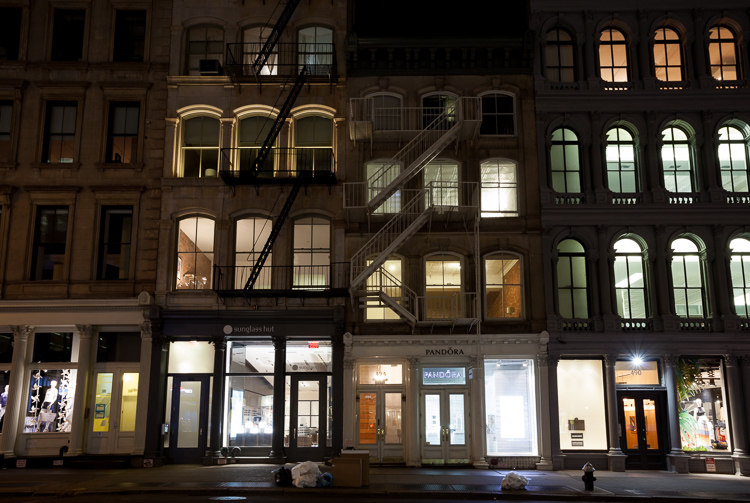
    SoHo at Night

    googletag.cmd.push(function() {
    tablet_slots.push( googletag.defineSlot( “/1005424/_dPSv4_tab-all-article-bottom_(300×250)”, [300, 250], “pb-ad-78623” ).addService( googletag.pubads() ) ); } );

    googletag.cmd.push(function() {
    mobile_slots.push( googletag.defineSlot( “/1005424/_dPSv4_mob-all-article-bottom_(300×250)”, [300, 250], “pb-ad-78158” ).addService( googletag.pubads() ) ); } );

    The post How Playing With Manual Mode Can Help You Learn Exposure Faster by James Maher appeared first on Digital Photography School.


    Digital Photography School

  • Photokina 2016: Nikon stand report video

    Nikon may have introduced the D5 and D500 many months ago in anticipation of the 2016 Olympic Games in Rio, but that doesn’t mean they’re out of new releases for Photokina 2016. The ambitious KeyMission lineup shows that Nikon is taking the 360 and action camera market awfully seriously, while the D3400 should continue to offer entry-level DSLR users impressive image quality. Lastly, the Nikkor AF-S 105mm F1.4 is a gorgeous piece of glass that we can’t wait to get out into the real world with.

    Watch as DPReview’s Barney Britton talks with Steve Heiner, Nikon’s senior technical manager, about these new products (and even a new market segment) from Nikon.

    Articles: Digital Photography Review (dpreview.com)

  • Where to Get Income When You’re New to Photography

    Photography as a career is extremely challenging and rewarding at the same time. On the one hand, photographers seem to be blessed people, because they do what they love. On the other hand, it sometimes gets very hard to make money on doing what you love – especially when you’re a freelance photographer. Luckily, there are some ways to effortlessly Continue Reading

    The post Where to Get Income When You’re New to Photography appeared first on Photodoto.


    Photodoto

  • Video: First look at the Panasonic G85/G80

    The Panasonic G85 is the successor to the Panasonic G7 and shares its DSLR-style design with twin control dials and fully articulating touch display. It also uses the same sensor as the G7, but with no AA filter. The G85 receives a new 2.36M dot OLED electronic viewfinder with increased magnification over the G7. The camera also gains in-body 5-axis image stabilization and Dual I.S. 2 as well as weather and dust-sealing.

    The camera also uses an electromagnetic shutter and features a new in-camera focus-stacking mode. Like its predecessor it is 4K-capable, has built-in Wi-Fi and utilizes Panasonic’s Depth from Defocus AF. Get a glimpse of its capabilities in our quick First Look video, or head to our First Impressions if you’re looking for in-depth analysis.

    Read our Panasonic Lumix DMC-G85 First Impression Review

    Articles: Digital Photography Review (dpreview.com)

  • Adobe Lightroom CC 2015.7 and Lightroom 6.7 available now

    Adobe has launched Lightroom CC 2015.7 and Lightroom 6.7, saying the new versions bring bug fixes including compatibility solutions for newly released macOS Sierra, as well as additional lens profile and Raw support. MacOS users are encouraged to update to the latest version of Lightroom before updating to version 10.12 Sierra.

    In addition to the new camera support listed below, Lightroom CC now allows users to submit their photos to Adobe Stock Contributor via Adobe Stock Publish Service, more easily sync content between devices using drag-and-drop into ‘All Synced Photographs,’ and to always use Smart Previews in the Develop Module (regardless of whether the original files are available).

    New camera support:

    • Apple iPad Pro 9.7? (wifi and cellular)
    • Apple iPhone 6s Plus
    • Apple iPhone 6s
    • Apple iPhone 7
    • Apple iPhone 7 Plus
    • Apple iPhone SE
    • Canon EOS 5D Mark IV*
    • Casio EX-ZR4000 (EX-ZR5000)
    • GoPro HERO5 Black
    • Hasselblad H6D-100c
    • Nikon D3400
    • Panasonic DMC-G8 (DMC-G80, DMC-G81, DMC-G85)
    • Panasonic DMC-LX9 (DMC-LX10, DMC-LX15)

    *Please note that we support the import and editing of jpegs, raw files and dual pixel raw files from this camera model. We do not support any specific dual pixel raw functionality. If you are planning to use Dual Pixel raw files, please read Limitations with Canon Dual Pixel raw files in Camera Raw and Lightroom.

    **We added new versions of Adobe Standard color profiles for the Canon EOS 5DS and Canon EOS 5DS R cameras. These versions are denoted as V2, and the v2 profiles have lower contrast than the original Adobe Standard (v1) camera profiles.

    The list of new camera lens profile support can be found at Adobe’s Lightroom blog.

    Articles: Digital Photography Review (dpreview.com)

  • The Racetrack Playa in Death Valley National Park marred by vandals

    Landscape photographer Kurt Lawson captured these images while on a photography trip to complete a special project about this area.

    Check out his Website, Facebook, Flickr and 500px.  

    It seems like only yesterday, a few weeks ago really, that we were writing about the vandalism at Cape Kiwanda on the Oregon coast. Yet here we are again with yet another case of vandalism – this time in Death Valley, California’s Racetrack playa. The area is known for its ‘moving stones’ and it appears that vandals have driven onto the playa and caused irreparable damage to the landscape.

    The Racetrack in Death Valley National Park is a protected area in which large stones seem to move of their own accord across the playa. In reality they move whenever it rains – as the rain water freezes and winds cause the rocks (sometimes boulders of up to 600lbs) to move across the playa floor leaving a meandering trail behind them. Evidence of this was actually captured for the first time back in 2014. There are only two places in the world where this occurs naturally.

    As he documented on his blog, landscape photographer Kurt Lawson was in the area scouting shooting locations for a project when he discovered the damage. He entered the protected area in the park and began to notice car tracks. It appeared that a group of individuals had driven a car across the the playa, thus carving car tracks permanently into an area where rain is a rarity.

    Deep tracks were carved across the rock trails that take years to form.

    What this means is that these tracks will be there for a very, very long time – if not forever. Some of the tire tracks cross trails made by the rocks. There are three parking lots in the Racetrack area, so vandals would have likely ignored the signs and at each one of them in order to carve their own paths through the playa as they left the designated parking areas. 

    What appear to be initials have been chiseled about 1/8″ deep into the rock.

    The type of damage that they caused isn’t repairable. What’s even more concerning is that whoever is responsible for it more than likely knew exactly what they were doing – there are ‘No motor vehicles beyond this point’ signs posted at every parking lot and along the roads between them. 

    The area that was vandalized is well marked with these ‘No motor vehicle’ signs. You can see tire tracks off in the distance.  

    After Cape Kiwanda, Yellowstone and now this – I’m really starting to question if what we’re doing to protect these areas is enough. Only time will tell.

    Articles: Digital Photography Review (dpreview.com)

  • HumanEyes Technologies shows off Vuze VR 360 degree 3D camera

    At HumanEyes Technologies’ Photokina booth we had the chance to look at some of the first production models of the Vuze VR 3D 360 degree cam, first announced at the Cannes Festival in May. The camera uses 8 Full-HD cameras with wide-angle lenses that are arranged in pairs on the corners of the device to record 360 degree video in 3D. Of course you can also record standard 2D footage at a 4K output resolution and 30 frames per second. Each lens covers a 120 degree angle of view horizontally and 180 degree vertically.

    A standard tripod mount allows for easy mounting to any camera support, including the combined tripod/grip that comes in the package. The camera is operated via a single button on the device and settings can be changed via the Vuze App on any smartphone. The app also allows for management of footage that has already been saved on the microSD card and for a preview of the final video. 

    Stitching and editing of recorded footage is done in the Vuze Studio software on a PC or Mac and final results can be viewed on the included VR headset that is compatible with most smartphones. The Vuze will be available soon for $ 799.

    Articles: Digital Photography Review (dpreview.com)

  • 3Doodler Pro: New 3D-Printing Pen Works with Nylon, Wood & Copper

    [ By WebUrbanist in Gadgets & Geekery & Technology. ]

    3doodler pen

    A new model of 3D sculpture-drawing tool from WobbleWorks operates using extrusion like its predecessor, but has expanded to allow users to print with new materials like wood, copper, bronze, nylon and polycarbonate.

    3d sculpture

    Users can draw shapes in the air which solidify as the extruded materials cool to create complex works of art and design.

    3d doodler

    Each of the materials in the new range of offerings is combined with plastic to form a filament that can be heated and shaped as before. Now, however, these works can be modified post-production per the new material line (e.g. wood sanded or bronze polished).

    3d model

    The new device features dials to control temperature and speed as well as a fan for cooling materials as they are deployed for rapid setting. Housed in a carbon fiber shell, the device can be used to draw scale models, household decor, creative crafts and fun sculptures. The gadget also comes with a portable battery pack.

    3d vase drawing

    “When we started the 3Doodler journey back in 2013, we had world-leading architects telling us ‘I want to do this’,” said WobbleWorks co-founder and CEO Maxwell Bogue, referring to  “a quick wave of the pen in the air, with plastic solidifying in its wake. With new materials like polycarbonate, that dream is a reality.” In the future, technologies like this could be employed in medical and other fields as well.

    Share on Facebook


    [ By WebUrbanist in Gadgets & Geekery & Technology. ]

    [ WebUrbanist | Archives | Galleries | Privacy | TOS ]


    WebUrbanist
