Month: December 2017

  • A fully loaded iMac Pro will cost you $13,200

    Photo: Apple

    It’s official! As we reported yesterday morning, the iMac Pro is now officially on sale in the United States, starting with the two base models—the 8-core and 10-core variations—and a price tag of $ 5,000 for the ‘standard configuration.’

    Up until now, that’s the only price we knew for this behemoth of a computer—what Apple calls “the most powerful Mac ever”—but now that the iMac Pro website is official and the product is up in the store, we can find out how much a fully loaded version costs. And let’s just say you should hold on to your wallets.

    If you go to Apple’s store website and trick out the computer, going all the way up to the 2.3GHz 18-core Intel Xeon W Processor with Turbo Boost up to 4.3GHz, 128GB of 2666MHz DDR4 ECC memory, a 4TB SSD, and a Radeon Pro Vega 64 graphics card with 16GB of its own HBM2 memory, your price tag goes up to.

    Drum roll please…

    $ 13,200

    If you do one of the more basic configurations, you’ll be able to get yours in the next 1-2 weeks. However, if you plan to shell out the aforementioned $ 13,200 for the fully-loaded 18-core beast, don’t expect to get the computer in 2017. According to the Apple store website, a fully loaded variation will ship in 6-8 weeks.

    To learn more or configure your own (if you’re lucky enough to have pockets this deep) head over to the iMac Pro website.

    Articles: Digital Photography Review (dpreview.com)

  • 5 Tips for Better Winter Landscape Photography

    Born and raised in Norway, my opinion might be slightly biased but winter is my favorite season for photography.  Sure, it’s a cold and harsh season but there are so many opportunities to capture beautiful winter landscape images both during the day and night.

    I haven’t always been a fan of winter photography, though. In fact, it took me several years after purchasing my first camera before I brought it with me on skiing and hiking trips. Needless to say, it didn’t take many trips before I was hooked and began looking forward to next winter. I quickly realized that photographing during winter is in many ways different than any other season.

    There are several new challenges you need to handle and, quite often, everything is white. How do you handle that? Here are five tips to capture better winter landscape images.

    5 Tips for Better Winter Landscape Photography

    1 – Look for Color Contrast

    After a few days of heavy snowfall, the landscape here in Norway is completely white. White trees, white lakes, white mountains and normally a white sky. When everything is white, it’s quite challenging to find a focal element as nothing really stands out.

    During days like this, you should be searching for elements of color that stand out in the otherwise white landscape. Here’s an example of a house captured the morning after a heavy snowfall.

    5 Tips for Better Winter Landscape Photography

    The red cabin is what makes this picture interesting. Without it, the scene lacks a focal element and the viewer’s eyes have no place to rest.

    I find red to be a particularly pleasing color in situations like this but search for any dominant color. Perhaps there’s an autumn leaf laying on top of a thin layer of snow, or maybe it’s a few skiers wearing red jackets. Just find a dominant color in the otherwise white landscape and use that as your focal element.

    2 – Bright is Better than Dark

    When you’re not able to find a colorful focal element that stands out in the frame, overexpose your image. If it’s snowing and there’s no contrast in the sky, winter images can often benefit from being a stop or two brighter. Just avoid clipping the highlights.

    5 Tips for Better Winter Landscape Photography

    This isn’t something I always do but whenever it’s a whiteout I tend to lean that direction. The slightly overexposed image enhances the whiteout and helps convey just how cold you were when taking the picture, yet it still shows a sense of calmness.

    3 – Choose a Cold White Balance

    You can either choose White Balance in camera or in post-processing if you’re photographing Raw, a cool color balance is often the most suitable for winter scenes.

    Unless it’s a colorful sunset, there’s no reason to use a warm White Balance. Snow is white and the shadows are cool. Using a cold White Balance will help enhance the winter mood while keeping the image more realistic.

    5 Tips for Better Winter Landscape Photography

    4 – Photograph During Bluehour

    Winter is a season with lots of opportunities throughout the entire day; even a sunny winter day is worth taking your camera out for. However, during the last years, I’ve begun to appreciate the blue hour more and more.

    The moments before the sun rises or after it sets creates a magical, soft light in the winter landscape, especially near the mountains. This is a time where you should be out with your camera. Even if it’s freezing cold and you’d rather stay at home underneath a blanket, you’re doing yourself a favor by going out with the camera at this time of day.

    5 Tips for Better Winter Landscape Photography

    If I was only able to choose one time of the day to go photographing during winter it would be the blue hour (well, night-time and aurora chasing might be preferred…)

    5 – Bring Extra Batteries and Keep Them Warm!

    The last tip is perhaps the most important when it comes to photographing cold climates in general – bring extra batteries. Batteries drain much quicker in winter and if you’re like me and use Live View for most shots, you need to bring at least a few extra batteries – just in case.

    I tend to keep at least one spare battery in an inner pocket of my jacket to keep it from draining or failing in the cold temperature. I’ve also found that doing so will result in the battery lasting longer when you do start using it.

    5 Tips for Better Winter Landscape Photography

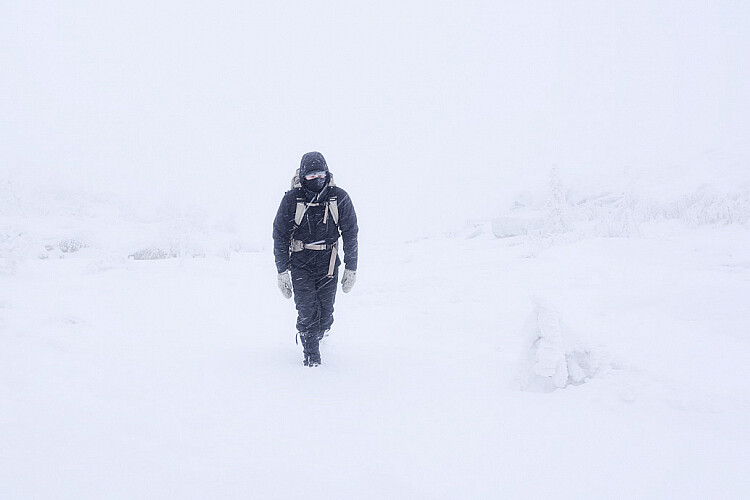
    A self-portrait I took on a hike in rough conditions last winter

    Lastly, related to keeping the batteries warm, you need to stay warm as well. Always be prepared and rather bring a layer too many than too few. You always want to have the opportunity to dress down, especially if you’re going on a hike.

    Over to you

    Do you get winter weather where you live? Get out and take some winter landscape shots and share them in the comments below. We’d love to see them.

    The post 5 Tips for Better Winter Landscape Photography by Christian Hoiberg appeared first on Digital Photography School.


    Digital Photography School

  • SLC-1L-01: One Speedlight Outdoors — Find Shade

    There is an inherent tradeoff when using small speedlights outdoors in daylight. They are light, and convenient and cheap. But they don't have a ton of power.

    And the aggravating factor is the relationship between a small flash and a bright environment. Which is, in turn, governed by our sync speed. And by this I mean our natural speed limit for flash, absent power-robbing gimmicks like high-speed sync (HSS).

    At a sync speed of 1/250th of a second, even at a low ISO, you are probably going to be at f/16 in full sun. That's a small aperture, which means your flash will be working hard to create a full exposure.

    Because of that, working in full sun with speedlights usually means we lack the power that we need. Certainly, we don't have enough power to push the flash's light through a softening modifier to look nice.

    The solution: Get more power… or find some shade. Read more »
    Strobist

  • Cosina has discontinued the Zeiss SLR Classic series of lenses

    Cosina Japan has officially discontinued the Zeiss SLR Classic lens series, specifically bringing an end to the: Zeiss Distagon T* 15mm F2.8, 18mm F3.5, 25mm F2, 28mm F2, and 35 F1.4, as well as the Zeiss APO?Sonnar T* 135mm F2.

    The notice simply reads (translated):

    “[Production End Guide] The ZEISS SLR classic series of products (2.8/15, 3.5/18, 2/25, 2/28, 1.4/35, 2/135) has finished production.”

    The announcement comes a couple years after Cosina launched a new lens series called Milvus, which is designed for digital SLR cameras and more-or-less replaced the SLR Classic series. The Milvus series more than makes up for the lenses that are currently being discontinued, already boasting 11 lenses to its name, but there’s no doubt that some true gems will be relegated to eBay auctions from this point forward.

    You can still find some Zeiss SLR Classic glass new at online retailers for now, but don’t expect that to last much longer.

    Articles: Digital Photography Review (dpreview.com)

  • Canon PowerShot G9 X Mark II Review

    The PowerShot G9 X Mark II is an ultra-compact camera that features a larger-than-average 1″-type CMOS sensor. It serves as the entry-level model in Canon’s Gx-X series, and has an MSRP of $ 529. Being the entry-level model, Canon has given the camera a touchscreen-based interface that’s will be familiar to smartphone owners who are looking to trade up to something better.

    The main problems with the original G9 X were performance related. Continuous shooting was slow, especially when using Raw or continuous autofocus, the menus were sluggish and the battery didn’t last for long.

    The G9 X Mark II took care of most of the performance problems, due mostly to its new DIGIC 7 processor. The burst rate is faster, buffer larger and interface snappier. While improved, battery life still isn’t great, though an ‘Eco mode’ gives you another 80 shots above the industry-standard CIPA estimate of 235. Canon also added in-camera Raw processing, Bluetooth capability and improved image stabilization for video shooting.

    Key Features

    • 20.1MP 1″-type BSI CMOS sensor
    • DIGIC 7 processor
    • 28-84mm equivalent F2-4.9 lens
    • Built-in neutral density filter
    • 3″ touchscreen LCD
    • Up to 8.2 fps burst shooting
    • 1080/60p video capture
    • In-camera Raw conversion
    • Wi-Fi with NFC and Bluetooth

    The G9 X II’S 20MP sensor is found on all of Canon’s 1″-type compacts, and is likely the same one found on Sony’s RX100 III. The DIGIC 7 processor is what took care of the original G9 X’s performance issues, and it makes a world of difference. As before, there’s a built-in 3-stop ND filter, with on/off/auto settings. While essentially all cameras now have Wi-Fi, the Bluetooth feature is a nice extra, as it allows for very quick re-pairing between camera and smartphone.

    Compared to…

    The camera that is most similar to the G9 X Mark II is Sony’s original RX100. It has an older sensor than the G9 X II, but it’s closer in price than its successor, the RX100 II. We’re throwing in the slightly more expensive Panasonic LX10, as well as the G9 X II’s step-up model, the G7 X II, into the chart below.

    Canon G9 X II Canon G9 X Sony RX100 Canon G7 X II Panasonic LX10
    MSRP $ 529 $ 529 $ 449 $ 699 $ 699
    Sensor 20MP BSI-CMOS 20MP CMOS 20MP BSI-CMOS
    Lens (equiv) 28-84mm 28-100mm 24-100mm 24-72mm
    Max aperture F2.0-4.9 F1.8-4.9 F1.8-2.8 F1.4-2.8
    LCD 3″ fixed 3″ tilting
    Touchscreen Yes Yes No Yes Yes
    Burst rate

    8.1 fps (AF-S)
    5.3 fps (AF-C)

    6 fps (AF-S)
    4.3 fps (AF-C)

    10 fps (AF-S)
    2.5 fps (AF-C)

    8 fps (AF-S)
    5.4 fps (AF-C)
    10 fps (AF-S)
    6 fps (AF-C)
    Video 1080/60p UHD 4K/30p
    Wi-Fi Yes, with NFC+BT Yes, with NFC No Yes, with NFC Yes
    Battery life 235 shots 220 shots 330 shots 265 shots 260 shots
    Dimensions
    (W x H x D)
    98 x 58 x 31 mm 98 x 58 x 31 mm 102 x 58 x 36 mm 106 x 61 x 42 mm 106 x 60 x 42 mm
    Weight 206 g 209 g 240 g 319 g 310 g

    Look at the spec comparisons, there doesn’t appear to be much of a difference between the G9 X Mark II and its predecessor. Same sensor, same lens, same display. That’s because most of the changes are under the hood, which boost its burst rate, battery life (barely) and reduces overall sluggishness.

    The G9 X II gets mixed results in terms of spec compared to its peers, though again, it’s an entry-level model. On one hand, it’s the smallest and lightest in the group, with a fast burst rate and Wi-Fi with all the trimmings. Its lens is the real weakness: it’s slow (more on that below) and has a focal range that doesn’t have a lot of reach. While better than on the original model, battery life on the G9 X II is poor, so bring along a spare battery if you’re out for the day.

    Lens comparison

    Just like ‘equivalent focal length’ that we use throughout the site, equivalent apertures allow you to compare image quality potential across cameras with different sensor sizes by taking sensor size into account. The equivalent aperture figure gives a clear idea of how two lenses compare in terms of depth-of-field. It’s also related to diffraction, which reduces sharpness as the aperture is stopped down. In other words, the higher the F-number, the softer the images will be.

    Finally, equivalent aperture also gives an idea of low-light performance, since it also describes how much light is available across the sensor’s area. However, differences in sensor performance mean this can only be used as a guide, rather than an absolute measure.

    LensEquivalentApertures([“Equivalent focal length (mm)”,”Sony RX100″,”Sony RX100 III”,”Canon G7 X II”,”Panasonic LX10″,”Canon G9 X II”], [[24,null,””,4.90909090909091,”Sony RX100 III at 24mm: F4.9″,4.90909090909091,”Canon G7 X II at 24mm: F4.9″,3.8181818181818183,”Panasonic LX10 at 24mm: F3.8″,null,””],[25,null,””,5.454545454545455,”Sony RX100 III at 25mm: F5.5″,null,””,4.0909090909090917,”Panasonic LX10 at 25mm: F4.1″,null,””],[26,null,””,6.0000000000000009,”Sony RX100 III at 26mm: F6.0″,null,””,4.90909090909091,”Panasonic LX10 at 26mm: F4.9″,null,””],[27,null,””,null,””,null,””,5.454545454545455,”Panasonic LX10 at 27mm: F5.5″,null,””],[28,4.90909090909091,”Sony RX100 at 28mm: F4.9″,6.8181818181818183,”Sony RX100 III at 28mm: F6.8″,null,””,6.0000000000000009,”Panasonic LX10 at 28mm: F6.0″,5.454545454545455,”Canon G9 X II at 28mm: F5.5″],[29,null,””,null,””,null,””,6.8181818181818183,”Panasonic LX10 at 29mm: F6.8″,null,””],[31,null,””,null,””,null,””,7.6363636363636367,”Panasonic LX10 at 31mm: F7.6″,6.8181818181818183,”Canon G9 X II at 31mm: F6.8″],[32,null,””,7.6363636363636367,”Sony RX100 III at 32mm: F7.6″,6.0000000000000009,”Canon G7 X II at 32mm: F6.0″,null,””,null,””],[33,null,””,null,””,null,””,null,””,7.6363636363636367,”Canon G9 X II at 33mm: F7.6″],[34,7.6363636363636367,”Sony RX100 at 34mm: F7.6″,null,””,null,””,null,””,null,””],[37,null,””,null,””,null,””,null,””,8.7272727272727284,”Canon G9 X II at 37mm: F8.7″],[39,null,””,null,””,6.8181818181818183,”Canon G7 X II at 39mm: F6.8″,null,””,9.5454545454545467,”Canon G9 X II at 39mm: F9.5″],[43,8.7272727272727284,”Sony RX100 at 43mm: F8.7″,null,””,null,””,null,””,null,””],[46,null,””,null,””,null,””,null,””,10.90909090909091,”Canon G9 X II at 46mm: F10.9″],[53,9.5454545454545467,”Sony RX100 at 53mm: F9.5″,null,””,null,””,null,””,12.272727272727273,”Canon G9 X II at 53mm: F12.3″],[54,null,””,null,””,7.6363636363636367,”Canon G7 X II at 54mm: F7.6″,null,””,null,””],[65,null,””,null,””,null,””,null,””,13.363636363636365,”Canon G9 X II at 65mm: F13.4″],[66,10.90909090909091,”Sony RX100 at 66mm: F10.9″,null,””,null,””,null,””,null,””],[70,null,””,7.6363636363636367,”Sony RX100 III at 70mm: F7.6″,null,””,null,””,null,””],[72,null,””,null,””,null,””,7.6363636363636367,”Panasonic LX10 at 72mm: F7.6″,null,””],[81,12.272727272727273,”Sony RX100 at 81mm: F12.3″,null,””,null,””,null,””,null,””],[84,null,””,null,””,null,””,null,””,13.363636363636365,”Canon G9 X II at 84mm: F13.4″],[94,13.363636363636365,”Sony RX100 at 94mm: F13.4″,null,””,null,””,null,””,null,””],[100,13.363636363636365,”Sony RX100 at 100mm: F13.4″,null,””,7.6363636363636367,”Canon G7 X II at 100mm: F7.6″,null,””,null,””]])

    That pink line represents the G9 X II and, as you can see, it quickly ascends to the top of graph. Once you hit around 35mm, the equivalent aperture is ~F7.6 equivalent, which is getting into diffraction territory. At its worst the G9 X II is about a stop slower than the RX100, which most likely gives the latter a slight image quality advantage. The step-up model from the G9 X II, the G7 X II, is roughly 1.5 stops faster. This loss of low light capability and potential for control over depth-of-field is the price you pay to keep the camera so pocketable.

    Articles: Digital Photography Review (dpreview.com)

  • Shooting with the Olympus OM-D E-M10 Mark III in Moab

    Moab, Utah is known for its unique desert landscapes as well as a multitude of adventurous outdoor activities. We traveled there recently with photographer Scott Rinckenberger, no stranger to adventure himself, for an action-packed weekend of rock climbing and mountain biking – with a sunrise helicopter ride for good measure.

    The Olympus OM-D E-M10 III came along on the trip too, putting its 5-axis image stabilization and 4K video capture capabilities to work. Take a look at all of the dizzying heights we took it to in the video above.

    Read more about the
    Olympus OM-D E-M10 Mark III


    This is sponsored content, created with the support of Amazon and Olympus. What does this mean?

    Articles: Digital Photography Review (dpreview.com)

  • Portrait mode shootout: iPhone 8 Plus vs Google Pixel 2

    Portrait mode shootout: iPhone 8 Plus vs Google Pixel 2

    Like it or not, 2017 is the year that background-blurring Portrait Modes gained major traction in smartphone photography. Apple and Google both offer improved versions of the mode in their latest devices, making for better-looking results all around. But the two manufacturers take somewhat different approaches to the process, each with different limitations and strengths. Take a look some side-by-side shots to see how they square up, and learn about some of the underlying technologies in the accompanying text.

    Portrait mode shootout: iPhone 8 Plus vs Google Pixel 2

    Pixel 2 XL
    F1.8 1/60sec 4.459mm ISO 382

    Because the Pixel 2 back cameras use both a depth map (stereo) generated from the split pixels as well as ‘segmentation’ (which uses machine learning to identify people / faces vs. background), both subjects in this photo are largely in focus. This is a result one wouldn’t expect from real optics, since the person behind should also be blurred. This doesn’t always happen with the Pixel 2, but sometimes it does if the subjects are close to one another and both identified as people / faces. Sometimes it’s actually desirable, but at other times it can feel unnatural.

    Portrait mode shootout: iPhone 8 Plus vs Google Pixel 2

    Pixel 2 XL
    F1.8 1/40sec 4.459mm ISO 400

    Because of the F1.8 lens and HDR+ noise averaging (with alignment of images), the Pixel 2 can take photos of even slightly moving subjects in low light. Again note the progressive blur here: the back of the baby seat is only slightly blurred as are the switches in the background but the trees against the sky very far away are far more blurred.

    Portrait mode shootout: iPhone 8 Plus vs Google Pixel 2

    iPhone 8 Plus
    F2.8 1/120 6.6mm ISO 80

    Here the iPhone’s longer – albeit slower (F2.8 vs. F1.8) – lens renders the background blurrier than the similar Pixel 2 shot. Note the odd dark/light patterns in the out-of-focus highlights though. This is commonly seen in out-of-focus highlights on iPhone shots, but not on the Pixel’s shots.

    Portrait mode shootout: iPhone 8 Plus vs Google Pixel 2

    Pixel 2 XL
    F1.8 1/209sec 4.459mm ISO 50

    The background is a bit less blurred vs. the iPhone shot, probably largely because of the shorter focal length. Note the algorithm has mistook the bike’s steerer tube as part of the background (or foreground). Note the slightly darker centers in the out-of-focus highlights. More on this in the next photo…

    Portrait mode shootout: iPhone 8 Plus vs Google Pixel 2

    Pixel 2 XL
    F1.8 1/209sec 4.459mm ISO 50

    Lenses in smartphones have complex aspherical elements in them, which can lead to somewhat unpleasant disc-shaped blur that lends itself to things like donut-hole and generally ‘busy’ bokeh. Portrait mode helps mitigate this effect by blurring background and foreground pixels enough that these odd effects are essentially ‘evened out’. But not perfectly: the pixels in the dark rings in the center of each OOF highlight are still replaced by translucent (larger) discs of the same color, meaning there will still be some dark translucent circles in those areas. It’s subtle, since most of the pixels in those OOF highlights are light, not dark, but it’s still there if you look for it (in the previous photo).

    Portrait mode shootout: iPhone 8 Plus vs Google Pixel 2

    iPhone 8 Plus
    F2.8 1/120sec 6.6mm ISO 320

    Two things of note in this iPhone shot here: (1) note the patterning within the out-of-focus highlights (it’s not a uniform disc) and (2) the blown highlights on the wood since HDR is shy to activate in Portrait Mode. Often tapping on the bright overexposed portion in your preview will darken the image enough to force the iPhone to turn on its HDR mode, but results can be inconsistent. The Pixel 2 cameras in comparison are always operating in HDR+ mode, even in Portrait mode, and are less prone to this.

    Portrait mode shootout: iPhone 8 Plus vs Google Pixel 2

    Pixel 2 XL
    F1.8 1/120sec 4.459mm ISO 89

    Note the far better exposure vs. the iPhone: HDR+ ensured the wood in Portrait mode shot did not blow out.

    Also, note the brightest out-of-focus highlight, just to the left of the plant. It does *not* have a darker middle as we saw in the bike shot. This is because in the original shot (next photo), this highlight is completely blown, so the algorithm isn’t starting with the donut-hole disc we saw in the out-of-focus yellow lights in the bike shot. Completely blown out-of-focus highlights will look smooth and uniform – more so than with the iPhone 8.*

    *It’s important to keep in mind that since the blurs are largely algorithms, some aspects of the bokeh may be updated simply by software updates. The comments we’re making throughout here are only really applicable for the software versions we shot the images with.

    Portrait mode shootout: iPhone 8 Plus vs Google Pixel 2

    Pixel 2 XL
    F1.8 1/120sec 4.459mm ISO 89

    Note the three major out-of-focus highlights just to the left of the plant. The darker ones show donut-hole bokeh but are dim enough that they get completely blurred into surrounding pixels in the Portrait mode shot (previous photo). The blown out-of-focus highlight to the left of them gets blurred to a pleasing uniform disc, without a dark center (which was not the case in the yellow out-of-focus highlights in the bike shot, which had slightly darker centers).

    Portrait mode shootout: iPhone 8 Plus vs Google Pixel 2

    Pixel 2 XL
    F1.8 1/120sec 4.459mm ISO 218

    Sometimes, with very close-up objects, we’ve noticed the Pixel 2 cameras do not blur the background much, if at all. Compare this Portrait image to the original image (next photo).

    Portrait mode shootout: iPhone 8 Plus vs Google Pixel 2

    Pixel 2 XL
    F1.8 1/120sec 4.459mm ISO 218

    Non blurred version of previous image. It’s not much different. We haven’t noticed this issue with the iPhone.

    Portrait mode shootout: iPhone 8 Plus vs Google Pixel 2

    iPhone 8 Plus
    F2.8 1/120sec 6.6mm ISO 200

    The sprouts in the back cause artifacts in this image (see next image for comparison). This can happen with dual camera setups, since the two cameras often see very shifted stereo pairs for close objects. If the two cameras see two different things at what it thinks is the same location in the shot, this can cause artifacts not as easily caused from less separated stereo pairs (although lower separation comes with its share of issues as well).

    Portrait mode shootout: iPhone 8 Plus vs Google Pixel 2

    Pixel 2 XL
    F1.8 1/120sec 4.459mm ISO 127

    The Pixel 2 cameras’ stereo pair viewpoints are less than 1mm apart (roughly the diameter of the lens), and appear to have fewer issues with artifacts when shooting close-up objects against farther backgrounds. Since overall stereo disparity in the pair isn’t drastic, there’s less of a chance that the two perspectives see different things at the same image location. Note the sprouts here don’t get blurred oddly as in the iPhone image.

    Also note the progressive blur in the bread, with the closer parts of the bread less blurred than the further parts. This is because Google uses the stereo pair of images to generate an actual depth map. The subject in focus shows no stereo disparity, objects progressively behind show more and more disparity while objects in front show more disparity but in the *opposite* direction. This is how the algorithms can generate essentially a ‘heat map’ of further and further behind the subject (or in front) from which it decides how much blur to apply to each pixel.

    Portrait mode shootout: iPhone 8 Plus vs Google Pixel 2

    iPhone 8 Plus
    F2.8 1/60sec 6.6mm ISO 320

    The iPhone version of this shot has more blown highlights than the Pixel 2 version, presumably because HDR did not kick on automatically.

    Also, there are more depth map errors around the subject’s hair, again possibly because of how close to the camera she is (where the two cameras are likely to see different things at the same image location).

    Portrait mode shootout: iPhone 8 Plus vs Google Pixel 2

    Pixel 2 XL
    F1.8 1/120sec 4.459mm ISO 147

    The Pixel 2 version of this shot has far fewer depth map errors around our subject, particularly her hair.

    Also, since HDR+ is always active on Pixel 2 cameras, the captured dynamic range is far higher.

    Portrait mode shootout: iPhone 8 Plus vs Google Pixel 2

    iPhone 8 Plus
    F2.8 1/120sec 6.6mm ISO 32

    We found the iPhone to struggle a little more with autofocus in backlight and low light, but it did nail focus here for the most part.

    Interestingly, the iPhone appears to preserve more of the out-of-focus highlights in the background than the Pixel 2 (next photo).

    Portrait mode shootout: iPhone 8 Plus vs Google Pixel 2

    Pixel 2 XL
    F1.8 1/867sec 4.459mm ISO 50

    The Pixel 2 appeared to struggle less with autofocus than the iPhone 8 Plus, nailing it here.

    Of note though is that the Pixel 2 appears to have preserved fewer of the out-of-focus highlights (‘bokeh balls’ as we call them here around the office), or at least dimmed them compared to the more obvious ones in the iPhone shot. We wonder if this has something to do with the HDR+ algorithm, but are purely speculating.

    Portrait mode shootout: iPhone 8 Plus vs Google Pixel 2

    iPhone 8 Plus
    F2.8 1/60sec 6.6mm ISO 250

    Often, the iPhone 8 Plus in Portrait Mode would overexpose high contrast scenes, instead of activating HDR mode. HDR seemed reticent to activate in Portrait mode, leading to the blown highlights on faces here.

    Portrait mode shootout: iPhone 8 Plus vs Google Pixel 2

    iPhone 8 Plus
    F2.8 1/120sec 6.6mm ISO 160

    Tapping on the blown highlights resets dims the exposure and often forces HDR mode to activate. The Pixel 2 phones don’t have this issue, as they’re always operating in HDR+ mode.

    Once exposure is adjusted though, the result is a very well-lit image with nice colors and convincing background blur.

    Portrait mode shootout: iPhone 8 Plus vs Google Pixel 2

    Pixel 2 XL
    F1.8 1/120sec 4.459mm ISO 52

    Since the Pixel 2 cameras are always operating in HDR+ mode, blown highlights are well-controlled here resulting in a well-exposed image. Sometimes with very high contrast scenes, though, HDR+ images can start looking a bit ‘crunchy’ (the same thing happens in HDR merging software depending on the ‘radius’ setting).

    Portrait mode shootout: iPhone 8 Plus vs Google Pixel 2

    iPhone 8 Plus
    F2.8 1/120sec 6.6mm ISO 25

    Here the iPhone 8 Plus produces a more pleasing result, with fewer depth map artifacts. It also preserves the warm tone of the sunset scene. Auto White Balance was generally stable and produced desirable results across many different shooting scenarios on the iPhone 8 Plus.

    Portrait mode shootout: iPhone 8 Plus vs Google Pixel 2

    Pixel 2 XL
    F1.8 1/1560sec 4.459mm ISO 86

    The Pixel 2 cameras often show rather extreme variation in White Balance from shot to shot. Quite often, it neutralizes color casts too much: for example, here, it should have chosen a white balance closer to Daylight instead of neutralizing the warm sunset tones.

    Also, when tones in the background and foreground are very similar, depth map errors can result. Note the errors around the hair of our subject, which might have been hard to distinguish from the dark trees in the background.

    Portrait mode shootout: iPhone 8 Plus vs Google Pixel 2

    Pixel 2 XL
    F1.8 1/1560sec 4.459mm ISO 61

    Another example of depth map errors due to objects possibly appearing to similar to one another. Look at the artifacts around the hair on the right side of our subject and around her sunglasses. Next, look at how these regions might appear similar to one another in a lower resolution depth map by comparing to the un-blurred image (next photo)

    Portrait mode shootout: iPhone 8 Plus vs Google Pixel 2

    Pixel 2 XL
    F1.8 1/1560sec 4.459mm ISO 61

    You can see the areas of the blurred photo (previous) that contained artifacts are regions where the foreground and background (the hair vs. tree branches; the sunglasses vs. the dark background) might appear indistinguishable as you try and build a lower resolution depth map.

    Another possibility is errors in segmentation, the process of identifying the entire foreground subject using machine learning.

    Portrait mode shootout: iPhone 8 Plus vs Google Pixel 2

    Pixel 2 XL
    F1.8 1/120sec 4.459mm ISO 281

    For such a complex scene, the Pixel 2 did remarkably well, choosing to blur more than the iPhone in this case (next photo).

    Portrait mode shootout: iPhone 8 Plus vs Google Pixel 2

    iPhone 8 Plus
    F2.8 1/60sec 6.6mm ISO 800

    The iPhone also does well, but here keeps more foreground leaves in focus before extremely defocusing the farther background.

    Portrait mode shootout: iPhone 8 Plus vs Google Pixel 2

    Pixel 2 XL
    F1.8 1/120sec 4.459mm ISO 281

    Note the progressive blur: objects further in the background are blurred more than objects closer. This is because the depth map is generated from actual stereo measurements of how far an object is from the focus plane.

    Portrait mode shootout: iPhone 8 Plus vs Google Pixel 2

    iPhone 8 Plus
    F2.8 1/60sec 6.6mm ISO 500

    Apple quoted with the iPhone 7 that it calculates 9 different layers when making its depth map. It presumably does so by a process of precalibration, where certain stereo disparities from the focus plane correlate with certain distances from it. We wonder if this might be why sometimes the subject looks somewhat cut-out from a far away background, if there aren’t enough objects behind the subject that fall within those 8 layers (or however many Apple is now using) before that 9th (hyperfocal or infinity) one.

    Either that or the masking in this photo makes the subject look somewhat cut-out (see around the hair).

    It’s impressive though that the arm rest in front of our subject is properly blurred.

    Portrait mode shootout: iPhone 8 Plus vs Google Pixel 2

    Pixel 2 XL
    F1.8 1/120sec 4.459mm ISO 207

    The blur in this image looks more natural and progressive to us. The colors leave a bit to be desired though, with somewhat desaturated, greenish skintones.

    Portrait mode shootout: iPhone 8 Plus vs Google Pixel 2

    Pixel 2 XL
    F1.8 1/120sec 4.459mm ISO 159

    This looks more natural to us than the ‘cut-out’ look of the iPhone image, interestingly. However, what’s odd is the color tuning, which is different from the front-facing camera (next photo).

    Portrait mode shootout: iPhone 8 Plus vs Google Pixel 2

    iPhone 8 Plus
    F2.8 1/60sec 6.6mm ISO 400

    We can’t help but feel our subject appears more ‘cut out’ against the background here. We wonder if this has something to do with the number of layers of depth mapping, or a suboptimal masking process (around the hair particularly).

    Skintones are more pleasing than with the Pixel 2 image, though.

    Portrait mode shootout: iPhone 8 Plus vs Google Pixel 2

    Pixel 2 XL
    F2.4 1/60sec 3.38mm ISO 149

    The front facing camera oddly has a different color tuning than the back camera and, arguably, a bit more pleasing. Skintones are more magenta as opposed to the cool, sometimes greenish skintones with the rear camera.

    It’s worth noting the iPhone 8’s front camera cannot do Portrait mode. The Pixel 2’s front camera does not have a dual-pixel sensor on its front camera, so performs this blur simply through a process of segmentation. That’s where machine learning comes in. Google trained a ‘convolutional neural network’ with nearly a million images of people (‘and their hats, sunglasses, and ice cream cones’ according to Principal Engineer Marc Levoy) to learn which pixels belong to people vs. not.

    And impressive result, given the lack of a depth map. You won’t get the progressive gradual blur you get with the real camera, but for selfies this is probably ‘good enough’.

    Portrait mode shootout: iPhone 8 Plus vs Google Pixel 2

    Pixel 2 XL
    F1.8 1/60sec 4.459mm ISO 382

    I’ve included this here because I just wouldn’t have expected a smartphone to generate an image like this if you were to ask me just a year or two ago. In low light, dual-pixel AF got focus (it’s a little soft because Portrait mode uses a digital crop, then upscales), and foreground and background blur are both well controlled. Look at the progressive foreground blur on the right side of the plastic food table.

    The image remains clean thanks to multi-image averaging, while using 1/60s indoors to ensure at least some sharp shots of even a toddler.

    Portrait mode shootout: iPhone 8 Plus vs Google Pixel 2

    iPhone 8 Plus
    F2.8 1/60sec 6.6mm ISO 1250

    The iPhone’s F2.8 aperture in Portrait mode (and smaller sensor), and likely the lack of the 9-frame image averaging HDR+ uses on the Pixel 2 results in many unusable Portrait mode images in low light. Compare this shot to the Pixel 2 one next…

    Portrait mode shootout: iPhone 8 Plus vs Google Pixel 2

    Pixel 2 XL
    F1.8 1/60sec 4.459mm ISO 258

    The use of a faster aperture (and likely larger sensor even after the digital crop) and 9-frame image averaging of HDR+ generally yields far more pleasing low light portraits on the Pixel 2 than on the iPhone 8 Plus.

    HDR+ uses intelligent tile-based image alignment that can keep even moving subjects sharp by selecting appropriate ’tiles’ from the sharper images of the subject within the 9-frame buffer used for a single shot. That’s right, the camera is constantly shooting 9 full-resolution images at a minimum of 60 times a second – which also ensures zero shutter lag.

    Portrait mode shootout: iPhone 8 Plus vs Google Pixel 2

    Pixel 2
    F1.8 1/60sec 4.442mm ISO 213

    We’ve found some depth map errors can occur around high contrast edges. Note the dark rails surrounded by light backgrounds can cause problems. Still, this is a heck of a pleasing image of constantly moving toddler… taken indoors on a smartphone.

    Portrait mode shootout: iPhone 8 Plus vs Google Pixel 2

    Pixel 2 XL
    F1.8 1/3344sec 4.459mm ISO 51

    Running toddler. Focused (well enough). Isolated from the background. Taken on a smartphone.

    Portrait mode shootout: iPhone 8 Plus vs Google Pixel 2

    iPhone 8 Plus
    F2.8 1/294sec 6.6mm ISO 20

    This is a good example of progressive blur with the iPhone 8 Plus. Note how the grass only a bit behind the subject is less blurred than the grass far behind the subject.

    Furthermore, in this scenario, HDR did kick in in Portrait mode quite often, resulting in even exposures.

    Portrait mode shootout: iPhone 8 Plus vs Google Pixel 2

    Pixel 2 XL
    F1.8 1/5848sec 4.459mm ISO 61

    This is another good example of the progressive blur thanks to the depth map on the Pixel 2: while all the grass and the background looked pretty much in focus in the original, the grass nearer to the subject is blurred less than the grass further away.

    There are some artifacts around the subject’s hair, but that’s not surprising considering she was running toward me while I was running backward. The Pixel 2’s superior Dual Pixel AF allowed me to get the right moment more easily – it’s often as fast and responsive as a high-end ILC – while the iPhone 8 Plus would often experience a re-focusing lag after pressing the shutter button.

    Portrait mode shootout: iPhone 8 Plus vs Google Pixel 2

    iPhone 8 Plus
    F2.8 1/585sec 6.6mm ISO 20

    The extra telephoto reach of the iPhone is useful for further compressing foreground and background (and magnifying the background), which can be useful. The iPhone 8 Plus also tended to render more pleasing blue sky tones, and saturation generally.

    And remember, since you’re shooting HEIF, you get extra storage space savings, and the advantages of 10-bit files with support for more colors thanks to the wide gamut P3 capture. Encoding in P3 gives the cameras a wider color palette to work with after Raw capture.

    Portrait mode shootout: iPhone 8 Plus vs Google Pixel 2

    Pixel 2 XL
    F1.8 1/2342sec 4.459mm ISO 51

    Naturally there’s less compression with the Pixel phones due to their wider angle camera used in Portrait mode, but I quite like wide-angle portraiture.

    Note the overall lower saturation, and somewhat bland skies. This is up to personal preference, but one thing to note is the Pixel cameras only output sRGB images. This means the color palette with which the camera can ‘draw’ is limited compared to recent iPhones. Google probably chose this method for now because sRGB is a good standard for most people, and Google doesn’t have a key advantage Apple has: a proper ecosystem. Apple is implementing P3 displays in all its devices, from its iPads to its Macbook Pros to its iMacs. That means you’ll actually be able to enjoy those extra colors in those P3 images – if they’re there – across all Apple devices.

    The movie industry has already accepted P3 as the new standard (think of it like Adobe RGB but with more saturated reds, yellows and greens, but a little less cyan-green and cyan saturation). The video industry is eventually aiming for an even larger gamut: Rec.2020, which is only a bit smaller than ProPhoto RGB, and it’s great to see Apple pushing the stills industry to adopt it as well.

    Portrait mode shootout: iPhone 8 Plus vs Google Pixel 2

    Sony a7R II
    F1.8 1/4000sec 55mm ISO 100

    Just for fun, we’ve included this full frame 55/1.8 shot. On a high resolution screen, or viewed at 1:1, the quality is obviously far above what either smartphone can produce. But flip to the next image and view it at an image level. For many people, the Pixel 2’s result is good enough. Especially for a device you have on you at all times that requires just one button press to take a well exposed, focused photo.

    Portrait mode shootout: iPhone 8 Plus vs Google Pixel 2

    Pixel 2 XL
    F1.8 1/4673sec 4.459mm ISO 62

    Compared to the full-frame F1.8 previous shot, for many people this result will be good enough. Especially for a one button-press device you always have on you. Just be careful: don’t pixel peep.

    Portrait mode shootout: iPhone 8 Plus vs Google Pixel 2

    iPhone 8 Plus
    F2.8 1/168sec 6.6mm ISO 20

    The iPhone’s result is smudgier with more artifacts around the hair, but the blur and colors are quite pleasing.

    Portrait mode shootout: iPhone 8 Plus vs Google Pixel 2

    Pixel 2 XL
    F1.8 1/252sec 4.459mm ISO 51

    Compared to the iPhone 8 Plus shot of this same scene, the Pixel 2 retains far more detail than the iPhone shot. This is likely due to its HDR+ mode that is always using multi-image averaging, therefore requiring less noise reduction. The iPhone shot (next) in comparison looks like it’s had a lot of noise reduction applied to it, at the cost of detail.

    Portrait mode shootout: iPhone 8 Plus vs Google Pixel 2

    iPhone 8 Plus
    F2.8 1/120sec 6.6mm ISO 160

    The smaller aperture on the iPhone combined with the less (or none at all) multi-frame image averaging in Portrait mode than the Pixel 2’s 9 shots means the iPhone 8 Plus uses more noise reduction than the Pixel 2. The result: a far smudgier image under the same (yet bright) conditions with far less detail.

    Portrait mode shootout: iPhone 8 Plus vs Google Pixel 2

    Pixel 2 XL
    F1.8 1/17sec 4.459mm ISO 413

    In low light, HDR+ on the Pixel 2 ensures decent noise levels by aligning and averaging multiple images.

    Portrait mode shootout: iPhone 8 Plus vs Google Pixel 2

    iPhone 8 Plus
    F2.8 1/60sec 6.6mm ISO 1250

    The combination of F2.8 and the requirement of 1/60s to avoid camera shake (no OIS on the telephoto lens), and possibly not as advanced multi-frame noise averaging as the Pixel 2 leaves a lot to be desired in low-light portraits on the iPhone.

    Portrait mode shootout: iPhone 8 Plus vs Google Pixel 2

    iPhone 5c
    F2.4 1/20sec 4.12mm ISO 50

    This is in here to remind us of how far smartphone cameras have come. Compare this iPhone 5c image to the Pixel 2 image (next)…

    Portrait mode shootout: iPhone 8 Plus vs Google Pixel 2

    Pixel 2 XL
    F1.8 1/120sec 4.459mm ISO 215

    Indoors, but only what should be blurred is blurred! The subject is sharp and in focus, with a blurred background, thanks to a fast shutter speed, HDR+ multi-image averaging with alignment so not much noise reduction is required, and a proper depth map to gradually blur subjects further from the focus plane.

    And having this sort of a camera in your pocket at all times means you can capture fleeting moments like when your daughter doesn’t want you to leave for work.

    Imagine what’s to come…

    Portrait mode shootout: iPhone 8 Plus vs Google Pixel 2

    iPhone X
    F2.4 1/60s ISO 320

    We’ll leave you with one final comparison to whet your appetite for our next shootout: the iPhone X vs. Pixel 2. This is an iPhone X shot and it’s immediately obvious that the camera on the X does a better job at ‘cutting around’ hair, people and objects than the 8 Plus. Our best guess as to why is that perhaps it generates a higher resolution depth map, but that’s pure speculation. It’s repeatably better, though, at making heads look less cut out from the background.

    Compared to the 8 Plus, OIS and F2.4 (compared to F2.8) on the telephoto lens both help Portrait mode on the X. Compared to the Pixel 2 shot of the same scene (next slide), the out-of-focus highlights are rendered more specular, and the colors are more pleasing.

    Portrait mode shootout: iPhone 8 Plus vs Google Pixel 2

    Pixel 2 XL
    F1.8 1/60sec ISO 233

    The Google Pixel 2 XL shot of the same scene results in a far more candid portrait. Not only is the image sharper with more detail than the similar iPhone X shot, it’s closer to the shot I wanted. I was able to capture this fleeting hug instantaneously due to the fast autofocus. The previous iPhone X shot looks more posed and less candid because inside the Apple Store here, lighting was dim enough that the iPhone X was often slower at acquiring focus.

    To our knowledge, Apple’s ‘Dual PDAF’ technology only dedicates roughly ~4% of its sensor’s pixels to AF. The Pixel 2’s Dual Pixel AF technology uses most of its sensor for AF, pixel binning to read out a low resolution, but also low noise, set of ‘left-looking’ vs ‘right-looking’ images. The 9-frame HDR+ buffer also helps reduce the noise for these sets of images, making autofocus in challenging situations vastly superior to any other smartphone we’ve tested.

    The colors, on the other hand, leave a lot to be desired, with greenish skintones. The out-of-focus highlights are also not as specular as the iPhone’s result.

    Stay tuned for an in-depth shootout of the Pixel 2 vs. the iPhone X…

    Articles: Digital Photography Review (dpreview.com)

  • Apple’s new iMac Pro arrives December 14th, and first impressions are good

    Listen up power-hungry Apple fanboys! Yesterday, Apple finally announced a release date for its beast of a desktop all-in-one, revealing that the new iMac Pro will be available to purchase starting on December 14th.

    The model’s arrival will mark the first instance of a new pro-tier Apple desktop release in years, and it’ll come in four variants sporting 8-, 10-, 14-, and 18-core configurations. Once available, these iMac Pro models will be the most powerful desktop options ever offered by Apple, ones targeted specifically at creative professionals working with massive image and video files.

    Many details on the new iMac Pro are still absent; however, certain information has been revealed ahead of time. Buyers will be able to choose up to 4TB of storage, up to 128GB of ECC DDR4 2666MHz RAM, and a 16GB Vega 64 GPU, according to 9to5Mac. The 8- and 10-core iMac Pro variants will be available first, on December 14th, while the other two won’t be available until next year.

    But don’t expect any of this to come cheap. The base model of the bunch, the 8-core iMac Pro variant, will have a starting price of $ 5,000 USD, and no other prices have been revealed at this time, although additional information should be available starting on Thursday. Apple states on its iMac Pro website that the new model retains the same slim size as the previous version.

    Apple has allowed a couple of journalists to have early access to the new iMac Pro, including Marques Brownlee, who shared his Week #1 impressions of the desktop—and many shots of it—in the video below:

    And if you want a photographer’s first impressions, Vincent Laforet got his hand on a 10 Core 3GHZ Intel Xeon W, 2TB SSD, 128 GB RAM, Vega 64 Radeon version that did NOT disappoint him.

    To learn more, check out the video above, read Vincent’s review, or head over to Apple’s iMac Pro website.

    Articles: Digital Photography Review (dpreview.com)

  • Memistore lets you store two extra memory cards right on your camera

    There are two kinds of photographers out there: those who have lost a memory card, and those who are going to lose a memory card… it’s only a matter of time. That’s where Memistore comes in: this interesting little camera attachment lets you store two extra SDHC cards right on your camera itself, either using the tripod mount or your hot shoe.

    The idea behind Memistore is that, unlike a memory card wallet, you’re not going to misplace your camera (and if you do, you have bigger issues to address…). This way, you always have two spare cards at the ready, securely housed in a splash-proof hard case that you can simply rotate out while your camera is still attached to the tripod:

    This is the standard way the memistore creators imagine you’ll use their gadget, but it’s not the only way. A hot shoe adapter is in the works as well. Check out the campaign’s Kickstarter video below to learn more or see Memistore in action:

    It’s a ridiculously simple idea, but one that we could actually see being quite popular, assuming they raise the requisite funding to bring this prototype to market.

    To that end: Memistore hopes to raise ~$ 48,000 in funding on Kickstarter. As of this writing, you can still grab an early backer deal and get your own Memistore for just $ 20 AUD (~$ 15 USD), half the price it will cost if and when this little creation goes retail. And the first shipment to early backers is scheduled for May of 2018.

    For more info, or if you’d like to order one or two of these for yourself, head over to the Kickstarter campaign page.

    Articles: Digital Photography Review (dpreview.com)

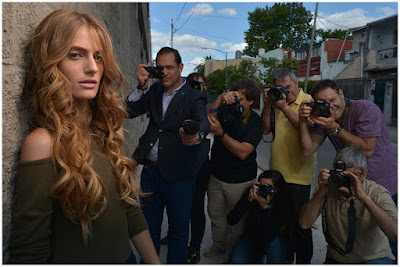
  • When photographers become pitchmen

    This article was originally published on the PhotoShelter blog, and is being republished in full on DPReview with express permission.


    It’s not surprising when camera companies hire photographers to pitch their products. But photographers have also been enlisted to sell other types of products; the result of Madison Avenue trying to romanticize the occupation, even though the reality often fails to meet the expectation. Nowadays photographers are more likely to spend the majority of their time sitting at a desk in post processing, or trying to collect on invoices that are 6 months past due.

    Nevertheless, we’ve seen a number of companies in a variety of industries employ photographers in their ad campaigns in the past few years, spaning the gamut from the old living icons to the newest generation of light chasers.

    Elliott Erwitt for Cole Haan

    As a part of their “Born in 1928” campaign launched in 2013, shoe brand Cole Haan teamed up with the legendary Elliott Erwitt to celebrate the “off” year 85th anniversary of the brand. The cherubic-faced Erwitt looks smartly dressed in a pair of Cole Haan kicks, while draping his camera over his shoulder. Photographer Daniel Jackson shot the campaign.

    Lynsey Addario for Audi

    Decorated war photographer Lynsey Addario’s decision to appear in a 2014 Audi ad wasn’t without controversy, given the glamorization of the job vis-à-vis the death of her driver at the hands of her captors.

    On the other hand, the choice to use a female war photographer undoubtedly had an impact on the public’s understanding and definition of war photographer—showing that both men and women put their lives on the line to cover the atrocities of war.

    Steve McCurry and David Alan Harvey for Filson

    In 2014, Filson, the longtime purveyor of outdoor clothing and bags, teamed up with Magnum Photographers Steve McCurry and David Alan Harvey to design a set of camera bags that Harvey described as, “something I could use in the Favelas in Rio, but still take to a dinner party.”

    Although the bags had a limited run, Filson cleared banked on the mythology of two of the industry’s heavyweights.

    Pei Ketron and Paul Nicklen for American Express

    Photographer and educator Pei Ketron burst to prominence as one of the early “recommended” photographers to follow on Instagram, helping to make her one of the first photographers to gain half a million followers.

    Biologist/photographer Paul Nicken’s incredible undersea images and prominence in the National Geographic’s Instagram feed has helped to propel him to over 3.8 million followers and growing.

    The significant social media reach likely influenced American Express’ decision to tap both photographers in early 2016 for a series of travel-based ads touting the benefits of the AMEX Gold Card (“double and triple points, plus no foreign transaction fee!”)

    Barbara Davidson for Volvo

    Former Los Angeles Times photojournalist and Pulitzer Prize-winner Barbara Davidson was tapped by Volvo in 2017 to show off their XC60 urban camera safety system. Volvo’s unorthodox approach used Davidson’s skills as a photographer combined with the car-as-camera to create a commercial and gallery exhibition.

    Andre D. Wagner for Cole Haan and Theory

    Omaha-born social worker turned NYC street photographer, Andre D. Wagner, has been blowing up lately. His timeless street photography has gained him an appreciative audience and broad media coverage with simultaneous comparisons to photographers like Garry Winogrand.

    Doing what I do, chasing light and life in @ColeHaan’s grand explore all terrain. #Extraordinaries #ColeHaanPaidSponsor

    A post shared by Andre D. Wagner (@photodre) on

    Young, talented, black, and handsome—it’s no wonder that brands like Cole Haan and Theory has started to flock to him as an authentic voice of a generation. Plus, he’s still shooting and developing black and white film!


    Allen Murabayashi is the Chairman and Co-Founder of PhotoShelter. He’s an avid photographer and frequently speaks on how photographers can use online marketing to grow their businesses.

    Articles: Digital Photography Review (dpreview.com)