Blog

  • DxOMark splits from DxO Labs, is now an independent privately-owned company

    In an email distributed late last month, DxOMark Image Labs announced that it has been spun-off from DxO Labs. DxOMark now exists as its own privately-owned independent company, which will continue to “pursue the development and commercialization of image quality solutions and services.”

    DxO Labs, meanwhile, continues to develop its photo editing software, DxO PhotoLab, as well as the DxO One smartphone camera attachment. We’ll also keep a close eye on what DxO plans to do with the Nik Software Collection, which it recently acquired from Google and promises to update in early 2018.

    The business change happened back in September, according to the email, which didn’t go into further detail about the matter. The full note reads:

    We’ve had an important internal change as well: In September, DxOMark Image Labs was spun off from DxO Labs. DxOMark Image Labs is now a privately-owned, independent company. As such, we continue to pursue the development and commercialization of image quality solutions and services that support our customers in designing the best-quality camera systems for a range of markets, including smartphones, DSC/DSLRs, drones, action cams, surveillance, and automotive.

    Articles: Digital Photography Review (dpreview.com)

  • ACE Eyewear are social-media connected camera sunglasses

    If you are the kind of person who likes friends and social networks to ‘participate’ in what’s going on in your life in real-time, the ACE Eyewear camera sunglasses might just be what you’ve been waiting for. These glasses allow for hands-free recording and live-streaming of video from your own point of view, all for a reservation fee of $ 100 (the total final cost of the shipping glasses is unclear).

    The glasses feature an 8MP camera with a 120-degree wide-angle lens, which also allows you to record video at just under Full-HD resolution (1792 x 1168) and 24 frames per second. When connected through a smartphone’s Wi-Fi hot spot, the ACE can live-stream your video footage to Facebook, Instagram or YouTube.

    A button at the top of the glasses starts recording and a built-in microphone takes care of the sound.

    Thanks to a Dual Core MIPS 1.2GHz processor, power consumption during recording is low, allowing for up to 90 minutes of HD video recording or 40 minutes of live-streaming in addition to an 80-hour standby battery life. There is also 4GB of built-in memory, and files are managed via an accompanying app. All this technology fits into a pair of glasses that weighs only 50g (1.76oz) and comes with an IP65 rating for dust and splash resistance.

    So far smartglasses have not really caught on with consumers, but the ACE Eyewear’s low price and ability to stream to multiple networks give it an advantage over most competitors, and might make it more appealing to a larger audience.

    You can find more information and pre-order a pair for yourself on the Ace Eyewear website. Delivery is planned for summer 2018.

    Articles: Digital Photography Review (dpreview.com)

  • Best 6 Cameras to Buy Under $300

    With the global digital camera market expected to surpass $ 2 billion by 2021 (study by Technavio), no wonder the market is crowded with different digital cameras at different price points. Big market players such as Panasonic, Canon, Sony, FujiFilm, Casio, Kodak or Olympus are consistently launching new products and banking upon advanced photography trends such as large optical zooms, bigger Continue Reading

    The post Best 6 Cameras to Buy Under $ 300 appeared first on Photodoto.


    Photodoto

  • 3 Tips for Setting Boundaries to Avoid Burnout in Photography

    Whether you’re a professional photographer or a hobbyist, there have likely been times when you’ve felt ready to throw in the towel and quit photography forever. Those feelings are normal and are usually the result of added stress from things like a looming deadline or a project that you don’t feel prepared to tackle.

    Often, once the added stress subsides, so does the desire to quit photography. However, if that stress becomes chronic it can cause physical, emotional, and mental burnout that’s much more difficult to bounce back from.

    3 Tips for Setting Boundaries to Avoid Burnout in Photography

    One of the most effective things that photographers of all levels can do to prevent and avoid burnout is to set appropriate boundaries. In this article, we’ll discuss a few different boundaries that you may want to consider setting now in order to protect yourself from future burnout.

    1. Set Office Hours

    Between smartphones and wi-fi access, it’s easy to be available all the time. It’s easy to respond to a quick text while you’re on vacation. Replying to a midnight email when you’re already awake doesn’t seem like a big deal.

    On one hand, being accessible to your clients (whether paid or unpaid) can make them feel appreciated and enhance the client experience. On the other hand, it can also lead to exhaustion and burnout because it always feels like you’re “on duty”.

    It’s actually okay not to be available 24/7. In fact, it’s more than just okay. Setting boundaries in terms of availability is crucial to a healthy balance between your work and your personal life.

    3 Tips for Setting Boundaries to Avoid Burnout in Photography

    Consider setting business/office hours, and do your best to stick to them! The client experience is primarily driven by the quality of the service they receive rather than the speed with which they receive it. Most current or potential clients will be satisfied to receive a response within 24-48 hours.

    Just because you happen to see a midnight email pop through doesn’t mean you need to respond to it right away! If you’ve always been immediately accessible and are concerned about making this transition, it’s easy to set an auto email or Facebook Messenger reply to let potential clients know that you’ve received their inquiry and when they can expect a response back from you.

    3 Tips for Setting Boundaries to Avoid Burnout in Photography

    2. Build in Downtime

    I know as well as anyone that it can be really difficult to build downtime into your schedule because doing so often feels like you’re either losing opportunities or income. However, when you’re very busy with photography, it’s important to remember to schedule two kinds of downtime in order to prevent burnout – processing time, and days off.

    In the spring, summer, and fall, it can be tempting to book photo sessions every night and weekend. It’s not a bad thing to fill your schedule, but don’t forget that your work generally isn’t done once you leave the session itself. Most sessions require some degree of processing time, which could include everything from culling, editing, social media posts, communication with your clients, and arranging for delivery.

    When you’re creating your calendar of availability, don’t forget to factor in all the time you’ll spend after the actual session itself and build in that processing time (or plan to outsource it) accordingly.

    3 Tips for Setting Boundaries to Avoid Burnout in Photography

    In addition to processing time, I have discovered that there’s tremendous value in blocking out a day or two on my calendar as personal days, even during my busiest season. For me, this is so important both in terms of self-care and also in terms of prioritizing and preserving relationships with my family.

    Although I started doing this in order to save my own sanity, I’ve discovered that setting and communicating boundaries in terms of my availability has been helpful in other ways as well. Potential clients tend to book more quickly than they used to because they know that my availability is limited. I also receive far fewer last minute requests to reschedule to a different date or time for the same reason.

    3 Tips for Setting Boundaries to Avoid Burnout in Photography

    3. Communicate Your Timeline

    Another small thing that can greatly reduce your stress and frustration is to communicate your timeline with your clients up front and let them know what they can expect in regards to receiving their images.

    Make sure that this timeline is realistic. Factor in all scheduled sessions, your post-session processing time, and your scheduled downtime. By doing so, you’ll be able to give clients a more realistic timeline for receiving their images, while also decreasing the number of all-night editing sessions for you.

    3 Tips for Setting Boundaries to Avoid Burnout in Photography

    Obviously, the timeline for a professional photographer with five weddings in their queue is going to be totally different than a hobbyist photographer taking photos of a friend’s children. However, you don’t know who a client has worked with in the past, or what their expectations are as they enter into a session, which is why it’s so important to clearly communicate your timeline from the beginning!

    Conclusion

    Do you have any other advice for setting boundaries to avoid burnout in photography? Have you experienced it? What did you do to prevent it from happening again? Please share your thoughts in the comments below!

    The post 3 Tips for Setting Boundaries to Avoid Burnout in Photography by Meredith Clark appeared first on Digital Photography School.


    Digital Photography School

  • Panasonic Lumix DC-GH5S vs Sony a7S II low light shootout

    We shot the Panasonic GH5S against the Sony a7S II to see whether the video-centric Lumix can wrest the low-light crown away from its full frame rival. We’ll let you draw your own conclusions, but our initial assessment is that the Panasonic comes closer than we expected, and outperforms the Sony when you need to maintain a certain depth-of-field or when you shoot in Log.

    Click here to download a ProRes version of the video (8.0GB)

    Notes:

    We shot both cameras side-by-side, which explains the slight perspective difference. The GH5S’s oversized ‘multi aspect’ ratio sensor means it also offers a wider field of view even when using equivalent focal lengths.

    We shot at a range of ISOs in both the camera’s REC709 modes and their respective Log gamma modes, then matched the footage up alongside one another. We’ve kept all post-processing to a minimum, with only very minor color and brightness adjustments applied to provide consistency between the two cameras.

    We felt Panasonic’s noise reduction is significantly more effective than Sony’s

    Most sequences were shot so that both cameras had the same exposure settings. These are marked as ‘Exposure Matched’ in the video. However, there are times when you need to achieve a certain depth-of-field. These clips, which required us to stop the Sony down by two stops, are indicated as ‘Depth-of-Field Matched.’

    We felt Panasonic’s noise reduction is significantly more effective than Sony’s and, especially when combined with its ability to shoot 10-bit 4:2:2 footage, helps it perform well when compared with the Sony, especially below ISO 12,800 and when shooting in Log. However, it’s also worth noting the yellow blocking that can infest high ISO footage from the GH5S.

    For a more detailed assessment, head to our first impressions review.

    Read our Panasonic Lumix DC GH5S
    First Impressions Review

    Articles: Digital Photography Review (dpreview.com)

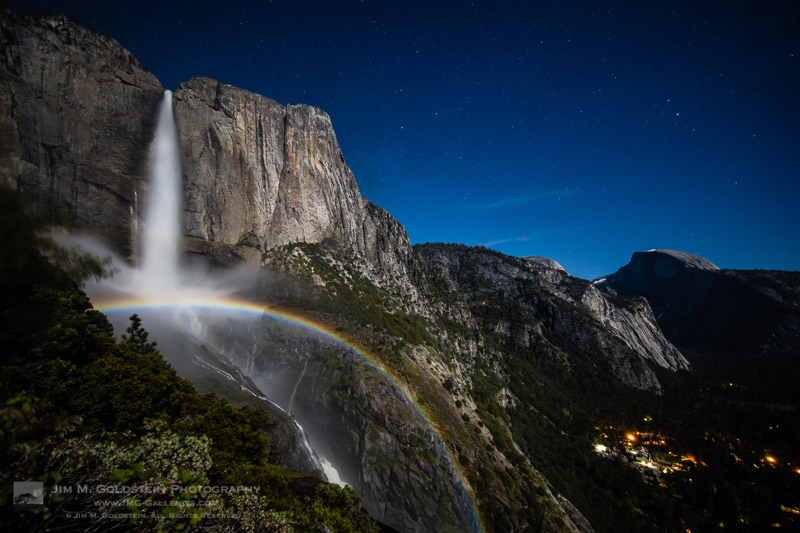
  • Best Photos of 2017 by JMG-Galleries Blog Readers

    _A2A1077M-2

    Get ready to start 2018 off on the right foot with some creative inspiration. The results of my 11th annual Best of Photos project hopefully will provide just that by introducing you to photographers and their work from all over the world. Get ready to travel around the world in 100+ links.

    For those who are new to my blog project, photographers taking part span the gamut of photo enthusiasts to professionals. The great thing about photography is that no matter what your skill level we all can relate equally in our love for the art of photography and visually exploring. With that in mind I encourage you to reach out to photographers whose work you enjoy to keep sharing & growing as an artist.  I am incredibly thankful that this tradition has been embraced and enjoy seeing how familiar faces have evolved their work & grown over the years.  I hope reviewing your best photos of the year and comparing them to years pasts keeps you inspired and aware of your progress as a photographer.

    If you’d like to take part next year and be informed when submissions open for the “Best Photos of 2017? blog project add your name to my mail list. You won’t be spammed. I send out newsletters quite infrequently.

    Thank to everyone who took part!  I invite you to visit each link below as I have and introduce yourself to many of the participating photographers.

    Best Photos of 2017

    1. Jim M. Goldstein – Best Photos of 2017 by Jim M. Goldstein
    2. Randy Langstraat – My Ten Favorite Photos of 2017
    3. Michael Russell – My Top 10 Photos of 2017
    4. Phil Colla – Best Natural History Photos of 2017
    5. Greg Russell | Alpenglow Images – 2017 year in review
    6. Mike Matenkosky – My Favorite Photos from 2017
    7. Khürt Williams – 2017 Favourites
    8. Carl Donohue – Expeditions Alaska
    9. Kevin Ly – Kevin Ly | Best of 2017
    10. Martin Quinn – Quinn Images – Best of 2017
    11. Robin Mayoff – RHM Images Best of 2017
    12. Craig L. Howe – On the Move
    13. Johann A. Briffa – 2017: A Photographic Retrospective
    14. Harold Davis – Harold Davis—My Best of 2017
    15. Denise Goldberg – top photos :: 2017
    16. William Bean – Bill’s Blog
    17. Greg Clure – Best Images of 2017
    18. Rick Holliday – Best Images of 2017
    19. Peter Carroll – Peter Carroll – Favourites of 2017
    20. Mike Chowla – My 10 Best Photos of 2017
    21. Wendy M. Seagren – wendy seagrens best photography 2017
    22. QT Luong – 2017 in Review, Favorites, and Seasons Greetings
    23. Jenni Brehm – Changing Perspectives
    24. Rachel Cohen – Rachel Cohen Photography
    25. Brian Knott (FMKphoto) – 2017 year in review
    26. Shikha Shrivastava – My favorite photos of 2017
    27. Dave Wilson – Dave Wilson Photography – Best of 2017
    28. Larry Millican – Millican Photography
    29. Alexander S. Kunz – My Favorite Photos from 2017
    30. Mark Duffy – 500px
    31. Stefan Baeurle – Top 10 Favorites of 2017
    32. Adrian Klein – Favorite Photos of 2017
    33. Alan Majchrowicz – Photo Highlights 2017
    34. Russ Bishop – Russ Bishop Photography | 2017 – The Year in Pictures
    35. Todd Henson – Best Photos of 2017: My Favorites of the Year
    36. Peter Tellone – My 2017 Top Ten Best Images
    37. Aaron Hockley – thisGruntled – Best Photos of 2017
    38. Tony Wu – Favorite Photos of 2017
    39. T.M. Schultze – T.M. Schultze Website
    40. Andrew S. Gibson – My Favorite Photos From 2017
    41. John Pemberton – JPSquared – Images of 2017
    42. Scott Thompson – Scott Shots Photography’s Top 10 Tahoe photos of 2017
    43. ElDuro Tuco – ElDuro Tuco
    44. The DarkSlides – The DarkSlides
    45. Jon McCormack – From Ancient Cities to Endangered Animals – 2017 in Photographs
    46. Fred Mertz Photography – Fred Mertz Photography
    47. Richard Valenti – Richard Valenti Photography
    48. Jeff Hubbard – My Favorite Photos of 2017
    49. Andrew Scharlot – 2017 Best Pictures
    50. Deb Snelson – Favorite Photos of 2017
    51. Richard Wong – Favorite Photos From 2017 – Richard Wong
    52. Caleb Weston – Dubland
    53. Gary Crabbe / Enlightened Images – My Favorite Landscape Photos of 2017 – A Year-End Retrospective
    54. Tom Whelan – Nature Diary
    55. Robert Varley – Robert Varley
    56. Kyle Jones – Favorites from 2017
    57. Neil Creek – Neil Creek – Photographer
    58. tim fiddimore – North Devon 2017
    59. Richard Murphy Photography – Best of 2017
    60. Alan Dahl – Favorites of 2017
    61. Gabor Ruff – Natural History Photography – Highlights from 2017
    62. Kevin Ebi – Living Wilderness: Best of 2017
    63. Clint Losee – 10 Best Landscape and Scenic Photos of 2017
    64. Mark Hespenheide – Best of ’17
    65. Ilias Katsouras – Okrivadas
    66. David J Grenier – 2017 Top 12 Photographs
    67. J. J. RAIA – 2017 Jim Goldstein Project
    68. Rob Tilley – Best of 2017 – My Favorite Images of the Year
    69. Björn Göhringer – Top 14 From 2017
    70. Bernt-Inge Madsen – Bernt-Inge.com
    71. USKestrel Photography (Pete Miller) – My favorite images of 2017: A Different Perspective
    72. Milan Hutera – 2017 in Pictures
    73. Fred Murphy – Fred Murphy Photography
    74. Harry Hitzeman – My Top Photographs of 2017
    75. Andrew Thomas – Best of 2017 – Aerials
    76. Dean Foster – 2017: Year in Review
    77. Simon Ng – 2017 A Year of Water
    78. Michael Katz – Michael Katz Photography
    79. Drake Dyck – Top Ten (favourite) Images of 2017
    80. Jose Manuel Santos – The Magnificent Douro Valley
    81. Gary Buzel – Gary Buzel Studios
    82. Bryan William Jones – Top Photos of 2017
    83. Peter Knott – 2017 Favourites
    84. Kamala Venkatesh – Kamala Venkatesh
    85. Jason Frye – My Top 10 of 2017
    86. Jackson Frishman – Favorites of 2017
    87. Thomas Yackley – Top Ten Landscape and Nature Photos of 2017
    88. Mark Graf – 2017 – A Year of Despair and Dragons
    89. Kurt Lawson – 10ish Favorites of 2017
    90. Jorge Ramirez – Selection 2017
    91. William Neill – William Neill’s Light on the Landscape Photoblog
    92. Daniel Leu – Favorites – 2017
    93. Derrald Farnsworth-Livingston – Top 10 Favorite Images from 2017 ~ Journey of Light
    94. Photography
    95. Mike Christoferson – 2017 Has Come and Gone
    96. Carol Schiraldi – Best of 2017 – My Top Images
    97. Robin Black – My 10 best photos (or personal favorites, anyway) of 2017
    98. Bryn Tassell – Favourites of 2017
    99. Steve Luther – SkyVista Photography Best of 2017 Images
    100. George Stark – George Stark Images
    101. Josh Meier – Josh Meier Photography Best of 2017
    102. Werner Priller – My Favorite Images of 2017
    103. Peter Krogh – Best of 2017 Photographs by Peter Krogh
    104. Under Pressure Photography by Scott F McGee – Top 10 Photos of 2017
    105. Joseph Smith – 2017 Favorites – A Year’s Review
    106. Chuq Von Rospach – 2017 BEST PHOTOS OF THE YEAR
    107. Charlotte Gibb – Twelve Months – Twelve Photographs
    108. Holly Davison – Holly Davison Photography
    109. Colleen Miniuk-Sperry/CMS Photography – Favorite Photos From 2017
    110. Anne McKinnell – Top 10 Landscape Photos of 2017
    111. Jim Stamates – My Favs of 2017
    112. Neil Corman Photography – Ten Images from 2017
    113. Eric E Photo – Analog: 2017
    114. Phyllis Whitman Hunter – Phyllis Whitman Hunter Photography
    115. Catalin Marin – My favourite shots of 2017
    116. Catalin Marin – Corporate work – My favourite client shots of 2017
    117. Simon Ponder – Sponderpoints
    118. Greg A. Lato – latoga photography Favorite Photos of 2017
    119. Paul Rosenblum – Best Shots of 2017
    120. Patricia Davidson – My Top 10 Favorite Photos of 2017
    121. Tim Aston – Favorites from 2017
    122. Yosemite and Bay Area Photography by John Harrison – “My Best Nature
    123. Sue Shuey – Best Overall 2017
    124. Ron Niebrugge – My Photo Blog
    125. Michael Frye – My Top Photographs of 2017
    126. Jao van de Lagemaat – Jao van de Lagemaat’s Best images of 2017
    127. David Leland Hyde/Landscape Photography Blogger – Best Photographs of 2017
    128. Mike Cavaroc – Free Roaming Photography
    129. Patrick Endres – 2017 Favorites
    130. Alex Buisse – Best of 2017

    Have a great 2018!

    The post Best Photos of 2017 by JMG-Galleries Blog Readers appeared first on JMG-Galleries – Landscape, Nature & Travel Photography.


    JMG-Galleries – Landscape, Nature & Travel Photography

  • ACE Eyewear are $100 social-media connected camera sunglasses

    If you are the kind of person who likes friends and social networks to ‘participate’ in what’s going on in your life in real-time, the ACE Eyewear camera sunglasses might just be what you’ve been waiting for. These glasses allow for hands-free recording and live-streaming of video from your own point of view, all at a price of $ 100.

    The glasses feature an 8MP camera with a 120-degree wide-angle lens, which also allows you to record video at just under Full-HD resolution (1792 x 1168) and 24 frames per second. When connected through a smartphone’s Wi-Fi hot spot, the ACE can live-stream your video footage to Facebook, Instagram or YouTube.

    A button at the top of the glasses starts recording and a built-in microphone takes care of the sound.

    Thanks to a Dual Core MIPS 1.2GHz processor, power consumption during recording is low, allowing for up to 90 minutes of HD video recording or 40 minutes of live-streaming in addition to an 80-hour standby battery life. There is also 4GB of built-in memory, and files are managed via an accompanying app. All this technology fits into a pair of glasses that weighs only 50g (1.76oz) and comes with an IP65 rating for dust and splash resistance.

    So far smartglasses have not really caught on with consumers, but the ACE Eyewear’s low price and ability to stream to multiple networks give it an advantage over most competitors, and might make it more appealing to a larger audience.

    You can find more information and pre-order a pair for yourself on the Ace Eyewear website. Delivery is planned for summer 2018.

    Articles: Digital Photography Review (dpreview.com)

  • LaCie unveils DJI Copilot 2TB portable hard drive with built-in display

    Seagate has just announced the LaCie DJI Copilot, a portable hard drive for photographers and videographers who use camera drones. The device features a 2TB drive, as well as an integrated screen for viewing the drive’s available capacity, the status of any data transfers that are underway, and how much power remains on the device’s built-in battery.

    The company describes the new LaCie drive as a full backup on-set solution (BOSS) that enables drone users to review their footage without carrying around a laptop. This is achieved via the Copilot BOSS companion app for smartphones and tablets, which supports full-resolution playback on mobile devices and enables users to organize and manage their content on-the-go.

    The LaCie DJI Copilot also functions as a power bank for charging USB devices, such as a smartphone or action camera.

    According to Seagate, the 2TB capacity is ample enough to store up to 65 hours of 4K/30fps footage and 20,000 or more raw images. Users can directly copy data from USB storage devices (including USB-C), cameras, SD cards, and drones to the drive. Other features include durable construction that is resistant to dust, splashes, and drops, an included 3 year ‘Rescue Data Recovery’ plan, and a 1-month Adobe Creative Cloud All Apps subscription.

    $ (document).ready(function() { SampleGalleryV2({“containerId”:”embeddedSampleGallery_0087604314″,”galleryId”:”0087604314″,”isEmbeddedWidget”:true,”selectedImageIndex”:0,”isMobile”:false}) });

    Seagate will start shipping the LaCie DJI Copilot portable storage drive this Spring for $ 350 USD. To learn more, head over to the LaCie website by clicking here.

    Press Release

    Seagate Teams Up With Industry-Leading Partners To Offer New Mobile Data Storage Solutions At CES 2018

    Enables consumers and creative professionals to work, play and collaborate on-the-go, to get the best out of their data

    LAS VEGAS, NV – CES 2018 – Seagate Technology plc (NASDAQ: STX), a world leader in data storage solutions, today announced a range of new products at the CES 2018 conference designed to equip the world’s increasingly mobile population with solutions that solve key challenges they face when creating, processing and accessing their data on-the-go.

    “Our world is becoming more data-centric, connected and mobile. This means creating, transferring, storing and accessing data quickly and reliably is critical to unlocking the potential of everything – from data created in the field, to data powering self-driving cars, AI personal assistants or virtual and mixed reality experiences,” said Tim Bucher, senior vice president of Seagate consumer solutions. “At Seagate, we’re constantly pursuing innovative ways to address our customer needs so they can gain a competitive edge in whichever field they play.”

    For example, videographers who want to capture footage in the field can now streamline their on-set workflow thanks to the second product offering from Seagate’s strategic partnership with DJI, the world’s leading manufacturer of unmanned aerial vehicles, which looks to advance data solutions for the UAV ecosystem. The new LaCie® DJI Copilot, with design by Neil Poulton, is a complete backup on-set solution – enabling drone users to quickly ingest and review their content in full resolution without a PC. This changes the game by allowing creative professionals and consumers to playback, copy and manage their drone footage from their mobile device without the hassle of leaving the field or booting up a computer. Users can quickly connect and reference the built-in screen to initiate direct file transfer from an SD card to LaCie DJI Copilot – without the need of a laptop or a mobile network. The Copilot BOSS (Back-up On-Set Solution) app by LaCie allows users to playback video in full resolution as well as manage and organize files with their mobile phone or tablet, and a built-in power bank recharges your mobile devices. With 2000GB (2TB) of storage, the LaCie DJI Copilot enables users to easily store up to 65 hours of 4K 30fps video footage and 20K+ RAW photos. The LaCie DJI Copilot’s street price in the U.S. will be $ 349 and will be shipping in the spring.

    Another challenge facing many mobile users today is extending the storage and battery life of their smartphones so they can capture, access and view content for longer periods of time. For consumers in China and Indonesia – two countries with some of the highest concentrations of smartphones on the planet – owners of Android mobile devices can significantly extend the battery life and capacity of their smartphone or tablet with the new Seagate® Joy Drive. Whether consumers are on their morning commute or just out with friends, the Seagate Joy Drive enables them to access videos and other content anywhere, without the need for a WiFi connection or cellular service. Available first in China this March through an exclusive partnership with JingDong, one of China’s largest online retailers, the Seagate Joy Drive is available in 1000GB (1TB) capacity and has a street price in China of 660 CNY ($ 99). Seagate is also evaluating potential future markets and partners for this product.

    In the meantime, on-the-go consumers worldwide can keep their files and lives in motion with the new Seagate® Fast SSD – an ultra-portable flash drive that teams fast performance of up to 540MB/s transfer rates, with shock-resistance and USB-C connectivity. Users can backup or sync their content using Seagate’s new Toolkit software. The Seagate Fast SSD is available in 250GB, 500GB and 1TB capacities and has a street price in the U.S. of $ 99, $ 169 and $ 349, respectively and will be shipping in the spring.

    Data security is one more growing concern for anyone using a mobile device. To address this challenge, Seagate is introducing the latest addition to its popular line of LaCie Rugged drives: the LaCie Rugged® Secure. Built to withstand all-terrain extreme conditions from photo shoots in sub-zero temperatures to repeated drops on hard studio floors, the Rugged Secure, with design by Neil Poulton, is the first Rugged drive to include hardware encryption using Seagate Secure™ technology. This new drive gives creative professionals and other users peace of mind that they can control access to their content. A simple disconnection of Rugged Secure from a computer will automatically lock the drive and access to the data stored and will remain password-protected via new Toolkit software. The LaCie Rugged Secure street price in the U.S. will be $ 139 for 2TB and will be shipping in the spring.

    And for creative professionals and enthusiasts looking to try out the latest graphic design and video editing software from Adobe Systems, an expanded partnership between Adobe and Seagate now provides limited-time, no-cost access to Adobe’s latest applications bundled with popular Seagate and LaCie drives. Two new offerings available immediately include two complimentary months of the “Adobe Creative Cloud Photography plan” (worth $ 19.98) – which features the new cloud-based photo service, Adobe Photoshop Lightroom CC – across the full range of Seagate Backup Plus and LaCie Porsche Design devices, as well as packaging one complimentary month of the “Adobe Creative Cloud All Apps plan” (worth $ 74.99) – which features Adobe Photoshop CC, Adobe Illustrator CC and much more – with all LaCie Rugged, LaCie d2 and LaCie big devices.

    For more details, come ‘get your game on’ during CES 2018 in the Seagate Experience Zone at The Venetian. There you’ll find interactive product demos and live experiences that showcase how the latest Seagate and partner technologies are teaming up to unlock the potential of creative workflows, smart home technologies, gaming, edge computing and more. We’ll also be joined at CES by our partners including Adobe, Blackmagic, CyArk, DJI, Grab Games, ioSafe and Synology. You’ll be right in the middle of the action as you explore a hands-on studio for creative professionals, a drone stadium and a future technologies pavilion. You can also find more information on new products at:

    DJI Copilot

    https://www.lacie.com/professional/dji-copilot/

    Rugged Secure

    https://www.lacie.com/professional/rugged/#secure

    Fast SSD

    https://www.seagate.com/consumer/backup/fast-ssd/

    Joy Drive

    https://www.seagate.com/consumer/backup/joy-drive/

    Articles: Digital Photography Review (dpreview.com)

  • Hasselblad reveals the winners of the 2018 Masters Awards

    $ (document).ready(function() { SampleGalleryV2({“containerId”:”embeddedSampleGallery_5419437314″,”galleryId”:”5419437314″,”isEmbeddedWidget”:true,”selectedImageIndex”:0,”isMobile”:false}) });

    Eleven lucky photographers will be receiving a Hasselblad medium format kit after winning their categories in the Hasselblad Masters Awards 2018 competition. The company says the number of photographers that entered the contest increased by 175% this year, and a total of 31,500 images were submitted.

    Ten categories were set with a generally open brief, with an additional section for photographers 21 years and younger. For the first time an aerial category was included, which was won by Jorge de la Torriente, a photographer from the USA. The USA produced three winners—the most from any one country—with other entries coming from Europe, Asia and Australia.

    Entries were accepted taken on any brand of camera, with the only stipulation being that entrants should have been professional photographers for at least three years (other than for the under-21 category, of course).

    For more information, and to see all the winning images, scroll through the gallery above, check out the video below, or visit the Hasselblad website.

    Press Release

    Hasselblad Announces Winners of the Masters Awards 2018

    Hasselblad Masters is widely acclaimed as one of the world’s most prestigious professional photography competitions. The winners are chosen through a combination of a public vote and a professional Masters Jury – comprised of internationally renowned photographers and imaging experts.

    Every Hasselblad Masters award winner will hold the title of ‘Hasselblad Master’ and be a brand ambassador for two years. In addition, they will receive a brand new Hasselblad medium format camera and be invited to shoot for a collaborative project with Hasselblad.

    This project will be printed and released in the bi-annual Hasselblad Masters book.
    Winners will receive their awards, medium format cameras, and trophies at a special Photokina 2018 ceremony in Cologne, Germany this September.

    Bronius Rudnickas, Hasselblad Marketing Manager: “Over 30 000 images were submitted to this year’s competition and that was a record, we are glad to see the competition is growing every year.”

    Masters Jury member and professional photographer Tom Oldham said: “It really struck me how progressive many of the entries were this year and how far the entrants were willing to push the brief. These were the photographers who caught my eye – the ballsy, out-there risk-takers who make compelling pictures that refuse to be ignored. I’m proud to have helped to get this great kit into their hands – their images deserve it.”

    The Hasselblad Masters Awards 2018 winners are:

    • Aerial – Jorge de la Torriente – Miami, USA
    • Architecture – Kamilla Hanapova – St. Petersburg, Russia
    • Art – Maria Svarbova – Bratislava, Slovakia
    • Beauty & Fashion – Michal Baran – Trim, Ireland
    • Landscape – Benjamin Everett – Lopez Island, USA
    • Portrait – Tina Signesdottir Hult – Torvastad, Norway
    • Product – Marcin Gizycki – Warszawa, Poland
    • Project//21 – Nabil Rosman – Kota Bharu, Malaysia
    • Street / Urban – Ben Thomas – Kyneton, Australia
    • Wedding – Victor Hamke – Leipzig, Germany
    • Wildlife – Karim Iliya – Haiku, USA

    The Hasselblad Masters Awards 2018 jury are:

    • Tom Oldham – Photographer
    • Ali Rajabi – Past Master
    • Martin Hausler – Photographer
    • Katrina Belkina – Past Master
    • Swee Oh – Past Master
    • Lars van de Goor – Past Master
    • Tim Flach – Photographer
    • Kevin Then – Photographer
    • Bara Prasilova – Past Master
    • Damien Demolder – Journalist
    • Blair Bunting – Photographer
    • Hans van Ommeren – Past Master
    • Mads Nissen – Photographer
    • Kevin Raber – Journalist

    For more information and images, visit http://www.hasselblad.com/masters


    Full Disclosure: Damien Demolder was one of the judges for this year’s Hasselblad Masters Awards.

    Articles: Digital Photography Review (dpreview.com)

  • Panasonic Lumix GH5S vs GH5: What’s new?

    Introduction

    The Panasonic GH5 is one of the the most capable video cameras available, but it’s a hybrid camera that aims to please a stills-shooting crowd too. So what kind of camera could it be if it was only focused on shooting video? The GH5S is the product of Panasonic engineers grappling with that question. Here’s a breakdown of what’s changed from the GH5 in the quest to make it an even stronger video camera.

    Low light / Dual Gain

    The new sensor features dual gain design, which Panasonic refers to as ‘Dual Native ISO’ technology. The sensor uses two separate read-out circuits – one that maximizes dynamic range at lower ISOs, and one that maximizes noise performance (at the cost of dynamic range). The first is used from ISO 160-640, with the camera switching to the second at ISO 800, allowing better high ISO performance than the standard GH5.

    We’ve seen this technology before but we’ve not previously seen the option, present on the GH5S, that allows the camera to be locked into one of its modes (and limiting the available ISO options). We’re not entirely sure what the benefit of this is supposed to be.

    Note that, while Panasonic refers to ‘Native’ ISO settings of 400 and 2500, this is rather woolly videography terminology, which should not be confused with the concept of ‘base’ ISO.

    Multi-aspect sensor

    We’ve long been a fan of Panasonic’s multi-aspect sensors for stills shooting, and it makes an appearance in the GH5S. The camera’s total resolution is 12.5MP with a sensor larger than the Micro Four Thirds image circle: it offers up to 10.2MP crops of that total area, rather than further cropping in from the 4:3 area. This makes native DCI and UHD 4K recording possible, without having to keep cropping in further and further.

    This means devoting the most possible sensor area to each of its crop modes, which benefits image quality and means that your wide-angle lenses are just as wide in ~17:9 DCI 4K mode as they are for standard 4:3 stills.

    DCI 4K at 60/50p

    The GH5 is capable of UHD 4K 60p/50p capture, but DCI capture tops out at 24p. Not so on the GH5S: it’s capable of 60p, 50p, 30p and 25p DCI as well as 24p. Thanks to that multi-aspect sensor, the GH5S’ angle of view when capturing DCI footage should also be noticeably wider.

    14-bit Raw but slower shooting

    The GH5S adds a 14-bit Raw option, which as we all know, means greater potential for dynamic range capture. The GH5 was already bumping up against the limits of how much DR could be fitted into a 12-bit file, and the GH5S’s larger pixels mean that it should benefit from a little more room. That said, the real-world differences will only become apparent if you use those really deep shadows in your images.

    It can be used in burst shooting, though at a cost to speed: 7 fps with autofocus and auto exposure, versus 9 fps at 12-bit in the GH5. The GH5S can be switched to 12-bit mode, at which point it’ll reach 8fps with continuous AF.

    No Stabilization

    The camera’s sensor-based stabilization is gone, which may on the surface sound like an odd decision, but makes a lot of sense for pro video shooters who are often working with their own stabilized rigs and gimbals. The floating sensor design used by the GH5’s stabilization system can interact with gimbals even when it’s turned off, so removing it entirely solves the problem. It’s another clear appeal to pro video shooters, rather than a stills shooter looking for an occasional ‘run and gun’ video solution.

    We’ve seen a degree of scepticism about Panasonic’s reasoning but, if you assume there’s some heat dissipation benefit for bonding the sensor to a solid object and you recognize that the camera is already shooting out to the edges of the Micro Four Thirds image circle, there may be no way of doing what the GH5S does and providing stabilization.

    More VFR options

    Variable framerate options have been expanded. The GH5S can capture a maximum of 240 fps in full HD and 60 fps for both DCI and UHD 4K, for slowdown to between 24 and 60p. The GH5 only offers up to 180 fps in FHD and its 60 fps 4K is limited to UHD mode. This makes it possible to create up to 10x slow-motion footage in FHD with the GH5S, though we’re told there’s an additional crop and loss of quality if you exceed 200 fps capture.

    Timecode in/out synchronization

    Timecode in/out synchronization is supported via the camera’s flash sync terminal. This makes it easier to incorporate the GH5S into a multi-camera setup; when files are brought into an editor like Final Cut Pro, the timecodes are automatically detected and synchronized.

    A flash sync socket to BNC adaptor lead is included in the box.

    Mic options

    While the GH5 offers a standard microphone plug-in, the GH5S offers a more robust option that supports line in and phantom power, allowing its use with a wider range of audio sources.

    120fps viewfinder

    The GH5S uses the same 3680k-dot OLED panel used by the GH5 with one key difference – and improved 120 fps refresh rate. We’d wager a guess that this possible because less pixels need to be read out from the sensor. Whether or not that’s true, 120 fps will give a more natural view of the world that anyone looking at it can appreciate.

    VLogL as standard

    V-LogL came to the GH5 after launch as an optional firmware upgrade. In the GH5S, it’s a standard feature. An LUT (look up table) can be uploaded to the camera via SD card, making it possible to preview grading corrections that will eventually be applied to the flat-looking V-LogL footage.

    Whereas a Log-upgraded GH5 can apply this correction LUT to its live preview, the GH5S can also apply it when playing back the footage.

    Different AF performance

    Panasonic claims the GH5S can autofocus down to -5EV, or roughly as dark as a moonlit night with no other light source. This appears to come at a slight cost of speed, however. The GH5 claims a maximum AF acquisition speed of 0.05 seconds; the GH5S claims 0.07 seconds.

    Cost of lower resolution

    The most easily identifiable difference between the two cameras’ spec sheets is sensor resolution: the GH5S offers 10.2MP resolution compared to the GH5’s 20.3MP. It provides the 4K resolution that video shooters require, but allows Panasonic to use larger pixels. Coupled with 14-bit Raw mode, this presents a dynamic range benefit, but it also means there are fewer pixels to read out. This should result in less rolling shutter.

    So the move to a 10MP sensor seems like a no-brainer: do away with resolution that video shooters don’t really need. It also means the GH5S can have an anti-aliasing filter tuned to reduce the risk of moiré when video shooting. But in addition to this benefit, there are some drawbacks.

    The sensor’s lower resolution means it can’t offer the GH5’s ‘6K’ high resolution anamorphic modes, but it can still show a de-squeezed preview with framing guides. The GH5’s ‘6K Photo’ modes are also absent from the GH5S.

    Conclusion

    With the GH5S, Panasonic’s engineers have taken on a challenge to convert a hybrid camera into an even more movie-centric shooter. While the two cameras are identical on the outside, Panasonic has made some interesting moves to optimize the camera for video pros’ needs.

    Articles: Digital Photography Review (dpreview.com)