Blog

  • Nikon Japan officially lists the D5500 and D7200 as discontinued

    The Nikon D5500 and D7200 DSLRs have officially been discontinued, according to the Nikon Japan website.

    It’s been rumored for some time now, but as reported by Nikon Rumors, Nikon Japan has confirmed both APS-C cameras are discontinued on its website.

    The D5500 and D7200 were launched in January and March 2015 and were superseded by the D5600 and D7500, respectively. Another fun bit of trivia is the D5500 was the first Nikon DSLR to feature a touchscreen when launched.

    As Nikon’s APS-C lineup dwindles, it’ll be interesting to see how much Nikon invests into its crop sensor DSLRs going forward. Nikon Rumors also notes there hasn’t been much hearsay in the rumor mill regarding any potential APS-C mirrorless systems.

    It’s also worth noting that while listed as discontinued by Nikon Japan, the D5500 is still available for purchase at Adorama and currently listed as back-ordered on B&H, while the D7200 is still in stock at both Adorama and B&H.

    Articles: Digital Photography Review (dpreview.com)

  • How to Deliver Digital Images to Your Clients

    The post How to Deliver Digital Images to Your Clients appeared first on Digital Photography School. It was authored by Mark C Hughes.

    Whether you are an enthusiast, beginner photographer or an established professional, all photographers produce images. Regardless of whether you are sharing or selling images, or working on a commission, you need to get your image to the destination. Beautiful images need a delivery method in a format that people can use. That’s where things can get technical and a bit tricky.

    Santa’s little helper

    Considerations

    There are many considerations to factor into how and what you provide to your client, including how to get them into your client’s hands as quickly as possible. Everyone has busy lives and getting together can be difficult.

    For the image itself, you need to consider format, file size, resolution, and color space. Are you sending proofs? Are you using a watermark?

    Once you have decided that, the next question is the delivery method. For people selling their images, consider what you want to happen after you send your client their images. Do you want to sell prints or albums after an initial proof set? What about images for social media?

    Christmas is often a time crunch for delivery of images

    So many details

    In this age of digital media, it seems easier than ever to deliver digital media. But, is it? Nowadays, modern digital cameras create high-resolution images anywhere from 16-megapixels to 50-megapixels. Larger megapixel images correspond into larger file sizes. The problem with higher resolution image files is it taxes our ability to send and receive the images. So, where do you start? Let’s consider the file size and space followed by delivery options.

    Modern digital cameras produce high-resolution images

    File size and format

    There are many file formats: jpeg, tiff, png and more. As you advance as a photographer shooting in RAW becomes commonplace. RAW shooters often dismiss shooting in jpeg. However, the reality is jpeg is probably the number one format people consume digitally. It is important to remember that most people consume images on digital platforms (few people print images anymore).

    Size is the enemy of large-scale delivery

    Although RAW is a preferred file format for shooting because of the flexibility it offers in post-processing, it is an impracticable format for digital delivery. Firstly, RAW images need a RAW processor to be able to view them. Secondly, RAW images record exactly what your camera sensor sees. They require some form of post-processing to make them look finished. Finally, the file sizes are enormous.

    JPEG at quality level 10

    JPEG at quality 2

    Not all professional photographers avoid JPEG images. Some high-volume photographers often shoot only in JPEG and many photographers shoot in both RAW+JPEG. School photographers, for example, deal with the logistical nightmare of taking very few images of uncooperative children intended for parents with high expectations. In these cases, the logistics of image delivery is the ultimate priority. If image ordering and delivery are too complicated, there are no orders. Shooting in JPEG mode allows photographers to address this issue. Similarly, some sports photographers shoot in JPEG to allow for quick delivery.

    Image consumption

    The first step in addressing digital delivery is to consider the end use of the images. If the images are for social media distribution, small file sizes are your best option. If the images are too big when used on a website, the images load too slow, damaging the site speed, and ranking. These limits change with time and technology. However, for the time being, there are reasonable limits to image size you need to work within.

    Similarly, many social media platforms (like Facebook or Instagram) automatically downsample your images to a manageable size. Meaning, larger images are unnecessary because that extra data gets discarded.

    Instagram is where many images will end up being posted

    The format

    Printing

    When you are printing images, you should consider your image size in both dots-per-inch (DPI) and width and height resolution (pixels). Printers generally use 300dpi (or ppi) as their resolution for printing to paper. This guide is the actual printer resolution which prints in dots, rather than pixels. A handy guide to figure out your photo resolution for printing is this: if you would like to print your photo at 8″ x 10″ at 300dpi; your photo needs to be 2400pixels x 3000pixels (8 x 300 = 2400, 10 x 300 = 3000). You take your size dimensions and times them by 300 (dpi), to come to your pixel size. That means, if your photo is 2400pixels x 3000pixels and only 72dpi, it is fine for printing at 8″ x 10″ at 300dpi. The file size of an image at this size can range from 3-7megabytes, depending on the amount of detailed information in the image. The more fine details it has, the larger the size.

    Digital

    For digital delivery for social media consumption use JPEG. While it is an old standard, it is the most reliable and compatible image format for all computers (Mac, Windows, and Chrome). It is a compressed format so you can make small file sizes. However, you should be aware that jpeg is a lossy format, which means that every time you edit and resave the image, you lose data in the image. As a final product, this isn’t a problem as long as you don’t edit the image.

    There are other formats, that may be technically better; however, they are not as well used or practical. Most cameras offer JPEG as an image file format.

    For most social media platforms, the maximum size you really need is 1500 pixels on the long edge. If someone decides to print your image, at the 300 dpi printing resolution, it is relatively small at only 5 inches (remember, 1500 divided by 300 is 5″). When saving your JPEG images, to reduce your overall image file size, reduce the quality number. The quality number is between 1 and 12. 1 is the lowest quality, and 12 is the highest.

    Physical media

    Gone are the days of recording CDs and DVDs for clients. Most computers aren’t equipped with readers anymore, and both mediums don’t offer much storage. What’s worse is that writable CDs and DVDs are not a permanent medium and degrade over time.

    USB memory sticks are smaller, offer larger storage capacity and are more flexible. Memory sticks can be personalized to your brand and allow you to physically hand over the fruits of your labor to your client. Not the fastest delivery mechanism, but the one-on-one contact is excellent for further sales or connections with your client.

    USB Media

    Basic digital delivery

    If you are only sending one or two images, attaching them to an email is an option. However, there are limitations to the size of an email you can send. Email can be unreliable because each email provider and ISP has different attachment limits and they change from time to time. Some platforms allow you to send large files (up to 10-megabyte files), but your recipient’s email provider may not accept the image and often has limits. Emails not received may take a while to bounce back, and your client won’t even know you tried to send them something.

    Email as a delivery mechanism

    Digital document delivery

    Digital delivery of electronic files is not new and has been problematic for many businesses. These businesses need to send documents in digital format to their clients, but these documents are not necessarily image-specific. They are broadly divided into two methods – FTP links or document repositories.

    Digital File Repository

    FTP stands for File Transfer Protocol and is intended for transferring digital documents. There are many free services for transferring documents, however, you don’t see the images until after they are completely received.  Some examples of FTP services include Sharefile, WeTransfer, TransferNow, and Send Anywhere.

    WeTransfer allows for digital file sharing

    Some services allow a cloud-based location for your digital files. From the cloud, they can be used to create links for people to pick up documents. Some examples of these services include Google Drive, Dropbox, and OneDrive. These services are great but sometimes require logging in or creating accounts on the platform to allow you access to the images. Often they have a limited amount of space for free, or you can upgrade to more space for a fee.

    These services work well, but they aren’t just geared toward photographers solely for image delivery. They transfer documents, and images are simply a type of document.

    Photography-specific image delivery

    For image specific delivery methods, there are two different approaches.  Firstly, you can use a customized website that allows for a gallery to be set up with your website.  This feature is set-up in the back-end of your website. Secondly, you can use a photography-specific gallery system. These systems allow for the delivery of images with lots of bells and whistles.

    A photographic website from Format

    Using the back end of your website to create galleries can be a great way to deliver but can be complicated to set up and maintain. Custom-built websites are costly, and any changes usually result in extra charges. More recently, there are some excellent website builder services such as Squarespace, Format, Smugmug, WIX, and WordPress that all provide great pre-made templates for websites that allow you to create galleries for your clients.

    I have personally used Squarespace, Smugmug, and Format, however, there are many great platforms. However, you may also be limited to the amount of space you have with your web hosting, and storing large printable files may fill this space quickly.

    Pixieset Website Gallery

    Another option is photography-specific image delivery systems. These delivery systems are designed with the needs of wedding photographers in mind. There is a need for digital delivery of images in a slick, easy to use and easy to navigate website. Additionally, wedding photographers want a proofing gallery that allows visitors to select favorites, download images for social media, purchase high-resolution images or get prints.

    These image-proofing services include such brands as Pixieset, Shootproof, PicTime and Pass Plus. I personally really like this method because it allows for the simple uploading of images into pre-configured galleries that simplify the delivery of images to clients. They look slick, and they let your clients see the images, all while letting you control what they download and how they download. You can also set up galleries for clients to see photos but not necessarily download them. These are all paid services, but if you are frequently delivering images, this method is excellent. I use Pixieset, but Shootproof and PicTime are also good services.

    Conclusion

    Taking beautiful photographs is often what most photographers focus on; however, the final product is the image delivery. With digital images, there are lots of technical considerations regarding the delivery of images to your intended recipients.  Knowing the format, size, and delivery mechanism simplify your ability to deliver your photographs quickly and efficiently.

    What systems have you tried out? What works for you? Let us know in the comments below.


    The post How to Deliver Digital Images to Your Clients appeared first on Digital Photography School. It was authored by Mark C Hughes.


    Digital Photography School

  • Lensrentals tears down the Canon 400mm F2.8L IS III

    Photographs kindly provided by Lensrentals

    Roger Cicala, founder of Lensrentals, has torn apart the 400mm F2.8L IS III to see what Canon has done to remove 2.2lbs of weight from the third-generation super telephoto lens.

    It’s only been a few weeks since Cicala shared Lensrentals 50mm F1.2L RF lens teardown, but as he hinted at in that teardown, it’s time for Canon’s much larger larger lens to get the signature treatment.

    ‘We tend to not publish tear-downs of super-telephoto lenses. They’re big and heavy, always well made and well engineered, like you would expect in something that costs as much as a used car,’ says Cicala in the teardown post. ‘But when the new 400mm f/2.8 lenses were released we decided it was finally time to publish a teardown of one. Largely, because they are amazingly light (you see what I did there? largely light?) and we were really interested in how they did that.’

    Cicala also says he’s interested in doing a direct comparison between Canon’s latest 400mm F2.8 lens and its Sony counterpart. So it’s safe to say a Sony 400mm F2.8 teardown is just around the corner as well.

    The small spring-loaded mechanism used to help lock the lens in place while rotating inside its collar.

    The first order of business for Cicala and team was to remove the lens collar. While it might seem like a small detail for such a massive — and expensive — lens, the collar itself is quite complicated in its own right and often one of the first things that can break, due to an internal clicking mechanism that helps lock the lens into place at 90-degree intervals while rotating it on a tripod. As expected, the tripod collar assembly was solid and fairly straightforward — good news for photographers who prefer a more DIY approach to fixing smaller issues like a stuck collar tripod.

    From there, it was onto the drop-in filter, which was probably the easiest part of the lens to remove. Cicala says ‘we really, really, really like [the drop-in filter] Because instead of being a proprietary $ 200 filter, it’s a holder that you can attach any 52mm filter to.’

    With the easy stuff out of the way, now it was onto the lens itself. Without giving away all of Lensrentals findings, it’s worth pointing out a few details discovered during the teardown.

    One of the adjustable screws can be seen in the internal structure of the lens (surrounded by red)

    Starting with build quality, Cicala says that despite being light, the ‘inner, weight-bearing barrel is very sturdy magnesium alloy.’ It was at this point in the teardown Cicala noticed two adjustable elements integrated into the lens. The first is a set of screws found just in front of the rear element group, while the other was a set of adjustable collars where the two halves of the lens are joined together.

    Regarding the image above, Cicala says ‘a couple of interesting things are in this image […] First, you see the two barrel halves are joined without shimming and held tightly together with 12 large screws – it’s a very strong joint with interlocking pieces. Also, as we saw with the RF 50mm f1.2 teardown, there are springs going down to the focusing ring, we assumed to put tension on a ball bearing ring for a smooth focusing feel in this electronically focused lens. We assumed wrong.’

    A little deeper into the build, Cicala and team come across the image stabilization unit. Cicala notes the unit is roughly 2cm thick and full of various electromagnets, springs, sensor inputs and optical elements.

    A look inside the intricate image stabilization unit.

    In his 50mm F1.2L RF teardown, Cicala said the USM motor used by Canon in its fast prime is the exact same one used in the 400mm F2.8L IS III. Sure enough, that’s been confirmed again with this teardown, complete with the tension spring that continues to leave Cicala and team bamboozled.

    A profile view of the ultrasonic motor in all its glory.

    ‘This is really interesting information, that the same motor and electronic focusing system is used in both lenses,’ says Cicala in the blog post. ‘Obviously, there is a business advantage in using the same subsystem in several lenses. But putting the same electronic focusing system in this EF lens makes me think that going forward Canon lenses may have a lot of internal similarity in either RF or EF mount. Converting the Canon 400mm f/2.8 to an RF wouldn’t be quite as simple as a different rear element and an RF bayonet mount, of course. The additional electronics for the RF Control Ring would have to be stuffed in here and probably some optical tweaks made, but the core structure could be very similar.’

    Further disassembly of the USM section also revealed it’s the section of the lens that contains the aperture assembly. From there, it was onto the front optical elements of the lens, some of which were held in place by another adjustable element, which included screws to account for centering and tilting.

    The aperture assembly shows all nine aperture blades in action.

    After a little more work, the focus ring comes off and bears the various springs and more adjustable components. Cicala and team come up with a theory or two as to why the tension spring is there and what it does, but a definitive purpose is still unknown. Cicala says ‘one day we’ll spend 4 or 5 hours playing with them and figure it out. But don’t tell Canon that; they get aggravated when we do void-the-warranty stuff.’

    In the conclusion section titled “So What Did We Learn Today,’ Cicala shares a few of his final thoughts regarding the teardown. The first thing Cicala mentions is the movement of the optical elements inside the glass. Canon said when it announced the 400mm F2.8L IS III that it had moved elements more towards the mount of the lens to create a better center of gravity and that proved to be the case. Also, Cicala says that ‘Despite being far lighter, it’s still very solidly built with a very strong frame, tons of big screws holding everything together, and no weak joints that we can see […] It’s what we expected; Canon’s been building super telephotos for a long time.’

    The USM is also elaborated on. Cicala says it’s a very likely possibility Canon will continue to use this motor for all electrically focused lenses, or at least in lenses with a hefty amount of glass in the focusing element.

    Overall, it appears as though the 400mm F2.8L IS III is roughly what Cicala was expecting from Canon. A well-built lens with plenty of adjustments in a tightly packaged frame. As interesting of a teardown as this was though, Cicala says the more interesting teardown will be the Sony 400mm F2.8 G lens. ‘Hopefully, it is awesome and for once the Sonyfans* won’t line up 6 deep to explain how what I find is wrong again.’

    To see the full teardown in all its glory (and to discover the footnotes on what Sonyfans* means), head over to the Lensrentals blog and take in every bit of detail.

    Articles: Digital Photography Review (dpreview.com)

  • Day 3 delivery from The Photography Express

    The post Day 3 delivery from The Photography Express appeared first on Digital Photography School. It was authored by Darren Rowse.

    Day 3 Photography Express

    The difference in your photos could be like Night and Day after you’ve learned the secrets from the next two deals brought to you by The Photography Express.

    Want to go straight to the deals?

    • Grab our Night Photography Course at 50% off
    • Grab the Recipe to Successful Sunrise and Sunset Photography for 75% off

    When photography is all about capturing light it can be really frustrating to get an amazing photo when you’re shooting in almost no light, or directly at it! If blurry night photography and fuzzy sunrises and sunsets are your nemeses, then the next 24 hours is your chance to change that.

    Deal #5 Our Stunning Night Photography Course re-launched with NEW Bonuses

    Thousands of our readers have already taken this course to learn about taking breathtaking photos at night with Jim Hamel. And anyone who is doing (or completed) our 31 Days to Becoming a Better Photographer will know what a fantastic instructor he is.

    This stunning (yes, it deserves repeating!) course includes 8 learning video modules and 11 practical “field work” videos that will show you exactly how to take beautiful night shots. And we’re re-launching it with a BONUS module that includes:

    Night Photography

    • 54 page Guide to Shooting the Night Sky (downloadable PDF)
    • Bonus video on photographing Fireworks (just in time for New Year’s Eve!)
    • Bonus video on photographing the Milky Way

    Now $ 49 USD (Save 50%) for the next 24 hours only!

    Take me to the deal

    If you’ve already done our Night Photography course make sure you revisit it for those new free bonuses in module 20!

    Deal #6 The Recipe to Successful Sunrise and Sunset Photography

    These shortcut secrets for 22 amazing sunrise and sunset scenes are brought to you by dPS partner Brent Mail Photography.  Get Brent’s proven, step-by-step recipes for 22 different types of sunrise & sunset photo opportunities, and you’ll also get his Amazing Sunset Photography course too.

    printable Sunrise/Sunset Photo Recipe Cards

    Carrying Brent’s printable Sunrise/Sunset Photo Recipe Cards in your camera bag (or on your phone), and following their easy instructions, is the surest way to get a perfect image. And it’s the quickest and easiest way to master sunrise and sunset photography once for all. PLUS you’ll also get 7 action-packed video lessons and the RAW images from Brent’s sunset shoots in his Amazing Sunset Photography course – completely free!

    Now $ 39 USD (Save 75%) for the next 24 hours only!

    Take me to the deal

    We hope these two offers bring some new excitement and challenges to your photography in 2019!

    Both deals come with money back guarantees (dPS 60 days and our trusted partner Brent Mail Photography 30 days), so you can easily buy now to secure the deal and if you don’t think they’re for you, you’ll get refunded.

    Don’t miss the next two deals – sign up here for The Photography Express!

    Disclosure: We receive a commission from our partners if you buy via our promotion, but it is at no cost to you. In fact, you’re getting an even better price than usual!

    The post Day 3 delivery from The Photography Express appeared first on Digital Photography School. It was authored by Darren Rowse.


    Digital Photography School

  • Firmware update fixes AF-issue with Panasonic lenses on older OM-D and PEN cameras

    Panasonic Leica DG Elmarit 200mm f/2.8 POWER OIS. lens

    In these times of extremely fast product development cycles manufacturers often seem to forget about ongoing improvements and support for older models, instead trying to convince consumers to upgrade and spend their hard-earned cash on the the latest models.

    Olympus is now showing that it is a company that is not ignoring its legacy customers. The camera maker has announced firmware updates for a whole bunch of older PEN and OM-D Micro Four Thirds cameras, the OM-D E-M5 and E-M10 as well as the PEN models E-P5, E-P3, E-PL6, E-PL5, EP-L3, E-PM2 and E-PM1.

    The update fixes an AF-malfunction that could occur when using one of the cameras listed above with one of two Panasonic Micro Four Thirds lenses, the Leica DG Elmarit 200mm F2.8 POWER OIS and the Leica DG Vario-Elmarit 50-200mm F2.8-4 POWER OIS. If you own any of the affected Olympus/Panasonic camera/lens combinations you can find download links for the new firmware on the Olympus website.

    Articles: Digital Photography Review (dpreview.com)

  • Gear Review: Canon EOS M50 Mirrorless Camera Kit

    The post Gear Review: Canon EOS M50 Mirrorless Camera Kit appeared first on Digital Photography School. It was authored by Anabel DFlux.

    1 - Gear Review Canon EOS M50 Mirrorless Camera Kit

    The Canon EOS M50 is a compact interchangeable lens camera for aspiring photographers looking for an easy way to boost the quality of their photos and videos. Sporting 4k video capabilities to capture your favorite memories, 24-megapixel vibrant photographs, and Dual Pixel Autofocus system, the Canon EOS M50 is a masterful piece of technology.

    Social media mavens can benefit from the camera’s Wifi function that allows users to connect to the Canon Camera Connect app to transfer images to their smart device. From there, you can share and upload from your device directly to various social media sites.

    Canon’s newest addition is an excellent introduction to mirrorless cameras. Complete with a lens, its ready to go right out of the box – making it a fantastic holiday season gift for any photography enthusiast. Following is why this camera is so spectacular!

    What is a Mirrorless Camera?

    Before we get into it, let’s have a quick look at what a mirrorless camera is and how this new technology compares to digital Single Lens Reflex cameras (DSLRs).

    2 - Gear Review Canon EOS M50 Mirrorless Camera Kit

    The way that a digital SLR camera works is that a mirror inside the camera reflects the light up to the optical viewfinder (which is also how you see the image before you take it). When you release the shutter, the mirror lifts, allowing the light to hit the sensor and capture the image.

    In a mirrorless camera, there is no mirror or optical viewfinder. Instead, the imaging sensor gets exposed to light at all times. This method gives you a digital preview of your image either on the rear LCD screen or an electronic viewfinder (EVF).  As such, a mirrorless camera is one that doesn’t require a reflex mirror – a key component of DSLR cameras.

    Due to the lack of mirror, the camera is significantly smaller and lighter weight than a DSLR, a very distinct difference between the two. However, DSLRs are well-trusted because of their true-to-life through-the-lens optical viewfinder system, which uses a series of mirrors to reflect light to your eye.

    Mirrorless cameras, on the other hand, require an electronic viewfinder or LCD screen for image monitoring. Both are equally spectacular. Each model has their own pros and cons and it comes down to personal choice.

    Canon EOS M50 features and specifications

    3 - Gear Review Canon EOS M50 Mirrorless Camera Kit

    Features

    The Canon EOS M50 mirrorless camera sports some very impressive features that would make even the smuggest photographer blush. The EOS M50 delivers improved Dual Pixel CMOS AF for fast, accurate autofocus that helps you get the photo you want right at the moment it happens.

    The 24.1 Megapixel (APS-C) sensor is capable of capturing high-resolution image and video. The files grant the user images suitable for enlargements with sufficient resolution for significant cropping. The video capability of this hardy little camera is even more impressive. It has the ability to record in 4K UHD at 24 frames per second. The high-speed 120p mode is possible in HD.

    According to the manufacturer, the built-in high-resolution electronic viewfinder features approximately 2,360,000 dots. So, you can see high amounts of detail in whatever you’re capturing.

    The vari-angle Touchscreen LCD, which has a flexible tilt range. The tilt range is ideal for high-angle and low-angle shooting so you can get the composition you want without breaking your back. The Canon EOS M50 camera features the new DIGIC 8 Image Processor, which helps improve autofocus performance, enables you to shoot 4K UHD 24p video and aids with many other advanced features.

    4 - Gear Review Canon EOS M50 Mirrorless Camera Kit

    Specifications

    • Improved Dual Pixel CMOS AF and Eye Detection AF.
    • 24.1 Megapixel (APS-C) CMOS Sensor with ISO 100-25600 (H: 51200).
    • 4K UHD* 24p and HD 120p** for Slow Motion.
    • Built-in OLED EVF*** with Touch and Drag AF.
    • Vari-angle Touchscreen LCD.
    • Built-in Wi-Fi, NFC, and Bluetooth Technology.
    • Automatic Image Transfer to Compatible Devices while Shooting.
    • New DIGIC 8 Image Processor with Improved Auto Lighting Optimizer.
    • Silent Mode for Quiet Operation.

    This is only the second EOS M model to have a built-in Electronic View Finder (with the first being the EOS M5). It is also the first EOS M model to offer 4k video, which puts it one step ahead of the EOS M5. The camera also uses a DIGIC 8 processor, rather than the older DIGIC 7 processor.

    Physical build

    5 - Gear Review Canon EOS M50 Mirrorless Camera Kit

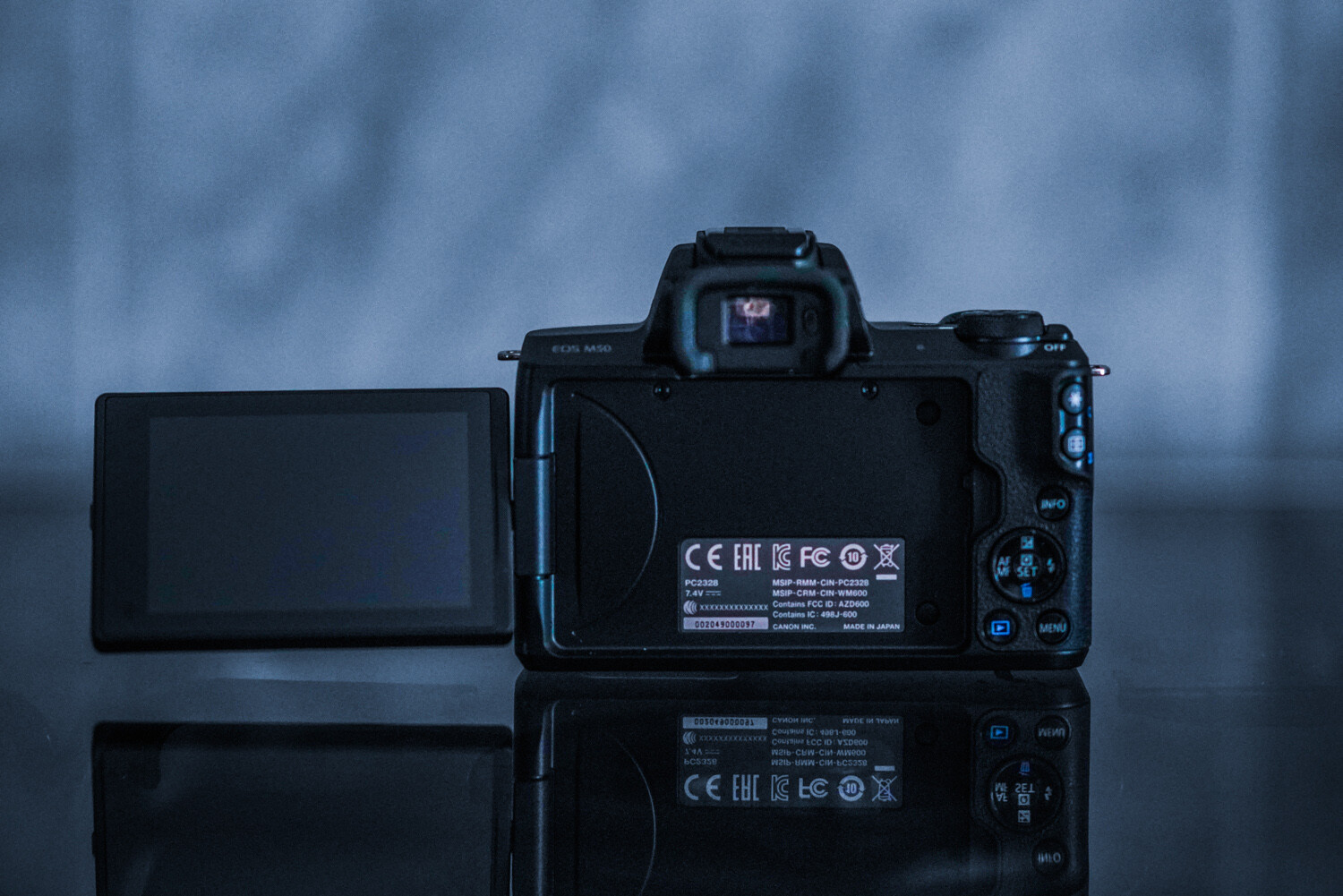
    This camera’s size is brilliant! It is smaller than my cell phone (Google Pixel). Easy to throw into any bag, purse, or pocket. The body construction consists of polycarbonate rather than a metal body shell, but it still feels robust enough in your hand. The camera features a very comfortable and well-designed grip containing  ‘hooks’ for your second finger and thumb. As a result, the M50 feels surprisingly secure, even when used with one hand.

    Much like Canon’s pro-level DSLRs, the controls are well laid-out. The buttons are a decent size and easily located by touch while using the viewfinder. However, the size may be an issue for those with larger hands. My hands are petite, and I find the controls just fine (haha)!

    6 - Gear Review Canon EOS M50 Mirrorless Camera Kit

    The tilt, vari-angle touch screen is brilliant. This nifty feature has infinite uses. Additionally, the screen can be stowed backward against the camera body to avoid any potential scratches (for those that don’t purchase screen protectors). The built-in viewfinder is very helpful when shooting during the noon sun or other bright conditions. There’s an auto activation when your eye approaches the viewfinder, ensuring that the LCD doesn’t blind you.

    Canon has a knack for making its small models handle well and feel professional. The M50 is proof of this.

    Autofocus

    Canon’s autofocus is what has kept me loyal to the brand for over ten years now. Canon’s Dual Pixel CMOS sensor that the M50 sports mean every sensor pixel is capable of being used for phase detection. Allowing fast autofocus almost wherever the subject gets situated within the frame. The AF system is sensitive down to -2 EV, which means the camera continues to focus in extremely low light.

    7 - Gear Review Canon EOS M50 Mirrorless Camera Kit

    A new autofocus feature of this model is the eye-detection autofocus. The camera can find eyes on your subject and lock focus on them with the push of a button. It is photographic witchcraft, and I love it. This feature is activated when face detection is turned on, to focus specifically on your subject’s eye.

    Do make note that this fun feature is only available in single-AF mode, which means you can’t use it track focus during burst shooting. As can be seen above, the eyes of my dog are nicely in focus (and this was easy to achieve, even when she moved a bit).

    I have always preferred the AI Servo | Continuous Focus mode due to the majority of my subjects moving around a lot. Thanks to the ability to use phase-detection anywhere in the frame, this feature is fast and reliable.

    Low light capability

    8 - Gear Review Canon EOS M50 Mirrorless Camera Kit

    As the years’ progress, so does low-light capability. In higher ISO levels, image quality stands up very well at ISO 800. It’s only at ISO 3200 noise, and noise reduction starts to blur away detail. However, the color gets retained well. The higher numbers are passable for smaller reproductions, but you’ll generally find yourself not wanting to move beyond 12,500 max! The autofocus continues to shine even at low-light levels.

    9 - Gear Review Canon EOS M50 Mirrorless Camera Kit

    Battery life

    I have always been a tremendous fan of Canon’s batteries. They always continue to impress me with their longevity. This camera is no exception, despite having an always-on LCD screen! As always, I do suggest purchasing more than one battery, but you can remain confident in this camera lasting you through your entire photo session and photography adventures.

    10 - Gear Review Canon EOS M50 Mirrorless Camera Kit

    The lens: EF-M 15-45mm f/3.5-6.3 IS STM

    The M50 kit comes complete with the EF-M 15-45mm f/3.5-6.3 IS STM, a compact and stylized zoom lens for the mirrorless camera. The lens is very compact and features a side switch to flatten the lens when stored. This feature makes traveling with the M50 kit an absolute breeze.

    11 - Gear Review Canon EOS M50 Mirrorless Camera Kit

    With the 15-45mm kit lens with its STM focus motor, autofocus is great. It is super-fast, silent, accurate, and excellent for any photography style. The 35mm-equivalent 24-72mm range combines a wide-angle for landscapes and big group photos, with a telephoto zoom for close-ups and detailed headshots.

    12 - Gear Review Canon EOS M50 Mirrorless Camera Kit

    I found the lens to be reliable, fast, and sharp – no complaints whatsoever!

    Final thoughts

    13 - Gear Review Canon EOS M50 Mirrorless Camera Kit

    The Canon EOS M50 is an excellent entry-level camera for aspiring, beginner, and hobbyist photographers alike. From its variety of features to its portable size and ease-of-use, unraveling this camera under the Christmas tree would excite even the most controlled picture-takers. Plus, having a kit that comes with a lens is just a brilliant bonus!

    The post Gear Review: Canon EOS M50 Mirrorless Camera Kit appeared first on Digital Photography School. It was authored by Anabel DFlux.


    Digital Photography School

  • Have your say: Best gear of 2018

    Have your say: Best gear of 2018

    For the past few weeks, our readers have been voting on their favorite photographic gear released in the past year in a wide range of categories. Now that the first round of voting is over, it’s time to reveal the winners.

    Remember, it isn’t over just yet! It’s time now to pick an overall winner. Don’t miss your chance to cast your ballot – this one’s for all the marbles.

    Best prime lens – Runner-up: Canon RF 50mm F1.2L USM

    The 50mm F1.2 is a lovely, sharp lens for Canon’s fledgeling full-frame mirrorless lineup. It’s the lens we were most excited to get our hands on when the system made its debut, and it did not disappoint. Clearly, our readers agree that it’s a standout.

    Best prime lens – Winner: Sony FE 24mm F1.4 GM

    As impressive as the RF 50mm F1.2L is, Sony ultimately came up with the prime lens that our readers liked the best this year. The FE 24mm F1.4 GM is truly worthy of its ‘G Master’ designation, and best of all – it’s lighter than Canon and Nikon’s equivalent offerings. Lighter in weight and big on optical performance turns out to be a real winning combination.

    Best zoom lens – Runner-up: Canon RF 28-70mm F2L USM

    The RF 28-70mm F2L is an ambitious lens – and likely a hint of things to come for Canon’s full-frame mirrorless system. In use the 28-70mm F2 has impressed us with excellent image quality throughout its range, and our readers were clearly impressed too.

    Best zoom lens – Winner: Tamron 28-75mm F2.8 Di III RXD

    Sure, the appeal of a massive, fast zoom like the RF 28-70mm F2L is hard to deny. But there’s a special place in our readers’ hearts (ours too) for a lens that’s versatile as well as small and lightweight. It’s not quite as fast as this category’s runner-up, but its combination of size and optical performance put it ahead of the competition.

    Best compact / fixed-lens camera – Runner-up: Panasonic LX100 II

    We’re putting the finishing touches on our full Panasonic LX100 II review, but we’ve seen enough already to know that its image quality is solid. We think the Mark II version builds on what we already liked about its predecessor, and it seems that plenty of our readers agree that it’s more of a good thing.

    Best compact / fixed-lens camera – Winner: Sony Cyber-shot RX100 VI

    While there was plenty of love for the LX100 II in our poll, the Sony RX100 VI just couldn’t be caught. It’s our pick for the best fixed-lens camera of the year too – the RX100 series’ strong feature set pairs nicely with a longer zoom lens, making it the first true ‘travel zoom’ compact in the lineup.

    Best entry-level ILC – Runner-up: Canon EOS M50

    The Canon M50 offers an appealing combination of size and capabilities, and though its heavily-cropped 4K video leaves something to be desired, it’s one of our top picks of the year and it’s a favorite among our readership too.

    Best entry-level ILC – Winner: Fujifilm X-T100

    Our readers’ top pick in the category is another camera with a strong still photography pedigree: the X-T100. It combines a built-in EVF, tilting touch-sensitive LCD and the Fujifilm JPEG image quality we know and love so well. It’s a total package with a lot of appeal for those inclined toward street shooting.

    Best mid-range ILC – Runner-up: Fujifilm X-T3

    This was one of the closest races in our 2018 polls, and really, we had no doubt it would be. Coming in just shy of the winning camera is the X-T3 – a fantastic stills camera that happens to record excellent video as well. We think it’s one of the best all-around performers in its crop frame class, and our readership seems to agree.

    Best mid-range ILC – Winner: Sony a7 III

    The Sony a7 III just edged out the X-T3 to take the category, winning by under 3% of the vote. But even in a category of high-quality, versatile cameras, the a7 III stands out. That’s because it represents Sony at its best – bringing several generations’ worth of features and improvements together in a highly impressive package. It wins a competitive category and is sure to be a front-runner for Product of the Year.

    Best high-end ILC – Runner-up: Nikon Z7

    Nikon’s first step into the high-end, full-frame mirrorless market was a solid one. The Z7 is well-rounded and capable of seriously impressive image quality. In some ways it feels like a first-generation camera, but ultimately it’s a highly capable tool and one of the highlights of the year in our readers’ eyes.

    Best high-end ILC – Winner: Fujifilm GFX 50R

    The allure of medium-format, the ergonomics of a rangefinder-style camera and Fujifilm’s irresistible film simulation modes likely helped put the GFX 50R at the top of this category. It’s smaller and less expensive than the existing GFX 50S, making it one of the most approachable entry points yet to the world of digital medium-format shooting.

    Have your say

    You helped determine the winners in these individual categories, so now’s the time to cast your vote in one last poll! Choose up to three favorites from this list of winners and runners-up between now and January 4th, 2019 at midnight PT when the final poll closes. Watch for an announcement of the winners soon after.

    As always, thanks for casting your votes and being a part of our community throughout the year.

    .


    Have your say

    $ (document).ready(function() { Poll({“pollId”:”5001986557″,”openForVoting”:true,”mainElementId”:”poll0″,”slot”:null,”isSingleChoicePoll”:false,”minNumberOfChoices”:1,”maxNumberOfChoices”:3}); })

    Have your say: Best product of 2018
    Your answers
    1. Required
    2. Optional
    3. Optional
    You need to login to vote

    Canon RF 50mm F1.2L

    Sony FE 24mm F1.4 GM

    Canon RF 28-70mm F2L USM

    Tamron 28-75mm F2.8 Di III RXD

    Panasonic LX100 II

    Sony Cyber-shot RX100 VI

    Canon EOS M50

    Fujifilm X-T100

    Fujifilm X-T3

    Sony a7 III

    Nikon Z7

    Fujifilm GFX 50R

    Voting is easy – you pick your favorite products by dragging and dropping. You can pick up to three, and rank them in order of priority.

    Poll Rules:

    This poll is meant to be a bit of fun. It’s not sponsored, promoted or paid for in any way and DPReview doesn’t care how you vote, so please don’t start a flame-war in the comments. Our readers’ polls are run on the basis of trust. As such, we ask that you only vote once, from a single account, and don’t vote purely just to sandbag another product or brand. Don’t be that guy.

    Articles: Digital Photography Review (dpreview.com)

  • This macOS app creates HTML galleries from your Photos library

    A new macOS app called photos2webgallery lets you create HTML web galleries from your Photos library. The resulting HTML output can be shared in many ways, including via upload to your own web server or shared via USB-drive.

    Thanks to HTML5 support photos2webgallery works with all modern browsers. An integrated HEIC to JPG image format converter makes sure even images captured in the Apple-specific format will be displayed. Videos are embedded as well.

    Alongside the images and videos the output galleries also display metadata information, such as date and time as well as the capture location with a Google Maps link. In the user interface users can select the albums they want to share and a range of slideshow effects is available, too.

    The app is now available for download at the photos2webgallery website for a reduced price of $ 31.99.

    Articles: Digital Photography Review (dpreview.com)

  • Day 2 delivery from The Photography Express

    The post Day 2 delivery from The Photography Express appeared first on Digital Photography School. It was authored by Darren Rowse.

    Day 2 of The Photography Express

    Note: Today’s train is running a little late, so you have less than 24 hours to grab these deals!

    You know you took a great photo, but it’s just not popping when you get it on your screen. You’d also rather be out taking more great photos than messing around on the computer any longer.

    Today’s delivery from The Photography Express is not one, but two amazing Lightroom presets deals to help you bring out the potential in your photographs in just one click.

    Deal #1 Massive Lightroom Presets Bundle from dPS

    Today you can pick up a bundle of three of our 101 Lightroom Presets packs for just $ 49  – or individually for $ 19 each.

    Each pack contains 101 (or more) Lightroom Presets, carefully crafted by professional photographers to help you save time and get the look you want when post-processing photos in Adobe Lightroom.

    Try out some sample presets with our sliders – one of our favourite transformations is “Big Colour Love”.

    Save $ 100 when you purchase the bundle for the next 24 hours only!

    Learn More

    Already have all 303 of the dPS presets? Then check out this beautiful premium bundle . . .

    Deal #2 Premium Lightroom Presets from Andrew Gibson

    Even more presets to help you create beautiful photos in Lightroom. This set of Andrew’s Faded Glory, SuperBlack and Vintage Portrait Presets work in Lightroom 4, 5 and 6, Lightroom CC (2015), Lightroom Classic CC and the new Lightroom CC for mobile, with both JPEG and Raw files.

    Preset Bundle

    If you’re wanting to experiment with:

    • the under-utilized and under-appreciated beauty of desaturated colors
    • converting photos to black and white for mood, emotion and expressiveness; and
    • natural looking vintage style portraits

    then this premium bundle of presets will give you results in Lightroom with just a few clicks.

    Save 58% for the next 24 hours only!

    Learn More


    Have fun getting creative with your new presets – 2019 will be a fun year!

    Both dPS and our trusted partner Andrew Gibson at The Creative Photographer offer 60-day money back guarantees, so you can easily buy now to secure the deal and try out the presets, and if you don’t think they’re for you, we’ll refund you.

    Don’t miss the next two deals – sign up here for The Photography Express!

    Disclosure: We receive a commission from our partners if you buy via our promotion, but it is at no cost to you. In fact, you’re getting an even better price than usual!

    The post Day 2 delivery from The Photography Express appeared first on Digital Photography School. It was authored by Darren Rowse.


    Digital Photography School

  • NVIDIA researchers create AI that generates photo-realistic portraits

    NVIDIA researchers have published a new paper detailing their latest artificial intelligence work, which involves generating photo-realistic portraits of humans that are indistinguishable from images of real people. The technology revolves around an alternative generator architecture for generative adversarial networks (GANs) that utilizes style transfer for producing the final result.

    Though GANs have improved substantially in only a few years, the researchers say in their paper that the generators ‘continue to operate as black boxes, and despite recent efforts, the understanding of various aspects of the image synthesis process, e.g., the origin of stochastic features, is still lacking.’ That’s where the newly developed alternative architecture comes in.

    The team’s style-based architecture enables GANs to generate new images based on photos of real subjects, but with a twist: their generator learns to distinguish between separate elements in the images on its own. In the video above, NVIDIA’s researchers demonstrate this technology by generating portraits based on separate elements from images of real people.

    “Our generator thinks of an image as a collection of ‘styles,’ where each style controls the effects at a particular scale,” the team explains.

    Image elements are split into three style categories: “Coarse,” “Middle,” and “Fine.” In terms of portraits, these categories include elements like facial features, hair, colors, eyes, the subject’s face shape, and more. The system is also able to target inconsequential variations, including elements like texture and hair curls/direction.

    The video above demonstrates changes involving inconsequential variation on non-portrait images, which includes generating different patterns on a blanket, altering the hair on a cat, and subtly changing the background behind a car. The style-transfer GANs offer superior results to traditional GAN generator architecture, the researchers conclude, with the photo-realistic results underscoring their assessment.

    The latest work further refines a technology that has been growing rapidly over only a few years. Though GANs have been used in the past to generate portraits, the results were far from photo-realistic. It’s possible that technology like this could one day be offered as a consumer or enterprise product for generating on-demand life-like images.

    Articles: Digital Photography Review (dpreview.com)