Blog

  • VSCO Keys offers costly shortcut to Lightroom efficiencies

    VSCOKeys.png

    Visual Supply Company has announced ‘VSCO Keys,’ a keyboard shortcut customization tool for Adobe Lightroom 3 or 4. It aims to make working in Lightroom more efficient, but the $ 125 price tag (only a fraction less than Lightroom itself) is likely to limit its appeal to photographers who aren’t profiting from their work. The software comes with two presets, one of which adds shortcuts without clashing with any of the software’s native controls, while a more comprehensive one replaces several of them. A 14-day free trial allows you to assess the value of the efficiency savings to your workflow. (via Petapixel)

    News: Digital Photography Review (dpreview.com)

  • Love At First Heist – A Short Film

    Love At First Heist is a short film made of still images by director Elizabeth Anweis (Hung, Southland) and shot by Bryan Koss (Discovery Channel, Director of Photography)

    The interview below was submitted by Guy Birtwhistle, producer of the film.

    We tracked down actress, Elizabeth Anweis in Los Angeles to ask her about her new short film, ‘Love At First Heist’, which uses a blend of still photography and live footage.

    You’re a working actress in Hollywood, where the heck did you learn how to edit?

    A book. Books are amazing.

    For our techie reeaders what did you shoot and edit on?

    I think Bryan [Bryan Koss, Director of Photography] used the 5d and 7d. The video footage of the stabbing being shot on the 5d. Post consisted of PS 5 and FCP 7.

    We associate LA with sunshine and palm trees, yet you chose to show us rain and downtown, can you talk about your reasoning behind this?

    Downtown LA was written into the script almost as it’s own character. As for the rain, we were lucky with it.

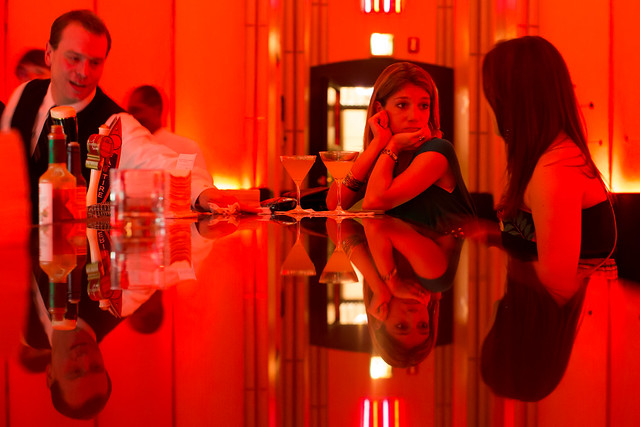
    Still from Love At First Heist

    Still from Love At First Heist

    How many photos did you shoot?

    Roughly 2600 photos. We were attempting to capture a lot in one day and moving quickly. It was incredible of Bryan to get all the coverage we needed in addition to the stylized experiments I wanted, most of which didn’t make the cut in the end.

    What was the shooting photo count to editing photo count ratio?

    2600 photos were shot of which 500 were then processed. I’m not sure how many ended up in the film as there were two different edits. The final one being scaled back and more simple.

    Please talk about the process of editing all those photos, what was your criteria for selecting the photos in the video?

    Pretty basic. The first pass involved separating out my favorites which were then edited in Photoshop to inspire the look and feel. Next came forming the skeleton of the story and then it was a matter of filling it in with the music in mind.

    There is minimal sound design, no voiceover, can you talk about your decisions with respect to sound?

    It’s good to hear that it sounds minimal as it’s not meant to stand out much and there’s actually quite a bit going on. I think the music acted as more powerful an agent than any true dialogue or voiceover could have in 3 min. It also, I think, allows a more individualized experience for a viewer to fill in who the characters are.

    Still from Love At First Heist

    Still from Love At First Heist

    Why did you chose black and white?

    It’s less distracting and offers more control over the focus of an image. I didn’t want the difference between all the lighting situations to stand out and detract from the short story. Within the three minute time frame I think the black and white images provided a stronger and faster emotional impact.

    Can you talk about the challenges of shooting on the street, were you hampered by weather, light, police?

    We weren’t stopped or questioned at any point which was surprising to me. Security guards watched us but never said anything. At one point we were even standing in front of a jewelry store as I was pulling a knife from my bag while masked, and nothing. The weather was the biggest challenge for me. On the one hand it was great for lighting because it was overcast all day but on the other it was freezing with the added rain. Some burly men (ahem, Bryan and Guy [Guy Birtwhistle, actor/ writer/ producer]) might disagree but as the day progressed my limbs and hair froze with icicles, I was shaking uncontrollably and by the end I could barely communicate. The words were stumbling off my tongue and tripping over my lips. Thank god Guy and Bryan are both proficient mind readers.

    Learn more about the film at Guy Birtwhistle‘s website


    dslrBlog

  • Cool Visual Art images

    A few nice visual art images I found:

    SC2012: Art Exhibition – The Reception
    visual art
    Image by Steve Welburn
    sc2012 hosted an exhibition of interactive and audio-visual art at The Art Pavilion in Mile End Park, East London.

    SC2012: Art Exhibition – The Reception
    visual art
    Image by Steve Welburn
    sc2012 hosted an exhibition of interactive and audio-visual art at The Art Pavilion in Mile End Park, East London.

  • Microsoft PowerPoint 2010 – Don’t Use Keyboard Shortcuts? Remove Them From ScreenTips

    If you prefer not to use keyboard shortcuts in PowerPoint 2010, stop showing them in the pop-up ScreenTip help.

    As you move your mouse pointer over various on-screen icons and other elements in Microsoft PowerPoint 2010 and see popup ScreenTips appear, you may have noticed keyboard shortcuts shown occasionally. If you’re used to pressing CTRL + S to save a document or CTRL + P to print one, you may find these reminders useful.

    However, some people rarely venture far from the mouse, preferring to click buttons, navigate menus, and never worry about memorizing combinations of letters and modifier keys. If you fall in this latter category, you may wish to ditch these shortcut reminders….

    Read more at MalekTips.
    New Computer and Technology Help and Tips – MalekTips.Com

  • Windows 8 – Prevent Current or New Drives from Being Defragmented / Optimized

    Windows 8 will attempt to defragment current and newly-connected drives on a schedule – learn how to turn this off.

    By default, Windows 8 will attempt to defragment, or optimize, your hard disks and partitions every week, an often useful tasks that can speed up your computer by moving data around.

    You might determine that certain external hard disks should not be optimized on a schedule, instead choosing to optimize them on an as-needed basis. Also, defragmenting a solid state drive is not recommended and can actually shorten its lifespan. Thus you can configure the Optimize Drives tool to ignore certain drives or not optimize every new drive connected to the machine during the regular maintenance window….

    Read more at MalekTips.
    New Computer and Technology Help and Tips – MalekTips.Com

  • Microsoft Outlook 2010 – Where is the Blind Carbon Copy Feature?

    Send a copy of an e-mail via Blind Carbon Copy so all recipients are not shown.

    Have you ever sent an e-mail to someone and needed to send a copy to their supervisor, coworker, or family member, and did not want the original recipient to know everyone to whom you are sending a copy? Or do you need to send e-mail to dozens or hundreds of people, such as an ad hoc mailing list you manage, and do not wish everyone to see each other’s e-mail address?

    Most e-mail programs support a feature called BCC, or Blind Carbon Copy, allowing you to send e-mail to a person or group of people and keep those recipient addresses hidden. Microsoft Outlook 2010 has such a feature as well, but you need to know where to look……

    Read more at MalekTips.
    New Computer and Technology Help and Tips – MalekTips.Com

  • Schonmal einen Fotokalender bestellt?

    Mit Anbruch des Oktobers neigt sich das Jahr 2012 herbstlich dem Ende zu. Und die ersten Fotografen scharren schon mit den Hufen, denn schon wieder steht die Überlegung ins Haus, ob ein Fotokalender für nächstes Jahr drin ist. Doch wie geht das eigentlich in gut?

    Ich fotografiere nun seit sieben Jahren und habe in der kompletten Zeit nicht einen einzigen Fotokalender mit meinen Bildern erstellt. Und ich bin mir recht sicher, dass ich nicht der einzige bin, dem es so geht. Dabei würde so ein Kalenderchen garantiert ein gutes Weihnachtsgeschenk sein.

    Doch der Krampf fängt viel früher an. Ich habe mir schon oft Softwares von Herstellern, die für „einfache Gestaltung und sauberen Druck“ werben auf den Mac gezogen bin dann schier an Hässlichkeit und Nicht-Bedienbarkeit derselben verzweifelt.

    Denn was habe ich davon, wenn ich nach drei Stunden wildem Herumgeklicke einen Kalender am Bildschirm sehe, den ich ob seiner geschmacklichen Niederträchtigkeit keinem meiner Freunde – ohne rot zu werden – zeigen würde?

    Am liebsten würde ich selbst am liebsten den Kalender erstellen, doch ich bin nicht mit gestalterischen Fähigkeiten gesegnet und müsste daher einen Designer engagieren, der mir zwar einen schicken Kalender gestalten würde, aber für mich nicht in erreichbaren finanziellen Bereichen liegt.

    So überlege ich jedes Jahr von Neuem: Wo kann ich, wo will ich, wo soll ich einen Kalender erstellen und gleich drucken lassen? Und da, liebe Leser, kommt Ihr wieder ins Spiel.

    Habt Ihr schon einmal einen Kalender erstellt und drucken lassen und wart von Anfang bis Ende zufrieden?

    Erzählt doch mal, ich bin wirklich gespannt auf Eure Antworten. Beschreibt mal Eure Lieblingsanbieter, mich interessiert auch, ob der Druck so war, wie er sein sollte. Ich bin mir sicher, dass es noch viele andere Leser gibt, die auch an Euren Antworten interessiert sind und vor der gleichen Frage wie ich stehen.

    Ich freue mich. Und vielleicht mache ich dann auch einen Kalender für 2013. Schön wär’s ja.


    kwerfeldein – Fotografie Magazin

  • Mozilla Firefox – Plugins and Extensions – Add Print and Print Preview to Context Menu

    Right-click on a web page and choose to print or print preview the page with the QuickPrint extension.

    Do you frequently print web pages viewed in Mozilla Firefox, sometimes accessing the Print Preview feature to make sure your hardcopies look as intended? If so, you may find it frustrating to go through Firefox’s menus or use the Ctrl+P keyboard shortcut to access these features.

    If you prefer using the context menu (right-click on Windows, Option-click on Mac), consider the “QuickPrint” plug-in. Just right-click a webpage and access the “Print” and “Print Preview” options from there. It’s that simple!…

    Read more at MalekTips.
    New Computer and Technology Help and Tips – MalekTips.Com