Blog

  • How to Photograph Zombies

    Zombiethierryehrmann

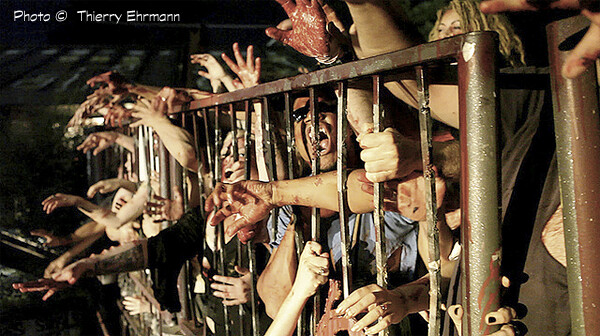
    Halloween is my favorite holiday and one of the best bits is the undead. Zombies aren’t confined to Halloween but their Fall migration, called Zombie Walks, begin around September and numbers increase drastically until October 31st. Help track the spread of walking undead this season with some great photos!

    Getting the Pose

    Like any subject, your photos will improve tremendously if you get the right pose. In this case, that means getting shots that reinforce the idea of a zombie. In other words, the poses should reflect the walking dead. Bodies that are slumped, heads at odd angles, vacant stares, and feral snarls are the hallmarks of a zombie.

    If your subject can’t relax and act like the dead thing he is, ask him to imagine that the only thing holding him up are marionette strings between his shoulders and at his wrists. If his eyes haven’t lost all color and turned milky white yet, have him roll his eyes upward so you can only see the whites of his eyes in the photo.

    Zombierandysalgado

    See Things in the Right Light

    Think about every horror movie you’ve ever seen. The creatures wouldn’t be nearly as scary without the dim lighting, lots of shadows, and the generally dirty feel of the film. Don’t look for soft even light when photographing zombies.

    Harsh directional lighting and high contrast brings out the shape of sunken cheeks and will add shadows. Also consider underexposing your shot by a 1/2 stop or full stop to add a more dangerous feel to your images in further intensify angles/shadows. If you are adding flash to your photo, either use off camera flash or turn your camera upside down and bounce the flash from the ground to light the zombie from below to add extra creepiness to the shot. A piece of white poster paper can be rolled up for easy transport and makes a great reflector for ground bounce flash. Swapping to black and white or sepia is also an excellent choice to help bring out details.

    Nitty Gritty Photos

    Zombies aren’t pretty and they aren’t nice. This is not the time to be looking for beauty shots. Grain and noise are a good thing with zombie photos. The distressed look of the film will add to the dangerous and distressing nature of your subject in the photo.

    If you are shooting at night, go ahead and up your film speed. The added grain/noise will actually add to the atmosphere of the image. If you are shooting in the daytime you can still up your film speed to add noise. You’ll just need to increase your shutter speed to make up for the additional light or add a neutral density filter to your lens. You can also add noise/grain when you edit your photos if you prefer.

    Zombieclauderobillard

    Look Out Behind…the Zombies

    Pay attention to what is behind your zombie subject(s). The vast majority of zombie migrations take place in urban settings so chain link fences, cars, and even garbage cans are fine in the background of zombie photos. However, one uninfected person smiling cluelessly in the background can completely throw off the feel of your zombie pic. Wait a moment or two until the zombies notice the prey in their midst and then capture the feeding frenzy.

    Find Your Angle

    Photographing zombies is one time that the straight horizons rule can be easily discarded. A tilted frame can help translate the lurching motion of a zombie in your photographs. Which direction you tilt the frame depends on how much the zombie is leaning and how much background is visible around the zombie. If you are filling the frame with your subject tilt against the lurch. If plenty of background is visible tilt with the subject angle. If you are unsure which angle to use, remember that when you are shooting over your shoulder while running from the horde you should get plenty of varying angles to choose from later.??Shooting upwards also puts the zombies in control visually in your photos because it makes the viewer feel like they are looking up. So don’t just give up when the zombies surround you, keep shooting until the last moment. You can take comfort in knowing that whomever finds your camera later will be surprised with a great final shot of the zombies closing in over you.

    Zombiemunirhamdan

    Liz Masoner is a long time photographer based in Alabama with experience ranging from freelance to photojournalist. She is widely published online and in print, including 5 years developing the photography content for About.com. Liz is a co-founder of the Phorum Photographic community and also maintains a personal blog chronicling her adventures and misadventures from behind the lens.

    Post originally from: Digital Photography Tips.

    Check out our more Photography Tips at Photography Tips for Beginners, Portrait Photography Tips and Wedding Photography Tips.

    How to Photograph Zombies


    Digital Photography School

  • R.J. Kern, With the Assist from Rembrandt

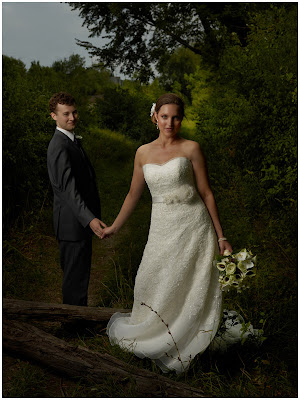
    If you're going to steal from someone, you should have the class to steal from the very best. Which is why photographers so often return to Rembrandt when it comes to nicking someone's light.

    Such was the case with Denver wedding photographer R.J. Kern, who we join today for a quick BTS of the portrait above… Read more »


    Strobist

  • Ice Age 4 – First Look Teaser | HQ

    Like us on Facebook www.Facebook.com After three fantastic movies, the makers of Ice Age are back with the fantastic fourth installment – “Ice Age 4 The Continental Drift.” Get a slice of yet another amazing film and stay hooked for more videos. For more Updates, visit www.youtube.com

  • SNYP’s MW2 Trick Shot Guide! Part 1 – The Shots

    Part 1 of our MW2 trick shot guide! This edition includes the types of shots and covers some basic information. Subscribe for episode 2 which will overview techniques, helpful advice and how to prepare yourself for a trickshot, as well as some more shots we’ve missed out. Quick Navigation: Basic shots: 00:50 Advanced shots: 01:53 Ladderstalls/shots: 03:54 Glitch shots: 05:24 Extra shots: 06:30 Enjoy! Susbcribe and Like for Part 2! ~ Initial
    Video Rating: 4 / 5

    Here’s my latest demo reel, with new shots added. Music: “Didn’t It Rain” from the Arjuna soundtrack. Composed by Yoko Kanno. Shot list: – Ben 10: Alien Swarm – Super78 – Earthquake in New York – Look Effects Inc. – DC Universe Online – Furious FX – The Golden Compass – Rhythm & Hues – Alvin and the Chipmunks Rhythm & Hues – Blue Beetle – Super78 – Ben 10: Alien Swarm – Super78 – The Way – Zoic Studios – 3lbs – Zoic Studios – Blown Away: Greensburg, KS – Look Effects Inc. – Bones – Look Effects Inc. – Pushing Daisies – Look Effects Inc. – XPand3D (rendered in stereoscopic 3D) – Super78 – Pushing Daisies – Look Effects Inc.
    Video Rating: 4 / 5

  • NVIDIA GeForce GTX 670 3D Vision Performance Review Evaluation Linus Tech Tips

    CA: www.ncix.com US: www.us.ncix.com Crysis 2 and SKYRIM are both included. Not too many games in the test suite today, but this gives us a reasonable idea of how the new GTX 670 performs in stereoscopic 3D 🙂
    Video Rating: 4 / 5

  • Sites to Browse – Humor – Pranks – Make the Internet Safe for Cats

    Tired of jarring photos on websites? Replace them with cat pictures.

    Tired of seeing pictures of overpaid athletes, pandering political candidates, or egotistical reality “stars” on the web?

    Meowbify takes website images and replaces them with static and animated cat photos. If you’re the kind of person that thinks the Internet needs more pictures of cats (sites like LOLCats are not enough), then you may be interested in Meowbify….

    Read more at MalekTips.
    New Computer and Technology Help and Tips – MalekTips.Com

  • Jörg Marx: Fields

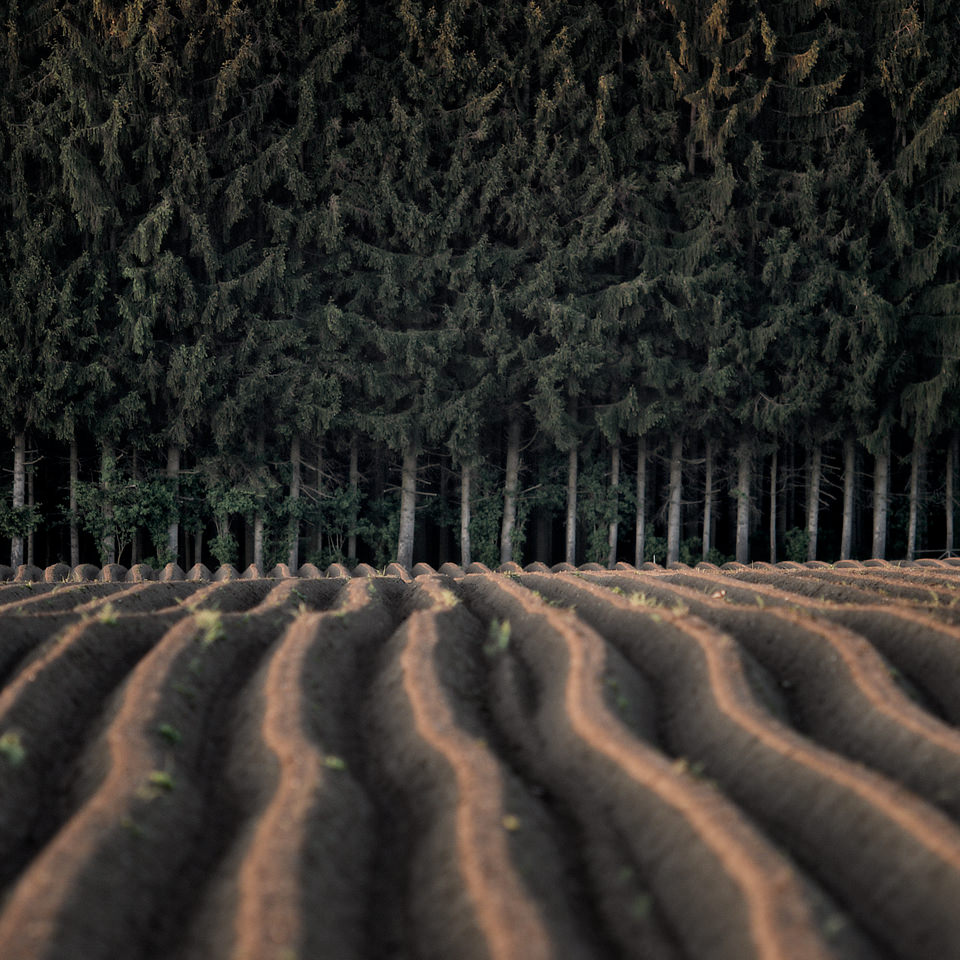
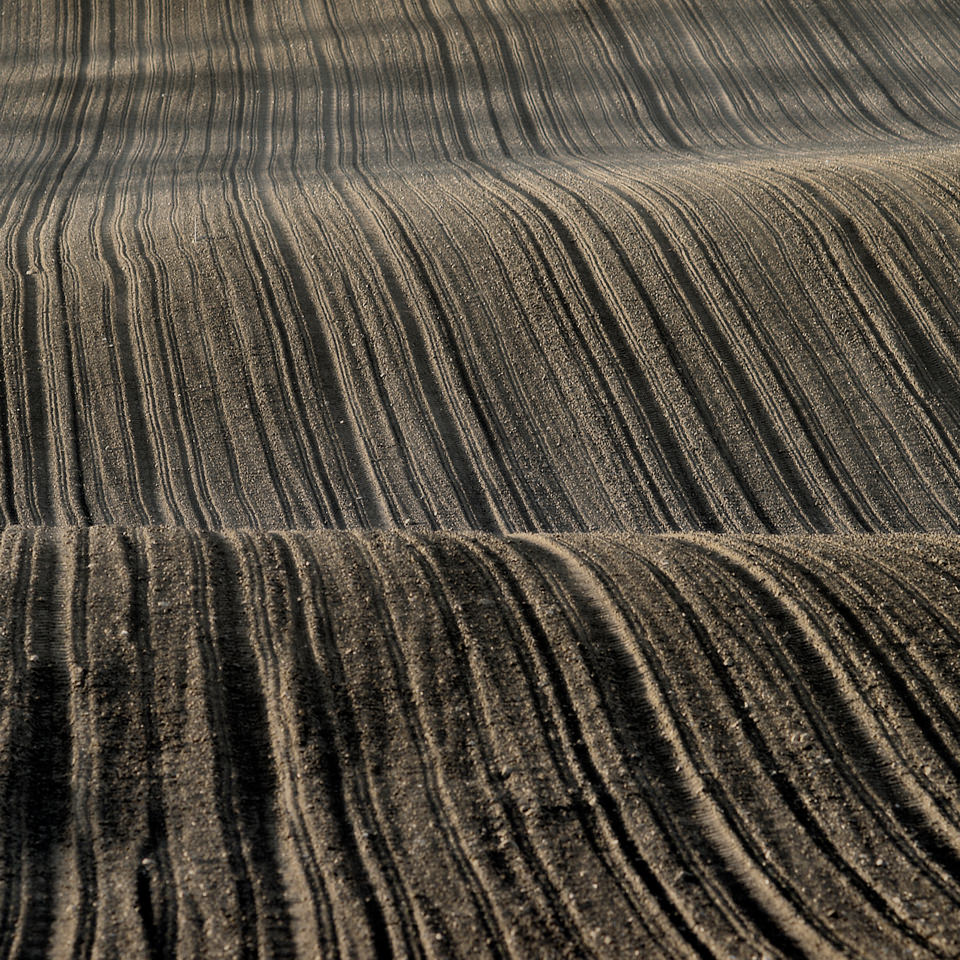
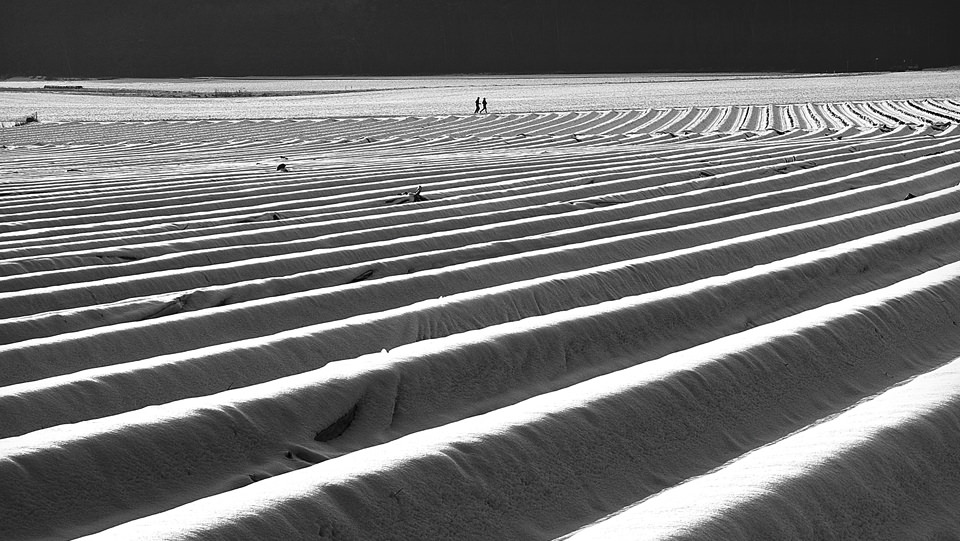
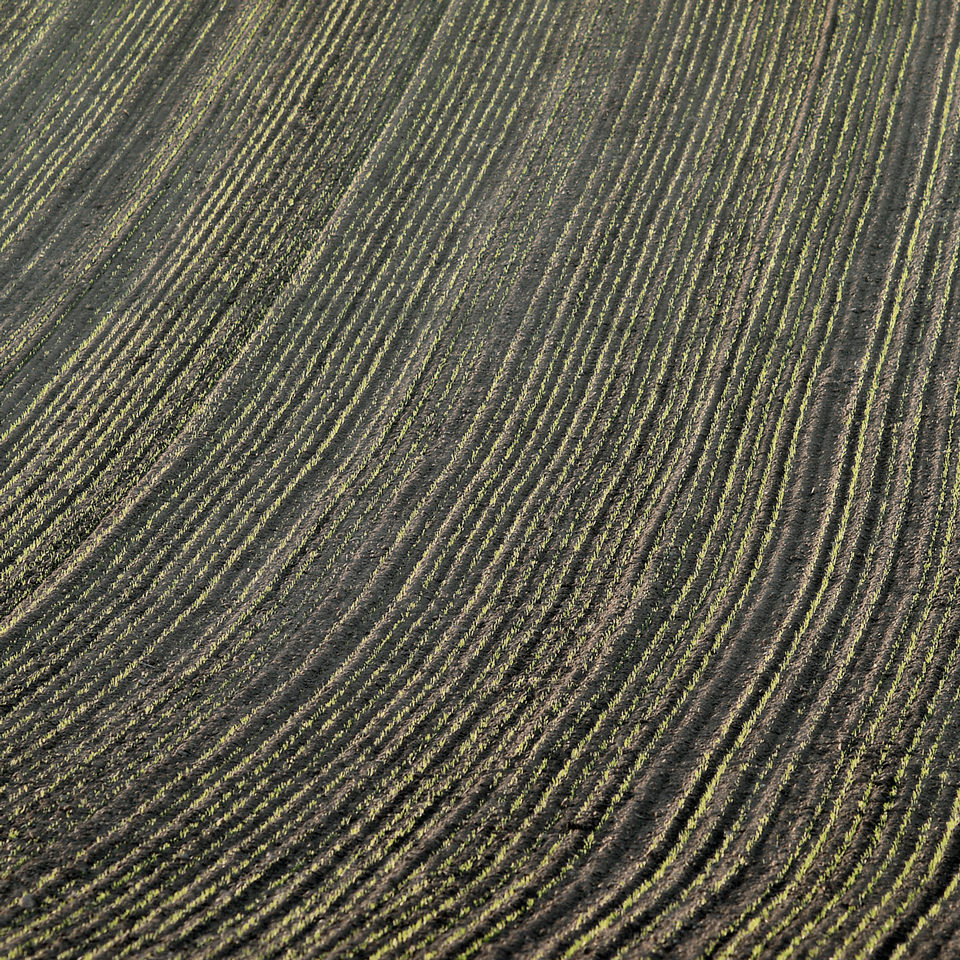
    Der von Berlin nach Niederbayern aufs Dorf ausgewanderte Jörg Marx fotografierte zwischen 2010 und 2012 die Serie „Fields“. Die Naturaufnahmen brechen das Genre verspielt auf, versprechen eine anmutende Tiefe und ungewohnte Nähe zu Oberflächen, die alles andere als oberflächlich wirken.

    Nach Marx „hat das Fotografieren etwas mit einem tiefen Misstrauen gegen die Sprache zu tun.“ Mitunter vergleicht er Fotografie und Text so: „Bilder predigen nicht. Und sie lassen immer eine Lücke, während die Sprache immer dazu tendiert, alles zuzutexten. Sprache macht blind.“ Deshalb präferiert Marx die Kommunikation mittels seiner Aufnahmen, die im Folgenden formatfüllend präsentiert sein wollen.

    Ein Feld  (5)

    Ein Feld  (7)

    Ein Feld  (10)

    Ein Feld  (11)

    Ein Feld  (13)

    Ein Feld  (6)

    Ein Feld  (14)

    Ein Feld  (15)

    Ein Feld  (18)

    Marx beschreibt sich selbst als einen von der Heimatfotografie Getriebener. „Das Naheliegende ist uns oft ja viel unvertrauter als das, was weit in der Ferne liegt.“ Seine Arbeiten präsentiert der Fotograf auch auf Flickr und Behance.


    kwerfeldein – Fotografie Magazin

  • CES 2008: Nikon D40 X Digital SLR

    The D40x combines affordability with high performance. The digital camera takes quality photographs with its 10.2 megapixels and CCD imaging sensor. All this power is packed into a conveniently compact package; the camera is Nikon’s smallest digital SLR. Check out all the features and the included lens. See for yourself why the camera is worth 9.
    Video Rating: 4 / 5

    This is the stop motion my friend and I made. He took the pictures while I moved the cars in between frames. Its about 300 pictures all together.
    Video Rating: 4 / 5

  • Best Responsive Photography Themes For Portfolios Anywhere

    In the past couple years, Responsive photography themes are becoming more popular than before. In this guest article, not only will you see examples of the best responsive photography themes available, but you will learn why they are useful.

    Responsive Web Design (RWD) is an approach to web design in which a site is crafted to provide an optimal viewing experience—easy reading and navigation with a minimum of resizing, panning, and scrolling—across a wide range of devices (from desktop computer monitors to mobile phones). – Wikipedia

    A picture can tell 1000 words, so they say, and when it comes to showing off your photography work, a simple website can really assist in illustrating what you can offer to potential customers.

    With this in mind, an online portfolio is an essential part of any photographer’s role, in order to gage new business, and it’s worth remembering that this may be the first impression someone has of you, so you need to make it accessible and memorable.

    Before picking your photos for the portfolio though, it’s worth remembering that not everyone views a website on their computer anymore. They may be searching for you on the go on their smartphone, or sat on the couch on a tablet. This is where responsive design can help.

    Responsive Photography Themes

    Becoming increasingly popular as responsive themes become more widely available, these themes react to whatever platform your site is being viewed on, meaning it looks like a great website, no matter what the screen.

    If you’re stumped on where to start, here are a few great examples of WordPress portfolio themes that are responsive, which could be ideal for your photography website.

    1. Artboard

    This full screen portfolio theme really puts the emphasis back onto imagery. Images overtake the screen to really make your work shine. With drop-down menus and a fully functional blog, this can create a visually stunning basic site if you’re after something heavily image-focused.

    2. Expression

    This WordPress theme allows for flexible galleries, with quirky animations and effects. The full screen image slider is a particularly great feature for photographer’s portfolios and is a great theme for use on various devices.

    3. Photolux

    This premium WordPress theme is ideal for both photographers who have no coding knowledge whatsoever, and those who may be a bit more into the development of their site. Using sliders to flip through the portfolio, the site provides ease of use with a simple navigation. A full-height full screen slideshow allows for your work to really do the talking.

    4. Evolution

    For those who want to more than just a showcase of work, Evolution provides a simple yet effective theme. It allows for a slideshow preview of work upon the homepage, whilst allowing room for background information and the latest blog post too. A great way to give a taster of your collection.

    5. Gleam

    Gleam is an incredibly sleek and modern theme – an ideal WordPress photography theme for photographers. The theme allows for full background photos, as well as the ability to display your work full screen. Remember, with responsive design this will look great on any device. For a more traditional layout, the standard gallery page uses small thumbnails with popups to view full images. The flexibility is here with all the glamour and simplicity you could want.

    6. Reponsy

    With a name like Reponsy, it’s no wonder it caught my attention for a responsive photography themes article. A fantastic HTML5 theme which will have all the tools you could possibly want for your site – whether it’s your social buttons, a blog post, or embedding your Flickr images. The clear layout of the theme pages allows for multiple portfolios if you want to section your work off. Clear, yet quirky, Responsy offers the full package.

    7. Loook

    loook

    A minimalistic theme which makes it ideal for responsive design, the highly customisable options alongside the white space of the theme allows for your work to really stand out. Because it is minimalistic, the theme is timeless and will require little monitoring to remain current.

    8. JPhotolio

    A premium WordPress theme, JPhotolio has an unlimited size of portfolio housed in an elegant and feminine template – ideal for wedding photography. With a great interactive portfolio that can be narrowed down by category, this site has personality already, whilst being customisable enough to add your own. The navigation bar at the top remains no matter where on the site you visit, allowing for excellent simple navigation.

    9. Pegasus

    A responsive and uncluttered WordPress portfolio theme, this is an incredibly effective theme if you want to show off your work without any distractions. The theme provides a more than adequate portfolio for photography, whilst offering flexible colours and social widget, creating focus on getting in touch.

    10. Mixfolio

    Mixfolio offer a ‘welcome area’ on your page, so you can automatically tell visitors who you are and how to get in touch, before delving into the imagery. The standard black, grey and white structures make for a simple, yet classic design, allowing for selected photographs on the landing page to relly stand out in contrast.

    Brett Harkness is a successful wedding photographer based in Manchester, UK.

    dslrBlog

  • If You Had to Simplify Your Camera Kit… [DISCUSS]

    If you had to really strip your camera gear back to the very basics what would you do?

    Whats in my camera bag 52/365

    This question comes after a chat with a friend yesterday who admitted that he now had 3 DSLRs and 14 lenses for them… in addition to several compact cameras and a four thirds camera body with 4 lenses.

    I asked him what he’d do if he had to give it all up except for one camera body and one lens and he almost started to hyperventilate but it led to a fascinating conversation about the merits of different gear.

    I know not everyone has that level of gear at their disposal but I know many of our readers have acculated quite a bit of gear…. so what would you do if you had to simplify or strip it back to the basics.

    Lets say you can only have one camera body and one lens – which ones would you keep?

    Post originally from: Digital Photography Tips.

    Check out our more Photography Tips at Photography Tips for Beginners, Portrait Photography Tips and Wedding Photography Tips.

    If You Had to Simplify Your Camera Kit… [DISCUSS]


    Digital Photography School