RSS
 

Posts Tagged ‘Predict’

How to Predict Dramatic Sunsets

20 Jul

The post How to Predict Dramatic Sunsets appeared first on Digital Photography School. It was authored by Bruce Wunderlich.

Summer sunset over Marietta Ohio just after a storm had past through earlier in the afternoon.
“Red Sky”  Summer sunset over Marietta, Ohio

One question every child asks is, “Why is the sky blue?” But let’s look at why is the sky red at Sunset. Light from the sun is made up of all the colors in the rainbow. As the sunlight enters the earth’s atmosphere, the short wavelength of blue light is scattered in all directions, more than any of the other colors, causing the sky to be blue during the day.

At sunrise and sunset, the light has farther to travel due to the low angle of the sun in the sky. This causes the blue light to be blocked and scattered away, allowing the longer wavelengths of red and yellow colors to appear in the sky.

I am sure you wish there was some magic formula that could tell you exactly the night for photographing a beautiful sunset? It’s not that easy, but hopefully, we can discover some ways to increase your odds.

Let’s take a closer look at some other factors that will help you predict brilliantly-colored sunsets.

You have no doubt heard the saying “Red sky in the morning, sailors take warning. Red sky at night, sailors’ delight”. This saying can also help you predict sunsets (and sunrises) if you know the weather forecast. Look for a red sky at sunrise ahead of a storm and at sunset after a storm. Knowing what to expect weather-wise is key to anticipating the right conditions for a shoot, so the first thing you need to do is find a good weather app or website.

A website such as Intellicast.com will give you a detailed hourly report for key factors: cloud cover, air quality, humidity, and wind speed.

Winter sunset after a snow storm.

Clouds and Cloud Cover

Clouds are a crucial factor to predicting dramatic sunsets, for without clouds there is not much to see.

One common misconception of brilliant sunsets is that clouds create the colors; in reality clouds only serve as the canvas to display the colors that the light is painting. High to mid-level clouds are the most effective canvases, as they will reflect the colors of the setting sun. Puffy clouds on the horizon at sunset will more than likely not allow the sun rays to pass through them, thus muting the colors. Lower clouds (such as dark rain-filled clouds) are not very helpful at reflecting much light.

If the clouds on the horizon are low and thick, the sun will not be able to shine through them. It is also worth noting that too many or too few clouds can be detrimental for an optimal photo, so check out your detailed weather report for cloud cover percentages between 30 to 70 percent at sunset.

You can observe cloud conditions in the afternoon and if the sky looks favorable, you can hope that these clouds will still be present at sunset. No guarantees, but if there is not much wind these clouds may stick around to create a beautiful sunset.

A brief description of fair weather clouds that may produce dramatic sunsets:

  • Cirrocumulus Clouds – These look like ripples on water. Blue sky is the usual backdrop.
  • Altocumulus Clouds – Often occur in sheets or patches with wavy, rounded masses or rolls, like little cotton balls. They are generally white or grey and usually appear after a storm.
  • Cumulus Clouds – Easily recognizable, large, white, and fluffy, often with flat bases.
  • Cirrus Clouds – Generally characterized by thin, wispy strands. These clouds arrive in advance of frontal systems indicating that weather conditions may soon deteriorate. Nevertheless, these are one of the best kind for photographing dramatic sunsets!
DSC_1917
If you see this kind of sky in the afternoon with calm winds, chances are good you are in for something special at sunset.
5939386215_2d2133ebcc_o

Clean Air

Clean air is very effective at scattering the blue light. For this reason, one of the best times for dramatic sunsets is right after a rain or wind storm. While lower clouds rarely reflect brilliant colors (as mentioned above), note that where the lower atmosphere is especially clean, as in over open oceans in tropical regions, more vivid colors are allowed pass through. This is the reason so many beautiful sunset images are captured in the tropics.

Humidity

The amount of humidity in the air will also have an effect on the colors of your sunset. Lower humidity will produce more vibrant colors. With higher humidity, the colors will be muted because of the water content in the atmosphere. The seasons of autumn and winter typically produce lower humidity than in the warmer seasons.

Wind

Wind is a factor that can either enhance or destroy a beautiful sunset. A change in wind direction can cause the clouds to develop ripples or billows, which can create a beautiful effect as the setting sun reflects a nice red glow onto the ripples.

Also, as established earlier, clean air will produce more brilliant colors, and a nice breeze before sunset can help clear the air.

Unfortunately, the wind can become a negative factor on those days when favorable clouds are present in the afternoon, but a weather front moves through with strong winds that remove those clouds and leave you with a clear sky at sunset.

This is another instance when a good weather app or weather website can give you an indication on its radar as to when a front may move through your area.

6022670360_25a65077ed_o

To summarize your sunset prediction, look for:

  • Mid to high-level clouds
  • 30 to 70 percent cloud coverage
  • Clean air
  • Lower humidity
  • Calm winds

A final thought to consider when photographing sunsets – sometimes the afterglow of the sunset, which can occur 15 to 20 minutes after the sun goes behind the horizon, can be much more spectacular than the actual sunset.

Generally, all these weather-related rules also apply to photographing sunrise, but the visual signs are more difficult to spot since it is darkest before the dawn. A good time to photograph at sunrise is in the fall and winter when it occurs later in the day than in the summer months.

Do you have any other tips for predicting dramatic sunsets? Please share some of your favorite sunset images. Who doesn’t love a good sunset? If you want some tips for shooting the great sunset you’ve found try: 8 Simple Guidelines for Capturing Spectacular Sunrise and Sunset Images

The post How to Predict Dramatic Sunsets appeared first on Digital Photography School. It was authored by Bruce Wunderlich.

Digital Photography School

 
Comments Off on How to Predict Dramatic Sunsets

Posted in Photography


Can the Skyfire App Predict Stunning Sunset Colors Days in Advance?

18 Jan

Skyfire-Review-9What if you could predict beautiful sunset or sunrise colors? The colors we dream of when the word sunset crosses our mind; deep oranges, pinks, reds and streams of yellow, often against a deep blue sky.
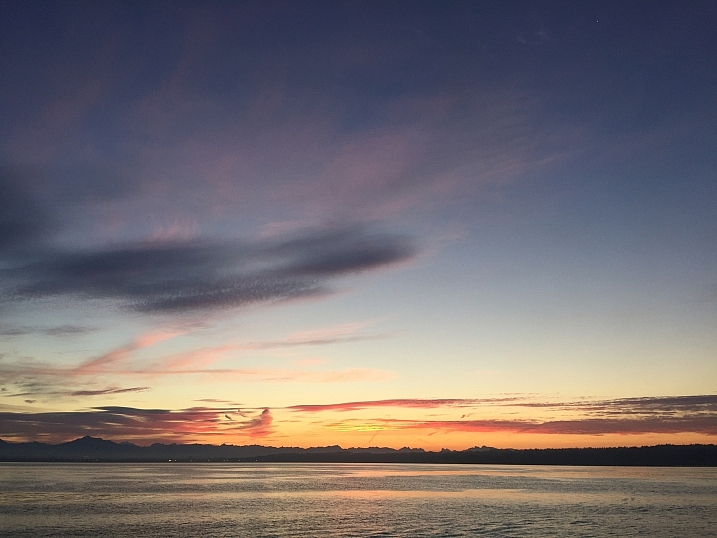

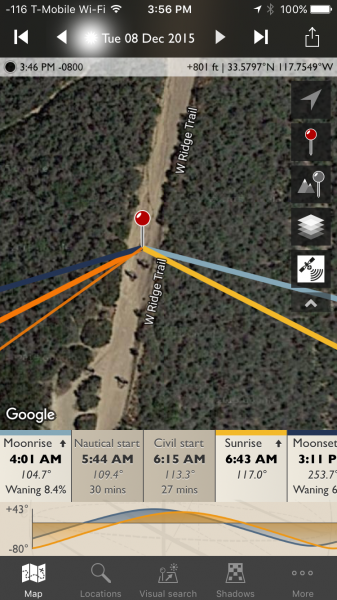
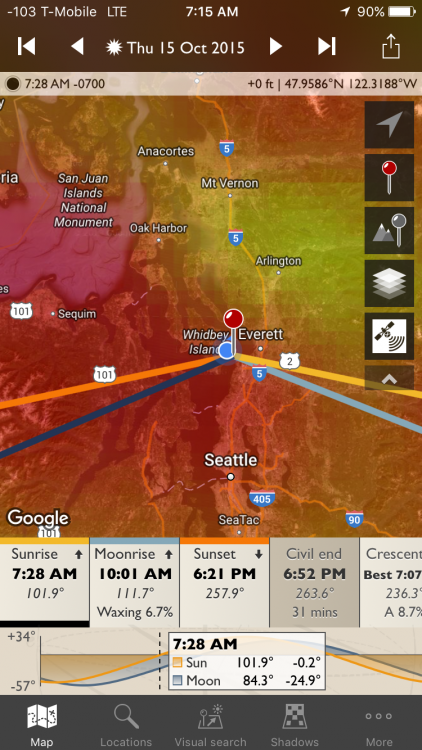
Skyfire attempts to do just that for you, in app-form of course. Skyfire is a subscription product from the makers of The Photographer’s Ephemeris (TPE) that uses a host of data to help predict the probability of desirable sky colors for beautiful photos.

What is Skyfire?

Developed by Matthew Kuhns and a team of photographers, Skyfire is a subscription service that runs exclusively on TPE. Currently it only runs on TPE for iOS, but it will soon be ported over for Android as well. It uses a combination of data from weather monitoring and prediction stations, currently only in the lower 48 US states (plus minute amounts of the Canadian and Mexican borders). Correlating items like topography, cloud height and type, as well as gap light, (the amount of light coming in from under clouds that gives them their brilliant colors at sunset and makes it seem the sky is on fire, hence the name) Skyfire attempts to predict your odds of capturing beautiful sunset and sunrise colors in the clouds.

Skyfire’s subscriptions and prices are $ 9.99 for a three month Basic subscription, or $ 29.99 for a year. The Plus version (explained in a minute) is $ 14.99 for three months or $ 44.99 for a year.

Disclaimer about weather

Skyfire-Review-17

While technology has made bold strides in the meteorological world, it’s still not perfect – thus, Skyfire is not perfect. The app updates as new information comes in from weather services, and it updates itself four to six times a day on average. The app shows the latest update times so you will know if your current odds are based on recent data, or old info.

Also, the localization of weather can be very fickle. While Skyfire attempts to consider items like the general topography (highs and lows in the elevation of the Earth), sometimes local weather patterns can make those predictions tricky.

That is why Skyfire shows its predictions as a percentage chance of colors happening. This scale can be used to guess if it is worth heading to your local hotspot for an evening or morning shoot. The prediction capability will show the odds for either two or four days in advance, depending on the service you choose.

Skyfire-Review-21

How to use Skyfire

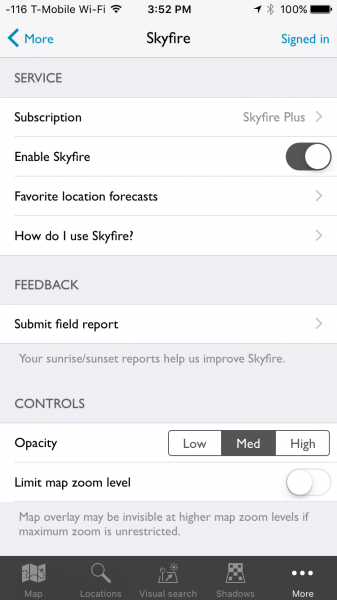
The first step in using Skyfire is to sign up for the service. Inside the More menu item in TPE is the main Skyfire control panel. Here you will find an option to turn Skyfire off and on, as well as manage your subscription. Crookneck is nice enough to offer a 30 free trial so you can see if the feature works well for you, before buying. Subscribing to the service, even in trial mode, will require creating an account with Crookneck, which is all done in-app.

Skyfire-Review-22

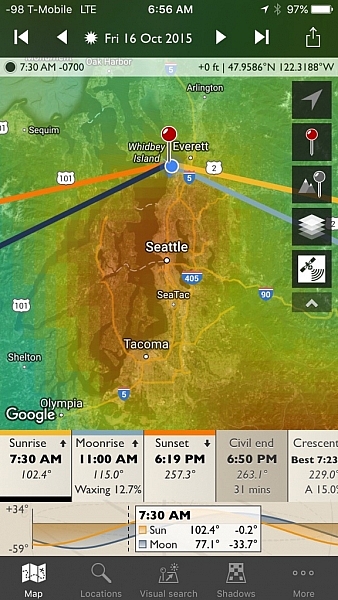
Once you either sign up for the service or activate the trial period, Skyfire’s basic functionality is very easy to use. Select a date for which you want to see a prediction – Skyfire Basic allows predictions up to two days in advance while the Plus subscription will show four days in ahead. Date selection is done by tapping on the date at the top of the screen, then simply scrolling until the appropriate one is selected.

Skyrife-Review-23

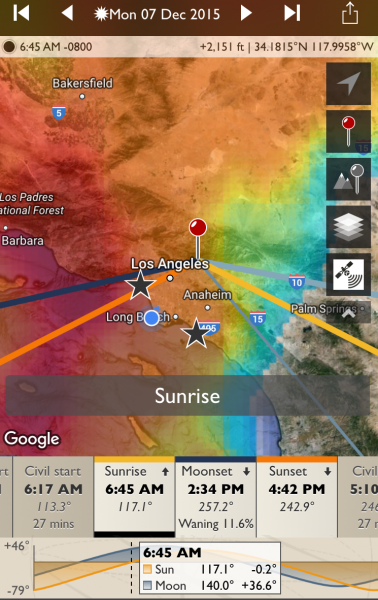
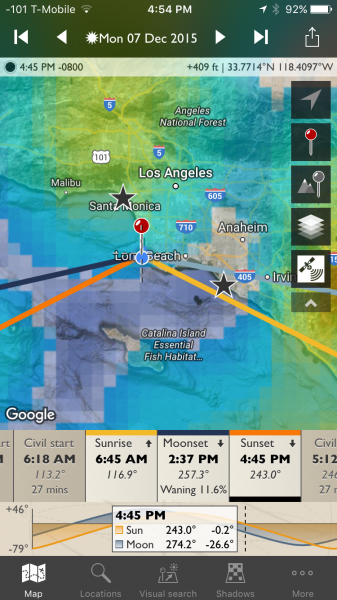
With the correct date selected, tap either the sunrise or sunset icons, from the timeline on the bottom of the screen. If you are zoomed-in too far, Skyfire will tell you to zoom out. Once you are zoomed out (by using a pinching motion on the screen) to the appropriate level, a semi-opaque overlay will show up with varying colors.

Skyfire-Review-24

No color overlay means no chance color and clear skies (the bottom right corner in the example above). You’ll still see the sunset or sunrise at that location, but the odds are there will be no clouds to take on color. The scale then follows the colors of the rainbow, more or less, to show slim chance (lighter blue) to high chance (red). In between are varying shades of blues to greens, and yellows to red. White means there will be cloud cover but no colors, and you likely won’t even see the sunset or rise.

It should be noted, the overlay color show the area where the greatest chance for sky color will occur. Meaning, it might be clear above you (no chance) but possibly red to the West. If you are deep in a valley you might not be able to see to the West, but if you’re on a mountain peak, you will know which direction works best.

How well does it work

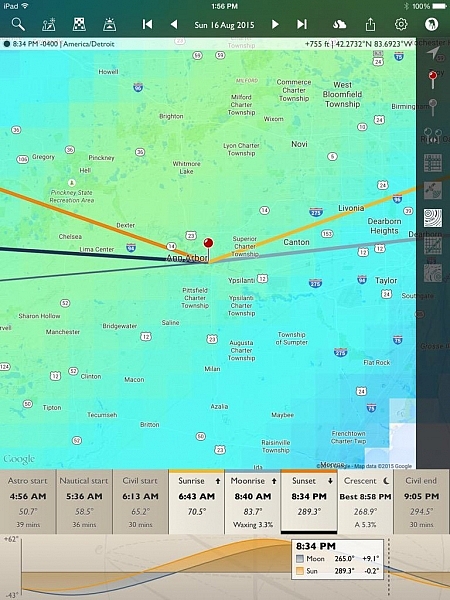
While I don’t have hard stats from years of testing to document Skyfire’s accuracy, but I do have my own experience, and that of two other photographers in various locations around the US who’ve tried it. I’ve used Skyfire in both Orange and LA Counties, California as well as Seattle, Washington. Rachel Cohen has tested the app in Ann Arbor, Michigan, while Richard Wong uses the app in the San Francisco Bay Area of California.

The short of it: Skyfire works well enough for my use as a professional photographer. I find its predictability to be within Crookneck’s stated goal of 80% accuracy (the app has an opt-in feature that allows users to send in photographic feedback of their experience which helps the company track accuracy and improve the product) and I have trusted it to get me out of bed early enough to catch pleasing sunrises.

Rachel used the app nearly every day during her 30 day trial and Richard tried it several times, including a trip to Quebec, Canada (note, while Skyfire only states coverage for the Lower 48 US, areas close to the border often get coverage as weather knows no border). “It’s great for traveling, as I can look up to four days ahead and get an idea of how to position myself best for the sunset, and what to expect in general on how colorful it might be”, Rachel commented when asked what she liked best about the app. Richard offered, “I like that Skyfire helps with coming up with ideas for shooting locations at sunrise / sunset. This especially comes in handy for sunrises to determine whether or not to set the alarm the night before.”

Skyfire-Review-25

Knowing Skyfire is not perfect, Richard mentioned, “Wind conditions need to be accounted for, and mountains. I drove 2+ hours to Point Reyes National Seashore expecting good odds of an explosive sunset, but it was cloudless when I arrived, with none in sight in any direction because the clouds had blown inland.” Rachel found that it’s best to fiddle with the zoom depending on your location, “I’m not quite sure where it loses its accuracy, but I can be at, or near a location, then look at the Skyfire app. What I see in the sky might not always represent what’s actually happening. If I zoom way out on the map, it seems more accurate than limiting zoom. Usually I try it both ways. Especially if traveling any distance.”

While the app shows the percentage for probability of photogenic cloud colors, it can’t predict just how amazing those colors will be. This type of knowledge comes with experience, and knowing local patterns.

My Results

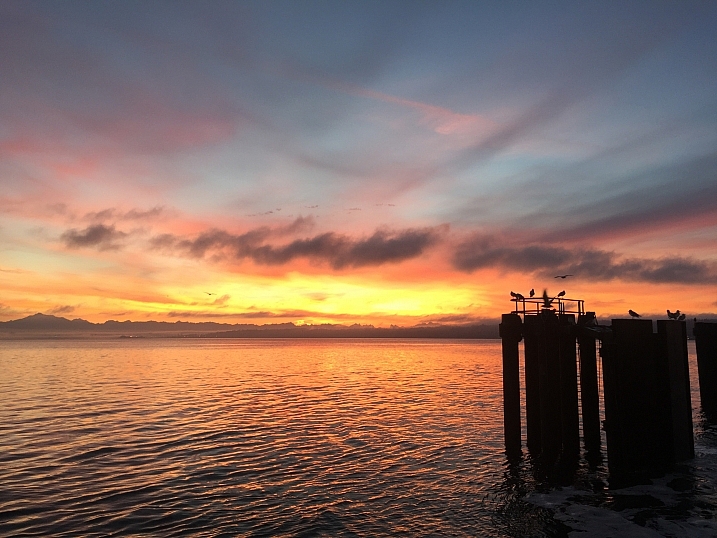
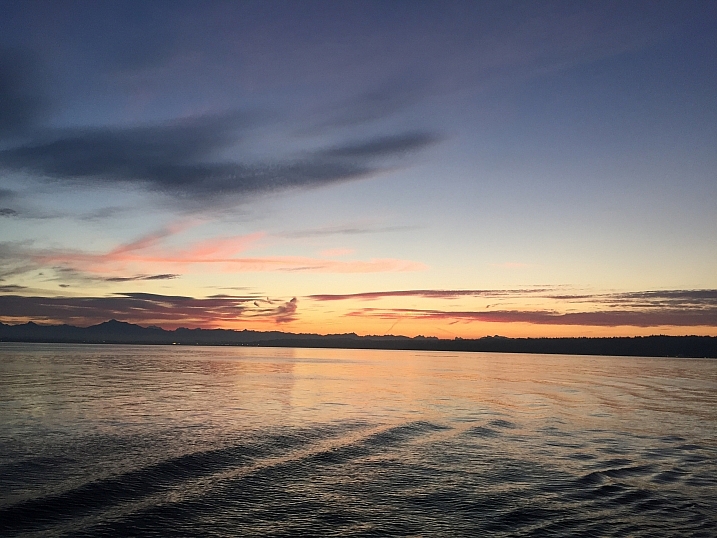
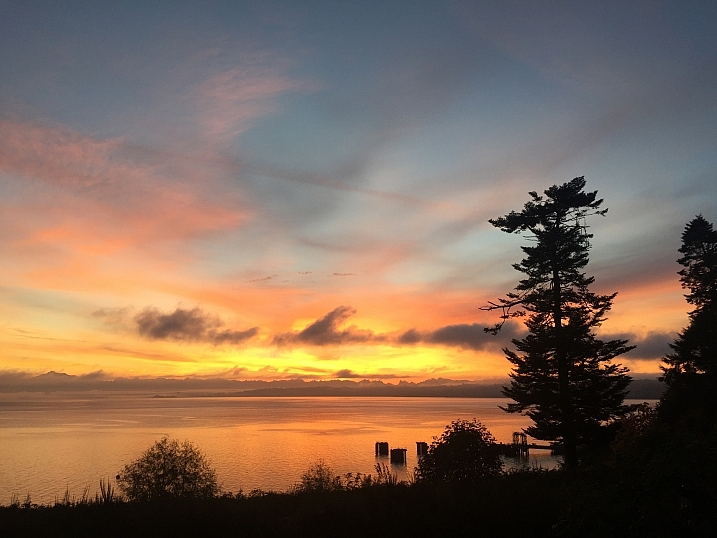
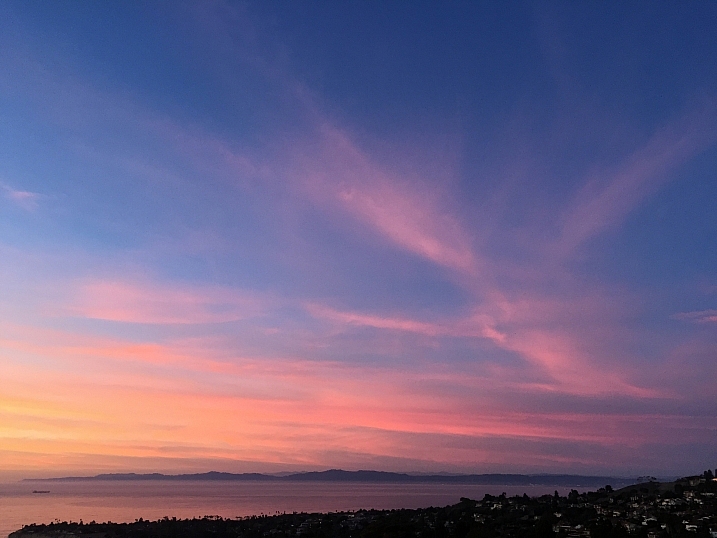
I’ve been testing and using Skyfire for a few month,s and as I mentioned, I’ve been happy with the product. While access to it was given to me in order to perform this review, I had initially paid for a three month subscription because I found it useful. Below are some examples of my results.

Skyfire-Review-9

Skyfire-Review-6

Skyfire-Review-7

Skyfire-Review-15

Skyfire-Review-16

Skyfire-Review-9

Skyfire-Review-10

This last one is where Skyfire said there as a low chance, but the sky had different plans.

Skyfire-Review-30

Skyfire-Review-29

Skyfire forecast push notifications

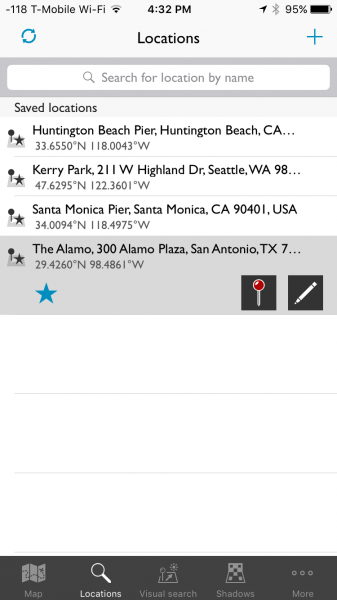
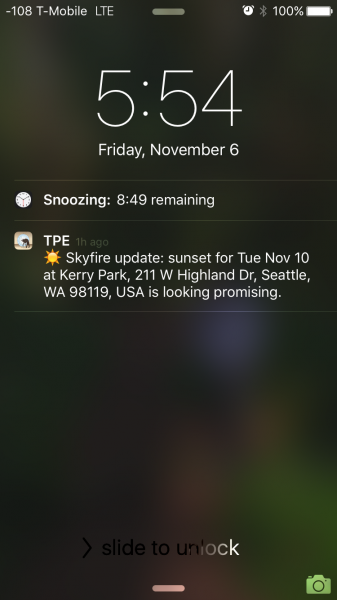
One of Skyfire’s strongest features works when you forget to check the app. You can set up push notifications (Skyfire Plus subscription required) inside the app, and it will notify you, based on percentage thresholds you set, when there are particularly high odds of great sunrise/sunset colors. You first pick your favorite locations via a simple search.

Skyfire-Review-28

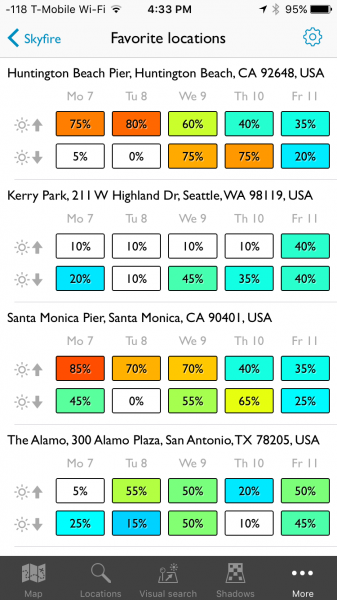
Skyfire will then keep track of your favorite locations and can show you the current predictions for each one.

Skyfire-Review-27

I’m heading to San Antonio tomorrow and I enjoy that the app helps me plan my tourism and photography. I know, as of right now, the sunset chance on my day of arrive is low, but the next morning is 50/50. So, I will check back tomorrow night, but in the mean time, I plan on making that morning an early one.

The notifications look like this:

Skyfire-Review-26

You can configure the notifications from one day in advance, to two or four days, depending on which subscription you opt-in for. Further, you can use the iPhone Do Not Disturb feature to make sure you aren’t receiving these texts when you are sleeping.

What’s next for Skyfire?

I got in touch with Matthew Kuhns and asked him what is next for Skyfire, he said:

“We are currently working on expanding the coverage area to Europe and Canada, which is challenging in that it requires some new forecast models to be created. And simultaneously we are working on the Android release for The Photographer’s Ephemeris plus a few other secret yet really awesome new features! The core service is also being analyzed and improved through the hard work of the entire team thanks for the great user feedback and field reports we receive. 

One hurdle many people don’t realize, is that most weather forecasts are broad stroke type predictions, and one of the biggest challenges with Skyfire is to take a broad forecast and nail down where the clouds will be exactly at sunset and sunrise, which is only a 20 minute window. Cloud forecasts are one of the trickiest parts of forecasting, and so developing ways to reliably analyze, interpret, and generate predictions based on these data sets is very challenging.

Conclusion

Skyfire is a robust feature inside TPE and for my money, it’s worth a yearly subscription. A hobbyist might opt for the Basic version, but as a professional who likes to hedge the bets in his favor, I prefer the Plus version. The push notifications are helpful for when I forget to check my phone. I have also found the app to be helpful for non-photography trips, such as the simple joy of enjoying a colorful sunset with my wife.

More information about the nuts and bolts of how the app is built can be found on Skyfire’s site.

Have you tried this app yet? What are your thoughts and results? Please share in the comments below.

Disclaimer: Skyfire was provided to the writer at no charge for the purpose of this review/article, but he was happy enough with it to purchase a subscription to continue using it. All reviews here on dPS are 100% unbiased opinions of the writers. 

googletag.cmd.push(function() {
tablet_slots.push( googletag.defineSlot( “/1005424/_dPSv4_tab-all-article-bottom_(300×250)”, [300, 250], “pb-ad-78623” ).addService( googletag.pubads() ) ); } );

googletag.cmd.push(function() {
mobile_slots.push( googletag.defineSlot( “/1005424/_dPSv4_mob-all-article-bottom_(300×250)”, [300, 250], “pb-ad-78158” ).addService( googletag.pubads() ) ); } );

The post Can the Skyfire App Predict Stunning Sunset Colors Days in Advance? by Peter West Carey appeared first on Digital Photography School.


Digital Photography School

 
Comments Off on Can the Skyfire App Predict Stunning Sunset Colors Days in Advance?

Posted in Photography