Tag: pics

  • Photography Challenge – Stunning Smartphone Pics

    You don’t need the latest greatest top of the line full frame DSLR to take good photos. But you do need to have a camera with you and to make use of good lighting and composition principles.

    This week it’s time to practice your Smartphone photography and share your images with us for the weekly challenge. But let’s take it up a notch, shall we?

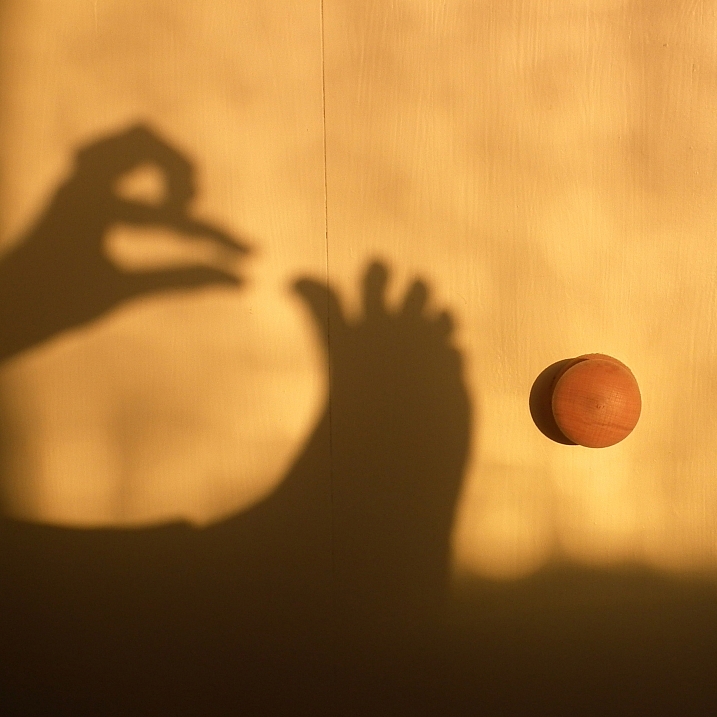
    Image by Beth Ringsmuth Stolpan

    The image above is a macro shot done with a Smartphone, read more on how to do that here: How to Get Stunning Macro Photos with Your Mobile Phone.

    Need more ideas? How about these:

    • Tips for Better Smartphone Photography
    • 9 More Great Apps You Need for Your Smartphone
    • 8 Ways to Use Your Smartphone for Photography

    Weekly Photography Challenge – Stunning Smartphone Pics

    Simply upload your shot into the comment field (look for the little camera icon in the Disqus comments section) and they’ll get embedded for us all to see or if you’d prefer, upload them to your favorite photo-sharing site and leave the link to them. Show me your best images in this week’s challenge. Sometimes it takes a while for an image to appear so be patient and try not to post the same image twice.

    Share in the dPS Facebook Group

    You can also share your images in the dPS Facebook group as the challenge is posted there each week as well.

    The post Photography Challenge – Stunning Smartphone Pics appeared first on Digital Photography School.


    Digital Photography School

  • 21 Pics of Tender Tootsies – Feet

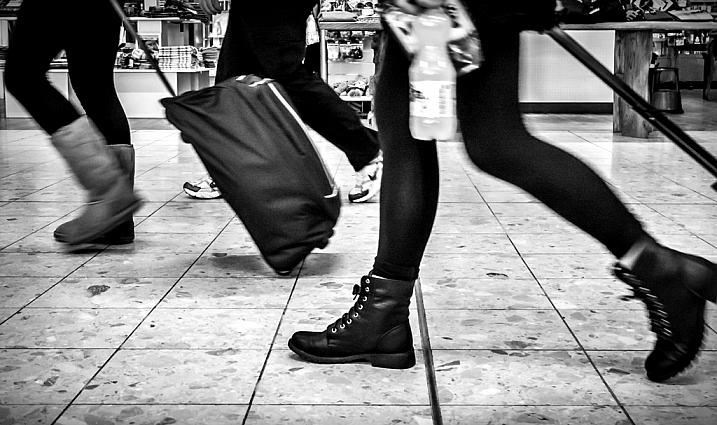
    One mistake new photographers often make is always shooting from the same point of view – eye level – and always looking for subjects at the same height.

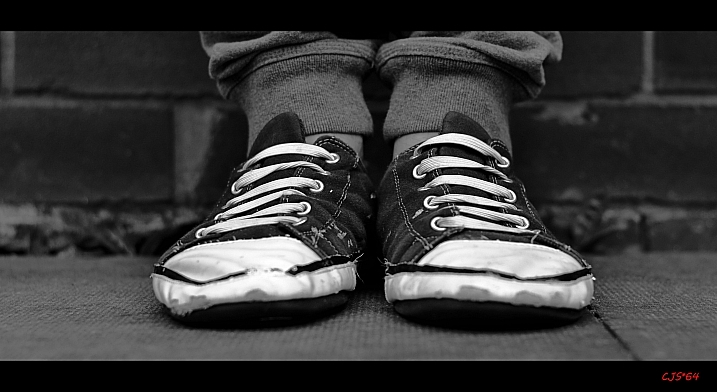
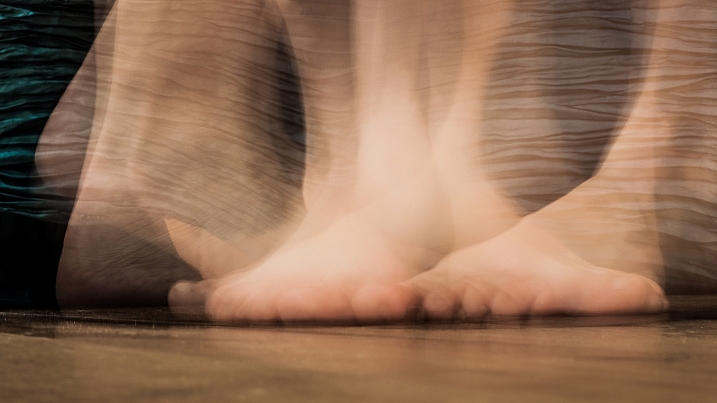
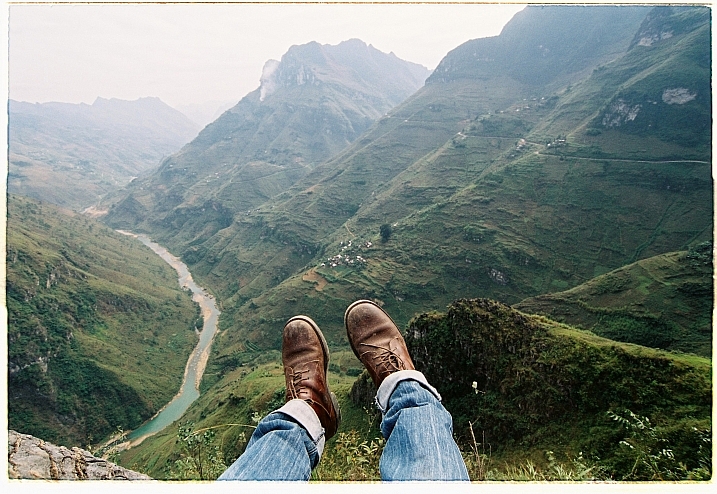
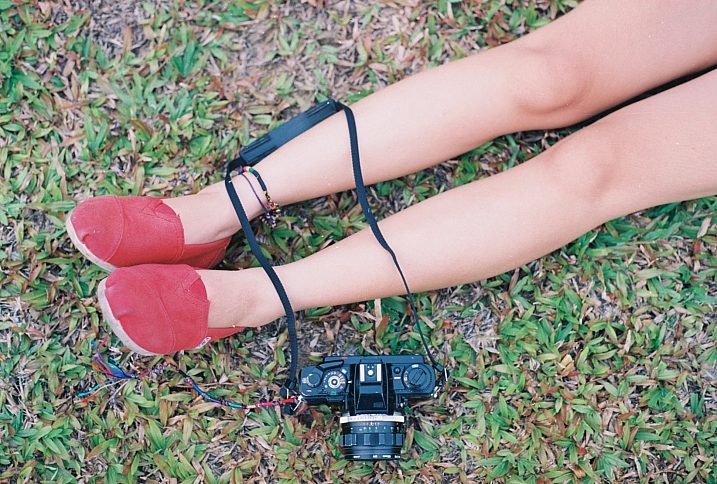
    This week I have found some photographers who looked at things a bit differently and chose to look down – to their own feet – or to other people’s shoes and feet. Here is a connection of images of feet (not all human necessarily) and shoes where the photographers chose to see a little outside the box.

    Images of feet and shoes

    MIKELIKEBIKE

    By MIKELIKEBIKE

    Mister G.C.

    By Mister G.C.

    Malia

    By Malia

    Caroline

    By Caroline

    Khánh Hmoong

    By Khánh Hmoong

    M I S C H E L L E

    By M I S C H E L L E

    Monroe's Dragonfly

    By Monroe’s Dragonfly

    Craig Sunter

    By Craig Sunter

    Ariel H.

    By Ariel H.

    Tomstar3000

    By tomstar3000

    Maria Teresa Ambrosi

    By Maria Teresa Ambrosi

    Khánh Hmoong

    By Khánh Hmoong

    Michael Frank Franz

    By Michael Frank Franz

    Litherland

    By litherland

    James Jordan

    By James Jordan

    Dean White

    By Dean White

    Juan Antonio F. Segal

    By Juan Antonio F. Segal

    Girl/afraid

    By girl/afraid

    Khánh Hmoong

    By Khánh Hmoong

    AndriuXphoto

    By andriuXphoto

    Donnie Ray Jones

    By Donnie Ray Jones

    googletag.cmd.push(function() {
    tablet_slots.push( googletag.defineSlot( “/1005424/_dPSv4_tab-all-article-bottom_(300×250)”, [300, 250], “pb-ad-78623” ).addService( googletag.pubads() ) ); } );

    googletag.cmd.push(function() {
    mobile_slots.push( googletag.defineSlot( “/1005424/_dPSv4_mob-all-article-bottom_(300×250)”, [300, 250], “pb-ad-78158” ).addService( googletag.pubads() ) ); } );

    The post 21 Pics of Tender Tootsies – Feet by Darlene Hildebrandt appeared first on Digital Photography School.

    Digital Photography School

  • Take Better Pics Through Windows

    The windows of high rise buildings offer the best city views. Capturing that view, without reflections that make the city look like it’s under alien attack, can be a frustrating venture.

    QT Luong, a photog famous for capturing all 59 US National Parks in large format, offers up some advice on avoiding window pain.

    We love his “oh duh” tip of cleaning the window as well as the more advanced advice like ensuring the window is shaded from sunlight, using a rubber hood or dark cloth to make a seal with the window and removing your polarizing filter. Techniques that work well for DSLR and phone cameras alike!

    Photo by QT Luong


    © Erin for Photojojo, 2015. |
    Permalink |
    No comment |
    Add to
    del.icio.us

    Post tags:


    Photojojo

  • Storage Issues, Begone! More Space for More Pics

    We’ve all seen that dreaded “out of storage” notification pop up on our phones.

    (And usually at the worst times.)

    But no need to fear! We’ve teamed up with our pals over at Trunx, who’ve provided a super handy guide to help you conquer the storage war on your iOS device.

    So take note, ’cause more space means you’ll never have to miss out on an awesome photo op again!

    5 Tips for More Device Storage

    (…)
    Read the rest of Storage Issues, Begone!
    More Space for More Pics (606 words)


    © Taylor for Photojojo, 2015. |
    Permalink |
    No comment |
    Add to
    More Space for More Pics”>del.icio.us

    Post tags:


    Photojojo

  • Live Pics io – a Way to Live Share your Photos

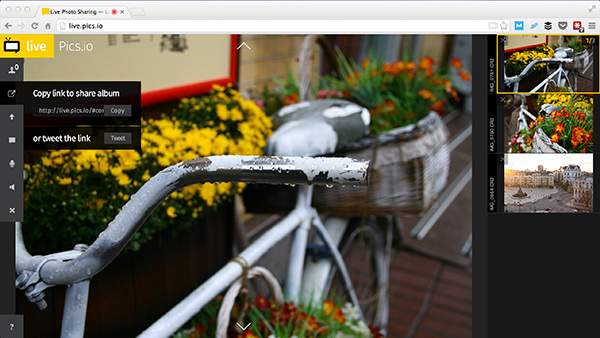
    LivePicsio ScreenIt happens all the time. You came from a shoot, moved everything from memory cards and… your phone rings. It’s your friend and he wants to see what you’ve got. Right now.

    That’s not always so easy, especially if you are shooting RAW. You need to export images to JPEG, upload somewhere, send your friend a link and occasionally explain what to do with this link in a series of emails. Things get even harder if it’s a client and you want to get directions before starting the post-processing step.

    I have a good news. Just recently appeared a new web-service that leverages HTML5 and WebRTC technologies to deal with situation in a new way.

    Live Pics io is a service for live photo sharing.

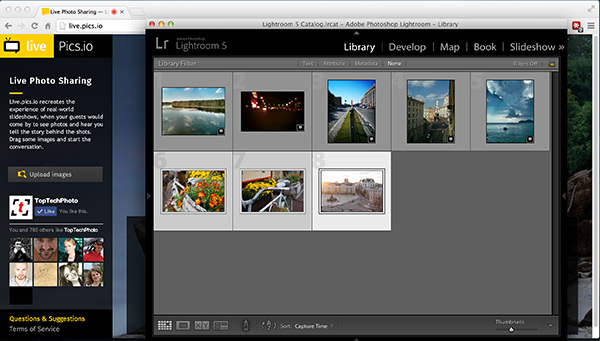
    The sweetest part – it integrates seamlessly into your existing workflow. Here’s what you need to do to show someone a photo-shoot from within Lightroom:

    Step 1. Run Lightroom and select a number of images from your recent shoot.

    Step 2. Open Chrome or Firefox and type https://live.pics.io into the address bar. Allow the app to use your microphone and check that it’s connected to a computer (in case you use an external one).

    Step 3. Drag and drop the images from Lightroom to the browser window.

    LivePicsio Lightroom

    Live.pics.io supports CR2 and NEF formats, so if you’re Canon and Nikon owner it should work perfectly (Editor’s note, I tested it with a DNG and that worked also)

    Step 4. Copy share album link to your clipboard.

    Copy link

    Step 5. Send it to your friend/client via IM, Skype or something else. Note, that they have to enable their microphone too and use the same browser (and not the mobile version).

    Facebook message

    Step 6. Navigate to the next image using arrow keys or simply clicking on a thumbnail. The image will change on your friend or client’s screen keeping you in the same context.

    Note that images aren’t compressed. They are always displayed as is. But without the possibility to save an image (right-click protection).

    Step 7. You can start another session simply reloading the page.

    Important! Don’t close the window or the session will be closed and they won’t see anything. This is for real-time communication, nothing’s getting saved on servers.

    P.S.: if you want to show images to more than one person, it’s totally ok. Send the same link to others.

    The post Live Pics io – a Way to Live Share your Photos by Konstantin Shtondenko appeared first on Digital Photography School.

    Digital Photography School

  • Lucky Rainbow: Time Lapse Pics of Traffic Light Piercing Fog

    [ By WebUrbanist in Art & Photography & Video. ]

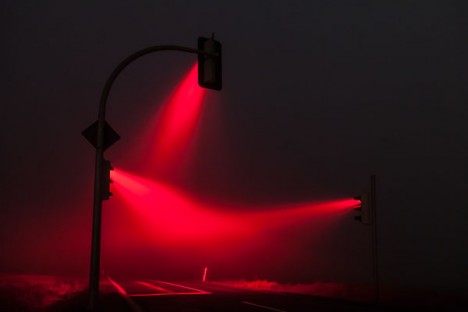
    time lapse light

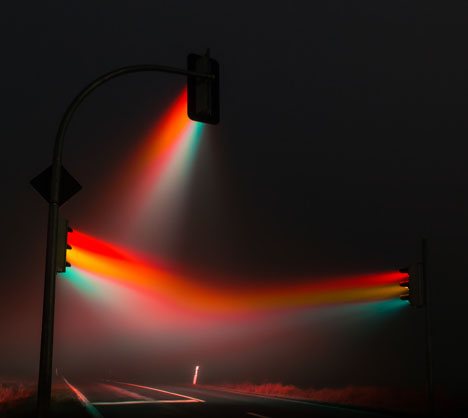
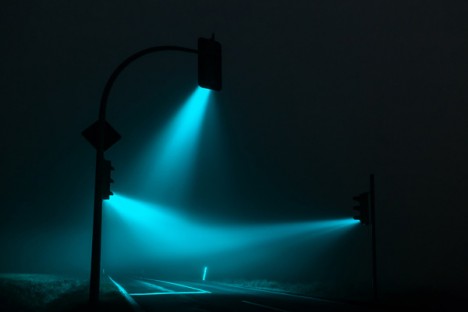
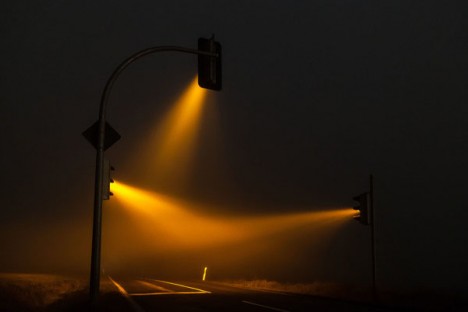
    The right place, proper timing and a keen eye conspired to help a photographer capture this eerie nighttime phenomena at a crossroads outside of Weimar, Germany.

    rainbow night light green

    rainbow night light yellow

    rainbow night light red

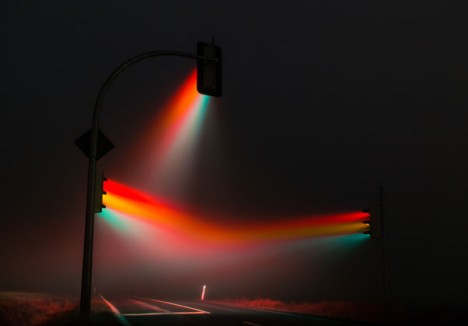
    German photographer Lucas Zimmermann found and shot this intersection at each stage of the its cyclical change, capturing green, yellow and red.

    rainbow light full spectrume

    He also went a step beyond the sequential with one particularly impressive shot spanning the entire cycle, creating a rainbow in the mist.

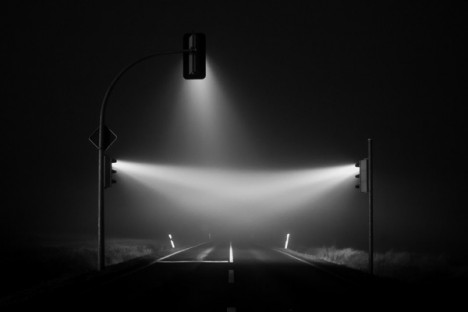
    rainbow light black white

    His other work spans from the rural United States to the streets of Beijing, but usually focuses on people over places – this set, however, proved a worthy exception.

    Share on Facebook


    [ By WebUrbanist in Art & Photography & Video. ]

    [ WebUrbanist | Archives | Galleries | Privacy | TOS ]


    WebUrbanist

  • Flickr Commons marks 5-year anniversary with galleries of most-viewed pics

    flickr-logo-5221212.png

    Flickr Commons is five years old, and to celebrate, Flickr has created galleries of the most viewed, ‘favorited’ and commented-upon images. Commons was launched in 2008 with 1500 photos, in partnership with the US Library of Congress. Five years later, the collection of public domain photographs boasts more than 250,000 images. Click through for more information, and links to the galleries of most popular images in the growing collection. 

    News: Digital Photography Review (dpreview.com)

  • nikon L120 pics

    Pictures from my nikon L120. ty for 40000 views signup.leagueoflegends.com

    Vegas Mode, LED tests and fader cycles. Control Room 4, Music Industry Arts, Fanshawe College, London Ontario.

  • IMVU Pic Enhance and Design on PS CS5 (Two Avi Pics) 1/4

    Just speed video of how i enhanced and designed my avi pictures. also, tips on quicker ways to use your tools (shortcuts) instead of moving the mouse to click on it every time. There are some mistakes but sorry about that lol. I hope you like it =3 please leave a comment Songs: Nicki Minaj – Did it on em Pitbull ft T-pain – Hey baby (Drop it to the floor)
    Video Rating: 3 / 5

  • sunset pics

    sunset pics more at : www.KOMaRKKo.PL.story.pl
    Video Rating: 5 / 5