[ By Steph in Design & Furniture & Decor. ]
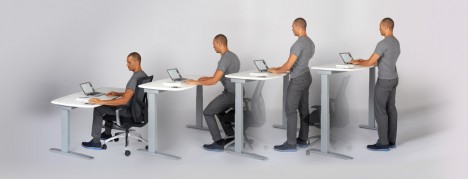
Ready or not, it’s time to stand up when this kinetic desk starts to rise on its own, ensuring that you don’t spend too much time in an unhealthy seated position as you work. Studies have shown that parking ourselves in chairs for eight hours or more per day can lead to organ damage, foggy brain, a strained neck, muscle degeneration and other negative effects. Experts recommend alternating between sitting and standing – and now there’s a high-tech desk that will help you do just that.
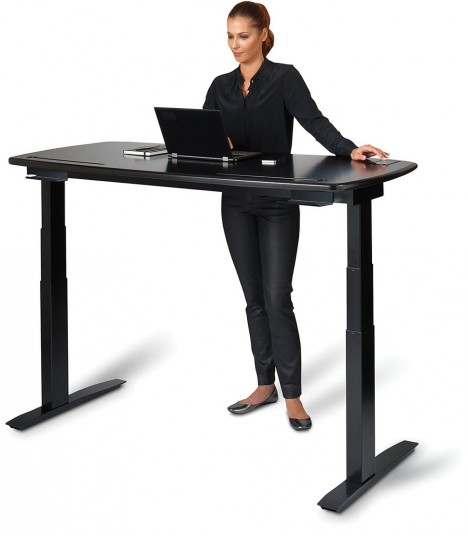
The Stir Kinetic Desk gently raises and lowers itself at pre-set intervals, to custom heights of your choice. A built-in touch screen on the desk surface enables you to check your daily stats, telling you how long you’ve spent in each position and when your next adjustment should be.
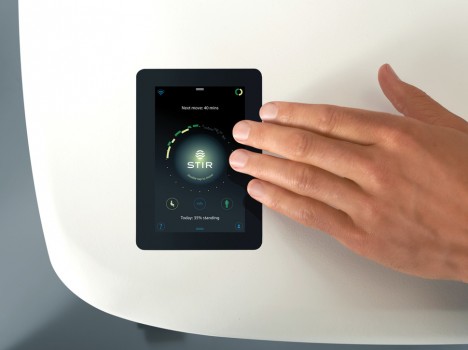
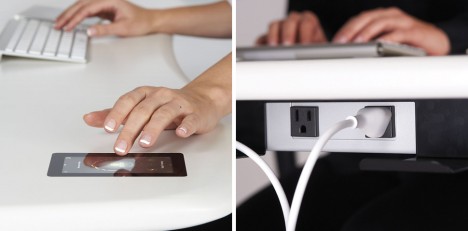
You just double-tap the home screen to move the desk to its next position when desired, using a slider to create your desk height presets. A function called ‘Whisperbreath’ creates a gentle one-inch rise and fall of the desk surface to signal you that it’s time to stand up so you don’t have to stop what you’re doing.
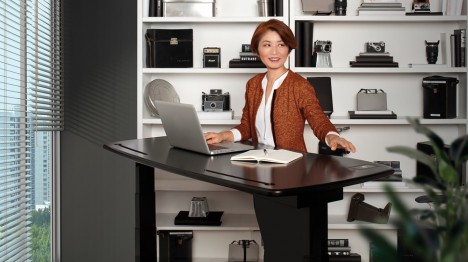
The creator calls it a “non-wearable wearable,” i.e. a fitness-tracking gadget that works in a similar way to smart watches and Fitbits. You can also synch other fitness tech to track how many calories you burn while standing. The cost of “the world’s most advanced desk” clocks in at $ 2,990.
Want More? Click for Great Related Content on WebUrbanist:
Refold Workstation: Mobile Flat-Pack Cardboard Standing Desk
Two student designers have seen the future and building toward it with a flexible, foldable, affordable and recyclable cardboard desk that support the weight …
Click Here to Read More »»
Drop-Leaf Desk: Small Side Table Converts into Work Surface
Designed as carefully as it is hand-crafted, this Tablet Desk has a deceptively streamlined look that hides a series of modular features and space-saving …
Click Here to Read More »»
12 Offbeat Office Interiors & Innovative Desk Designs
Offices don’t have to be drab and unimaginative, as proven by these 12 modern, playful, clever office interiors and furniture designs.
Click Here to Read More »»


[ By Steph in Design & Furniture & Decor. ]
[ WebUrbanist | Archives | Galleries | Privacy | TOS ]