What is the most important Purchase?
Some sort of Data Backup, any sort!
This is an educational announcement, no inspiration here just wisdom. If you already have an automatic backup system in place skip this blog post and look at my gallery instead. If you don’t have an automatic backup system then keep reading.
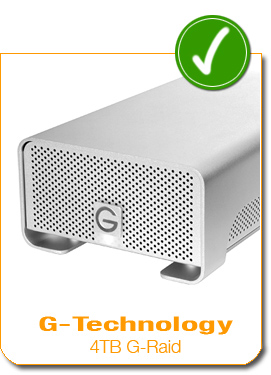
I just purchased this one week ago after my 1TB version was all filled up. This won’t be a technical review of hardware… so if you’re looking for that look elsewhere.
So why is this the most important purchase?
You will suffer a hard drive failure at some point in your life, unless you’re ridiculously lucky. When it happens it will either be the biggest stress that you’ve faced in a long, long time or it will be a minor inconvenience… YOU get to decide what it will be RIGHT NOW!
Common Types of Backup Available
- Online Backup Sites (like Carbonite or Intronus or Mozypro)
- Internal Raid (duplicate harddrives with mirrored data)
- External Harddrive (Using Apple Time Machine)
- Manual backup onto CD/DVD/Microdrive
So of all those I opt for option 3. External Harddrive. Is it as secure as other backup options? Well it does not always protect data in the case of rare events like war, floods, hurricanes, or Dick Cheney hunting accidents… things like that, but it does protect against a much more common form of data loss – unexpected and unannounced harddrive failure.
Backing up with a Mac is about the easiest thing you’ll do in your life. To start automatic backups all you do is open your system preferences, click on time machine, select the backup drive, turn the BIG switch from Off to On.
You’re finished.
You can tweak the settings if you want but the backup starts immediately, once backed up it continually updates the backup file. And it really does work like a time machine, you can open a folder and choose whatever version of a particular file you want to back up to within the last several days… distance of time in the past depends on the size of backup space available.
Why do I Use G-Technology?
I like these external hardrives from G-Technology for a couple reasons. Not only do they look sleek they also run nearly silently, they are pretty durable (I haven’t broke one yet) and work right out of the box with Mac (and work well).
I’m going to be honest, I don’t know a ton about hardware… but this is my third or fourth drive from G-Tech and I’ve had no problems with any of them. They also get good reviews… if you find a better external harddrive I’d love to hear about it in the comments.
In the mean-time do yourself a favor and pick one up… here’s the one I bought (August 2010), you may need much less or much more space than me… look around and find a solution that fits you!
G-Technology 4TB G-Raid External Harddrive Array
Whatever you do, don’t wait until you learn the hard way!
Once the first backup of all your data finishes and you have two copies of everything you will sleep much better at night… trust me.

Jake Garn Photography


