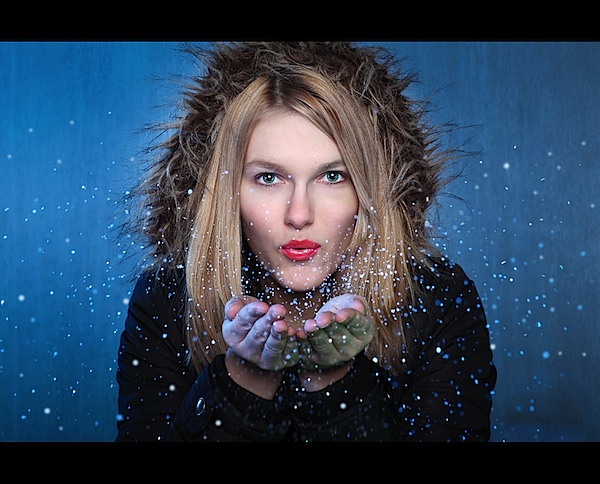
Recently while surfing through some shots on Flickr I came across the shot above – taken by CT Pham (aka Phamster on Flickr).
The shot was eye catching and an interesting portrait and under it was a description of how it was taken with a link to see some behind the scenes shot. I messaged CT Pham to see if he’d be willing for us to share it on dPS and he agreed. Here’s the behind the scenes info. I’d love to see some shots inspired by this in comments below!
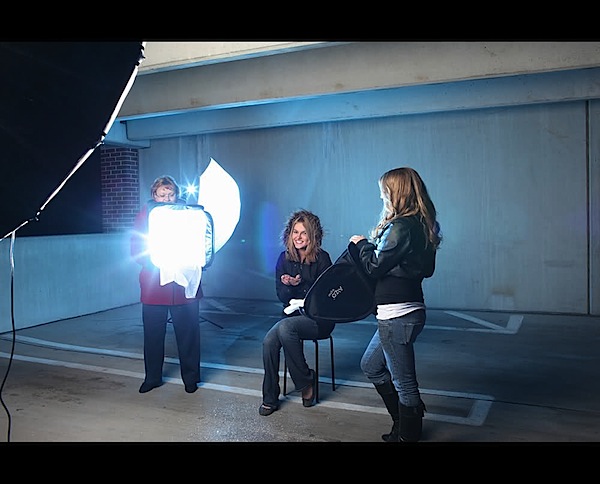
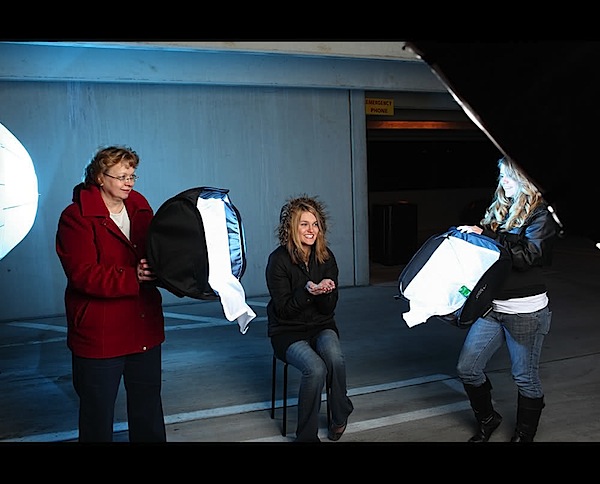
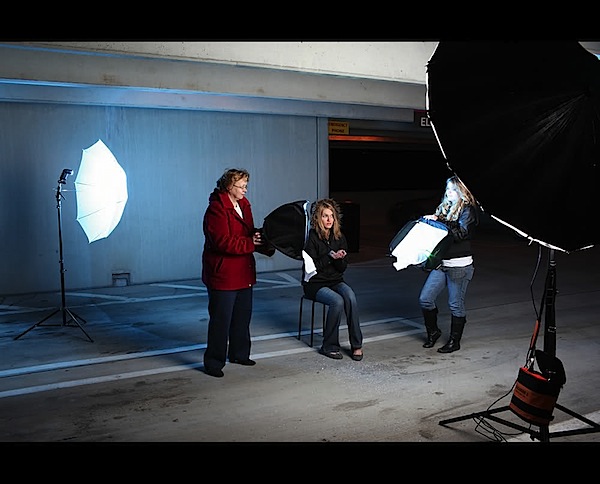
This shot was done in a parking garage with 3 speed lights and a single alien bee strobe AB1600.
I had the glitter cross lit by 2 speedlights gelled with blue and green (the green wasn’t showing up too well).
It is a project I have been thinking of doing for a while and hadn’t had a chance – but last night presented it self.
Setup:
- 1 speed light in the rear and a shoot thru for the wall and partial side lighting
- 2 speed lights for the cross lighting
- 1 AB 1600 for the key light 64PLM was used
- all speed lights were full power
- the AB1600 was just below 1/4 power being it was really close to Katie
- lots of glitter was used – LOL. Really fun shot!
Camera: Canon EOS 5D Mark II
Exposure: 0.006 sec (1/160)
Aperture: f/9.0
Focal Length: 85 mm
ISO Speed: 500
Exposure Bias: 0 EV
Flash: Off, Did not fire
Here are the behind the scenes shots of the setup!
Check out more of Phamster’s work on Flickr or on his site.
Post originally from: Digital Photography Tips.
Check out our more Photography Tips at Photography Tips for Beginners, Portrait Photography Tips and Wedding Photography Tips.
Glitter Portrait: How I Took It
