RSS
 

Posts Tagged ‘Free’

21 March, 2013 – Three Free Streaming Videos about Phase One’s New Backs

21 Mar

Following a visit with Phase One executives last week, I have produced three new short streaming videos.

The first is a long exposure field test with the IQ260 back, the second is a look at wireless tethering with the new IQ200 series, and the third is an interview with Jacob Frost, team leader for the Capture One software development group.

We hope that you enjoy these, along with the interview with Phase One‘s CEO published a few days ago.


 "Every time I go back to a module I had already seen, I learn additional things.  I have never seen tutorials that have the excellent mix of what the features are, 
how to use them, enough of the under-the-hood information 
and concepts so that I can utilize the features creatively and efficiently, 
and just enough humor to keep the motivation level high.  Wow!" 


The Luminous Landscape – What’s New

 
Comments Off on 21 March, 2013 – Three Free Streaming Videos about Phase One’s New Backs

Posted in News


Freepik: Free Vector and PSD Files

26 Feb

We all like having different resources at hand, be it graphic design, getting inspiration or just plain images to embed into articles. It would be so good if we didn’t have to be looking for resources in different websites until we find what we want, wouldn’t it? Here’s where Freepik comes into our lives, giving us those much needed graphic Continue Reading

The post Freepik: Free Vector and PSD Files appeared first on Photodoto.


Photodoto

 
Comments Off on Freepik: Free Vector and PSD Files

Posted in Photography


LAST CHANCE to Get these Free Bonuses with Our new Portraits eBook

20 Feb

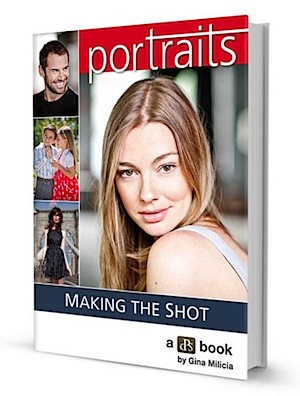
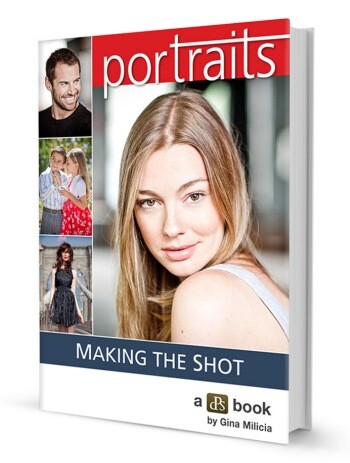
Portraits_cover-3501.jpegOver the last few weeks we’ve launched our brand new Portraits eBook – Portraits: Making the Shot – written by Aussie celebrity photographer Gina Milicia.

But our launch special is about to end in the next 48 hours (details below).

The eBook has already become one of the best-sellers in our library and we’ve had some lovely bits of feedback like these:

“Absolutely brilliant book – I am so glad I bought it! It was worth every penny. There are so many good things in it and I feel completed validated as a new photographer, spending the last 3 years learning as I go! Just lovely! And so helpful. Thank you.” – Christina Dithmar

“Just finished reading your ebook and really enjoyed its simplicity. It’s a great place to start for those new to portrait photography and something I will refer to often for good overall basic knowledge. Thank you.” – Tracy Wilkinson

“just wanted to let you know l really enjoyed your book – especially your style of writing and the way you de-mystified lighting especially!” – Gabbie Hine

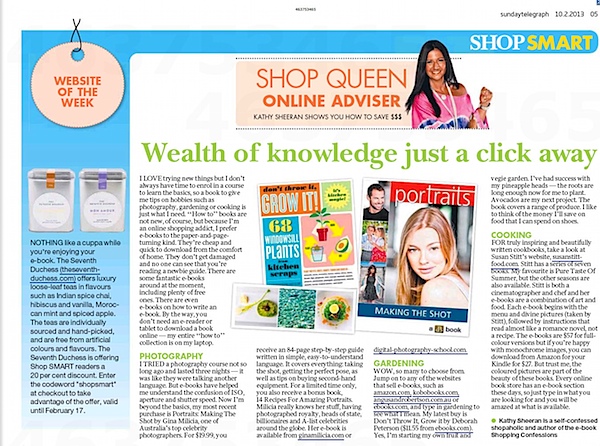
We’ve also seen some great coverage on other blogs and even in the media about the eBook. Here’s one we saw in the Sydney Sunday Telegraph:

MTS_ST_FEB2013.jpeg

Launch Special: Ending in 48 Hours

As a launch special we have two bonuses on offer that both end in 48 hours:

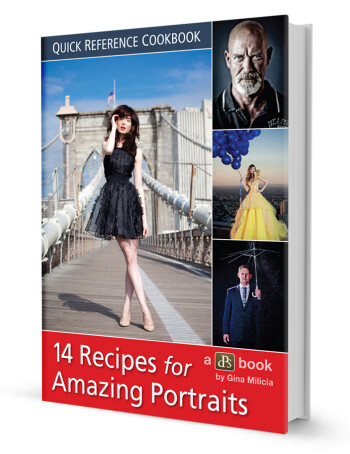
  1. We are throwing in a free bonus eBook from Gina called ’14 Recipes for Amazing Portraits’ in which Gina walks you through 14 of her favourite shots and gives you tips and techniques on how to recreate them.
  2. Everyone who picks up Gina’s eBook goes in the draw to win $ 1000 worth of lenses (you choose what you want to the value of $ 1000) PLUS 3 hours of personal mentoring with Gina to help you improve your portrait photography

Both of these bonuses end at midnight US Eastern time on Friday 22nd February.

Grab Your Copy Today

As with all our eBooks Portraits: Making the Shot is covered by a 60 day money back guarantee (if you don’t find it helpful just let us know and we’ll refund your money) so you can have confidence that it and the bonus Recipes eBook will be a worthwhile investment in your photographic learning.

Learn more about the eBook here or pick up a copy by clicking the ‘Download it Now’ button below.

// < ![CDATA[ function EJEJC_lc(th) { return false; }

// ]]>

Post originally from: Digital Photography Tips.

Check out our more Photography Tips at Photography Tips for Beginners, Portrait Photography Tips and Wedding Photography Tips.

LAST CHANCE to Get these Free Bonuses with Our new Portraits eBook


Digital Photography School

 
Comments Off on LAST CHANCE to Get these Free Bonuses with Our new Portraits eBook

Posted in Photography


Free Tethered Shooting Script for Nikon

29 Jan

*NOTE* This describes a very out of date version. View the blog to see the latest with ISO, WB, A, S and other controls including time lapse. How to use my script from www.diyphotobits.com to shoot a Nikon camera tethered to your PC for instant on-screen viewing of images as you shoot them.
Video Rating: 5 / 5


Pick Up Our Brand New Portrait eBooks and Get a Free One [Limited Time Only]

23 Jan

Portraits_cover-350.jpgToday I have great pleasure to announce a brand new dPS eBook that I know is going to help a lot of people improve their portrait photography!

Every time we survey our readers on what type of photography they do most – Portraiture comes in as the #1 response.

So over the last year I’ve been on the look out for a great portrait photographer to write a comprehensive guide to the topic. When I met Aussie celebrity photography Gina Milicia last year I just ‘knew’ she’d be great at it and was so excited when she agreed.

Gina’s new eBook is available today – it is called Portraits: Making the Shot and if you pick it up during its launch we’ll throw in a special bonus eBook with it for free.

What this Portraits: Making the Shot Covers

Gina has broken down her guide to portraiture into 5 great sections:

  • The Rules: learn the 10 commandments that Gina uses to guide her photography to consistency (and brilliance)
  • The Gear: discover the best portrait gear with some tips on buying great second hand additions to your kit.
  • The 3 Amigos: This is where many beginner photographers get themselves into a twist, but it’s a lot simpler than you might think. Learn how aperture, ISO and shutter speed work together.
  • The Lights: Step-by-step instructions on using light meters, balancing daylight and flash and creating beautiful skin tone.
  • The Moves: Every pose you’ll need and how to create it, as well as tips on finding inspiration, the importance of preparation and insider tricks on directing the shot.

Free Bonus Portrait Recipes eBook

As a companion to Portraits: Making the Shot Gina also put together a 2nd great ‘Recipes’ eBook in which she shows 14 of her favourite portraits and shows you the ingredients she used to take the shots. In each recipe you’ll learn about how Gina set the scene, what gear she used, how she lit the image, what settings she chose and how she posed her subject.

Once you understand how these different ingredients work together, you can begin to create your own signature style of shooting portraits.

This Recipe eBook will normally retail for $ 9.99 but pick up Portraits: Making the Shot today for $ 19.99 and we’ll throw it in for free as an early bird bonus (effectively a 33% discount).

Pick Up a Copy Today

As usual Portraits: Making the Shot is covered by a 60 day money back guarantee (if you don’t find it helpful just let us know and we’ll refund your money) so you can have confidence that it and the bonus Recipes eBook will be a worthwhile investment in your photographic learning.

Learn more about the eBook here or pick up a copy by clicking the ‘Download it Now’ button below.

// < ![CDATA[ function EJEJC_lc(th) { return false; }

// ]]>

Post originally from: Digital Photography Tips.

Check out our more Photography Tips at Photography Tips for Beginners, Portrait Photography Tips and Wedding Photography Tips.

Pick Up Our Brand New Portrait eBooks and Get a Free One [Limited Time Only]


Digital Photography School

 
Comments Off on Pick Up Our Brand New Portrait eBooks and Get a Free One [Limited Time Only]

Posted in Photography


Free Online Tools For Websites

15 Jan

Online Generators for Web Designers can be a great way to save time in your web design projects. High-quality generators can create graphics or code or even layouts in a matter of seconds or minutes, things that might take an hour or more if done by hand. Online generator are those tools that help us to create those popular “XHTML valid” CSS banners, micro buttons or css website templates in seconds. In such cases online generators can be of great help which do the necessary job and some tools don’t have to be downloaded also. We all know that backgrounds play a crucial role in a design. Web Designers sometimes spend a lot of time in making pattern or stripe backgrounds and there are also tool to help you out here. In this article, I have listed some of the online generators that can save you some time and still give you great results.

XML Charts
XML /SWF charts are used to create attractive graphs and charts from XML data, Create a source either manually or generate dynamically then pass it to the XML chart’s flash file.

Web Form Generator
The web form generator from Web Form Factory automatically generates he necessary backend code to tie your form to a database.

Typetester
Typetester is used to compare three different type of fonts on screen making your designing job easier , Just specify the specifications and compare them

256 Pixels
256 Pixels creates favicon designs where you can upload a picture or color the pixels by choosing any color and save it or create a favicon for any new challenges posed by the website.

80 x 15 brilliant Button Maker
Create 80 x 15 dimension buttons with 80 x 15 brilliant button maker where you can customise by setting the borders, left and right boxes and uploading the images separately for left and right boxes.

AJAX Info
Create your own AJAX loader icon by selecting the type of indicator, background and foreground color and clicking in ‘Generate It’.

AJAX loading GIF generator
AJAX Loading GIF generator create your AJAX loading GIF image by defining the indicator type, background color, foreground color and controlling the speed of the loading indicator.

Background Maker
A unique background maker where you choose the colors from the pixelised tile which depicts the tiled background and fill each tile or pixel with a different color to watch it live in the background as a pattern.

Background Patterns
Tiled background designer is quite an interesting tool to create tied backgrounds which allows you to change the background color, size of the canvas, image to be displayed and also rotated your tiled design as per your design.

Color Scheme Designer 3
Color Scheme Designer 3 has a really fantastic user interface that’s both attractive and easy to use. Just select a color, the type of color scheme you want to create (mono, complement, triad, tetrad, analogic, or accented analogic) and then make adjustments. It also lets you preview the color scheme right in light and dark website layouts

Kuler
Adobe’s Kuler is one of the best color scheme tools available, with multiple options for both creating and finding color schemes. To find a color scheme created by someone else, you can search or browse by newest, mot popular, highest rated, or random. They also include tools for creating a color scheme based on an images.

Adhesiontext
Adhesiontext creates dummy text for various languages, including specific characters. In addition to Latin characters, you can also create dummy text in Cyrillic, Greek and Arabic.

pForm
pForm is a free HTML form builder. Just choose from their pre-designed templates and then customize your form. It’s fast and they have a good selection of form designs to choose from.

Badges
Badges can be used to display a big ‘Beta’ message on your website or emphasize a price or a promotion. No web 2.0 site is complete without one.

Barcode Generator
Barcode label printer is an online barcode generator where a CGI form is used to enter a text and generate a printable and scannable barcode in Interleaved 2 of 5, Code 39, Code 128 A, B, or C symbologies.

Buttonator
Buttonator is a free web button maker to create your own personalized web buttons. You can customise the button’s font, color, style and apply different effects for your button.

Font-Face Kit Generator
This @font-face kit generator from Font Squirrel lets you create full kits for any font you can legally use with @font-face.

Showdown
Showdown is a port of Markdown in JavaScript. Just type in some markdown text and it will output HTML for you.

Faary
Faary lets you create forms quickly and easily, by just entering the form elements in a list format.

Pure CSS Menu
This site lets you create a menu with dropdowns that only uses CSS, no images. It’s simple, but it’s also quick to set up.

CSS Sprite Generator
To create CSS sprites with this generator, just zip all your images and upload them. Specify the space you want between images, as well as the aspect ratio, build direction, and if there should be a background or transparency color, as well as your image specs and any CSS specs you want. It will output the sprite file, as well as the CSS for each image.

CSS Menu Generator
This generator is great for when you just need a quick, simple drop-down menu.

Tabs Generator
You can choose height and width, border size, corner radius, background color and style, fill style and colors, and orientation.

Favicon Generator
This Favicon Generator lets you create a favicon from scratch or based on an image you upload.

Color Mixer
Create a new color by mixing colors, Color /mixers is a fun tool to fine tune and fiddle with a color with editable RGB colors and adjustable lightness and darkness.

Tartan Maker
Plaid backgrounds aren’t often seen in web design, and part of that is likely due to the complexity of creating a tiling plaid pattern. Tartan Maker makes it as easy as choosing a few colors and using sliders to determine the size and boldness of your plaid.

Stripe Generator 2.0
Stripe Generator 2.0 lets you create repeating-stripe backgrounds. Just choose size and spacing, colors, stripe orientation, shadow, and background style.

Stripemania
Stripemania is a striped background image generator. Pick the strip width and spacing, the orientation, and the colors, and it generates a repeating stripe pattern.

CSS Border Radius
All you have to do is enter the border radius for each corner. It automatically fills in all four when you enter the first one, but you can then change each one individually.

CSS3 Sandbox
This CSS3 Sandbox has five different generators: linear gradients, radial gradients, text properties, box properties, and transforms.

CSS3.0 Maker
Here’s another CSS3 generator that lets you create a variety of different effects using CSS3. There are generators for border radius, gradients, animation, text and box shadows, and more

CSS Type Set
CSS Type Set lets you create typography designs and generates the CSS for you. Just paste in text you want to modify, and then use the options at the bottom to customize it and it will generate the CSS in real-time.

ColoRotate
ColoRotate lets you view and create color schemes in 3D. Being able to manipulate the color palette tool in 3 dimensions can lead to better understanding of how the colors in a palette relate to one another.

Templatr
Templatr is another simple generator for creating quick WordPress layouts. It lets you edit virtually every element in the design, all using a visual editor.

WordPress Theme Generator
This generator lets you create a WP theme, and while it’s not extremely powerful, it is a quick way to create minimalist themes (both in terms of style and functionality).

Contact Form Generator
Contact Form Generator is used to create form to email scripts for your ASP, PHP or Perl website with no programming. Just enter the email header fields like email from, email to and subject to create the form.

Blueprint Grid CSS Generator
If you like using Blueprint for your CSS layouts but want something more flexible, this generator is for you. Just enter the number of columns, column width, and margin width and it generates your CSS for you. One caveat, though: it’s no longer in active development and is not supported.

YAML Builder
Here’s a visual tool for creating a YAML (Yet Another Multicolumn Layout) design.

Create Graph
Create a graph as bar graph, line graph, pie chart etc.. by selecting the default graph type and defingin the design such as style, shading, data set ie number of fields, data labels and your graph is created.

CSS Optimiser
Online CSS Optimizer/Optimiser is a web tool for reducing the file size of cascading style sheets. In order to save more space optimized files would be messy even so you may output it as a file. Non-valid or hacked (for certain browsers) CSS files may result in error.

If you know of any webtools or other goodies that are worth mentioning please comment on this post to let us know. We will then include your submission into our list.

Any suggestions, ideas? Feel free to comment on this article!

Back to Top

BlogPhoto
 
Comments Off on Free Online Tools For Websites

Posted in Equipment


How to recover lost photos & videos from memory cards with free software for Windows

02 Jan

blog.danimations.com.au Learn how to recover lost photos & video easily after memory card errors. This video installs and demonstrates the free image recovery tool in Zero Assumption Data Recovery for Windows software, and also shows you how to lock, unlock and format your card media. This process can also undelete files inaccessible due to card formatting or accidental deletion. SD card recovery and repair is demonstrated, but XD, memorystick, compactflash, microSD and other card formats can all utilise the same easy process. This is the first in a series of Danimations Digital Media Tips. To suggest a future episode topic, please leave a comment on our channel page.
Video Rating: 4 / 5


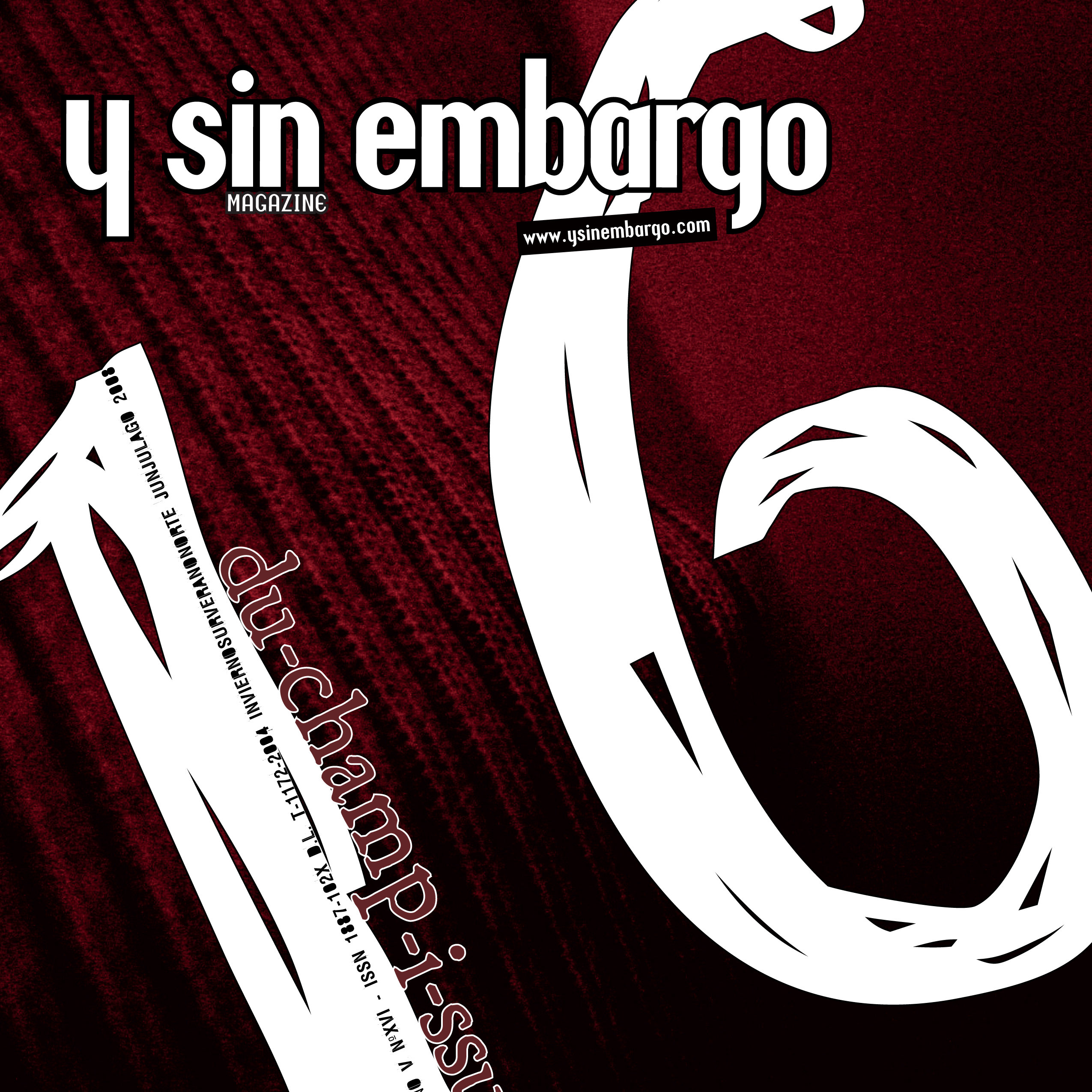
Y SIN EMBARGO magazine #16 (free, fully bilingual)

27 Dec

Check out these visual art images:

Y SIN EMBARGO magazine #16 (free, fully bilingual)
visual art
Image by fernandoprats [@ theGlif+]
"du-champ-i-ssue"
jun.jul.ago.2008 | inviernosurveranonorte
ISBN: 978-1-4092-5339-6

ON PAPER
PDF
NAVIGATE it
Hi-Res PDF

Un número dedicado a explorar la visión y propuestas de Marcel Duchamp.
No su vida, no su obra; tan sólo algunos de sus conceptos.
Realizado con aportes de artistas, pensadores y diseñadores de todo el mundo
combinados con la explícita intención de producir a su vez un objeto duchampiano.

-el medio como instrumento intelectual que transpasa su especificidad y se burla de ella
-la obra independientemente de su carácter representativo e interpretativo
-”arte”, en términos de convenciones, lo más “amorfo” posible
-”obras” en las que la obra no es una finalidad en sí misma sino una excusa
-interpretaciones o, mejor dicho, lecturas que pueden convivir a pesar de ser aparentemente excluyentes
-objetos “anestesiados estéticamente”, anulados en su probable complacencia de la mirada, “rectificados”,”asistidos” para otorgarles una nueva -a menudo, insólita- significación. Como en la elección de los “ready-mades”: “basada en la indiferencia visual y en la ausencia total del buen o mal gusto”
-obras “definitivamente inacabadas”
-rrose sélavy, su alter(-)ego
-ajedrez, máquinas ópticas, matemáticas, geometría, “artefactos”
-la “pintura mental”, “pintura de precisión”, el rechazo de cualquier elemento en el que la mirada se pueda recrear con fruición

-texto, – bloques, – fotografías, + mixed-media, + pintura, + ilustración.
-toda la revista está en castellano e inglés.

(descárgala gratis y comienza felizmente el verano -o el invierno-)

# # #

This issue plays around the conceptual universe of Marcel Duchamp. Not his life, nor his works, just some of his concepts.

– the medium, as an intellectual tool which goes beyond its specificity mocking it.
– the work, regardless of its representative and interpretative character.
– “art”, in terms of conventions, as “amorphous” as possible.
– “construction”, in which the work is not it’s purpose, but an excuse.
– interpretations, or rather readings which can coexist despite being seemingly exclusive.
– objects “aesthetically anesthetized,” lapsed in their likely sight complacency; “rectified”, “assisted”, to give them a new –often unusual- significance. As with the choice of “ready-mades”: “based on visual indifference and a total absence of good or bad taste”
– works “definitively unfinished”.
– rrose sélavy, his alter (-) ego.
– chess, optic machines, mathematics, geometry, “artifacts”.
– “mental painting,” “precision painting”, the rejection of any element in which sight can be delighted.

– aesthetics: – text, – blocks, – photographs, + mixed-media, + painting, + illustration.
– the whole magazine, in spanish and english.

(download it. it’s free. and start enjoying summer -or winter-)

# # #

edit(ing), direct(ing) + complements
fernandoprats
art direct(ing) + design(ing)
estudi prats
insistAnçao, correct(ing) + additional stuff
r | v
listen(ing)
hernán dardes
musicaliz(ing)
albert jordà
translat(ing)
kiddo | emilia cavecedo
frontcover(ing) concept fot
une autre sensualité
backcover(ing) concept borrador
UU – dou _ ble _you et aa
open(ing) concept
nacho piédrola + salaboli & fp porta

-structure:
accesories, lisa kehoe { kiddo | emilia cavecedo, lisa liibbe lara, josean prado, oriol espinal, mark valentine sullivan, hernán dardes, alfredo de la rosa, jonathan minila } => meta
{ pepo m.-the secret society, r | v, leah leone } => hilarious
{ pancho lorenz, natalia osiatynska } fernandoprats => rage

=> meta kiddo | emilia cavecedo, nacho piédrola, salaboli, lisa kehoe { lisa liibbe lara, mark valentine sullivan + shari baker, oriol espinal, gabriel magri, naomi vona, mara carrión }
=> hilarious { d7, olivier gilet, jef safi, special spatial guests }
=> rage { brancollina, gabriel magri, natalia osiatynska, bill horne, UU, christy trotter } simon fröehlich

ysinembargo#16… sensualmente inacabada.

a b r e l a m u r a l l a
antwerp · barcelona · basauri · boulder · bruxelles · buenos aires · carlsbad · collioure · coyoacán · grenoble · holden beach · iowa city · lawrenceville · lansing · london · madrid · mendoza · mexicali b.c. · milano · san francisco · san rafael · sào paulo · tarragona · warsaw

# # #

YSE #16’s Original Music | YSElected videos

# # #

Official WEBsite | MySpace | Flickr Group

Greenpoint Studio 1
visual art
Image by Madilworth
Banners from the Art & Law Exhibition:

The project takes its name from the latitudinal circle that divides the globe into north and south, the same circle that was used to draw the U.S. Mason-Dixon Line.
This historically important demarcation remains critical to global trade today, as a home to global economic centers and as a mediator of labor markets and migration.

The composition is constructed from visual references to global trade and labor. An initial interest in the African American Burial Ground in lower Manhattan lead to research on the quilt patterns used for communication in the Underground Railroad, a system of iconic visual communication that was integrated into trade routes.
Its pattern, inspired by quilt design, is populated by a hybrid iconography drawn from states’ flags and emblems as well as the logos of companies with a relationship to the 36 ° 30’ parallel, cumulatively weaving together a history of global trade.

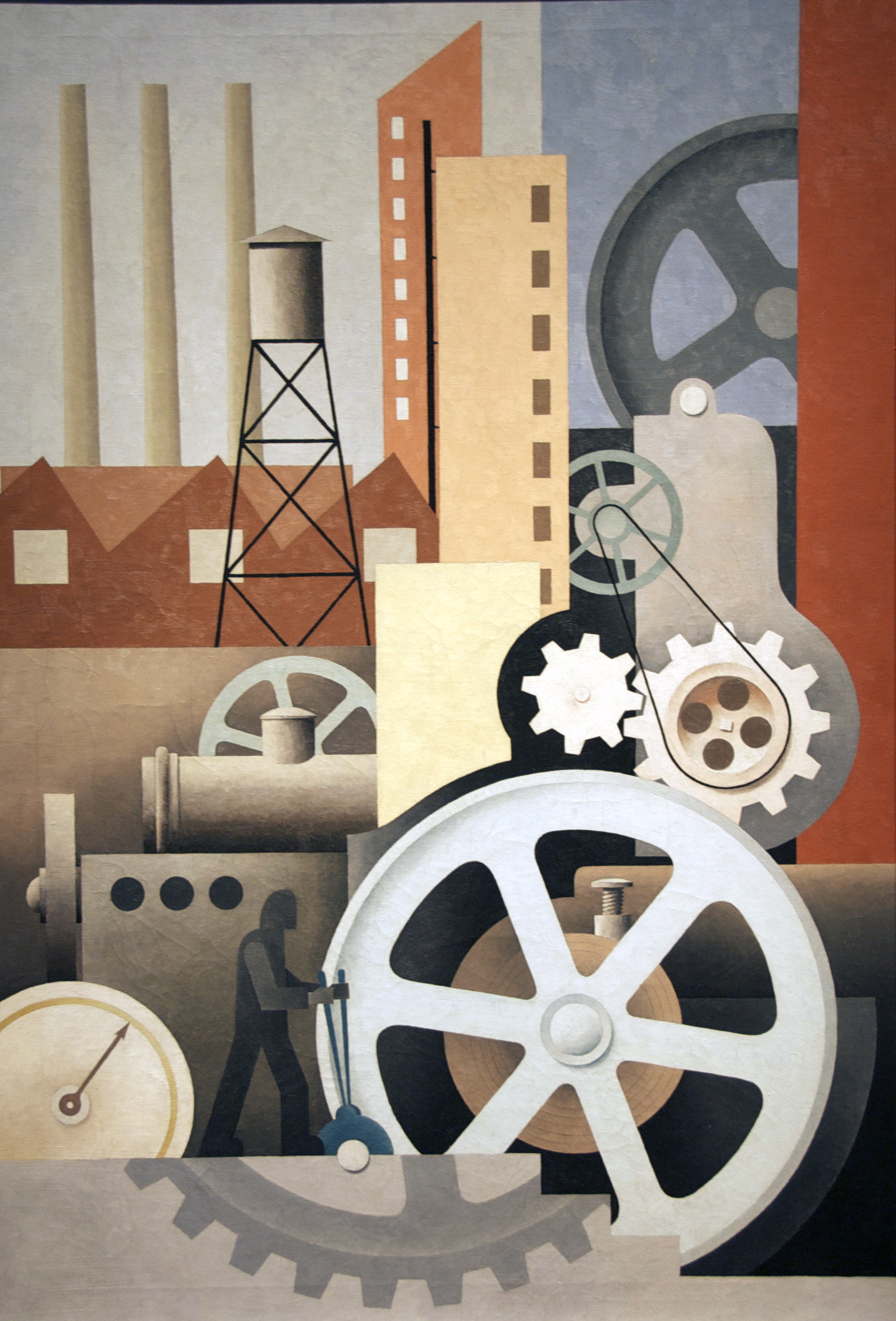
Machinery (Abstract #2) by Paul Kelpe
visual art
Image by ctankcycles
What kind of industry does the man holding the levers control in Paul Kelpe’s painting Machinery. There are no hints; the smokestacks emit no smoke and no product piles up on the factory floor. In fact, Kelpe’s mechanism manufactures nothing. He was actually an abstract painter whose concerns were aesthetic. In his paintings for the Public Works of Art Project, he knew that he needed to somehow address "the American Scene." "As they refused to accept ‘nonrepresentational’ art," he said, "I made a number of pictures with geometric machinery." But Kelpe, unlike the many PWAP artists who factually depicted industrial scenes, studied no real-life factories. He created his own independent visual world, reflecting the kind of technological progress of which Americans were proud. The artist thoughtfully balanced large and small shapes, warm and cool colors, to create a harmonious mechanistic vision. A pattern of diagonal brushstrokes on the painting’s surface catches the light to suggest action. The wheels seem to turn with the soft hum of a well-tuned machine.

1934: A New Deal for Artists exhibition label

The shadowed worker in this painting appears to be controlling the structure, suggesting man’s essential role in industry and his ability to create massive, powerful machines. During the Depression, many artists celebrated human achievements in this way, to emphasize the importance of the working class and to boost morale. In 1934, Paul Kelpe worked for the Public Works of Art Project. The program did not accept abstract art, so he incorporated realistic elements such as figures, wheels, and buildings into his compositions. These images were still not "representational enough," however, and he soon gave up trying to please his bosses (Manthorne, Paul Kelpe, Abstractions and Constructions, 1925-1940, 1990).

 
Comments Off on Y SIN EMBARGO magazine #16 (free, fully bilingual)

Posted in Photographs


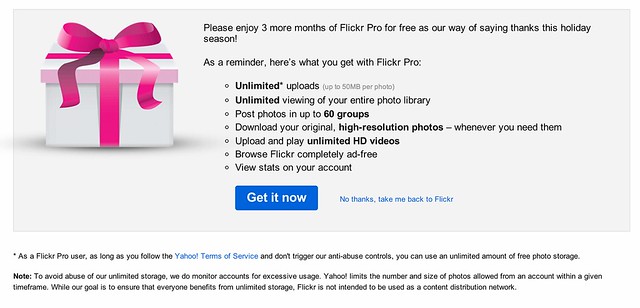
Joy to the World, Flickr Offers 3 Months of Pro for FREE!

22 Dec

Joy to the World, Flickr Offers 3 Months of Pro for FREE!

I saw an unusual notification on my Flickrstream this morning — you probably did too. It seems that Flickr just offered to extend to every account on Flickr (and new accounts too) three months of free Pro service. Ho Ho Ho! Merry Christmas! Happy Hanukkah!

Thank you Flickr!

This is an absolutely brilliant move on Flickr’s part, for many reasons.

First, the timing of this offer could not be better. After last week’s Instagram fiasco, Flickr signed up a lot of new accounts. Now these new accounts get to have the cleanest advertising free Flickr experience possible during those formative first three months.

Folks will like the paid service more than the free version and after three months they’ll be more invested in the site than after two days, and potentially will be more likely to keep paying. Flickr is also signing up more new accounts due to their fantastic new mobile app.

Second, Flickr limits Pro accounts to 200 visible photos. More active users will post more than 200 photos there in the next three months. After their Pro term is up, they will want to see their photos that will then disappear (or the critic might say “held hostage”), the only way to do that will be to reup and pay for more Pro service.

If people are not paying attention to the 200 photo limit, they will be more likely to reup when they have 300 photos uploaded than if they have 200 uploaded and all of a sudden notice that photo number 201 is not showing up. Most people will just quickly accept the offer rather than carefully consider the differences between free and Pro accounts and Flickr will end up with more Pro accounts three months from now than they would have had without the offer. Some will stick.

Third, the Holidays are an especially important time to be out there recruiting new accounts. People share a lot of family photos during the Holidays and Flickr is striking while the iron is hot here at just the right time. BTW, those important family Christmas photos will be some of the first to disappear for new Flickr accounts three months from now. ;)

Fourth, activity begets activity. You will be more likely to use a Pro Flickr account than a free Flickr account. Already Flickr is seeing a big influx of new relationships because of their new find friend features with Twitter and Facebook.

If you haven’t logged into your Flickr account in a while, log in now and look at your recent activity. What you’ll notice is a lot more people have been adding you as a contact. You’ll also notice that a lot of the familiar names are people that are connected to you on Twitter and Facebook. That’s because your friends are using the new Flickr iOS mobile feature that allows you to add your Facebook and Twitter friends to Flickr. More people will be hoping on Flickr to claim their free Pro upgrade and notice all the new activity and be more likely to engage.

BTW PRO TIP: If you are an Android user, you don’t need the iOS app to add your Facebook friends. You can do that on the web here.

Now, the free gift doesn’t come without just a tiny bit of controversy though. Although Flickr in NO WAY changed their Terms of Use or their Community Guidelines (this is important and smart after the Instagram debacle), they DID, for the first time that I’m aware of, put users on warning that unlimited at Flickr really does not in fact truly mean unlimited. All of us seasoned and cynical internet geeks knew this anyways, but I’ve never seen Flickr say it before. Tacked on to today’s free gift is the following bit:

“Note: To avoid abuse of our unlimited storage, we do monitor accounts for excessive usage. Yahoo! limits the number and size of photos allowed from an account within a given timeframe. While our goal is to ensure that everyone benefits from unlimited storage, Flickr is not intended to be used as a content distribution network.”

Aha! Say what? Wait, a minute, what’s this all about?

Users have already raised this issue with Flickr in their help forum and so far there is no definitive answer as to what exactly constitutes this sort of abuse. I doubt you’ll see one either.

Flickr’s deal with us in the past has always been that Pro accounts get an unlimited number of photos to upload. For someone like me who is planning on publishing one million photos to the web during my lifetime, this has always been a huge benefit in using Flickr over other services. To publish the same amount of photos I’ve already published to Flickr at Google’s Picasa, it would cost me hundreds of dollars a year. I am clearly taking advantage of the whole unlimited storage thing at Flickr with over 77,000 high res photos up there currently. At $ 24.95/year for me, this is a HUGE bargain.

It’s fine that I’m doing this by the way, and all in, even though it probably costs Flickr more to store my photos than I pay in subscription fees, my photos make up for it in other ways (by driving more users to Flickr as a community member, through my participation in the program with Getty, etc.). I’m probably still actually a profitable account to Flickr all things considered.

Personally speaking, I feel 99.9% confident that even uploading a million photos to Flickr during my lifetime I will not run afoul of this new notice. That’s because I’m doing the sort of thing on the site that is good for Flickr. I’m a good community member. Although I’m very prolific and using Flickr in an extreme way, I’m basically using it for what it is meant for, to share my photos with my friends and the world.

If I was truly doing something abusive (like uploading a million private high res copies of the exact same black square 24 hours a day and just chewing up bandwidth and storage for no apparent reason) I’d probably be shut down.

So for the 99.9% of you out there who read that notice and worry a little bit, don’t. You are not who Flickr is concerned with here. Besides, you can always say, why is Thomas Hawk allowed to upload so many photos if I can’t. ;) Unlimited really does mean practically unlimited for almost every conceivable authentic use case for Flickr.

By the way, even without this sort of “excessive use” disclaimer from Flickr today, Flickr always could have deleted your account for excessive use in the past anyways. Flickr’s Community Guidelines are wide enough to drive a Mack truck through. You can have your account deleted on Flickr simply for being “that guy.” So Flickr always has had the right to delete your account for essentially any reason that they feel like.

Anyways, thanks to Flickr for three extra months of Pro — a good marketing effort at just the right time. Flickr has really been firing on all cylinders lately and this is great to see. Now just give me that new Android app for New Year’s Day and justified photos in sets and search as a token of love on Valentine’s Day. Oh and better blocking tools and the ability to mute threads would be cool for Lincoln and Washington’s birthday! ;)


Thomas Hawk Digital Connection

 
Comments Off on Joy to the World, Flickr Offers 3 Months of Pro for FREE!

Posted in Photography


Set Free – A Trail Running Film

20 Dec

Thanks to Mountain Equipment Co-Op, and everyone who voted for Set Free! We are thrilled and humbled to have received the First Place honors in the 2011 Sweet Spots Video Contest. blog.mec.ca Kristie Elliot is a trail runner. This is a short film about her love for the trails in British Columbia. She is currently testing her limits, training for the Leadville 100 Mile Trail Run in Colorado. Kristie is a Massage Therapist at Moveo Sports and Rehabilitation in North Vancouver. www.moveo.ca Filmed in Squamish, British Columbia, the documentary covers the challenges and passions that go hand in hand with trail running. © 2001 Andrew Doran Photography This film is copyrighted. however, limited use is available for re-publishing or embedding on your blog, or industry web magazine under the following conditions 1 – the location where the video is posted must include the copyright notice “© 2011 andrewdoran.com” and there must be a link to www.andrewdoran.com published next to the video. 2 – This video may NOT be used on a website to promote a business or commercial endeavor. If you wish to do so, contact us for permission first. mail@andrewdoran.com If in doubt, as us. We’re pretty nice. See more Video and Still Photography at http Techie stuff: Filmed with the Nikon D7000, and GoProHD cameras, and edited in Sony Vegas Pro 10 Aerial shots taken from a modified Gaui 330x Quadrocopter carrying a GoPro Hero HD