RSS
 

Posts Tagged ‘Factor’

What is the Sony a6400 Crop Factor?

31 Mar

Sony introduced the a6400 model of digital cameras in early 2019. The a6400 rapidly became a best-seller among both professional and amateur photographers. The camera is smaller than standard digital single reflex cameras but still uses Sony’s extensive line of lenses. Sony has achieved all this using an APS-C sensor system in a mirrorless body. What is Sony a6400 crop Continue Reading

The post What is the Sony a6400 Crop Factor? appeared first on Photodoto.


Photodoto

 
Comments Off on What is the Sony a6400 Crop Factor?

Posted in Photography


Metabones’ new EF-RF Speed Booster reduces Canon EOS R 4K crop factor

27 Mar

Metabones has released a new Speed Booster that reduces the significant 4K video crop factor found on the Canon EOS R full-frame camera systems. With this adapter, photographers can use Canon EF full-frame lenses with the Canon RF mount, significantly reducing the 4K crop on the EOS R from 1.75x to 1.24x and the crop on the EOS RP from 1.63x to 1.15x.

As with the company’s existing Speed Boosters, it works by condensing the main lens’s field of view down into a smaller region: reducing the net focal length by 1.4x and hence lowering the F-number by one stop, compared with the adapted lens’s setting. A 50mm F2.0 combined with the adapter would become a 35mm F1.4.

The Metabones EF-RF Speed Booster ULTRA 0.71x is constructed of 5 elements in 4 groups and features an ultra-high index tantalum-based optics, magnification of 0.71x and a max output aperture of F0.9. The Speed Booster supports dual-pixel autofocus, video AF, plus it has IS lens support, a built-in Control Wheel for accessing various functions like shutter speed and ISO, an LED indicator and automatic adjustment of the autofocus speed.

As far as construction is concerned, Metabones used a rubber gasket to help protect against moisture and dust, as well as flocking to cut down on internal reflections. The Speed Booster is made from brass and aluminum alloy with chromium plating and a satin finish. The tripod head is detachable and can be used with popular ball heads from Photo Clam, Arca Swiss and Markins.

The new ULTRA model wasn’t designed for still photography, Metabones explains, but it can be used as such if the camera is in APS-C mode. Lens compatibility is fairly extensive and includes:

  • Canon EF lenses
  • Canon EF extender
  • Carl Zeiss EF lenses
  • Sigma EF lenses
  • Tamron EF lenses
  • Tokina EF lenses
  • Contax N lenses modified to Canon EF by Conurus

The Speed Booster can also be used with the Contax 645 NAM-1 adapter that has been modified for Canon EF, but it can’t be used with Canon EF-S lenses nor with APS-C lenses. Metabones stresses that those latter lenses ‘DO NOT WORK AT ALL.’

The Metabones EF-RF Speed Booster ULTRA 0.71x is available now for $ 479.

Articles: Digital Photography Review (dpreview.com)

 
Comments Off on Metabones’ new EF-RF Speed Booster reduces Canon EOS R 4K crop factor

Posted in Uncategorized


How to Use Color in Your Photography to Give Your Photos the Wow Factor

17 Sep

The post How to Use Color in Your Photography to Give Your Photos the Wow Factor appeared first on Digital Photography School. It was authored by Jeremy Flint.

Photography is a wonderful art form that is enjoyed by people all around the world. It is a popular medium of expression, a fine art, a way of documenting our journeys and memories, and even a way to change views. Originally, when photography started it was all black and white, and historic photographers learned their craft in this way. Whilst this can be a great way to bring out textures and shapes, the introduction of color is a great way to attract attention and add impact to your images. Here are 5 tips to show you how to use color in your photography to give your photos the wow factor:

1. Find a colorful scene

Colour

St Nectain’s Glen waterfall, Cornwall, England

The first thing to do is to find a colorful scene. The way the countryside unfolds in the summer, for example, can be a wonderful way to show color in a landscape. Purple hues of lavender or golden wheat fields are all examples of where color can be captured to help your images stand out.

You could focus on one dominant color in a scene such as green. Alternatively, seek out a variety of tones like a cool blue sky mixed with a red field which can give your photos some impact and evoke different emotions. Blue can provide feelings of cold, whilst red can give warmth, energy, and excitement.

You can also use complementary colors in captivating ways. They refer to colors on opposite sides of the color wheel. For example, red and green or blue and orange. Other colors that work particularly well together include yellow, red and orange; and pink, purple and blue.

2. Look for details with color

Colour

Poppy field, England

Another way to use color in your photography is to look for details with color. You can photograph individual flowers in bloom such as bluebells or plant crops. As a part of a broader scene, you can photograph flowers like vibrant red poppies swaying in a field.

Think about the different colors and details you could photograph near you and experiment with a variety of color palettes to see what works well. Try and find details to photograph with single colors and combinations of colors to see which you prefer. Red is a strong color that attracts the viewer’s eye whilst yellow and orange can also command attention.

3. Change your white balance setting

how-to-use-color-in-your-photography

Stonehenge, England

One great advantage of the white balance setting is that your camera has the ability to change the color of your images simply by adjusting the white balance.

There are several different types of white balance which can be varied according to different lighting scenarios – auto white balance is the default setting for most cameras. Shade, cloudy and daylight can be selected for warmer and brighter colors, whilst tungsten and auto present cooler colors.

As the name suggests, a ‘shade’ white balance setting can work well in lighting conditions with shade and shadows, whilst ‘cloudy’ is a good choice when it is overcast. There is also an option to manually adjust your white balance to alter the color temperature to your taste.

4. Use a polariser to boost color and contrast

how-to-use-color-in-your-photography

Oxford, England

One of the greatest accessories you can have in your photography kit is a polarizing filter. A polarizer is usually placed at the front of your camera lens and is a versatile piece of equipment that can be brilliant to help darken skies, minimize reflections and manage glare from water sources such as lakes or the sea.

Polarizing filters are also a fantastic way to improve your images by instantly enhancing the color and contrast in your images. They don’t take up much space in your kit bag and are useful for making your images more distinct. Polarizing filters particularly work well in landscape photography by bringing out colors and reducing haze.

5. Boost colors in post-production

how-to-use-color-in-your-photography

Oxford, England

You can also add color to images in post-production. One way to boost the color of your photographs is to increase the saturation in post-production. You will find a saturation slider in most editing tools. Both photoshop and lightroom offer an adjustment slider where the color can be increased by moving it to the right. There is also the option to increase the saturation of individual colors to make certain parts of your images more vibrant.

Conclusion

Using color can be a great way to enhance your images. You can find colorful scenes, vibrant details, adjust your white balance, add a polariser or adjust the saturation in post-processing to give your photos more impact.

Try these techniques and share your images with us below. Also, if you have any other tips, feel free to share those too!


how-to-use-color-in-your-photography

The post How to Use Color in Your Photography to Give Your Photos the Wow Factor appeared first on Digital Photography School. It was authored by Jeremy Flint.


Digital Photography School

 
Comments Off on How to Use Color in Your Photography to Give Your Photos the Wow Factor

Posted in Photography


Panasonic Lumix ZS200 offers 1″ sensor and 24-360mm equiv. zoom in a pocketable form factor

13 Feb

$ (document).ready(function() { SampleGalleryV2({“containerId”:”embeddedSampleGallery_7054722075″,”galleryId”:”7054722075″,”isEmbeddedWidget”:true,”selectedImageIndex”:0,”isMobile”:false}) });

Panasonic has announced the ZS200/TZ200, a 20MP 1″-sensor compact that updates the existing ZS100 and its 25-250mm equiv. zoom with a 24-360mm equiv. F3.3-6.4 lens that’s both slightly wider and much longer (though a bit slower).

Like its predecessor the ZS200 offers a 3″ touchscreen, accompanied by an upgraded 2.3 million-dot EVF with 0.53x magnification. Contrast detect autofocus is aided by Panasonic’s very good Depth from Defocus technology, and up to 10 fps burst shooting is available with AF-S (6 fps in AF-C). Rounding out a travel-friendly feature set are 4K video, Wi-Fi with Bluetooth, 5-axis image stabilization and a new L.Monochrome Photo Style for a black-and-white film look.

The ZS200’s 3840 x 2160 4K recording is offered at 30p and 24p. Familiar 4K Photo features like Post Focus are available, in addition to a couple of new modes. Auto Marking analyzes a 4K video clip and automatically marks points at which it detects action. Sequence Composition allows you to composite multiple frames of a moving subject in front of a static background into a single image – think of the images you see of a snowboarder frozen mid-flight in the various stages of a jump.

The Panasonic ZS200 boasts an improved battery life of 370 shots per charge (the ZS200 claimed 300) thanks to a new eco-friendly mode. It will ship in mid-March for $ 799 in your choice of gunmetal silver or black.

Press release:

LUMIX DMC-ZS200 Travel Zoom Camera

Powerful 15x Optical Zoom with 1-in. 20.1-MP High Sensitivity MOS Sensor for 4K Video/ 4K PHOTO Capability

Newark, NJ (February 13, 2018) –Panasonic is proud to introduce the LUMIX DMC-ZS200, the new flagship camera of the popular Travel Zoom series. The compact LUMIX ZS200 comes with a 24mm ultra-wide angle LEICA DC VARIO-ELMAR lens and enhanced 15x optical zoom (35mm camera equivalent: 24-360mm). The camera also includes 5-Axis HYBRID Optical Image Stabilizer Plus*1 to suppress hand-shake in both photo and video recording. For added creativity the LUMIX ZS200 integrates a new L.Monochrome mode in Photo Style for monochrome images with rich B/W film gradation.

The camera’s 1-inch MOS sensor produces high-quality images with stunning details. The combination of a High Sensitivity MOS Sensor and Venus Engine delivers up to ISO 12,800 for high sensitivity quality beyond the reach of most other digital compacts. And an upgraded Live View Finder (LVF) integrates a new 0.21-in. 2,330K-dot equivalent LVF to provide a high magnification ratio of approx. 1.45x/0.53x (35mm camera equivalent). Both LVF and a 3-in. touchscreen display provide approx. 100% field of view. The LUMIX ZS200 boasts exceptional optical performance with stunning clarity with minimum distortion and flare. This new lens system also enables stunning close-up shots with its 3cm macro capability.

With the LUMIX ZS200, 4K video recording is every bit as stunning with high-resolution QFHD 4K video in 3840×2160 at 30p or 24p in MP4. And 4K PHOTO lets LUMIX ZS200 users capture memorable moments by extracting single frames from 4K burst files shot at 30 fps to save as 8-megapixel equivalent images. Auto Marking and Sequence Composition, included in addition to Post Focus and Focus Stacking, make 4K PHOTO even easier to use.

A Contrast AF System features DFD (Depth From Defocus) technology*2 and excels in both speed and accuracy for ultra-fast auto focusing in approx. 0.1 sec*3. The LUMIX ZS200 includes Bluetooth and Wi-Fi® connectivity for a more flexible shooting experience and instant image sharing. Compatibility with Bluetooth 4.2 (Bluetooth Low Energy) enables a consistent connection with a smartphone or tablet with minimum power consumption.

The independent dials and Control Ring located on the lens barrel provide an intuitive way to capture creative vision. Smoother control of exposure and zoom allows users to concentrate on framing the perfect picture and press the shutter at the perfect moment. It also provides easier access to frequently-used settings such as aperture, shutter speed, focus, filter effect and scene mode. For even more precise control over focusing, the LUMIX ZS200 also boasts a Focus Peaking function that shows the peak of focus in manual focus mode to ensure users know exactly where the focus is.

The LUMIX ZS200 will be available in stores on March 20, 2018. Suggested retail price is $ 799.99. Available in Black and Silver.

Additional features

Bluetooth 4.2 and Wi-Fi 2.4GHz (IEEE802.11b/g/n)
The LUMIX ZS200 integrates Bluetooth and Wi-Fi® connectivity to offer a more flexible shooting experience and instant image sharing with easy operation. Once the camera is connected to a smartphone or tablet installed with the Panasonic Image App for iOS / Android, users can shoot, browse and share images remotely. They can also choose the quality of images to transfer using the Image App. Compatibility with Bluetooth 4.2 (called BLE: Bluetooth Low Energy) enables a constant connection with a smartphone/tablet with minimum power consumption. This activates the camera by simply using a smartphone/tablet or to automatically add GPS geotags on the photos.

• Long battery life and AC/USB Power Charging
Thanks to a newly adopted eco30fps mode, the LUMIX ZS200 provides long battery life for approx. 370 pictures (when using a rear monitor) per charge. The battery is recharged via AC or USB according to user convenience.
• Exposure / WB / Focus / Aperture Bracket
Focus Bracket and Aperture Bracket are new additions to the conventional Exposure Bracket and WB Bracket to let users choose their best shots later. In Focus Bracket, a maximum 999 images can be shot with different focus points. The Aperture Bracket enables multiple shots with different depths of field.
• In-Camera RAW Data Development
• The LUMIX ZS200 can shoot images in RAW and develop them in-camera.
• LEICA is a registered trademark of Leica Microsystems IR GmbH. • LEICA DC VARIO-ELMAR lenses are manufactured using measurement instruments and quality assurance systems certified by Leica Camera AG according to the company’s quality standards.
• “AVCHD Progressive”, “AVCHD”, the “AVCHD Progressive” Logo and the “AVCHD” Logo are trademarks of Panasonic Corporation and Sony Corporation.
• Manufactured under license from Dolby Laboratories. Dolby and the double-D symbol are trademarks of Dolby Laboratories.
• All other company and product names are trademarks of their respective corporations.
• The LUMIX ZS200 is compatible with both SD/SDHC/SDXC Memory Cards. Use SDHC/SDXC Memory Cards on compatible devices only. SDHC/SDXC Memory Cards cannot be used with devices compatible only with SD Memory Cards. (Before using an SDHC/SDXC Memory Card in another device, read the operating instructions for that device.)
• Some accessories are not available in some countries.
• Design and specifications are subject to change without notice.

*1 5-axis compensation works in video recording except for 4K video recording.
*2 Works for still image recording.
*3 Based on the CIPA standard.

Panasonic Lumix DC-ZS200 specifications

Price
MSRP $ 799
Body type
Body type Large sensor compact
Body material Metal
Sensor
Max resolution 5472 x 3648
Image ratio w:h 1:1, 4:3, 3:2, 16:9
Effective pixels 20 megapixels
Sensor photo detectors 21 megapixels
Sensor size 1″ (13.2 x 8.8 mm)
Sensor type CMOS
Processor Venus Engine
Color space sRGB
Color filter array Primary color filter
Image
ISO Auto, 125-12800 (expands to 80-25600)
Boosted ISO (minimum) 80
Boosted ISO (maximum) 25600
White balance presets 5
Custom white balance Yes (4 slots)
Image stabilization Optical
Image stabilization notes Hybrid 5-axis available in movie mode
Uncompressed format RAW
JPEG quality levels Fine, standard
File format
  • JPEG (Exif v2.31)
  • Raw (Panasonic RW2 format)
Optics & Focus
Focal length (equiv.) 24–360 mm
Optical zoom 15×
Maximum aperture F3.3–6.4
Autofocus
  • Contrast Detect (sensor)
  • Multi-area
  • Center
  • Selective single-point
  • Tracking
  • Single
  • Continuous
  • Touch
  • Face Detection
  • Live View
Autofocus assist lamp Yes
Digital zoom Yes (2X)
Manual focus Yes
Normal focus range 50 cm (19.69)
Macro focus range 5 cm (1.97)
Number of focus points 49
Screen / viewfinder
Articulated LCD Fixed
Screen size 3
Screen dots 1,240,000
Touch screen Yes
Screen type TFT LCD
Live view Yes
Viewfinder type Electronic
Viewfinder coverage 100%
Viewfinder magnification 0.53×
Viewfinder resolution 2,330,000
Photography features
Minimum shutter speed 60 sec
Maximum shutter speed 1/2000 sec
Maximum shutter speed (electronic) 1/16000 sec
Exposure modes
  • Program
  • Aperture Priority
  • Shutter Priority
  • Manual
Scene modes
  • Clear Portrait
  • Silky Skin
  • Backlit Softness
  • Clear in Backlight
  • Relaxing Tone
  • Sweet Child's Face
  • Distinct Scenery
  • Bright Blue Sky
  • Romantic Sunset Glow
  • Vivid Sunset Glow
  • Glistening Water*
  • Clear Nightscape
  • Cool Night Sky
  • Warm Glowing Nightscape
  • Artistic Nightscape
  • Glittering Illuminations
  • Handheld Night Shot
  • Clear Night Portrait
  • Soft Image of a Flower
  • Appetizing Food
  • Cute Dessert
  • Freeze Animal Motion
  • Clear Sports Shot
  • Monochrome
Built-in flash Yes
Flash range 6.80 m (at Auto ISO)
External flash No
Flash modes Auto, Auto/Red-eye Reduction, Forced On, Forced On/Red-eye Reduction, Slow Sync., Slow Sync./Red-eye Reduction, Forced Off
Continuous drive 10.0 fps
Self-timer Yes (2 or 10 secs, 3 shots @ 10 sec)
Metering modes
  • Multi
  • Center-weighted
  • Spot
Exposure compensation ±5 (at 1/3 EV steps)
AE Bracketing ±3 (3, 5, 7 frames at 1/3 EV, 1/2 EV, 1 EV steps)
Videography features
Format MPEG-4, AVCHD, H.264
Modes
  • 3840 x 2160 @ 30p / 100 Mbps, MOV, H.264, AAC
  • 3840 x 2160 @ 24p / 100 Mbps, MOV, H.264, AAC
  • 1920 x 1080 @ 60p / 28 Mbps, MOV, H.264, AAC
  • 1920 x 1080 @ 60p / 28 Mbps, AVCHD, MTS, H.264, Dolby Digital
  • 1920 x 1080 @ 60i / 17 Mbps, AVCHD, MTS, H.264, Dolby Digital
  • 1920 x 1080 @ 30p / 20 Mbps, MOV, H.264, AAC
  • 1920 x 1080 @ 30p / 24 Mbps, AVCHD, MTS, H.264, Dolby Digital
  • 1920 x 1080 @ 24p / 24 Mbps, AVCHD, MTS, H.264, Dolby Digital
  • 1280 x 720 @ 30p / 10 Mbps, MOV, H.264, AAC
Microphone Stereo
Speaker Mono
Storage
Storage types SD/SDHC/SDXC card (UHS-I compatible)
Connectivity
USB USB 2.0 (480 Mbit/sec)
USB charging Yes
HDMI Yes (microHDMI)
Microphone port No
Headphone port No
Wireless Built-In
Wireless notes 802.11b/g/n + Bluetooth 4.2 LE
Remote control Yes (via smartphone)
Physical
Environmentally sealed No
Battery Battery Pack
Battery description Lithium-ion battery & charger
Battery Life (CIPA) 370
Weight (inc. batteries) 340 g (0.75 lb / 11.99 oz)
Dimensions 111 x 66 x 45 mm (4.37 x 2.6 x 1.77)
Other features
Orientation sensor Yes
Timelapse recording Yes
GPS None

Articles: Digital Photography Review (dpreview.com)

 
Comments Off on Panasonic Lumix ZS200 offers 1″ sensor and 24-360mm equiv. zoom in a pocketable form factor

Posted in Uncategorized


Fotodiox Pro FACTOR Series announced with nine high-output LED lights

04 Apr

Fotodiox Pro has launched its new FACTOR Series, a lineup of nine bi-color and high-output LED light panels for various photographic needs. The series contains three circular lights and five square/rectangular lights with removable barn doors. According to Fotodiox, these nine lights are designed to provide area lighting and spot illumination, and to facilitate ‘studio-style shoots.’ 

The FACTOR LED lights have adjustable color temperatures that range from 5600 Daylight to 3200 Tungsten, according to Fotodiox marketing director Bohus Blahut. The series utilizes Fotodiox’s Factorsoft, a technology that sets LED chips deep within the lights for ‘a soft, beautiful beam with no hot spots and a single, clean shadow,’ says Blahut. This is complemented by a svelte 1.5in / 3.8cm profile and all-metal construction.

This light series is also suitable for use during slow-motion video recording, as they will not produce flickering in high frame rate scenarios. As well, the lights can be powered from an ordinary AC wall adapter or V-lock batteries. The following models are available now through the company’s website:

  • FACTOR 1×1 – Comes with removable barn doors ($ 899.95 USD)
  • FACTOR 1×2 100 (100 watt draw) – Comes with removable barn doors ($ 749.95 USD)
  • FACTOR 1×2 200 (200 watt draw) – Comes with removable barn doors $ (1,249.95 USD)
  • FACTOR 1.5×1.5 – Comes with removable barn doors ($ 1,299.95 USD)
  • FACTOR 2×2 – Comes with removable barn doors ($ 2,199.95 USD)
  • FACTOR 1×4 – Comes with removable barn doors ($ 2,299.95 USD)
  • FACTOR Jupiter 12 (circular) ($ 659.95 USD)
  • FACTOR Jupiter 18 (circular) ($ 1,099.95 USD)
  • FACTOR Jupiter 24 (circular) ($ 1,999.95 USD)

Press release

Fotodiox Pro Announces FACTOR Series of Bi-Color LED Lighting

Featuring Factorsoft™ technology, the FACTOR series is the next step in the evolution of LED light panels

GURNEE, IL (PRWEB) MARCH 30, 2017

Fotodiox Pro, creator and distributor of several lines of specialty solutions for videography, cinematography and photography, has announced the FACTOR series of high-output, bi-color LED light panels. Designed for spot illumination, studio-style shoots and area lighting, the series contains nine models in various sizes and shapes that are built to use an assortment of creative, series-specific modifiers for shaping and directing the FACTOR lights’ soft beams. They are all available for purchase on FotodioxPro.com.

“At the core of the new FACTOR series is our Factorsoft™ technology,” says Bohus Blahut, marketing director for Fotodiox Pro. “Factorsoft™ refers to our unique use of LED chips, which are set deep in the body of each FACTOR light and produce a soft, beautiful beam with no hot spots and a single, clean shadow. We’ve also built the lights to have fully adjustable color temperature – anywhere from 5600 Daylight to 3200 Tungsten – without sacrificing their fantastic output.”

The FACTOR series features a sturdy, all-metal build and a convenient 1.5 inch profile that makes it simple to position the lights virtually anywhere on set. They run off included AC adapters or V-lock batteries, and produce no flickering at high frame rates – perfect for slow motion video.

  • FACTOR Models 
  • FACTOR 1×1 – Comes with removable barn doors
  • FACTOR 1×2 100 (100 watt draw) – Comes with removable barn doors
  • FACTOR 1×2 200 (200 watt draw) – Comes with removable barn doors
  • FACTOR 1.5×1.5 – Comes with removable barn doors
  • FACTOR 2×2 – Comes with removable barn doors
  • FACTOR 1×4 – Comes with removable barn doors
  • FACTOR Jupiter 12 (circular)
  • FACTOR Jupiter 18 (circular)
  • FACTOR Jupiter 24 (circular)

Accessory options for the series include model-specific honeycomb grids and creative masks for the FACTOR Jupiter models. To learn more about the FACTOR series and other photography and videography accessories from Fotodiox Pro, please visit FotodioxPro.com.

Articles: Digital Photography Review (dpreview.com)

 
Comments Off on Fotodiox Pro FACTOR Series announced with nine high-output LED lights

Posted in Uncategorized


The Porsche Design Book One is a MacBook Pro competitor in a convertible form factor

28 Feb

$ (document).ready(function() { SampleGalleryV2({“containerId”:”embeddedSampleGallery_8985827527″,”galleryId”:”8985827527″,”isEmbeddedWidget”:true,”standalone”:false,”selectedImageIndex”:0,”startInCommentsView”:false,”isMobile”:false}) });

German company Porsche Design has teamed up with industry giants Intel, Microsoft and Quanta Computer to launch the first product in its new Porsche Computing product line, the Porsche Design Book One. 

The Book One is a high-end 2-in-1 convertible device. The screen can be detached from the keyboard section and used as a tablet, or rotated up to 360 degrees using a hinge with stainless steel cog wheels that are inspired by the transmission of a sports car. The milled aluminum housing features a matte anodized surface finish and the minimalist design the brand is known for.

In the interior, the Book One comes with high-end components all around. The Windows 10 Pro operating system is powered by a 7th-generation Intel Core i7-7500U processor and 16GB of RAM. An Intel SSD provides 512 GB of storage via the PCIe slot and the 13.3” QHD+ IPS display offers a resolution of 3200 x 1800 pixels.

For easy expansion and connection of accessories a variety of ports is provided, including two multifunctional USB Type-C ports, two full-size USB 3.0 ports, and one USB 3.1 Type-C/Thunderbolt 3 port which allows for wired image transmission in accordance with the DisplayPort standard. In addition, the 5MP front camera with infrared sensor enables biometric authentication using the Windows Hello facial recognition software.

In terms of input, Book One users can choose from the touch display, a precision touchpad, the detachable keyboard with backlit keys and a Wacom-made digital stylus that attaches magnetically to the housing. With its versatile design and powerful hardware the Porsche Design Book One looks like a great machine for image editing at home or on the road. It will be available in the US in April 2017 at a retail price of $ 2,495.

Press Release:

Porsche Design Adds Exclusive Laptop to Its Product Portfolio

Porsche Design BOOK ONE: The Multifunctional 2in1 Running Windows 10 Pro

Stuttgart, Germany. With the new Porsche Design BOOK ONE, the world’s first convertible and detachable 2in1, Porsche Design adds the category of Porsche Design Computing to its expanding product portfolio. The move sees the premium-lifestyle-brand playing to its strengths, merging form and function to yield a high-performance, multifunctional 2in1.

The Porsche Design BOOK ONE underlines the brand’s focus on technology and innovation, making new strides in the mobile computing segment. The silhouette of the BOOK ONE uses a milled aluminum housing with a matte anodized surface finish and features subtle Porsche Design branding on the top of the tablet and the bottom edge of the screen. The patented hinge, designed entirely by Studio F. A. Porsche, allows the tablet unit of the 2in1 not only to detach, but also rotate 360°.

In keeping with the traditional design philosophy of Professor Ferdinand Alexander Porsche, the well-crafted hinge and its stainless steel cog wheels are inspired by the transmission of a sports car. This approach, which combines superior engineering with modern design, allows Porsche Design to implement the latest in state-of-the-art technology.

The features of the Porsche Design BOOK ONE include:
Versatile functionality: High performance components and cutting-edge technology give the 2in1 its versatile functionality. The device comes with Windows 10 Pro, Microsoft’s most up-to-date, cutting edge OS.

High performance: The powerful 7th-generation Intel® Core™ i7-7500U processor, which clocks in at up to 3.5 GHz, is able to max-imize its potential thanks to the computer’s 16 GB of RAM.

Fast data storage: The noiseless Intel®, SSD with a storage capac-ity of 512 GB, guarantees fast data storage via the PCIe slot.

Eye-popping resolution: With a resolution of 3200 x 1800 pixels, the 13.3” QHD+ IPS display is built to impress, whether working, surfing the web, or simply watching the latest movie.

Convenient connections: The variety of available ports offered includes two multifunctional USB Type-C™ ports, two full-size USB 3.0 ports, and USB 3.1 Type-C™/Thunderbolt 3 port, which not only powers a variety of USB peripherals with just a single cable. It also guarantees fast, hassle-free data exchange, and allows wired image transmission in accordance with the DisplayPort standard. The 2in1 communicates wirelessly via dual-band WiFi and Blue-tooth®.

Biometric authentication: A more secure and simplified login pro-cedure is enabled thanks to the 5-MP camera with infrared sensor, which is seamlessly integrated into the front of the housing and allows biometric authentication using Windows Hello facial recognition software.

The themes of versatility and ease are further emphasized by the laptop’s cutting-edge input capabilities. Both the touch display and the Precision Touchpad for Windows 10 use high-precision, multi-gesture control interfaces. The keyboard, complete with dimming backlit keys, enables endless use in a variety of settings. And the digital stylus, developed by Studio F. A. Porsche to ensure ideal handling, is optimized for use with Windows Ink, providing a natural writing experience with all the benefits of digital connectivity. In order to prevent loss of the stylus, a magnetic holder is integrated into the right side of the tablet.

“The Porsche Design BOOK ONE embodies the DNA of our brand down to the tiniest detail and, as our first 2in1 unit, has expanded our product portfolio by adding a new category: Porsche Design Computing. In Microsoft and Intel, we have two renowned partners who were a great help in implementing this strategically important project,” said Jan Becker, CEO of the Porsche Design Group.

“We’re thrilled to work with Porsche Design – a world renowned premium-lifestyle-brand – that introduces for the first time a finely crafted 2in1 – the Porsche Design BOOK ONE,” said Peter Han, Vice President, Partner Devices and Solutions, Microsoft Corp. “Porsche Design’s first Windows PC combines a well-constructed hardware and functional design with popular Windows 10 features, including Windows Hello and Windows Ink, enabling a rich pen and touchscreen experience.”

The Porsche Design BOOK ONE will be available in the US in April 2017 and available in other countries at Porsche Design Stores and specialty retailers. RRP in the US is $ 2,495 USD.

Articles: Digital Photography Review (dpreview.com)

 
Comments Off on The Porsche Design Book One is a MacBook Pro competitor in a convertible form factor

Posted in Uncategorized


Canon PowerShot SX720 HS boasts new 40x zoom lens with a compact form factor

20 Feb

$ (document).ready(function() { SampleGalleryV2({“containerId”:”embeddedSampleGallery_4085564708″,”galleryId”:”4085564708″,”isEmbeddedWidget”:true,”standalone”:false,”selectedImageIndex”:0,”startInCommentsView”:false,”isMobile”:false}) });

Canon has released a new long-zoom compact dubbed the PowerShot SX720 HS. New for this model is a lens with a wider zoom range compared to its predecessor, offering a 35mm-equivalent of 24-960mm at F3.3-6.9. The sensor remains a 20.3MP 1/2.3″ BSI CMOS unit with a DIGIC 6 image processor.

In addition to the new lens, the SX720 HS has a redesigned grip, and battery life has increased to a CIPA-rated 250 shots (355 in ECO mode). Photos can be composed on a 3″ LCD display with 922k dots. The camera carries over Canon’s Zoom Framing Assist system to automatically zoom in or out to follow subject movement and more accurately keep focus, and also comes with the Story Highlight feature to automatically compile images and videos from a day or event into a highlight reel with music and effects. Speaking of video, the SX720 can capture 1080/60p clips with stereo sound.

The SX720 HS will be available in March 2016 with an MSRP of $ 379.99.

Press release:

TAKE THAT CAMERA TO GO!  CANON U.S.A LAUNCHES COMPACT POWERSHOT G7 X MARK II AND POWERSHOT SX720 HS DIGITAL CAMERAS

Newest Canon PowerShot Digital Cameras Offer Outstanding Quality in Convenient Compact Size 

MELVILLE, N.Y., February 17, 2016 – Ideal for both advanced amateur and pro photographers looking for a convenient, high performance compact camera with the ability to connect to compatible digital devices, Canon U.S.A. Inc., a leader in digital imaging solutions, proudly introduces the compact PowerShot G7 X Mark II1 and lightweight PowerShot SX720 HS digital cameras.

Canon’s new PowerShot G7 X Mark II digital camera pairs a 1.0-inch, 20.1 Megapixel* CMOS sensor with Canon’s new DIGIC 7 Image Processor to help reduce noise and deliver outstanding image quality, even in low light shooting situations. The PowerShot SX720HS digital camera boasts a new 40x Optical Zoom lens (equivalent to 24-960mm), providing outstanding performance, reach and resolution for everyday use and when shooting memorable family events, while easily slipping into a pocket or purse.

“In today’s world, compact cameras must work well with other devices and still offer superb quality. The PowerShot G7 X Mark II and PowerShot SX720 HS cameras both provide outstanding image quality with amazing optical zoom lenses and they easily connect with compatible phones, tablets and other smart devices so great images can be shared and enjoyed” stated Yuichi Ishizuka, president and COO, Canon U.S.A., Inc.  

Sleek and Sophisticated 
The first Canon camera to feature Canon’s new high-speed DIGIC 7 Image Processor, the 

PowerShot G7 X Mark II digital camera is a model of compact sophistication and speed with a high-quality sleek body and optimum comfort grip. Building on the success of Canon’s PowerShot G7 X digital camera, the PowerShot G7 X Mark II digital camera features a fast startup and improved RAW continuous shooting speed of up to eight frames per second (fps) with short intervals between shots. Additional features include: 

  • Bright f/1.8 (W) – f/2.8 (T), 4.2x (24–100mm equivalent) optical zoom lens with Canon’s Intelligent Image Stabilizer (IS) and a 9-blade iris diaphragm;
  • Multi-angle 3.0-inch capacitive touch panel LCD with a screen resolution of 1.04 million dots and tilt options of 180° up and 45° down;
  • Ability to capture 1080p Full HD video in MP4 format with stereo sound;
  • Built-in Wi-Fi®** and Near Field Communications (NFC™)*** capability with a dedicated Wi-Fi button for easy sharing and transferring of images and videos;
  • Picture Style function that offers superb command of in-camera color, contrast, and sharpness;
  • In-camera RAW conversion, making it possible to preview customized image processing modifications on the camera, without the use of a computer;
  • Convenient control ring lever that enables users to quickly switch between stepped and continuous ring movement; 
  • Time-Lapse Movie feature to help capture images at preset intervals and combine them to create a short movie clip;
  • Panning feature that allows the camera to lock onto the main subject using Canon’s Intelligent IS technology to automatically adjust the shutter speed for beautiful background blur.

The Canon PowerShot G7 X Mark II digital camera is currently scheduled to be available in May 2016 for an estimated retail price of $ 699.992.

Powerful Zoom Delivers Virtually Shake-Free Images
The Canon PowerShot SX720 HS digital camera is equipped with a new powerful zoom lens and is the ideal choice for amateur photographers looking to take a step up from a smartphone or entry-level digital camera to a lightweight, compact camera. The PowerShot SX720 HS digital camera’s new 40x Optical Zoom lens (24-960mm equivalent focal length range) uses one Hi-UD, three UD and three aspheric lens elements to help achieve high image quality and high magnification, while also utilizing Canon’s Intelligent Imaging Stabilizing (IS) technology for greater optical performance. 

As the successor to Canon’s PowerShot SX710 HS digital compact camera, the PowerShot SX720 HS digital camera features increases its zoom range while maintaining compact size for maximum convenience. Additional features include:

  • A dedicated Wi-Fi® button for easy sharing and transferring of images and videos utilizing the camera’s built-in WiFi and NFCtechnology;
  • 20.3 Megapixel* CMOS sensor with Canon’s DIGIC 6 Image Processor to help deliver outstanding image quality, even in low light;
  • 1080p/60 Full HD video capture with stereo sound;
  • 3.0-inch LCD (approx. 922,000 dots) to allow for easy viewing, even from a wide angle;
  • Zoom Framing Assist that allows the lens to automatically zoom in or out while the camera follows subject movement  and helps keep it in focus;
  • Story Highlight feature that enables the camera to automatically compile images and videos3 from a certain day or event into a mini-highlight reel with music and effects;
  • Creative Shot mode that uses composition, color and lighting from an original image to create artistic images.
  • Canon’s PowerShot SX720 HS digital camera is currently scheduled to be available in March 2016 for an estimated retail price of $ 379.992.  

1 This device has not been authorized as required by the rules of the Federal Communications Commission. This device is not, and may not be offered for sale or lease, or sold or leased, until authorization is obtained.

2 Availability, pricing and specifications are subject to change without notice.  Actual prices are set by individual dealers and may vary.

3 Videos must be shot in Hybrid Auto or Short Clip.

* Image processing may cause a decrease in the number of pixels.

** Compatible with iOS® versions 7.1/8.4/9.0, AndroidTM smartphone and tablet versions  4.0/4.1/4.2/4.3/4.4/5.0/5.1.  Data charges may apply with the download of the free Canon Camera Connect app. This app helps enable you to upload images to social media services. Please note that image files may contain personally identifiable information that may implicate privacy laws. Canon disclaims and has no responsibility for your use of such images. Canon does not obtain, collect or use such images or any information included in such images through this app.

*** Compatible with Android smartphone and tablet versions 4.0/4.1/4.2/4.3/4.4/5.0/5.1.

Canon PowerShot SX720 HS specifications

Price
MSRP $ 379
Body type
Body type Compact
Sensor
Max resolution 5184 x 3888
Image ratio w:h 1:1, 4:3, 3:2, 16:9
Effective pixels 20 megapixels
Sensor photo detectors 21 megapixels
Sensor size 1/2.3" (6.17 x 4.55 mm)
Sensor type BSI-CMOS
Processor DIGIC 6
Color space sRGB
Color filter array Primary color filter
Image
ISO Auto, 100-3200
White balance presets 5
Custom white balance Yes
Image stabilization Optical
Uncompressed format No
JPEG quality levels Superfine, fine
File format
  • JPEG (Exif v2.3)
Optics & Focus
Focal length (equiv.) 24–960 mm
Optical zoom 40×
Maximum aperture F3.3 – F6.9
Autofocus
  • Contrast Detect (sensor)
  • Multi-area
  • Center
  • Tracking
  • Single
  • Continuous
  • Face Detection
  • Live View
Autofocus assist lamp Yes
Digital zoom Yes (4X)
Manual focus Yes
Normal focus range 5 cm (1.97)
Macro focus range 1 cm (0.39)
Number of focus points 9
Screen / viewfinder
Articulated LCD Fixed
Screen size 3
Screen dots 922,000
Touch screen No
Screen type TFT LCD
Live view Yes
Viewfinder type None
Photography features
Minimum shutter speed 15 sec
Maximum shutter speed 1/3200 sec
Exposure modes
  • Hybrid Auto
  • Auto
  • Program
  • Shutter priority
  • Aperture priority
  • Manual
Scene modes
  • Sports
  • Portrait
  • Smile
  • Wink Self-Timer
  • Face Self-Timer
  • Handheld Night Scene
  • Low Light
  • Fireworks
Built-in flash Yes
Flash range 4.00 m
External flash No
Flash modes Auto, on, off, slow synchro
Continuous drive 5.9 fps
Self-timer Yes (2 or 10 secs, custom)
Metering modes
  • Multi
  • Center-weighted
  • Spot
Exposure compensation ±2 (at 1/3 EV steps)
Videography features
Resolutions 1920 x 1080 (60p, 30p), 1280 x 720 (30p), 640 x 480 (30 fps)
Format MPEG-4, H.264
Microphone Stereo
Speaker Mono
Storage
Storage types SD/SDHC/SDXC card
Connectivity
USB USB 2.0 (480 Mbit/sec)
HDMI Yes (micro-HDMI)
Microphone port No
Headphone port No
Wireless Built-In
Wireless notes 802.11b/g/n with NFC
Remote control Yes (via smartphone)
Physical
Environmentally sealed No
Battery Battery Pack
Battery description NB-13L lithium-ion battery & charger
Battery Life (CIPA) 250
Weight (inc. batteries) 270 g (0.60 lb / 9.52 oz)
Dimensions 110 x 64 x 36 mm (4.33 x 2.52 x 1.42)
Other features
Orientation sensor Yes
GPS None

Articles: Digital Photography Review (dpreview.com)

 
Comments Off on Canon PowerShot SX720 HS boasts new 40x zoom lens with a compact form factor

Posted in Uncategorized


How to Photograph a Portrait of a Stranger with the WOW Factor

10 Sep

By Oded Wagenstein

Have you ever met a person, while travelling abroad or at home, who has such an interesting face that you would really like to photograph?  But, just before you press the shutter, you suddenly think, “How am I going to shoot this”?

Because there are so many questions to answer: How do I approach a strange person? Should I photograph from a distance, with a Tele-photo lens, or should I get closer? What if the person will get offended or angry?

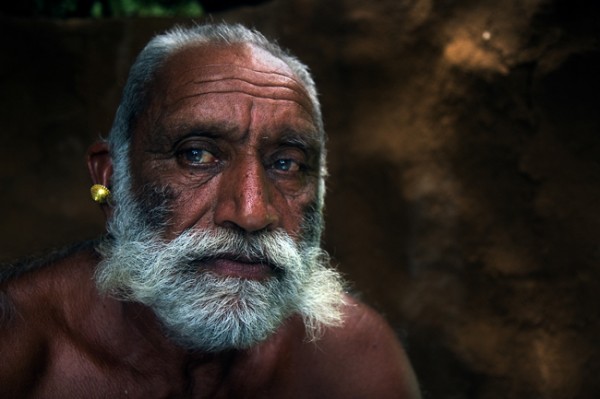
It depends on the situation but, in 99% of my portraits, I use what I like to call the “being involved” technique.  This technique requires the photographer to get closer to the subject, by using a wide focal length lens and there is no doubt, that the subject will be aware of the photographer and the camera.

Fstop of 4.5, shutter speed@10 and ISO 320

Fstop of 4.5, shutter speed@10 and ISO 320

There are so many advantages to using this method, for instance the ability to control the composition, the angle, the background, not to mention asking your subject for “one more take” and of course, the possibility of  making a new friend. Creating a close-up portrait, with the technique of “being involved” creates intimacy and gives warmness to the image that you wouldn’t get with a Tele-photo lens in most cases. But, with this method as my students are well aware, there is one big disadvantage, when a person becomes aware of the camera, his behavior and the authenticity and spontaneity of the moment disappears.

Once, on a very cold night, while shooting in Japan, I asked my good friend and great photographer Dave Doisneau – “What kind of super power he would like to have?” (Cold nights in Japan will make you ask stupid and philosophical questions) Dave answered “I would like to be invisible. To be able to photograph a person, inches away from their face without them being aware that I was even there”. This for me sums up my whole philosophy on portrait photography. Losing the spontaneity, or the fear of losing authenticity, are just weak excuses. As a photographer, your job is to bring all these qualities back to your image. How can you do that? (Here’s a little hint for you) Photoshop or expensive equipment won’t help you.
Fstop of 2.8, shutter speed@10 and ISO 100?

Fstop of 2.8, shutter speed@10 and ISO 100

As one of the great photographers, Ansel Adams once said: “You don’t take a photograph, you make it”. The difference between an amateur and a professional is in the preparation.Knowledge is power and the more you know about a person and their culture, the easier it will be for you to become invisible. While I was in the Wakhan valley, between the Afghan and Tajikistan border, I learned, in advance that the people who live there have many cultural dos and don’ts. From the way they greet a stranger (Right hand on the chest and a slight bow) to the proper way to react when invited to a local house (just say yes and prepare yourself for tea, and lots of it!).

Fstop of 4.5, shutter speed@1 and ISO 125

Fstop of 4.5, shutter speed@1 and ISO 125

So before I travel anywhere, I familiarize myself, in advance, with any photography related taboos.  From how will people respond to the camera, to things that you should not shoot. For example, did you know that the people of the Akha tribe in south East Asia, believe that photographing one of their tribe member will actually steal his soul?

You can learn all these things and more by consulting with a photographer who has already visited the place.  The internet is a great place to find him or her. You can consult travel forums, books, or even call the embassy of the country of your destination.
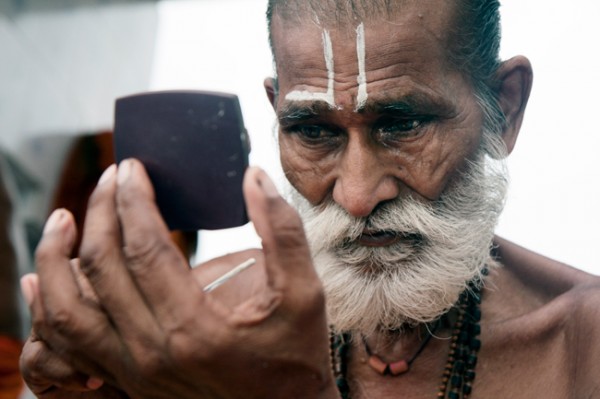
Fstop of 4.5, shutter speed@10 and ISO 200

Fstop of 4.5, shutter speed@10 and ISO 200

Many photographers will advise you to take your camera with you all the times. For me, the camera is just a tool, and as a tool it must not interfere. Have you ever felt uncomfortable because someone is aiming a camera at you? Have you ever thought how YOU look when you stand behind the camera? (A bit like holding a weapon right?).

Nobody likes it when you aim something at them without any explanation or permission. That’s why, when I encounter a new and interesting person, I would like to photograph, I first introduce myself as Oded the person before as Oded the photographer. by the time I take out my camera, the person has lost interest in me, and gone back on his work, I then become invisible and Voilà I can take my shot and I’ve make a new friend into the bargain.

In the past year, I have photographed hostile tribes in South East Asia, gypsy communities in Central Asia and even in the former Soviet Union. If there is one thing that I’ve learned from visiting those places, is that most people would actually like their picture taken, if we do it right. So please give yourself a confidence boast and try it. Anywhere you are on the globe, if you act with respect, be polite, and even have a little bit of sense of humor, most of the time people will act the same way towards you.

Yes, we’ve all got a horror story, of the one person who shouted at us while we took his photo. Think about it for a second; did it happen when you tried to shoot the person without his permission? If you approach a person with dignity, make a connection, and then you take out the camera, what the worst thing that can happen? They will say no, but at least you would have tried right?

Fstop of 5.6, shutter speed@15 and ISO 100

Fstop of 5.6, shutter speed@15 and ISO 100

When you found a person with a unique face, invest the time to break the ice with them, then when you finally have his approval for the shoot, if he’s very polite, you will probably have around 30 seconds to take the shoot before they moves on, that’s some pressure.

This may be the most important section of this article, that many photographers forget, just relax. Being stressed never helps especially when dealing with people or while creating art. It’s true you may not have much time to decide on the focal length, the background, the shooting angle, the shutter or the aperture.

Also, try not to let your technical level stand in your way. How? Before starting to shoot people, try your craft on still life. Flowers would be perfect to start with. Also it would be really wise to invest in some photography course (much more important than buying new equipment). Last but by no means least, don’t forget to RTFM- read the camera’s fu*** manual!

That’s right, creating interesting and strong portraits is not easy. Take your time to work on your craft. Shoot flowers, then your friends and family members. Learn, learn and learn everything you can about your camera and about your subject. Come with respect and most important – relax.

Fstop of 3.2, shutter speed@10 and ISO 200

Fstop of 3.2, shutter speed@10 and ISO 200

Oded Wagenstein is a Travel photographer and writer. He is a regular contributor to the National Geographic Traveler magazine (Israeli Edition) and he is known for his intimate portraits from around the world. You can join his Portrait & Travel Photography Facebook page  and continue to discuss on travel and people photography and get more amazing tips!

Post originally from: Digital Photography Tips.

Check out our more Photography Tips at Photography Tips for Beginners, Portrait Photography Tips and Wedding Photography Tips.

How to Photograph a Portrait of a Stranger with the WOW Factor


Digital Photography School

 
Comments Off on How to Photograph a Portrait of a Stranger with the WOW Factor

Posted in Photography


Lenses (focal length, crop factor, macro lenses) – Photography with Imre – Episode 5

10 Aug

Episode 5 of my photography series discusses topics related to lenses such as focal length, crop factor and macro lenses.You’ll also want to check out my blog – binarygraphite.blogspot.com – as it’s supplemented with additional information and links to sites describing this topic in detail. Hope you enjoy, remember to rate (5 stars!), and subscribe so you can stay up to date with my future videos.


Photo retouching – Sebastien X Factor

06 May

The TUTORIAL is here : stval.fr www.stval.fr my artwork, mp3, free tutorials & free wallpapers to download … Subscribe: youtube.com Tools : Adobe Photoshop CS4