LumoPro has announced the LP742 LightSwitch Speedlight Case and Modifier. The case is made from padded ballistic nylon and is able to accommodate most speedlights on the market. LightSwitch can also be transformed into three types of light modifiers: a reflector, bounce card, and flag. The case features a double-zipper design and a velcro strap on the back. Read more
Tag: Case
-
Hammock suspension adds extra protection in the Kontrast Pro DSLR Backpack from Case Logic
Bag manufacturer Case Logic has launched a new backpack that features a hammock system, suspending a DSLR with lens attached within the space in the middle of the bag. The company claims this adds extra protection as less of the camera body is in direct contact with the structure of the bag. Read more
-
Review of the CASE Remote Trigger and App
The CASE Remote from Cheering Tech is a small box that connects to a DSLR camera via a USB cable and lets you wirelessly control almost every function, and some more.
I was offered the device for review from Cheering Tech and decided to try it on without many expectations. When I received the unit I was surprised by the quality of the packaging and presentation. The design of the CASE Remote is really nice, fairly small at two inches square and 70 grams (2.5oz). The size makes the remote convenient, and easy to throw anywhere in the camera bag.
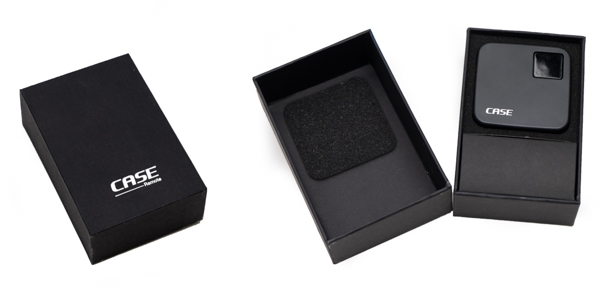
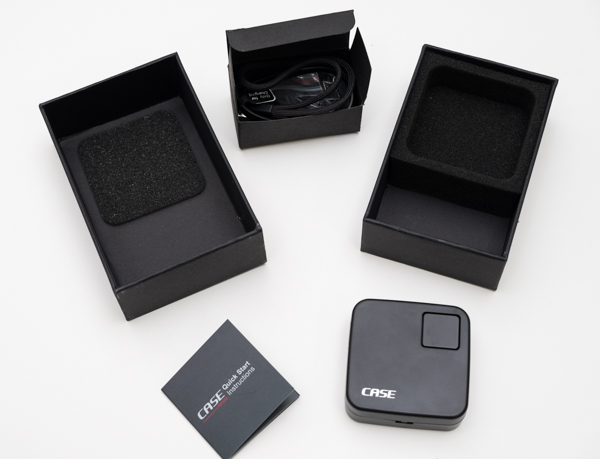
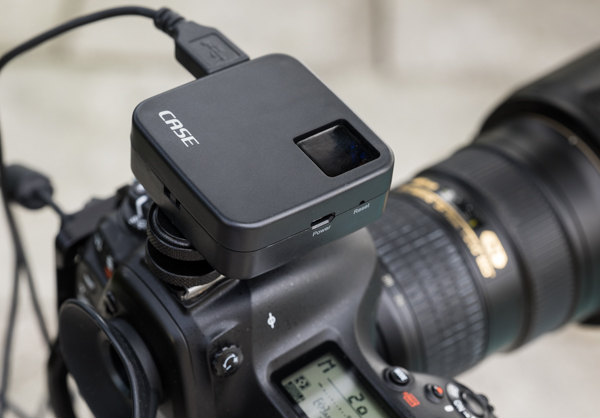
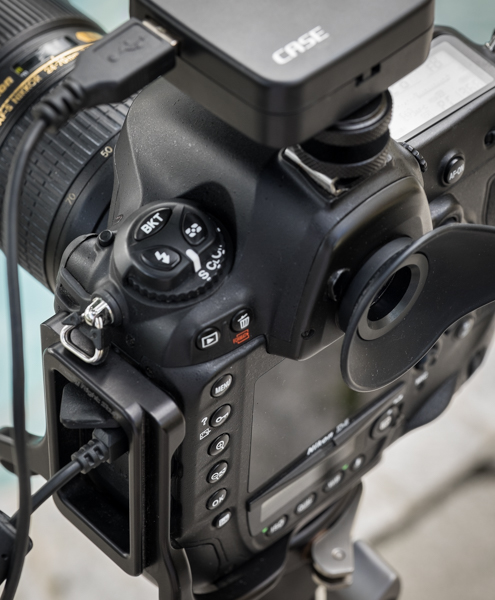
The CASE Remote ships with a convenient hot-shoe adapter so you can easily attach it to the camera, and a USB cable to charge it. Something worth mentioning is that it does not include the USB cable necessary to connect it to the camera though – you need to use your own (one that came with the camera).
Mounting it to the camera was a snap. You turn it on by pressing one square button at the top of the unit, which also contains lights which indicate battery life and system status. Once powered on, the CASE Remote creates its own WiFi network to which you connect your mobile device to access the app. The SSID and password for the connection comes in the back of the little instruction manual. I couldn’t find a way to change it or reset it to my own.
What you can do with the CASE Remote:
- Live view support on iOS (iPhone, iPad) and Android devices
- Download photos to your device
- Set camera functions right from your phone or tablet
- HDR function
- Time-lapse function
- Focus stacking function
- GPS function
The device is ideal for different types of shooting, but especially for landscape or architectural work. The app is well designed and easy to use; however, something that I’d love to see improved in future iterations is the shutter lag. There is a delay on the live view function from the camera to the app, and there is also a brief delay when you press the shutter before the camera fires. But this is not usually an issue for the type of photography mentioned above.
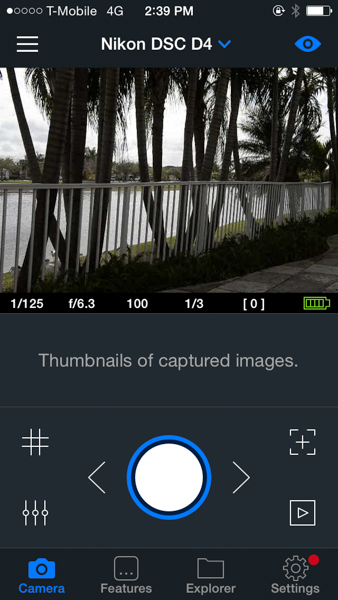
From the main screen of the app, you can control and access almost any function of the camera. Live view can be turned on or off, and you can also activate a grid on top of the image if you want.
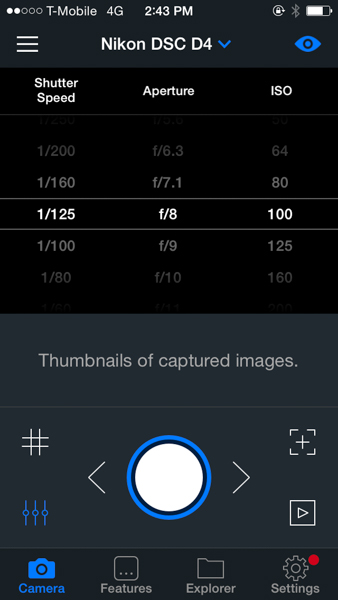
There is a quick way to control shutter speed, aperture and ISO straight from the main screen by just pressing the lower left icon; that really comes handy and is a fast way to change settings.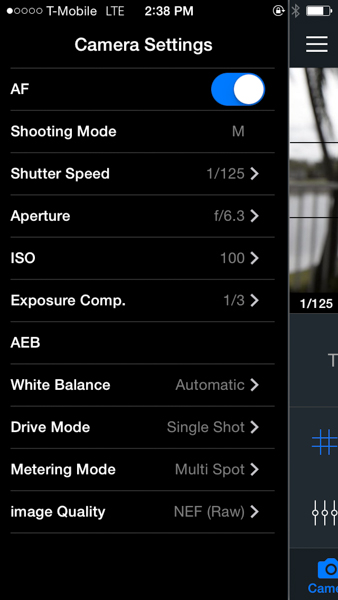
The camera settings menu lets you control almost every aspect of the camera. From there you can turn on and off the autofocus function, the shooting mode, shutter speed, aperture, ISO, exposure compensation, white balance, drive mode, metering mode and image quality. I find this really complete as once you are in the app you don’t really need to go back to the camera to change anything – every function can be handled from there.
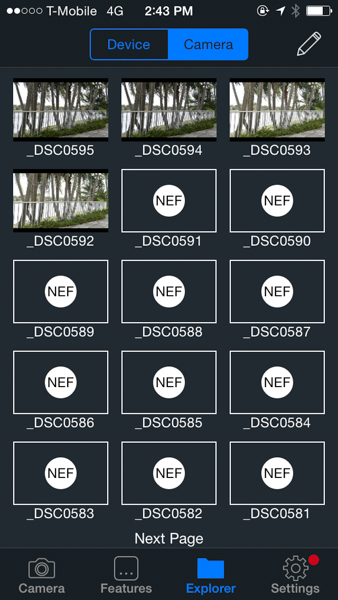
The Explorer function lets you see the photos taken from the camera. You’ll only be able to see JPGs, the RAW files will show as icons. However, you can download both types straight to your phone or tablet from there.
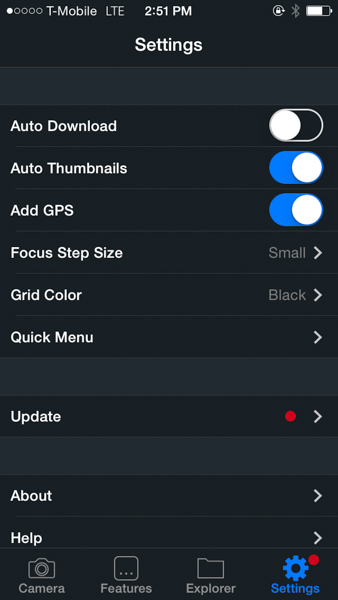
The Settings function lets you control several general settings, like auto-download the photos to your device or add thumbnails to the main screen of the app. You can also control the GPS function from there.
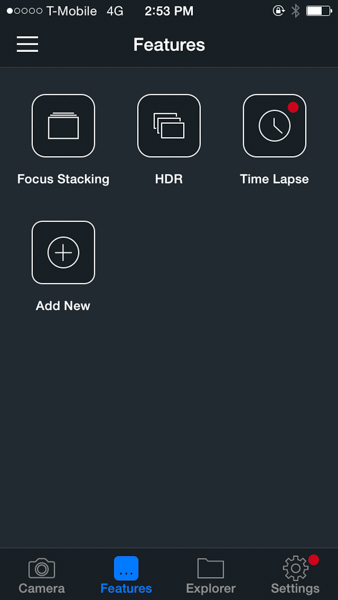
The focus stacking, HDR and time-lapse functions are accessed via the Features menu. As you can see on the screen shot, there is plenty of room for more to be added in the future.
At this time, the CASE Remote is only compatible with Nikon and Canon cameras, you can see the full list of supported models on their website. The company promises lifetime free updates via firmware upgrades and they claim to be working on support for Sony, Pentax and Fuji for later this year. The current asking price is $ 129 – a good value compared to other more expensive alternatives available in the market.
I’d really like to see improvements in the application delay and lag, but I think that overall this is a great product with lots of potential for future developments and features.
googletag.cmd.push(function() {
tablet_slots.push( googletag.defineSlot( “/1005424/_dPSv4_tab-all-article-bottom_(300×250)”, [300, 250], “pb-ad-78623” ).addService( googletag.pubads() ) ); googletag.pubads().enableSingleRequest();
googletag.pubads().disableInitialLoad();
googletag.pubads().collapseEmptyDivs( true );
googletag.enableServices();
} );googletag.cmd.push( function() { googletag.display( ‘pb-ad-78623’ ); } );
googletag.cmd.push(function() {
mobile_slots.push( googletag.defineSlot( “/1005424/_dPSv4_mob-all-article-bottom_(300×250)”, [300, 250], “pb-ad-78158” ).addService( googletag.pubads() ) ); googletag.pubads().enableSingleRequest();
googletag.pubads().disableInitialLoad();
googletag.pubads().collapseEmptyDivs( true );
googletag.enableServices();
} );googletag.cmd.push( function() { googletag.display( ‘pb-ad-78158’ ); } );
The post Review of the CASE Remote Trigger and App by Daniel Korzeniewski appeared first on Digital Photography School.
-
Review Of The Rugged Pelican 1510 Carry-On Case
If you own a lot of photography gear, you’ll likely want to protect it from any environmental dangers as well as possible. Pelican claims that the 1510 is a hardcase that is water-, dust- and crushproof while still meeting carry-on restrictions of international airlines. The Pelican 1510 can be carried with a handle or rolled with the integrated wheels. Here’s Continue Reading
The post Review Of The Rugged Pelican 1510 Carry-On Case appeared first on Photodoto.
-
Review Of The Rugged Pelican 1510 Carry-On Case
If you own a lot of photography gear, you’ll likely want to protect it from any environmental dangers as well as possible. Pelican claims that the 1510 is a hardcase that is water-, dust- and crushproof while still meeting carry-on restrictions of international airlines. The Pelican 1510 can be carried with a handle or rolled with the integrated wheels. Here’s Continue Reading
The post Review Of The Rugged Pelican 1510 Carry-On Case appeared first on Photodoto.
-
Secret Engagement: Flat Ring Case Enables Surprise Proposals
[ By WebUrbanist in Design & Products & Packaging. ]
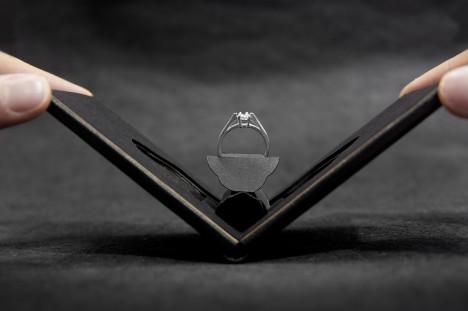
As soon as someone pulls out a ring box the (wedding bell) alarms start sounding, hence this ingeniously slim alternative that packs flat into pockets and still doesn’t reveal its purpose once presented to a significant other.

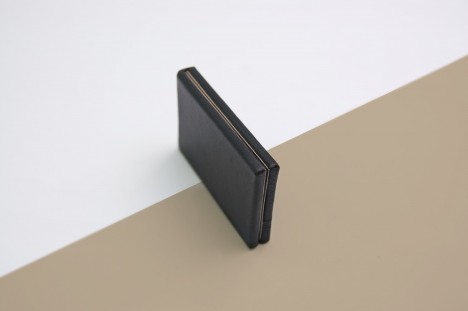
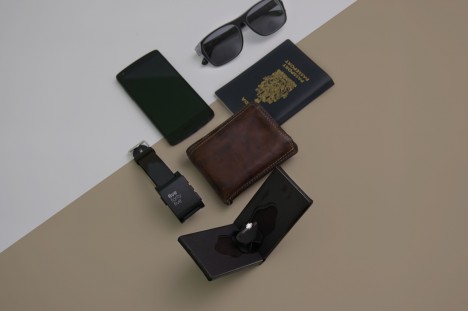
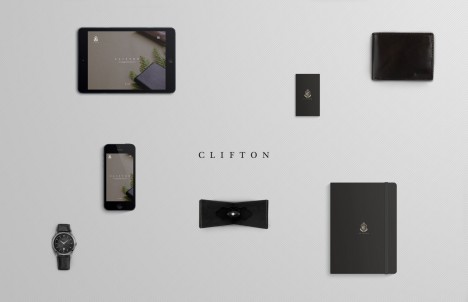
From its creators: “Clifton is a unique engagement ring case that can be easily slipped into the pocket or the wallet. The discreet design allows the case to be easily hidden without showing much profile. At approximately 1 cm thick, Clifton presents the ring with a delightful flower blooming effect when opened, enchanting the moment.”
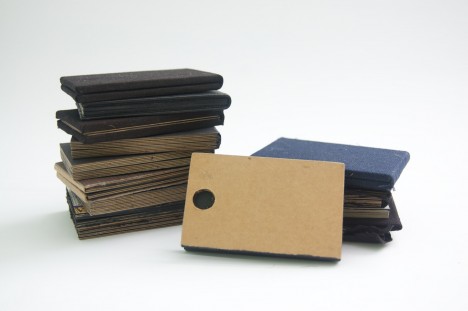
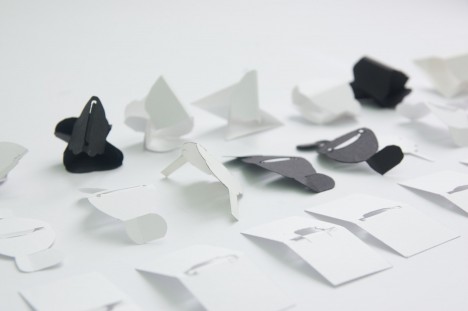
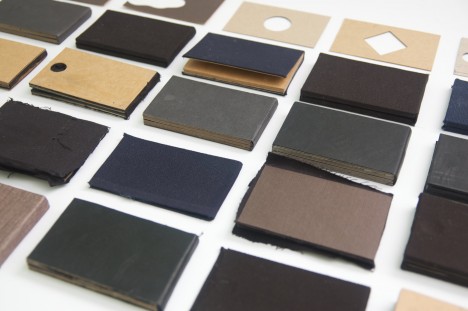
While there are many other ways to surprise someone on this kind of special occasion, this approach seems particularly elegant as a solution. Its creator, Andrew Zo, is a packaging designer who delights in the unboxing process and has won awards and acclaim for this and other work done for both domestic (Canadian) clients and international businesses.
Want More? Click for Great Related Content on WebUrbanist:
Origami Kayak: Packs Flat, Folds Up to Form its Own Case
Portaging in the wild is one thing, but try walking your canoe or kayak down the street and you may smack some unsuspecting pedestrian in the head.
Click Here to Read More »»
Radical Rings: 31 One-of-a-Kind Ring Designs & Ideas
Belly buttons, cacti, crayons, projectors, pimples, pillows and highly intricate sculptures are the focus of these 31 highly unusual and artistic ring designs.
Click Here to Read More »»

MegaFaces: Massive Display Enables 3D Selfies at Sochi
Giant faces measuring 25 feet in height emerge in three dimensions from an ‘architectural Mount Rushmore’ at the entrance of Sochi’s Olympic …
Click Here to Read More »»


[ By WebUrbanist in Design & Products & Packaging. ]
[ WebUrbanist | Archives | Galleries | Privacy | TOS ]
-
CASE Remote is a smartphone remote for your DSLR
Many modern digital cameras can be remote controlled via dedicated apps on your smartphone and a Wi-Fi link. Unfortunately this option is not available on older or lower spec models that come without a built-in Wi-Fi module. CASE Remote, currently available for pre-order on indiegogo.com, is compatible with a large number of Nikon and Canon models and slots into your camera’s hotshoe. Click through to read more at connect.dpreview.com.
-
Case Logic SLRC 205 Sling Camera Bag Review
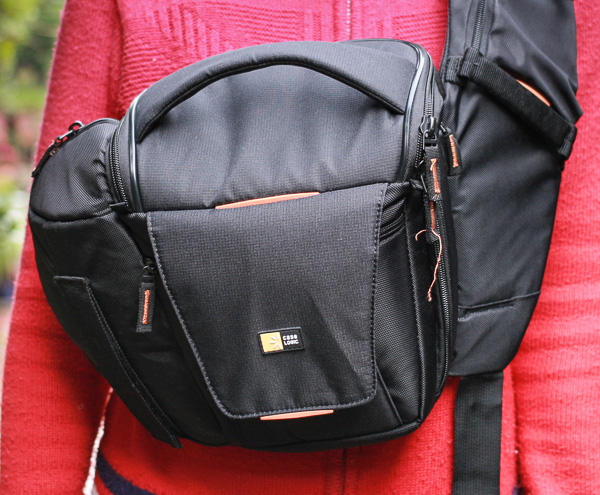
If you’ve ever bought a case for a tablet or a hard drive then you’re probably familiar with Case Logic products. The ubiquitous logo is hard to miss in the accessories section of computer and electronics stores.
What you may not know is that Case Logic also make some very good camera bags, up there in quality and design with established brands such as Lowepro, Crumpler, Kata and Think Tank.
So when David from Love Cases got in touch asking if I’d like to review a camera bag sold in his store, I selected the Case Logic SLRC 205 sling style backpack to test out.
Why a sling bag?
The type of camera bag I use depends on the nature of the shoot and the amount of equipment I need. For example, I like to use my ThinkTank Retrospective 20 on portrait shoots. It’s a shoulder bag into which I can easily fit everything I need. But, it’s a heavy bag and all the weight is on one shoulder. After a while it hurts, and becomes uncomfortable to walk with – that limits its use to shoots where I don’t have to walk very far.
Sling bags are ideal when I need to walk some distance to arrive at the location of the shoot. I can put my gear in the bag, then take out what I need when I arrive.
I like to use a Black Rapid RS-Sport camera strap, which leaves my camera hanging down by my right side ready to use. If I have a sling bag I can keep it on my back while I shoot, held in place by the straps so it doesn’t move around. I don’t have to worry about where it is, or someone stealing it if I put it down.
However, I don’t use sling bags in one way they are intended. I never bring them around to the front to remove gear, as I find they are so high on my body that it’s an uncomfortable process. Not everybody feels this way, I’m sure. This photo shows where the camera bag lies when you swing it around to the front.
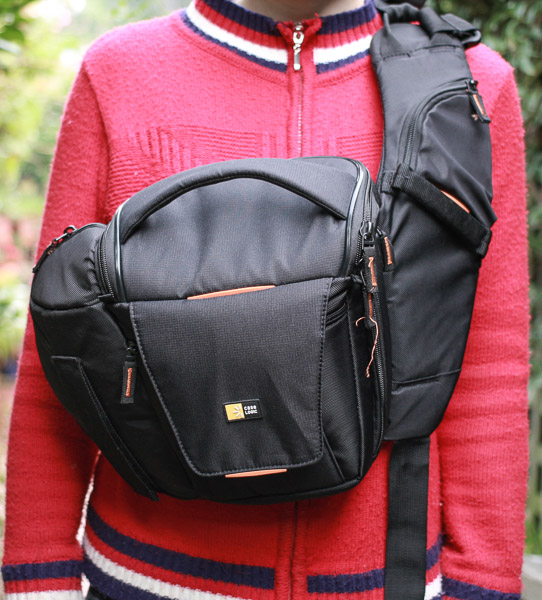
The Case Logic SLRC 205 bag
I’ve used this Case Logic sling bag on several shoots and I’m very pleased with it. It would suit me better if the main camera compartment was a little bigger, and it would be nice if it had a waterproof cover. But apart from that I’m delighted with it.
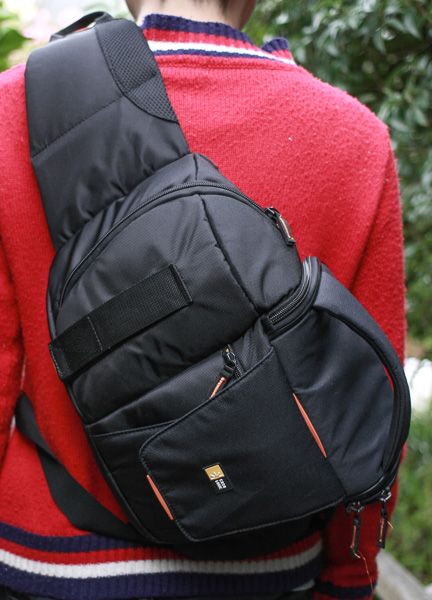
The Case Logic SLRC 205 from the back.
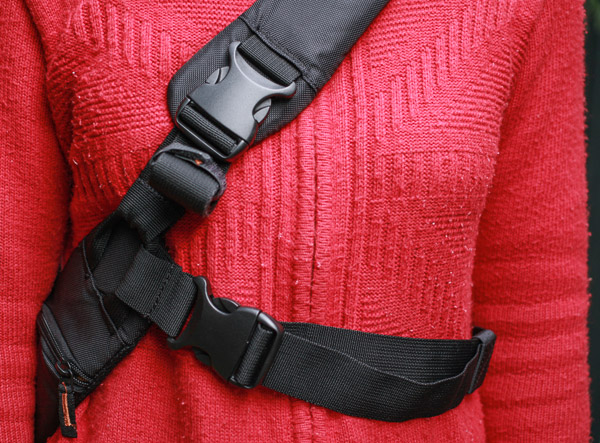
The bag straps from the front. The waist strap (bottom right) provides extra support and prevents the bag from sliding around on your back.
Features
I really like the design of this camera bag. It has a number of well thought out features that make it easy to use.
Main camera compartment
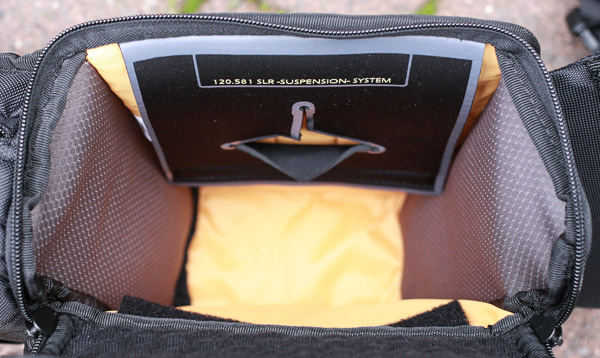
This is for your camera and lens. Case Logic use a hammock system to support your camera. There is a flap with a hole in it at the top of the compartment, and you can place the lens through the hole and rest your camera on top. It keeps your camera ready to hand and provides extra protection if you drop the bag.
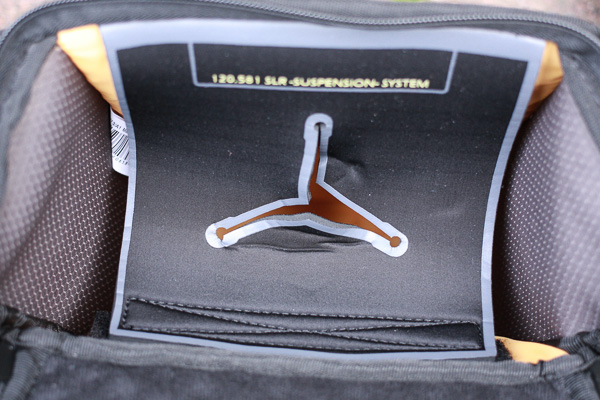
It’s a great idea, but the only drawback for me is that the compartment is too small for my camera, (an EOS 5D Mark II), when the hammock is in position. In terms of size, this bag is best suited for small digital SLRs or mirrorless cameras.
However, if I fold the hammock down (it is supported by velcro) I can fit my camera inside. The camera rests on the lens in this position, so I attach the lens hood to prevent the lens cap being dislodged by rubbing against the side.
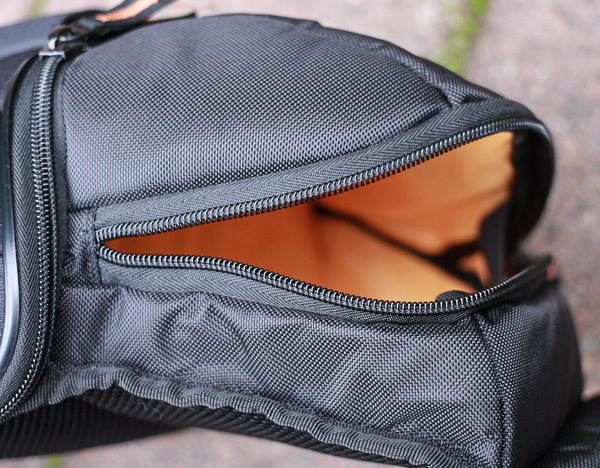
Small side compartment
This is big enough to store another lens or accessories. I use it for my Black Rapid camera strap and a small prime lens. It’s not designed for another body, so if you want to take two cameras on a shoot then you’ll need another bag.
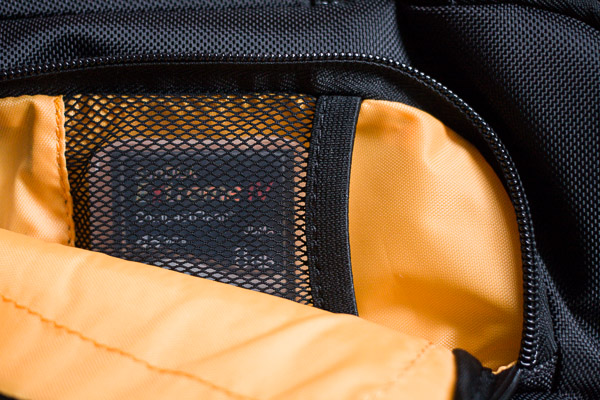
Memory card storage
On the other side is a zipped compartment that opens to reveal memory card space storage.
Wallet compartment
You can put anything that fits in here, but it’s ideal for a wallet. It’s hidden behind the velcro flaps used to support a tripod, making it virtually impossible for someone to steal the contents unnoticed.
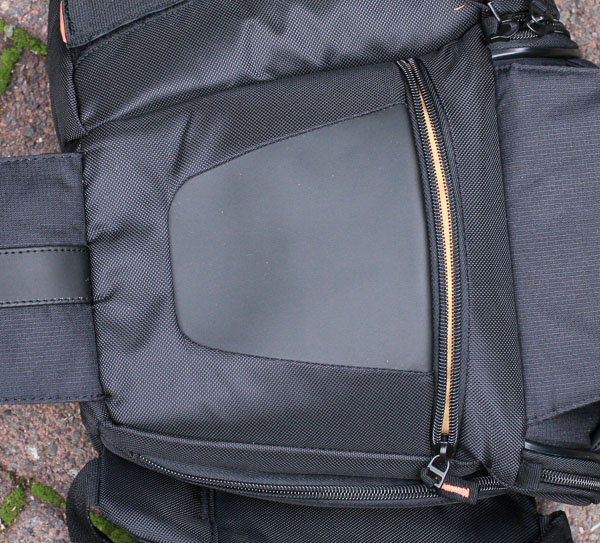
Mobile phone compartment
One of the straps has a small flap ideal for storing a small mobile phone. My iPhone 3Gs fits inside, just. If you have a larger phone than this you’ll need to find somewhere else to keep it.
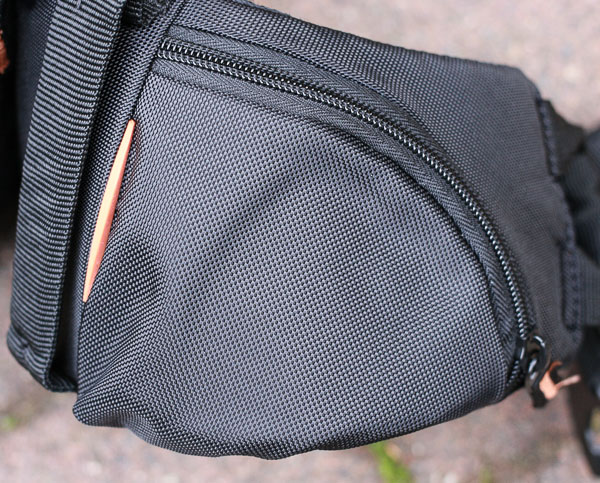
Tripod support
There’s a hook-n-loop strap to support a tripod. It’s a nice idea, best suited to small, lightweight carbon fibre tripods rather than heavier models.
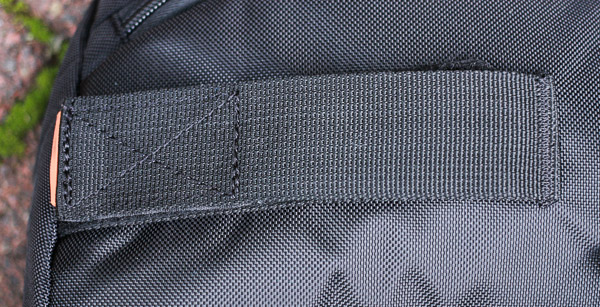
Bag quality
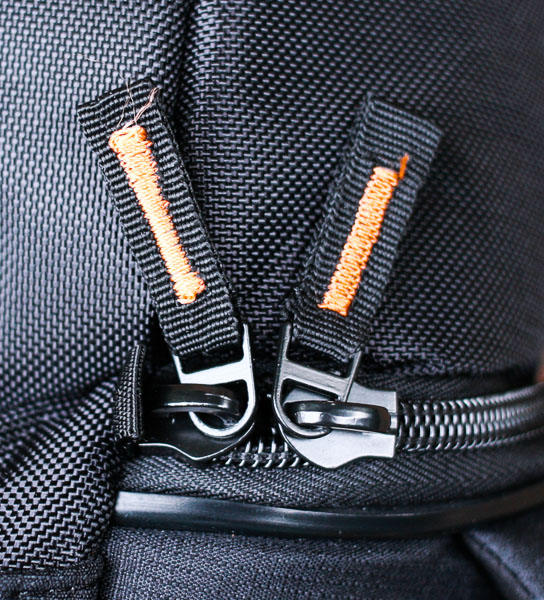
The quality of this bag is excellent. The outside of the bag is made from hard-wearing nylon. The zips are strong and durable and have tags marked with orange thread, making it easy for you to see them.
There are three strong, conveniently placed, handles that make the bag easy to pick up. The shoulder strap is well padded and nice and wide to spread the weight. The interior is bright yellow, so it is easy to see your black accessories such as lens caps. The support straps come with velcro tabs so any unused straps don’t dangle down.
Conclusion
This is a high quality camera bag ideal for anybody who takes a minimal amount of equipment on a shoot. It is most suited for photographers who use small SLR or mirrorless cameras. It is comfortable and easy to use. The only drawbacks are the size (if you have a large camera body) and lack of a waterproof cover.
Thanks to David from Love Cases for supplying the bag for review. Love Cases is a UK based company with international delivery. You can also buy the Case Logic SLRC 205 from Amazon.
Mastering Photography – additional learning
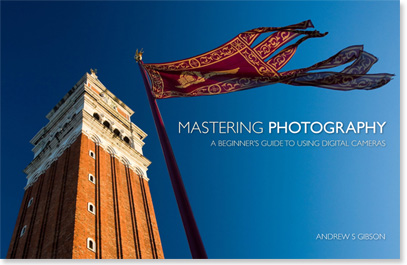
My ebook Mastering Photography: A Beginner’s Guide to Using Digital Cameras introduces you to photography and helps you make the most out of your digital cameras. It covers concepts such as lighting and composition as well as all the camera settings you need to take beautiful photos like the professionals.
The post Case Logic SLRC 205 Sling Camera Bag Review by Andrew S. Gibson appeared first on Digital Photography School.
-
In case you were curious, here are the 10 most expensive photos ever sold.

Photography has been around for almost two hundred years, but amazingly, it’s only in the past couple of decades that it has gained widespread acceptance as an artform. These days, images by significant photographers command very high prices. But How high is ‘very high’? Internet community FreeYork.org has published a list of the ten most expensive photos ever sold. Click through for the list.