Note: If you are a photographer and on Google+, leave a link to your Google+ url in the comments.
I’ve spent the past two days playing around in Google’s new social network Google+. Thanks to Brian Rose who works in Google photos for the invite!
A lot of people have asked me if I have invites to send out. I don’t right now, but I suspect that I will in the near future. They turned invites on last night (when I wasn’t paying attention) but then turned them back off because the demand was so high.
Most of my initial observations about Google+ will have to do with how it impacts photo sharing, and here I think Google has pushed the envelope to create a compelling photo sharing experience to accompany this new social network. Photo sharing in Google+ is very slick and very polished and works very well.
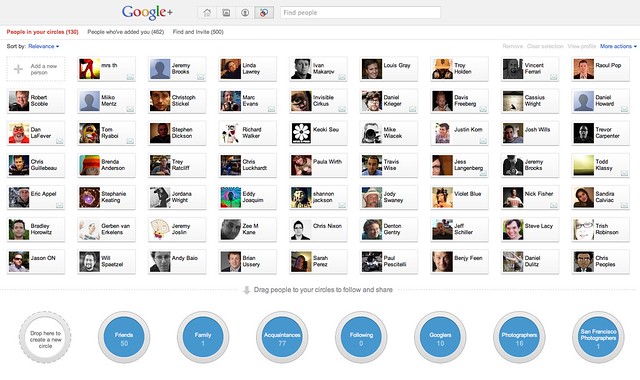
Circles on Google+ are very easy to create and drag people into.
Observation #1, Circles.
Everybody and their brother/mother/sister is talking about Circles in the new Google+. Today on Flickr you can only categorize and filter your contacts in two ways, contacts or friends/family. This blows. It feels so 2004.
Unlike Yahoo/Flickr who seemingly hates innovation, Google+ allows you to categorize and filter your contacts in as many ways as you want. I have a friends circle, a family circle, an acquaintances circle — but I also have a photographers circle, a San Francisco photographers circle… you get the idea.
The ideas on ways to categorize your contacts are limitless. You can have a bucket for graffiti photographers, and neon photographers, wedding photographers, nature photographers, professional photographers, bloggers, you name it.
Once you have these circles made you can filter recent activity by that circle. When you add somebody to a circle they don’t know what circle you are adding them to (by design), they just know that you’ve added them. So when I add someone to my “Haters Gonna Hate” circle, they only know that I’ve added them as a contact generically.
This function is very useful for filtering down photography and photo oriented people on Google+ that you want to follow. I haven’t seen a directory of photographers on Google+ yet, but if you are a photographer and on Google+, leave a link to your Google Profile Page in the comments and I and others can add you and follow your stuff.
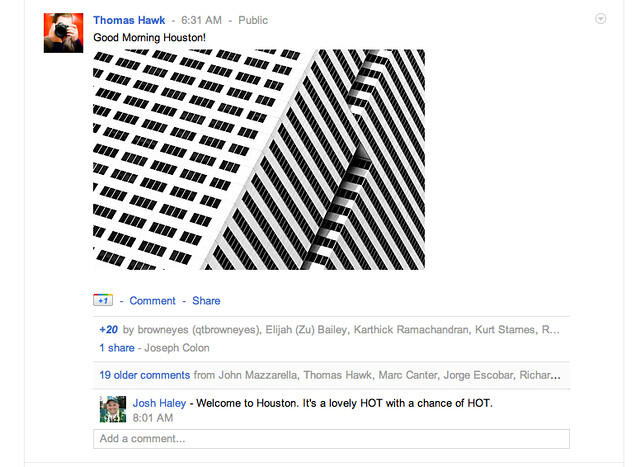
What a photo shared on Google+ looks like in an activity stream.

What a photo in lightbox view looks like in Google+
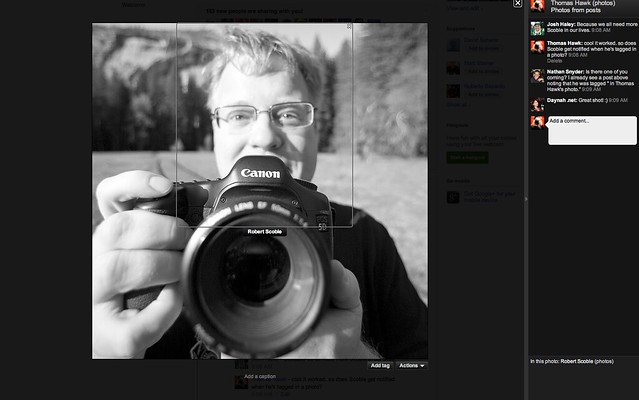
“Tagging” = Peopletagging in Google+
Observation #2, Photos shared on Google+ look *awesome*.
When you upload a photo to Google+ it looks stunning. Your contacts see a nice big oversized thumbnail. It’s not too big and not too small. People can comment or +1 (Google’s version of a “like” or “fave”) the photo from the thumbnail post.
But the magic happens when you click on the big oversized thumbnail. A huge giant version of the photo comes up and it comes up fast, instantly, no delay at all. This looks better than Facebook’s lightbox view, better than Flickr’s lightbox view, it fills the whole page and is the biggest lightbox view I’ve seen online yet. It’s on a black background and looks *very* elegant. All of the comments are on the right side of the photo and you can click on details to get basic camera EXIF data.
There is also a button to “tag” the photo, but I think this needs a little more work. Right now when you tag a photo in Google+ it’s more like peopletagging in Flickr or tagging in Facebook. It’s a tool to say who is in the photo. There is no way to add more generic text descriptor tags though or keywords. Also keyword metadata does not seem to be imported anywhere with the photo when you publish it to Google+.
When you post a photo to Google+ it also puts a copy of the photo into a Google+ album for you in your Picasa account. From what I’ve heard there is no limit (at least yet) to the number of photos you can share on Google+. I’m not sure what Google does if the number of photos posted to Google+ go over your storage limits at Picasa. I haven’t run into that problem yet and I’m pretty close to my cap on a free Picasa account. I suspect that for now at least, Google will let people go over their Picasa storage limits with photos posted to Google+.
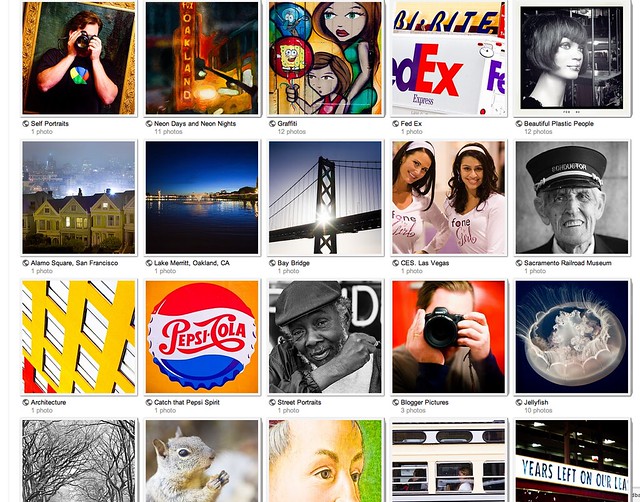
Under the photos tab you can see Picasa Albums on Google+
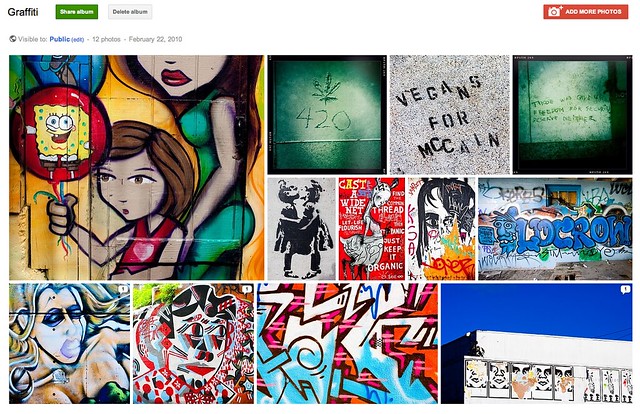
When you click on an a Picasa album you get a nice mosiac layout on Google+
Observation #3, Picasa sets shared on Google+ look awesome.
I love the way Google+ shows your Picasa albums under the “your albums” tab in the photos section. Albums are given bright big thumbnails and if you click through the photos are all resized and sort of fit together on one page in a mosaic like display. This is a very nice, quick way to show an album. If you click through on any of the photos in the album, it takes you back to that big huge lightbox view on black.
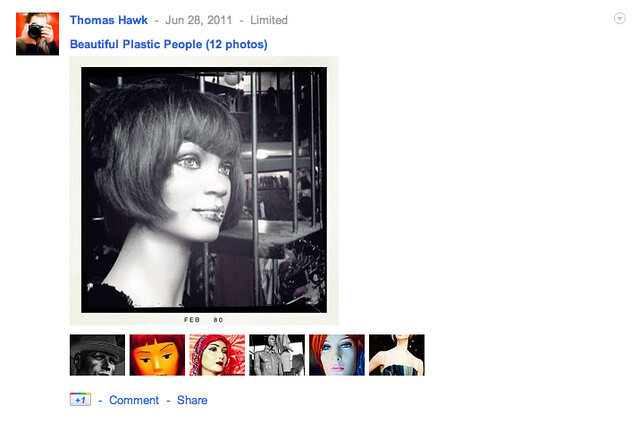
What a shared Picasa album looks like in your activity stream in Google+
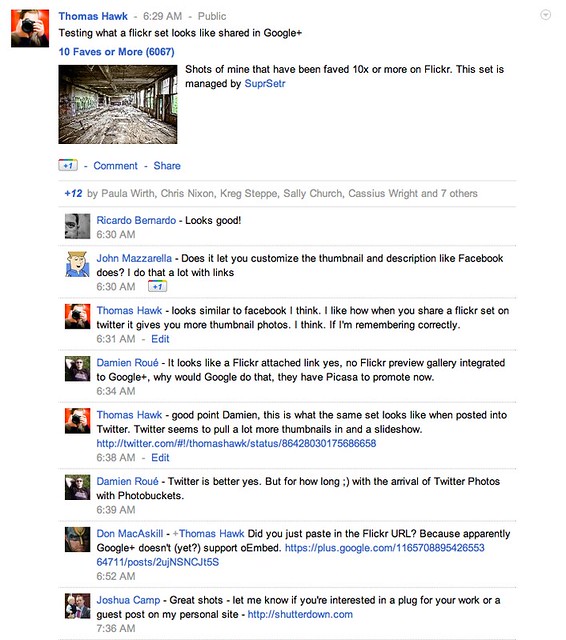
What a shared Flickr set looks like in your activity stream in Google+
Observation #4, A total lack of Flickr integration.
I suspect that this is by design, but there seems to be no way to automatically pipe your flickrstream or account into Google+ — not just Flickr, but Twitter, or Facebook, or really any other site. In this way Google+ is very different than from aggregator’s like Friendfeed and Google Buzz. The most you can do to share Flickr data is to manually enter a url. When you manually enter a Flickr url there is no real integration with that set or photo like there is with Twitter. When you share a Flickr set url on Twitter (for example) you get a bunch of thumbnails and even a slideshow of that set, right on Twitter. Not with Google+ though.
By contrast the Picasa albums shared look very nice, are more interactive with more thumbnails, and also then get shared in your photos section on Google+ as well.
This seems to me to be a very concerted effort by Google to incent you to host your photos at Picasa instead of Flickr, at least to the extent that you want to promote them on Google+.
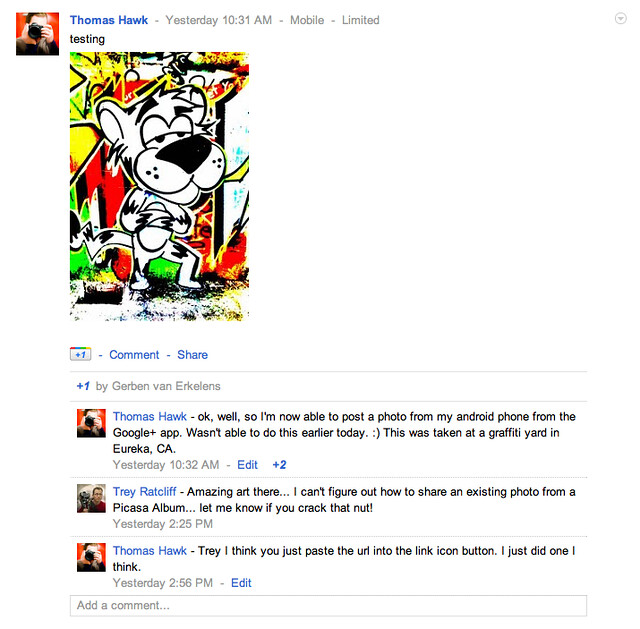
A photo shared from my Android phone to Google+
Observation #5. A compelling mobile experience.
I haven’t tried the iPhone app yet, but the Android Google+ app is *slick*.
Under the photos tab it has photos from your circles, photos of you, your albums, and from your phone.
It also has an “instant upload” option where all photos taken on your phone are instantly uploaded to Google+ when you take them. Don’t worry Anthony Weiner, the photos are put into a “private” album where you can later select which ones you want to share and with whom. So if you want to, later you can send some of them just to the “hot chicks who dig me” circle and not to the whole entire world or your “conservative bloggers who hate me” circle.
Overall I’ve found Google+ to be a compelling way to share photos in an exciting new social network. Google+ is like Google Buzz, Friendfeed and Facebook, except all grown up. The offering is slick and the design is elegant.
If you want to follow me on Google+ you can do that here. I suspect that I’ll be spending more and more time playing around with photos on Google+ and that it will take away some of my Flickr time going forward.
Leave a Reply
You must be logged in to post a comment.